2015 BMW 5 SERIES Idrive
[x] Cancel search: IdrivePage 201 of 277

The achieved extended range is displayed in
the instrument cluster as bonus range.
Overview
The system includes the following
EfficientDynamics functions and displays:▷ECO PRO bonus range, refer to page 197.▷ECO PRO tips driving instruction, refer to
page 198▷ECO PRO climate control, refer to
page 197.▷ECO PRO coasting driving status, refer to
page 199.
Activate ECO PRO
Press button repeatedly until ECO
PRO is displayed in the instrument
cluster.
Configuring ECO PRO
Via the Driving Dynamics Control
1.Activate ECO PRO.2."Configure ECO PRO"3.Configure the program.
Via the iDrive
1."Settings"2."ECO PRO mode"
Or
1."Settings"2."Driving mode"3."Configure ECO PRO"
Configure the program.
ECO PRO Tip
▷"Tip at:":
Adjust the ECO PRO speed.▷"ECO PRO speed warning":The output is reduced once the set ECO
PRO speed is reached.
Coasting
Fuel-efficiency can be optimized by disengag‐
ing the engine and Coasting, refer to
page 199, with the engine idling.
This function is only available in ECO PRO
mode.
ECO PRO climate control
"ECO PRO climate control"
Climate control is set to be fuel-efficient.
By making a slight change to the set tempera‐
ture, or slowly adjusting the rate of heating or
cooling of the car's interior, fuel consumption
can be economized.
The mirror heating is made available when out‐
side temperatures are very cold.
ECO PRO potential Shows potential savings with the current set‐
tings in percentages.
Display in the instrument cluster
Display in the instrument display
When ECO PRO mode is activated, the display
switches to a special configuration.
Some of the displays may differ from the dis‐
play in the instrument cluster.
Blue bar segments symbolize the gained bo‐
nus range in stages.
In addition, the bonus range is highlighted in
blue in the total range display.
ECO PRO bonus range An adjusted driving style helps
you extend your driving range.
This may be displayed as the
bonus range in the instrument
cluster.
Seite 197Saving fuelDriving tips197
Online Edition for Part no. 01 40 2 954 312 - II/15
Page 232 of 277

Snow chains
Fine-link snow chains Only certain types of fine-link snow chains
have been tested by the manufacturer of the
vehicle, classified as road-safe and approved.
Information about the approved snow chains
are available from the service center.
Use Use only in pairs on the rear wheels, equipped
with the tires of the following size:▷225/55 R 17.▷245/45 R 18.▷245/40 R 19.
Follow the snow chain manufacturer's instruc‐
tions.
Make sure that the snow chains are always
sufficiently tight. Retighten as needed accord‐
ing to the chain manufacturer's instructions.
Do not initialize the Flat Tire Monitor after
mounting snow chains, as doing so may result
in incorrect readings.
Do not initialize the Tire Pressure Monitor after
mounting snow chains, as doing so may result
in incorrect readings.
When driving with snow chains, briefly activate
Dynamic Traction Control if needed.
Maximum speed with snow chains Do not exceed a speed of 30 mph/50 km/hwhen using snow chains.
Snow chain detection
The concept When using snow chains, settings should bemade via the iDrive for the snow chains being
applied.
The snow chain detection system supports
you by automatically showing the detected
state on the Control Display.
When snow chains are in use, the rear axle
steering of the Integral Active Steering is deac‐
tivated automatically.
At speeds above the maximum permitted
speed with snow chains of 30 mph/50 km/h,
the rear axle steering is activated again auto‐
matically.
Activating the status1."Settings"2."Tire chains"3."Tire chains installed"
Automatic detection If functioning properly:
▷Snow chains are mounted. Settings are not
activated
.
After you drive a short distance, a Check
Control message is shown and the state is
activated automatically.
Confirm the automatic activation.
▷Snow chains are not mounted. Settings are
activated
.
At speeds above 30 mph/50 km/h, a Check
Control message is displayed. Deactivate
the status manually.
If not functioning properly:
▷Snow chains are mounted. Settings are not
activated
.
A Check Control message is not displayed.
The automatic detection system is mal‐
functioning. Activate the status manually.
Activating/deactivating rear axle
steering
If the status indicating that snow chains are in
use is activated, the rear axle steering is deac‐
tivated automatically.
At speeds above 30 mph/50 km/h, the rear axle
steering is activated again, even though snow
chains are in use.
Seite 228MobilityWheels and tires228
Online Edition for Part no. 01 40 2 954 312 - II/15
Page 270 of 277
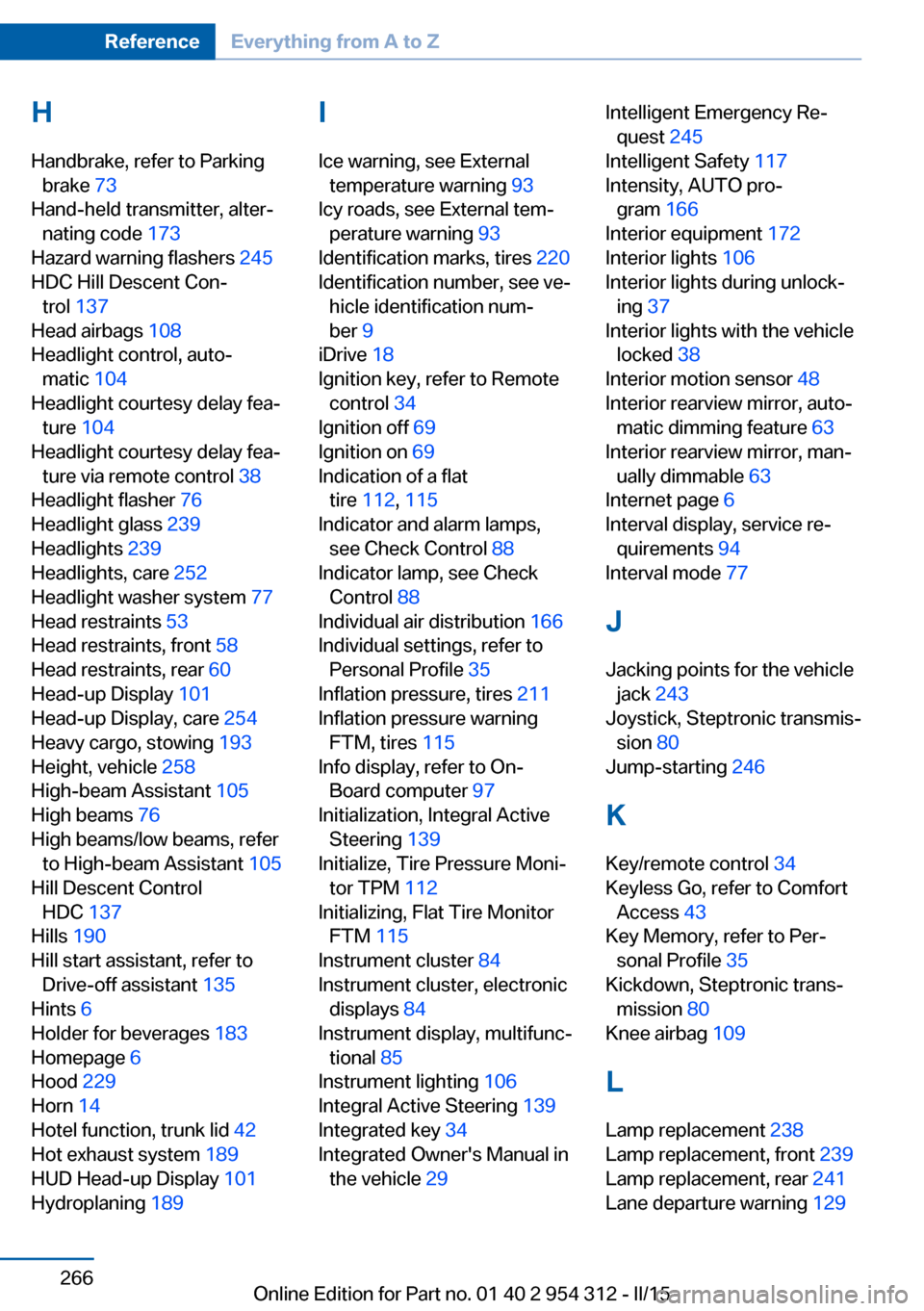
H
Handbrake, refer to Parking brake 73
Hand-held transmitter, alter‐ nating code 173
Hazard warning flashers 245
HDC Hill Descent Con‐ trol 137
Head airbags 108
Headlight control, auto‐ matic 104
Headlight courtesy delay fea‐ ture 104
Headlight courtesy delay fea‐ ture via remote control 38
Headlight flasher 76
Headlight glass 239
Headlights 239
Headlights, care 252
Headlight washer system 77
Head restraints 53
Head restraints, front 58
Head restraints, rear 60
Head-up Display 101
Head-up Display, care 254
Heavy cargo, stowing 193
Height, vehicle 258
High-beam Assistant 105
High beams 76
High beams/low beams, refer to High-beam Assistant 105
Hill Descent Control HDC 137
Hills 190
Hill start assistant, refer to Drive-off assistant 135
Hints 6
Holder for beverages 183
Homepage 6
Hood 229
Horn 14
Hotel function, trunk lid 42
Hot exhaust system 189
HUD Head-up Display 101
Hydroplaning 189 I
Ice warning, see External temperature warning 93
Icy roads, see External tem‐ perature warning 93
Identification marks, tires 220
Identification number, see ve‐ hicle identification num‐
ber 9
iDrive 18
Ignition key, refer to Remote control 34
Ignition off 69
Ignition on 69
Indication of a flat tire 112 , 115
Indicator and alarm lamps, see Check Control 88
Indicator lamp, see Check Control 88
Individual air distribution 166
Individual settings, refer to Personal Profile 35
Inflation pressure, tires 211
Inflation pressure warning FTM, tires 115
Info display, refer to On- Board computer 97
Initialization, Integral Active Steering 139
Initialize, Tire Pressure Moni‐ tor TPM 112
Initializing, Flat Tire Monitor FTM 115
Instrument cluster 84
Instrument cluster, electronic displays 84
Instrument display, multifunc‐ tional 85
Instrument lighting 106
Integral Active Steering 139
Integrated key 34
Integrated Owner's Manual in the vehicle 29 Intelligent Emergency Re‐
quest 245
Intelligent Safety 117
Intensity, AUTO pro‐ gram 166
Interior equipment 172
Interior lights 106
Interior lights during unlock‐ ing 37
Interior lights with the vehicle locked 38
Interior motion sensor 48
Interior rearview mirror, auto‐ matic dimming feature 63
Interior rearview mirror, man‐ ually dimmable 63
Internet page 6
Interval display, service re‐ quirements 94
Interval mode 77
J
Jacking points for the vehicle jack 243
Joystick, Steptronic transmis‐ sion 80
Jump-starting 246
K
Key/remote control 34
Keyless Go, refer to Comfort Access 43
Key Memory, refer to Per‐ sonal Profile 35
Kickdown, Steptronic trans‐ mission 80
Knee airbag 109
L Lamp replacement 238
Lamp replacement, front 239
Lamp replacement, rear 241
Lane departure warning 129 Seite 266ReferenceEverything from A to Z266
Online Edition for Part no. 01 40 2 954 312 - II/15
Page 271 of 277

Lane margin, warning 129
Language on Control Dis‐ play 100
Lashing eyes, securing cargo 193
LATCH child restraint sys‐ tem 66
Launch Control 82
Leather, care 253
LED front fog lights, bulb re‐ placement 241
LED headlights, bulb replace‐ ment 241
LED light 241
LEDs, light-emitting di‐ odes 239
Length, vehicle 258
Letters and numbers, enter‐ ing 24
License plate lamp, bulb re‐ placement 241
Light alloy wheels, care 253
Light control 104
Light-emitting diodes, LEDs 239
Lighter, front 174, 175
Lighter, rear 176
Lighting 103
Lighting, speaker 107
Lights 103
Lights and bulbs 238
Light switch 103
Load 193
Loading 192
Lock, door 39
Locking/unlocking via door lock 39
Locking/unlocking with re‐ mote control 37
Locking, automatic 46
Locking, settings 46
Locking via trunk lid 41
Lock, power window 49
Locks, doors, and win‐ dows 68
Low beams 103 Low beams, automatic, refer
to High-beam Assistant 105
Lower back support 55
Low-Sulfur Diesel 207
Luggage rack, see Roof- mounted luggage rack 193
Lumbar support 55
M
Maintenance 236
Maintenance require‐ ments 236
Maintenance, service require‐ ments 94
Maintenance system, BMW 236
Make-up mirror 174
Malfunction displays, see Check Control 88
Manual air distribution 166
Manual air flow 166
Manual brake, refer to Parking brake 73
Manual mode, Steptronic transmission 81
Manual operation, door lock 39
Manual operation, exterior mirrors 62
Manual operation, fuel filler flap 204
Manual operation, Park Dis‐ tance Control PDC 153
Manual operation, rearview camera 155
Manual operation, Side View 158
Manual operation, Top View 159
Manual transmission 79
Marking on approved tires 223
Marking, run-flat tires 224
Massage seat, front 56 Master key, refer to Remote
control 34
Maximum cooling 167
Maximum speed, display 95
Maximum speed, winter tires 224
Measure, units of 100
Medical kit 246
Memory for seat, mirrors, steering wheel 61
Menu, EfficientDynamics 199
Menu in instrument clus‐ ter 96
Menus, operating, iDrive 18
Menus, refer to iDrive operat‐ ing concept 19
Messages, see Check Con‐ trol 88
Microfilter 168
Minimum tread, tires 222
Mirror 62
Mirror memory 61
Mobile communication devi‐ ces in the vehicle 189
Mobility System 224
Modifications, technical, refer to Safety 7
Moisture in headlight 239
Monitor, refer to Control Dis‐ play 18
Mounting of child restraint systems 65
Multifunctional instrument display 85
Multifunction steering wheel, buttons 14
N
Navigation, see user's manual for Navigation, Entertain‐
ment and Communication
Neck restraints, front, refer to Head restraints 58
Neck restraints, rear, refer to Head restraints 60 Seite 267Everything from A to ZReference267
Online Edition for Part no. 01 40 2 954 312 - II/15
Page 272 of 277

Neutral cleaner, see wheelcleaner 253
New wheels and tires 223
Night Vision 126
Night Vision device, see Night Vision 126
Nylon rope for tow-starting/ towing 249
O OBD Onboard Diagnosis 237
OBD, see OBD Onboard Di‐ agnosis 237
Object detection, see Night Vision 126
Obstacle marking, rearview camera 156
Octane rating, refer to Rec‐ ommended fuel grade 206
Odometer 92
Office, see user's manual for Navigation, Entertainment
and Communication
Oil 231
Oil, adding 232
Oil additives 233
Oil change 233
Oil change interval, service requirements 94
Oil filler neck 232
Oil types, alternative 233
Oil types, approved 233
Old batteries, disposal 244
On-board computer 97
Onboard monitor, refer to Control Display 18
Onboard vehicle tool kit 238
Opening/closing via door lock 39
Opening and closing 34
Opening and closing, without remote control 39
Opening and closing, with re‐ mote control 37 Opening the trunk lid with no-
touch activation 44
Operating concept, iDrive 18
Optional equipment, standard equipment 6
Outside air, refer to Auto‐ matic recirculated-air con‐
trol 167
Overheating of engine, refer to Coolant temperature 92
P Paint, vehicle 252
Parallel parking assistant 160
Park Distance Control PDC 152
Parked-car ventilation 171
Parked vehicle, condensa‐ tion 191
Parking aid, refer to PDC 152
Parking assistant 160
Parking brake 73
Parking lights 103
Parking with Automatic Hold 74
Particulate filter 189
Parts and accessories 7
Passenger side mirror, tilting downward 62
Pathway lines, rearview cam‐ era 156
PDC Park Distance Con‐ trol 152
Pedestrian detection, see Night Vision 126
Pedestrian warning with city braking function 123
Personal Profile 35
Personal Profile, exporting profiles 36
Pinch protection system, glass sunroof 51
Pinch protection system, win‐ dows 49
Plastic, care 253 Power failure 243
Power sunroof, glass 50
Power windows 48
Pressure, tire air pres‐ sure 211
Pressure warning FTM, tires 115
Profile, refer to Personal Pro‐ file 35
Programmable memory but‐ tons, iDrive 23
Protective function, glass sunroof 51
Protective function, win‐ dows 49
Push-and-turn switch, refer to Controller 18
R Radiator fluid 234
Radio-operated key, refer to Remote control 34
Radio ready state 69
Radio, see user's manual for Navigation, Entertainment
and Communication
Rain sensor 77
Rear automatic climate con‐ trol 169
Rear axle steering 139
Rear lights 241
Rear socket 177
Rearview camera 154
Rearview mirror 62
Rear window defroster 167
Recirculated-air mode 167
Recommended fuel grade 206
Recommended tire brands 223
Refueling 204
Remaining range 93
Remote control/key 34
Remote control, malfunc‐ tion 38 Seite 268ReferenceEverything from A to Z268
Online Edition for Part no. 01 40 2 954 312 - II/15
Page 274 of 277

Stability control systems 135
Start/stop, automatic func‐ tion 71
Start/Stop button 69
Start function during malfunc‐ tion 35
Starting the engine 70
Status control display, tires 112
Status information, iDrive 22
Status of Owner's Manual 7
Steering, Integral Active Steering 139
Steering wheel, adjusting 63
Steering wheel heating 64
Steering wheel memory 61
Steptronic Sport transmis‐ sion, refer to Steptronic
transmission 79
Steptronic transmission 79
Stopping the engine 71
Storage compartment, re‐ mote control 184
Storage compartments 181
Storage compartments, loca‐ tions 181
Storage, tires 224
Storing the vehicle 254
Suitable engine oils 233
Summer tires, tread 222
Sun visor 174
Supplementary text mes‐ sage 91
Surround View 154
Suspension settings 139
Switch for Dynamic Driving Control 139
Switch-on times, parked-car ventilation 171
Switch, refer to Cockpit 14
Symbols 6
Symbols in the status field 22
SYNC program, automatic cli‐ mate control 167 T
Tachometer 92
Tail and brake lights 241
Tail lights 241
Tail lights, bulb replace‐ ment 241
Technical changes, refer to Safety 7
Technical data 258
Telephone, see user's manual for Navigation, Entertain‐
ment and Communication
Temperature, automatic cli‐ mate control 166
Temperature display for ex‐ ternal temperature 93
Temperature, engine oil 92
Terminal, starting aid 247
Text message, supplemen‐ tary 91
Theft alarm system, refer to Alarm system 47
Thermal camera, see Night Vision 126
Thigh support 55
Through-loading system 177
Tilt alarm sensor 47
Time of arrival 98
Tire damage 222
Tire identification marks 220
Tire inflation pressure 211
Tire inflation pressure moni‐ tor, refer to FTM 115
Tire Pressure Monitor TPM 111
Tires, changing 223
Tire sealant 224
Tires, everything on wheels and tires 211
Tires, run-flat tires 224
Tire tread 222
Tone, see user's manual for Navigation, Entertainment
and Communication
Tool 238 Top View 158
Total vehicle weight 259
Touchpad 21
Tow fitting 249
Towing 248
Tow lug, see Tow fitting 249
Tow-starting 248
Tow truck 249
TPM Tire Pressure Moni‐ tor 111
Traction control 136
TRACTION, driving dynam‐ ics 136
Transmission lock, electronic unlocking 82
Transmission, manual trans‐ mission 79
Transmission, see Steptronic transmission 79
Transporting children safely 65
Tread, tires 222
Trip computer 98
Triple turn signal activa‐ tion 76
Trip odometer 92
Truck for tow-starting/ towing 249
Trunk lid, automatic 41
Trunk lid closing 41
Trunk lid, closing with no- touch activation 44
Trunk lid, emergency unlock‐ ing 43
Trunk lid, hotel function 42
Trunk lid opening 40
Trunk lid, opening with no- touch activation 44
Trunk lid via remote con‐ trol 38
Turning circle 258
Turning circle lines, rearview camera 156
Turn signals, operation 76
Turn signals, rear, bulb re‐ placement 241 Seite 270ReferenceEverything from A to Z270
Online Edition for Part no. 01 40 2 954 312 - II/15