2015 BMW 5 SERIES lighting
[x] Cancel search: lightingPage 178 of 277

4.Likewise, press and hold the button of the
desired function on the hand-held trans‐
mitter.5.Release both buttons as soon as the inte‐
rior rearview mirror LED flashes more rap‐
idly. The LED flashing faster indicates that
the button on the interior rearview mirror
has been programmed. The system can
then be controlled by the button on the in‐
terior rearview mirror.
If the LED does not flash faster after at
least 60 seconds, change the distance and
repeat the step. Several more attempts at
different distances may be necessary. Wait
at least 15 seconds between attempts.
Canada: if programming with the hand-
held transmitter was interrupted, hold
down the interior rearview mirror button
and repeatedly press and release the
hand-held transmitter button for 2 sec‐
onds.
Controls
Before operation
Before operating a system using the uni‐
versal garage door opener, ensure that there are no people, animals, or objects within the
range of movement of the remote-controlled
system; otherwise, there is a risk of injury or
damage.
Also follow the safety instructions of the hand-
held transmitter.◀
The system, such as the garage door, can be
operated using the button on the interior rear‐
view mirror while the engine is running or when
the ignition is started. To do this, hold down
the button within receiving range of the system
until the function is activated. The interior rear‐ view mirror LED stays lit while the wireless sig‐
nal is being transmitted.
Deleting stored functions Press and hold the left and right button on the
interior rearview mirror simultaneously for ap‐
proximately 20 seconds until the LED flashes
rapidly. All stored functions are deleted. The
functions cannot be deleted individually.
Sun visor Glare shieldFold the sun visor down or up.
Vanity mirror A vanity mirror is located in the sun visor be‐
hind a cover. When the cover is opened, the
mirror lighting switches on.
Ashtray/cigarette lighterManual transmission: Front
Opening
Press on the cover.
Emptying Take out the insert.
Lighter Push in the lighter.
The lighter can be removed as
soon as it pops back out.
Seite 174ControlsInterior equipment174
Online Edition for Part no. 01 40 2 954 312 - II/15
Page 243 of 277

the service center if you are unfamiliar those or
if they have not been described here.
You can obtain a selection of replacement
bulbs at the service center.
Danger of burns
Only change bulbs when they are cool;
otherwise, there is a danger of getting
burned.◀
Working on the lighting system
When working on the lighting system,
you should always reel off the lights affected to
prevent short circuits.
To avoid possible injury or equipment damage
when replacing bulbs, observe any instructions
provided by the bulb manufacturer.◀
Do not perform work/bulb replacement
on xenon headlights
Have any work on the xenon lighting system,
including bulb replacement, performed only by
a service center. Due to the high voltage
present in the system, there is a danger of fatal
injuries if work is carried out improperly.◀
Do not touch the bulbs
Do not touch the glass of new bulbs with
your bare hands, as even minute amounts of
contamination will burn into the bulb's surface
and reduce its service life.
Use a clean tissue, cloth or something similar,
or hold the bulb by its base.◀
Light-emitting diodes (LEDs)
Some items of equipment use light-emitting
diodes installed behind a cover as a light
source.
These light-emitting diodes, which are related
to conventional lasers, are officially designated as Class 1 light-emitting diodes.Do not remove the covers
Do not remove the covers, and never
stare into the unfiltered light for several hours;
otherwise, irritation of the retina could result.◀
Headlight glass
Condensation can form on the inside of the ex‐
ternal lights in cool or humid weather. When
driving with the light switched on, the conden‐
sation evaporates after a short time. The head‐
light glass does not need to be changed.
If the headlights do not dim despite driving
with the light switched on, increasing humidity
forms, e. g. water droplets in the light, have the service center check this.
Headlight setting The headlight adjustments can be affected by
changing lights and bulbs. Have the head‐
lights' settings checked and corrected by serv‐
ice after a replacement.
Front lights, bulb replacement
Xenon headlights
At a glance1Corner-illuminating lights2Parking lamp, daytime running lights3Low beams/high beams4Turn signalSeite 239Replacing componentsMobility239
Online Edition for Part no. 01 40 2 954 312 - II/15
Page 244 of 277

Hints
Because of the long life of these bulbs, the
likelihood of failure is very low. Switching the
lights on and off frequently shortens their life.
If a bulb fails, reel on the front fog lights and
continue the trip with great care. Comply with
local regulations.
Do not perform work/bulb replacement
on xenon headlights
Have any work on the xenon lighting system,
including bulb replacement, performed only by
a service center. Due to the high voltage
present in the system, there is a danger of fatal
injuries if work is carried out improperly.◀
For checking and adjusting headlamp aim,
please contact your BMW center.
Parking lights and roadside parking lamp
Follow general instructions, refer to page 238.
These lights feature LED technology.
Contact your service center in the event of a
malfunction.
Accessing the bulbs
Remove the screws and fold down the lid.
Turn signal
Follow general instructions, refer to page 238.
The illustration shows the left side of the en‐
gine compartment.
24-watt bulb, PY.
Unscrew the lid, remove it, and change the
bulb.
Corner-illuminating lights
Follow general instructions, refer to page 238.
The illustration shows the left side of the en‐
gine compartment.
55-watt bulb, H7.
1.Fold open the cover in the engine compart‐
ment.2.Unscrew the lid and remove it.Seite 240MobilityReplacing components240
Online Edition for Part no. 01 40 2 954 312 - II/15
Page 268 of 277

COMFORT program, DrivingDynamics Control 141
Compressor 224
Computer, refer to On-board computer 97
Condensation on win‐ dows 166
Condensation under the vehi‐ cle 191
Condition Based Service CBS 236
Configure driving mode 141
Confirmation signal 46
ConnectedDrive, see user's manual for Navigation, En‐
tertainment and Communi‐
cation
ConnectedDrive Services
Continued driving with a flat tire 113 , 116
Control Display 18
Control Display, settings 99
Controller 18
Control systems, driving sta‐ bility 135
Convenient opening with the remote control 37
Coolant 234
Coolant level 234
Coolant temperature 92
Cooling function 167
Cooling, maximum 167
Cooling system 234
Cornering light 104
Corrosion on brake discs 190
Cosmetic mirror 174
Courtesy lamps during un‐ locking 37
Courtesy lamps with the vehi‐ cle locked 38
Cruise control 150
Cruise control, active with Stop & Go 143
Cruise Control, refer to Active Cruise Control 143
Cruising range 93 Cupholder 183
Current fuel consumption 93
D
Damage, tires 222
Damping control, dy‐ namic 138
Data, technical 258
Date 93
Daytime running lights 104
Defrosting, refer to Windows, defrosting 166
Dehumidifying, air 167
Deleting personal data 24
Deletion of personal data 24
Destination distance 98
Diesel exhaust fluid, at low temperatures 208
Diesel exhaust fluid, having refilled 208
Diesel exhaust fluid, on mini‐ mum 208
Diesel exhaust fluid, replen‐ ishing yourself 208
Diesel particulate filter 189
Digital clock 93
Dimensions 258
Dimmable exterior mirrors 63
Dimmable interior rearview mirror 63
Direction indicator, refer to Turn signals 76
Display, electronic, instru‐ ment cluster 84
Display in windshield 101
Display lighting, refer to In‐ strument lighting 106
Displays 85
Displays, cleaning 254
Disposal, coolant 235
Disposal, vehicle battery 244
Distance control, refer to PDC 152
Distance to destination 98 Divided screen view, split
screen 23
Door lock 39
Door lock, refer to Remote control 34
Doors, Automatic Soft Clos‐ ing 40
Downhill control 137
Drive-off assistant 135
Drive-off assistant, refer to DSC 135
Driver assistance, refer to In‐ telligent Safety 117
Driving Assistant, refer to In‐ telligent Safety 117
Driving Dynamics Con‐ trol 139
Driving instructions, break- in 188
Driving mode 139
Driving notes, general 188
Driving stability control sys‐ tems 135
Driving tips 188
DSC Dynamic Stability Con‐ trol 135
DTC Dynamic Traction Con‐ trol 136
Dynamic Damping Con‐ trol 138
Dynamic Drive 138
Dynamic Stability Control DSC 135
Dynamic Traction Control DTC 136
E ECO PRO 196
ECO PRO, bonus range 197
ECO PRO display 196
ECO PRO displays 86
ECO PRO driving mode 196
ECO PRO mode 196
ECO PRO Tip - driving in‐ struction 198 Seite 264ReferenceEverything from A to Z264
Online Edition for Part no. 01 40 2 954 312 - II/15
Page 270 of 277
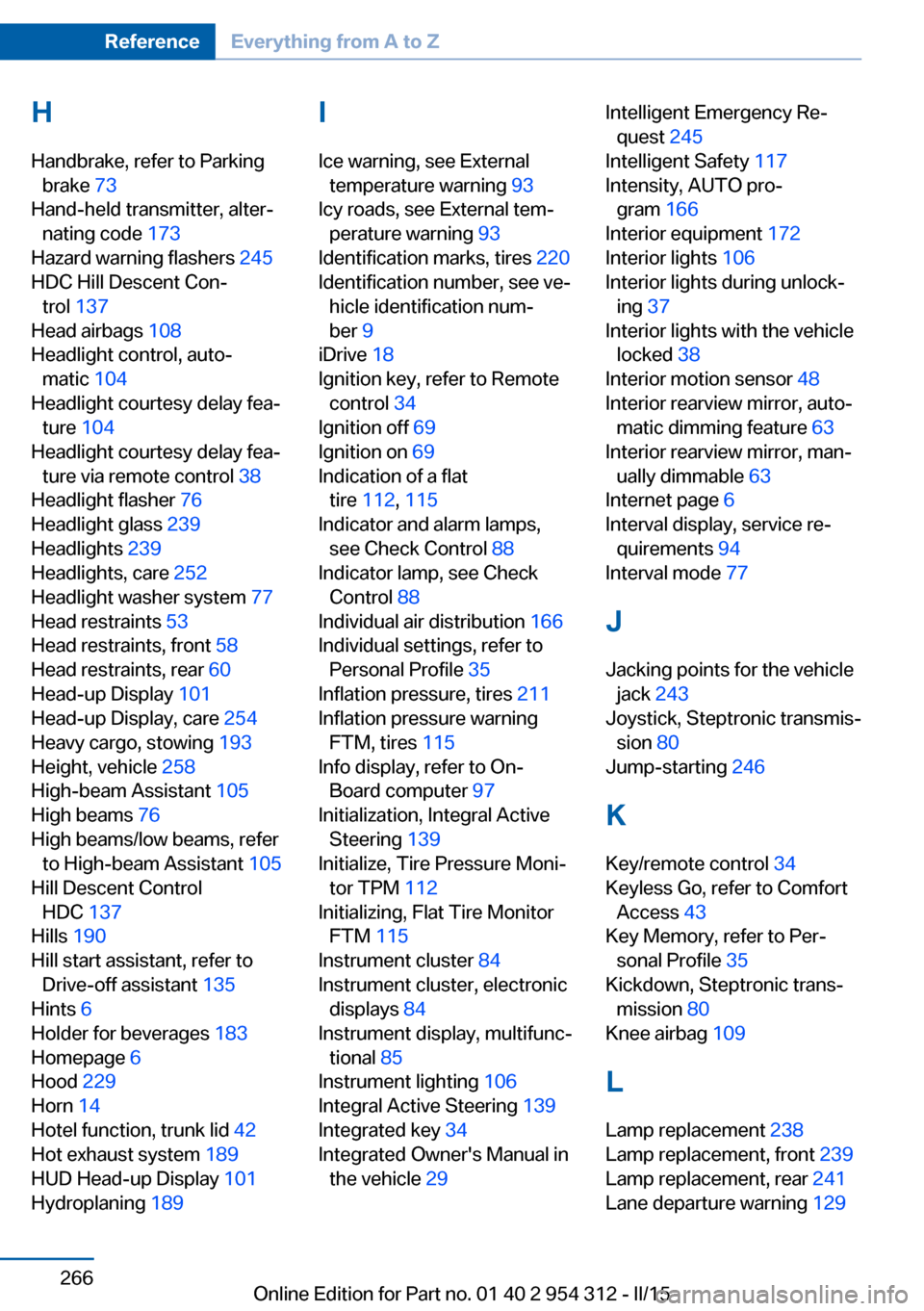
H
Handbrake, refer to Parking brake 73
Hand-held transmitter, alter‐ nating code 173
Hazard warning flashers 245
HDC Hill Descent Con‐ trol 137
Head airbags 108
Headlight control, auto‐ matic 104
Headlight courtesy delay fea‐ ture 104
Headlight courtesy delay fea‐ ture via remote control 38
Headlight flasher 76
Headlight glass 239
Headlights 239
Headlights, care 252
Headlight washer system 77
Head restraints 53
Head restraints, front 58
Head restraints, rear 60
Head-up Display 101
Head-up Display, care 254
Heavy cargo, stowing 193
Height, vehicle 258
High-beam Assistant 105
High beams 76
High beams/low beams, refer to High-beam Assistant 105
Hill Descent Control HDC 137
Hills 190
Hill start assistant, refer to Drive-off assistant 135
Hints 6
Holder for beverages 183
Homepage 6
Hood 229
Horn 14
Hotel function, trunk lid 42
Hot exhaust system 189
HUD Head-up Display 101
Hydroplaning 189 I
Ice warning, see External temperature warning 93
Icy roads, see External tem‐ perature warning 93
Identification marks, tires 220
Identification number, see ve‐ hicle identification num‐
ber 9
iDrive 18
Ignition key, refer to Remote control 34
Ignition off 69
Ignition on 69
Indication of a flat tire 112 , 115
Indicator and alarm lamps, see Check Control 88
Indicator lamp, see Check Control 88
Individual air distribution 166
Individual settings, refer to Personal Profile 35
Inflation pressure, tires 211
Inflation pressure warning FTM, tires 115
Info display, refer to On- Board computer 97
Initialization, Integral Active Steering 139
Initialize, Tire Pressure Moni‐ tor TPM 112
Initializing, Flat Tire Monitor FTM 115
Instrument cluster 84
Instrument cluster, electronic displays 84
Instrument display, multifunc‐ tional 85
Instrument lighting 106
Integral Active Steering 139
Integrated key 34
Integrated Owner's Manual in the vehicle 29 Intelligent Emergency Re‐
quest 245
Intelligent Safety 117
Intensity, AUTO pro‐ gram 166
Interior equipment 172
Interior lights 106
Interior lights during unlock‐ ing 37
Interior lights with the vehicle locked 38
Interior motion sensor 48
Interior rearview mirror, auto‐ matic dimming feature 63
Interior rearview mirror, man‐ ually dimmable 63
Internet page 6
Interval display, service re‐ quirements 94
Interval mode 77
J
Jacking points for the vehicle jack 243
Joystick, Steptronic transmis‐ sion 80
Jump-starting 246
K
Key/remote control 34
Keyless Go, refer to Comfort Access 43
Key Memory, refer to Per‐ sonal Profile 35
Kickdown, Steptronic trans‐ mission 80
Knee airbag 109
L Lamp replacement 238
Lamp replacement, front 239
Lamp replacement, rear 241
Lane departure warning 129 Seite 266ReferenceEverything from A to Z266
Online Edition for Part no. 01 40 2 954 312 - II/15
Page 271 of 277

Lane margin, warning 129
Language on Control Dis‐ play 100
Lashing eyes, securing cargo 193
LATCH child restraint sys‐ tem 66
Launch Control 82
Leather, care 253
LED front fog lights, bulb re‐ placement 241
LED headlights, bulb replace‐ ment 241
LED light 241
LEDs, light-emitting di‐ odes 239
Length, vehicle 258
Letters and numbers, enter‐ ing 24
License plate lamp, bulb re‐ placement 241
Light alloy wheels, care 253
Light control 104
Light-emitting diodes, LEDs 239
Lighter, front 174, 175
Lighter, rear 176
Lighting 103
Lighting, speaker 107
Lights 103
Lights and bulbs 238
Light switch 103
Load 193
Loading 192
Lock, door 39
Locking/unlocking via door lock 39
Locking/unlocking with re‐ mote control 37
Locking, automatic 46
Locking, settings 46
Locking via trunk lid 41
Lock, power window 49
Locks, doors, and win‐ dows 68
Low beams 103 Low beams, automatic, refer
to High-beam Assistant 105
Lower back support 55
Low-Sulfur Diesel 207
Luggage rack, see Roof- mounted luggage rack 193
Lumbar support 55
M
Maintenance 236
Maintenance require‐ ments 236
Maintenance, service require‐ ments 94
Maintenance system, BMW 236
Make-up mirror 174
Malfunction displays, see Check Control 88
Manual air distribution 166
Manual air flow 166
Manual brake, refer to Parking brake 73
Manual mode, Steptronic transmission 81
Manual operation, door lock 39
Manual operation, exterior mirrors 62
Manual operation, fuel filler flap 204
Manual operation, Park Dis‐ tance Control PDC 153
Manual operation, rearview camera 155
Manual operation, Side View 158
Manual operation, Top View 159
Manual transmission 79
Marking on approved tires 223
Marking, run-flat tires 224
Massage seat, front 56 Master key, refer to Remote
control 34
Maximum cooling 167
Maximum speed, display 95
Maximum speed, winter tires 224
Measure, units of 100
Medical kit 246
Memory for seat, mirrors, steering wheel 61
Menu, EfficientDynamics 199
Menu in instrument clus‐ ter 96
Menus, operating, iDrive 18
Menus, refer to iDrive operat‐ ing concept 19
Messages, see Check Con‐ trol 88
Microfilter 168
Minimum tread, tires 222
Mirror 62
Mirror memory 61
Mobile communication devi‐ ces in the vehicle 189
Mobility System 224
Modifications, technical, refer to Safety 7
Moisture in headlight 239
Monitor, refer to Control Dis‐ play 18
Mounting of child restraint systems 65
Multifunctional instrument display 85
Multifunction steering wheel, buttons 14
N
Navigation, see user's manual for Navigation, Entertain‐
ment and Communication
Neck restraints, front, refer to Head restraints 58
Neck restraints, rear, refer to Head restraints 60 Seite 267Everything from A to ZReference267
Online Edition for Part no. 01 40 2 954 312 - II/15
Page 273 of 277

Remote control, univer‐sal 172
Replacement fuse 244
Replacing parts 238
Replacing wheels/tires 223
Reporting safety defects 9
RES button 146
RES button, see Active Cruise Control, ACC 143
RES button, see Cruise con‐ trol 150
Reserve warning, refer to Range 93
Reset, Tire Pressure Monitor TPM 112
Residual heat, automatic cli‐ mate control 168
Retaining straps, securing cargo 193
Retreaded tires 223
Reversing lamp, bulb replace‐ ment 242
Roadside parking lights 104
Roller sunblinds 49
Roll stabilization, refer to Adaptive Drive 138
Roll stabilization, refer to Dy‐ namic Drive 138
RON recommended fuel grade 206
Roofliner 17
Roof load capacity 259
Roof-mounted luggage rack 193
Rope for tow-starting/ towing 249
RSC Run Flat System Com‐ ponent, refer to Run-flat
tires 224
Rubber components, care 253
Run-flat tires 224
S Safe braking 190 Safety 7
Safety belt reminder for driv‐ er's seat and front passen‐
ger seat 58
Safety belts 57
Safety belts, care 254
Safety Package, refer to Ac‐ tive Protection 132
Safety switch, windows 49
Safety systems, airbags 108
Saving fuel 195
Screen, refer to Control Dis‐ play 18
Screwdriver, see Onboard ve‐ hicle tool kit 238
Screw thread, refer to Screw thread for tow fitting, screw
thread for tow fitting 250
Sealant 224
Seat belts, refer to Safety belts 57
Seat heating, front 56
Seat heating, rear 56
Seating position for chil‐ dren 65
Seat, mirror, and steering wheel memory 61
Seats 53
Seat ventilation, front 57
Selection list in instrument cluster 96
Selector lever, Steptronic transmission 80
Sensors, care 254
Service and warranty 8
Service requirements, Condi‐ tion Based Service
CBS 236
Service requirements, dis‐ play 94
Services, ConnectedDrive
SET button, see Active Cruise Control, ACC 143
SET button, see Cruise con‐ trol 150 Settings, locking/unlock‐
ing 46
Settings on Control Dis‐ play 99
Settings, storing for seat, mir‐ rors, steering wheel 61
Shift paddles on the steering wheel 81
Shift point indicator 87
Shoulder support 56
Side airbags 108
Side View 157
Signaling, horn 14
Signals when unlocking 46
Sitting safely 53
Size 258
Ski bag 179
Slide/tilt glass roof 50
Smallest turning radius 258
Smoker's package 174
Snow chains 228
Socket 176
Socket, OBD Onboard Diag‐ nostics 237
Soot particulate filter 189
SOS button 245
Spare fuse 244
Speaker lighting 107
Specified engine oil types 233
Speed, average 98
Speed limit detection, on- board computer 98
Speed limiter, display 95
Speed Limit Information 95
Speed warning 99
Split screen 23
SPORT+ - program, Dynamic Driving Control 140
Sport displays, torque dis‐ play, performance dis‐
play 99
SPORT program, driving dy‐ namics 140
Sport program, transmis‐ sion 81 Seite 269Everything from A to ZReference269
Online Edition for Part no. 01 40 2 954 312 - II/15