2015 AUDI A6 instrument cluster
[x] Cancel search: instrument clusterPage 97 of 314

M N
0 <.J 'SI' ,...., \!) 1.1'1 ,...., 1.1'1 ,....,
White Active l ane assist is sw itched on
line(s) and ready to p rov ide warnings
on the side that is ind icated
¢ fig. 98.
Red line Act ive lane assist is warning you
(left or that you are about to leave your
right) lane
¢ fig . 98. In addition, the
steeri ng wheel vibrates s light ly.
Gray Act ive l ane assist is switched on
line(s) but is not ready to provide warn-
ings
¢ fig . 99.
Mes sages in the instrument clu ster
display
When the active lane ass ist turns off automat
i cally, the i nstrument cluster ind icator goes
out and one of the fo llow ing messages ap
pears on the display :
Audi active lane a ssist : Currently un availa
bl e. No camera view
This message appears if the camera is no lon
ger funct ional after the system has cont inous
ly failed to detect the lane markings . This
could happen if :
- The camera field of view¢
page 94, fig. 97
is d irty or covered in ice. Clean the area on
the windshie ld.
- The camera field of view is fogged over. Wait
until the fog has cleared before switching
active lane assist on .
- The system has been unable to detect the
lanes for an extended period of time due to
road cond it ions . Switch active lane ass ist
back on when the lines are more visible .
Audi active lane a ssist : Currently un available
A temporary ma lf u nction is preventing lane
assist from operating. Try sw itching active
lane assist on again later.
Audi acti ve lane a ssist : S ys tem fault!
Drive to you r autho rized Aud i dea le r soon to
h ave the ma lfunction co rrec ted.
Audi active lane a ssis t: Pl ea se take over
s te ering
Audi acti ve lane a ssis t 95
This message appears if yo u do not s teer the
vehicle yourself . If this is the case, active lane
ass ist does not switch off, b ut it does sw itch
to the "not ready" stat us. The system can help
you keep the ve hicle in the lane. However it is
your own responsibility to steer and control
t h e ve hicle .
Setting the steering wheel vibration
Applies to vehicles: with active lane assist
11> Select: !CAR ! function button> (Car )* sys
tem s
control button > Driver a ssis t > Audi
a ctive lan e as sis t.
You can switch the vibrat ing warn ing in t he
stee ring wheel
o n or off .
(D Tips
Your setting is a utomat ically stored and
assigned to the remo te control key being
used.
Page 101 of 314

M N
0 <.J 'SI: ,...., \!) 1.1"1 ,...., 1.1"1 ,....,
@ Tips
-Side assist is not active while you are
making the adjustment.
- Your settings are automatically stored
and assigned to the remote control key
being used.
Driver messages
Applies to vehicles: with side assist
If side assist switches off by itself, the LED in
the button turns off and a message will ap
pear in the instrument cluster display:
Audi side assist: Currently unavailable. No
sensor vision
The radar sensors' vision is affected. Do not
cover the area in front of the sensors with bike
wheels, stickers, dirt or other objects. Clean
the area in front of the sensors, if necessary
c>page97, fig.103.
Audi side assist: Currently unavailable
Side assist cannot be switched on temporarily
because there is a malfunction (for example,
the battery charge level may be too low).
Audi side assist: System fault!
The system cannot guarantee that it will de
tect vehicles correctly and it is switched off .
The sensors have been displaced or are faulty.
Have the system checked by an authorized
Audi dealer or authorized Audi Service Facility
soon.
Audi side assist: Unavailable when towing.
Side assist switches off automatically when a
factory-installed trailer hitch is connected to
the electrical connector on the trailer. There is
no guarantee the system will switch off when
using a retrofitted trailer hitch. Do not use
side assist when towing a trailer.
Audi side assist 99
Page 105 of 314

M N
0 I.J "". rl I.O
"' rl
"' rl
Night vision assistant
Night vision assistant
with detected pedestrian marking
Description
App lies to vehicles: with night v isio n assistant
Fig . 106 Display: nig ht v is ion assistant
"N ight v is ion assistant with pedestrian detec
tion" uses an infrared camera to monitor the
area in front of your vehicle at night. Within
the limits of the system , it can display objects
up to about 1000 feet (300 meters) away. The
heat image of a pedestrian detected by the
camera is shown in the instrument cluster dis
play
Q fig . 106 . Warm areas appear lighter
and cold areas appear darker .
Pedestrian detection
Applies to vehicles: with n ig ht v ision ass istant
Fig. 107 Display : yellow pedestrian marking
Night vision assistant 103
Fig. 108 D isp lay: symbo l w hen infrare d image is not
visi ble
Night vision assistant can detect pedestrians
that are between about 50 and 300 feet (15
and 90 meters) in front of the vehicle, under
ideal conditions .
If a pedestrian is detected
when it is dark outside and the vehicle head
lights are switched on, the pedestrian is high
lighted in yellow
Qf/g . 107, Qpage 104,
General information.
If another display such
as navigation replaces the image from the
night vision assistant, the symbo l~,, appears
in a tab
Q fig. 108.
(D Tips
If the night vision assistant image does
not appear when the system is sw itched
on, you can access it with the buttons on
the multifunction steering wheel
Q page25.
Page 109 of 314

M N
0 I.J "". rl I.O
"' rl
"' rl
Automatic Transmission
multitronic, S tronic,
tiptronic
Introduction
The automatic transmission is controlled elec
tronically . The transmission upsh ifts or down
shifts automatically depending on which drive
program is se lected .
When a
moderate driving style is used, the
transmission selects the most economical
driving mode . It will then change up early and
delay the downshifts to give better fuel econ
omy.
The transmission switches to a sporty mode
after a kick-down or when the driver uses a
sporty driving style characterized by quick ac
celerator pedal movements, heavy accelera
tion, frequent changes in speed and traveling
at the maximum speed.
If desired, the driver can als o se lect the gears
manually (tiptronic mode) q page 111.
Various automatic transmissions may be in
stalled , depending on the model:
multitronic transmission
The multitron ic transmission is a continuously
variable transmission. Power is transferred us
ing a multidisk clutch . In contrast to conven
tional automat ic transm iss ions using shift ing
ope rat ions, the transmiss ion ratio in the con
tinuously variab le transmission is changed
continuously. This optimizes the comfort level
and conserves fuel.
S tronic transmission
The S tronic is a dual-clutch transmission .
Power is transferred using two clutches that
work independently from one another. They
replace the torque converter used in conven
tional automatic transm issions and allow the
vehicle to accelerate without a noticeable in
terruption in traction.
Automatic Transmission 107
tiptronic transmission
In the tiptronic transmission, power is trans
ferred by a torque converter.
Selector lever positions
Fig. 114 Disp lay in the instrument cluster: selector
l ever positio n
The selector lever position engaged appears
next to the se lector lever as we ll as in the in
strument cluster display.
P- Park
In this selector lever position the transmis
sion is mechanically locked. Engage P on ly
when the vehicle is
completely stopped q .&.
in Driving the automatic transmission on
page 110.
To shift in or out of positio n P, you must first
press and hold the brake pedal and then press
the re lease button in the selector lever handle
while moving the selector lever to or from P.
You can shift out of this position only with the
ignition on.
R - Reverse
Select R only when the vehicle is at a full stop
and the engine is running at idle speed i:> & in
Driving the automatic transmission on
page 110 .
Before you move the se lector lever to R, press
both the button in the handle of the selector
lever
and the brake pedal at the same time .
When the ignition is on, the backup lights illu
minate when the selector lever is moved into
R. ..,.
Page 110 of 314

108 Automatic Transmission
N -N eutr al
The transmission is in neutral in this position.
Shift to this position for stand ing with the
brakes applied
q .&. in Driving the automatic
transmission on page 11 O.
When the ve hicle is stationary o r at speeds
be low 1 mph (2 km/h), you must always apply
the footbrake befo re and while moving the
l ever out of N.
D IS -Normal position for driving forward
In the D/S position, the transmiss io n can be
operated e ither in the normal mode Dor i n
the sport mode S. To select the sport mode S,
pu ll the se lector lever back briefly . Pulling the
lever back aga in will select the normal mode
D. The instrument cluster display shows the
selected driving mode.
In the normal mode D, the transmission a uto
mat ica lly selects the suitab le gea r ratio.
It de
pends on engine load, veh icle speed and driv
ing style.
Select the sport mode S for sporty driving .
The vehicle makes fu ll u se of the engine's
power. Shifting may become noticeable when
accelerating.
When the ve hicle is stationary o r at speeds
be low 1 mph (2 km/h), you must always apply
the foot brake before and while moving the lever to D/S out of N.
A WARNING
Read and follow all WARNINGS q .&. in
Driving the automatic transmission on
page 110.
(D Note
-
Coast ing downh ill with the transmission in
N and the e ngine not r unning w ill result in
damage to the automatic transm iss io n
and possib ly the catalyt ic converter.
@ Tips
- Audi drive select : you ca n adj ust the
sporty s hift c haracte ristics in th e
Dy-
namic driving mode.Swi ll appea r in the
instrument cluster display instead of D.
-If you a cc iden tally selec t N whi le driving,
take your foot off the accelerato r pedal
immediately and wa it for the engine to
slow down to idle before select ing D/S.
- If there is a power fai lure, the selector
lever w ill not move out of the P position.
The emergency release can be used if
this happens
qpage 113.
Automatic Shift Lock (ASL)
The Automatic Shift Lock safeguards you
against accidentally shifting into a forward or the reverse gear and causing the vehicle to
move unintentionally.
0, N ! ' g
i
) ( )
-
Fig. 1 15 Shift gate: selector leve r lock positions a nd
r e lease button highl ighted
The selector lever lock is released as follows:
... Tur n the igni tion on.
... Step o n the brake pedal.
At the same time
press and hold the re lease button on the
side of the gear selector knob
¢ fig. 115
with your thumb until yo u have moved the
selector lever to the desired posit ion.
Automat ic selector leve r lo ck
The selector lever is locked in the P and N po
sitions when the ignition is turned on. Yo u
must press the brake pedal and t he re lease
button to select another position . As a re
minder to the driver, the following warni ng
appears in the instrument cluster display
when the selector is in P and N:
When stationary apply brake pedal while se -
lecting gear
ll>
Page 113 of 314

M N
0 I.J "". rl I.O
"' rl
"' rl
Hill descent control switches off once the de
cline levels out or you press the accelerator pedal.
On vehicles with the cruise control system*
¢ page 82, hill descent control is also activat
ed when the speed is set.
A WARNING
Hill descent control cannot overcome
physical limitations, so it may not be able
to maintain a constant speed under all
conditions. Always be ready to apply the
brakes .
Manual shift program
Using the manual shift program you can
manually select gears.
Fig. 117 Center console; shift ing the gears manually
Fig. 118 Steering wheel: Shift paddles•
Gear selection with selector lever
The tipt ron ic mode can be selected either with
the vehicle stationary or on the move.
.,. Push the selector lever to the right from 0/
5. An M appears in the instrument cluster
display as soon as the transmission has
shifted.
Automatic Transmission 111
.,. To upshift, push the se lector lever forwa rd
to the plus position
0 ¢ fig . 117.
.,. To downshift, push the lever to the minus
position
0 .
Gear selection with shift paddles*
The shift paddles are activated when these
lector lever is in 0/S or the tiptronic manual
shift program.
.,. To upshift, touch the shift paddle on the
right 0¢fig.118 .
.,. To downshift, touch the shift paddle on the
left
0 .
.,. If you do not press a shift paddle within a
short time while in the 0/S position, the
transm iss ion will return to automatic mode.
To keep shifting using the shift paddles,
move the selector lever to the r ight out of
the 0/S position.
The transmission automatically shifts up or
down before critical engine speed is reached.
The transm ission only allows manual sh ifting
when the engine speed is with in the permit
ted range.
@ Tips
- When you shift into the next lower gear,
the transmission will downshift only
when there is no possibility of over-rev
ving the engine.
- When the kick-down comes on, the
transmission will shift down to a lower
gear, depending on vehicle and engine
speeds.
- Tiptronic is inoperative when the trans
mission is in the fai l-safe mode.
, Kick-down
Kick-down enables maximum acceleration.
Applies to vehicles with a multitronic
transmission
When you depress the accelerator pedal be
yond the resistance point, the transmission
downshifts into a lower gear ratio depend ing
on the vehicle speed and engine speed. As .,.
Page 114 of 314

112 Automatic Tran sm iss ion
long as the accelerator peda l is depressed, the
engine speed is automatica lly regulated for
maximum acceleration.
Appli es to v ehicl es with a S tronic -/,
tip tronic t ransmis sion
When you depress the acce lerator pedal be
yond the resistance point, the automatic transmission downshifts into a lower gear, de
pending on vehicle speed and engine speed.
The upshift into the next higher gear takes
place once the maximum specified eng ine
speed is reached.
A WARNING
Please note that the d rive wheels can spin
if kick-down is used on a smooth slippery
road - there is a risk of skidding .
Launch Control Program
Applies to vehicles: with 5 tronic
The Launch Control Program provides the
best acceleration possible when starting from
a stop .
Requirement: The engine must be at operat
i ng temperature and the steering wheel must
not be tu rned.
,,. Press the
I" O FFI button ¢ page 195 while
the engine is running. The
II ind icator light
illuminates in the instrument cluster and
Sta bilizati on co ntrol (E SC): Off W arning!
Redu ced st a bilit y
appears in the driver in
f ormation system display.
,,. Move the selector lever to position D/S to
select sport mode (S) or select
Dynam ic
mode in Audi dr ive select ¢ page 101.
,,. Press the brake pedal strongly with your left
foot and hold it down for at least 1 second.
,,. At the same t ime, press the accelerator ped
al down complete ly w ith your r ight foot un
t il the engine reaches and maintains a h igh
RPM.
,,. Remove your foot from the brake pedal
within S seconds¢ .&_.
A WARNING
-Always adapt your driving to the traffic
flow .
- Only use the Launch Control Program
when road and traff ic conditions allow it
and other drivers w ill not be endangered
or annoyed by your driving and the vehi
cle's acceleration.
- Please note that the driving wheels can
spin and the vehicle can break away
when sport mode is switched on, espe
cially when the road is slippe ry.
- Once you have accelerated, you shou ld
sw itch sport mode off by pressing the
I J'J OFF I button.
(D Tips
'
-The tra nsmission temperature may in
crease significantly after using the
Launch Control P rogram. If that hap
pens, the p rogram may not be avai lab le
for a few minutes . It w ill be ava ilable
again after a cool-down period .
- When accelerating using the La unch
Contro l Program, a ll vehicle parts are
subject to heavy loads. This can result in
increased wear.
Transmission malfunction
ID T ransm ission: Pre ss bra ke pedal and se
l e ct ge ar a gai n
Press the brake peda l and select the desired
selector lever position again. You can then continue driving.
[O] Transmi ssion o verh eatin g: Plea se dri ve
con ser va tivel y
-
The transm iss ion temperat ure has inc reased
significantly due to the sporty driving manner .
Drive in a less sporty manner until the tem
perature returns to the normal range and the
indicator light switches of.
ID T ra nsmis sion malfun ction : Y o u can con-
tinue dri ving ..,
Page 138 of 314
136 Safety belts
Safety belts
General notes
Always wear safety belts!
Wearing safety belts correctly saves lives!
This chapter explains why safety be lts are nec
essary, how they work and how to adjust and
wear them correctly .
.. Read a ll the information that fo llows and
heed all of the instructions and WARNINGS.
A WARNING
Not wearing safety belts or wearing them
improperly increases the risk of ser ious
personal in jury and death .
- Safety belts are the sing le most effective
means avai lab le to reduce the risk of se
r ious injury and dea th in a utomob ile acci
dents. For your protection and that of
yo ur passenge rs, always co rrectly wear
safety belts when the vehicle is moving.
- Pregnant women, injured, or physically
im paired perso ns m ust also use safety
belts. Lik e all veh icle occup ants, they are
more like ly to be ser iously injured if they
do not wea r safety be lts . The best way to
protect a fetus is to protect the mother -
throughout the entire pregnancy.
Number of seats
Your Audi has a total of five seating positions: two in the front and three in the rear. Each
seating position has a safety belt.
A WARNING
Not wea ring safety belts or weari ng them
improp erly increases the risk of ser ious
pe rsonal i njury and deat h.
- Never st rap more than one pe rson, in
cl uding small ch ild ren, into any belt.
It is
e speci ally dange rous to pla ce a safety
belt over a child s itting on yo ur lap.
- N ever le t mo re people ride in the ve hicl e
than there are s afe ty be lts avail able. -
Be s ure everyone riding in the vehicle is
properly restrained w ith a separate safe
ty belt or child restra int.
t Safety belt warning light
Your vehicle hos o warning system for the
driver and front seat passenger (on USA mod
els only) to remind you about the importance
of buckling-up .
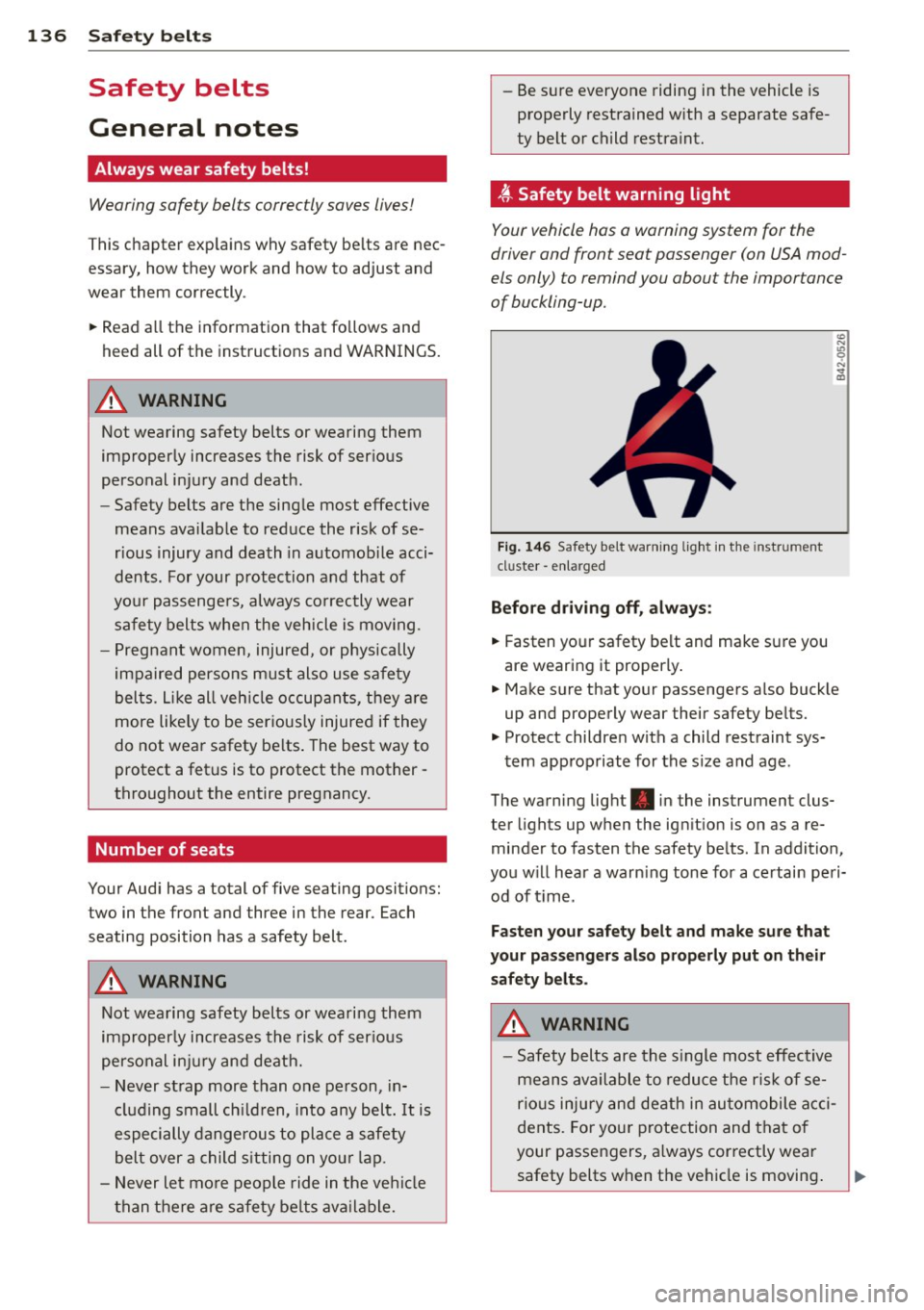
Fi g. 146 Safety belt warni ng light in the instrument
cluster -en larged
Before driv ing off, alway s:
.. Fasten yo ur safety belt and make su re you
are wearing it properly .
.. Make s ure that your passengers also buck le
up and properly wear their safety be lts.
.. Protect childre n w ith a child restraint sys-
tem app ropriate for the s ize and age.
The warn ing light . in the instrument clus
ter lights up when the ign ition is on as a re
minder to fasten the safety be lts. In addition,
you w ill hear a warn ing tone for a ce rtai n pe ri
od of t ime.
Fasten you r safety belt and make sure that
your pass eng ers also properly put on the ir
s afety belt s.
A WARNING .....=-
-Safety b elts are the s ingle most eff ect ive
means avai lable to reduce t he ri sk of se
rio us inju ry and de ath in au tomobile acci
dents. Fo r you r protection and that of
your passengers, a lways cor rectly wear
safety belts when t he vehicle is moving .