2015.75 VAUXHALL VIVA audio
[x] Cancel search: audioPage 93 of 222

Vauxhall Viva Owner Manual (GMK-Localizing-EU RHD-9231169) - 2016 -
CRC - 5/7/15
92 Infotainment System
Infotainment
System
Introduction
Introduction . . . . . . . . . . . . . . . . . . . . 92
Theft-Deterrent Feature . . . . . . . . 92
Overview . . . . . . . . . . . . . . . . . . . . . . 93
Operation . . . . . . . . . . . . . . . . . . . . . . 99
Radio
AM-FM Radio . . . . . . . . . . . . . . . . 102
Radio Data System (RDS) . . . . 106
Audio Players
Auxiliary Devices . . . . . . . . . . . . . 108
Personalisation
Personalisation . . . . . . . . . . . . . . . 115
Phone
Bluetooth ((Type A/B only)) . . . 116
OnStar System
OnStar System . . . . . . . . . . . . . . . 125
Introduction
General
The Infotainment system provides
Infotainment in your car, using the
latest technology.
The radio can be easily used by
registering up to 24 AM-FM radio or
DAB stations with the−(preset)
buttons 1 ~ 4 per every six pages.
The USB player can play connected
USB storage devices or iPod
products.
The function of the Bluetooth phone
connection allows for the use of
wireless hands-free phone calls, as
well as a phone music player.
Connect a portable music player to
the exterior sound input and enjoy
the rich sound of the Infotainment
system.
The digital sound processor
provides a number of preset
equaliser modes for sound
optimisation.
Specifications
‐ Maximum output power : 25 W x
4 channels
‐ Speaker impedance : 4 ohms
The system can be easily adjusted
using the carefully designed
adjusting device, smart display, and
multifunctional menu dial regulator.
. The "Overview " section
provides a simple overview of
the Infotainment system
functions and a summary of all
regulatory devices.
. The "Operation " section
explains the basic controls for
the Infotainment system.
Theft-Deterrent Feature
The Infotainment system is
equipped with an electronic security
system for the purpose of theft
deterrence.
The Infotainment system therefore
functions only in your vehicle and is
worthless to a thief.
Page 95 of 222

Vauxhall Viva Owner Manual (GMK-Localizing-EU RHD-9231169) - 2016 -
CRC - 5/7/15
94 Infotainment System
1.P(power) button with
VOLUME dial
. When power is off, press to
turn power on.
. When power is on, press
and hold to turn power off.
. When power is on, press
shortly to turn the mute
function on or off.
. Turn to control volume.
2. RADIO Select Radio mode. Each time
the button is pressed, the
system switches between AM
RADIO →FM RADIO →DAB
→ AM RADIO →….
3. MEDIA Press the button to change the
mode in the order of USB/iPod
→AUX →Bluetooth music →
USB/iPod →…. 4. Display
Display for Play, Reception,
Menu state and information.
5.
g/d(seek)
. In Radio or DAB mode:
When pressed shortly,
automatically seeks station
with superior reception.
When pressed and held,
continuously changes the
station until the button is
released. When releasing,
the system stops on the
current frequency displayed
or seeks the next station.
. In USB/iPod/Bluetooth
audio playback:
When pressed shortly,
move to the previous or
next file.
When pressed and held,
rewind or fast forward
the file. 6. PHONE
Press this button to enter the
phone application mode.
7. BACK Cancel input content or return
to the previous menu.
8. MENU button with TUNE dial .Turn dial to search the
station/file on the list screen
or move/change setup
content or setup values.
. Press the button to display
the currently functioning
menu or select/practice
setup content and setup
values.
Page 98 of 222

Vauxhall Viva Owner Manual (GMK-Localizing-EU RHD-9231169) - 2016 -
CRC - 5/7/15
Infotainment System 97
1.P(power) button with
VOLUME dial
. When power is off, press to
turn power on.
. When power is on, press
and hold to turn power off.
. When power is on, press
shortly to turn the mute
function on or off.
. Turn to control volume.
2. RADIO Select Radio mode. Each time
the button is pressed, the
system switches between AM
RADIO →FM RADIO →AM
RADIO →….
3. MEDIA Press the button to enter the
Aux mode.
4. Display Display for Play, Reception,
Menu state and information. 5.g/d(seek)
When pressed shortly,
automatically seeks station
with superior reception.
When pressed and held,
continuously changes the
station until the button is
released. When releasing, the
system stops on the current
frequency displayed or seeks
the next station.
6. TONE
Press this button to enter the
Tone Settings mode.
7. BACK Cancel input content or return
to the previous menu.
8. MENU button with TUNE dial .Turn dial to search the
station on the list screen or
move/change setup content
or setup values. .
Press the button to display
the currently functioning
menu or select/practice
setup content and setup
values.
9. AUX port
Connect the external audio
device.
10. - (preset) buttons .In Radio mode:
When pressed shortly,
recall the stored radio
station.
When pressed and held,
store the current radio
station to the
Favourites page.
. In Menu mode:
Press any of these buttons
to select the function linked
to that button.
11. FAV (favourites) Press this button to select the
page of saved favourite
channels.
Page 99 of 222

Vauxhall Viva Owner Manual (GMK-Localizing-EU RHD-9231169) - 2016 -
CRC - 5/7/15
98 Infotainment System
Steering wheel audio remote
control: option
R300 BT
1.b(call)
. Press the button to answer
the call or enter the
recent call.
. Press and hold the button
to enter the dialled call log
or to move back and forth
from hands-free mode and
private call mode during
a call. 2. SRC (source) /
_/^(seek) dial
. When buttons are turned up
or down.
In Radio modes, changes
broadcast frequencies
saved to - (preset) buttons.
In USB/iPod/Bluetooth
audio modes, changes
the file.
. When buttons are turned
and held.
In Radio modes,
automatically searches
broadcast frequencies.
In USB/iPod/Bluetooth
audio modes, rewind or fast
forward the file.
. Press the button to change
the audio source.
3. +
x- (volume)
. Press the buttons to
increase or decrease the
volume.
. Press and hold the buttons
to quickly increase or
decrease the volume. 4.
$(mute) /c(hang up)
. Press the button in any
music play mode to turn the
mute function on or off.
. Press and hold the button
to reject or finish the call.
R300
1.$(mute)
. Press the button in any
music play mode to turn the
mute function on or off.
Page 100 of 222
Vauxhall Viva Owner Manual (GMK-Localizing-EU RHD-9231169) - 2016 -
CRC - 5/7/15
Infotainment System 99
2. SRC (source) /_/^(seek) dial
. When buttons are turned
up/down.
In Radio modes, changes
broadcast frequencies
saved to Presets.
. When buttons are turned
and held.
In Radio modes,
automatically searches
broadcast frequencies.
. Press the button to change
the audio source.
3. +
x- (volume)
. Press the buttons to
increase or decrease the
volume.
. Press and hold the buttons
to quickly increase or
decrease the volume.
Operation
Buttons and controlling device
the Infotainment system is operated
by using the function buttons,
multifunctional dial, and the menu
indicated on the screen display.
the buttons and control devices
used in the system are the
following:
.the Infotainment system buttons
and dials
. the Steering wheel audio remote
control buttons
System on/off
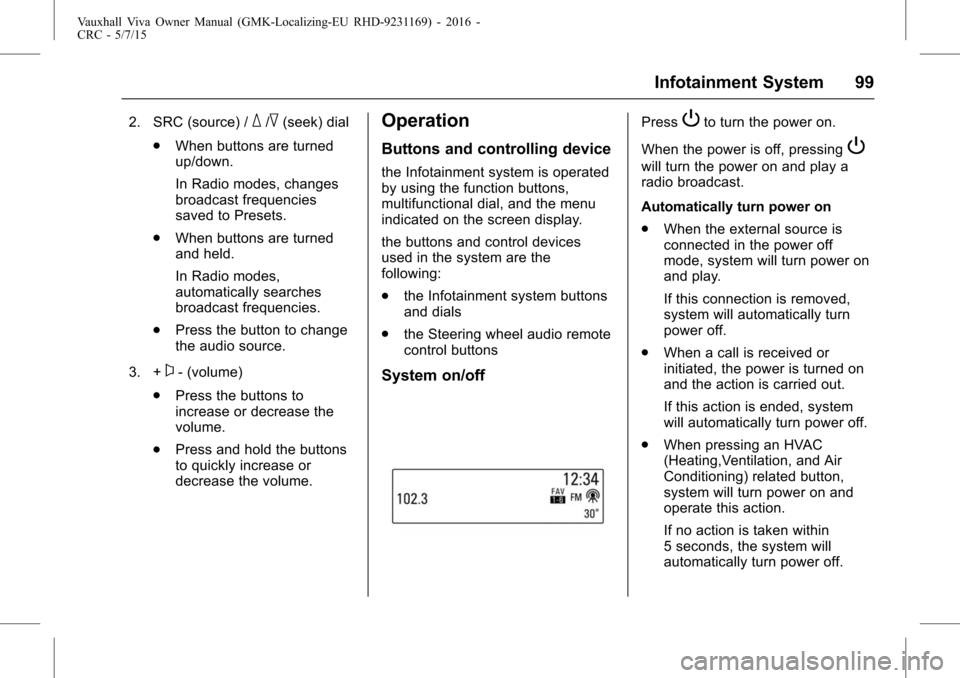
PressPto turn the power on.
When the power is off, pressing
P
will turn the power on and play a
radio broadcast.
Automatically turn power on
. When the external source is
connected in the power off
mode, system will turn power on
and play.
If this connection is removed,
system will automatically turn
power off.
. When a call is received or
initiated, the power is turned on
and the action is carried out.
If this action is ended, system
will automatically turn power off.
. When pressing an HVAC
(Heating,Ventilation, and Air
Conditioning) related button,
system will turn power on and
operate this action.
If no action is taken within
5 seconds, the system will
automatically turn power off.
Page 101 of 222

Vauxhall Viva Owner Manual (GMK-Localizing-EU RHD-9231169) - 2016 -
CRC - 5/7/15
100 Infotainment System
Press and holdPto turn the
power off.
When the System is turned off, the
time of Day is displayed.
Volume control
Turn the VOLUME dial to control the
volume.
. Using the Steering wheel audio
remote control, press +
x- to
control the volume.
. Available volume range: 1 ~ 63.
. When the volume is turned down
to zero, this is not equivalent to
mute mode.
. Turning on the Infotainment
system power will set the
volume level to its previous
selection (when it is less than
the maximum starting volume).
Mute control
PressPto turn mute on.
. Mute symbol “
$”will display in
the status field and mute the
sound.
. Press
Pagain or turn VOLUME
dial to restore sound.
. In USB mode, when the system
is set to mute, playback is
paused.
Tone settings
Press TONE to enter the Tone
Settings screen.
Or press MENU > select Settings >
select Tone Settings to enter the
Tone Settings screen.
Page 103 of 222

Vauxhall Viva Owner Manual (GMK-Localizing-EU RHD-9231169) - 2016 -
CRC - 5/7/15
102 Infotainment System
USB/iPod/Bluetooth music or
exterior sound (AUX) input play
Press MEDIA to select the audio
player functions.
Each time MEDIA is pressed, the
system switches between USB/iPod
→AUX →Bluetooth music →USB/
iPod →…
Press MENU to open the menu with
options for the relevant function or
the menu of the relevant device. Bluetooth hands-free phone
devicePress PHONE to enter the
Bluetooth hands-free phone
function.
Radio
AM-FM Radio
Listening to radio or DAB
station
Selecting the radio mode
Press RADIO repeatedly to switch
between AM RADIO
→FM RADIO
→ DAB →AM RADIO →….
. The previously chosen
broadcasting station will be
received.
Page 104 of 222

Vauxhall Viva Owner Manual (GMK-Localizing-EU RHD-9231169) - 2016 -
CRC - 5/7/15
Infotainment System 103
.When changing Radio mode/
band by pressing RADIO, the
system displays radio intro view
firstly.
. The playing screen contains the
data elements related to the
broadcast audio source.
Selecting the DAB mode
Each time RADIO is pressed, the
system switches between AM
RADIO →FM RADIO →DAB →
AM RADIO →….
. An 8 character service label and
an 8 character ensemble label
will be used. .
The Dynamic Label is displayed
as artist/song info when
available from the station.
. When DAB signal information
has been detected, this
information will be updated on
the display to show the
information.
. The information and formatting
displayed with Dynamic Label
Text will vary based on the
information and formatting
provided by the broadcaster.
. DAB information such as Station
Label, Ensemble Label, Dynamic
Label Text are not be displayed
until complete reception.
. When there is more information
than displayable in the Dynamic
Label Text space, the text fields
of lines 2 and 3 will be shown.
. When there is no station
information available but the
ensemble is known, the station
label will be replaced with the
text “No Label ”. .
When there is no ensemble
information available but the
Station Label is known, the
ensemble label will be replaced
with the text “No Label”.
. When there is no station or
ensemble information available,
the display will show the DAB
block number and frequency in
the display screen (e.g. 10C,
213.360).
. When tuned to a DAB+ station,
the default text displayed for the
user will be the dynamic label
plus a variant for artist and song
only. No other variations of
dynamic label plus will be
displayed.
. When tuned to a DAB+ station,
if there is no information
available from the broadcaster,
the dynamic label text will be
populated with the standard
dynamic label text.