Page 219 of 276
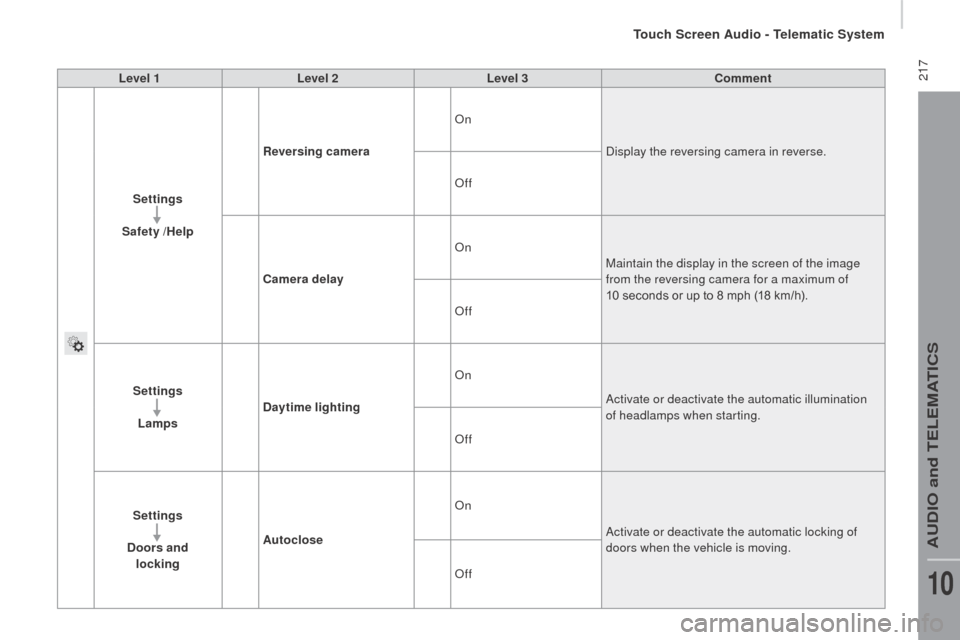
217Level 1Level 2 Level 3co mment
Settings
Safety /Help
re
versing camera On
Display the reversing camera in reverse.
Off
ca
mera delay On
Maintain the display in the screen of the image
from the reversing camera for a maximum of
10
seconds or up to 8 mph (18 km/h).
Off
Settings Lamps
da
ytime lighting On
Activate or deactivate the automatic illumination
of headlamps when starting.
Off
Settings
d
oors and
locking Autoclose On
Activate or deactivate the automatic locking of
doors when the vehicle is moving.
Off
Touch Screen Audio - Telematic System
AUDIO and TELEMATICS
10
Page 223 of 276
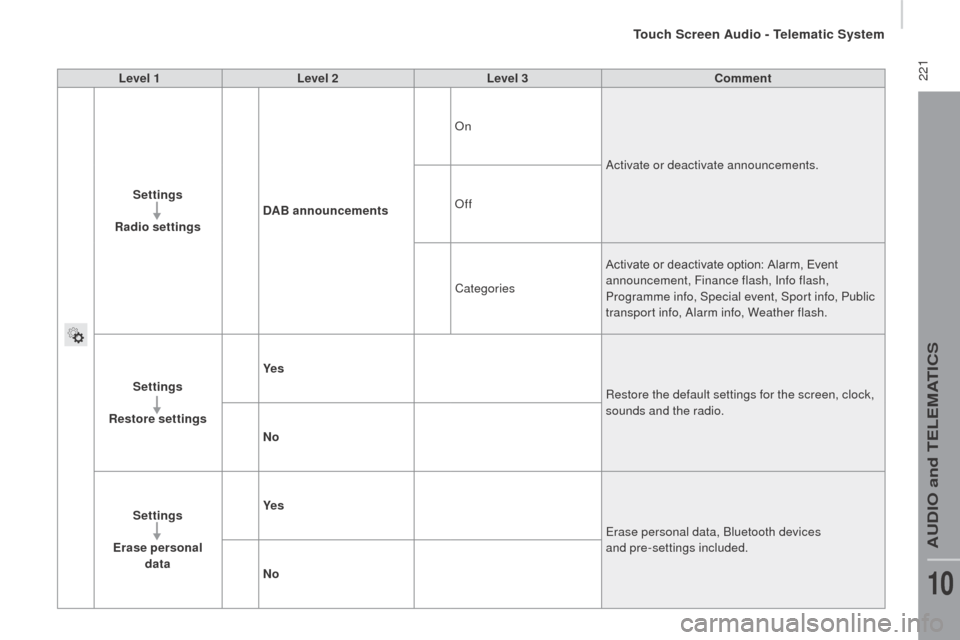
221Level 1Level 2 Level 3co mment
Settings
r
adio settings
dA
B announcements On
Activate or deactivate announcements.
Off
Categories Activate or deactivate option: Alarm, Event
announcement, Finance flash, Info flash,
Programme info, Special event, Sport info, Public
transport info, Alarm info, Weather flash.
Settings
re
store settings Ye s
Restore the default settings for the screen, clock,
sounds and the radio.
n
o
Settings
Erase personal data Ye s
Erase personal data, Bluetooth devices
and pre-settings included.
n
o
Touch Screen Audio - Telematic System
AUDIO and TELEMATICS
10
Page 252 of 276
250
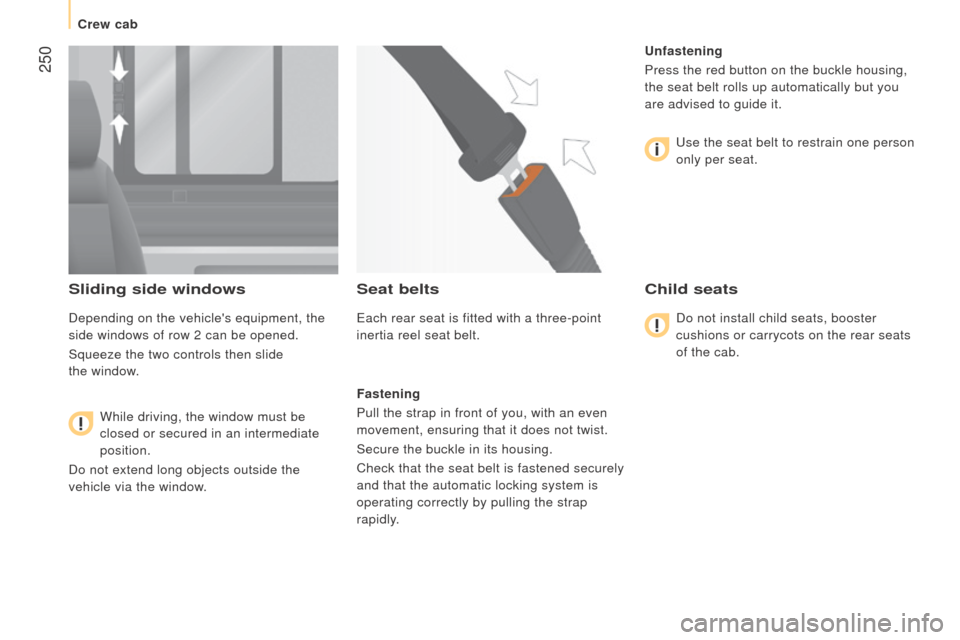
Sliding side windows
Depending on the vehicle's equipment, the
side windows of row 2 can be opened.
Squeeze the two controls then slide
the window.
While driving, the window must be
closed or secured in an intermediate
position.
Do not extend long objects outside the
vehicle via the window.
Seat belts
Each rear seat is fitted with a three-point
inertia reel seat belt.
Fastening
Pull the strap in front of you, with an even
movement, ensuring that it does not twist.
Secure the buckle in its housing.
Check that the seat belt is fastened securely
and that the automatic locking system is
operating correctly by pulling the strap
rapidly.
u
nfastening
Press the red button on the buckle housing,
the seat belt rolls up automatically but you
are advised to guide it.
Use the seat belt to restrain one person
only per seat.
child seats
Do not install child seats, booster
cushions or carrycots on the rear seats
of the cab.
Crew cab
Page 257 of 276
255
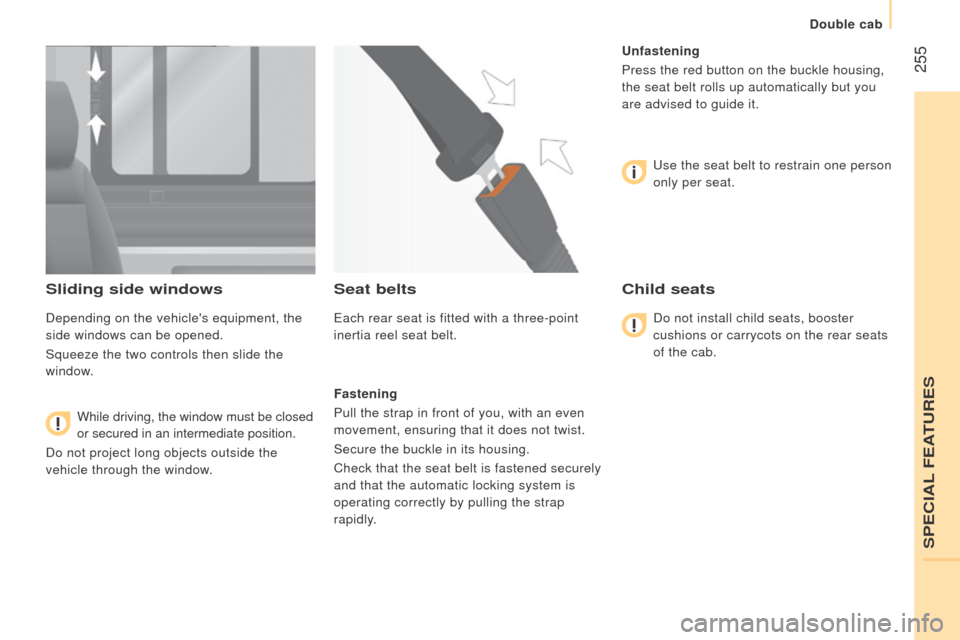
Sliding side windows
Depending on the vehicle's equipment, the
side windows can be opened.
Squeeze the two controls then slide the
window.
While driving, the window must be closed
or secured in an intermediate position.
Do not project long objects outside the
vehicle through the window.
Seat belts
Each rear seat is fitted with a three-point
inertia reel seat belt.
Fastening
Pull the strap in front of you, with an even
movement, ensuring that it does not twist.
Secure the buckle in its housing.
Check that the seat belt is fastened securely
and that the automatic locking system is
operating correctly by pulling the strap
rapidly.
u
nfastening
Press the red button on the buckle housing,
the seat belt rolls up automatically but you
are advised to guide it.
Use the seat belt to restrain one person
only per seat.
child seats
Do not install child seats, booster
cushions or carrycots on the rear seats
of the cab.
SPECIAL FEATURES
Double cab
Page 268 of 276
266
dIAGnOSIS
SymptomElectricalHydraulic Verification / c heck
The hydraulic unit does
not operate. X
Power supply harness and relay.
X Control harness (control unit).
X Circuit breaker.
Unit very noisy, body
rises slowly. X
Pick-up strainer blocked or squashed at the bottom of the reservoir.
New unit very noisy,
body rises quickly. X
Pump alignment, change the unit.
The ram goes down on
its own. X
Return valve squashed or jammed.
The ram does not go
down. X
Yes, check the valve slider and bleed.
Refer to the "Servicing" section.
X No, check the return valve winding and electrical connections.
X No, replace the electrovalve.
X No, check the alignment of the ram.
Tipper body