Page 31 of 400
31
1
Before driving
1-2. Opening, closing and locking the doors
Wireless remote control
: If equipped
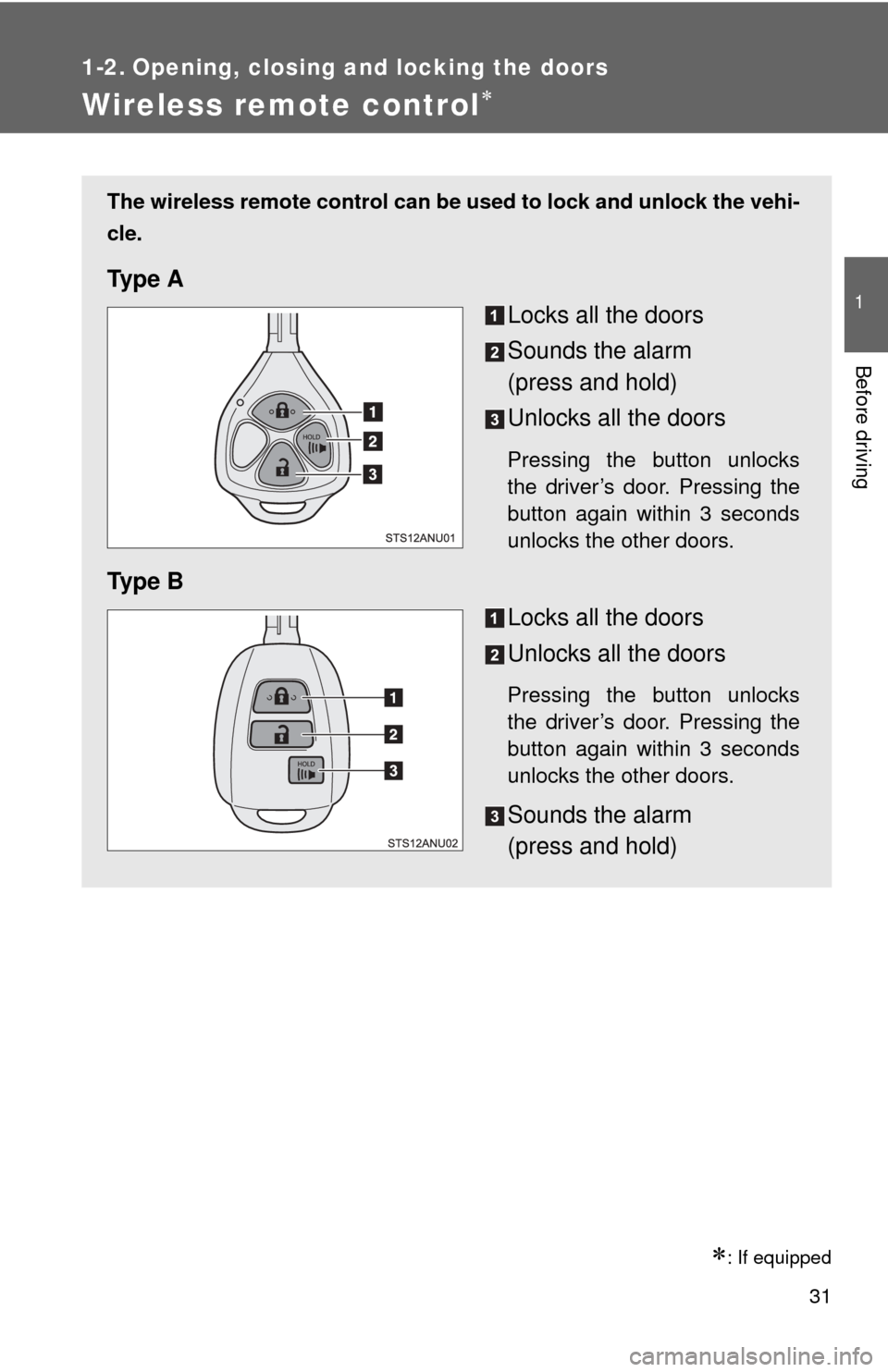
The wireless remote control can be used to lock and unlock the vehi-
cle.
Ty p e A
Locks all the doors
Sounds the alarm
(press and hold)
Unlocks all the doors
Pressing the button unlocks
the driver’s door. Pressing the
button again within 3 seconds
unlocks the other doors.
Ty p e BLocks all the doors
Unlocks all the doors
Pressing the button unlocks
the driver’s door. Pressing the
button again within 3 seconds
unlocks the other doors.
Sounds the alarm
(press and hold)
Page 32 of 400
32 1-2. Opening, closing and locking the doors
■Operation signals
The emergency flashers flash to indicate that the doors have been locked/
unlocked. (Locked: once; Unlocked: twice)
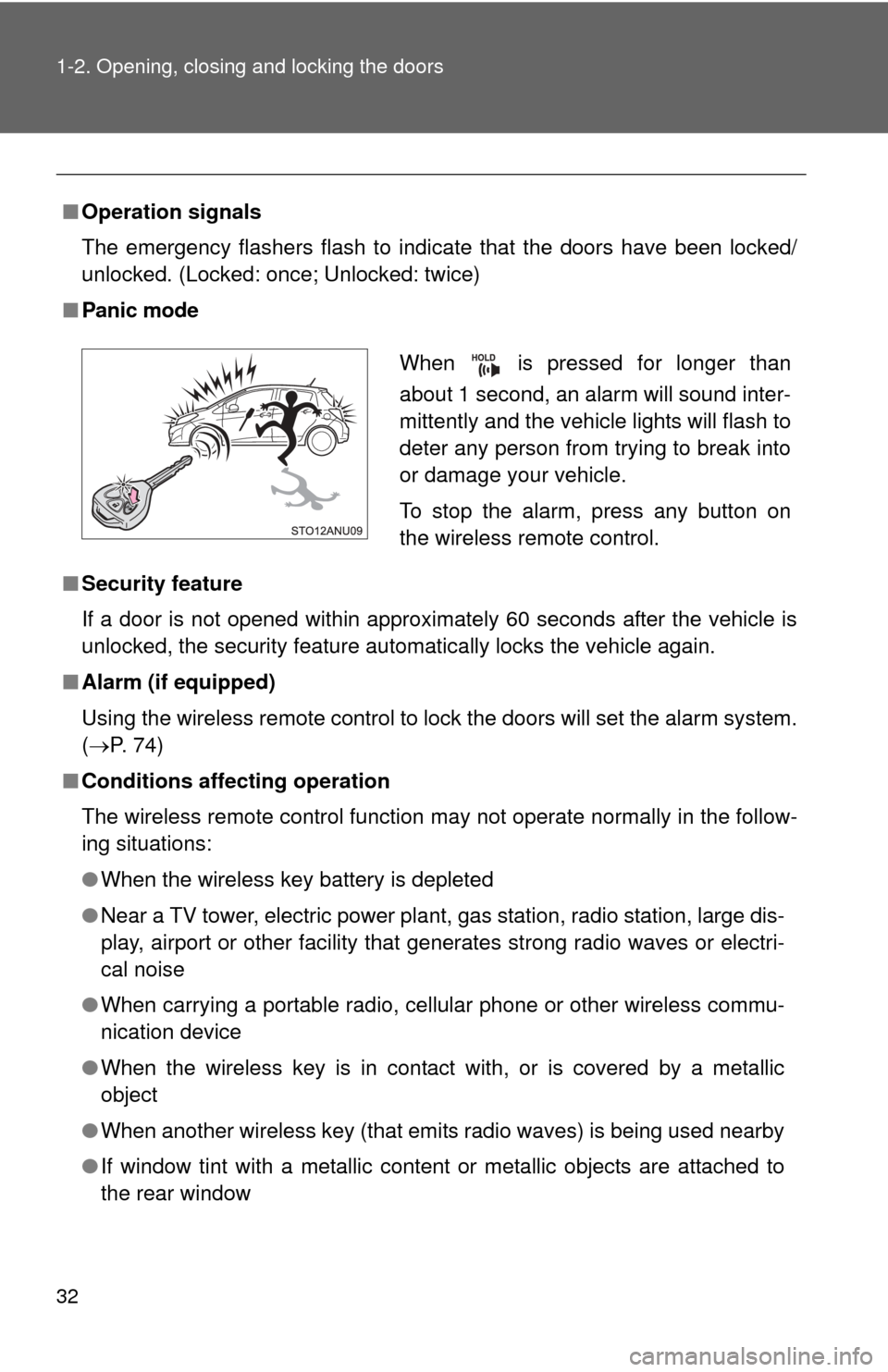
■Panic mode
■Security feature
If a door is not opened within approximately 60 seconds after the vehicle is
unlocked, the security feature automatically locks the vehicle again.
■ Alarm (if equipped)
Using the wireless remote control to lock the doors will set the alarm system.
(P. 74)
■ Conditions affecting operation
The wireless remote control function may not operate normally in the follow-
ing situations:
●When the wireless key battery is depleted
● Near a TV tower, electric power plant, gas station, radio station, large dis-
play, airport or other facility that generates strong radio waves or electri-
cal noise
● When carrying a portable radio, cell ular phone or other wireless commu-
nication device
● When the wireless key is in contact with, or is covered by a metallic
object
● When another wireless key (that emits radio waves) is being used nearby
● If window tint with a metallic content or metallic objects are attached to
the rear window
When is pressed for longer than
about 1 second, an alarm will sound inter-
mittently and the vehicle lights will flash to
deter any person from trying to break into
or damage your vehicle.
To stop the alarm, press any button on
the wireless remote control.
Page 34 of 400
34
1-2. Opening, closing and locking the doors
Side doors
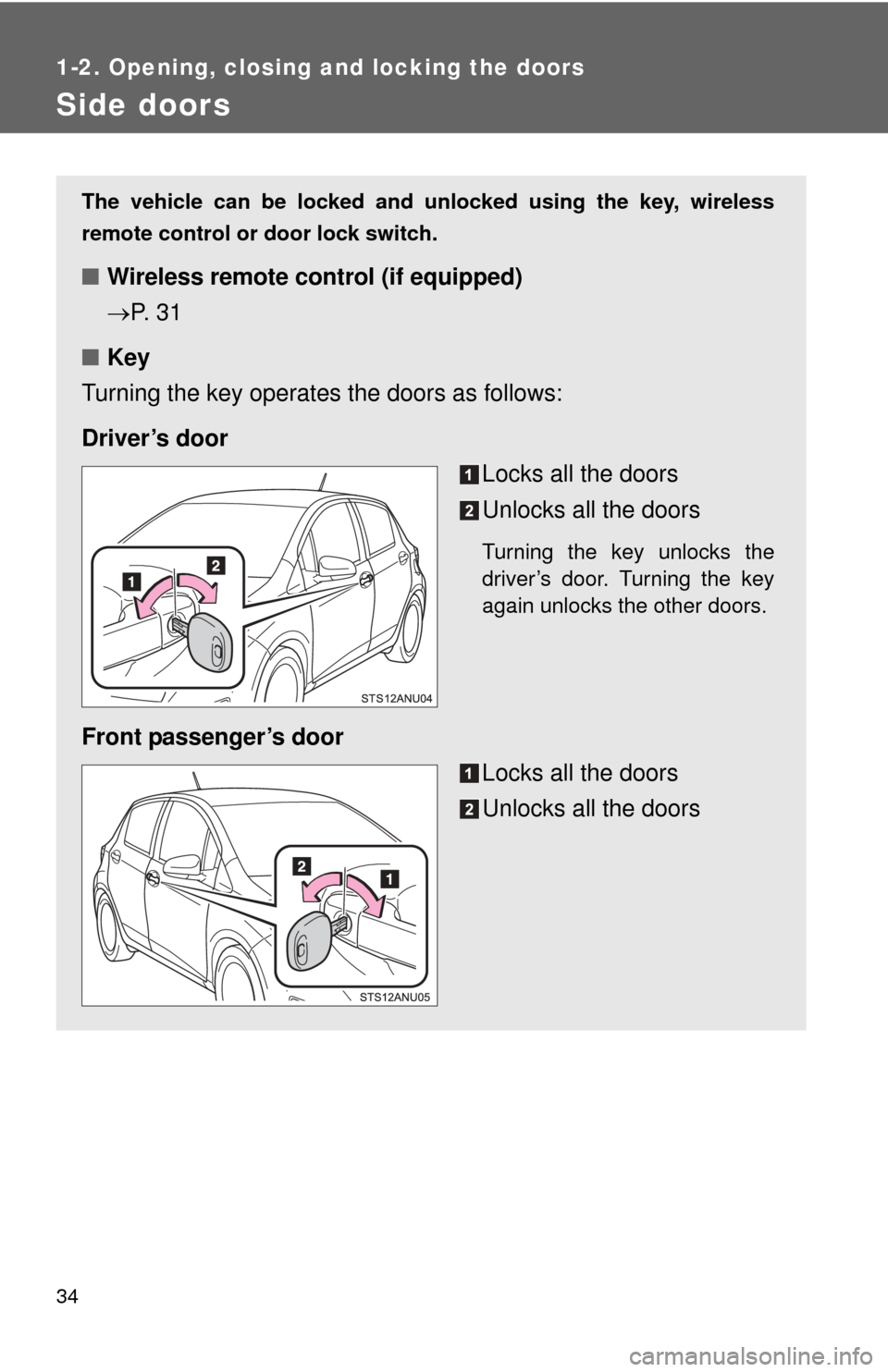
The vehicle can be locked and unlocked using the key, wireless
remote control or door lock switch.
■Wireless remote control (if equipped)
P. 3 1
■ Key
Turning the key operates the doors as follows:
Driver’s door Locks all the doors
Unlocks all the doors
Turning the key unlocks the
driver’s door. Turning the key
again unlocks the other doors.
Front passenger’s door
Locks all the doors
Unlocks all the doors
Page 35 of 400
35
1-2. Opening, closing and locking the doors
1
Before driving
Locking the front doors from the outside without a key
Move the inside door lock button to the lock position.
Close the door.
The door cannot be locked if either of the front doors is open and the
key is in the engine switch.
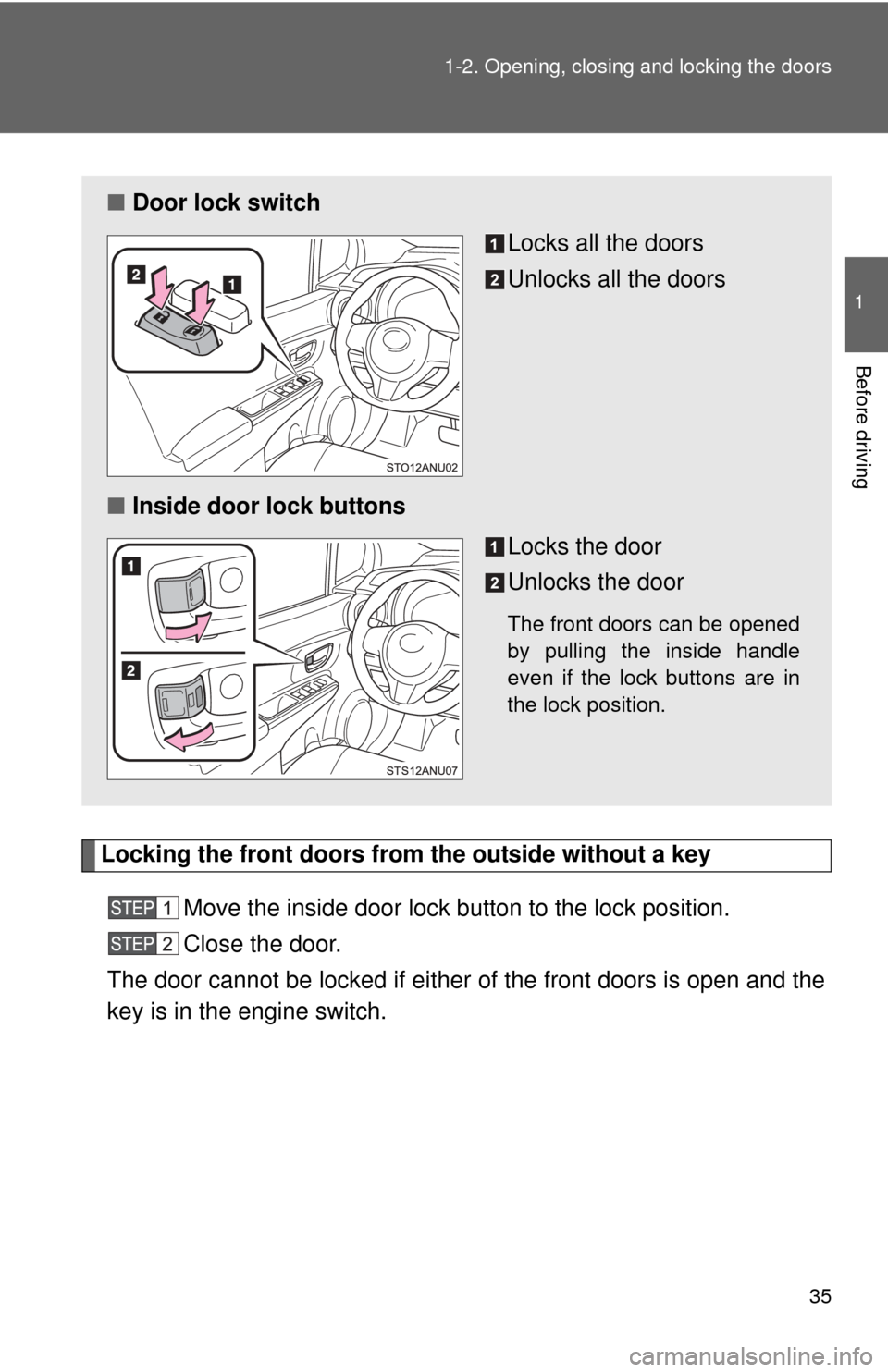
■ Door lock switch
Locks all the doors
Unlocks all the doors
■ Inside door lock buttons
Locks the door
Unlocks the door
The front doors can be opened
by pulling the inside handle
even if the lock buttons are in
the lock position.
Page 36 of 400
36 1-2. Opening, closing and locking the doors
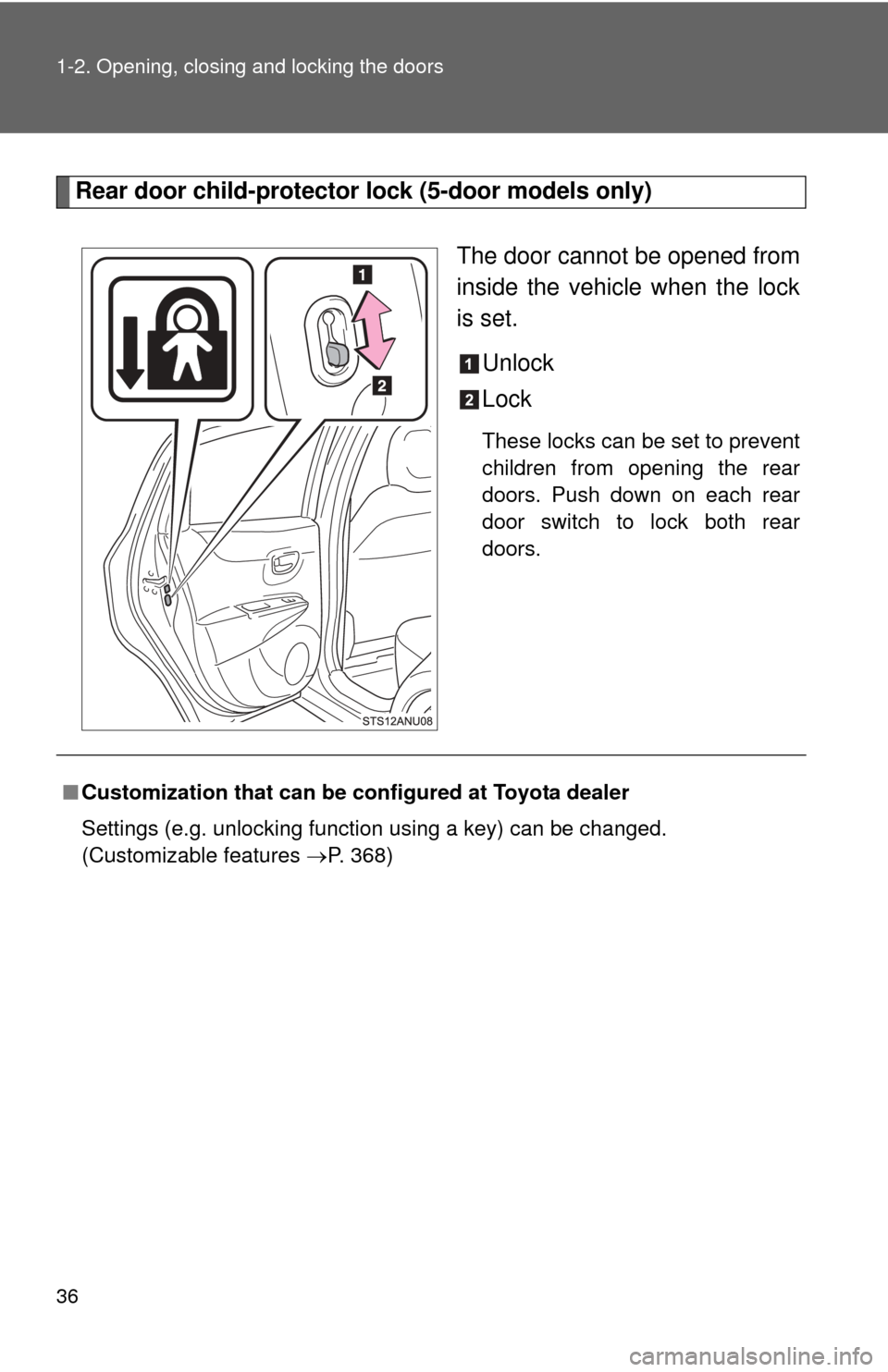
Rear door child-protector lock (5-door models only)The door cannot be opened from
inside the vehicle when the lock
is set.Unlock
Lock
These locks can be set to prevent
children from opening the rear
doors. Push down on each rear
door switch to lock both rear
doors.
■Customization that can be co nfigured at Toyota dealer
Settings (e.g. unlocking function using a key) can be changed.
(Customizable features P. 368)
Page 38 of 400
38
1-2. Opening, closing and locking the doors
Back door
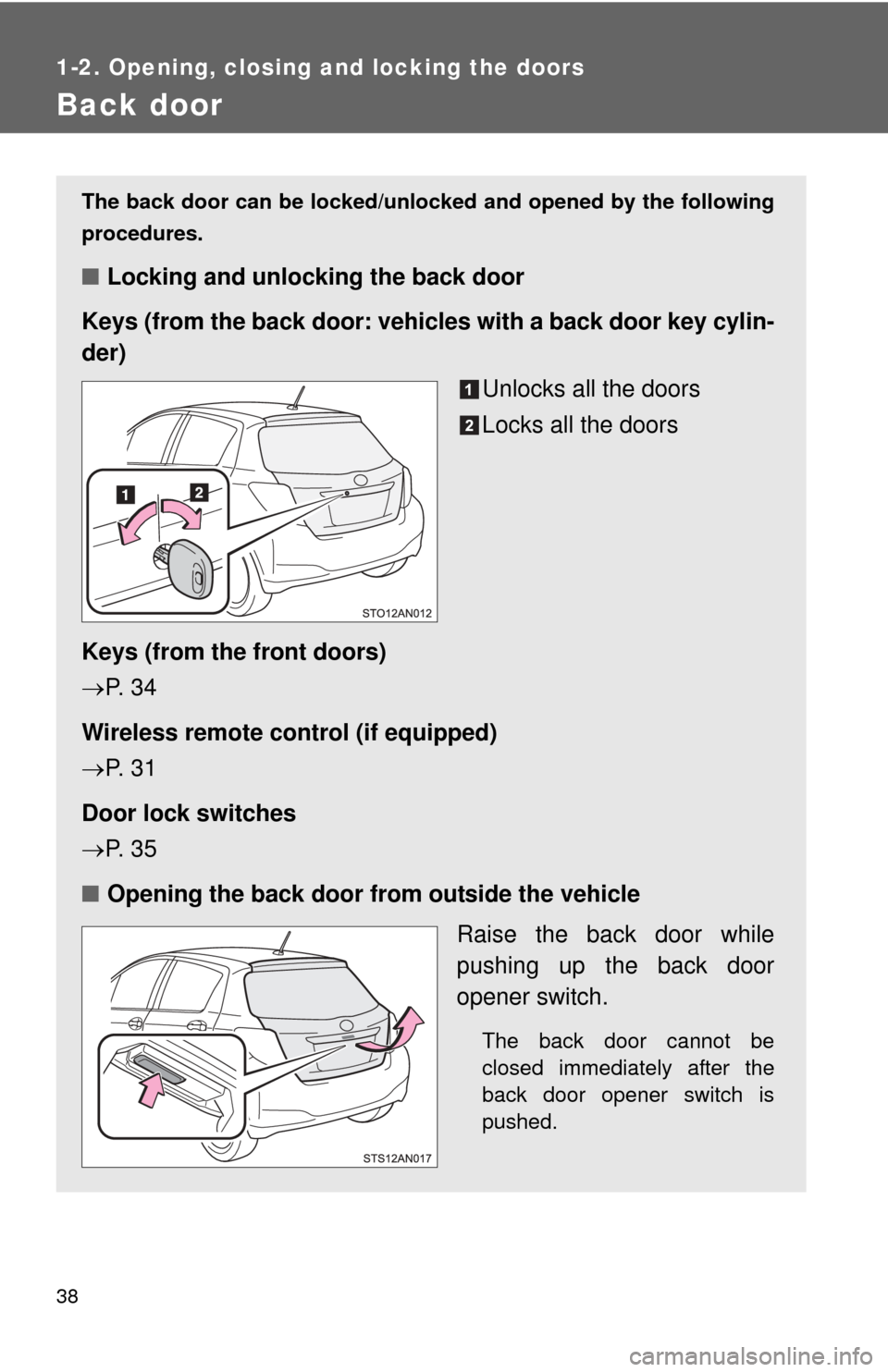
The back door can be locked/unlocked and opened by the following
procedures.
■Locking and unlocking the back door
Keys (from the back door: vehicles with a back door key cylin-
der)
Unlocks all the doors
Locks all the doors
Keys (from the front doors)
P. 3 4
Wireless remote control (if equipped)
P. 3 1
Door lock switches
P. 3 5
■ Opening the back door from outside the vehicle
Raise the back door while
pushing up the back door
opener switch.
The back door cannot be
closed immediately after the
back door opener switch is
pushed.
Page 74 of 400
74
1-6. Theft deterrent system
Alarm (Puerto Rico)
The system sounds the alarm and flashes the lights when forced
entry is detected.
■ Triggering of the alarm
The alarm is triggered in the fo llowing situations when the alarm
is set:
● A locked door is unlocked or opened in any way other than
using a key or wireless remote control. (The doors will lock
again automatically.)
● The hood is opened.
● The battery is reconnected.
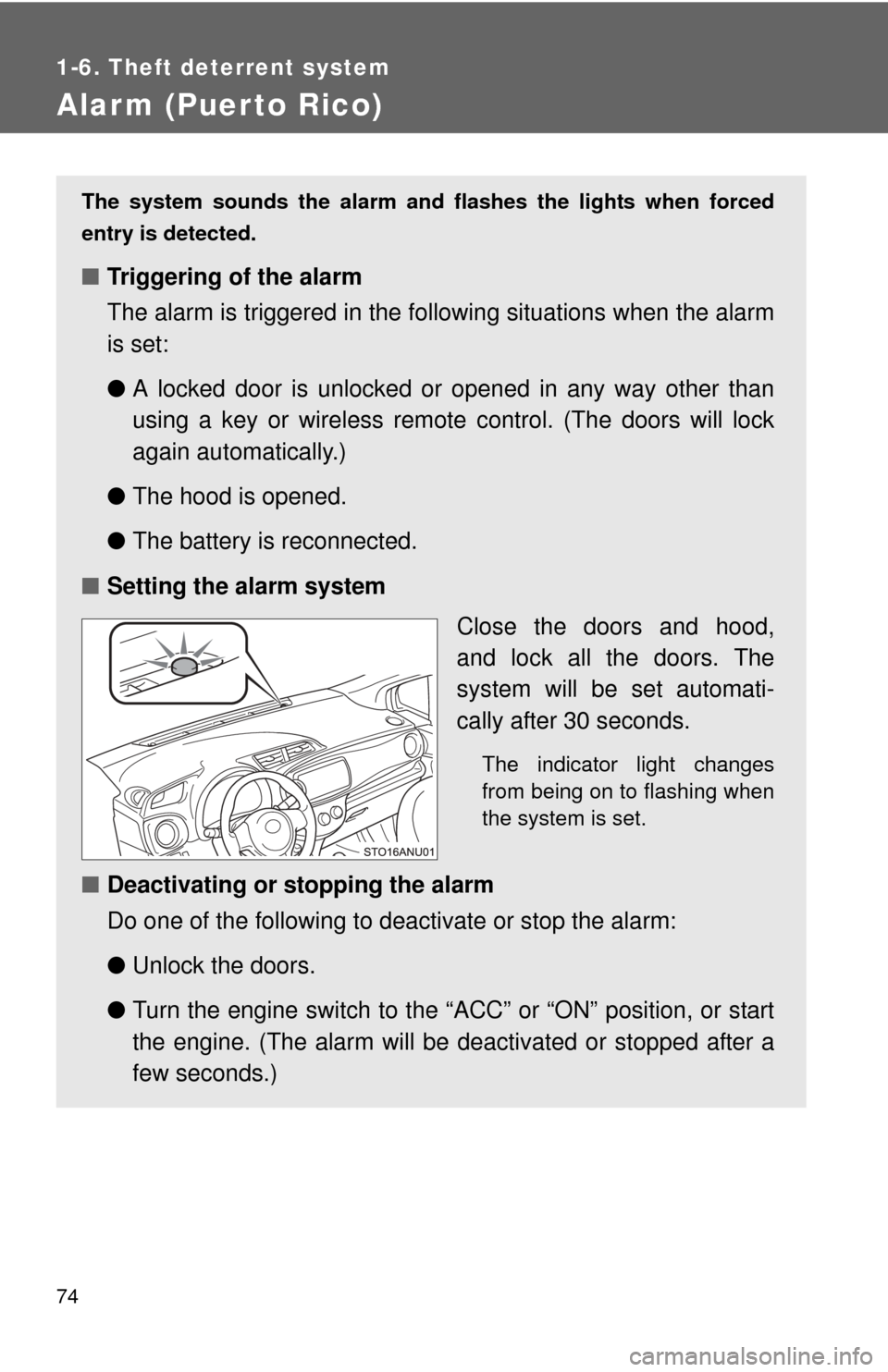
■ Setting the alarm system
Close the doors and hood,
and lock all the doors. The
system will be set automati-
cally after 30 seconds.
The indicator light changes
from being on to flashing when
the system is set.
■Deactivating or stopping the alarm
Do one of the following to deactivate or stop the alarm:
●Unlock the doors.
● Turn the engine switch to the “ACC” or “ON” position, or start
the engine. (The alarm will be deactivated or stopped after a
few seconds.)
Page 203 of 400
203
3-3. Using the interior lights
3
Interior features
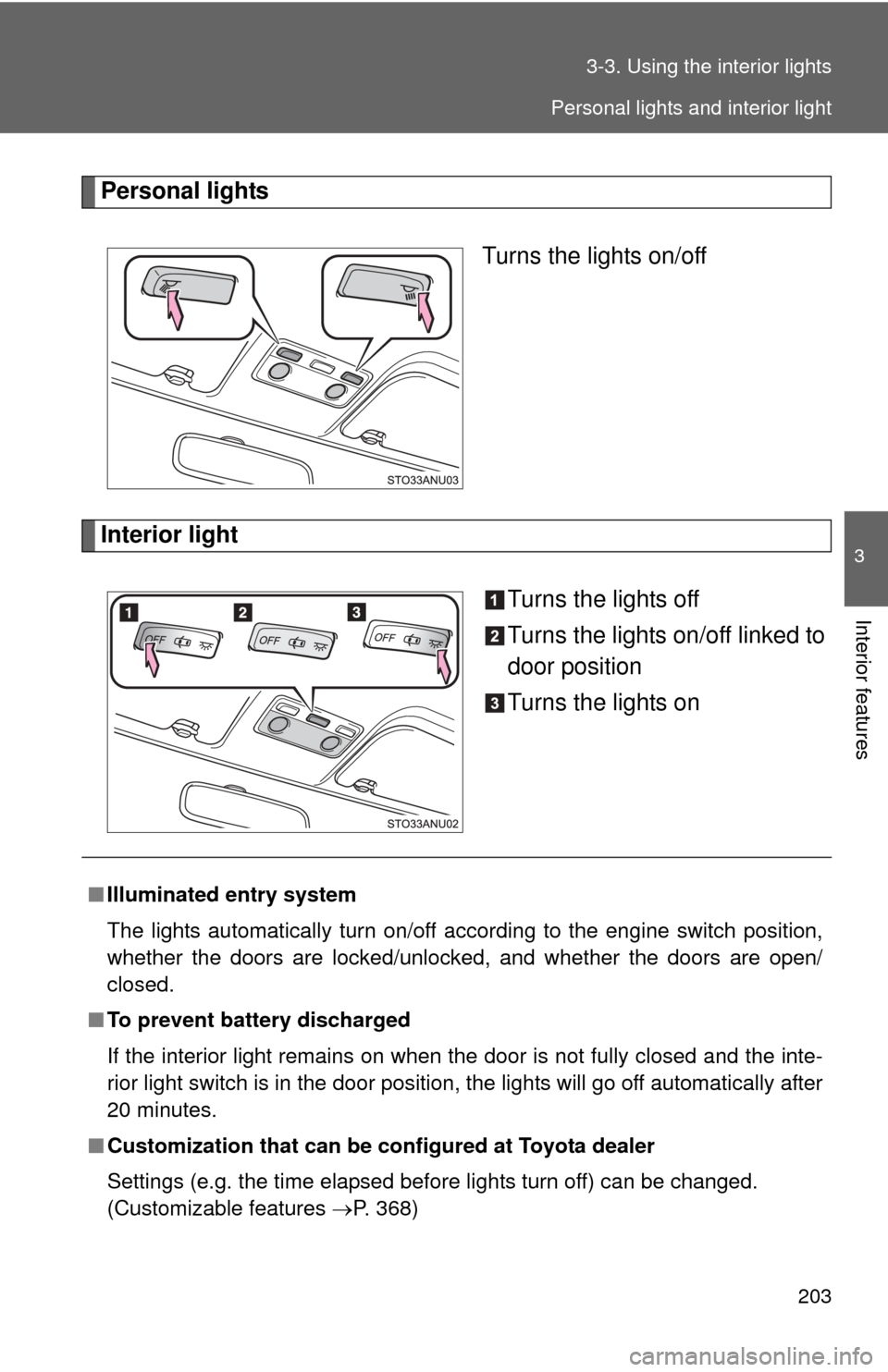
Personal lights
Turns the lights on/off
Interior light Turns the lights off
Turns the lights on/off linked to
door position
Turns the lights on
■Illuminated entry system
The lights automatically turn on/off according to the engine switch position,
whether the doors are locked/unlocked, and whether the doors are open/
closed.
■ To prevent battery discharged
If the interior light remains on when the door is not fully closed and the inte-
rior light switch is in the door position, the lights will go off automatically after
20 minutes.
■ Customization that can be co nfigured at Toyota dealer
Settings (e.g. the time elapsed before lights turn off) can be changed.
(Customizable features P. 368)
Personal lights and interior light