Page 3 of 560
1
2
3
4
5
6
VERSO-S_EE
3
2-1. Driving procedures
Driving the vehicle .............. 160
Engine (ignition) switch
(vehicles with a smart
entry & start system)......... 176
Engine (ignition) switch
(vehicles without a smart
entry & start system)......... 186
Multidrive ............................ 190
Multi-mode Manual
Transmission .................... 196
Manual Transmission.......... 201
Turn signal lever ................. 204
Parking brake...................... 205
Horn .................................... 206
2-2. Instrument cluster
Gauges and meters ............ 207
Indicators and warning
lights ................................. 213
Multi-information display ..... 2192-3. Operating the lights and
wipers
Headlight switch ................. 222
Fog light switch .................. 228
Windshield wiper and
washer ............................. 230
Rear window wiper and
washer ............................. 236
2-4. Using other driving
systems
Stop & Start system ........... 238
Cruise control ..................... 245
Driving assist systems........ 249
Diesel particulate filter
system.............................. 255
2-5. Driving information
Cargo and luggage............. 257
Winter driving tips............... 259
Trailer towing...................... 263
2When driving
Page 159 of 560
2When driving
159
VERSO-S_EE
2-1. Driving procedures
Driving the vehicle ............ 160
Engine (ignition) switch
(vehicles with a smart
entry & start system)....... 176
Engine (ignition) switch
(vehicles without a smart
entry & start system)....... 186
Multidrive .......................... 190
Multi-mode Manual
Transmission .................. 196
Manual Transmission ....... 201
Turn signal lever ............... 204
Parking brake ................... 205
Horn .................................. 206
2-2. Instrument cluster
Gauges and meters .......... 207
Indicators and warning
lights ............................... 213
Multi-information display ... 2192-3. Operating the lights and
wipers
Headlight switch................ 222
Fog light switch ................. 228
Windshield wiper and
washer ............................ 230
Rear window wiper and
washer ............................ 236
2-4. Using other driving
systems
Stop & Start system .......... 238
Cruise control.................... 245
Driving assist systems ...... 249
Diesel particulate filter
system ............................ 255
2-5. Driving information
Cargo and luggage ........... 257
Winter driving tips ............. 259
Trailer towing .................... 263
Page 207 of 560
207
2
When driving
VERSO-S_EE
2-2. Instrument cluster
Gauges and meters
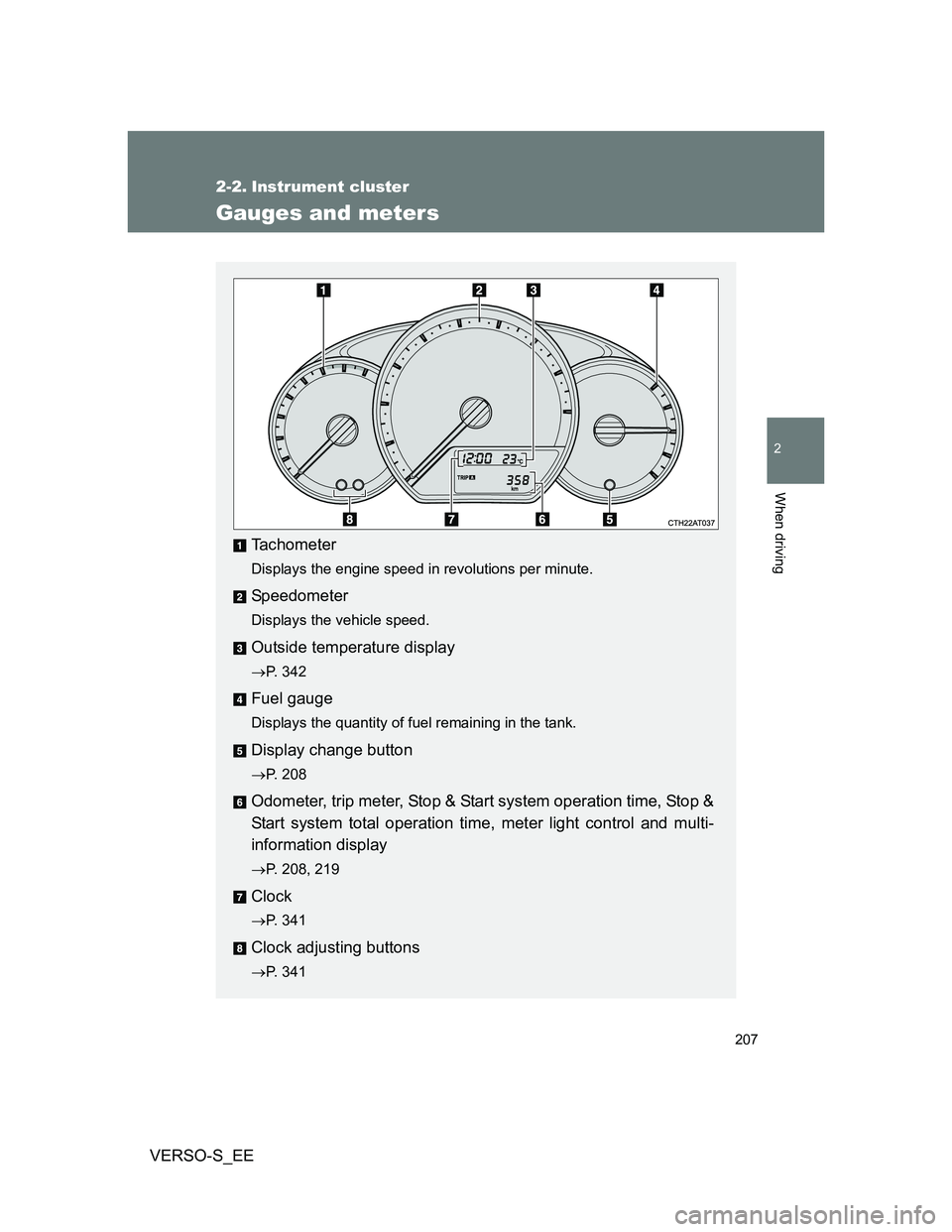
Tachometer
Displays the engine speed in revolutions per minute.
Speedometer
Displays the vehicle speed.
Outside temperature display
P. 342
Fuel gauge
Displays the quantity of fuel remaining in the tank.
Display change button
P. 208
Odometer, trip meter, Stop & Start system operation time, Stop &
Start system total operation time, meter light control and multi-
information display
P. 208, 219
Clock
P. 341
Clock adjusting buttons
P. 341
Page 208 of 560
208 2-2. Instrument cluster
VERSO-S_EE
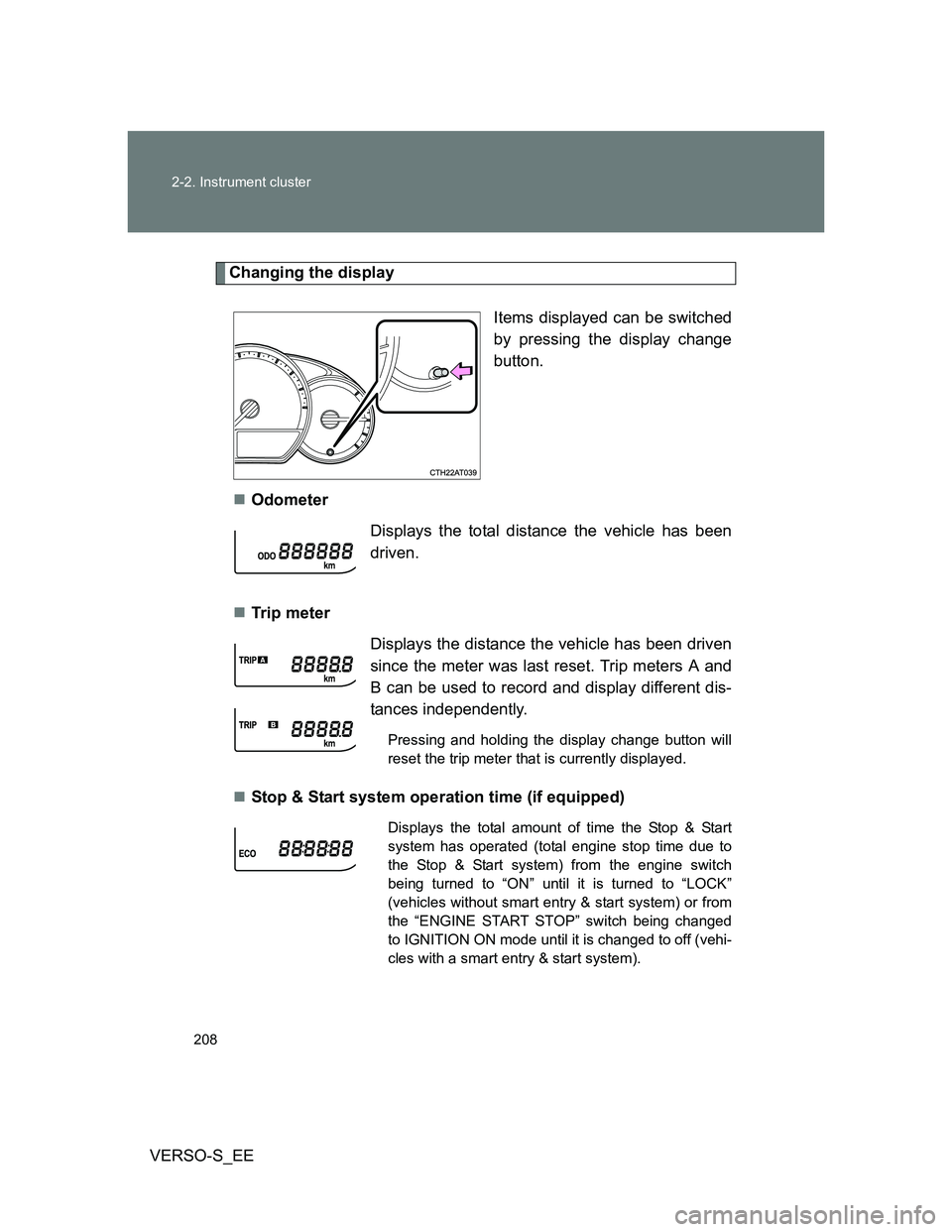
Changing the display
Items displayed can be switched
by pressing the display change
button.
Odometer
Tr ip m eter
Stop & Start system operation time (if equipped)
Displays the total distance the vehicle has been
driven.
Displays the distance the vehicle has been driven
since the meter was last reset. Trip meters A and
B can be used to record and display different dis-
tances independently.
Pressing and holding the display change button will
reset the trip meter that is currently displayed.
Displays the total amount of time the Stop & Start
system has operated (total engine stop time due to
the Stop & Start system) from the engine switch
being turned to “ON” until it is turned to “LOCK”
(vehicles without smart entry & start system) or from
the “ENGINE START STOP” switch being changed
to IGNITION ON mode until it is changed to off (vehi-
cles with a smart entry & start system).
Page 209 of 560
209 2-2. Instrument cluster
2
When driving
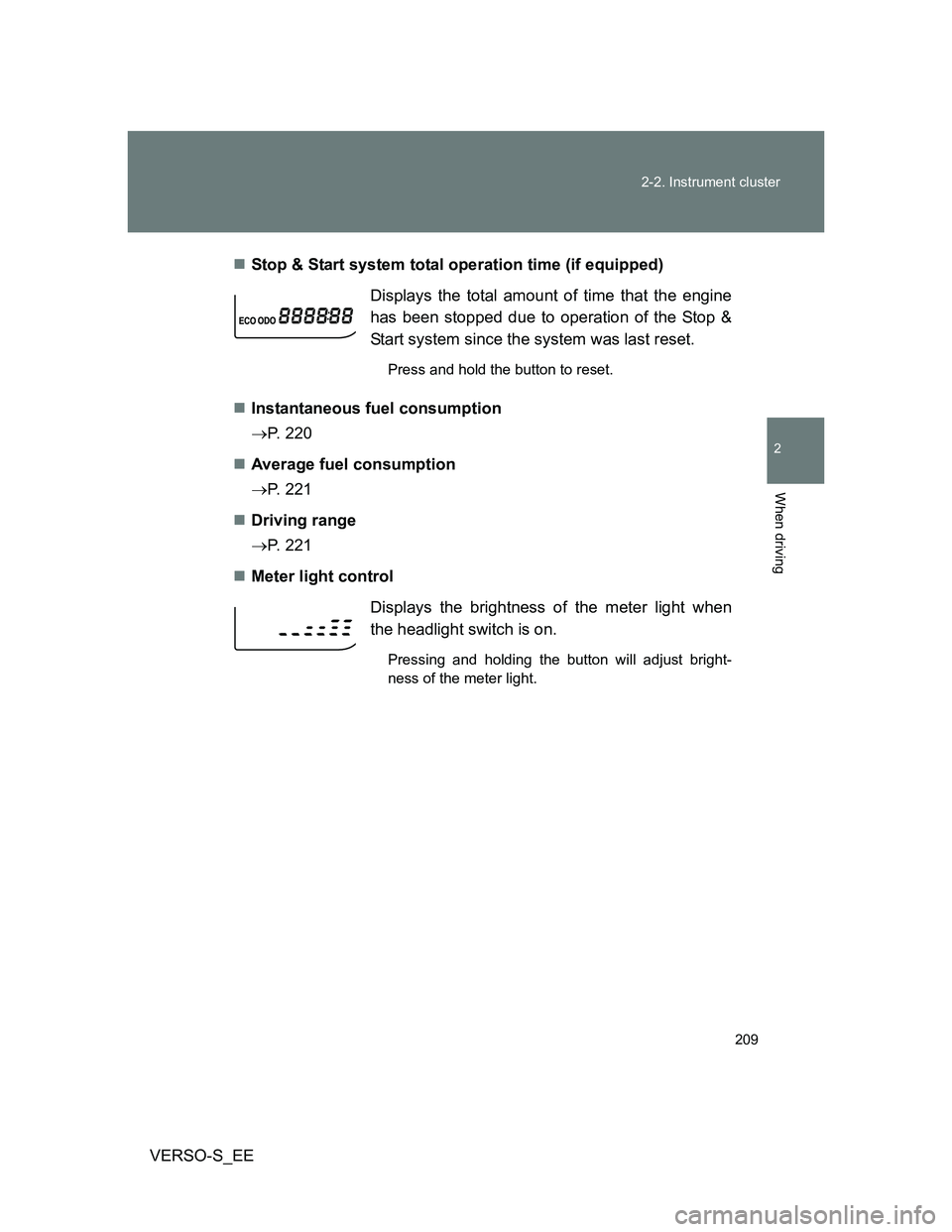
VERSO-S_EEStop & Start system total operation time (if equipped)
Instantaneous fuel consumption
P. 220
Average fuel consumption
P. 221
Driving range
P. 221
Meter light controlDisplays the total amount of time that the engine
has been stopped due to operation of the Stop &
Start system since the system was last reset.
Press and hold the button to reset.
Displays the brightness of the meter light when
the headlight switch is on.
Pressing and holding the button will adjust bright-
ness of the meter light.
Page 210 of 560
210 2-2. Instrument cluster
VERSO-S_EE
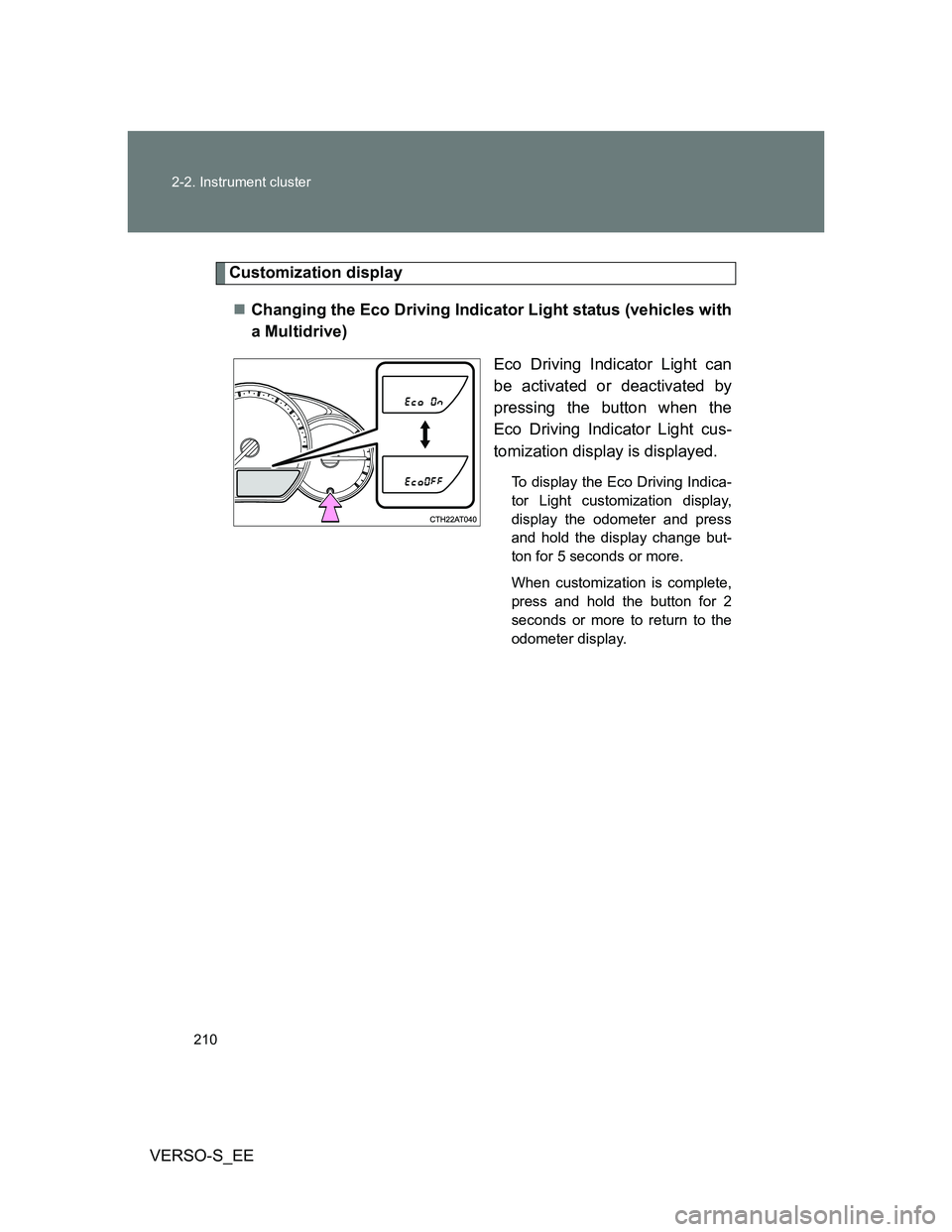
Customization display
Changing the Eco Driving Indicator Light status (vehicles with
a Multidrive)
Eco Driving Indicator Light can
be activated or deactivated by
pressing the button when the
Eco Driving Indicator Light cus-
tomization display is displayed.
To display the Eco Driving Indica-
tor Light customization display,
display the odometer and press
and hold the display change but-
ton for 5 seconds or more.
When customization is complete,
press and hold the button for 2
seconds or more to return to the
odometer display.
Page 211 of 560
211 2-2. Instrument cluster
2
When driving
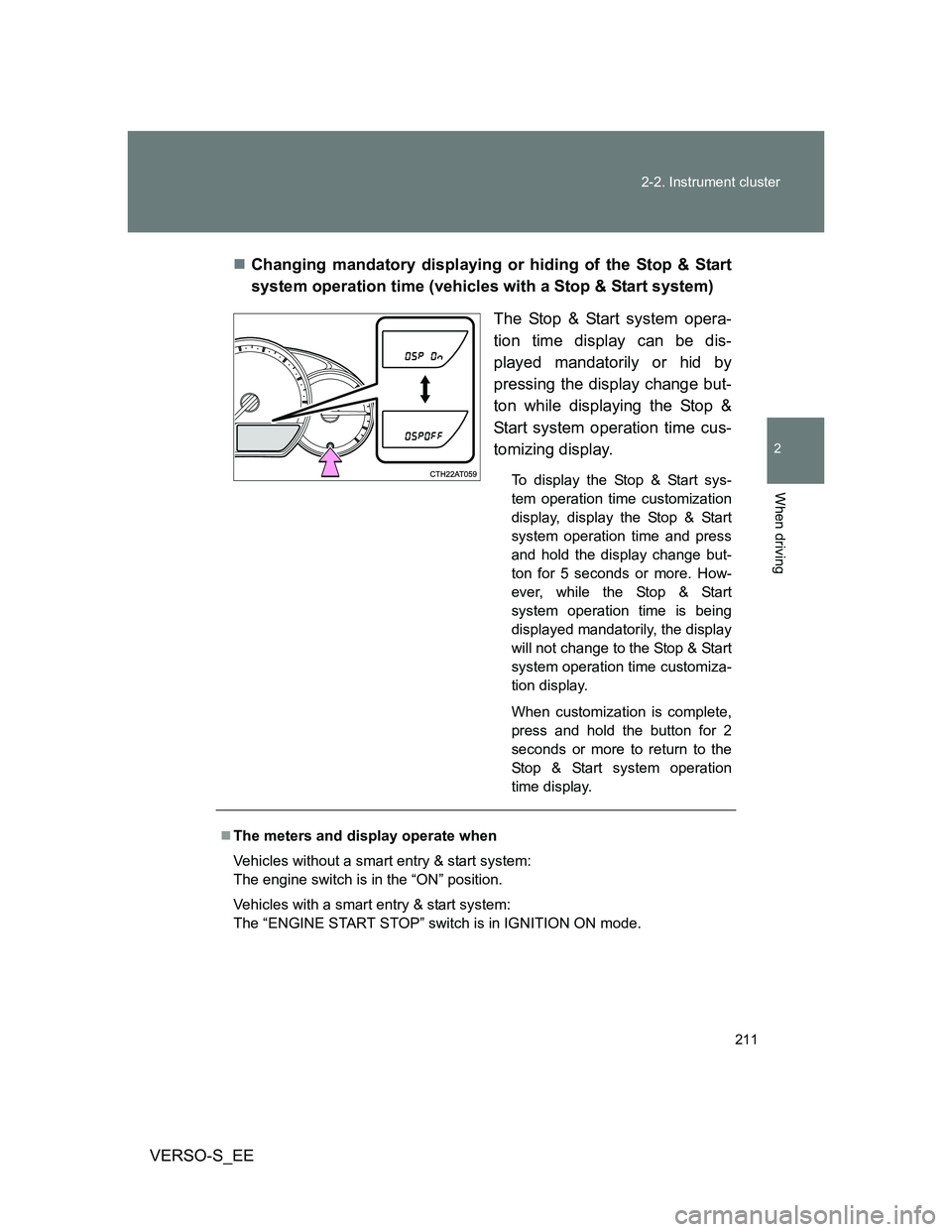
VERSO-S_EEChanging mandatory displaying or hiding of the Stop & Start
system operation time (vehicles with a Stop & Start system)
The Stop & Start system opera-
tion time display can be dis-
played mandatorily or hid by
pressing the display change but-
ton while displaying the Stop &
Start system operation time cus-
tomizing display.
To display the Stop & Start sys-
tem operation time customization
display, display the Stop & Start
system operation time and press
and hold the display change but-
ton for 5 seconds or more. How-
ever, while the Stop & Start
system operation time is being
displayed mandatorily, the display
will not change to the Stop & Start
system operation time customiza-
tion display.
When customization is complete,
press and hold the button for 2
seconds or more to return to the
Stop & Start system operation
time display.
The meters and display operate when
Vehicles without a smart entry & start system:
The engine switch is in the “ON” position.
Vehicles with a smart entry & start system:
The “ENGINE START STOP” switch is in IGNITION ON mode.
Page 212 of 560
212 2-2. Instrument cluster
VERSO-S_EE
NOTICE
To prevent damage to the engine and its components
Do not let the indicator needle of the tachometer enter the red zone, which
indicates the maximum engine speed.
The engine may be overheating if the high engine coolant temperature
warning light flashes or turns on. In this case, immediately stop the vehicle
in a safe place, and check the engine after it has cooled completely.
(
P. 505)