Page 61 of 560
61 1-2. Opening, closing and locking the doors
1
Before driving
VERSO-S_EE
When the key battery is fully depleted
P. 402
Confirmation of the registered key number (vehicles with a smart entry
and start system)
The number of keys already registered to the vehicle can be confirmed. Ask
any authorized Toyota dealer or repairer, or another duly qualified and
equipped professional for details.
Customization that can be configured at any authorized Toyota dealer
or repairer, or another duly qualified and equipped professional
Settings (e.g. wireless remote control system) can be changed.
(Customizable features P. 536)
Page 62 of 560
62 1-2. Opening, closing and locking the doors
VERSO-S_EE
Certification for wireless remote control
Page 63 of 560
63 1-2. Opening, closing and locking the doors
1
Before driving
VERSO-S_EE
Page 64 of 560
64 1-2. Opening, closing and locking the doors
VERSO-S_EE
Page 65 of 560
65 1-2. Opening, closing and locking the doors
1
Before driving
VERSO-S_EE
Page 66 of 560
66 1-2. Opening, closing and locking the doors
VERSO-S_EE
Page 67 of 560
67 1-2. Opening, closing and locking the doors
1
Before driving
VERSO-S_EE
Page 68 of 560
68
1-2. Opening, closing and locking the doors
VERSO-S_EE
Side doors
The vehicle can be locked and unlocked using the entry function,
wireless remote control, key or door lock switch.
Entry function (vehicles with a smart entry & start system)
P. 3 4
Wireless remote control
P. 5 9
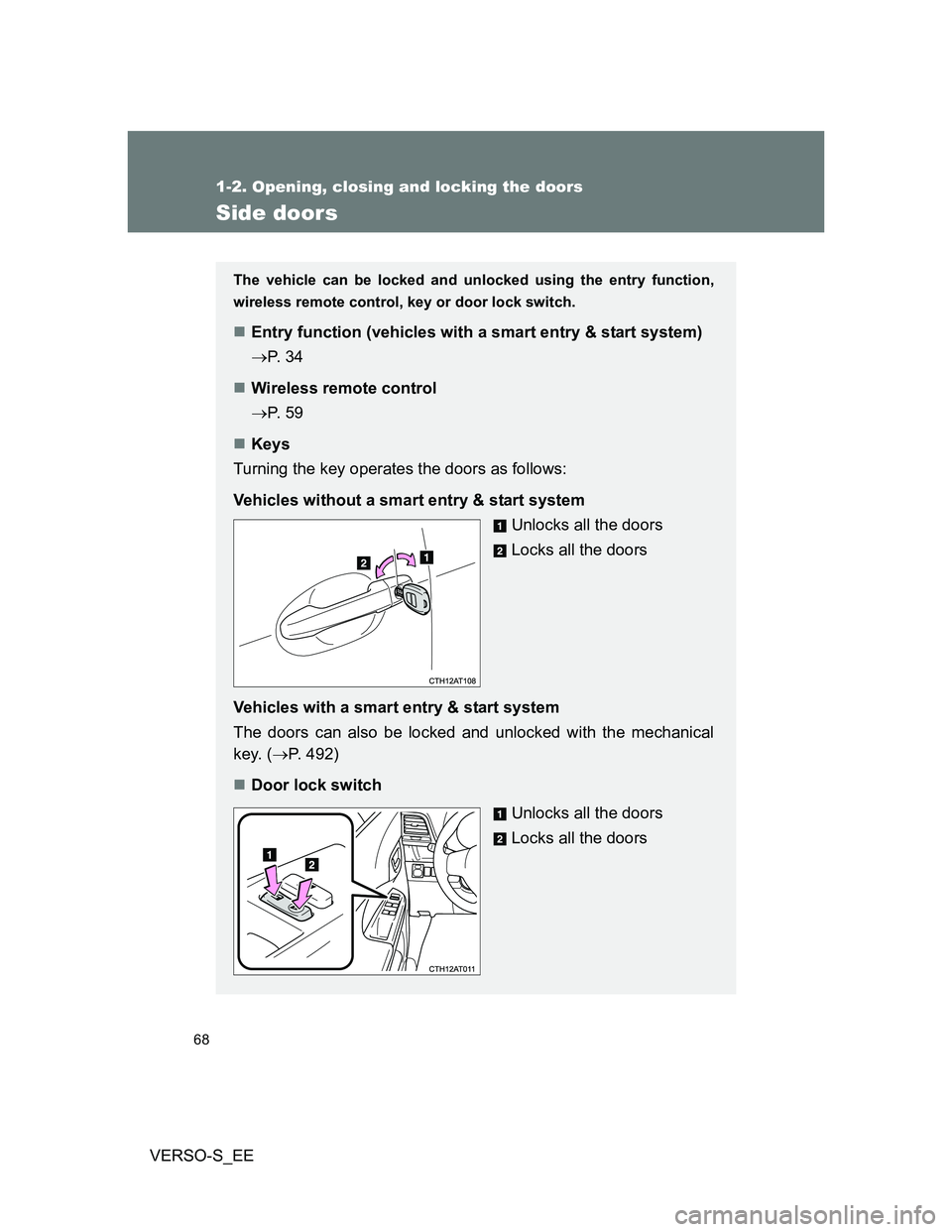
Keys
Turning the key operates the doors as follows:
Vehicles without a smart entry & start system
Unlocks all the doors
Locks all the doors
Vehicles with a smart entry & start system
The doors can also be locked and unlocked with the mechanical
key. (P. 492)
Door lock switch
Unlocks all the doors
Locks all the doors