Page 403 of 560
403 4-3. Do-it-yourself maintenance
4
Maintenance and care
VERSO-S_EE
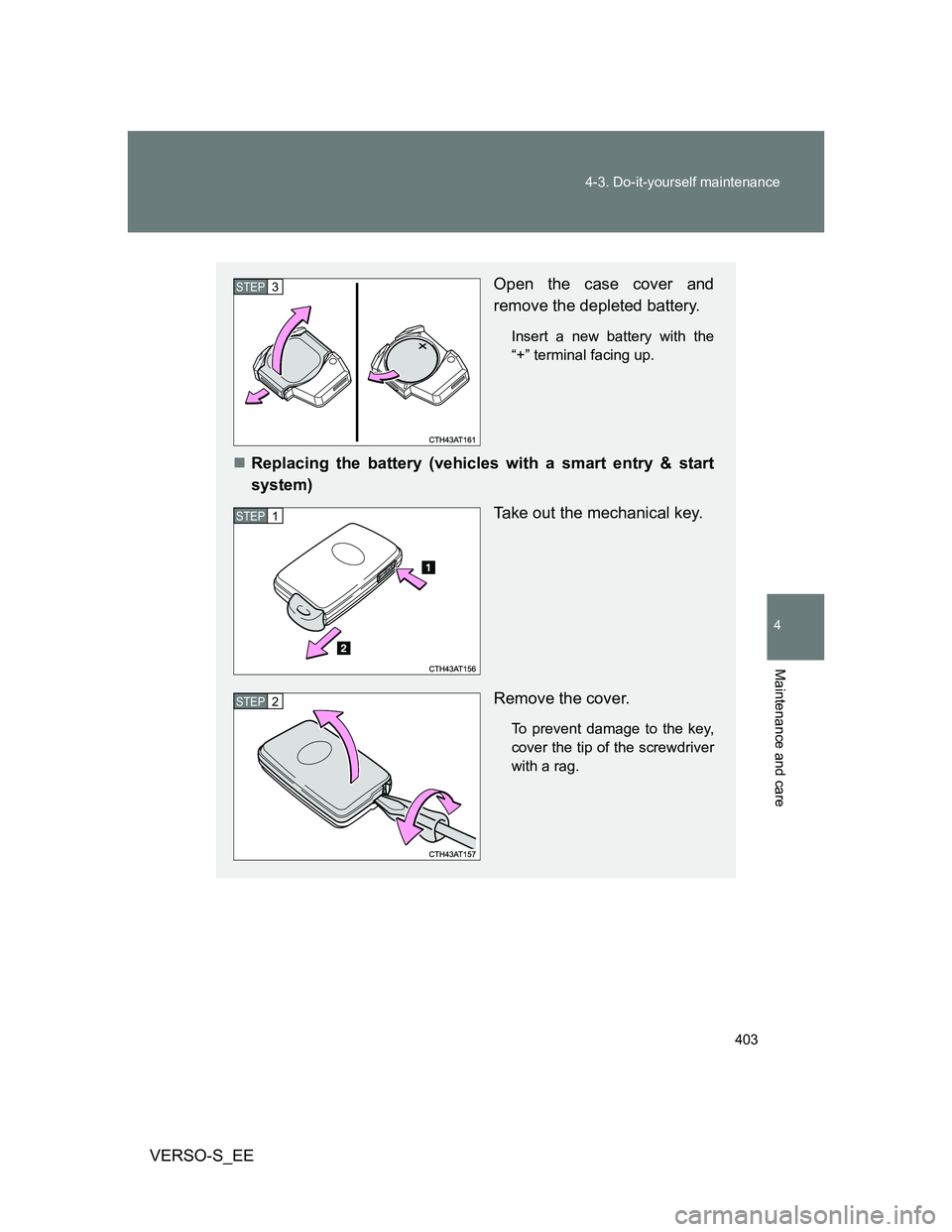
Open the case cover and
remove the depleted battery.
Insert a new battery with the
“+” terminal facing up.
Replacing the battery (vehicles with a smart entry & start
system)
Take out the mechanical key.
Remove the cover.
To prevent damage to the key,
cover the tip of the screwdriver
with a rag.
STEP3
STEP1
STEP2
Page 404 of 560
404 4-3. Do-it-yourself maintenance
VERSO-S_EE
Use a CR2016 (vehicles without a smart entry & start system) or
CR1632 (vehicles with a smart entry & start system) lithium battery
Batteries can be purchased at any authorized Toyota dealer or repairer,
or another duly qualified and equipped professional, local electrical appli-
ance shops or camera stores.
Replace only with the same or equivalent type recommended by the
manufacturer.
Dispose of used batteries according to local laws.
If the key battery is depleted
The following symptoms may occur:
The smart entry & start system (if equipped) and wireless remote control
will not function properly.
The operational range will be reduced.
When replacing the module (vehicles without a smart entry and start
system)
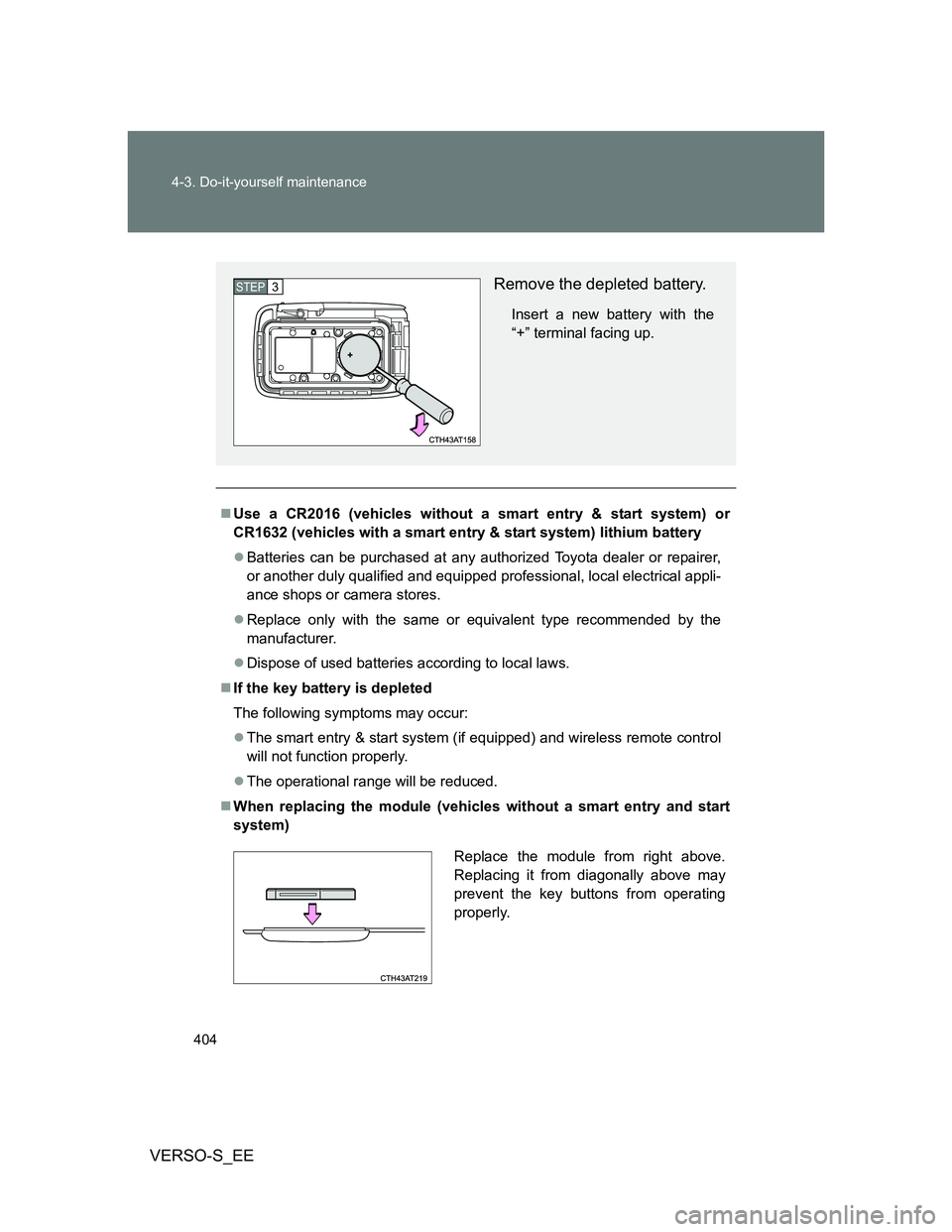
Remove the depleted battery.
Insert a new battery with the
“+” terminal facing up.
STEP3
Replace the module from right above.
Replacing it from diagonally above may
prevent the key buttons from operating
properly.
Page 431 of 560
5When trouble arises
431
VERSO-S_EE
5-1. Essential information
Emergency flashers .......... 432
If your vehicle needs to
be towed ......................... 433
If you think something is
wrong .............................. 441
Fuel pump shut
off system ....................... 442
5-2. Steps to take in an
emergency
If a warning light turns
on or a warning buzzer
sounds... ........................ 443
If you have a flat tire
(vehicles with a spare
tire) ................................. 456
If you have a flat tire
(vehicles with an
emergency tire puncture
repair kit)......................... 469
If the engine will not
start ................................ 486
If the shift lever cannot be
shifted from P ................. 489
If the shift lever cannot be
shifted ............................. 490
If you lose your keys ......... 491If the electronic key does
not operate properly ....... 492
If the battery is
discharged ...................... 497
If your vehicle
overheats ........................ 505
If you run out of fuel and
the engine stalls.............. 510
If the vehicle becomes
stuck ............................... 512
If your vehicle has to
be stopped in an
emergency ...................... 514
Page 452 of 560
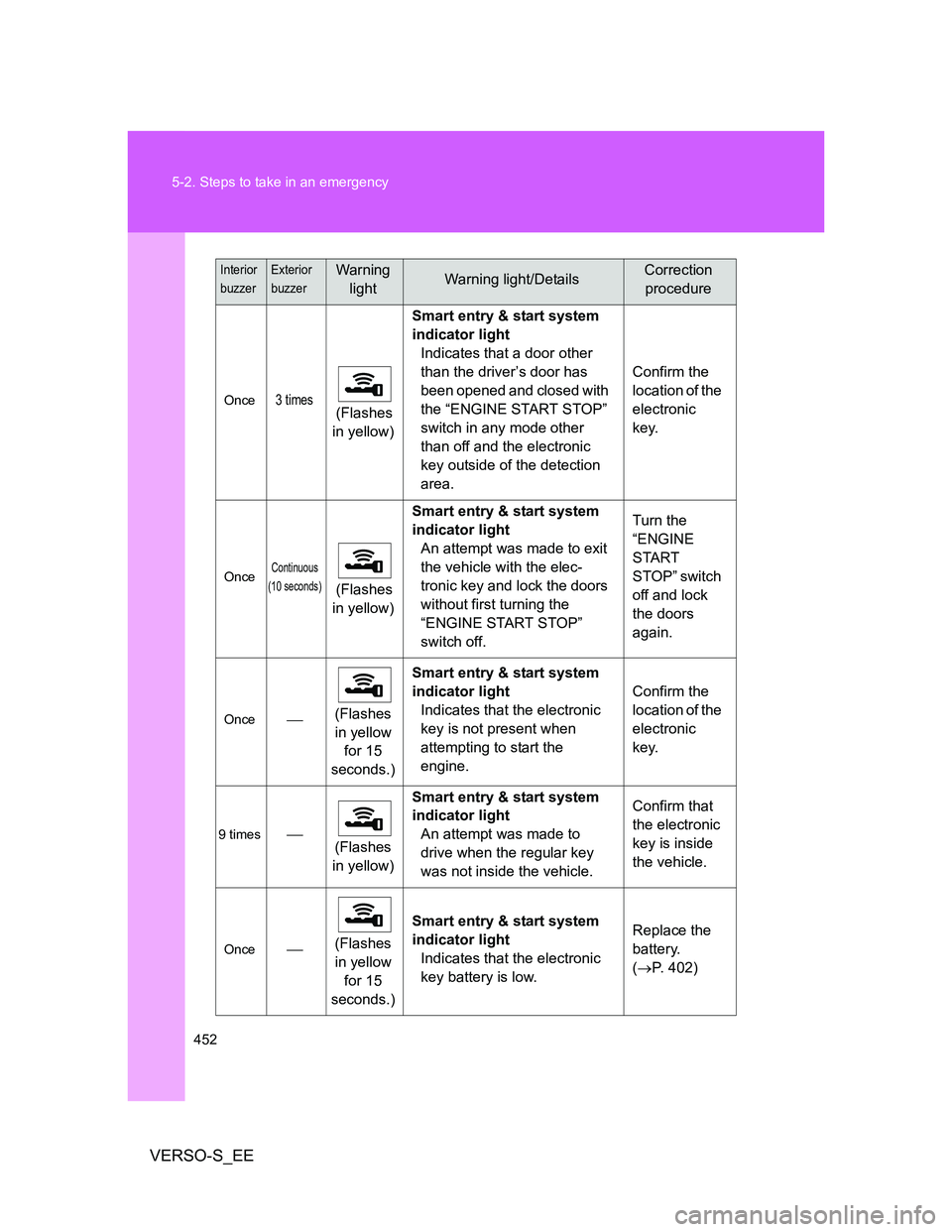
452 5-2. Steps to take in an emergency
VERSO-S_EE
Once3 times (Flashes
in yellow)Smart entry & start system
indicator light
Indicates that a door other
than the driver’s door has
been opened and closed with
the “ENGINE START STOP”
switch in any mode other
than off and the electronic
key outside of the detection
area.Confirm the
location of the
electronic
key.
OnceContinuous
(10 seconds)
(Flashes
in yellow)Smart entry & start system
indicator light
An attempt was made to exit
the vehicle with the elec-
tronic key and lock the doors
without first turning the
“ENGINE START STOP”
switch off.Turn the
“ENGINE
START
STOP” switch
off and lock
the doors
again.
Once(Flashes
in yellow
for 15
seconds.)Smart entry & start system
indicator light
Indicates that the electronic
key is not present when
attempting to start the
engine.Confirm the
location of the
electronic
key.
9 times
(Flashes
in yellow)Smart entry & start system
indicator light
An attempt was made to
drive when the regular key
was not inside the vehicle.Confirm that
the electronic
key is inside
the vehicle.
Once(Flashes
in yellow
for 15
seconds.)Smart entry & start system
indicator light
Indicates that the electronic
key battery is low.Replace the
battery.
(P. 402)
Interior
buzzerExterior
buzzerWarning
lightWarning light/DetailsCorrection
procedure
Page 492 of 560
492
5-2. Steps to take in an emergency
VERSO-S_EE
If the electronic key does not operate properly (vehicles with a smart entr y & start system)
Unlocking and locking the doors
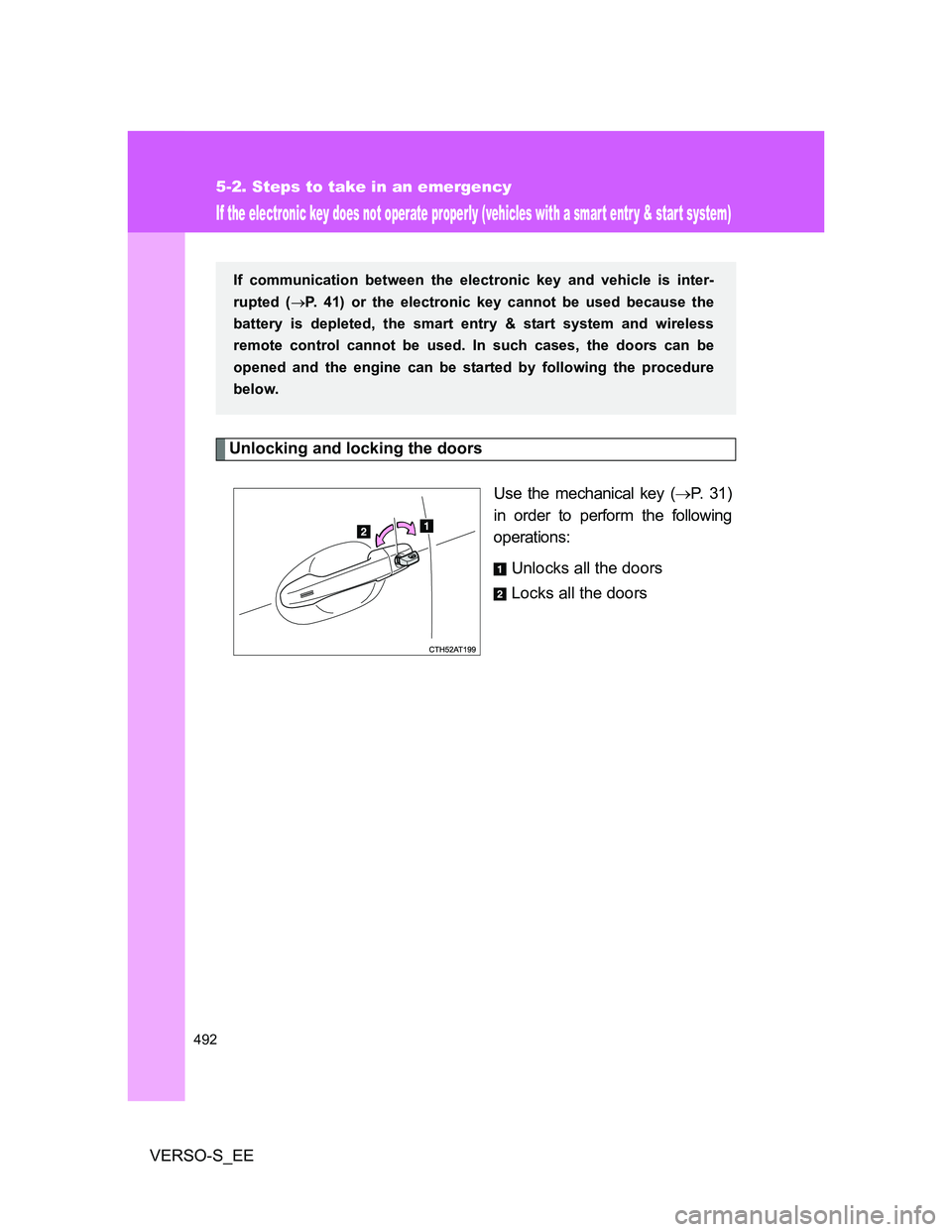
Use the mechanical key (P. 31)
in order to perform the following
operations:
Unlocks all the doors
Locks all the doors
If communication between the electronic key and vehicle is inter-
rupted (P. 41) or the electronic key cannot be used because the
battery is depleted, the smart entry & start system and wireless
remote control cannot be used. In such cases, the doors can be
opened and the engine can be started by following the procedure
below.
Page 496 of 560
496 5-2. Steps to take in an emergency
VERSO-S_EE
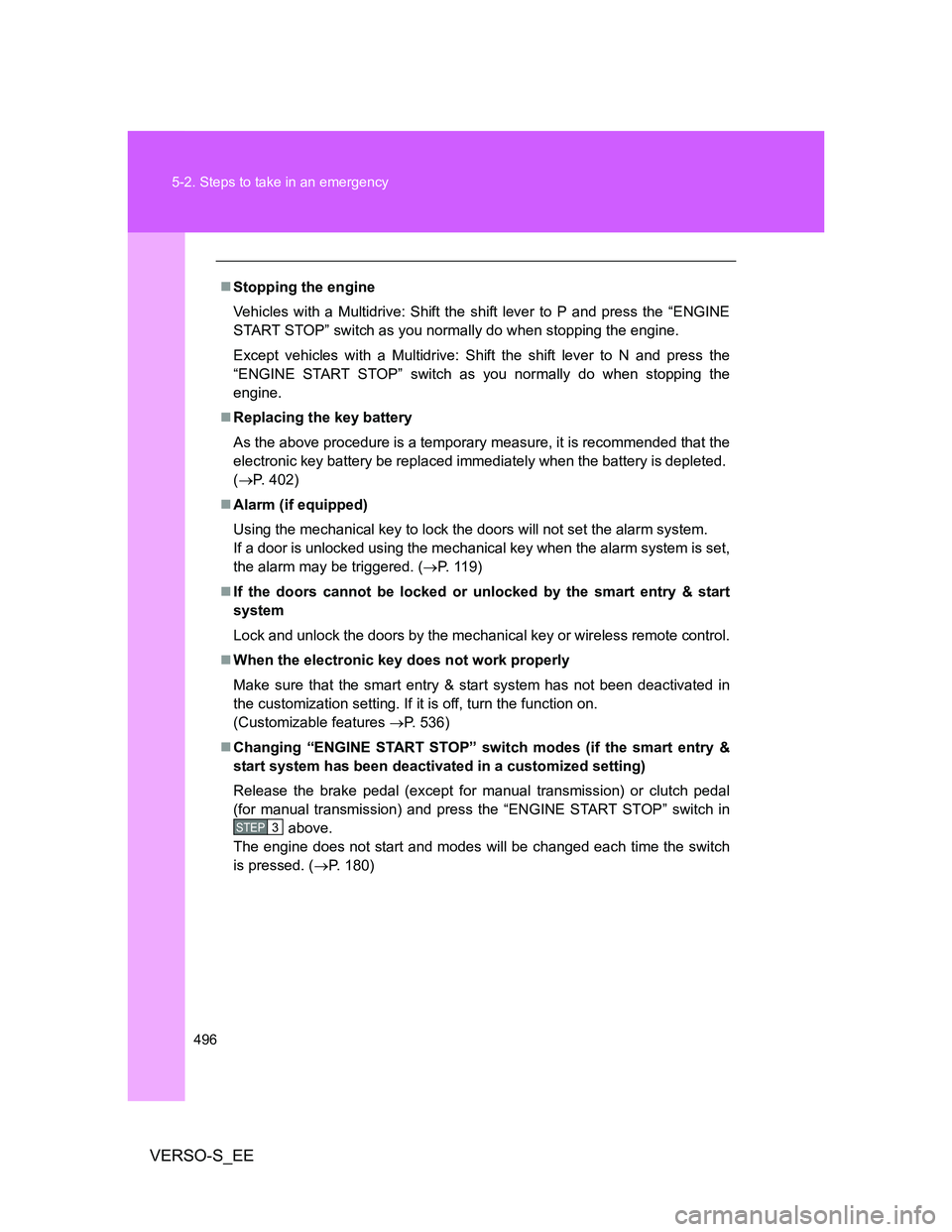
Stopping the engine
Vehicles with a Multidrive: Shift the shift lever to P and press the “ENGINE
START STOP” switch as you normally do when stopping the engine.
Except vehicles with a Multidrive: Shift the shift lever to N and press the
“ENGINE START STOP” switch as you normally do when stopping the
engine.
Replacing the key battery
As the above procedure is a temporary measure, it is recommended that the
electronic key battery be replaced immediately when the battery is depleted.
(P. 402)
Alarm (if equipped)
Using the mechanical key to lock the doors will not set the alarm system.
If a door is unlocked using the mechanical key when the alarm system is set,
the alarm may be triggered. (P. 119)
If the doors cannot be locked or unlocked by the smart entry & start
system
Lock and unlock the doors by the mechanical key or wireless remote control.
When the electronic key does not work properly
Make sure that the smart entry & start system has not been deactivated in
the customization setting. If it is off, turn the function on.
(Customizable features P. 536)
Changing “ENGINE START STOP” switch modes (if the smart entry &
start system has been deactivated in a customized setting)
Release the brake pedal (except for manual transmission) or clutch pedal
(for manual transmission) and press the “ENGINE START STOP” switch in
above.
The engine does not start and modes will be changed each time the switch
is pressed. (P. 180)
STEP3
Page 502 of 560
502 5-2. Steps to take in an emergency
VERSO-S_EE
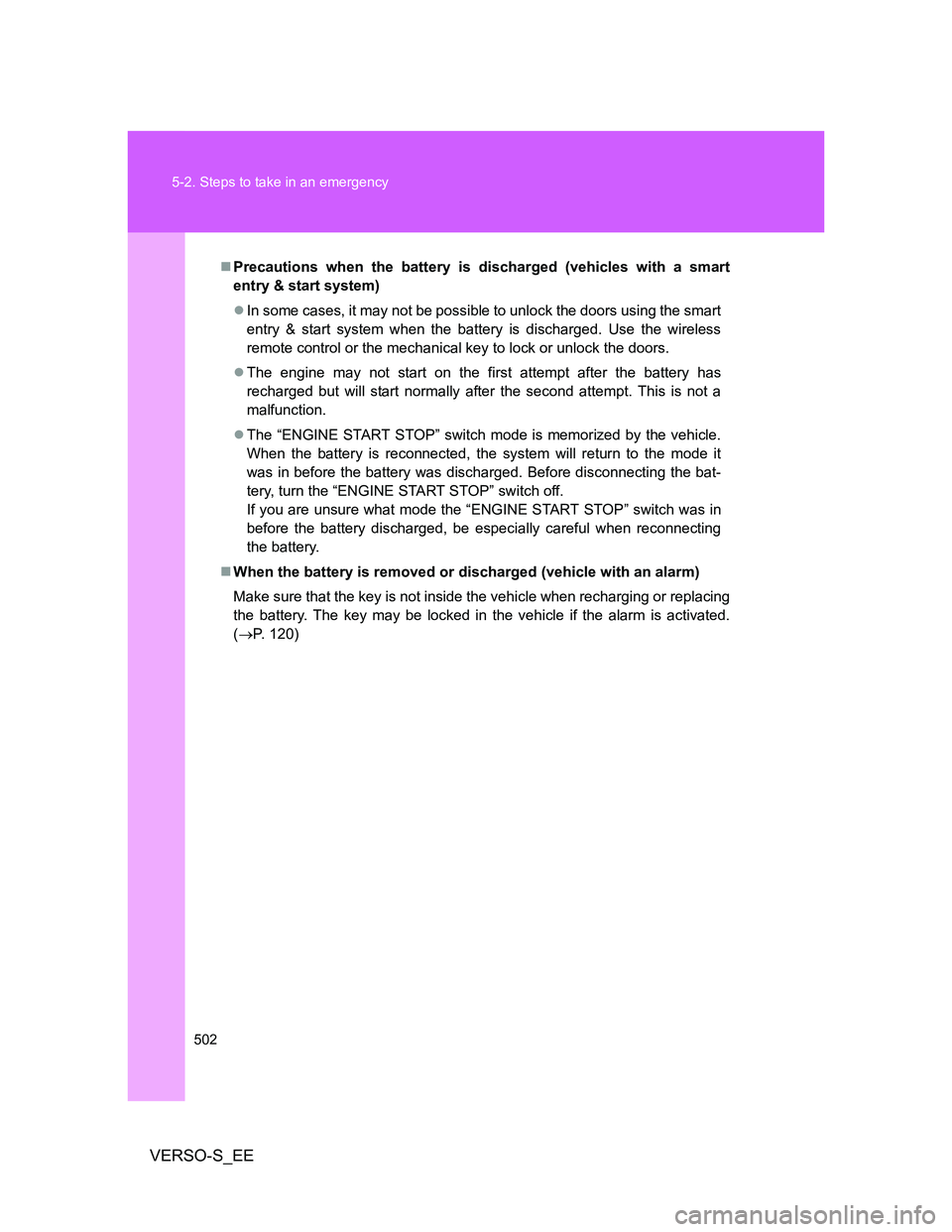
Precautions when the battery is discharged (vehicles with a smart
entry & start system)
In some cases, it may not be possible to unlock the doors using the smart
entry & start system when the battery is discharged. Use the wireless
remote control or the mechanical key to lock or unlock the doors.
The engine may not start on the first attempt after the battery has
recharged but will start normally after the second attempt. This is not a
malfunction.
The “ENGINE START STOP” switch mode is memorized by the vehicle.
When the battery is reconnected, the system will return to the mode it
was in before the battery was discharged. Before disconnecting the bat-
tery, turn the “ENGINE START STOP” switch off.
If you are unsure what mode the “ENGINE START STOP” switch was in
before the battery discharged, be especially careful when reconnecting
the battery.
When the battery is removed or discharged (vehicle with an alarm)
Make sure that the key is not inside the vehicle when recharging or replacing
the battery. The key may be locked in the vehicle if the alarm is activated.
(P. 120)
Page 545 of 560
545 Alphabetical index
VERSO-S_EE
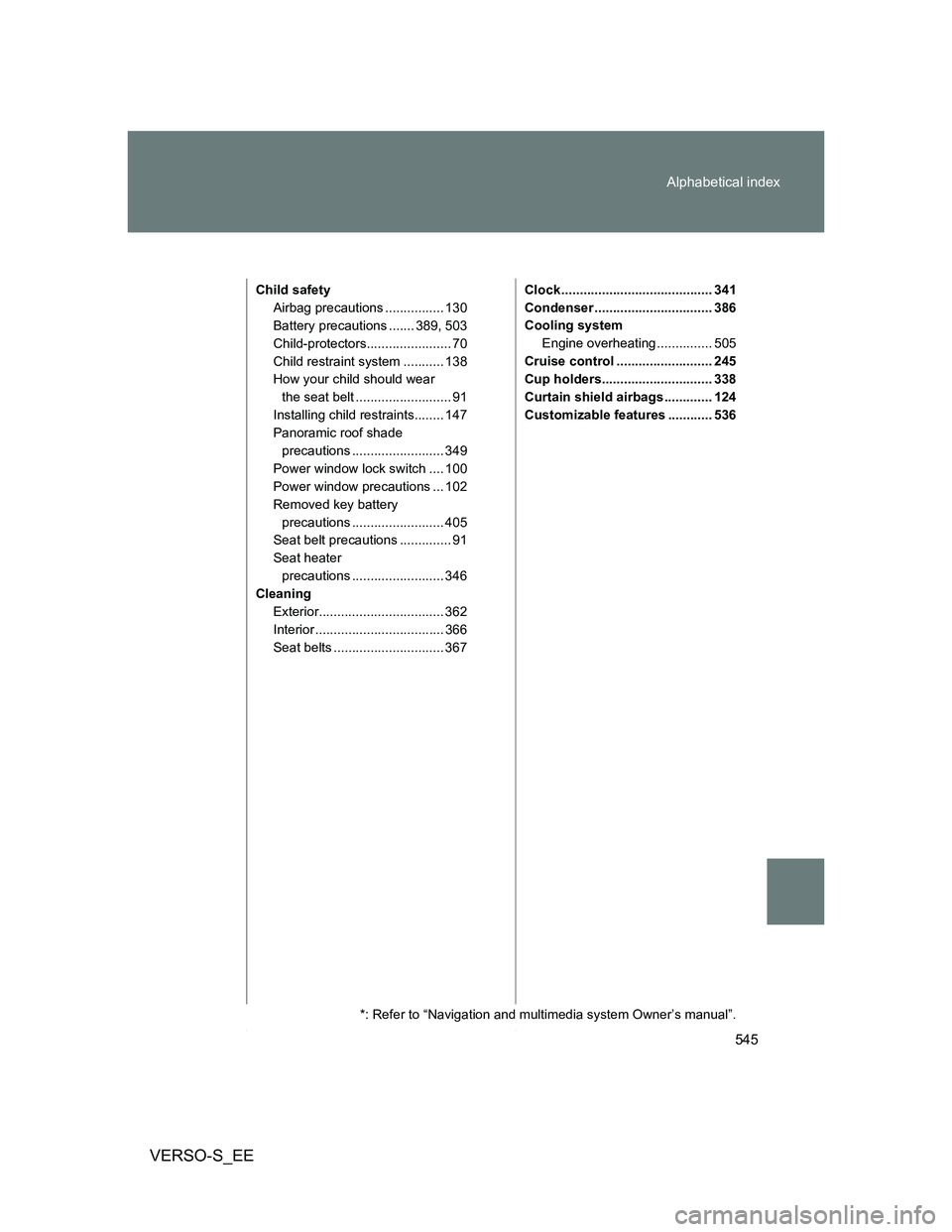
Child safety
Airbag precautions ................ 130
Battery precautions ....... 389, 503
Child-protectors....................... 70
Child restraint system ........... 138
How your child should wear
the seat belt .......................... 91
Installing child restraints........ 147
Panoramic roof shade
precautions ......................... 349
Power window lock switch .... 100
Power window precautions ... 102
Removed key battery
precautions ......................... 405
Seat belt precautions .............. 91
Seat heater
precautions ......................... 346
Cleaning
Exterior.................................. 362
Interior ................................... 366
Seat belts .............................. 367Clock ......................................... 341
Condenser ................................ 386
Cooling system
Engine overheating ............... 505
Cruise control .......................... 245
Cup holders.............................. 338
Curtain shield airbags ............. 124
Customizable features ............ 536
*: Refer to “Navigation and multimedia system Owner’s manual”.