Page 196 of 872
196
1-7. Safety information
SIENNA_OM_OM45483U_(U)
Installing child restraints
Follow the child restraint system manufacturer’s instructions. Firmly
secure child restraints to the r ear seats using the LATCH anchors or
a seat belt. Attach the top teth er strap when installing a child
restraint.
The lap/shoulder belt can be used if your child restraint system is
not compatible with the LATCH (Low er Anchors and Tethers for Chil-
dren) system.
■ Using the LATCH anchors
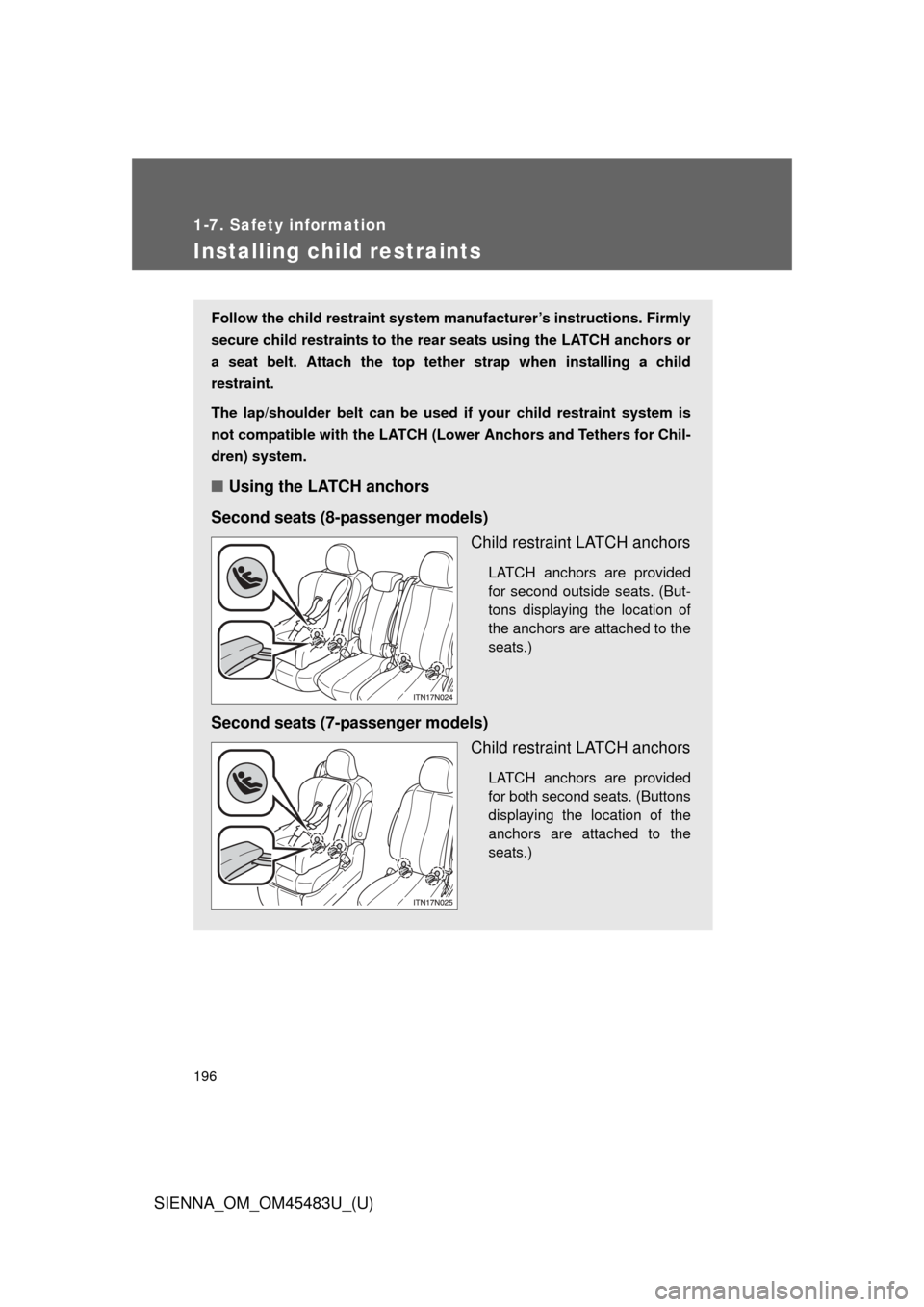
Second seats (8-passenger models) Child restraint LATCH anchors
LATCH anchors are provided
for second outside seats. (But-
tons displaying the location of
the anchors are attached to the
seats.)
Second seats (7-passenger models)Child restraint LATCH anchors
LATCH anchors are provided
for both second seats. (Buttons
displaying the location of the
anchors are attached to the
seats.)
Page 213 of 872
When driving2
213
SIENNA_OM_OM45483U_(U)
2-1. Driving proceduresDriving the vehicle............ 214
Engine (ignition) switch (vehicles without a smart
key system).................... 228
Engine (ignition) switch (vehicles with a smart
key system).................... 231
Automatic transaxle ......... 238
Turn signal lever .............. 243
Parking brake ................... 244
Horn ................................. 245
2-2. Instrument cluster and information display
Gauges and meters............. 246
Indicators and warning lights .............................. 249
Multi-information display............................ 256
2-3. Operating the lights and wipers
Headlight switch ............... 270
Automatic High Beam ...... 277
Fog light switch ................ 284
Windshield wipers and washer .................... 286
Rear window wiper and washer .................... 294 2-4. Using other driving systems
Cruise control ................... 297
Dynamic radar cruise control ............................ 302
Intuitive parking assist...... 318
Rear view monitor system ........................... 325
Driving assist systems ..... 331
Hill-start assist control ...... 337
PCS (Pre-Collision System).......................... 340
BSM (Blind Spot Monitor).......................... 348
2-5. Driving information Cargo and luggage .......... 360
Vehicle load limits ............ 368
Winter driving tips ............ 369
Trailer towing (with towing package)............. 373
Dinghy towing .................. 393
Page 235 of 872
235
2-1. Driving procedures
2
When driving
SIENNA_OM_OM45483U_(U)
■
Electronic key battery depletion
P. 5 0
■ Conditions aff ecting operation
P. 4 6
■ Note for the entry function
P. 4 7
■ If the engine does not start
The engine immobilizer system may not have been deactivated. ( P. 160)
■ Steering lock
After turning the “ENGINE START STOP” switch off and opening and closing
the doors, the steering wheel will be locked due to the steering lock function.
Operating the “ENGINE START STOP” switch again automatically cancels
the steering lock.
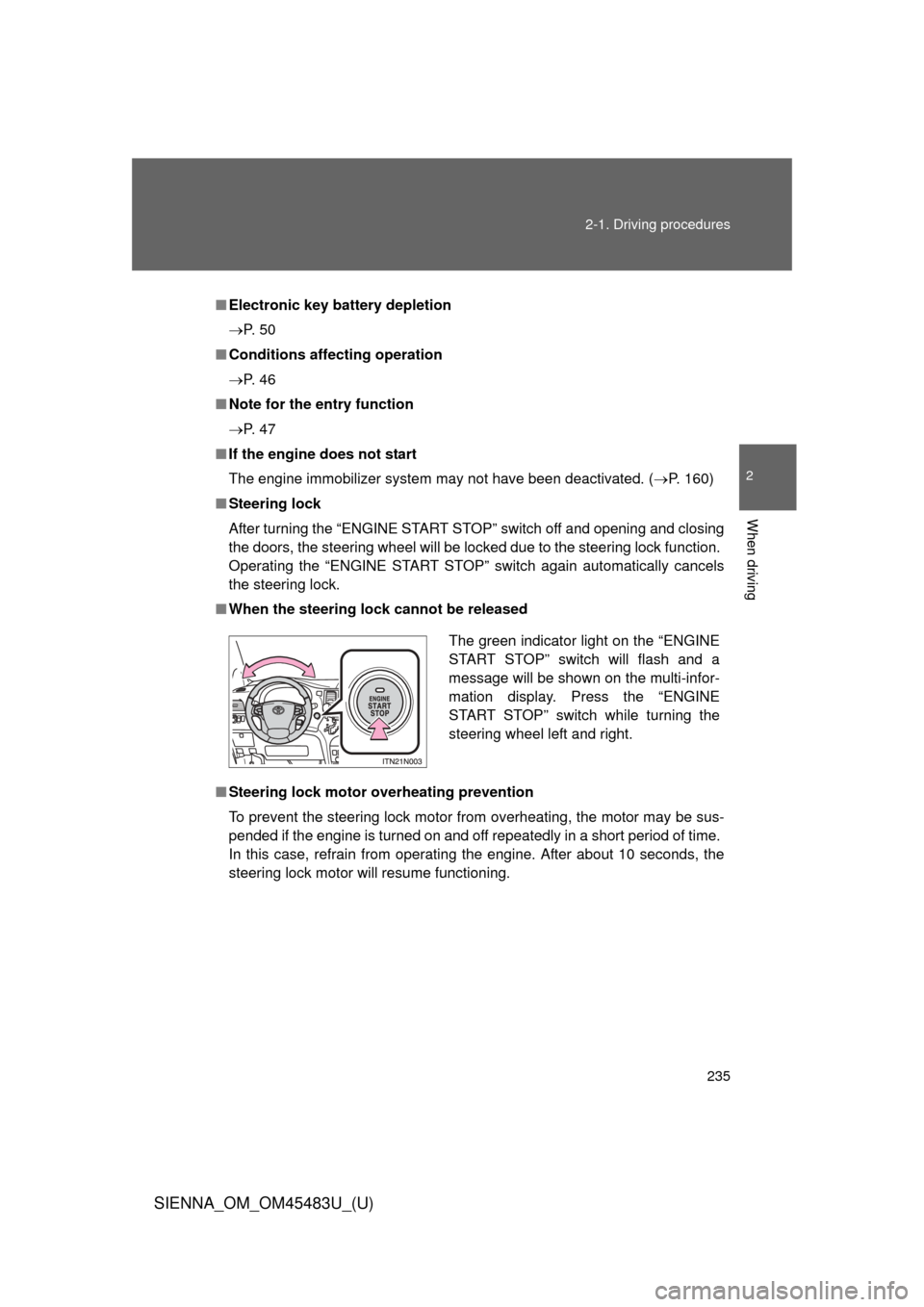
■ When the steering lock cannot be released
■ Steering lock motor overheating prevention
To prevent the steering lock motor from overheating, the motor may be sus-
pended if the engine is turned on and off repeatedly in a short period of time.
In this case, refrain from operating the engine. After about 10 seconds, the
steering lock motor will resume functioning.
The green indicator light on the “ENGINE
START STOP” switch will flash and a
message will be shown on the multi-infor-
mation display. Press the “ENGINE
START STOP” switch while turning the
steering wheel left and right.
Page 246 of 872
246
SIENNA_OM_OM45483U_(U)
2-2. Instrument cluster and information display
Gauges and meters
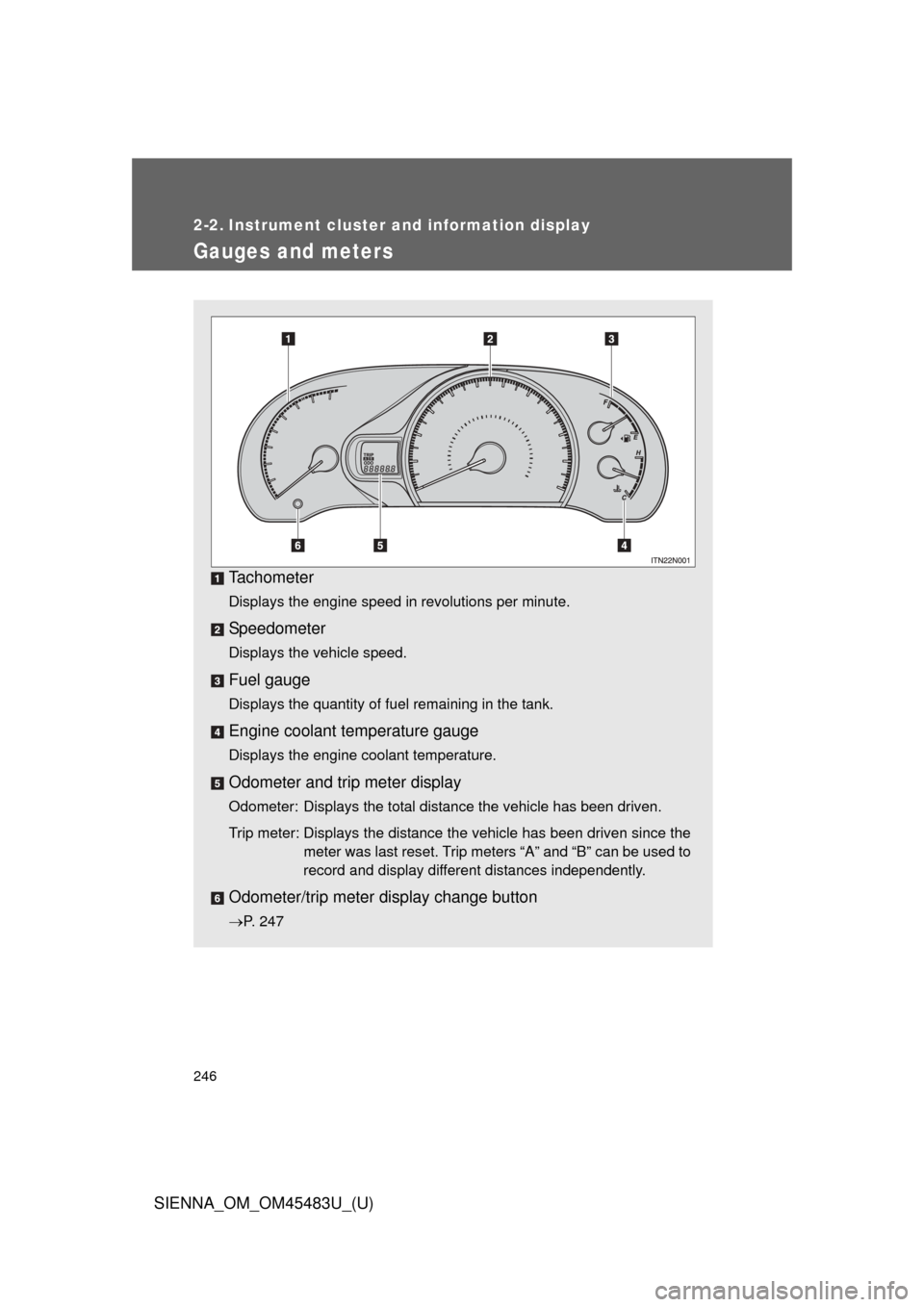
Tachometer
Displays the engine speed in revolutions per minute.
Speedometer
Displays the vehicle speed.
Fuel gauge
Displays the quantity of fuel remaining in the tank.
Engine coolant temperature gauge
Displays the engine coolant temperature.
Odometer and trip meter display
Odometer: Displays the total distance the vehicle has been driven.
Trip meter: Displays the distance the vehicle has been driven since themeter was last reset. Trip meters “A” and “B” can be used to
record and display different distances independently.
Odometer/trip meter display change button
P. 247
Page 247 of 872
247
2-2. Instrument cluster and information display
2
When driving
SIENNA_OM_OM45483U_(U)
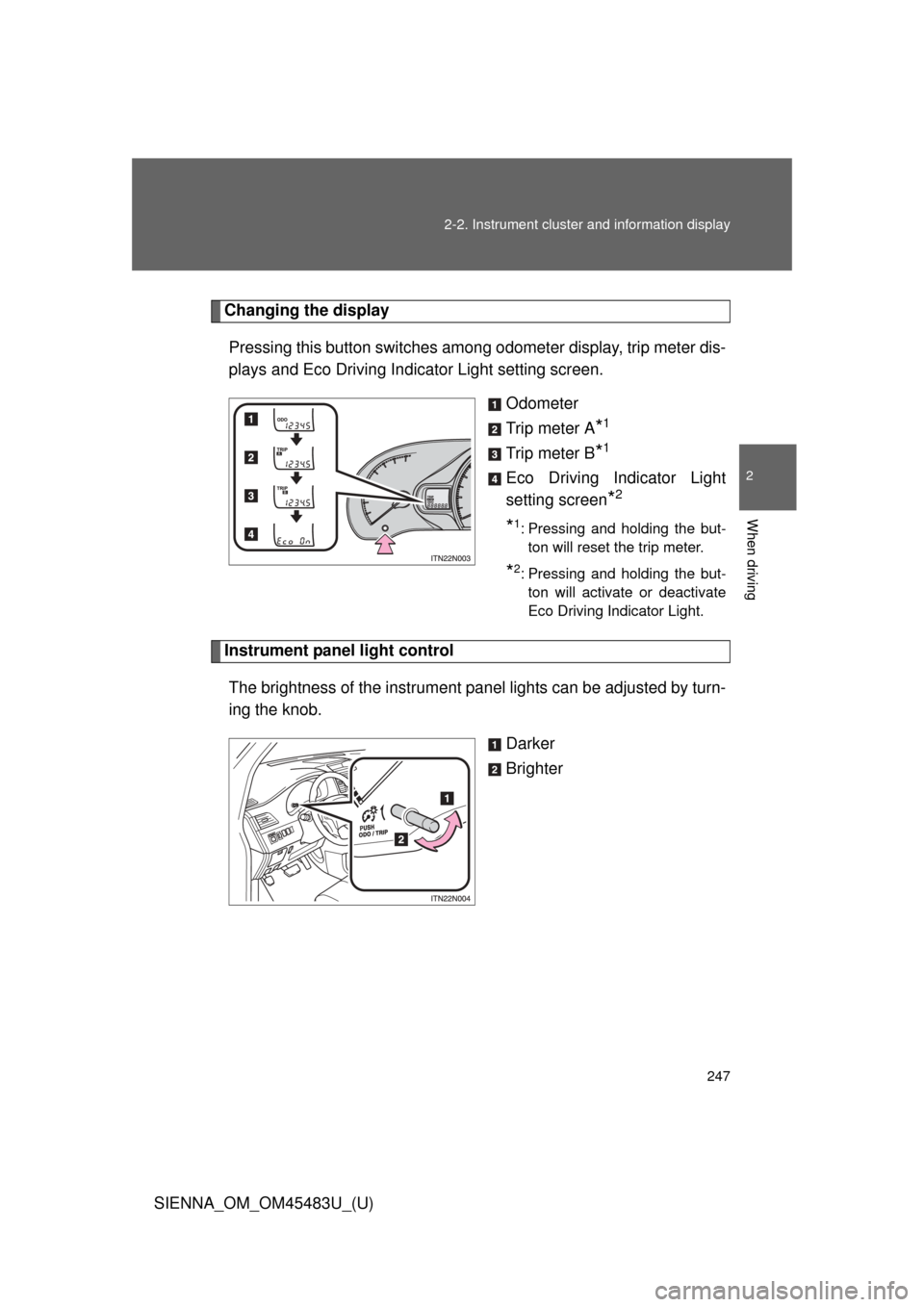
Changing the display
Pressing this button switches amon g odometer display, trip meter dis-
plays and Eco Driving Indicator Light setting screen.
Odometer
Trip meter A
*1
Trip meter B*1
Eco Driving Indicator Light
setting screen
*2
*1: Pressing and holding the but-ton will reset the trip meter.
*2: Pressing and holding the but-ton will activate or deactivate
Eco Driving Indicator Light.
Instrument panel light control
The brightness of the instrument pa nel lights can be adjusted by turn-
ing the knob.
Darker
Brighter
Page 248 of 872
248 2-2. Instrument cluster and information display
SIENNA_OM_OM45483U_(U)
■The meters and display illuminate when (Optitron type meters)
Vehicles without a smart key system:
The engine switch is in the “ON” position.
Vehicles with a smart key system:
The “ENGINE START STOP” switch is in IGNITION ON mode.
NOTICE
■To prevent damage to the engine and its components
●Do not let the indicator needle of the tachometer enter the red zone, which
indicates the maximum engine speed.
● The engine may be overheating if the engine coolant temperature gauge is
in the red zone (H). In this case, immediately stop the vehicle in a safe
place, and check the engine after it has cooled completely. (
P. 790)
Page 249 of 872
249
2-2. Instrument cluster and information display
2
When driving
SIENNA_OM_OM45483U_(U)
Indicators and warning lights
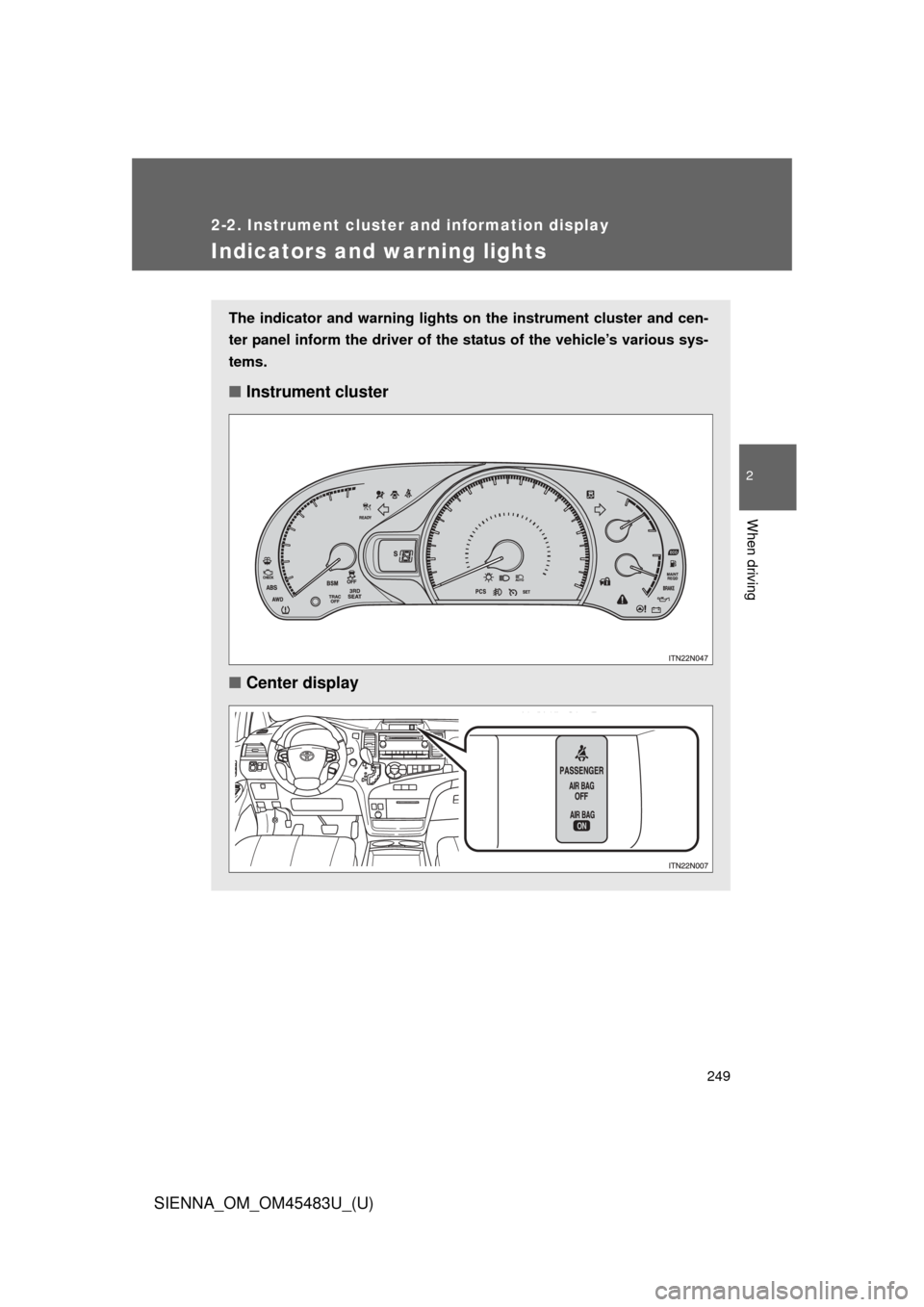
The indicator and warning lights on the instrument cluster and cen-
ter panel inform the driver of the status of the vehicle’s various sys-
tems.
■ Instrument cluster
■ Center display
Page 250 of 872
250 2-2. Instrument cluster and information display
SIENNA_OM_OM45483U_(U)
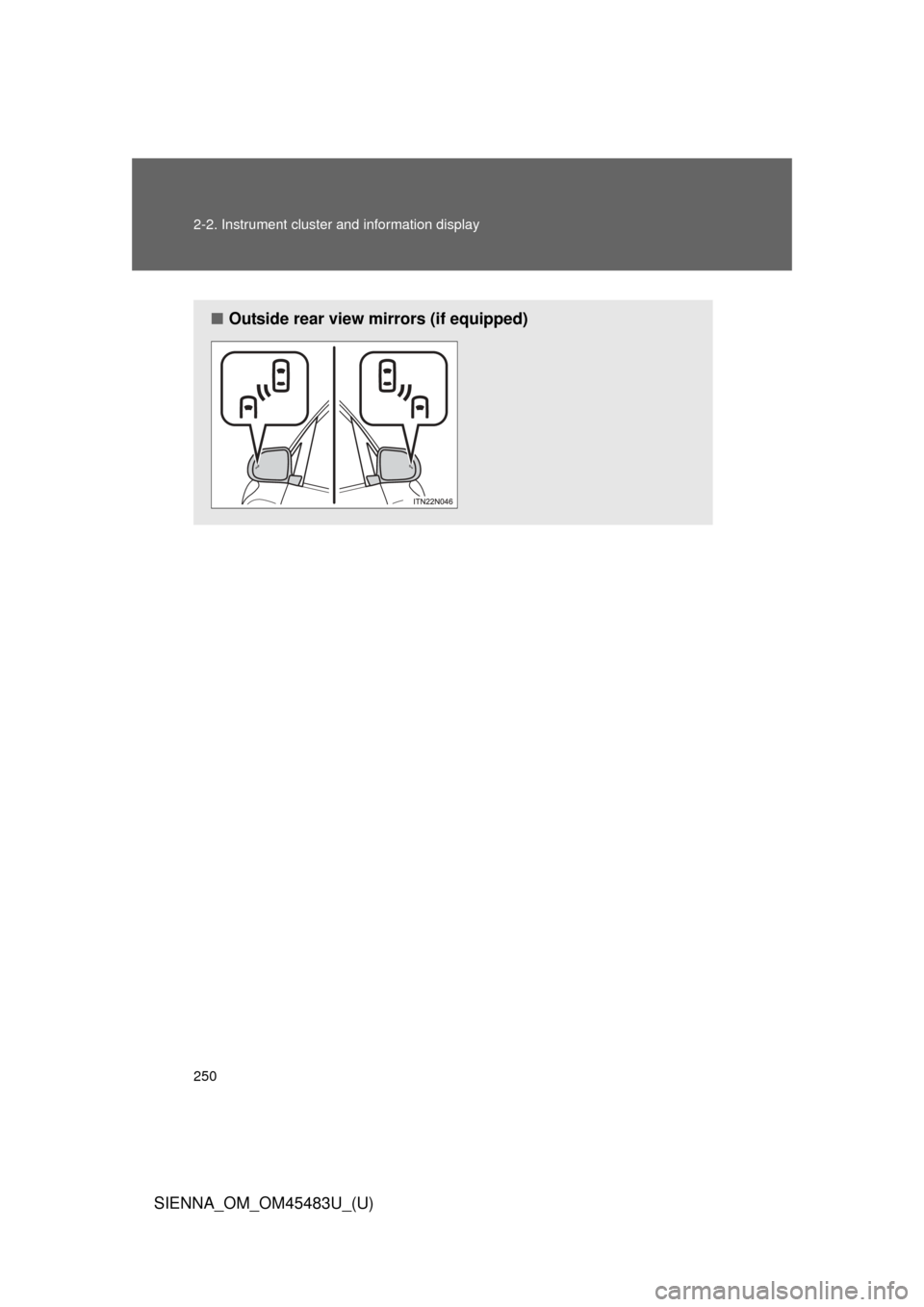
■Outside rear view mirrors (if equipped)