Page 180 of 724
180 2-2. Instrument cluster
LC200_OM_OM60L09U_(U)
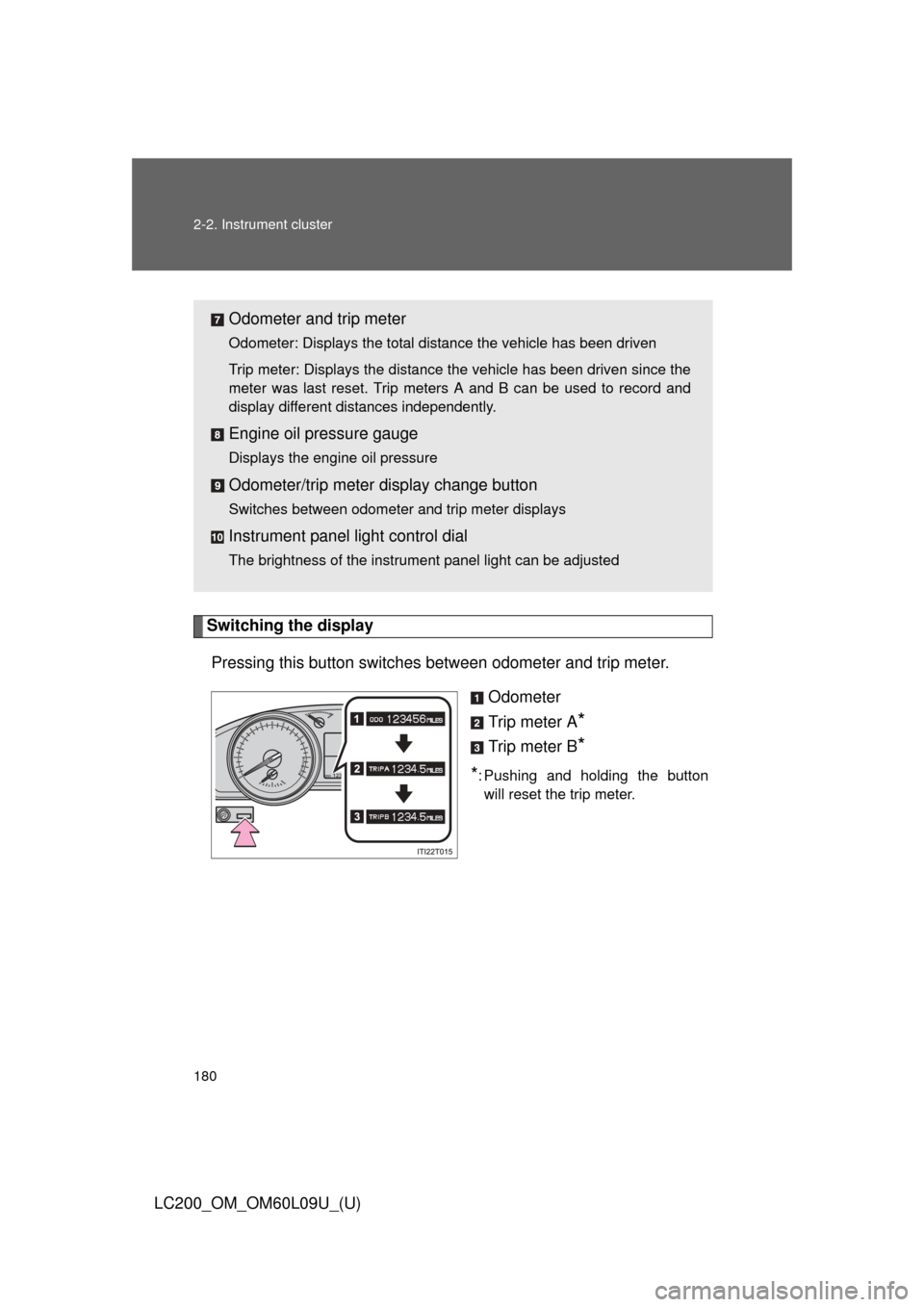
Switching the displayPressing this button switches between odometer and trip meter.
Odometer
Trip meter A
*
Trip meter B*
*: Pushing and holding the buttonwill reset the trip meter.
Odometer and trip meter
Odometer: Displays the total distance the vehicle has been driven
Trip meter: Displays the distance the vehicle has been driven since the
meter was last reset. Trip meters A and B can be used to record and
display different distances independently.
Engine oil pressure gauge
Displays the engine oil pressure
Odometer/trip meter display change button
Switches between odometer and trip meter displays
Instrument panel light control dial
The brightness of the instrument panel light can be adjusted
Page 182 of 724
182 2-2. Instrument cluster
LC200_OM_OM60L09U_(U)
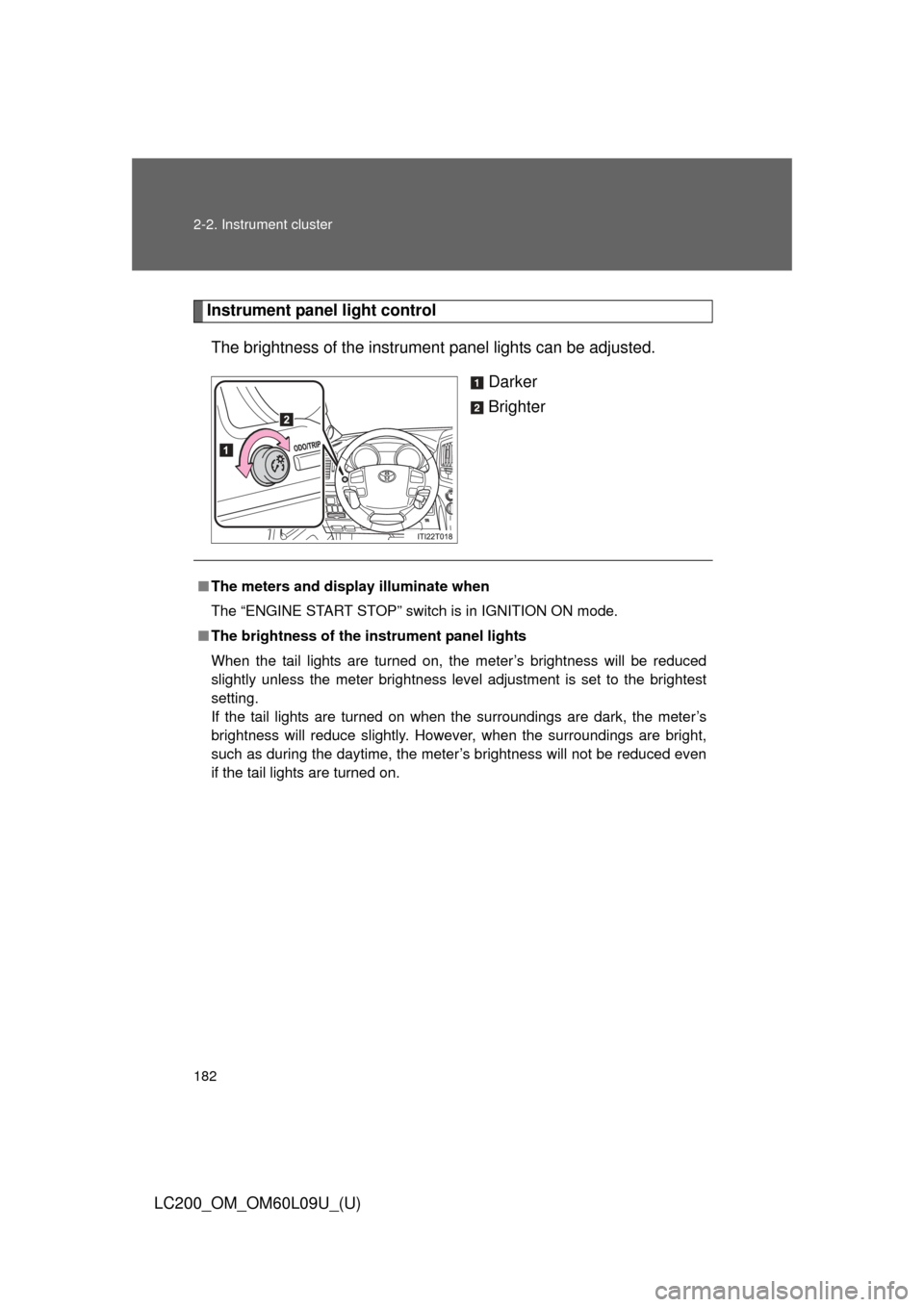
Instrument panel light controlThe brightness of the instrument panel lights can be adjusted.
Darker
Brighter
■The meters and display illuminate when
The “ENGINE START STOP” switch is in IGNITION ON mode.
■ The brightness of the instrument panel lights
When the tail lights are turned on, the meter’s brightness will be reduced
slightly unless the meter brightness level adjustment is set to the brightest
setting.
If the tail lights are turned on when the surroundings are dark, the meter’s
brightness will reduce slightly. However, when the surroundings are bright,
such as during the daytime, the meter’s brightness will not be reduced even
if the tail lights are turned on.
Page 183 of 724
183
2-2. Instrument cluster
2
When driving
LC200_OM_OM60L09U_(U)
NOTICE
■
To prevent damage to the engine and its components
●Do not let the indicator needle of the tachometer enter the red zone, which
indicates the maximum engine speed.
● The engine may be overheating if the engine coolant temperature gauge is
in the red zone (“H”). In this case, immediately stop the vehicle in a safe
place, and check the engine after it has cooled completely. ( P. 659)
■ Vo l t m e t e r
When the voltmeter indicates 19 V or higher or 9 V or lower while the engine
is running, there may be a battery or charging system malfunction. Have the
vehicle inspected at your Toyota dealer.
■ Engine oil pressure gauge
When the value of the engine oil pressure gauge drops while the engine is
running, stop the vehicle in a safe place immediately and check the amount
of engine oil. ( P. 531)
When the oil pressure drops even though the engine oil amount has not
decreased, or if the oil pressure does not increase when engine oil is added,
contact your Toyota dealer, as there may be a problem with the lubrication
system.
Page 187 of 724
187
2-2. Instrument cluster
2
When driving
LC200_OM_OM60L09U_(U)
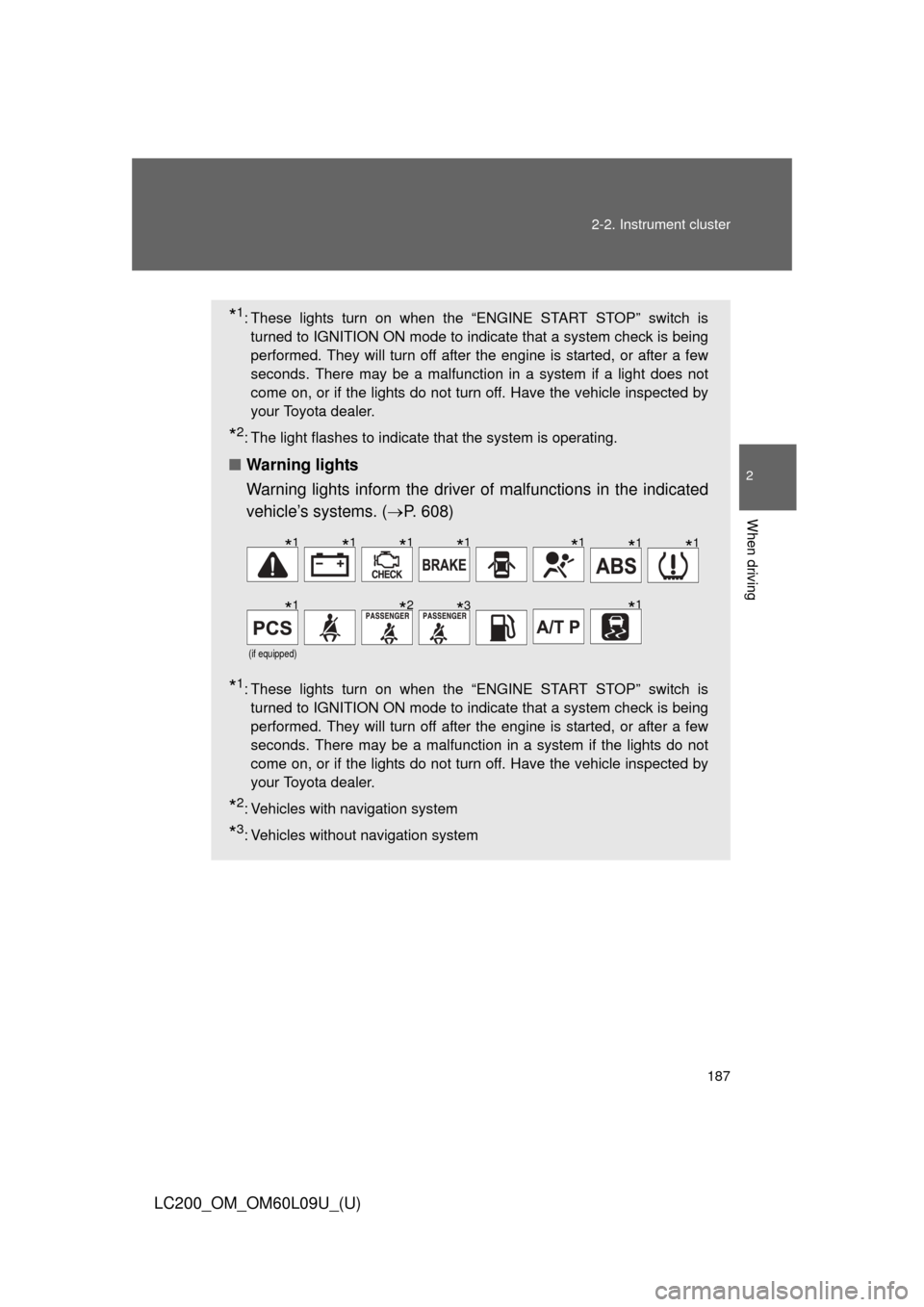
*1: These lights turn on when the “ENGINE START STOP” switch is
turned to IGNITION ON mode to indicate that a system check is being
performed. They will turn off after the engine is started, or after a few
seconds. There may be a malfunction in a system if a light does not
come on, or if the lights do not turn off. Have the vehicle inspected by
your Toyota dealer.
*2: The light flashes to indicate that the system is operating.
■ Warning lights
Warning lights inform the driver of malfunctions in the indicated
vehicle’s systems. ( P. 608)
*1: These lights turn on when the “ENGINE START STOP” switch is
turned to IGNITION ON mode to indicate that a system check is being
performed. They will turn off after the engine is started, or after a few
seconds. There may be a malfunction in a system if the lights do not
come on, or if the lights do not turn off. Have the vehicle inspected by
your Toyota dealer.
*2: Vehicles with navigation system
*3: Vehicles without navigation system
(if equipped)
*1*1*1*1*1*1*1
*1*2*3*1
Page 188 of 724
188 2-2. Instrument cluster
LC200_OM_OM60L09U_(U)
CAUTION
■If a safety system warning light does not come on
Should a safety system light such as Multi Terrain ABS and the SRS airbag
warning lights not come on when you start the engine, this could mean that
these systems are not available to help protect you in an accident, which
could result in death or serious injury. Have the vehicle inspected by your
Toyota dealer immediately if this occurs.
Page 191 of 724
191
2-2. Instrument cluster
2
When driving
LC200_OM_OM60L09U_(U)
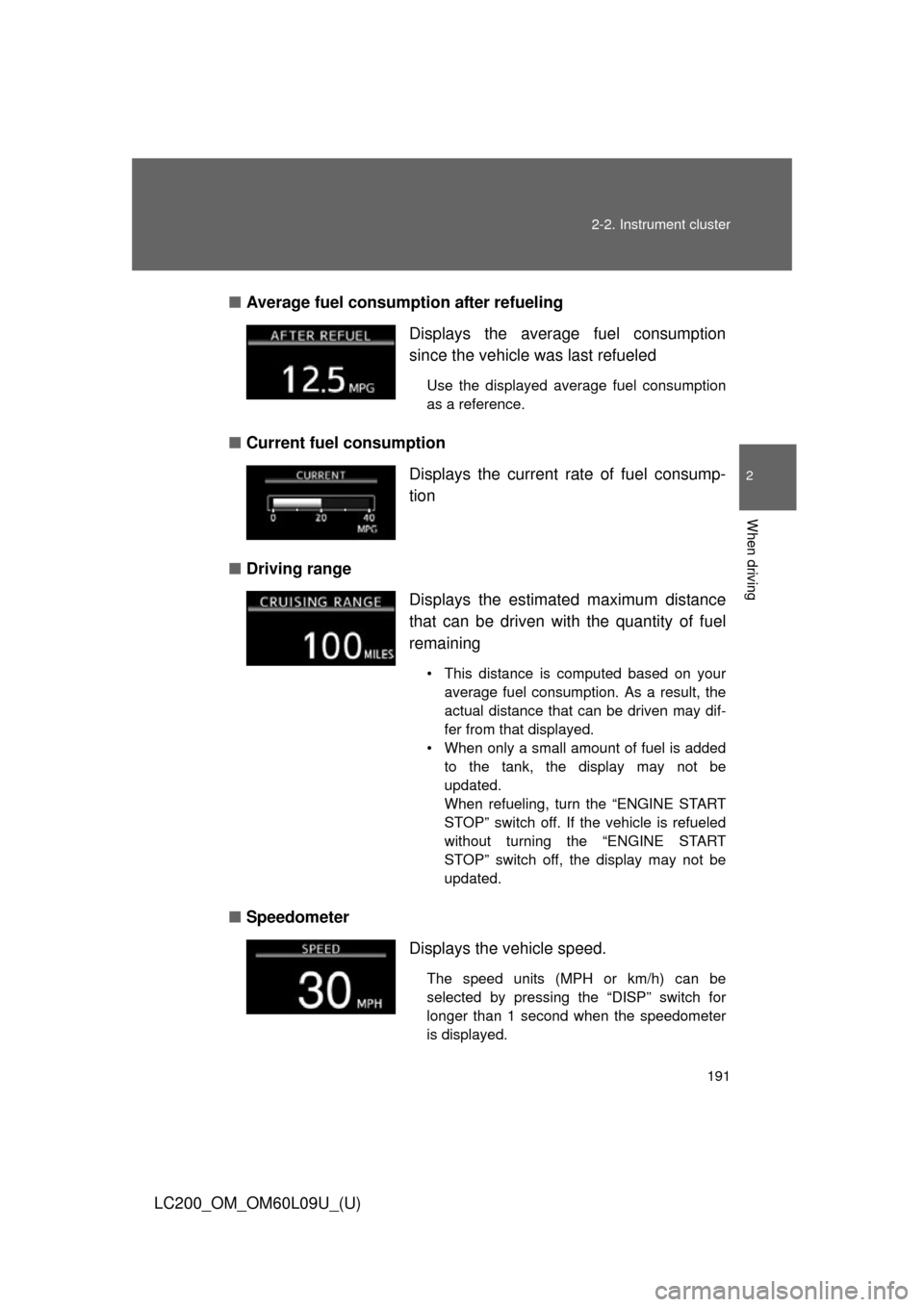
■
Average fuel consumption after refueling
■ Current fuel consumption
■ Driving range
■ Speedometer Displays the average fuel consumption
since the vehicle was last refueled
Use the displayed average fuel consumption
as a reference.
Displays the current rate of fuel consump-
tion
Displays the estimated maximum distance
that can be driven with the quantity of fuel
remaining
• This distance is computed based on your
average fuel consumption. As a result, the
actual distance that can be driven may dif-
fer from that displayed.
• When only a small amount of fuel is added to the tank, the display may not be
updated.
When refueling, turn the “ENGINE START
STOP” switch off. If the vehicle is refueled
without turning the “ENGINE START
STOP” switch off, the display may not be
updated.
Displays the vehicle speed.
The speed units (MPH or km/h) can be
selected by pressing the “DISP” switch for
longer than 1 second when the speedometer
is displayed.
Page 192 of 724

192 2-2. Instrument cluster
LC200_OM_OM60L09U_(U)■
Average vehicle speed
■ Front tire angle
■ Tire inflation pressure Displays the average vehicle speed since
the engine was started
or the function was
reset
The function can be reset by pressing the
“DISP” switch for longer than 1 second when
the average vehicle speed is displayed.
Displays the direction of the front tires
The tire direction is displayed in 3 stages for
both left and right, in accordance with the
angle of the tire.
Displays inflation pressure of each tire.
There is no correlation between the order of
the displayed values and the tire positions.
If the inflation pressure of any tire drops a cer-
tain amount below the tire inflation pressure
value currently memorized in the system, the
displayed values will be highlighted.
It may take a few minutes to display the tire
inflation pressure after the “ENGINE START
STOP” switch is turned to IGNITION ON
mode. It may also take a few minutes to dis-
play the tire inflation pressure after inflation
pressure has been adjusted.
If the tire pressure warning light is on or flash-
ing, a message describing the situation will be
displayed.
Page 194 of 724
194 2-2. Instrument cluster
LC200_OM_OM60L09U_(U)
■System check display
After turning the “ENGINE START ST OP” switch to IGNITION ON mode,
“LAND CRUISER” is displayed while system operation is checked. When the
system check is complete, the normal screen will return.
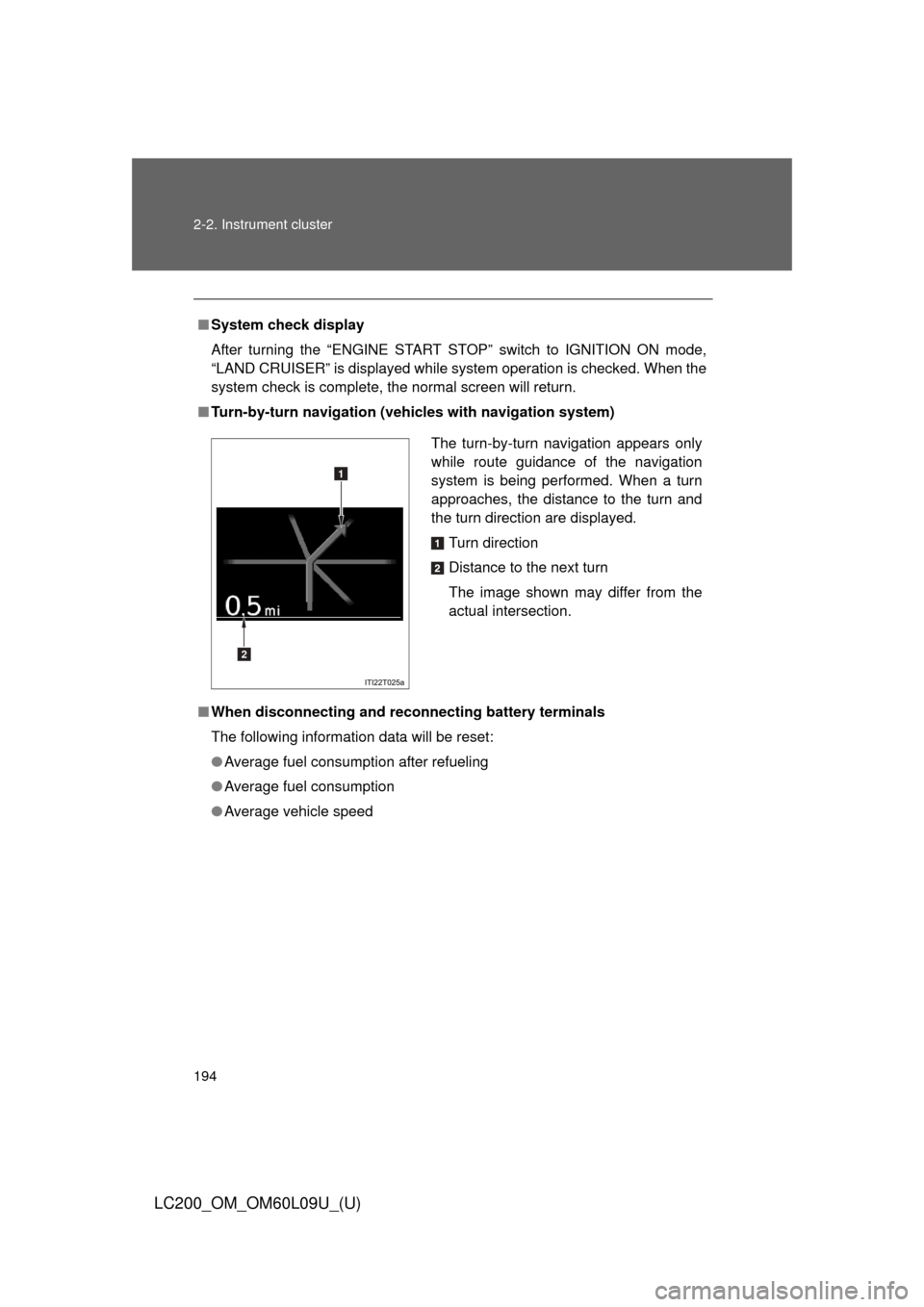
■ Turn-by-turn navigation (veh icles with navigation system)
■ When disconnecting and reco nnecting battery terminals
The following information data will be reset:
● Average fuel consumption after refueling
● Average fuel consumption
● Average vehicle speed
The turn-by-turn navigation appears only
while route guidance of the navigation
system is being performed. When a turn
approaches, the distance to the turn and
the turn direction are displayed.
Turn direction
Distance to the next turn
The image shown may differ from the
actual intersection.
1
2