Page 194 of 724
194 2-2. Instrument cluster
LC200_OM_OM60L09U_(U)
■System check display
After turning the “ENGINE START ST OP” switch to IGNITION ON mode,
“LAND CRUISER” is displayed while system operation is checked. When the
system check is complete, the normal screen will return.
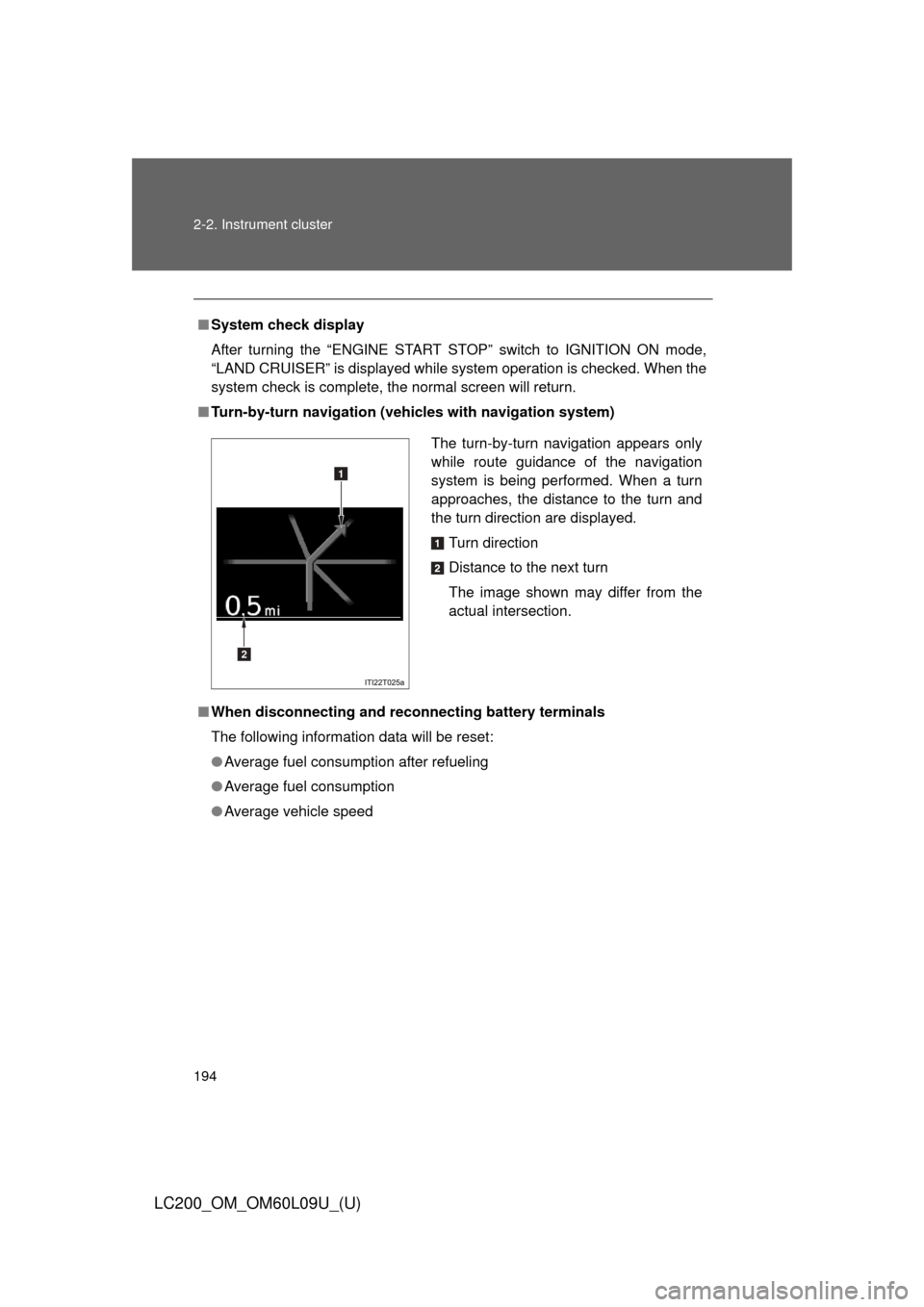
■ Turn-by-turn navigation (veh icles with navigation system)
■ When disconnecting and reco nnecting battery terminals
The following information data will be reset:
● Average fuel consumption after refueling
● Average fuel consumption
● Average vehicle speed
The turn-by-turn navigation appears only
while route guidance of the navigation
system is being performed. When a turn
approaches, the distance to the turn and
the turn direction are displayed.
Turn direction
Distance to the next turn
The image shown may differ from the
actual intersection.
1
2
Page 206 of 724
206 2-3. Operating the lights and wipers
LC200_OM_OM60L09U_(U)
■The windshield wiper and washer can be operated when
The “ENGINE START STOP” switch is in IGNITION ON mode.
■ Effects of vehicle speed on wiper operation (vehicles with rain-sensing
windshield wipers)
Vehicle speed affects the wiper operation when the washer is being used
(delay until drip prevention wiper sweep occurs) even when the wipers are
not in “AUTO” mode.
With “ ” selected, wiper operation will be switched from low speed to
intermittent wiper operation only when the vehicle is stationary.
(However, when the sensor sensitivity is adjusted to the highest level, the
mode cannot be switched.)
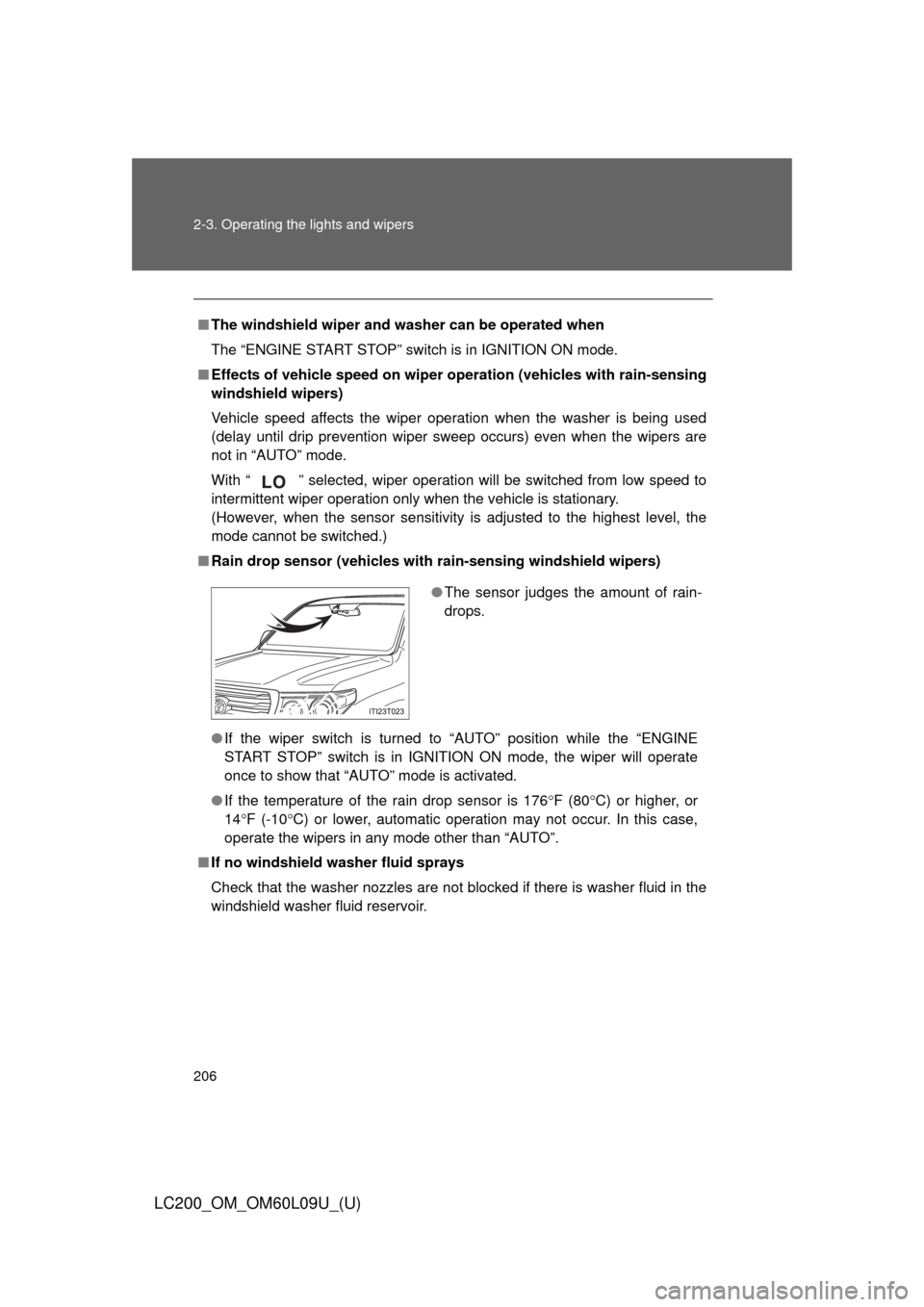
■ Rain drop sensor (vehicles with rain-sensing windshield wipers)
● If the wiper switch is turned to “AUTO” position while the “ENGINE
START STOP” switch is in IGNITIO N ON mode, the wiper will operate
once to show that “AUTO” mode is activated.
● If the temperature of the rain drop sensor is 176 F (80C) or higher, or
14 F (-10 C) or lower, automatic operation may not occur. In this case,
operate the wipers in any mode other than “AUTO”.
■ If no windshield washer fluid sprays
Check that the washer nozzles are not blocked if there is washer fluid in the
windshield washer fluid reservoir.
●The sensor judges the amount of rain-
drops.
Page 250 of 724

250 2-4. Using other driving systems
LC200_OM_OM60L09U_(U)
■Sounds and vibrations caused by the Crawl Control system
● A sound may be heard from the engine compartment when the engine is
started or just after the vehicle begins to move. This sound does not indi-
cate that a malfunction has occurred in Crawl Control system.
● Either of the following conditions may occur when the Crawl Control sys-
tem is operating. None of these are indicators that a malfunction has
occurred.
• Vibrations may be felt through the vehicle body and steering.
• A motor sound may be heard after the vehicle comes to a stop.
■ When there is a malfunction in the system
Warning lights and/or warning messages will turn on. ( P. 608, 619)
CAUTION
■When using Crawl Control and Turn Assist function
Do not rely solely on the Crawl Control and Turn Assist function. This func-
tion does not extend the vehicle’s performance limitations. Always thor-
oughly check the road conditions, and drive safely.
■ These conditions may cause the system not to operate properly
When driving on the following surfaces, the system may not be able to main-
tain a fixed low speed, which may result in an accident:
●Extremely steep inclines.
● Extremely uneven surfaces.
● Snow-covered roads, or other slippery surfaces.
NOTICE
■When using Turn Assist function
The Turn Assist function is a function to assist turning performance when
driving off road. The function may be less effective on paved road surfaces.
Page 300 of 724
300 2-5. Driving information
LC200_OM_OM60L09U_(U)
NOTICE
■To prevent the water damage
Take all necessary safety measures to ensure that water damage to the
engine or other components does not occur.
●Water entering the engine air intake will cause severe engine damage.
● Water entering the automatic transmission will cause deterioration in shift
quality, locking up of your transmission accompanied by vibration, and ulti-
mately damage.
● Water can wash the grease from wheel bearings, causing rusting and pre-
mature failure, and may also enter the differentials, transmission and
transfer case, reducing the gear oil’s lubricating qualities.
■ When you drive through water
If driving through water, such as when crossing shallow streams, first check
the depth of the water and the bottom of the river bed for firmness. Drive
slowly and avoid deep water.
■ Inspection after off-road driving
●Sand and mud that has accumulate d in brake drums and around brake
discs may affect braking efficiency and may damage brake system compo-
nents.
● Always perform a maintenance inspection after each day of off-road driv-
ing that has taken you through rough terrain, sand, mud, or water. For
scheduled maintenance information, refer to the “Scheduled Maintenance
Guide” or “Owner’s Manual Supplement”.
Page 328 of 724

328 2-5. Driving information
LC200_OM_OM60L09U_(U)
■Break-in schedule
If your vehicle is new or equipped with any new power train components
(such as an engine, transmission, differential or wheel bearing), Toyota rec-
ommends that you do not tow a trailer until the vehicle has been driven \
for
over 500 miles (800 km).
After the vehicle has been driven for over 500 miles (800 km), you can s\
tart
towing. However, for the next 500 miles (800 km), drive the vehicle at a
speed of less than 50 mph (80 km/h) when towing a trailer, and avoid full
throttle acceleration.
■ Maintenance
●If you tow a trailer, your vehicle will require more frequent maintenance
due to the additional load. (See “Owner’s Warranty Information Booklet”
or “Scheduled Maintenance Guide/Owner’s Manual Supplement”.)
● Retighten the fixing bolts of the towing ball and bracket after approxi-
mately 600 miles (1000 km) of trailer towing.
■ If trailer sway occurs
One or more factors (crosswinds, passing vehicles, rough roads, etc.) can
adversely affect handling of your vehicle and trailer, causing instability.
●If trailer swaying occurs:
• Firmly grip the steering wheel. Steer straight ahead.
Do not try to control trailer swaying by turning the steering wheel.
• Begin releasing the accelerator pedal immediately but very gradually to reduce speed.
Do not increase speed. Do not apply vehicle brakes.
If you make no extreme correction with the steering or brakes, your vehicle
and trailer should stabilize. (if enabled, Trailer Sway Control can also help to
stabilize the vehicle and trailer.)
● After the trailer swaying has stopped:
• Stop in a safe place. Get all occupants out of the vehicle.
• Check the tires of the vehicle and the trailer.
• Check the load in the trailer.
Make sure the load has not shifted.
Make sure the tongue weight is appropriate, if possible.
• Check the load in the vehicle. Make sure the vehicle is not overloaded after occupants get in.
Page 494 of 724
494 3-7. Other interior features
LC200_OM_OM60L09U_(U)
CAUTION
Observe the following precautions.
Failure to do so may cause the driver’s floor mat to slip, possibly interfering
with the pedals while driving. An unexpectedly high speed may result or it may
become difficult to stop the vehicle, leading to a serious accident.
■When installing the driver’s floor mat
●Do not use floor mats designed for other models or different model year
vehicles, even if they are Toyota Genuine floor mats.
● Only use floor mats designed for the driver’s seat.
● Always install the floor mat securely using the retaining hooks (clips) pro-
vided.
● Do not use two or more floor mats on top of each other.
● Do not place the floor mat bottom-side up or upside-down.
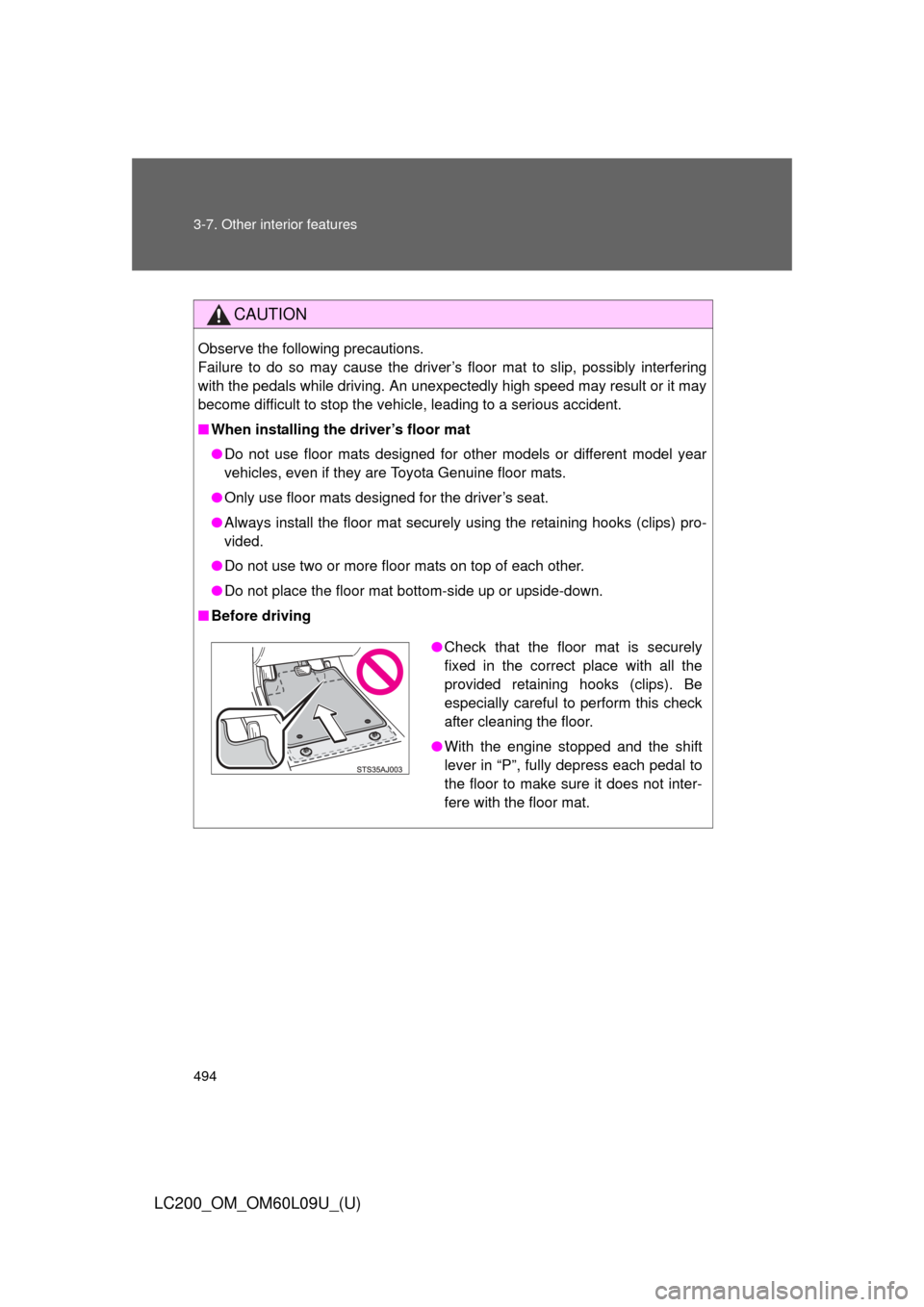
■ Before driving
●Check that the floor mat is securely
fixed in the correct place with all the
provided retaining hooks (clips). Be
especially careful to perform this check
after cleaning the floor.
● With the engine stopped and the shift
lever in “P”, fully depress each pedal to
the floor to make sure it does not inter-
fere with the floor mat.
Page 511 of 724
Maintenance and care4
511
LC200_OM_OM60L09U_(U)
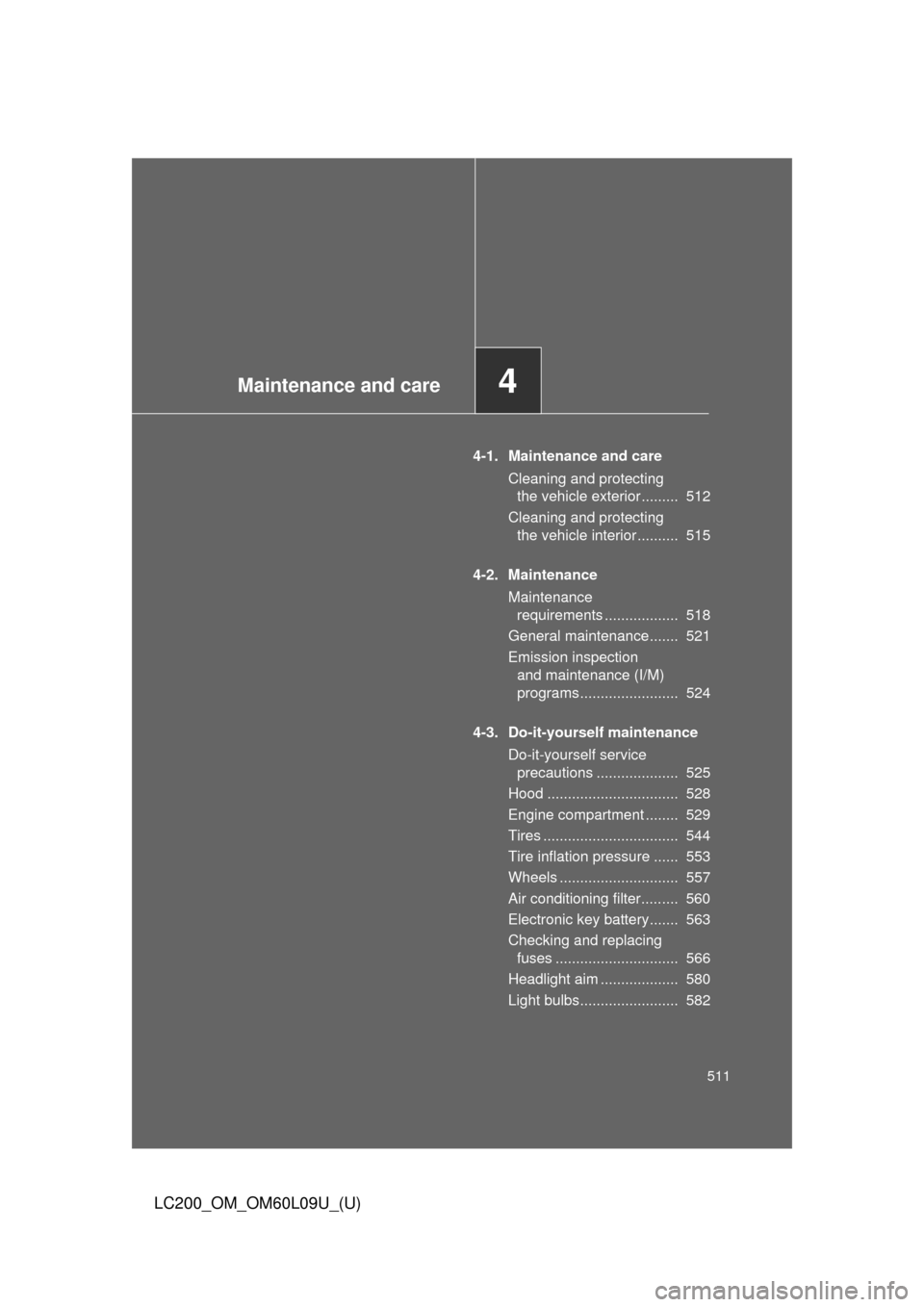
4-1. Maintenance and careCleaning and protecting the vehicle exterior ......... 512
Cleaning and protecting the vehicle interior .......... 515
4-2. Maintenance Maintenance requirements .................. 518
General maintenance....... 521
Emission inspection and maintenance (I/M)
programs........................ 524
4-3. Do-it-yourself maintenance Do-it-yourself service precautions .................... 525
Hood ................................ 528
Engine compartment ........ 529
Tires ................................. 544
Tire inflation pressure ...... 553
Wheels ............................. 557
Air conditioning filter......... 560
Electronic key battery....... 563
Checking and replacing fuses .............................. 566
Headlight aim ................... 580
Light bulbs........................ 582
Page 521 of 724
521
4-2. Maintenance
4
Maintenance and care
LC200_OM_OM60L09U_(U)
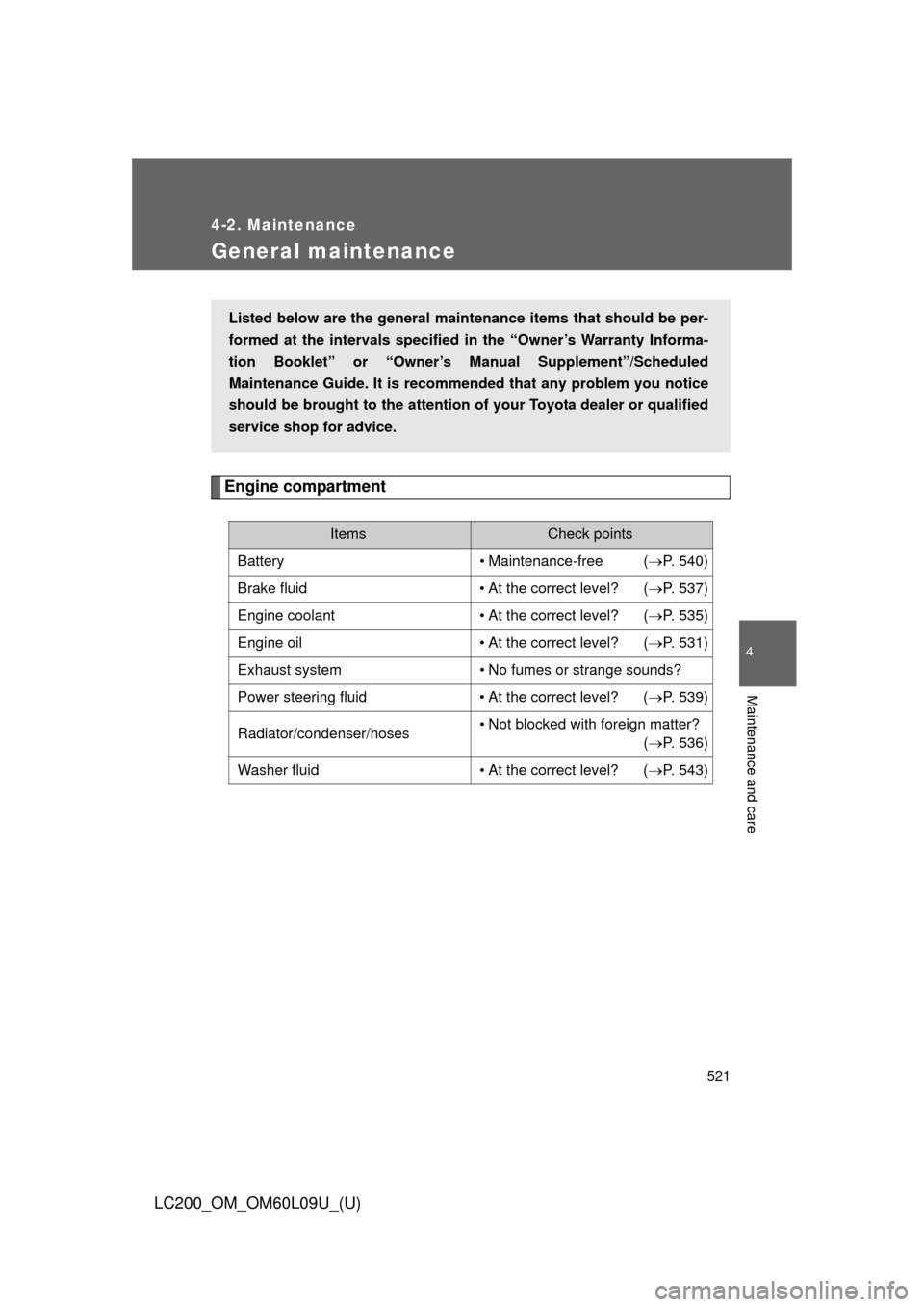
General maintenance
Engine compartment
ItemsCheck points
Battery • Maintenance-free ( P. 540)
Brake fluid • At the correct level? ( P. 537)
Engine coolant • At the correct level? ( P. 535)
Engine oil • At the correct level? ( P. 531)
Exhaust system • No fumes or strange sounds?
Power steering fluid • At the correct level? ( P. 539)
Radiator/condenser/hoses • Not blocked with foreign matter?
(P. 536)
Washer fluid • At the correct level? ( P. 543)
Listed below are the general maintenance items that should be per-
formed at the intervals specified in the “Owner’s Warranty Informa-
tion Booklet” or “Owner’s Manual Supplement”/Scheduled
Maintenance Guide. It is recomme nded that any problem you notice
should be brought to the attention of your Toyota dealer or qualified
service shop for advice.