Page 12 of 376
12
Pictorial indexInstrument panel
Tire pressure warning reset switch P. 223
Hood lock release lever P. 199
Gauges and meters P. 121
Fuel filler door opener P. 58
Multi-information display P. 126
Page 15 of 376
15
Instrument panel light
control switch
P. 122
Turn signal lever P. 117
Headlight switch P. 132
MODE button P. 127
Clock reset button P. 130
Tilt steering lock release lever P. 49
Outside rear view mirror switches P. 52
Page 121 of 376
121
2
When driving
2-2. Instrument cluster
Gauges and meters
Multi-information display
P. 126
Speedometer
Displays the vehicle speed.
Tachometer
Displays the engine speed in revolutions per minute.
Clock reset button
P. 130
MODE button
P. 127
Page 127 of 376
127
2-2. Instrument cluster
2
When driving
Switch the display
Display items can be switched
by pressing the MODE button.
● Odometer
● Trip meter A
*1
●Trip meter B*1
*1: Trip meters A and B can be used to record and display different distances
independently.
Displays the total distance the vehicle has been
driven.
Displays the distance the vehicle has been driven
since the meter was last reset.
The function can be reset by pressing the MODE but-
ton for longer than 1 second when the trip meter A is
displayed.
Displays the distance the vehicle has been driven
since the meter was last reset.
The function can be reset by pressing the MODE but-
ton for longer than 1 second when the trip meter B is
displayed.
Page 128 of 376
128 2-2. Instrument cluster
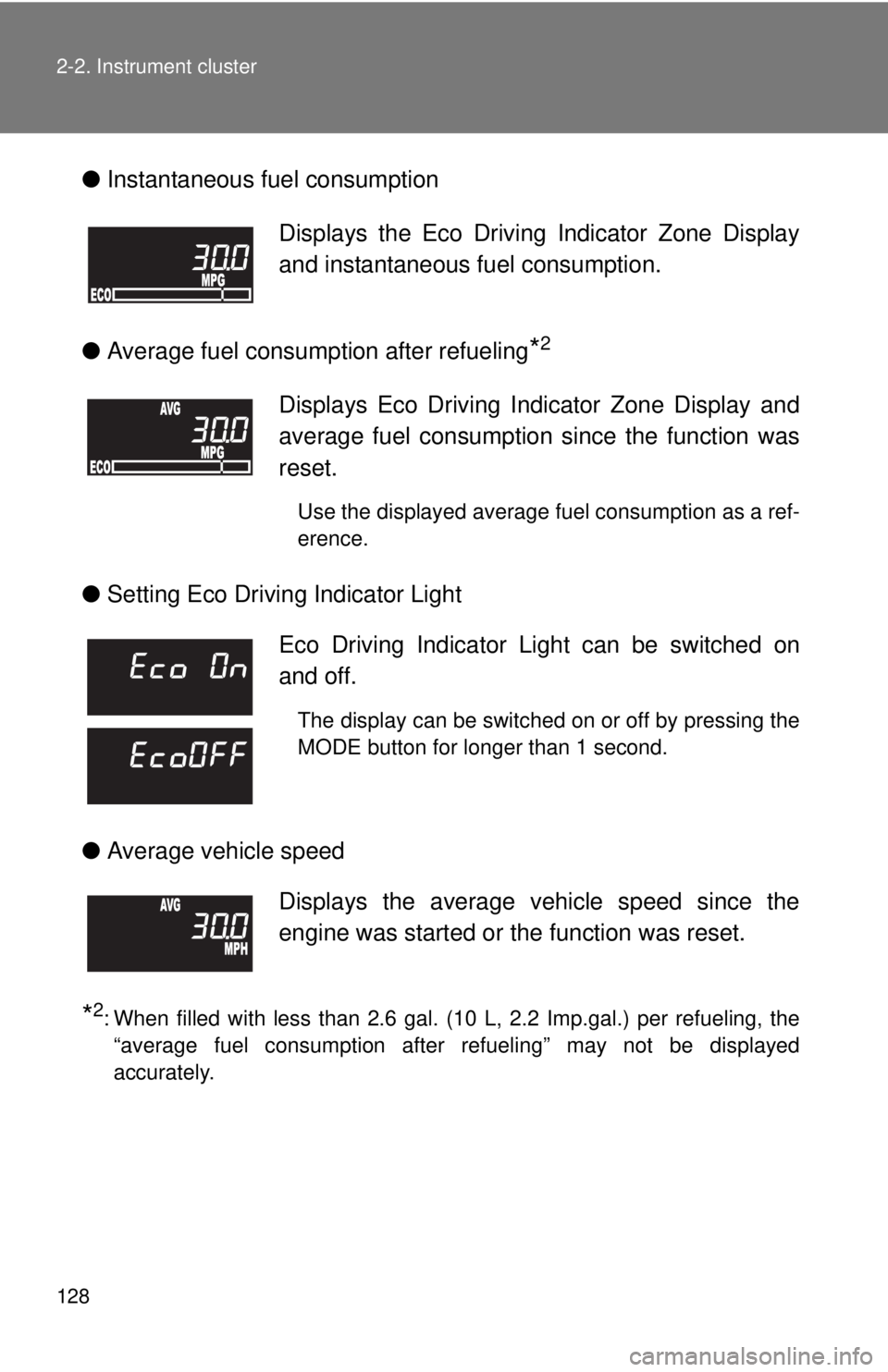
●Instantaneous fuel consumption
● Average fuel consumption after refueling
*2
●Setting Eco Driving Indicator Light
● Average vehicle speed
*2: When filled with less than 2.6 gal. (10 L, 2.2 Imp.gal.) per refueling, the
“average fuel consumption after refueling” may not be displayed
accurately.
Displays the Eco Driving Indicator Zone Display
and instantaneous fuel consumption.
Displays Eco Driving Indicator Zone Display and
average fuel consumption since the function was
reset.
Use the displayed average fuel consumption as a ref-
erence.
Eco Driving Indicator Light can be switched on
and off.
The display can be switched on or off by pressing the
MODE button for longer than 1 second.
Displays the average vehicle speed since the
engine was started or the function was reset.
Page 130 of 376
130 2-2. Instrument cluster
Setting the clockPress and hold the clock reset button to enter the adjustment
mode for the clock.
Press the clock reset button to adjust the minutes.
After adjusting the minutes, wait 5 seconds to allow the minutes to
be automatically input.
Press the clock reset button to adjust the hours.
After adjusting the hours, wait 5 seconds to allow the hours to be
automatically input and the mode to return to normal.
Page 131 of 376
131
2-2. Instrument cluster
2
When driving
■
The multi-information disp lay can be operated when
The engine switch is in the ON position.
■ When disconnecting and reco nnecting battery terminals
The following information will be reset.
● Clock
● Trip meter
● Average fuel consumption after refueling
● Average vehicle speed
■ Adjusting to a full hour
If you press the clock reset button, the minute values will be rounded to the
nearest hour. So, minute values from “:00” to “:29” are rounded down, and
values from “:30” to “:59” are rounded up.
*
*
: e.g.
1:00 to 1:29 1:00
1:30 to 1:59 2:00
Page 190 of 376

190
4-2. Maintenance
Maintenance requirements
■Repair and replacement
It is recommended that genuine Scion parts be used for repair to ensure per-
formance of each system. If non-Scion parts are used in replacement or if a
repair shop other than Scion dealer performs repairs, confirm the warranty
coverage.
■ Reset the maintenance data (except Canada)
After the required maintenance is performed according to the maintenance
schedule, please reset the maintenance data.
To reset the data, follow the procedures described below:
Switch the display to the trip meter A ( P. 127) when the engine is
running.
To ensure safe and economical driv ing, day-to-day care and regular
maintenance is essential. It is the owner’s responsibility to perform
regular checks. Scion recomme nds the following maintenance.
■General maintenance
Should be performed on a daily basis. This can be done by your-
self or by a Scion dealer.
■ Scheduled maintenance
Should be performed at specified intervals according to the
maintenance schedule.
For details about maintenance items and schedules, refer to the
“Scheduled Maintenance Guide” or “Owner’s Manual Supplement”.
■Do-it-yourself maintenance
You can perform some maintenance procedures yourself.
Please be aware that do-it-yourself maintenance may affect war-
ranty coverage.
The use of Scion Repair Manuals is recommended.
For details about warranty coverage, see the separate “Owner’s
Warranty Information Booklet”, “Owner’s Manual Supplement”.