Page 116 of 376
116
2-1. Driving procedures
Automatic transmission
■If the shift lever cannot be shifted from P (P. 307)
Select a shift position appropri ate for the driving conditions.
■Shifting the shift lever
While the engine switch is in the ON position, depress the
brake pedal and move the shift lever.
■ Shift position uses
*: To improve fuel consumption and reduce noises, set the shift lever in
D for normal driving.
Shift positionFunction
PParking the vehicle or starting the engine
RReversing
NNeutral
DNormal driving*
SEngine braking
BMaximum engine braking
Page 126 of 376
126
2-2. Instrument cluster
Multi-information display
The multi-information display presents the driver with a variety of
driving-related information, including the current outside tempera-
ture and time.
Fuel gauge
Displays the quantity of fuel
remaining in the tank.
Shift position and shift
range/gear display ( P. 116)
Displays the shift position
along with the currently
selected shift range or gear.
Clock ( P. 130)
Displays the time and sets the
clock.
Outside temperature dis-
play
Displays the outside air tem-
perature.
The temperature range that
can be displayed is from -40°F
(-40°C) to 122°F (50°C).
Trip information ( P. 127)
Displays odometer, trip meter,
fuel consumption, Stop & Start
system operation time, Stop &
Start system total operation
time and other cruising-related
information.
Page 128 of 376
128 2-2. Instrument cluster
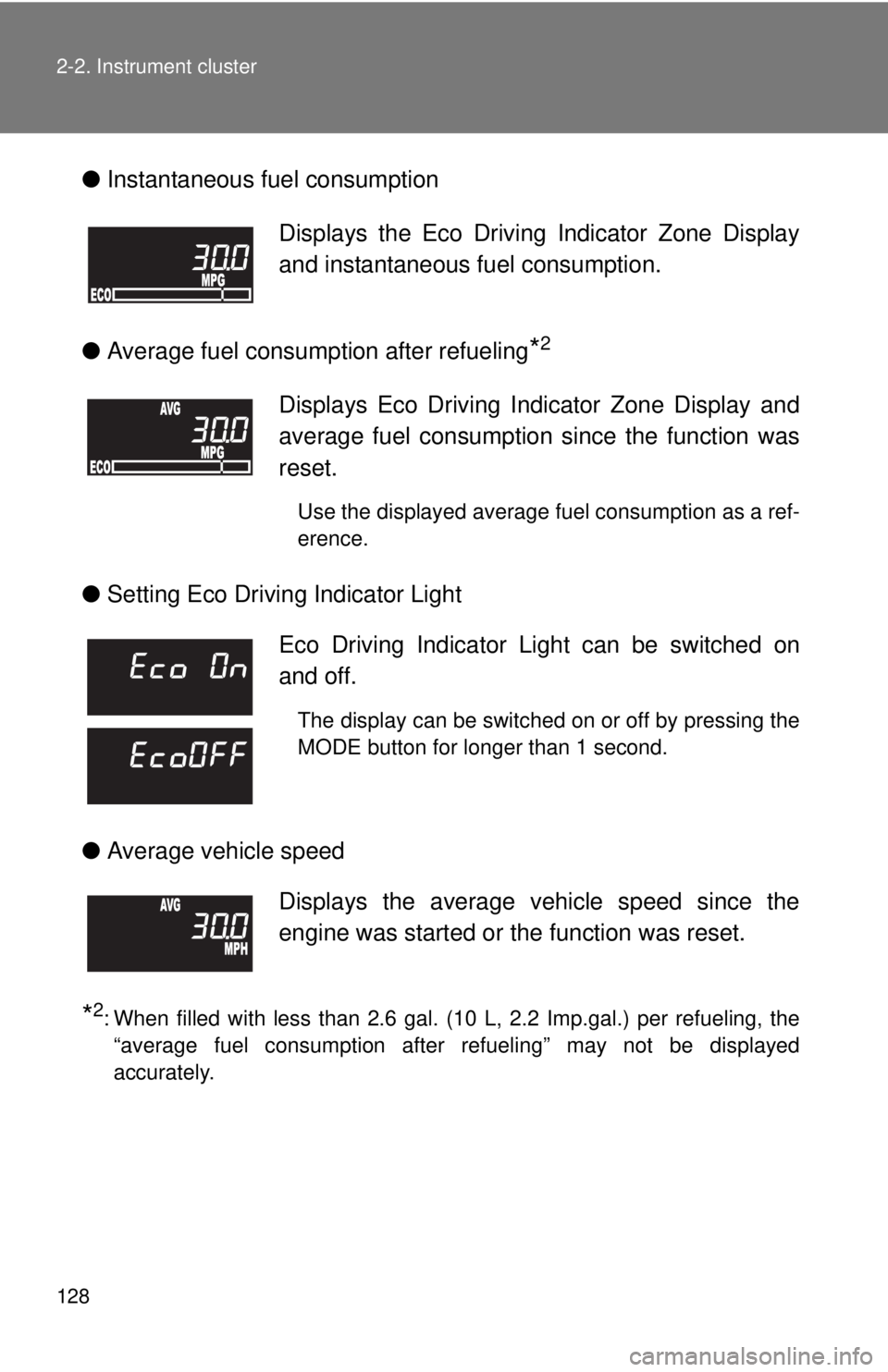
●Instantaneous fuel consumption
● Average fuel consumption after refueling
*2
●Setting Eco Driving Indicator Light
● Average vehicle speed
*2: When filled with less than 2.6 gal. (10 L, 2.2 Imp.gal.) per refueling, the
“average fuel consumption after refueling” may not be displayed
accurately.
Displays the Eco Driving Indicator Zone Display
and instantaneous fuel consumption.
Displays Eco Driving Indicator Zone Display and
average fuel consumption since the function was
reset.
Use the displayed average fuel consumption as a ref-
erence.
Eco Driving Indicator Light can be switched on
and off.
The display can be switched on or off by pressing the
MODE button for longer than 1 second.
Displays the average vehicle speed since the
engine was started or the function was reset.
Page 131 of 376
131
2-2. Instrument cluster
2
When driving
■
The multi-information disp lay can be operated when
The engine switch is in the ON position.
■ When disconnecting and reco nnecting battery terminals
The following information will be reset.
● Clock
● Trip meter
● Average fuel consumption after refueling
● Average vehicle speed
■ Adjusting to a full hour
If you press the clock reset button, the minute values will be rounded to the
nearest hour. So, minute values from “:00” to “:29” are rounded down, and
values from “:30” to “:59” are rounded up.
*
*
: e.g.
1:00 to 1:29 1:00
1:30 to 1:59 2:00