Page 272 of 620
272 3-2. Using the audio system
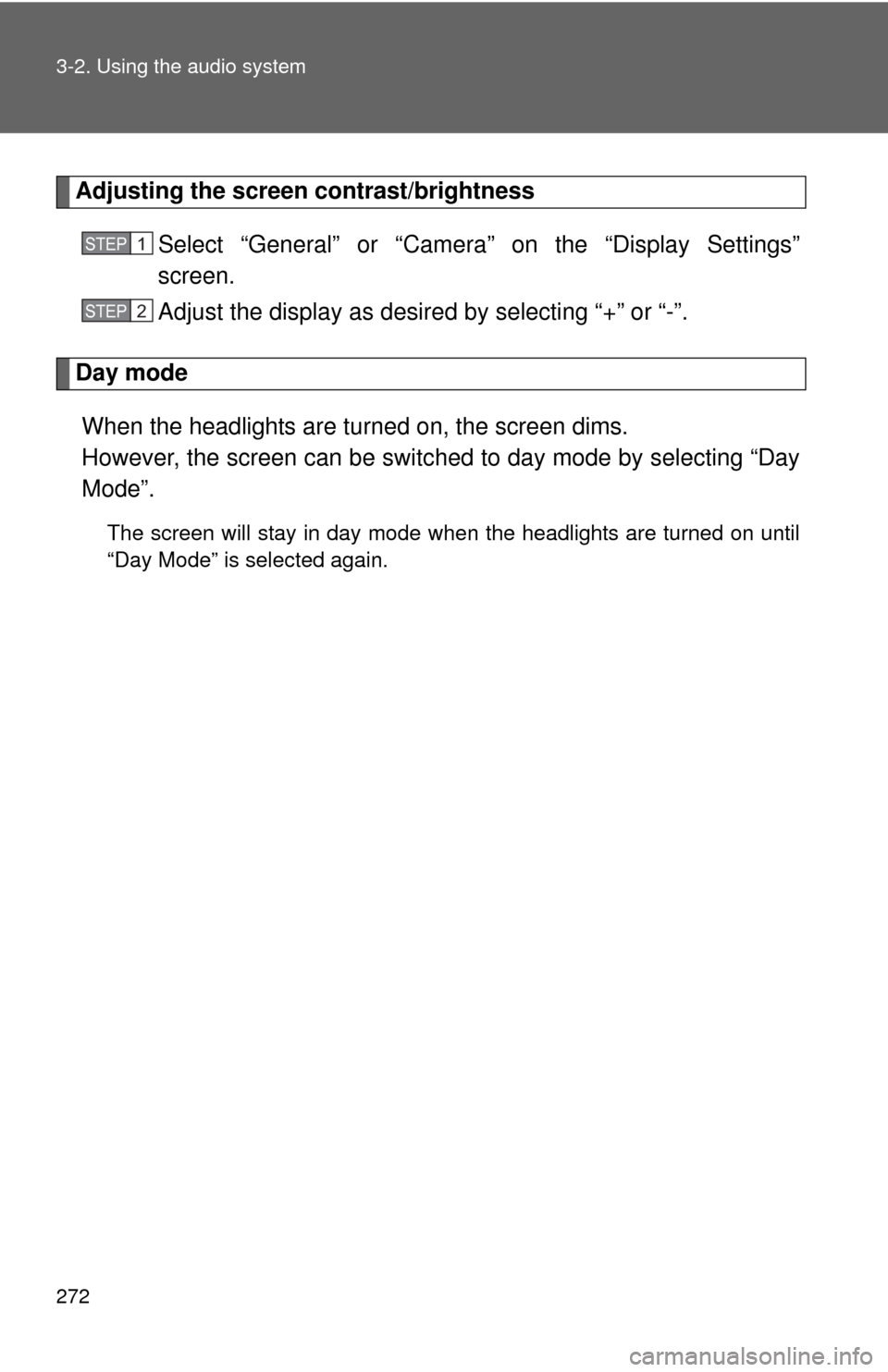
Adjusting the screen contrast/brightnessSelect “General” or “Camera” on the “Display Settings”
screen.
Adjust the display as desired by selecting “+” or “-”.
Day modeWhen the headlights are turned on, the screen dims.
However, the screen can be switc hed to day mode by selecting “Day
Mode”.
The screen will stay in day mode when the headlights are turned on until
“Day Mode” is selected again.
STEP1
STEP2
Page 367 of 620

367
3-2. Using the audio system
3
Interior features
Things you should know
■ If you notice any symptoms
If you notice any of the following symptoms, refer to the likely
cause and the solution, and re-check.
If the symptom is not resolved by the solution, have the vehicle
inspected by your Toyota dealer.
Likely causeSolution
The image is difficult to see
• The vehicle is in a dark area
• The temperature around the lens is either high or low
• The outside temperature is low
• There are water droplets on the camera
• It is raining or humid
• Foreign matter (mud etc.) is adhering to the camera
• There are scratches on the cam- era
• Sunlight or headlights are shining directly into the camera
• The vehicle is under fluorescent lights, sodium lights, mercury
lights etc. If this happens due to these causes,
it does not indicate a malfunction.
Back up while visually checking the
vehicle’s surroundings. (Use the
monitor again once conditions have
been improved.)
To adjust the image on the rear view
monitor system screen.
(
P. 271)
The image is blurry
Dirt or foreign matter (such as water
droplets, snow, mud etc.) is adhering
to the camera. Rinse the camera lens with water
and wipe it clean with a soft cloth.
Wash with a mild soap if the dirt is
stubborn.
The image is out of alignment
The camera or surrounding area has
received a strong impact. Have the vehicle inspected by your
Toyota dealer.
Page 478 of 620
478 4-3. Do-it-yourself maintenance
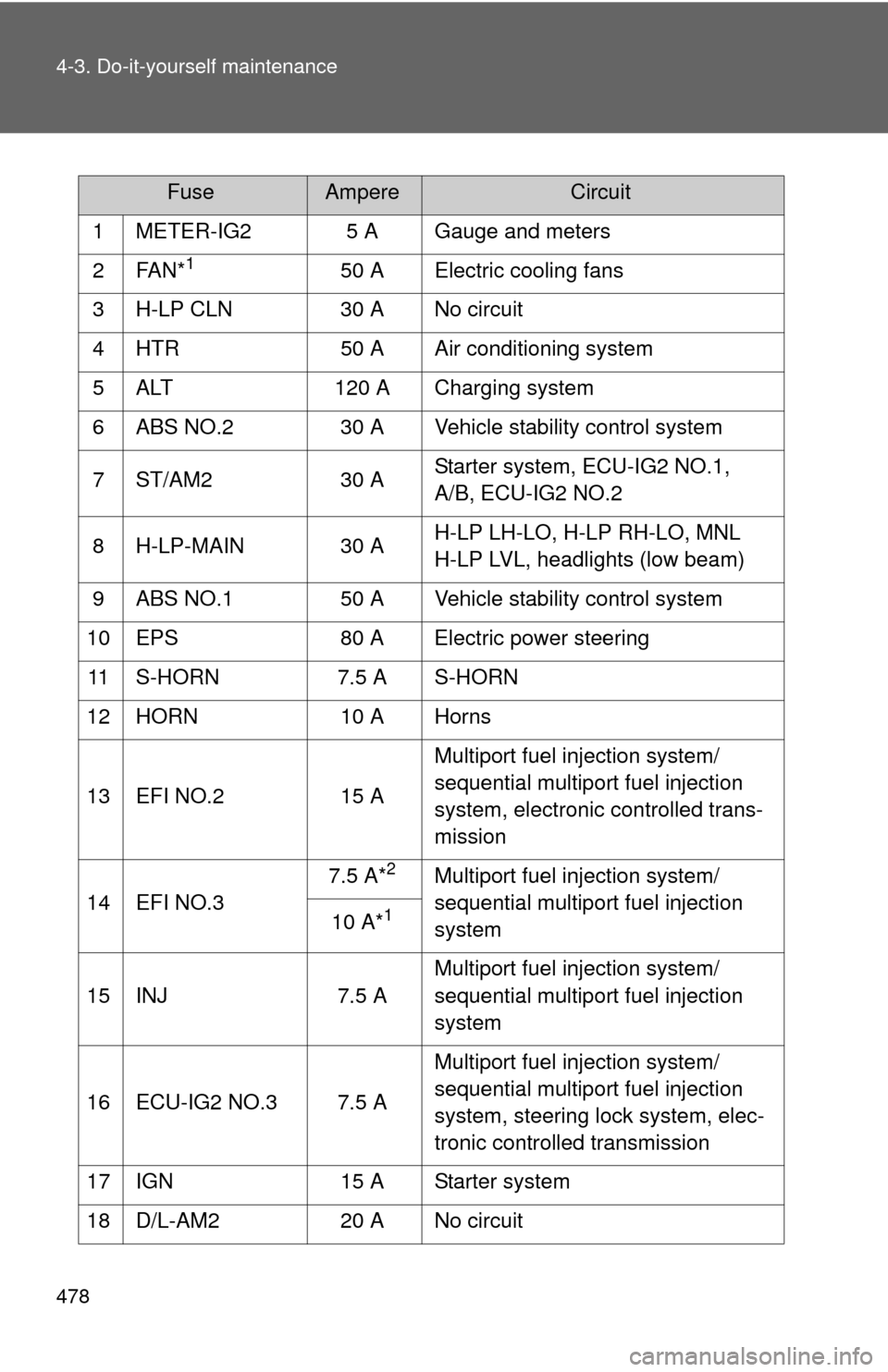
FuseAmpereCircuit
1 METER-IG2 5 A Gauge and meters
2FAN*
150 A Electric cooling fans
3 H-LP CLN 30 A No circuit
4 HTR 50 A Air conditioning system
5 ALT 120 A Charging system
6 ABS NO.2 30 A Vehicle stability control system
7 ST/AM2 30 A Starter system, ECU-IG2 NO.1,
A/B, ECU-IG2 NO.2
8 H-LP-MAIN 30 A H-LP LH-LO, H-LP RH-LO, MNL
H-LP LVL, headlights (low beam)
9 ABS NO.1 50 A Vehicle stability control system
10 EPS 80 A Electric power steering
11 S-HORN 7.5 A S-HORN
12 HORN 10 A Horns
13 EFI NO.2 15 A Multiport fuel injection system/
sequential multiport fuel injection
system, electronic controlled trans-
mission
14 EFI NO.3 7.5 A*
2Multiport fuel injection system/
sequential multiport fuel injection
system
10 A*
1
15 INJ
7.5 AMultiport fuel injection system/
sequential multiport fuel injection
system
16 ECU-IG2 NO.3 7.5 A Multiport fuel injection system/
sequential multiport fuel injection
system, steering lock system, elec-
tronic controlled transmission
17 IGN 15 A Starter system
18 D/L-AM2 20 A No circuit
Page 479 of 620

479
4-3. Do-it-yourself maintenance
4
Maintenance and care
19 IG2-MAIN
25 AIGN, INJ, METER-IG2, ECU-IG2
NO.3, A/B, ECU-IG2 NO.2, ECU-
IG2 NO.1
20 ALT-S 7.5 A Charging system
21 MAYDAY 5 A MAYDAY
22 TURN&HAZ 15 A Turn signal lights, emergency
flashers, gauge and meters
23 STRG LOCK 10 A Steering lock system
24 AMP 15 A Audio system
25 H-LP LH-LO 15 A*
3Left-hand headlight (low beam),
manual headlight leveling system
20 A*
4
26 H-LP RH-LO 15 A*
3
Right-hand headlight (low beam)
20 A*4
27 MNL H-LP
LV L *47.5 A Manual headlight leveling system
28 EFI-MAIN NO.1 30 A Multiport fuel injection system/
sequential multiport fuel injection
system, EFI NO.2, EFI NO.3, A/F
sensor
29 SMART 5 A No circuit
30 ETCS 10 A Electronic throttle control system
31 TOWING 20 A No circuit
32 EFI NO.1 7.5 A Multiport fuel injection system/
sequential multiport fuel injection
system, electronic controlled trans-
mission
33 EFI-MAIN
NO.2*
220 A A/F sensor
A/F*
1
34 AM2 7.5 A Smart key system
FuseAmpereCircuit
Page 480 of 620
480 4-3. Do-it-yourself maintenance
*1: 3.5 L V6 (2GR-FE) engine
*
2: 2.5 L 4-cylinder (2AR-FE) engine
*
3:Vehicles with halogen headlight
*4:Vehicles with discharge headlight
35 RADIO-B 20 A Audio system, navigation system
36 DOME 7.5 AClock, vanity lights, interior lights,
personal lights, trunk light, door
courtesy lights
37 ECU-B NO.1 10 A Multiplex communication system,
smart key system, gauge and
meters, tire pressure warning sys-
tem, wireless remote control, steer-
ing sensor, front passenger
occupant classification system,
Blind Spot Monitor
38 SPARE 25 A Spare fuse
39 SPARE 30 A Spare fuse
FuseAmpereCircuit
Page 486 of 620
486
4-3. Do-it-yourself maintenance
Light bulbs
You may replace the following bulbs by yourself. The difficulty level
of replacement varies depending on the bulb. If necessary bulb
replacement seems difficult to perfor m, contact your Toyota dealer.
For more information about replacing other light bulbs, contact your
Toyota dealer.
■ Preparing for light bulb replacement
Check the wattage of the light bulb to be replaced. ( P. 563)
■ Front bulb locations
Headlight low beam
(halogen bulb)
Headlight high beam
and daytime running
light
Front side marker light
Front turn signal/park-
ing light
Fog light (if equipped)
Page 487 of 620
487
4-3. Do-it-yourself maintenance
4
Maintenance and care
Replacing light bulbs
■ Headlight high beam and daytime running light
Turn the bulb base counterclock-
wise.
Unplug the connector while
depressing the lock release.
■Rear bulb locations
Rear turn signal light
Stop/tail light License plate lightsBack-up light
Rear side marker light
STEP1
STEP2
Page 488 of 620
488 4-3. Do-it-yourself maintenance
■Headlight low beam (halogen bulb)
Turn the bulb base counterclock-
wise.
Unplug the connector while
depressing the lock release.
■ Fog light (if equipped)
Turn the steering wheel in the
opposite direction of the fog light
that you wish to replace.
For example, if you wish to
replace the fog light on the left
side, turn the steering wheel to
the right.
STEP1
STEP2
STEP1