Page 220 of 620

220 2-4. Using other driving systems
■Conditions under which the Rear Cross Traffic Alert function may not
function correctly
The Rear Cross Traffic Alert function may not detect vehicles correctly in the
following conditions:
●When ice or mud etc. is attached to the rear bumper
● During bad weather such as heavy rain, fog, snow etc.
● When multiple vehicles approach continuously
● Shallow angle parking
● When a vehicle is approaching at high speed
● When parking on a steep incline, such as hills, a dip in the road etc.
● Directly after the BSM main switch is set to on
■ Rear Cross Traffic Alert buzzer hearing
Rear Cross Traffic Alert function may be difficult to hear over loud noises
such as high audio volume.
■ The outside rear view mirror indicators visibility
When under strong sunlight, the outside rear view mirror indicator may be
difficult to see.
■ When there is a malfunction in the Blind Spot Monitor system
If a system malfunction is detected due to any of the following reasons,
warning lights will turn on: ( P. 506)
● There is a malfunction with the sensors
● The sensors have become dirty
● The outside temperature is extremely high or low
● The sensor voltage has become abnormal
●Vehicles that the sensors cannot detect
because of obstacles
Page 222 of 620

222 2-4. Using other driving systems
CAUTION
■Cautions regarding the use of the system
The driver is solely responsible for safe driving. Always drive safely, taking
care to observe your surroundings.
The Blind Spot Monitor function is a supplementary function which alerts the
driver that a vehicle is present in the blind spot. Do not overly rely on the
Blind Spot Monitor function. The function cannot judge if it is safe to change
lanes, therefore over reliance could cause an accident resulting in death or
serious injury.
The Rear Cross Traffic Alert function is only an assist and is not a replace-
ment for careful driving. Driver must be careful when backing up, even when
using Rear Cross Traffic Alert function. The driver’s own visual confirmation
of behind you and your vehicle is necessary and be sure there are no pedes-
trians, other vehicles etc. before backing up. Failure to do so could cause
death or serious injury.
According to conditions, the system may not function correctly. Therefore the
driver’s own visual confirmation of safety is necessary.
■ Handling the radar sensor
One Blind Spot Monitor sensor is installed inside the left and right side of the
vehicle rear bumper respectively. Observe the following to ensure the Blind
Spot Monitor can function correctly.
●Do not subject the sensor or surrounding area on the bumper to a strong
impact. If the sensor moves even slightly off position, the system may mal-
function and vehicles that enter the detection area may not be detected. If
the sensor or surrounding area is subject to a strong impact, always have
the area inspected by your Toyota dealer.
●Keep the sensor and its surrounding
area on the bumper clean at all times.
Page 237 of 620

Interior features3
237
Connecting a Bluetooth®
device ............................ 309
Displaying a Bluetooth
®
device details ................. 312
Detailed Bluetooth
®
system settings .............. 314
Listening to Bluetooth
®
audio .............................. 316
Using a Bluetooth
®
phone ............................. 318
Making a call .................... 320
Receiving a call ................ 324
Speaking on the phone ............................. 325
Bluetooth
® phone
message function........... 329
Using the steering wheel switches............... 334
Bluetooth
® phone
settings .......................... 335
Contact/Call history settings .......................... 337
What to do if... (Troubleshooting)........... 348
Bluetooth
®........................ 352
Voice command system ........................... 357
Rear view monitor system ........................... 360 3-3. Using the interior lights
Interior lights list ............... 371
• Interior lights .................. 372
• Personal lights ............... 373
3-4. Using the storage features
List of storage features .... 375
• Glove box....................... 376
• Console box ................... 377
• Coin holder .................... 378
• Bottle holders ................. 379
• Cup holders ................... 380
• Auxiliary boxes ............... 382
3-5. Other interior features Sun visors ........................ 384
Vanity mirrors ................... 385
Clock ................................ 386
Outside temperature display............................ 387
Ashtray ............................. 389
Power outlets ................... 390
Seat heaters..................... 393
Armrest ............................ 395
Assist grips....................... 396
Coat hooks ....................... 397
Floor mat .......................... 398
Trunk features .................. 400
Garage door opener......... 401
Compass .......................... 408
Safety Connect ................ 412
Page 258 of 620
258 3-2. Using the audio system
Operating the touch screenBy touching the screen with your finger, you can control the audio
system, etc.
■ Drag
*
Touch the screen with your finger, and move the screen to the
desired position.
●Scrolling the lists
■ Flick
*
Touch the screen with your finger and quickly move the screen by
flicking your finger.
●Scrolling the main screen page
*:The above operations may not be performed on all screens.
■When using the touch screen
●If the screen is cold, the display may be dark, or the system may seem to
be operating slightly slower than normal.
● The screen may seem dark and hard to see when viewed through sun-
glasses. Change your angle of viewing, adjust the display on the “Dis\
play
Settings” screen ( P. 271) or remove your sunglasses.
● Flick operations may not be performed smoothly in high altitudes.
Page 259 of 620
259
3-2. Using the audio system
3
Interior features
NOTICE
■
To avoid damaging the touch screen
●To prevent damaging the screen, lightly touch the screen buttons with your
finger.
● Do not use objects other than your finger to touch the screen.
● Wipe off fingerprints using a glass cleaning cloth. Do not use chemical
cleaners to clean the screen, as they may damage the touch screen.
Page 272 of 620
272 3-2. Using the audio system
Adjusting the screen contrast/brightnessSelect “General” or “Camera” on the “Display Settings”
screen.
Adjust the display as desired by selecting “+” or “-”.
Day modeWhen the headlights are turned on, the screen dims.
However, the screen can be switc hed to day mode by selecting “Day
Mode”.
The screen will stay in day mode when the headlights are turned on until
“Day Mode” is selected again.
STEP1
STEP2
Page 275 of 620
275
3-2. Using the audio system
3
Interior features
List screen operation
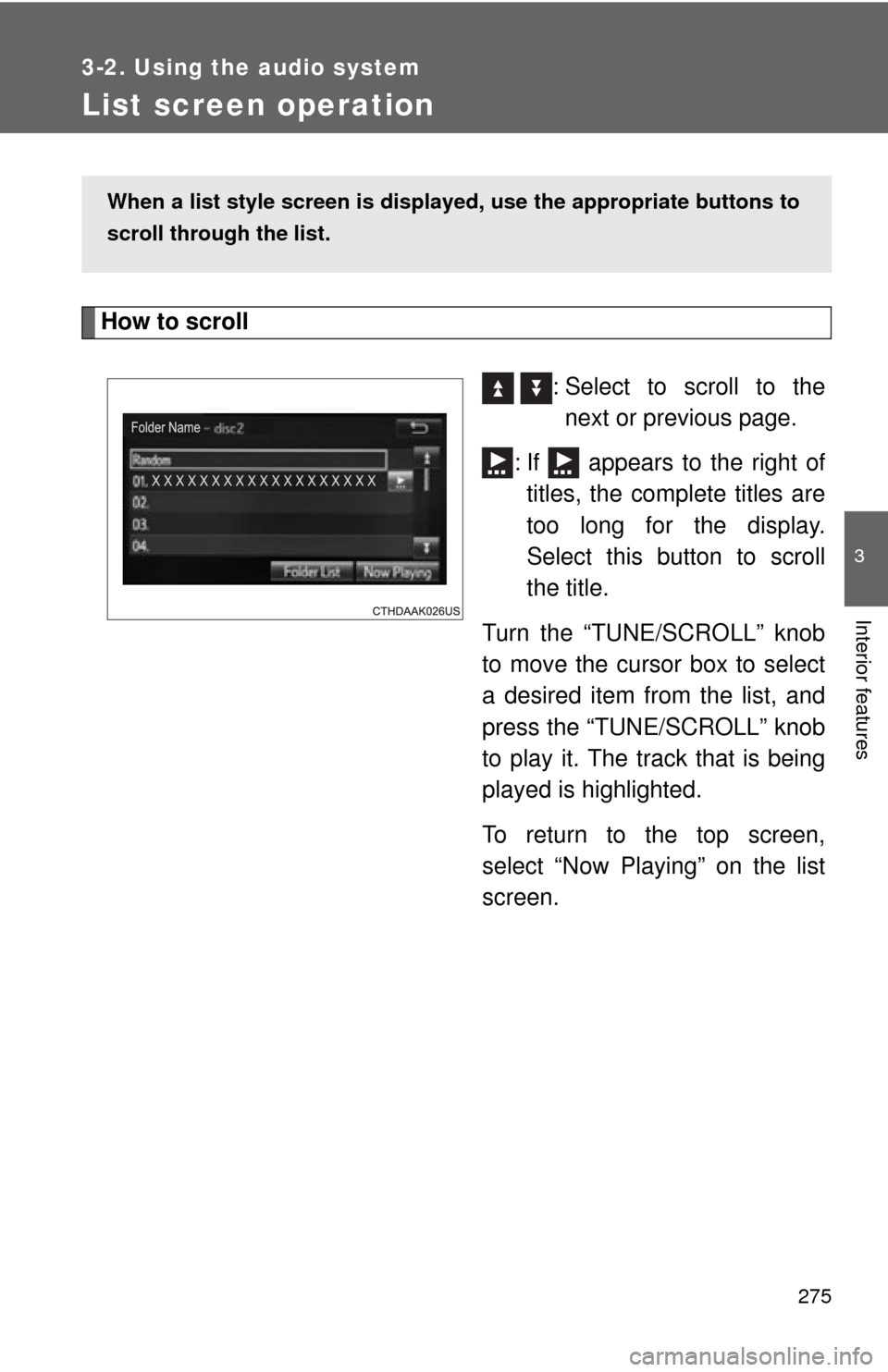
How to scroll : Select to scroll to thenext or previous page.
: If appears to the right of titles, the complete titles are
too long for the display.
Select this button to scroll
the title.
Turn the “TUNE/SCROLL” knob
to move the cursor box to select
a desired item from the list, and
press the “TUNE/SCROLL” knob
to play it. The track that is being
played is highlighted.
To return to the top screen,
select “Now Playing” on the list
screen.
When a list style screen is displ ayed, use the appropriate buttons to
scroll through the list.
Page 286 of 620
286 3-2. Using the audio system
NOTICE
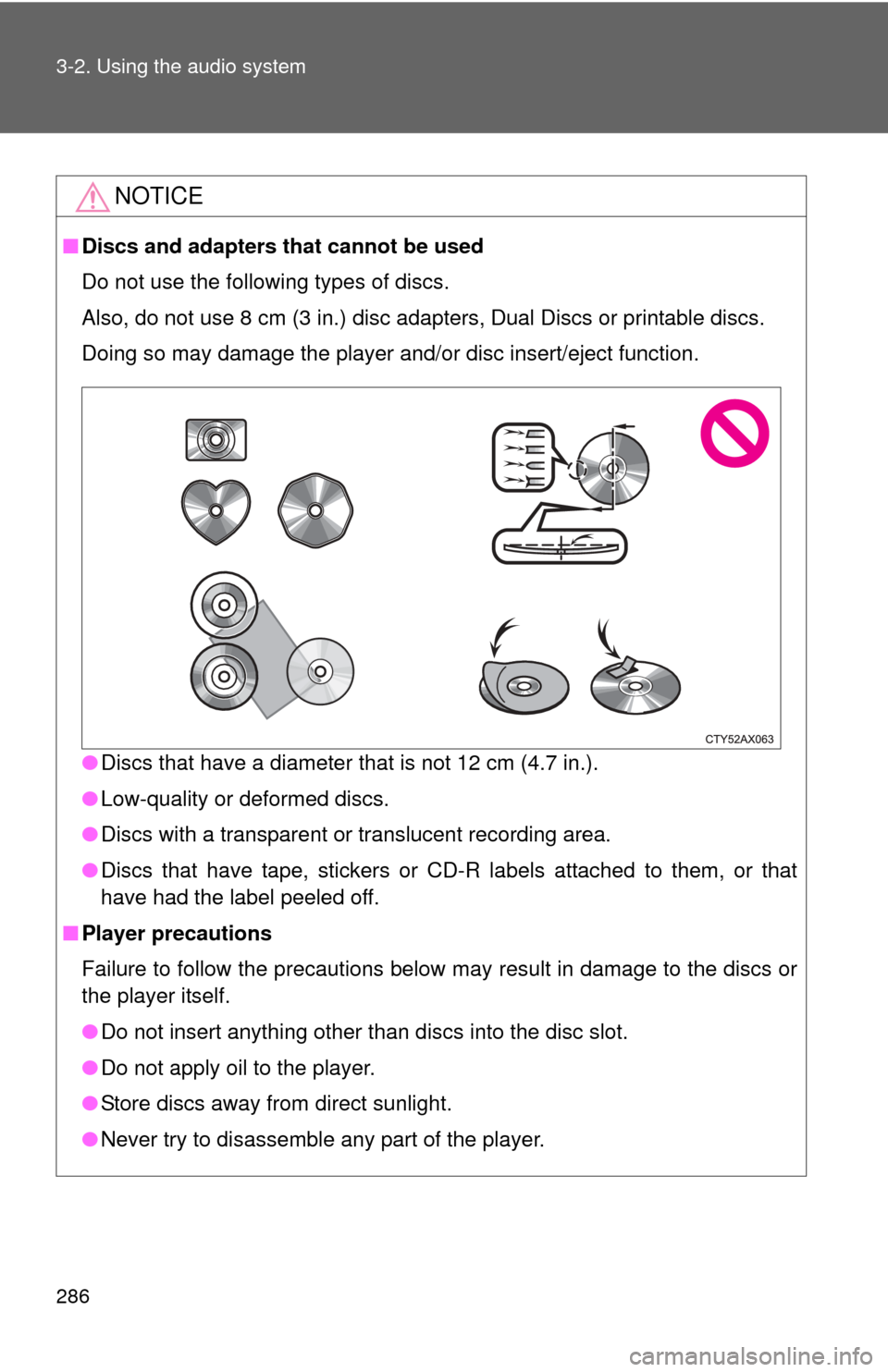
■Discs and adapters that cannot be used
Do not use the following types of discs.
Also, do not use 8 cm (3 in.) disc adapters, Dual Discs or printable discs.
Doing so may damage the player and/or disc insert/eject function.
●Discs that have a diameter that is not 12 cm (4.7 in.).
● Low-quality or deformed discs.
● Discs with a transparent or translucent recording area.
● Discs that have tape, stickers or CD-R labels attached to them, or that
have had the label peeled off.
■ Player precautions
Failure to follow the precautions below may result in damage to the discs or
the player itself.
●Do not insert anything other than discs into the disc slot.
● Do not apply oil to the player.
● Store discs away from direct sunlight.
● Never try to disassemble any part of the player.