Page 68 of 496
681-2. Theft deterrent system
AVALON (U)_(OM41452U)
The alarm uses light and sound to give an alert when an intrusion is
detected.
The alarm is triggered in the following situations when the alarm is
set:
●A locked door or trunk is unlocked or opened in any way other than
using the entry function, wireless remote control or mechanical key.
● The hood is opened.
● Some models: The window is tapped or broken.
Close the doors, trunk and hood,
and lock all the doors. The system
will be set automatically after 30
seconds.
The indicator light changes from
being on to flashing when the sys-
tem is set.
Do one of the following to d eactivate or stop the alarms:
● Unlock the doors or open the trunk.
● Turn the engine switch to ACC ESSORY or IGNITION ON mode, or
start the engine. (The alarm will be deactivated or stopped after a
few seconds.)
Alarm
The alarm
Setting the alarm system
Deactivating or stopping the alarm
Page 69 of 496
691-2. Theft deterrent system
1
For safety and security
AVALON (U)_(OM41452U)
■System maintenance
The vehicle has a maintenance-free type alarm system.
■ Items to check before locking the vehicle
To prevent unexpected triggering of the alarm and vehicle theft, make sure of
the following:
●Nobody is in the vehicle.
● The windows and moon roof are closed before the alarm is set.
● No valuables or other personal items are left in the vehicle.
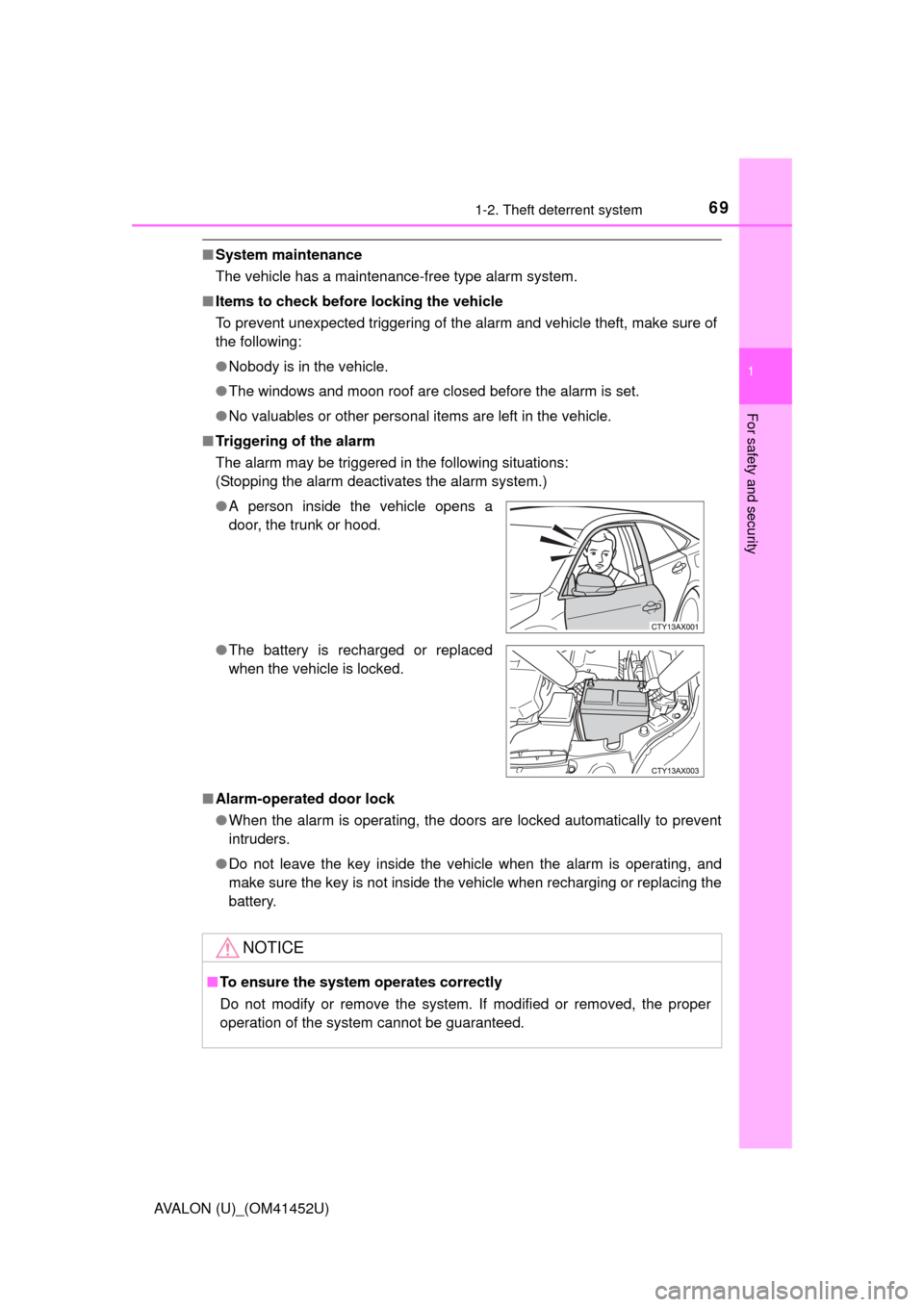
■ Triggering of the alarm
The alarm may be triggered in the following situations:
(Stopping the alarm deactivates the alarm system.)
■ Alarm-operated door lock
●When the alarm is operating, the doors are locked automatically to prevent
intruders.
● Do not leave the key inside the vehicle when the alarm is operating, and
make sure the key is not inside the vehicle when recharging or replacing the
battery.
●
A person inside the vehicle opens a
door, the trunk or hood.
● The battery is recharged or replaced
when the vehicle is locked.
NOTICE
■To ensure the system operates correctly
Do not modify or remove the system. If modified or removed, the proper
operation of the system cannot be guaranteed.
Page 103 of 496

1033-2. Opening, closing and locking the doors
3
Operation of each component
AVALON (U)_(OM41452U)■
When the vehicle is not driven for extended periods
●To prevent theft of the vehicle, do not leave the electronic key within 6 ft. (2
m) of the vehicle.
● The smart key system can be deactivated in advance. ( P. 453)
■ Alarm
Using the smart key system to lock the doors will set the alarm system.
(P. 68)
■ To operate the system properly
●Make sure to carry the electronic key when operating the system. Do not get
the electronic key too close to the vehicle when operating the system from
the outside of the vehicle.
Depending on the position and holding condition of the electronic key, the
key may not be detected correctly and the system may not operate prop-
erly. (The alarm may go off accidentally, or the door lock prevention function
may not operate.)
● Do not leave the electronic key inside the luggage compartment.
The key confinement prevention function may not operate, depending on
the location of the key (close to a spare tire, the inside edge of the luggage
compartment), conditions (inside a metal bag, close to metallic objects) and
the radio waves in the surrounding area. ( P. 113)
■ If the smart key system do es not operate properly
● Locking and unlocking the doors: Use the mechanical key. ( P. 415)
● Unlocking the trunk: P. 1 1 4
● Starting the engine: P. 416
Page 104 of 496

1043-2. Opening, closing and locking the doors
AVALON (U)_(OM41452U)■
Electronic key battery depletion
●The standard battery life is 1 to 2 years.
● If the battery becomes low, an alarm will sound in the cabin when the engine
stops. ( P. 95)
● As the electronic key always receives radio waves, the battery will become
depleted even if the electronic key is not used. The following symptoms indi-
cate that the electronic key battery may be depleted. Replace the battery
when necessary. ( P. 350)
• The smart key system or the wireless remote control does not operate.
• The detection area becomes smaller.
• The LED indicator on the key surface does not turn on.
● To avoid serious deterioration, do not leave the electronic key within 3 ft. (1
m) of the following electrical appl iances that produce a magnetic field:
•TVs
• Personal computers
• Cellular phones, cordless phones and battery chargers
• Recharging cellular phones or cordless phones
• Table lamps
• Induction cookers
■ When the electronic key battery is fully depleted
P. 350
■ Customization
Settings (e. g. operation signal) can be changed.
(Customizable features: P. 453)
■ If the smart key system has been deactivated in a customized setting
●Locking and unlocking the doors: P. 106, 415
● Unlocking the trunk: P. 106, 114
● Starting the engine and changing engine switch modes: P. 416
● Stopping the engine: P. 1 5 6
