Page 80 of 496
802. Instrument cluster
AVALON (U)_(OM41452U)
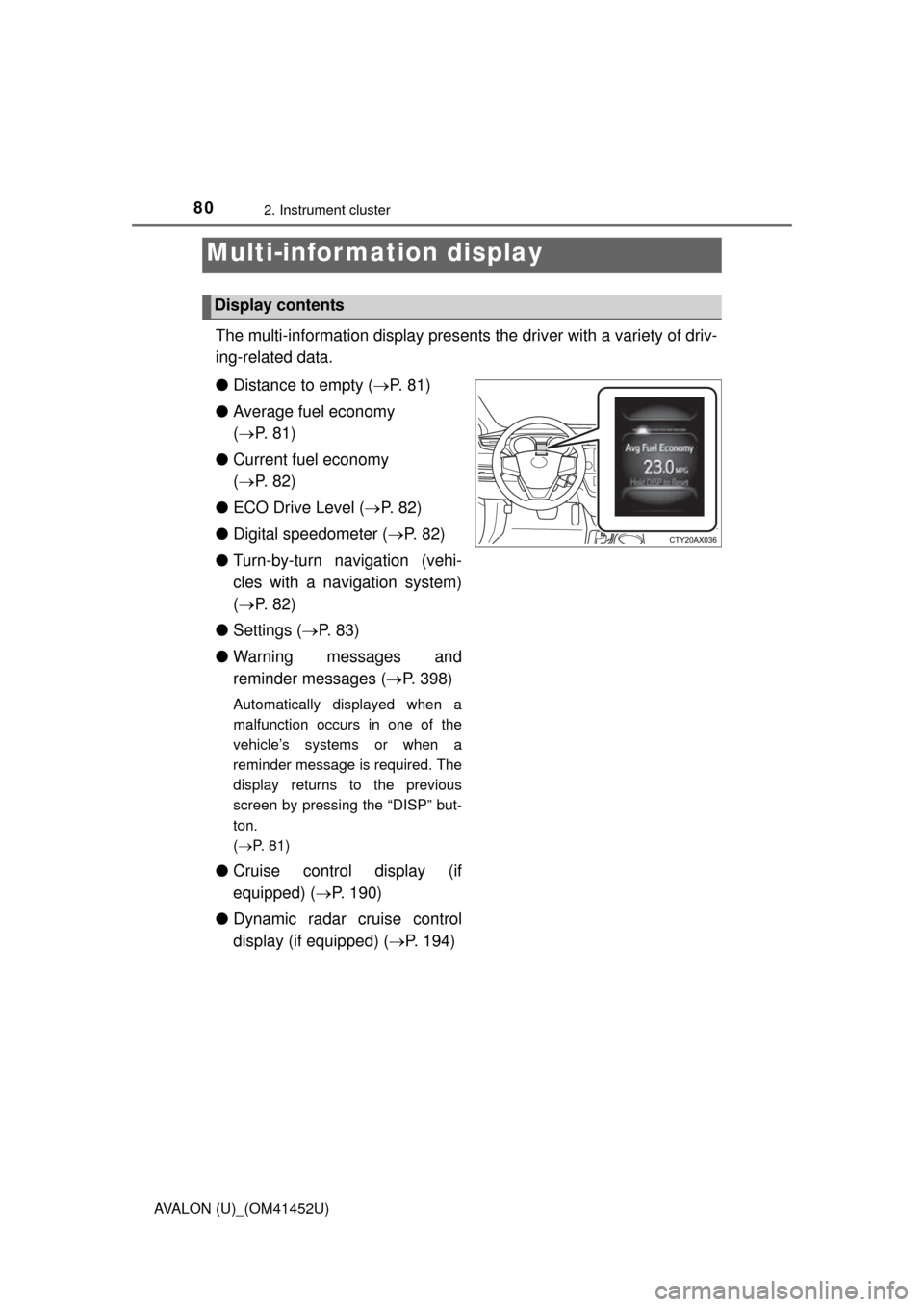
The multi-information display presents the driver with a variety of driv-
ing-related data.
● Distance to empty ( P. 8 1 )
● Average fuel economy
( P. 81)
● Current fuel economy
( P. 82)
● ECO Drive Level ( P. 8 2 )
● Digital speedometer ( P. 82)
● Turn-by-turn navigation (vehi-
cles with a navigation system)
( P. 82)
● Settings ( P. 8 3 )
● Warning messages and
reminder messages ( P. 398)
Automatically displayed when a
malfunction occurs in one of the
vehicle’s systems or when a
reminder message is required. The
display returns to the previous
screen by pressing the “DISP” but-
ton.
(P. 81)
● Cruise control display (if
equipped) ( P. 190)
● Dynamic radar cruise control
display (if equipped) ( P. 194)
Multi-infor mation display
Display contents
Page 81 of 496
812. Instrument cluster
2
Instrument cluster
AVALON (U)_(OM41452U)■
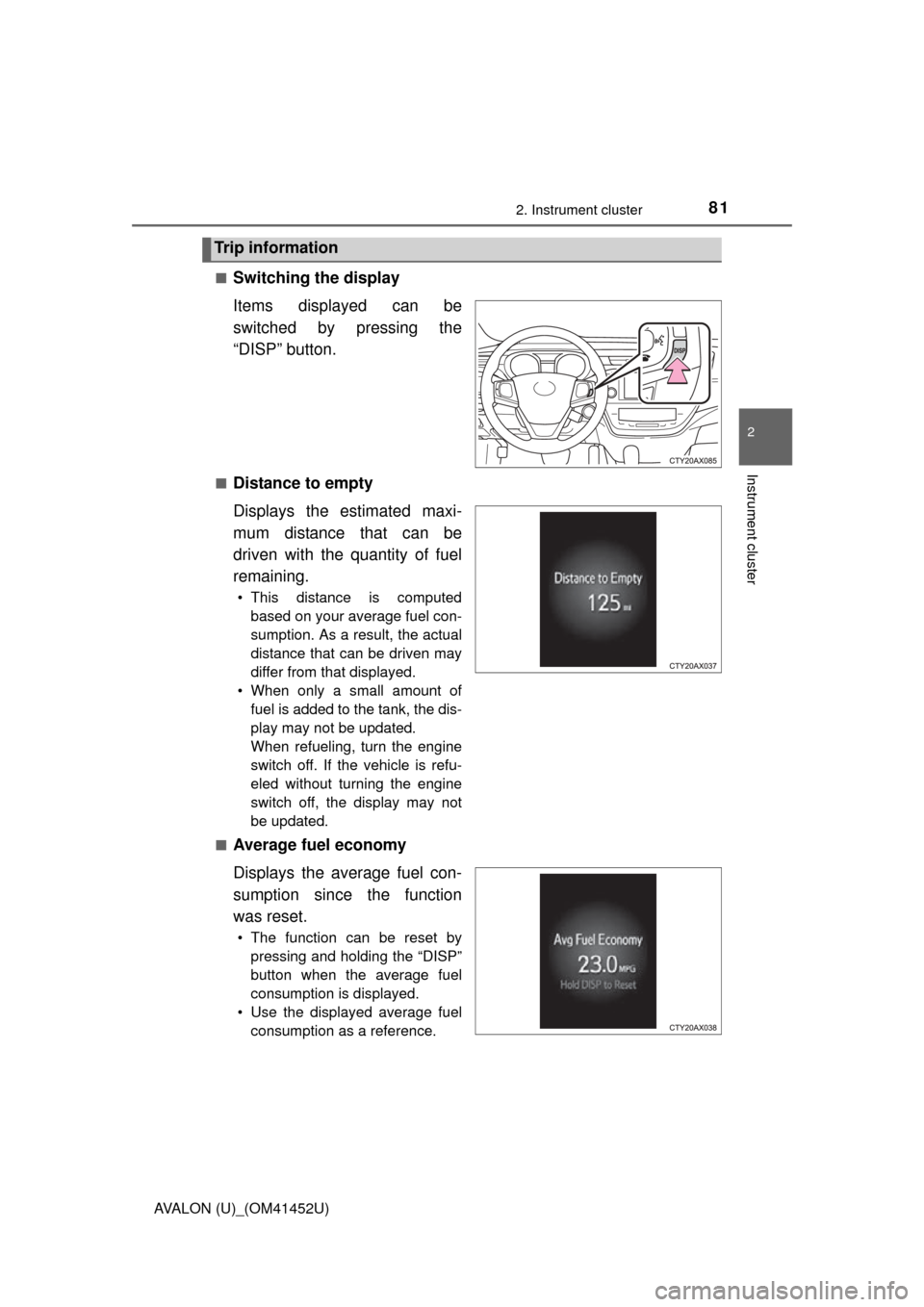
Switching the display
Items displayed can be
switched by pressing the
“DISP” button.
■Distance to empty
Displays the estimated maxi-
mum distance that can be
driven with the quantity of fuel
remaining.
• This distance is computed
based on your average fuel con-
sumption. As a result, the actual
distance that can be driven may
differ from that displayed.
• When only a small amount of fuel is added to the tank, the dis-
play may not be updated.
When refueling, turn the engine
switch off. If the vehicle is refu-
eled without turning the engine
switch off, the display may not
be updated.
■
Average fuel economy
Displays the average fuel con-
sumption since the function
was reset.
• The function can be reset by pressing and holding the “DISP”
button when the average fuel
consumption is displayed.
• Use the displayed average fuel consumption as a reference.
Trip information
Page 82 of 496
822. Instrument cluster
AVALON (U)_(OM41452U)■
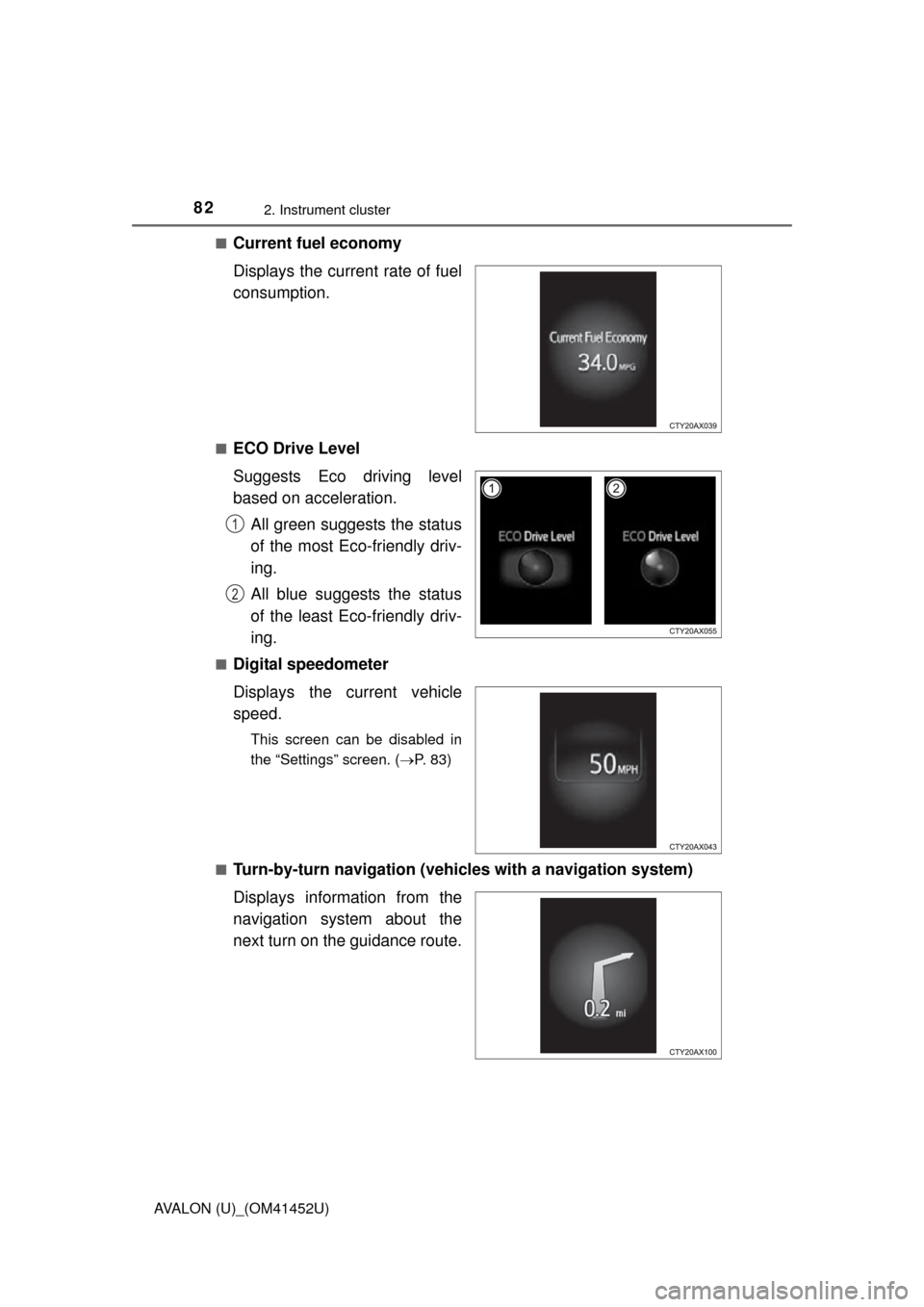
Current fuel economy
Displays the current rate of fuel
consumption.
■ECO Drive Level
Suggests Eco driving level
based on acceleration.
All green suggests the status
of the most Eco-friendly driv-
ing.
All blue suggests the status
of the least Eco-friendly driv-
ing.
■Digital speedometer
Displays the current vehicle
speed.
This screen can be disabled in
the “Settings” screen. ( P. 83)
■
Turn-by-turn navigation (vehicl es with a navigation system)
Displays information from the
navigation system about the
next turn on the guidance route.
1
2
Page 137 of 496

137
Driving4
AVALON (U)_(OM41452U)4-1. Before driving
Driving the vehicle............. 138
Cargo and luggage ........... 149
Vehicle load limits ............. 152
Trailer towing .................... 153
Dinghy towing ................... 154
4-2. Driving procedures Engine (ignition) switch ..... 155
Automatic transmission .................... 161
Turn signal lever ............... 165
Parking brake .................... 166
Horn .................................. 167
4-3. Operating the lights and wipers
Headlight switch ................ 168
Automatic High Beam ....... 172
Fog light switch ................. 177
Windshield wipers and washer ............................ 179
4-4. Refueling Opening the fuel tank cap .................................. 185
4-5. Using the driving support systems
Cruise control .................... 190
Dynamic radar cruise control ............................. 194
Driving mode select switches .......................... 209
Driving assist systems ...... 211
PCS (Pre-Collision System)........................... 216
BSM (Blind Spot Monitor) ........ 223
4-6. Driving tips Winter driving tips ............. 232
Page 140 of 496
1404-1. Before driving
AVALON (U)_(OM41452U)■
Breaking in your new Toyota
To extend the life of the vehicle, observing the following precautions is recom-
mended:
●For the first 186 miles (300 km):
Avoid sudden stops.
● For the first 621 miles (1000 km):
• Do not drive at extremely high speeds.
• Avoid sudden acceleration.
• Do not drive continuously in low gears.
• Do not drive at a constant speed for extended periods.
■ Drum-in-disc type parking brake system
Your vehicle has a drum-in-disc type parking brake system. This type of brake
system needs bedding-down of the brake shoes periodically or whenever the
parking brake shoes and/or drum are replaced. Have your Toyota dealer per-
form the bedding down operation.
■ Operating your vehicle in a foreign country
Comply with the relevant vehicle registration laws and confirm the availability
of the correct fuel. ( P. 437)
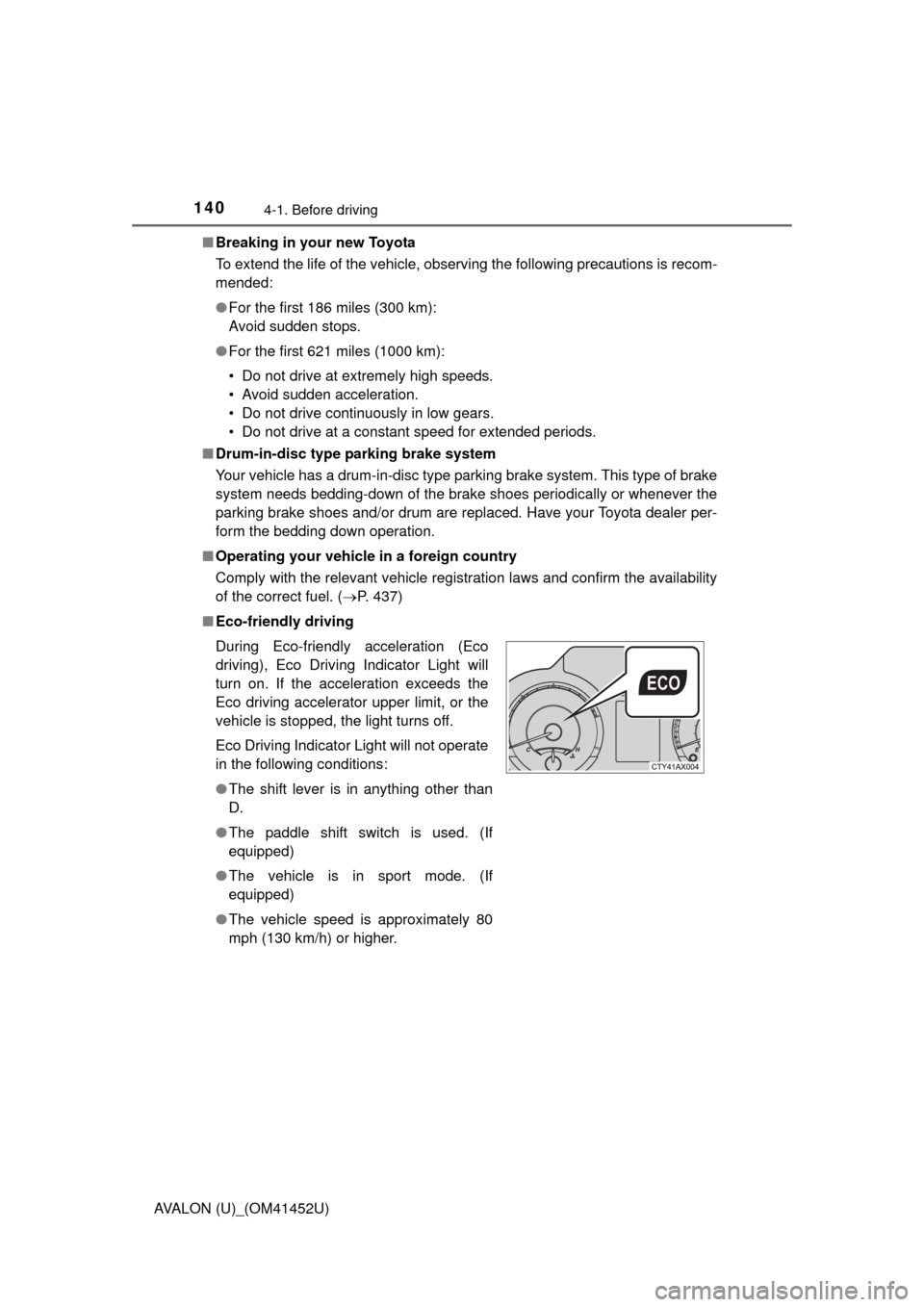
■ Eco-friendly driving
During Eco-friendly acceleration (Eco
driving), Eco Driving Indicator Light will
turn on. If the acceleration exceeds the
Eco driving accelerator upper limit, or the
vehicle is stopped, the light turns off.
Eco Driving Indicator Light will not operate
in the following conditions:
●The shift lever is in anything other than
D.
● The paddle shift switch is used. (If
equipped)
● The vehicle is in sport mode. (If
equipped)
● The vehicle speed is approximately 80
mph (130 km/h) or higher.
Page 161 of 496
1614-2. Driving procedures
4
Driving
AVALON (U)_(OM41452U)
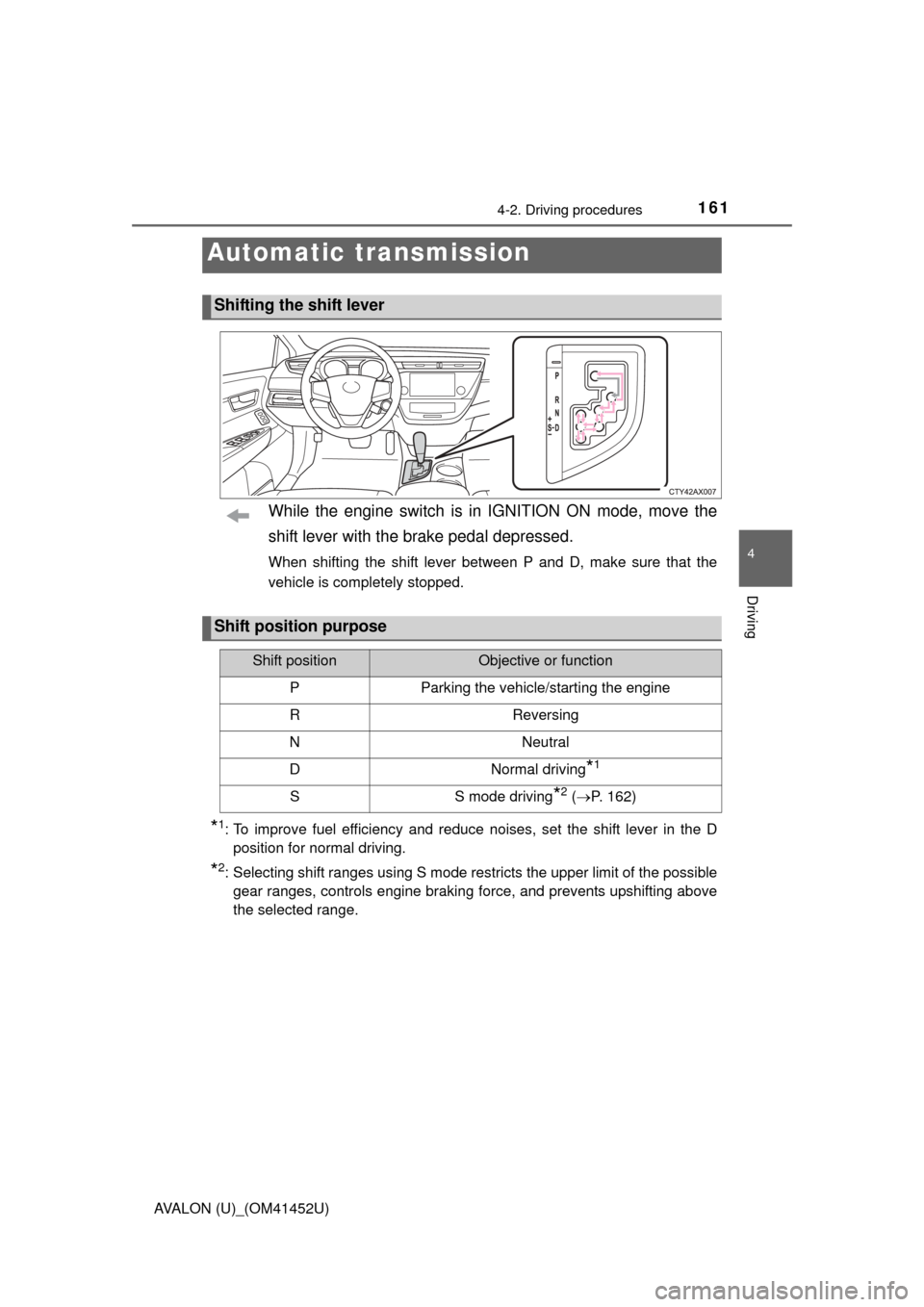
While the engine switch is in IGNITION ON mode, move the
shift lever with the brake pedal depressed.
When shifting the shift lever between P and D, make sure that the
vehicle is completely stopped.
*1: To improve fuel efficiency and reduce noises, set the shift lever in the Dposition for normal driving.
*2: Selecting shift ranges using S mode restricts the upper limit of the possiblegear ranges, controls engine braking force, and prevents upshifting above
the selected range.
Automatic transmission
Shifting the shift lever
Shift position purpose
Shift positionObjective or function
PParking the vehicle/starting the engine
RReversing
NNeutral
DNormal driving*1
SS mode driving*2 ( P. 162)
Page 170 of 496

1704-3. Operating the lights and wipers
AVALON (U)_(OM41452U)
■Daytime running light system
●Vehicles with halogen headlights: To make your vehicle more visible to other
drivers, the headlight high beam turn on automatically (at a decreased inten-
sity) whenever the engine is started and the parking brake is released. Day-
time running lights are not designed for use at night.
Vehicles with discharge headlights: To make your vehicle more visible to
other drivers, the parking lights turn on automatically (at an increased inten-
sity) whenever the engine is started and the parking brake is released. Day-
time running lights are not designed for use at night.
Type A: Daytime running lights can be turned off by operating the switch.
● Compared to turning on the headlights, the daytime running light system
offers greater durability and consumes less electricity, so it can help improve
fuel economy.
■ Headlight control sensor
■ Automatic light off system
●When the headlights are on: The headlights and tail lights turn off 30 sec-
onds after the engine switch is turned off and a door is opened and all of the
doors and trunk are closed. (The lights turn off immediately if on the
key is pressed twice after all the doors are closed.)
● When only the tail lights are on: The tail lights turn off automatically if the
engine switch is turned off and the driver’s door is opened.
To turn the lights on again, turn the engine switch to IGNITION ON mode, or
turn the light switch off once and then back to or .
If any of the doors or trunk lid is kept open, the lights automatically turn off
after 20 minutes.
■ Light reminder buzzer
A buzzer sounds when the engine switch is turned off or turned to ACCES-
SORY mode and the driver’s door is opened while the lights are turned on. The sensor may not function properly if an
object is placed on the sensor, or anything
that blocks the sensor is affixed to the
windshield.
Doing so interferes with the sensor
detecting the level of ambient light and
may cause the automatic headlight sys-
tem to malfunction.
Page 185 of 496
185
4
Driving
AVALON (U)_(OM41452U)
4-4. Refueling
●Close all the doors and windows, and turn the engine switch off.
● Confirm the type of fuel.
■Fuel types
Use unleaded gasoline (Octane rating 87 [Research Octane Number 91] or
higher)
Opening the fuel tank cap
Perform the following steps to open the fuel tank cap:
Before refueling the vehicle