Page 156 of 346
156
2. SETUP
5Touch the desired history to delete.
6Touch the desired data, or to delete all
the data touch “Select All”, then touch
“Delete” .
Multiple data can be selected and deleted
at the same time.
7Touch “Yes”.
■THE CALL HISTORY CAN ALSO BE
DELETED
1Press the button or the switch
on the steering wheel.
2Touch “Call History” on the “Phone”
screen.
3Touch “Delete” .
4This screen is displayed.
The following operations are performed in
the same manner as when they are per-
formed from the “Setup” screen.
Other call history can be operated simi-
larly.
Deleting after call history has been dis-
played
1Press the button or the switch
on the steering wheel.
2Touch “Call History” on the “Phone”
screen.
3Touch the desired history to be delet-
ed.
4Touch “Delete” .
5Touch “Yes”.
Page 157 of 346
157
2. SETUP
4
TELEPHONE
1Press the “SETUP” button.
2Touch “Phone” on the “Setup” screen.
3Touch “Messaging Settings” .
4Perform each setting according to the
procedures outlined on the following
pages.
5Touch “Save” when each setting is
completed.
1Press the button or the switch
on the steering wheel.
2Touch “Messages” on the “Phone”
screen.
3Touch “Options”.
MESSAGE SETTINGS
Message settings can be changed.
THE “Messaging Settings”
SCREEN CAN ALSO BE
DISPLAYED
SCREEN FOR “Messaging
Settings”
Page 158 of 346
158
2. SETUP
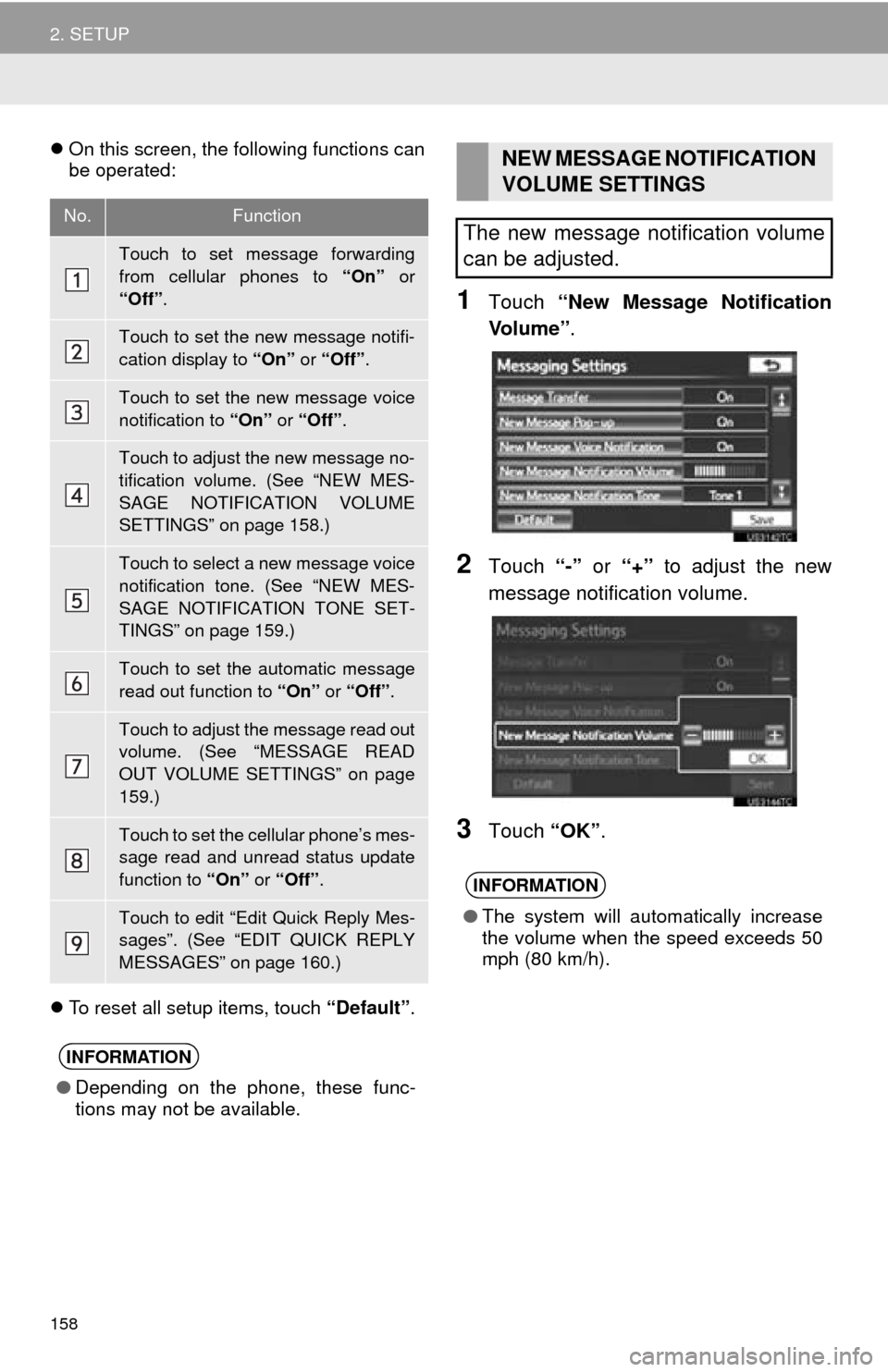
On this screen, the following functions can
be operated:
To reset all setup items, touch “Default”.
1Touch “New Message Notification
Vo l u m e ” .
2Touch “-” or “+” to adjust the new
message notification volume.
3Touch “OK”.
No.Function
Touch to set message forwarding
from cellular phones to “On” or
“Off” .
Touch to set the new message notifi-
cation display to “On” or “Off” .
Touch to set the new message voice
notification to “On” or “Off” .
Touch to adjust the new message no-
tification volume. (See “NEW MES-
SAGE NOTIFICATION VOLUME
SETTINGS” on page 158.)
Touch to select a new message voice
notification tone. (See “NEW MES-
SAGE NOTIFICATION TONE SET-
TINGS” on page 159.)
Touch to set the automatic message
read out function to “On” or “Off” .
Touch to adjust the message read out
volume. (See “MESSAGE READ
OUT VOLUME SETTINGS” on page
159.)
Touch to set the cellular phone’s mes-
sage read and unread status update
function to “On” or “Off” .
Touch to edit “Edit Quick Reply Mes-
sages”. (See “EDIT QUICK REPLY
MESSAGES” on page 160.)
INFORMATION
●Depending on the phone, these func-
tions may not be available.
NEW MESSAGE NOTIFICATION
VOLUME SETTINGS
The new message notification volume
can be adjusted.
INFORMATION
● The system will automatically increase
the volume when the speed exceeds 50
mph (80 km/h).
Page 159 of 346
159
2. SETUP
4
TELEPHONE
1Touch “New Message Notification
To n e ” .
2Touch the desired new message notifi-
cation tone.
New message notification tones can be
heard by touching the screen buttons.
3Touch “OK”.
1Touch “Message Readout Volume” .
2Touch “-” or “+” to adjust the message
read out volume.
3Touch “OK”.
NEW MESSAGE NOTIFICATION
TONE SETTINGS
A new message voice notification tone
can be selected.MESSAGE READ OUT VOLUME
SETTINGS
Message read out volume can be ad-
justed.
INFORMATION
● The system will automatically increase
the volume when the speed exceeds 50
mph (80 km/h).
Page 160 of 346
160
2. SETUP
1Touch “Edit Quick Reply Messag-
es” .
2Touch the screen button correspond-
ing to the desired message.
3Use the software keyboard to edit the
message.
4Touch “OK”.
1Touch “Default” .
2Touch “Yes”.
1Press the “SETUP” button.
2Touch “Phone” on the “Setup” screen.
3Touch “Phone Display Settings” .
4Perform each setting according to the
procedures outlined on the following
pages.
5When each setting is completed, touch
“Save”.
EDIT QUICK REPLY
MESSAGES
Quick reply messages can be edited.
15 messages have already been
stored.
INITIALIZING THE SETTINGS
The settings can be initialized.
PHONE DISPLAY SETTINGS
The phone display settings can be
changed.
Page 161 of 346
161
2. SETUP
4
TELEPHONE
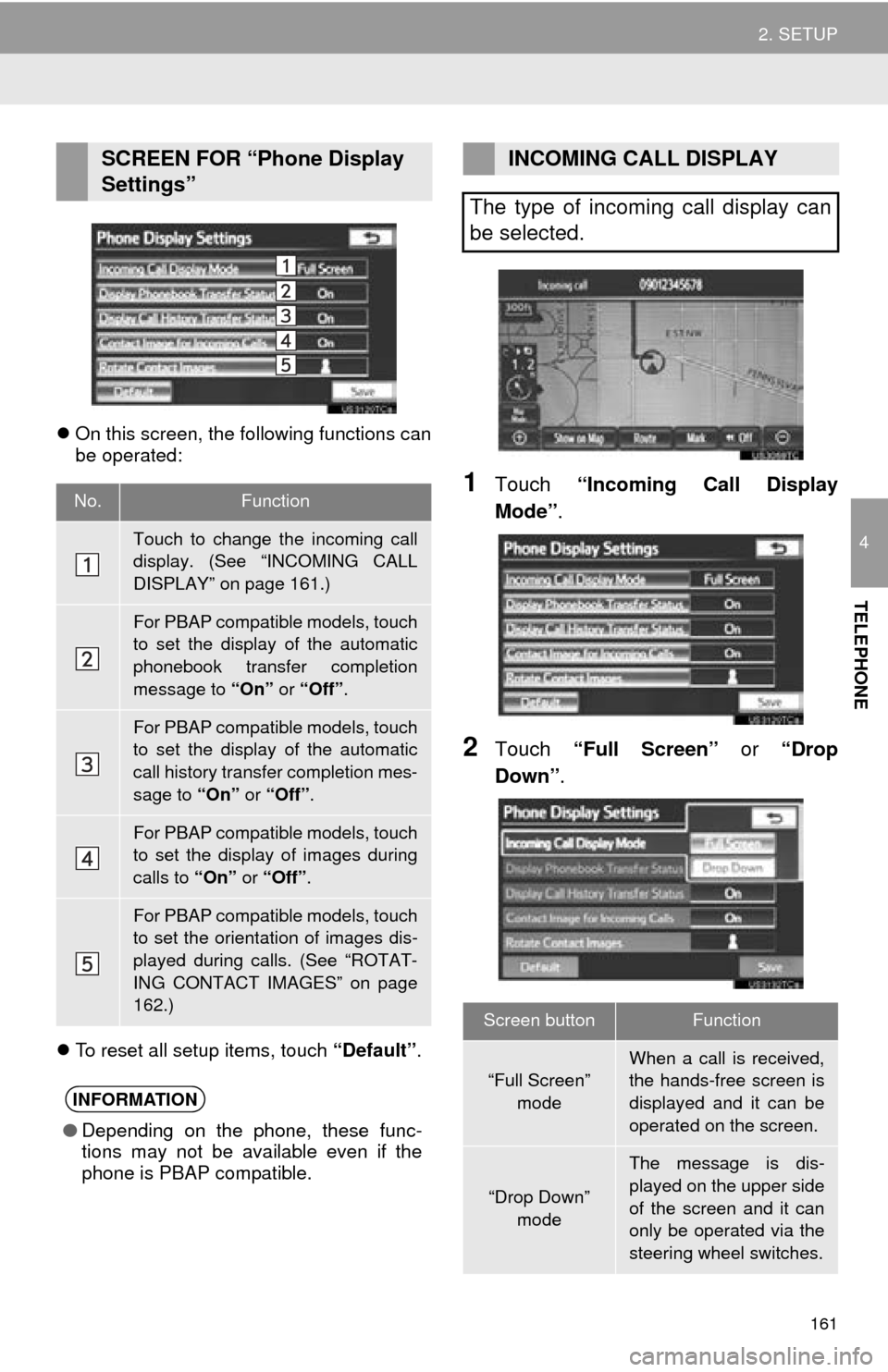
On this screen, the following functions can
be operated:
To reset all setup items, touch “Default”.
1Touch “Incoming Call Display
Mode” .
2Touch “Full Screen” or “Drop
Down”.
SCREEN FOR “Phone Display
Settings”
No.Function
Touch to change the incoming call
display. (See “INCOMING CALL
DISPLAY” on page 161.)
For PBAP compatible models, touch
to set the display of the automatic
phonebook transfer completion
message to “On” or “Off” .
For PBAP compatible models, touch
to set the display of the automatic
call history transfer completion mes-
sage to “On” or “Off” .
For PBAP compatible models, touch
to set the display of images during
calls to “On” or “Off” .
For PBAP compatible models, touch
to set the orientation of images dis-
played during calls. (See “ROTAT-
ING CONTACT IMAGES” on page
162.)
INFORMATION
●Depending on the phone, these func-
tions may not be available even if the
phone is PBAP compatible.
INCOMING CALL DISPLAY
The type of incoming call display can
be selected.
Screen buttonFunction
“Full Screen” mode
When a call is received,
the hands-free screen is
displayed and it can be
operated on the screen.
“Drop Down”
mode
The message is dis-
played on the upper side
of the screen and it can
only be operated via the
steering wheel switches.
Page 162 of 346
162
2. SETUP
3Touch “Save” .
1Touch “Rotate Contact Images” .
2Select the desired orientation of the im-
age to be displayed.
3Touch “Save” .
1Touch “Default” .
2Touch “Yes”.
ROTATING CONTACT IMAGES
For PBAP compatible models, when
“Contact Image for Incoming Calls”
is set to “On” , images stored together
with phone numbers in the cellular
phone’s phonebook will be transferred
and displayed during the incoming call.
The orientation of the image can be
set.
INITIALIZING THE SETTINGS
The settings can be initialized.
Page 163 of 346
163
2. SETUP
4
TELEPHONE
2. Bluetooth® SETTINGS
1Press the “SETUP” button.
2Touch “Bluetooth*” .
3Perform each setting according to the
procedures outlined on the following
pages.
1Press the “SETUP” button.
2Touch “Bluetooth*” on the “Setup”
screen.
3Touch “Registered Devices” .
4Perform each setting according to the
procedures outlined on the following
pages.
*: Bluetooth is a regi stered trademark of
Bluetooth SIG, Inc.
A Bluetooth® device can be set up.REGISTERED DEVICES
A Bluetooth® device can be registered,
deleted or set up.


