2014 TESLA MODEL S manual radio set
[x] Cancel search: manual radio setPage 2 of 159

DOCUMENT APPLICABILITY
Features released in the most recent versions of software may not be described in this document but are
described in Release Notes. Display Release Notes on the touchscreen by touching the Tesla “T” at the top
center of the touchscreen, then touching the Release Notes link. If information provided in this document
conflicts with information in the Release Notes, the Release Notes take precedence.
ILLUSTRATIONS
The illustrations provided in this document are for demonstration purposes only. Depending on vehicle options,
software version and market region, the information displayed on the touchscreen in your Model S may appear
slightly different.
PRODUCT SPECIFICATIONS
All specifications and descriptions contained in this document are verified to be accurate at the time of printing.
However, because continuous improvement is a goal at Tesla, we reserve the right to make product
modifications at any time.
ERRORS OR OMISSIONS
To communicate any inaccuracies or omissions in this document, please send an email to:
ownersmanualfeedback @teslamotors.com.
The Model S Owners Manual is available on the touchscreen.
To view it, touch CONTROLS > SETTINGS > MANUAL
(located in the lower left corner).
More information about your Model S is available at
www.teslamotors.com/mytesla .
To contact Tesla, call 1-877-79TESLA (1-877-798-3752) .
©2012-2014 TESLA MOTORS, INC. All rights reserved.
All information in this document and all MODEL S® software is subject to copyright and other intellectual property
rights of Tesla Motors, Inc. and its licensors. This material may not be modified, reproduced or copied, in whole or in
part, without the prior written permission of Tesla Motors, Inc. and its licensors. Additional information is available
upon request. The following are trademarks or registered tr ademarks of Tesla Motors, Inc. in the United States and
other countries:
HOMELINK® and the HOMELINK® house icon are registered trademarks of Johnson Controls, Inc. Bluetooth® is a
registered trademark of Bluetooth SIG, Inc. iPhone® is a registered trademark of Apple, Inc. Android™ and
Google Maps™ are trademarks of Google, Inc. Sirius, XM and all related marks and logos are trademarks of Sirius XM
Radio Inc. Pandora is a registered trad emark of Pandora Media, Inc. Spotify is a registered trademark of the Spotify
Group. All other trademarks contained in this document are the property of their respective owners and their use
herein does not imply sponsorship or endorsement of their products or services. The unauthorized use of any
trademark displayed in this document or on the vehicle is strictly prohibited. TESLA TESLA MOTORS TESLA
ROADSTER MODEL S
Cover - North America 5.8.2.fm Page 2
Thursday, January 16, 2014 3:10 PM
Page 3 of 159

Overview............................................ 2Interior Overview........................................................................ 2
Exterior Overview....................................................................... 3
Opening and Closing.....................4 Doors............................................................................................... 4
Keyless Locking and Unlocking 4Using the Key 4Using Exterior Door Handles 6Using Interior Door Handles 6Interior Locking and Unlocking 6Child-protection Lock 7Drive-away Locking 7Walk-away Locking 7Unlocking When the Key Doesn't Work 7Opening Interior Doors with No Power 8
Windows........................................................................................ 9
Opening and Closing 9Locking Rear Windows 9
Rear Trunk................................................................................... 10
Opening 10Closing 10Adjusting the Opening Height 10Interior Release 11Opening with No Power 11
Front Trunk.................................................................................. 12
Opening 12Closing 12Interior Emergency Release 13Opening with No Power 13
Glove Box..................................................................................... 14
Opening and Closing 14
Sunroof.......................................................................................... 15
Opening and Closing 15
Cup Holders................................................................................. 16
Opening and Closing 16
Seating and Safety
Restraints..........................................17 Front and Rear Seats............................................................... 17
Correct Driving Position 17Adjusting the Driver’s Seat 17Folding Rear Seats 18Raising Rear Seats 18Head Supports 18Seat Covers 18
Seat Belts......................................................................................19
Wearing Seat Belts 19Wearing Seat Belts When Pregnant 19Seat Belt Pre-tensioners 20Testing Seat Belts 20Seat Belt Warnings 20
Child Safety Seats.................................................................... 22
Guidelines for Seating Children 22Choosing a Child Safety Seat 23Seating Larger Children 24Installing Child Safety Seats 24Installing Seat Belt Retained Child Seats 24Installing LATCHChild Seats 25Attaching Upper Tether Straps 25Testing a Child Safety Seat 26Warnings - Child Safety Seats 26
Tesla Built-In Rear Facing Child Seats............................. 27
Usage Restrictions 27Opening 27Folding 27Seating a Child 29Warnings - Tesla Child Seats 29
Airbags.......................................................................................... 31
Location of Airbags 31How the Airbags Work 32Types of Airbags 32Passenger Front Airbag 33Inflation Effects 34Airbag Warning Indicator 34Airbag Warnings 34
Driving.............................................. 35Driver Profiles............................................................................ 35
Creating a Driver Profile 35Restoring a Driver’s Profile 35Saved Driver Settings 35
Steering Wheel..........................................................................36
Adjusting Position 36Adjusting Sensitivity 36Using Left Steering Wheel Buttons 36Using Right Steering Wheel Buttons 37Using Voice Commands 37Horn 38
Mirrors...........................................................................................39
Adjusting Exterior Side Mirrors 39Rear View Mirror 39
Starting and Powering Off................................................... 40
Starting Model S 40Powering Off 40
Gears.............................................................................................. 41
Shifting Gears 41Leaving Model S in Neutral - Tow Mode 41
Instrument Panel.......................................................................42
Instrument Panel Overview 42Indicator Lights 43
Lights............................................................................................ 46
Controlling Lights 46Headlight High Beams 48Headlights After Exit 48Cornering Lights 48Turn Signals 49Hazard Warning Flashers 49
Wipers and Washers...............................................................50
Wipers 50Washers 50
Speed Assist................................................................................ 51
How Speed Assist Works 51Controlling Speed Assist 52Limitations and Inaccuracies 52
Lane Departure Warning....................................................... 53
How Lane Departure Warning Works 53Controlling Lane Departure Warning 53Limitations and Inaccuracies 53
Park Assist.................................................................................. 54
How Park Assist Works 54Visual and Audio Feedback 54Controlling Audible Feedback 54Limitations and False Warnings 55Other Parking Aids 55
Trip Information........................................................................ 56
Displaying Trip Information 56
Getting Maximum Range....................................................... 57
Driving Tips to Maximize Range 57Saving Energy 57
Brakes........................................................................................... 58
Braking Systems 58Brake Wear 58Regenerative Braking 59Parking Brake 59
Traction Control....................................................................... 60
How It Works 60
Cruise Control............................................................................. 61
Operating Cruise Control 61Changing the Cruising Speed 61Canceling and Resuming 61
Hill Start Assist.......................................................................... 63
Rear View Camera................................................................... 64
Camera Location 64
Using the Touchscreen.............. 65Touchscreen Overview.......................................................... 65
The Big Picture 65
Controls........................................................................................ 67
Controlling Model S Features 67
Settings........................................................................................ 69
Customizing Model S 69
Climate Controls....................................................................... 72
Overview of Climate Controls 72Customizing Climate Control 73Ventilation 74Climate Control Operating Tips 74
Smart Air Suspension..............................................................75
Manual Height Adjustments 75Location-Based Suspension 75Automatic Lowering 76Jack Mode 76
Media and Audio....................................................................... 77
Overview 77AM and FM Radio Services 77XM Radio 77Internet Radio 77Media Settings 78Favorites 78My Music & Devices 79USB Connections 7912V Power Socket 80
Maps and Navigation............................................................... 81
Overview 81Using Maps 81Starting Navigation 81During Navigation 82Favorite Destinations 82Updated Maps 82
Phone............................................................................................ 83
Bluetooth®Compatibility 83Pairing a Bluetooth Phone 83Importing Contacts 83Unpairing a Bluetooth Phone 83Connecting to a Paired Phone 84Making a Phone Call 84Receiving a Phone Call 84In Call Options 84
Calendar....................................................................................... 85
Overview 85Calendar and Navigation 85
Security Settings...................................................................... 86
About the Security System 86
HomeLink ®
Universal Transceiver....................................... 87
About HomeLink 87Programming HomeLink 87Troubleshooting HomeLink 87
Connecting to Wi-Fi................................................................ 89
Software Updates.................................................................... 90
Loading New Software 90Viewing Release Notes 90
Mobile App...................................................................................91
Model S Mobile App 91Charging.......................................... 92
Electric Vehicle Components.............................................. 92
High Voltage Components 92Charging Equipment 93
Battery Information................................................................. 94
About the Battery 94Battery Care 94
Charging Model S..................................................................... 95
Opening the Charge Port 95Plugging In 95During Charging 96Stopping Charging 96Charge Port Light 96Changing Charge Settings 97Charging Status 98
Maintenance................................... 99
Maintenance Schedule........................................................... 99
Service Intervals 99Daily Checks 99Monthly Checks 99Fluid Replacement Intervals 99High Voltage Safety 99
Tire Care and Maintenance.................................................100
Maintaining Tire Pressures 100Inspecting and Maintaining Tires 101Replacing Tires and Wheels 102Using Tire Chains 103Tire Pressure Monitoring 103
Temporary Tire Repair......................................................... 105
Tire Repair Kit 105Inflating with Sealant and Air 106Inflating with Air Only 107Replacing the Sealant Canister 108
Cleaning..................................................................................... 109
Cleaning the Exterior 109Cleaning the Interior 110Polishing, Touch Up, and Body Repair 111Using a Car Cover 111Floor Mats 111
Wiper Blades and Washer Jets.......................................... 112
Checking and Replacing Wiper Blades 112Cleaning Washer Jets 112
Fluid Reservoirs........................................................................ 114
Removing the Maintenance Panel 114Checking Battery Coolant 114Checking Brake Fluid 115Topping Up Washer Fluid 116
Fuses............................................................................................. 117
Fuse Box Locations 117Replacing a Fuse 117Fuse Box 1 118Fuse Box 2 120Fuse Box 3 122Fuse Box 4 123
Jacking and Lifting................................................................. 124
Jacking Procedure 124
Parts and Accessories........................................................... 125
Parts, Accessories, and Modifications 125Body Repairs 125
Specifications............................... 126
Identification Labels.............................................................. 126
Vehicle Identification Number 126Emission Control Label 126
Vehicle Loading....................................................................... 127
Load Capacity Labeling 127Calculating Load Limits 128Towing a Trailer 129Roof Racks 129
Dimensions and Weights..................................................... 130
Exterior Dimensions 130Weights 131
Subsystems............................................................................... 132
Motor 132Transmission 132Steering 132Brakes 133Suspension 133Battery - 12V 133Battery - High Voltage 134
Wheels and Tires..................................................................... 135
Wheel Specifications 135Wheel Alignment Values 135Tire Specifications 136Understanding Tire Markings 137Uniform Tire Quality Grading 139Wheels and Tires Glossary 140
Roadside Assistance.................. 141
Contacting Roadside Assistance....................................... 141 Instructions for Transporters............................................. 142
Use a Flatbed Only 142Disable Self-Leveling (air suspension vehicles only) 142Activate Tow Mode 142Connect the Tow Chain 143Pull Onto the Trailer and Secure the Wheels 144
Consumer Information..............145
About this Owner Information.......................................... 145
Illustrations 145Errors or Inaccuracies 145Location of Components 145Document Applicability 145Copyrights and Trademarks 146
Disclaimers................................................................................ 147
Vehicle Telematics/Data Recorders 147Quality Control 147California Proposition 65 147
Reporting Concerns...............................................................148
Contacting Tesla 148Reporting Safety Defects - US 148Reporting Safety Defects - Canada 148
Declarations of Conformity................................................ 149
Key and Passive Unlocking System 149Tire Pressure Monitoring System 150Media Control Unit 150HomeLink 151Radio Frequency Information 151Contents
Page 38 of 159

Adjusting Position
Adjust the steering wheel to the desired driving position by moving the control on the
left side of the steering column.Warning: Do not make adjustments while
driving.
Adjusting Sensitivity
You can adjust the feel and sensitivity of the
steering system to suit your personal preference:
1. On the touchscreen, touch Controls.
2. Choose a steering option:
• Comfort - reduces the effort required to turn the wheel. In town, Model S
feels easier to drive and park.
• Standard - Tesla believes that this setting offers the best handling andresponse in all conditions.
• Sport - Increases the effort required to turn the wheel. When driving athigher speeds, Model S feels more
responsive.
The only way to really know which option you
like best is to try them.
Using Left Steering Wheel Buttons
Use the buttons on the left side of the steering
wheel to change radio stations, control the
media player’s volume, and control what
displays on the left side of the instrument panel (whenever the Navigation app is not
displaying instructions).
Note: The volume control on the steering
wheel does not adjust spoken navigation instructions. To control the volume of
navigation instructions, use the navigation
window on the touchscreen (see Using Maps
on page 81).
1. Next
If you are listening to local or satellite
radio and you have defined more than one
radio preset, press to play the next preset in the radio band that is currently playing.
If you have not defined more than one
preset, press to go to the next available
frequency.
If you are listening to Internet radio, or to
an audio file on a connected Bluetooth or USB device, press to skip to the next song
or station.
2. Scroll Wheel
• To adjust the media volume, roll up or down.
• To mute the media volume, or to pause/play an audio file, tap the
wheel.
• To choose what displays on the left side of the instrument panel, press
and hold the scroll wheel to display
the available options. Then roll the
scroll wheel to browse through the
options. Tap the scroll wheel when the option you want is highlighted.
3. Previous
Same as described above for Next, except
it skips to the previous song or station.
Note: Regardless of how you customize the
left side of the instrument panel, it
automatically changes to display navigation instructions (if applicable), or to let you knowif a door or trunk is open when Model S is in a
driving gear.
Steering Wheel
36Model S Owner's Manual
Page 79 of 159

OverviewTouch the Media icon to listen to the radio or
play audio files. The touchscreen displays the
Media Player. Media Player has two tabs. Use the Browse tab to select what you want to
play and use the Now Playing tab to view and
control what is currently playing. You can play
AM, FM radio (including HD), and XM satellite
radio (if Model S is equipped with the optional
sound package). You can also play Internet
radio (such as TuneIn), and audio files from a Bluetooth-connected device or a USB-
connected flash drive.
AM and FM Radio Services Model S provides AM and FM radio services.These can be selected from the Browse tab orusing the Source Picker, located in the upperright corner of the Media Player window.
You can manually tune the radio to any
frequency by touching and dragging the channel selector bar on the Now Playing
screen. The channel selector bar allows you to move from one available radio station to the
next.
XM Radio If Model S is equipped with the optional sound
studio package, you can listen to XM radio, a
subscription-based satellite radio service. To
receive XM radio channels, you must provide
the radio service provider with the radio ID for
your touchscreen.
To view the radio ID:
1. Select the XM radio source.
2. Tune it to channel 0.
3. The Radio ID displays in the station
information area.
To select an XM radio channel, you can either
manually scroll through the channel numbers,
or you can browse the channels by category.
To browse by category, touch Browse >
Radio > XM Satellite Radio .Internet Radio
Internet radio services are accessed over a
data connection. To use Internet radio, touch
Media > Browse > Internet .
Choose your desired Internet radio service
(for example, TuneIn), then browse through
the available categories and/or stations. When
you select a specific station or episode, Media
Player starts playing it and displays the Now
Playing screen.
To play the next (and in some cases previous)
available station, episode, or track being
provided by the Internet radio service, touch
the arrows on the Now Playing screen, or use
the left steering wheel (see Using Left
Steering Wheel Buttons on page 36). The
exact function of these controls vary
depending on the specific Internet service you
are listening to.
You can also use voice commands to play a
specific song, artist, or album from an Internet
radio service. For details, see Using Voice
Commands on page 37.
Internet Radio Account Registration
Model S provides you with one or more
Internet radio services. To enter your log in information, touch Controls > Settings >
Apps > Media Player . Enter your user name
and password, for the Internet radio account(s) you want to use, then touch Log
In.
Slacker
You can use your own Slacker account or the one that Tesla has already set up for you. To
use your own account, log in as described above.
TuneIn
TuneIn does not require an account for it to work. But if you have a TuneIn account (go to
www.tunein.com), you can log in as described
above.
Media and Audio
Using the Touchscreen77
Page 80 of 159

Media SettingsTo adjust settings for your radio stations, and
to log into your Internet radio account(s),
touch Controls > Settings > Apps > Media
Player .FavoritesTo add a currently playing radio
station or audio file to your Favorites
list, touch the Favorites icon on the
Now Playing screen. The icon turns
blue to show that it is a favorite. To
remove a favorite, touch the icon
again.
Note: Adding a radio station to your Favorites
list also assigns it to one of the six presets, if an empty preset is available.
Note: To select a favorite radio station or
audio file, you can browse your list of Favorites by touching Browse > Favorites . As
shown below, the Favorites are sorted by their
source.
To play the previous or next song or station in
your Favorites list, touch the previous or next icon on the Now Playing screen, or use thecontrols on the left side of the steering wheel(see Using Left Steering Wheel Buttons on
page 36).
To remove a favorite from the list, touch the associated X.
Note: If you remove a favorite radio station or
channel that is assigned to a preset, it is also
removed from the preset.
Media and Audio
78Model S Owner's Manual
Page 156 of 159
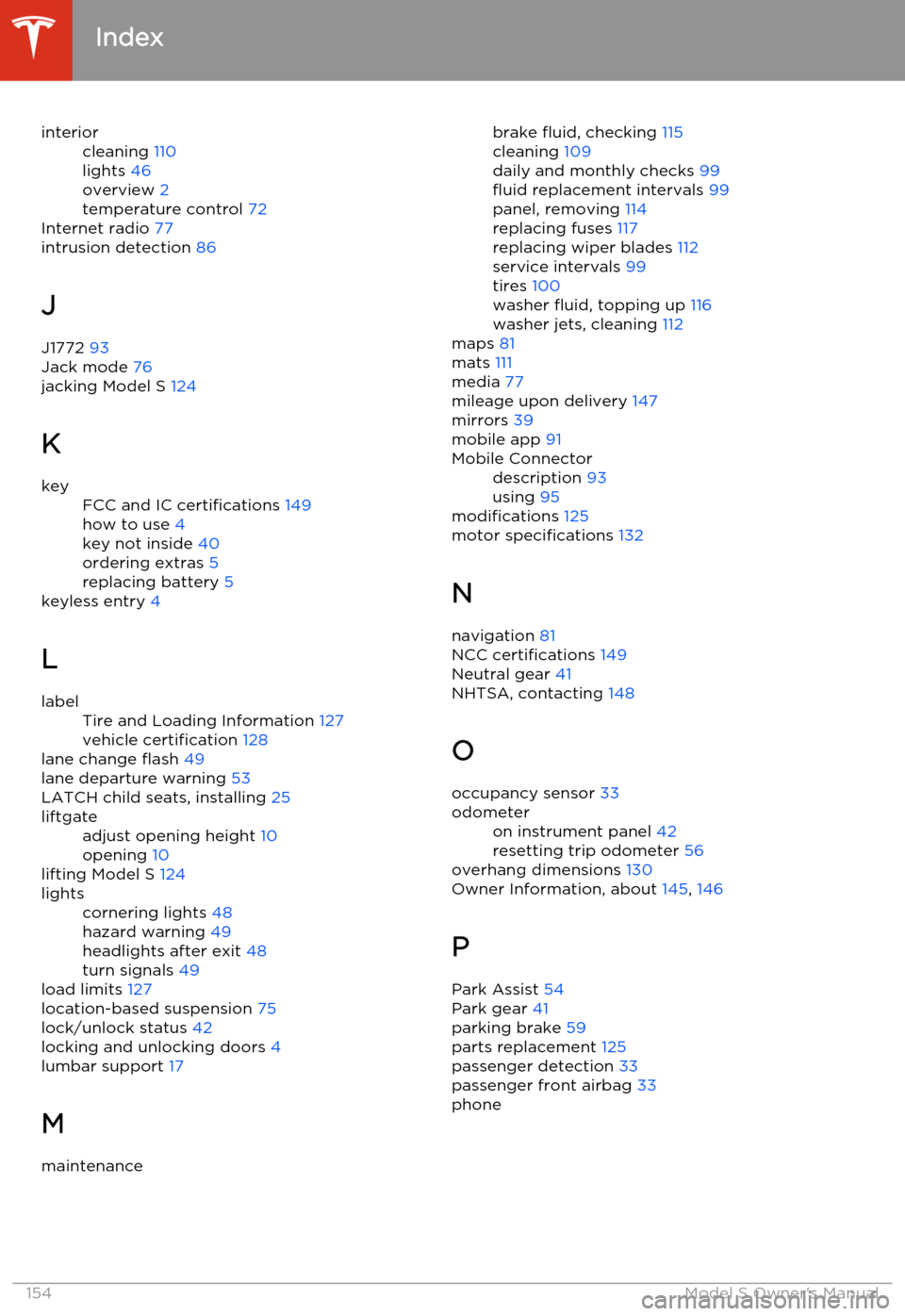
interiorcleaning 110
lights 46
overview 2
temperature control 72
Internet radio 77
intrusion detection 86
J
J1772 93
Jack mode 76
jacking Model S 124
K
keyFCC and IC certifications 149
how to use 4
key not inside 40
ordering extras 5
replacing battery 5
keyless entry
4
L
labelTire and Loading Information 127
vehicle certification 128
lane change flash 49
lane departure warning 53
LATCH child seats, installing 25
liftgateadjust opening height 10
opening 10
lifting Model S 124
lightscornering lights 48
hazard warning 49
headlights after exit 48
turn signals 49
load limits 127
location-based suspension 75
lock/unlock status 42
locking and unlocking doors 4
lumbar support 17
M
maintenancebrake fluid, checking 115
cleaning 109
daily and monthly checks 99
fluid replacement intervals 99
panel, removing 114
replacing fuses 117
replacing wiper blades 112
service intervals 99
tires 100
washer fluid, topping up 116
washer jets, cleaning 112
maps 81
mats 111
media 77
mileage upon delivery 147
mirrors 39
mobile app 91Mobile Connectordescription 93
using 95
modifications 125
motor specifications 132
N navigation 81
NCC certifications 149
Neutral gear 41
NHTSA, contacting 148
O occupancy sensor 33
odometeron instrument panel 42
resetting trip odometer 56
overhang dimensions 130
Owner Information, about 145, 146
P Park Assist 54
Park gear 41
parking brake 59
parts replacement 125
passenger detection 33
passenger front airbag 33
phone
Index
154Model S Owner's Manual
Page 158 of 159

balancing 101
chains 103
industry glossary of terms 140
inspecting and maintaining 101
pressures, how to check 100
quality grading 139
replacing 102
replacing a tire sensor 104
rotation 101
specification 136
temperature grades 139
tire markings 137
tire sealant 105
traction grade 139
treadwear grade 139
winter 102
touch up body 111touchscreencleaning 110
Controls 67
overview 65
Settings 69
software updates 90
tow chain, connecting
143
Tow mode 142
towing 142
towing a trailer 129
towing instructions 142
TPMSFCC certification 150
overview of 103
traction control 60
trademarks 145, 146
traffic alerts 78
trailer hitches 129
transmission specifications 132
Transport Canada, contacting 148
transporting 142
trip information 56
trunk, front 12
trunk, rearchild protection lock 7
disabling interior handle 7
TuneIn 77
turn signals 49
U uniform tire quality grading 139
Units & Format 69
unlockingtrunk, front 12
trunk, rear 10
unlocking and locking doors 4
unlocking when key doesn't work 7
USB devicesconnecting 79
playing audio files from 79
USB ports 79
V
vehicle certification label 128
Vehicle Identification Number (VIN) 126
vehicle loading 127
vent, sunroof 15
ventilation 74
VIN (Vehicle Identification Number) 126
volume control 65
W walk-away locking 7
Wall Connector 93
warning flashers 49
warning lights, summary of 43
washer fluid, topping up 116
washer jets, cleaning 112
washers, using 50
weight specifications 131
wheel chocks 144wheelsalignment 101
replacing 102
specifications 135
Wi-Fi, connecting to 89
windshield washer fluid, topping up 116
winter tires 102
wiper blades, replacing 112
wipers and washers 50
wipers, de-icing 50
X
XM radio 77
Index
156Model S Owner's Manual