2014 TESLA MODEL S child seat
[x] Cancel search: child seatPage 36 of 159

Inflation Effects
When airbags inflate, a fine powder is
released. This powder can irritate the skin and should be thoroughly flushed from the eyes
and from any cuts or abrasions.
After inflation, the airbags deflate to provide a
gradual cushioning effect for the occupants and to ensure the driver’s forward vision is notobscured.
If airbags have inflated, or if your vehicle has been in an accident, always have the airbags,
seat belt pre-tensioners and any associated
components checked and, if necessary,
replaced by Tesla.
In a collision, in addition to the airbags
inflating:
• Doors unlock and the door handles extend.
• Hazard warning lights turn on.
• Interior lights turn on.
• High voltage is disabled.
To restore Battery power, use the touchscreen
to manually power off Model S, then press the
brake to power it back on again.
Airbag Warning IndicatorThe airbag indicator on the
instrument panel remains lit if the
airbag system is malfunctioning. The
only time this indicator should light
up is briefly when Model S first starts
up, in which case it turns off within a few seconds. If it remains lit, contact
Tesla immediately and do not drive.
Airbag Warnings
Warning: All occupants, including the
driver, should always wear their seat
belts, whether or not an airbag is also
provided at their seating position, to
minimize the risk of severe injury or death
in the event of a collision.Warning: Front seat occupants should
not place their arms over the airbag
module, as an inflating bag can cause
fractures or other injuries.Warning: Do not use seat covers on
Model S. Doing so could restrict
deployment of the side air bags if an
accident occurs. It can also reduce theaccuracy of the occupant detection
system.Warning: Airbags inflate with
considerable speed and force, which can
cause injury. To limit injuries, ensure that
occupants are wearing seat belts and are
correctly seated, with the seat positioned
as far back as possible. The National
Highway Traffic Safety Administration (NHTSA) recommends a minimum
distance of 10" (25 cm) between an occupant’s chest and an airbag.Warning: Do not use a child safety seat or
seat young children on a seat with an operational airbag in front of it. Doing socan cause injury or death if the airbaginflates.Warning: To ensure correct inflation of
the side airbags, maintain an
unobstructed gap between an occupant’s
torso and the side of Model S.Warning: Passengers should not lean their
heads against the doors. Doing so can cause injury if a curtain airbag inflates.Warning: Do not allow passengers to
obstruct the operation of an airbag by
placing feet, knees or any other part of the body on or near an airbag.Warning: Do not attach or place objects
on or near the front airbags, the side of
the front seats, the headliner at the side of the vehicle, or any other airbag coverthat could interfere with inflation of an
airbag. Objects can cause serious injury if the vehicle is in a collision severe enoughto cause the airbag to inflate.Warning: Following inflation, some airbag
components are hot. Do not touch until
they have cooled.
Airbags
34Model S Owner's Manual
Page 72 of 159

1.Adjust settings associated with installed
apps (applications). Apps that have no settings that you can adjust at this time
are grayed out.
2. Manage driver profiles (see Driver Profiles
on page 35).
3. Units & Format
Adjust how Model S displays:
• Distance: Miles or km can be shown on the range display, speedometer,
energy chart, trip meters, Google map searches and navigation routes.
• Time: 12 or 24 hour format.
• Temperature: o
F or o
C.
• Charging Units: Display charging units as either the percentage of battery
energy remaining, or distance
remaining.
• Range Display: Display estimated range as either:
• Rated - based on EPA testing. • Ideal - assumes ideal driving conditions based on driving at a
steady speed of 55 mph
(89 km/h) on a flat road, and using no additional energy (seat heaters, air conditioning, etc).
Note: When anticipating when you
need to charge, use range estimates as a general guideline only.
4. Vehicle
• Drive-away Door Lock: If on, all doors automatically lock whenever you
drive Model S over 5 mph (8 km/h)
(see Drive-away Locking on page 7).
• Walk-away Door Lock: If on, all doors automatically lock when you walk
away from Model S, carrying the key
with you (see Walk-away Locking on
page 7). Available only if Model S is
equipped with the optional tech
package.
• Child-Protection Lock: If on, safety locks prevent the rear doors and theliftgate from being opened from
inside Model S.• Auto-Present Handles: If on, door handles extend automatically
whenever you approach Model S carrying a key, whether locked orunlocked (see Using Exterior Door
Handles on page 6). Note that to
preserve battery life, Model is
designed to temporarily disable the
Auto-Present Handles feature when
the key has been out of range for
more than 48 hours, or if the key
remains within range for five minutes
after all doors have been closed.
• Headlights After Exit: If on, headlights stay on for two minutes after you exit,
or until you lock Model S (see
Headlights After Exit on page 48).
• Tire Pressure Monitor: Touch Reset
Sensors to reset the TPMS sensors
after replacing a wheel (see Resetting
the TPMS Sensors on page 103).
• Range Mode: If on, Model S conserves energy by limiting the power of theclimate control system. Cabin heatingand cooling may be less effective, butseat heaters turn on to compensate.
• Service Mode: If on, moves wiper blades to the service position to make
them easier to access when replacing
them. Model S must be in Park. See
Wiper Blades and Washer Jets on
page 112.
• Mirror Auto-Tilt: If on, exterior mirrors tilt downward when reversing (see Mirrors on page 39). Available only if
Model S is equipped with the optional tech package.
• Mirror Auto-Fold: If on, exterior mirrors fold when you lock Model S
with the key or walk-away locking. They extend automatically when you return to Model S. Available only ifModel S is equipped with both folding
mirrors (newer models) and the
optional tech package. For newer
Model S vehicles, you can also fold
mirrors manually by touching the
center mirror control button (see
Mirrors on page 39).
• Automatic Lowering: If Model S is equipped with Smart Air Suspension,you can set the speed at which the
suspension automatically transitions to a lower ride height (see Smart Air
Suspension on page 75).
5. Safety & Security
Turn various safety and security features
on and off:
Settings
70Model S Owner's Manual
Page 75 of 159

Customizing Climate ControlThe climate control system is designed to automatically provide optimum comfort in most
situations. All you need to do is set the desired temperature, and the air conditioning, air
recirculation, air distribution, and fan speed automatically maintain your selected temperature.
To override the automatic setting, touch AUTO ON to view the individual settings. Then touch the
setting you want to change. When you change a setting, the AUTO ON icon turns from blue to
gray and RESET AUTO displays instead.
1.Touch RESET AUTO to change all settings
back to the their default values.
2. Touch A/C ON or A/C OFF to turn the air
conditioning on and off, respectively. Turning it off reduces cooling, but saves
energy.
Because Model S runs much quieter than a gasoline-powered vehicle, you may notice
the sound of the compressor as it is
operating. To minimize noise, reduce the
fan speed or recirculate the air.
3. Touch to specify how air is drawn into
Model S:
Outside air is drawn into
Model S (see Ventilation on
page 74). Although less
efficient than recirculating the
air in very hot or low climate
conditions, this setting draws
more air into the rear seating
areas, and is recommended
when occupants are seated in
the Tesla built-in rear facing
child seats.Air inside Model S is
recirculated. This prevents
outside air (traffic fumes) from
entering but reduces
dehumidifying and cooling
performance. Recirculating the
air is the most efficient way to
cool the front cabin area but it
is also the loudest. To prevent
the windshield from fogging in
some conditions, briefly change
the setting every hour to draw
in outside air.
4. Touch one of these icons to select where
air flows. You can choose more than one
location:
Foot-level ventsFace-level ventsWindshield vents
5. Touch and drag the slider to set the speed
of the fan.
Climate Controls
Using the Touchscreen73
Page 112 of 159

Cleaning the InteriorFrequently inspect and clean the interior to
maintain its appearance and to prevent premature wear. If possible, immediately wipe
up spills and remove marks. For general
cleaning, wipe interior surfaces using a soft cloth (such as micro fiber) dampened with amixture of warm water and mild non-detergent cleaner (test all cleaners on a
concealed area before use). To avoid streaks,
dry immediately with a soft lint-free cloth.
Interior Glass
Do not scrape, or use any abrasive cleaning
fluid on glass or mirrored surfaces. This can
damage the reflective surface of the mirror
and the heating elements in the rear window.
Airbags
Do not allow any substance to enter an airbag
cover. This could affect correct operation.
Dashboard and Plastic Surfaces
Do not polish the upper surfaces of the
dashboard. Polished surfaces are reflective
and could interfere with your driving view.
Leather Seats
Leather is prone to dye-transfer which can cause discoloration, particularly on light
colored leather. White and tan leather is
coated with an anti-soiling treatment. Wipe
spills as soon as possible using a soft cloth
moistened with warm water and non-
detergent soap. Wipe gently in a circular
motion. Then wipe dry using a soft, lint-free
cloth. Using detergents or commercially
available leather cleaners and conditioners is
not recommended because they can discolor or dry out the leather.
Cloth Seats
Wipe spills as soon as possible using a soft cloth moistened with warm water and non-
detergent soap. Wipe gently in a circular motion. Then wipe dry using a soft, lint-free
cloth. Vacuum the seats as needed to remove
any loose dirt.
Carpets
Avoid over-wetting carpets. For heavily soiled
areas, use a diluted upholstery cleaner.Seat Belts
Extend the belts to wipe. Do not use any type
of detergent or chemical cleaning agent. Allow the belts to dry naturally while
extended, preferably away from direct sunlight.
Tesla Built-In Rear Facing Child Seats
Vacuum the seats to remove any loose dirt.
Wipe the seats with a soft cloth dampened
with warm water. You can also use an
upholstery cleaner designer for automotive use. Extend the belts to wipe. Allow the belts
to dry naturally, preferably away from direct
sunlight.
Touchscreen and Instrument Panel
Clean the touchscreen and instrument panel using a soft lint-free cloth specificallydesigned to clean monitors and displays. Donot use cleaners (such as a glass cleaner) and
do not use a wet wipe or a dry statically- charged cloth (such as a recently washed
microfiber). To wipe the touchscreen without
activating buttons and changing settings, you
can enter screen cleaning mode. Touch
Controls > Displays > Enter Screen Cleaning .
The display darkens to make it easy to see
dust and smudges.
Chrome and Metal Surfaces
Polish, abrasive cleaners or hard cloths can
damage the finish on chrome and metal surfaces.
Cautions for Interior CleaningWarning: If you notice any damage on an
airbag or seat belt, contact Tesla
immediately.Warning: Do not allow any water,
cleaners, or fabric to enter a seat belt
mechanism.Caution: Using solvents (including
alcohol), bleach, citrus, naphtha, or
silicone based products or additives on
interior components can cause damage.
Cleaning
110Model S Owner's Manual
Page 154 of 159

AABS (Anti-lock Braking System) 58
access panel, removing 114accessoriesinstalling 125
plugging into power socket 80
air circulation 73
air conditioning 72
air distribution 73
air filter 74
air suspension 76
air vents 74
airbags 31
alarm 86
anti-lock braking (ABS) 58
audioplaying files 77
steering wheel buttons 36
auto-raising suspension 75
B backup camera 64
battery (12V)complete discharge 94
specifications 133Battery (high voltage)care of 94
coolant 114
specifications 134
temperature limits 94
battery (key), replacing 5
Bluetoothdevices, playing audio files from 79
general information 83
phone, pairing and using 83
body repairs 125
body touch up 111
brake fluid replacement 99
brakesfluid level 115
overview of 58
specifications 133C
cabin temperature control 72
calendar 85
California Proposition 65 147
camera (rear view) 64
car cover 111
car washes 109
carpets, cleaning 110
CE certifications 149
CHAdeMO 93
chains 103
charge port 95
charge port light 96chargingcharge settings 97
components and equipment 92
instructions 95
public charging stations 93
scheduling 97
status of 98child protectiondisabling liftgate and rear door handles 7
disabling rear window switches 9child seatscleaning 110
installing and using 22
Tesla built-in rear facing 27
cleaning 109
climate controls 72
console12V power socket 80
cup holders 16
USB ports 79contact informationroadside assistance 141
Tesla 148coolantBattery, checking level of 114
Battery, replacement interval 99
copyrights 145, 146
cornering lights 48
cruise control 61
cup holders 16
customizing Model S 69
D
dashboard overview 2
data recording 147
delivery mileage 147
devices
Index
152Model S Owner's Manual
Page 156 of 159
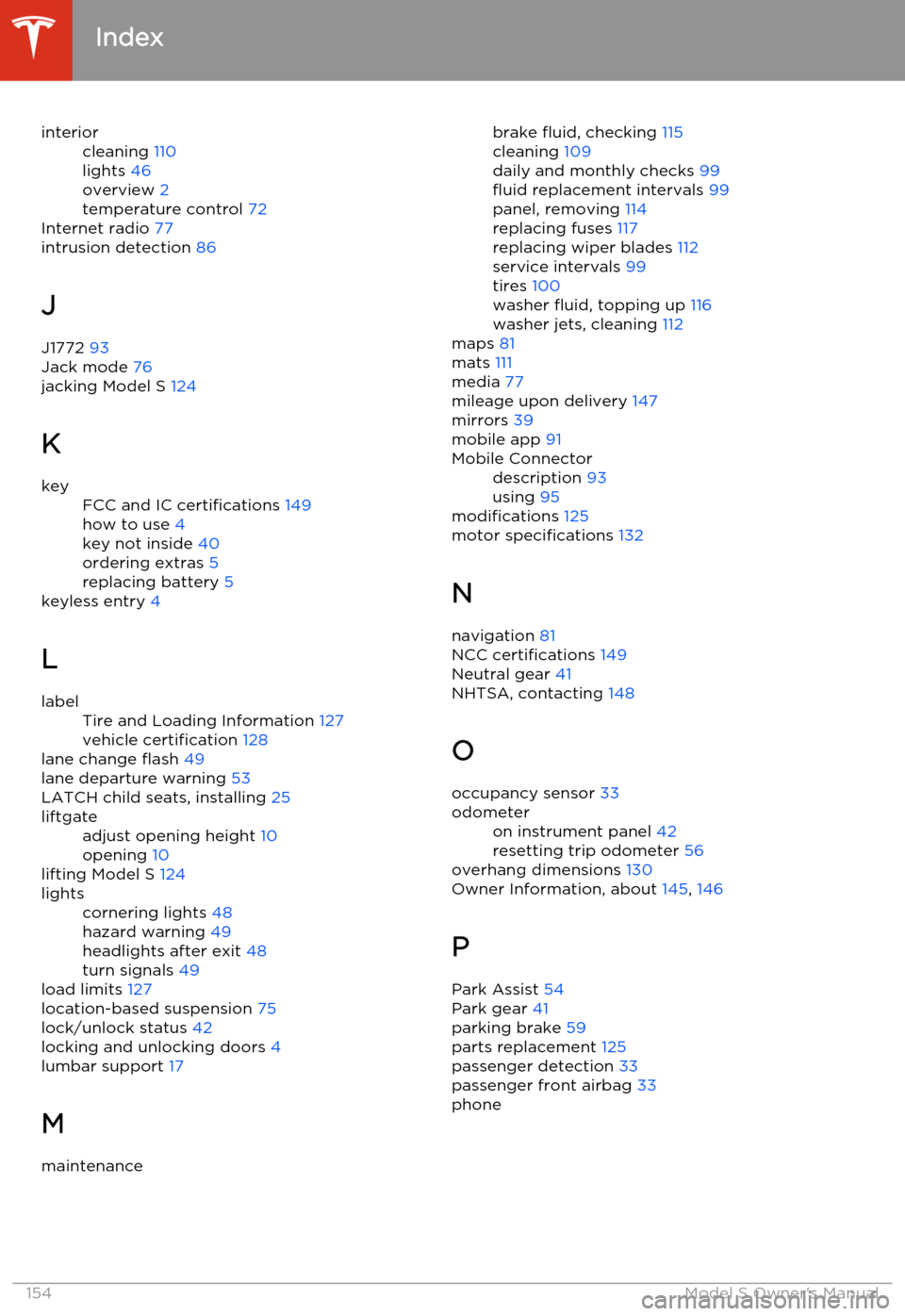
interiorcleaning 110
lights 46
overview 2
temperature control 72
Internet radio 77
intrusion detection 86
J
J1772 93
Jack mode 76
jacking Model S 124
K
keyFCC and IC certifications 149
how to use 4
key not inside 40
ordering extras 5
replacing battery 5
keyless entry
4
L
labelTire and Loading Information 127
vehicle certification 128
lane change flash 49
lane departure warning 53
LATCH child seats, installing 25
liftgateadjust opening height 10
opening 10
lifting Model S 124
lightscornering lights 48
hazard warning 49
headlights after exit 48
turn signals 49
load limits 127
location-based suspension 75
lock/unlock status 42
locking and unlocking doors 4
lumbar support 17
M
maintenancebrake fluid, checking 115
cleaning 109
daily and monthly checks 99
fluid replacement intervals 99
panel, removing 114
replacing fuses 117
replacing wiper blades 112
service intervals 99
tires 100
washer fluid, topping up 116
washer jets, cleaning 112
maps 81
mats 111
media 77
mileage upon delivery 147
mirrors 39
mobile app 91Mobile Connectordescription 93
using 95
modifications 125
motor specifications 132
N navigation 81
NCC certifications 149
Neutral gear 41
NHTSA, contacting 148
O occupancy sensor 33
odometeron instrument panel 42
resetting trip odometer 56
overhang dimensions 130
Owner Information, about 145, 146
P Park Assist 54
Park gear 41
parking brake 59
parts replacement 125
passenger detection 33
passenger front airbag 33
phone
Index
154Model S Owner's Manual
Page 157 of 159

steering wheel controls for 37
using 83
power management 57
power socket 80
power windows 9
powering on and off 40
preferences, setting 69
Proposition 65 147
public charging stations 93
R
radio 77
radio frequency, FCC information 151
rain sensor 50rangedisplayed on instrument panel 42
driving tips to maximize 57
regenerative braking 59
Rated range 69
rear seats, folding and raising 18
rear view camera 64
rear window switches, disabling 9
regenerative braking 59
release notes 90
Reverse gear 41
roadside assistance 141
roof racks 129
rotating tires 101
S
safety defectsreporting (Canada) 148
reporting (U.S.) 148safety informationairbags 34
child seats 26
rear facing child seats 29
seat belts 20seat beltscleaning 110
in a collision 20
overview of 19
pre-tensioners 20
wearing when pregnant 19
seat covers 18
seat heaters 72
seating capacity 127
seatsadjusting 17
heaters 72
Tesla built-in rear facing 27
security settings 86
service data recording 147
service intervals 99
Settings 69
shifting gears 41
Slacker 77
software updates 90specificationsdimensions 130
exterior 130
subsystems 132
tires 136
weights 131
wheels 135
speed assist 51
stability control 60
starting Model S 40
steering specifications 132
steering wheel 36
sunroof 15
suspension 76
suspension specifications 133
T
telematics 147
telephonesteering wheel controls for 37
using 83temperatureBattery (high voltage), limits 94
cabin, controls for 72
outside 42
tires 139
tie-down straps 144
tilt detection 86
Tire and Loading Information label 127
Tire Pressure Monitoring SystemFCC certification 150
overview of 103
tire pressures, checking 100
tire repair kitinflating with air only 107
inflating with sealant 106
replacing the sealant canister 108tires
Index
Index155