2014 Seat Alhambra brake
[x] Cancel search: brakePage 199 of 381

197
Driving
If any of the conditions necessary for the Auto Hold function change while
the vehicle stopped, the system is turned off as is the indicator on the but-
ton ⇒ Fig. 140. The electronic parking brake engages where necessary to
park the vehicle safely ⇒
.
Conditions for keeping the vehicle at a standstill with Auto Hold:
● The driver door must be closed.
● The driver seat belt must be buckled.
● The engine must be running.
● The ASR system is switched on ⇒ page 185.
Switching Auto Hold on and off manually
Press the AUTO HOLD
button ⇒ . The control lamp on the button switches
off when the Auto Hold function is switched off.
Permanent Auto Hold connection
The Auto Hold function must be switched on every time the engine is star-
ted. However, to switch the Auto Hold function on permanently, the mark
must be switched on in the Settings menu, “Autohold” submenu
⇒ page 62.
Auto Hold works automatically under the following conditions:
All points must be fulfilled simultaneously ⇒ : manual gearboxAutomatic gearbox1.If the vehicle is stopped using the brake pedal on a flat or slope.2.The engine must be running smoothly.3.On a slope, the 1st gear is engag-
ed uphill or the reverse gear is en-
gaged for a downhill. The clutch
must be held down.A gear for driving is selected from
R, D or S.
Upon accelerating and pressing in
the clutch simultaneously, the
brake releases gradually.Upon accelerating, the brake re-
leases gradually.
Auto Hold turns off automatically under the following conditions:
manual gearboxAutomatic gearbox1.If one of the conditions mentioned in table on page 197 changes.2.If the engine is not running regularly or if there is a malfunction.3.When changing to idle speed.If the selector lever is placed in
neutral (N).
4.If the engine is turned off or stalls.If the engine is switched off.5.If the driver accelerates while
pressing the clutch in.If the vehicle is accelerated.
6. When one of the wheels has mini-
mal contact with the ground (for
example, on uneven ground).
WARNING
The Auto Hold technology is limited by the laws of physics. The improved
comfort provided by Auto Hold should never prompt you to take risks.
● Never leave the vehicle running and with the Auto Hold function
switched on.
● Auto Hold cannot always stop the vehicle uphill and downhill (for ex-
ample, if the ground is slippery or frozen).
CAUTION
Before entering an automatic car wash, always switch the Auto Hold func-
tion off, as it could be damaged when the electronic parking brake automat-
ically engages.
Safety FirstOperating instructionsPractical TipsTechnical Specifications
Page 200 of 381
198Driving
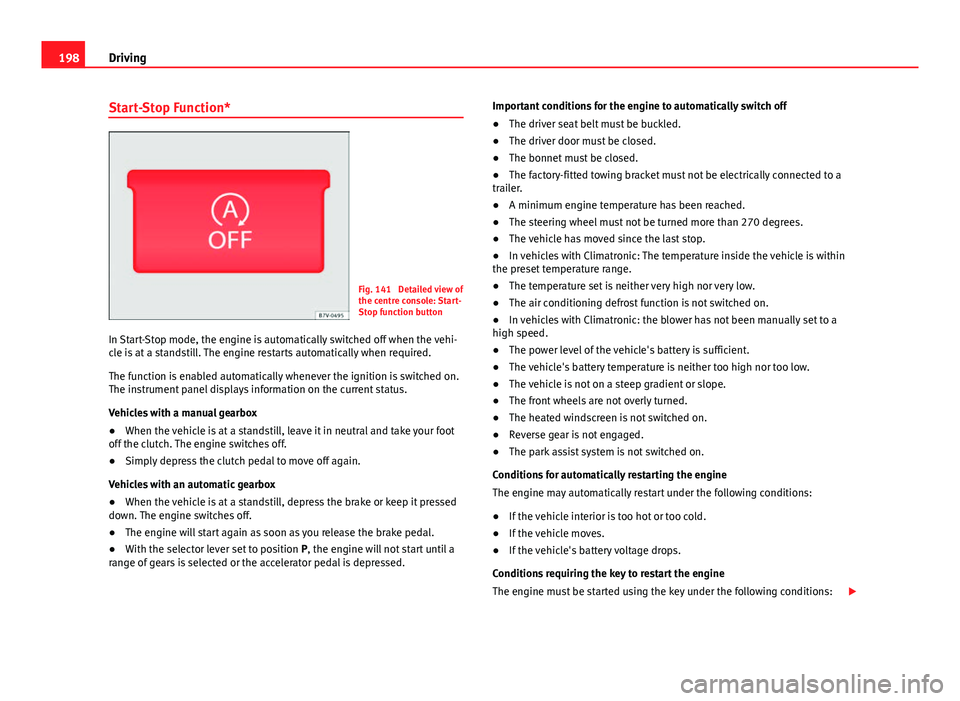
Start-Stop Function*
Fig. 141 Detailed view of
the centre console: Start-
Stop function button
In Start-Stop mode, the engine is automatically switched off when the vehi-
cle is at a standstill. The engine restarts automatically when required.
The function is enabled automatically whenever the ignition is switched on.
The instrument panel displays information on the current status.
Vehicles with a manual gearbox
● When the vehicle is at a standstill, leave it in neutral and take your foot
off the clutch. The engine switches off.
● Simply depress the clutch pedal to move off again.
Vehicles with an automatic gearbox
● When the vehicle is at a standstill, depress the brake or keep it pressed
down. The engine switches off.
● The engine will start again as soon as you release the brake pedal.
● With the selector lever set to position P, the engine will not start until a
range of gears is selected or the accelerator pedal is depressed. Important conditions for the engine to automatically switch off
●
The driver seat belt must be buckled.
● The driver door must be closed.
● The bonnet must be closed.
● The factory-fitted towing bracket must not be electrically connected to a
trailer.
● A minimum engine temperature has been reached.
● The steering wheel must not be turned more than 270 degrees.
● The vehicle has moved since the last stop.
● In vehicles with Climatronic: The temperature inside the vehicle is within
the preset temperature range.
● The temperature set is neither very high nor very low.
● The air conditioning defrost function is not switched on.
● In vehicles with Climatronic: the blower has not been manually set to a
high speed.
● The power level of the vehicle's battery is sufficient.
● The vehicle's battery temperature is neither too high nor too low.
● The vehicle is not on a steep gradient or slope.
● The front wheels are not overly turned.
● The heated windscreen is not switched on.
● Reverse gear is not engaged.
● The park assist system is not switched on.
Conditions for automatically restarting the engine
The engine may automatically restart under the following conditions:
● If the vehicle interior is too hot or too cold.
● If the vehicle moves.
● If the vehicle's battery voltage drops.
Conditions requiring the key to restart the engine
The engine must be started using the key under the following conditions:
Page 201 of 381

199
Driving
● If the driver unbuckles his/her seat belt.
● If the driver door is opened.
● If the bonnet is opened.
● In vehicles with a manual gearbox: If a gear has been selected.
Switching Start-Stop mode on and off manually
● Press the
button on the centre console ⇒
Fig. 141.
● The button will light up when the Start-Stop function is switched off.
The engine will start immediately if the vehicle is in Stop mode when it is
switched off manually.
WARNING
The brake servo and the power steering do not work when the engine is
switched off.
● Never allow the vehicle to move when the engine is switched off.
CAUTION
Using the Start-Stop function for a long period at very high outside tempera-
tures could damage the vehicle's battery.
Note
● In some cases, you may have to restart the vehicle using the key. Ob-
serve the corresponding message on the instrument panel display.
● If the steering wheel is turned more than 270°, Stop will not function;
however, the angle of steering wheel turn does not affect starting the vehi-
cle.
Safety FirstOperating instructionsPractical TipsTechnical Specifications
Page 203 of 381

201
Driving
Parking sensor system*
Fig. 142 Detailed view of
the centre console: but-
ton for switching the
parking sensor system
on and off
Fig. 143 Parking sensor
system sensors on the
front bumper
The parking sensor system assists the driver when parking. If the vehicle is
approaching an obstacle, an intermittent audible warning is emitted. The
shorter the distance, the shorter the intervals between tones. If the vehicle
is too close to the obstacle, the audible warning becomes constant. Switching the parking sensor system on and off
●
Press the
button ⇒
Fig. 142 when the ignition is switched on.
● Automatic on: select reverse gear.
● Automatic off: drive faster than 15 km/h (9 mph).
The button lights up when the function is switched on.
Things to note regarding the parking sensor system
● The parking sensor system sometimes registers water on the sensors as
an obstacle.
● If the distance does not change, the warning signal will sound less loud-
ly after a few seconds. If the continuous signal sounds, the volume will re-
main constant.
● When the vehicle moves away from the obstacle, the beeping sound au-
tomatically switches off. On approaching the obstacle again, the beeping
sound will automatically switch back on.
● If the electronic parking brake is engaged or the selector lever is set to
P, no audible warning will be emitted.
● Your Technical Service can adjust the volume of the warning signals.
Note
If the parking sensor system is faulty, a constant audible warning will be
emitted the first time it is switched on and the button will flash. Switch the
parking sensor system off using the button and take the vehicle to a speci-
alised workshop to have the system checked as soon as possible.
Safety FirstOperating instructionsPractical TipsTechnical Specifications
Page 208 of 381

206Driving
Parking
● Parking parallel to the road: Drive next to the gap at a speed of no more
than 40 km/h (25 mph) and at a distance of between 0.5 m and 2 m.
● Parking perpendicular to the road: Drive next to the gap at a speed of no
more than 20 km/h (12 mph) and at a distance of between 0.5 m and 2 m.
● The best parking results will be achieved if you position the vehicle as
parallel as possible to the line of parked cars or the kerb.
● When a suitable parking place is displayed on the instrument panel,
stop and select reverse gear.
● Follow the instructions given on the instrument panel display
● Then, release the steering wheel when the warning signal sounds ⇒
:
The system will move the steering wheel! Observe the surrounding area.
● Observe the surrounding area and accelerate carefully at a maximum of
up to 7 km/h (4 mph).
● The park assist system is only responsible for moving the steering wheel
during the manoeuvre. The driver applies the accelerator, the clutch, the
gears and the brake.
● Follow the instructions given by the park assist system until the ma-
noeuvre is completed.
● The park assist system steers the vehicle forwards and backwards until
it is in a straight position in the parking space.
● The manoeuvre is complete when the corresponding indication is given
on the instrument panel display.
Stopping the parking manoeuvre
The park assist system stops the manoeuvre in the event of one of the fol-
lowing:
● Press button
.
● When driving faster than 7 km/h (4 mph).
● The driver moves the steering wheel.
● The parking manoeuvre has not been completed after six minutes since
the park assist system was activated. ●
A sliding door is opened. To restart the manoeuvre, close the sliding
door and press the button
again.
● There is a system malfunction (system temporarily unavailable).
● The ASR system is switched off or the ASR or ESC is working.
WARNING
The steering wheel turns quickly by itself when parking using the park
assist system. Placing your hand between the steering wheel spokes
could lead to injuries.
Note
● The park assist system has its limitations. For example, it is not possible
to park on tight bends using the park assist system.
● Even if the park assist system recognises that there is not enough space
for parking the vehicle, the instrument panel display will still show this
place. In this case, the parking manoeuvre should not be requested.
● Changing gears between forward and reverse gears before indicated
(that is, before the signal from the parking sensor system) the parking re-
sults may not be ideal.
● For parallel parking (parallel to the road), a sound will tell the driver
when they must change from forward gears to reverse; the signal from the
parking sensor system does not indicate changes of direction.
● The park assist can also be activated afterwards, if you pass close to a
parallel parking space at a maximum of 40 km an hour (25 mph) or close to
a perpendicular parking space at about 20 km an hour (12 mph) and then
press the
button.
● The progress bar on the screen of the instrument panel shows a display
of the relative distance to be covered.
● When the Park Assist system is turning the steering wheel of the stop-
ped vehicle the symbol is also displayed. Press on the brake pedal so
that the steering can turn with the vehicle at a standstill and thus reduce
the number of manoeuvres.
Page 209 of 381

207
Driving
● A suitable parking space length is at least 1.1 m greater than the length
of the vehicle.
● If the results of the park assist system are not as good after changing
the wheels, the system must memorise the perimeter of the new wheels.
This process is performed automatically while the vehicle is in motion. To
help this process, turn slowly (at less than 20 km/h (12 mph)), e.g. in an
empty car park.
Leaving a parking space using the Park Assist system
Driving off
● Switch on the engine.
● Press button
. When the function is enabled, the button
⇒ Fig. 146
will light up.
● Apply the turn signal for the side on which you want to leave the parking
space.
● Select reverse gear.
● Follow the instructions given by the park assist system.
● When the next indication appears, release the steering wheel ⇒
in
Parking using the park assist system on page 206: The system will move the
steering wheel! Observe the surrounding area.
● Observe the surrounding area and accelerate carefully at a maximum of
up to 7 km/h (4 mph).
● The park assist system is only responsible for moving the steering wheel
during the manoeuvre. The driver applies the accelerator, the clutch, the
gears and the brake.
● When it is possible to leave the parking space, the Park Assist system
will stop. Take control of the steering and when traffic conditions permit,
leave the parking space. Automatic stoppage of the manoeuvre
The park assist system stops the manoeuvre in the event of one of the fol-
lowing:
●
When driving faster than 7 km/h (4 mph).
● The driver moves the steering wheel.
● A sliding door is opened. To restart the manoeuvre, close the sliding
door and press the button
again.
● There is a system malfunction (system temporarily unavailable).
● The ASR system is switched off or the ASR or ESC is working.
WARNING
The steering wheel turns quickly automatically when leaving a parking
space using the park assist system. Placing your hand between the steer-
ing wheel spokes could lead to injuries.
Park Assist brake operation
The Park Assist system helps the driver by braking automatically. Automatic
braking does not relieve the driver of responsibility for controlling the accel-
erator, brake and clutch ⇒
.
Braking to avoid damage at excess speed
It is possible that the system operates the brakes to reduce excess speed.
The parking manoeuvre can then continue. The brakes will intervene during
each parking process.
Braking to minimise damage
When approaching an obstacle, the vehicle may brake automatically. In cer-
tain circumstances (for example, storm, detection of ultrasounds, vehicle
status, load, inclination), the Park Assist system may stop the vehicle com-
pletely before an object.
Safety FirstOperating instructionsPractical TipsTechnical Specifications
Page 210 of 381

208Driving
● Press the foot brake ⇒
!
Following the intervention of the brakes, the Park Assist will stop.
WARNING
Despite the assistance provided by the park assist system, do not run
any risks when parking. The system is not a replacement for driver
awareness.
● Always be ready to brake.
● Automatic brake intervention will end after 1.5 seconds approximate-
ly. Following automatic intervention of the brakes, stop the vehicle your-
self.
Page 216 of 381
214Driving
Cruise control system*
Introduction
The cruise control system (CCS) is able to maintain the set speed when driv-
ing forwards from approx. 20 km/h (12 mph).
The CCS only slows down by reducing the accelerator but not by braking
⇒
.
Additional information and warnings:
● Changing gear ⇒ page 176
● Accessories, parts replacement, repairs and modifications ⇒ page 261
WARNING
Use of the cruise control could cause accidents and severe injuries if it is
not possible to drive at a constant speed maintaining the safety distance.
● Do not use the cruise control in heavy traffic, if the distance from the
vehicle in front is insufficient, on steep roads, with several bends or in
slippery circumstances (snow, ice, rain or loose gravel), or on flooded
roads.
● Never use the CCS when driving off-road or on unpaved roads.
● Always adapt your speed and the distance to the vehicles ahead in
line with visibility, weather conditions, the condition of the road and the
traffic situation.
● To avoid unexpected operation of the cruise control system, turn it off
every time you finish using it.
● It is dangerous to use a set speed which is too high for the prevailing
road, traffic or weather conditions.
● When travelling down hills, the CCS cannot maintain a constant
speed. The vehicle tends to accelerate under its own weight. Select a
lower gear or use the foot brake to slow the vehicle.
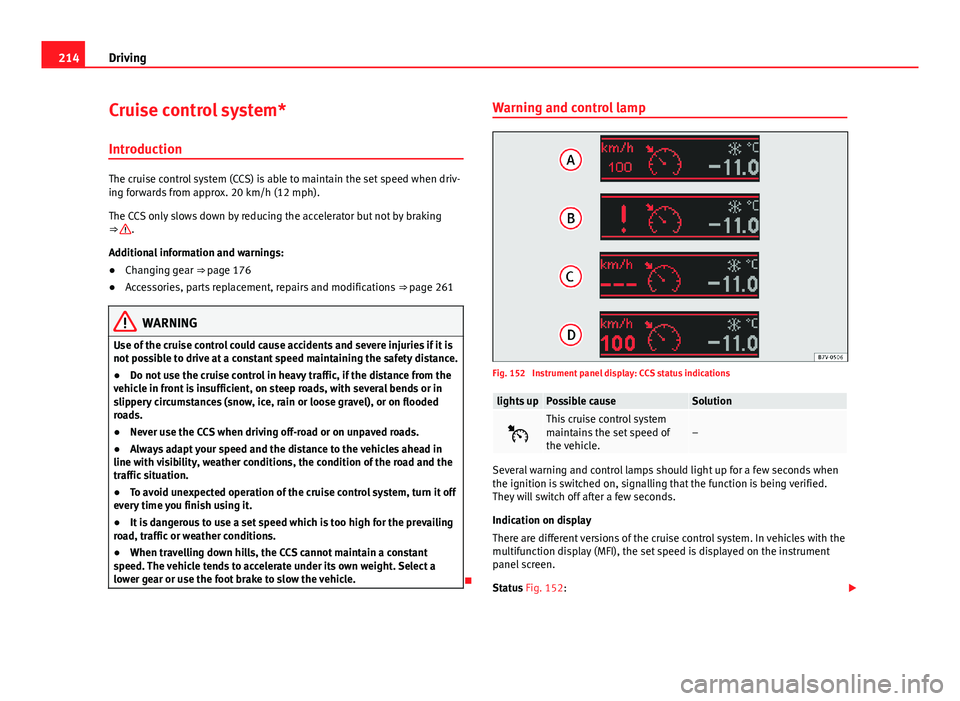
Warning and control lamp
Fig. 152 Instrument panel display: CCS status indications
lights upPossible causeSolution
This cruise control system
maintains the set speed of
the vehicle.–
Several warning and control lamps should light up for a few seconds when
the ignition is switched on, signalling that the function is being verified.
They will switch off after a few seconds.
Indication on display
There are different versions of the cruise control system. In vehicles with the
multifunction display (MFI), the set speed is displayed on the instrument
panel screen.
Status Fig. 152: