Page 308 of 806

•Five Second Unstored Messages
When the appropriate conditions occur, this type of
message takes control of the main display area for five
seconds and then returns to the previous screen. An
example of this message type is “Automatic High Beams
On”.
Fuel Filter Life Reset
The cluster will display the “Fuel System Service Re-
quired – See Dealer” or “Service Fuel Filter” message
when the fuel filter maintenance life is less than 5%. To
verify if this is a fuel filter change event, go to the “Fuel
Filter Life” screen in the “Vehicle Info” menu. When this
message appears, dealers should replace both frame
mounted and engine mounted fuel filters.
NOTE: Use the steering wheel EVIC controls for the
following procedure(s) Vehicles Equipped With Passive Entry
1. Without pressing the brake pedal, press the ENGINE
START/STOP button and cycle the ignition to the
ON/RUN position (do not start the engine.)
2. Press and release the DOWNarrow button to scroll
downward through the main menu to “Vehicle Info”.
3. Press and release the RIGHTarrow button to access
the ”Fuel Filter Life” screen.
4. Press and release the DOWNarrow button to select
“Reset”, then press and release the Rightarrow button
to select reset of the Fuel Filter Life to 100%.
5. Press and release the Uparrow button to exit the EVIC
screen.
Vehicles Not Equipped With Passive Entry
1. Without pressing the brake pedal, cycle the ignition to the ON/RUN position (do not start the engine.)
306 UNDERSTANDING YOUR INSTRUMENT PANEL
Page 309 of 806

2. Press and release theDOWNarrow button to scroll
downward through the main menu to “Vehicle Info”.
3. Press and release the RIGHTarrow button to access
the ”Fuel Filter Life” screen.
4. Press and release the DOWNarrow button to select
“Reset”, then press and release the Rightarrow button
to select reset of the Fuel Filter Life to 100%.
5. Press and release the Uparrow button to exit the EVIC
screen.
NOTE: If the indicator message illuminates when you
start the vehicle, the oil change indicator system did not
reset. If necessary, repeat this procedure.
Oil Life Reset
Your vehicle is equipped with an engine oil change
indicator system. The “Oil Change Required” message
will flash in the EVIC display for approximately 10 seconds after a single chime has sounded, to indicate the
next scheduled oil change interval. The engine oil change
indicator system is duty cycle based, which means the
engine oil change interval may fluctuate, dependent
upon your personal driving style.
NOTE:
Use the steering wheel EVIC controls for the
following procedure(s)
Vehicles Equipped With Passive Entry
1. Without pressing the brake pedal, press the ENGINE START/STOP button and cycle the ignition to the
ON/RUN position (do not start the engine.)
2. Press and release the DOWNarrow button to scroll
downward through the main menu to “Vehicle Info”.
3. Press and release the RIGHTarrow button to access
the ”Oil Life” screen.
4
UNDERSTANDING YOUR INSTRUMENT PANEL 307
Page 317 of 806

If the light turns on while driving, safely pull over and
stop the vehicle. If the A/C system is on, turn it off. Also,
shift the transmission into NEUTRAL and idle the ve-
hicle. If the temperature reading does not return to
normal, turn the engine off immediately and call for
service. Refer to “If Your Engine Overheats” in “What To
Do In Emergencies” for more information.
•Electric Power Steering Malfunction Warning Light
This telltale is on when the Electric Power
Steering is not operating and needs service.
• Trailer Brake Disconnected Warning Light
This telltale is on when the Trailer Brake has
been disconnected.EVIC Green Telltales
•Electronic Speed Control SET
This telltale will illuminate green when the
electronic speed control is SET. For further
information, refer to “Electronic Speed Con-
trol” in “Understanding The Features Of Your
Vehicle.”
Fuel Filter Life Reset
The cluster will display the “Fuel System Service Re-
quired – See Dealer” or “Service Fuel Filter” message
when the fuel filter maintenance life is less than 5%. To
verify if this is a fuel filter change event, go to the “Fuel
Filter Life” screen in the “Vehicle Info” menu. When this
message appears, dealers should replace both frame
mounted and engine mounted fuel filters.
NOTE: Use the steering wheel EVIC controls for the
following procedure(s)
4
UNDERSTANDING YOUR INSTRUMENT PANEL 315
Page 319 of 806

NOTE:If the indicator message illuminates when you
start the vehicle, the oil change indicator system did not
reset. If necessary, repeat this procedure.
Oil Life Reset
Your vehicle is equipped with an engine oil change
indicator system. The “Oil Change Required” message
will flash in the EVIC display for approximately 10
seconds after a single chime has sounded, to indicate the
next scheduled oil change interval. The engine oil change
indicator system is duty cycle based, which means the
engine oil change interval may fluctuate, dependent
upon your personal driving style.
NOTE: Use the steering wheel EVIC controls for the
following procedure(s) Vehicles Equipped With Passive Entry
1. Without pressing the brake pedal, press the ENGINE
START/STOP button and cycle the ignition to the
ON/RUN position (do not start the engine.)
2. Press and release the DOWNarrow button to scroll
downward through the main menu to “Vehicle Info”.
3. Press and release the RIGHTarrow button to access
the ”Oil Life” screen.
4. Press and hold the RIGHTarrow button for one
second to access the ”Oil Life Reset” screen.
5. Press and release the DOWNarrow button to select
“Yes”, then press and release the Right arrow button to
select reset of the Oil Life.
6. Press and release the Uparrow button to exit the EVIC
screen.
4
UNDERSTANDING YOUR INSTRUMENT PANEL 317
Page 321 of 806
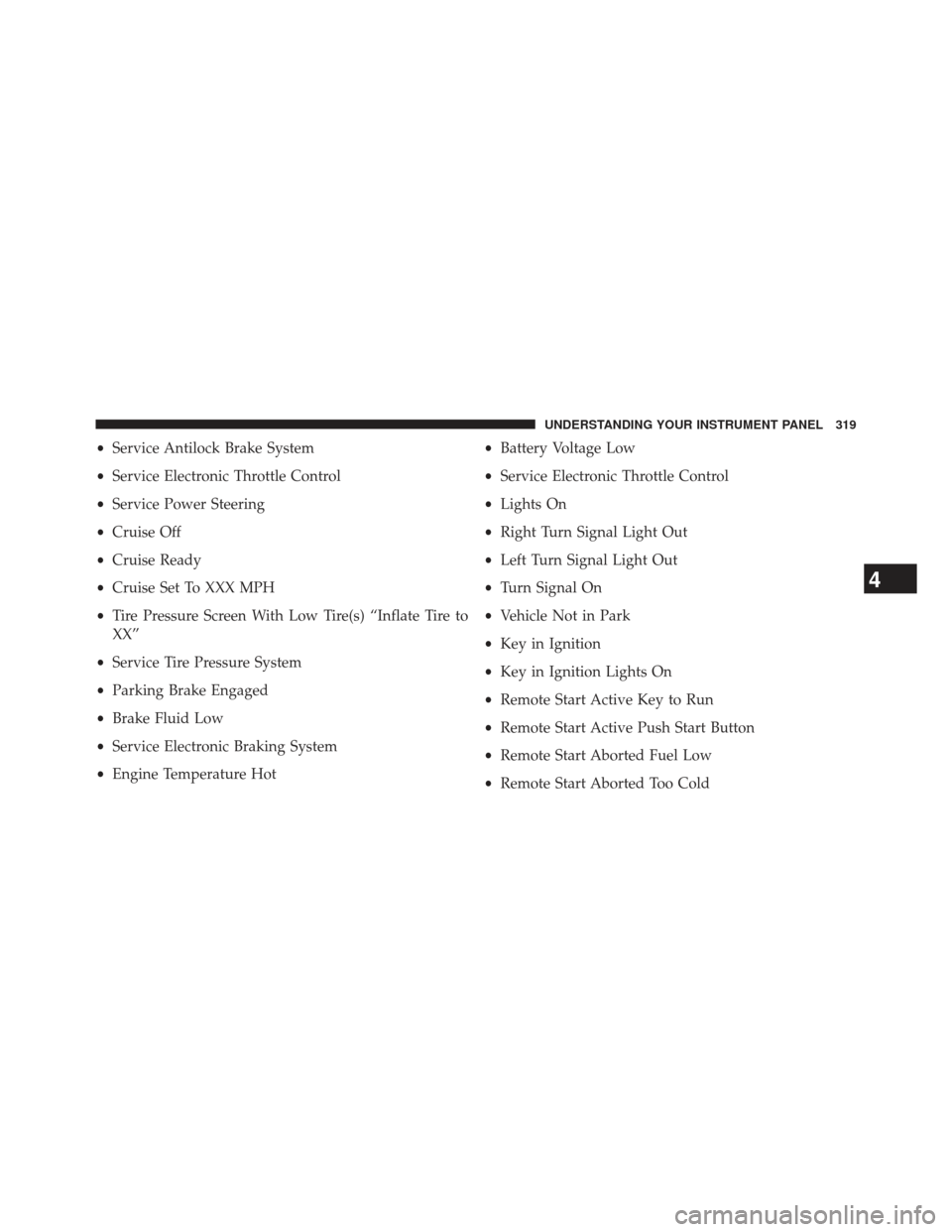
•Service Antilock Brake System
• Service Electronic Throttle Control
• Service Power Steering
• Cruise Off
• Cruise Ready
• Cruise Set To XXX MPH
• Tire Pressure Screen With Low Tire(s) “Inflate Tire to
XX”
• Service Tire Pressure System
• Parking Brake Engaged
• Brake Fluid Low
• Service Electronic Braking System
• Engine Temperature Hot •
Battery Voltage Low
• Service Electronic Throttle Control
• Lights On
• Right Turn Signal Light Out
• Left Turn Signal Light Out
• Turn Signal On
• Vehicle Not in Park
• Key in Ignition
• Key in Ignition Lights On
• Remote Start Active Key to Run
• Remote Start Active Push Start Button
• Remote Start Aborted Fuel Low
• Remote Start Aborted Too Cold
4
UNDERSTANDING YOUR INSTRUMENT PANEL 319
Page 324 of 806

•Stop/Start Not Ready Extreme Outside Temperature –
If Equipped
• Stop/Start Not Ready Engine Temperature Too High –
If Equipped
• Stop/Start Not Ready Engine Temperature Too Low –
If Equipped
• Stop/Start Not Ready Driver Seatbelt Unbuckled – If
Equipped
• Stop/Start Not Ready Driver Door Open – If Equipped
• Stop/Start Not Ready Cabin Cooling Or Heating – If
Equipped
• Stop/Start Not Ready Not Ready Max Cooling Or
Heating – If Equipped
• Stop/Start Not Ready Max Cooling Or Heating Se-
lected – If Equipped •
Stop/Start Not Ready Front Defrost Selected – If
Equipped
• Stop/Start Not Ready Steering Wheel Turned – If
Equipped
• Stop/Start Autostop Active – If Equipped
• Stop/Start To Restart Press Clutch Or Shift To Neutral
– If Equipped
• Stop/Start Req’d Fault Detected – If Equipped
• Stop/Start Cannot Autostart Hood Open – If
Equipped
• Stop/Start Unavailable Service Battery – If Equipped
• Stop/Start Unavailable Service Stop/Start System – If
Equipped
322 UNDERSTANDING YOUR INSTRUMENT PANEL
Page 334 of 806

WhenUnlock All Doors On 1st Press is selected, all of
the doors will unlock on the first press of the RKE
transmitter UNLOCK button. To make your selection,
scroll up or down until the preferred setting is high-
lighted, then press and release the SELECT button until a
check-mark appears next to the setting, showing that the
setting has been selected.
Key Fob Linked To Memory
When this feature is selected the memory seat, mirror,
and radio settings will return to the memory set position
when the RKE transmitter UNLOCK button is pressed. If
this feature is not selected then the memory seat, mirror,
and radio settings can only return to the memory set
position using the seat mounted switch. To make your
selection, press and release the SELECT button until a
check-mark appears next to the feature showing the
system has been activated or the check-mark is removed
showing the system has been deactivated.
Keyless Enter-N-Go™ (Passive Entry)
This feature allows you to lock and unlock the vehicle’s
door(s) without having to press the RKE transmitter lock
or unlock buttons. To make your selection, press and
release the SELECT button until a check-mark appears
next to the feature showing the system has been activated
or the check-mark is removed showing the system has
been deactivated. Refer to “Keyless Enter-N-Go™” in
“Things To Know Before Starting Your Vehicle”.
Remote Start Comfort Sys.
When this feature is selected and the remote start is
activated, the heated steering wheel and driver heated
seat features will automatically turn on in cold weather.
In warm weather, the driver vented seat feature will
automatically turn on when the remote start is activated.
These features will stay on through the duration of
remote start or until the key is turned to RUN. To make
your selection, press and release the SELECT button until
332 UNDERSTANDING YOUR INSTRUMENT PANEL
Page 346 of 806

Gridlines” soft-key, until a check-mark appears next to
the setting, indicating that the setting had been selected.
Touch the back arrow soft-key to return to the previous
menu.
•ParkView® Backup Camera Fixed Guidelines
Your vehicle may be equipped with the ParkView® Rear
Back Up Camera Fixed Guidelines that allows you to see
Fixed Guidelines over the ParkView Back up Camera
display whenever the shift lever is put into REVERSE.
The image will be displayed on the radio touchscreen
display along with a caution note to “check entire sur-
roundings” across the top of the screen. After five sec-
onds, this note will disappear. To make your selection,
touch the “ParkView® Backup Camera Fixed Guide-
lines” soft-key, until a check-mark appears next to the
setting, indicating that the setting had been selected.
Touch the back arrow soft-key to return to the previous
menu. •
ParkView® Backup Camera Active Guidelines
Your vehicle may be equipped with the ParkView® Rear
Back Up Camera Active Guidelines that allows you to see
Active (Dynamic) Guidelines which deflect with steering
wheel angle over the ParkView Back up Camera display
whenever the shift lever is put into REVERSE. The image
will be displayed on the radio touchscreen display along
with a caution note to “check entire surroundings” across
the top of the screen. After five seconds, this note will
disappear. To make your selection, touch the
“ParkView® Backup Camera Active Guidelines” soft-
key, until a check-mark appears next to the setting,
indicating that the setting had been selected. Touch the
back arrow soft-key to return to the previous menu.
344 UNDERSTANDING YOUR INSTRUMENT PANEL