309
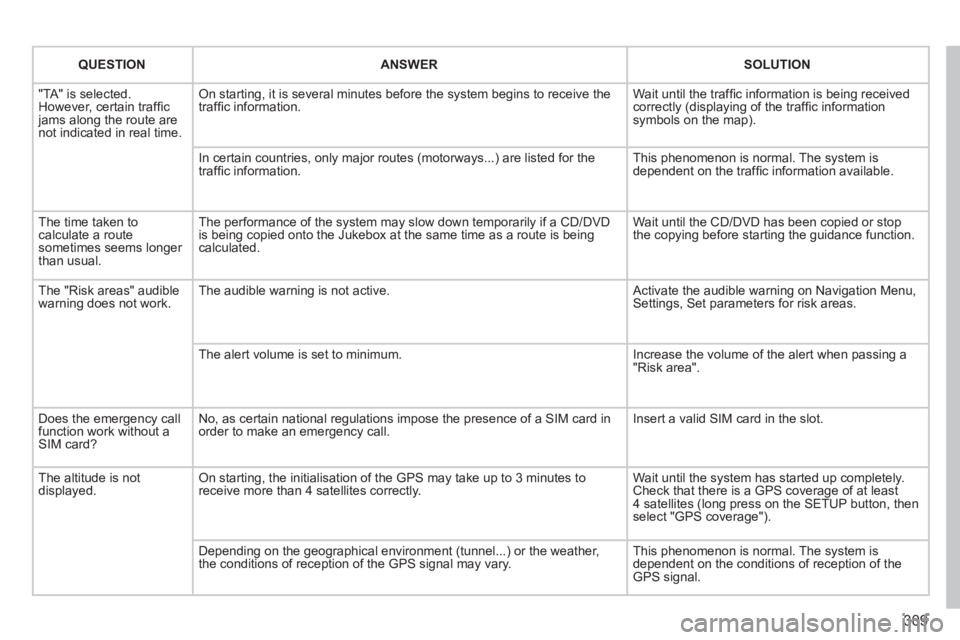
QUESTIONANSWERSOLUTION
"TA" is selected. However, certain traffi c jams along the route are not indicated in real time.
On starting, it is several minutes before the system begins to receive t\
he traffi c information. Wait until the traffi c information is being received correctly (displaying of the traffi c information symbols on the map).
In certain countries, only major routes (motorways...) are listed for \
the traffi c information. This phenomenon is normal. The system is dependent on the traffi c information available.
The time taken to calculate a route sometimes seems longer than usual.
The performance of the system may slow down temporarily if a CD/DVD is being copied onto the Jukebox at the same time as a route is being calculated.
Wait until the CD/DVD has been copied or stop the copying before starting the guidance function.
The "Risk areas" audible warning does not work. The audible warning is not active. Activate the audible warning on Navigation Menu, Settings, Set parameters for risk areas.
The alert volume is set to minimum. Increase the volume of the alert when passing a "Risk area".
Does the emergency call function work without a SIM card?
No, as certain national regulations impose the presence of a SIM card in\
order to make an emergency call. Insert a valid SIM card in the slot.
The altitude is not displayed. On starting, the initialisation of the GPS may take up to 3 minutes to receive more than 4 satellites correctly. Wait until the system has started up completely. Check that there is a GPS coverage of at least 4 satellites (long press on the SETUP button, then select "GPS coverage").
Depending on the geographical environment (tunnel...) or the weather, the conditions of reception of the GPS signal may vary. This phenomenon is normal. The system is dependent on the conditions of reception of the GPS signal.
Visual search
396
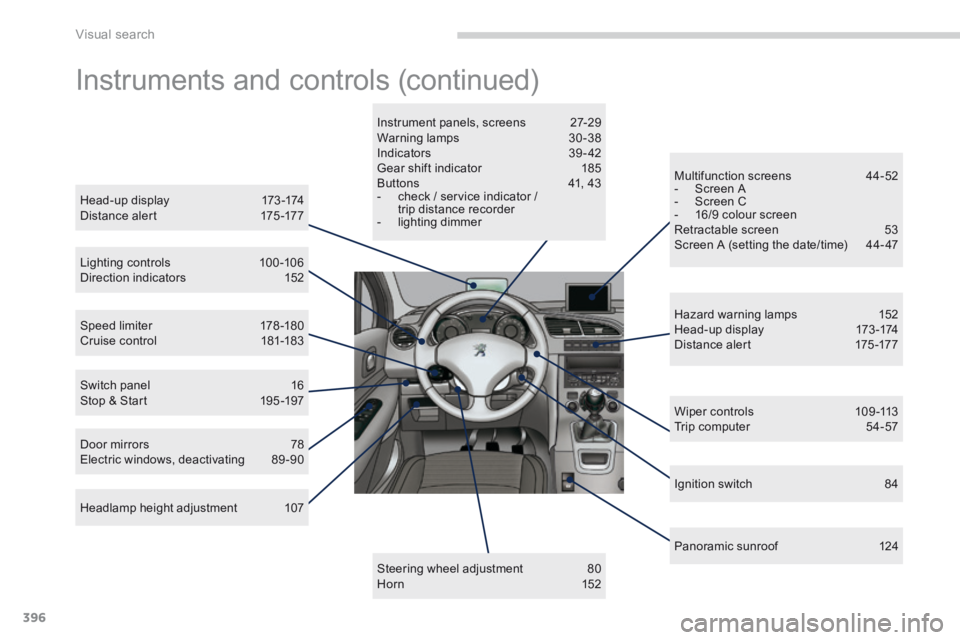
Instruments and controls (continued)
Head-up display 173 -174 Distance alert 175 -177
Lighting controls 100 -106 Direction indicators 152
Speed limiter 178 -180 Cruise control 181-183
Door mirrors 78 Electric windows, deactivating 89 -90
Switch panel 16 Stop & Start 195 -197
Headlamp height adjustment 107
Instrument panels, screens 27-29 Warning lamps 30 -38 Indicators 39 - 42 Gear shift indicator 185 Buttons 41, 43 - check / service indicator / trip distance recorder - lighting dimmer
Steering wheel adjustment 80 H o r n 1 5 2
Multifunction screens 44-52 - Screen A - Screen C - 16/9 colour screen Retractable screen 53 Screen A (setting the date/time) 44- 47
Hazard warning lamps 152 Head-up display 173 -174 Distance alert 175 -177
Wiper controls 109 -113 Trip computer 54-57
P a n o r a m i c s u n r o o f 1 2 4
Ignition switch 84