Page 30 of 404
Monitoring
28
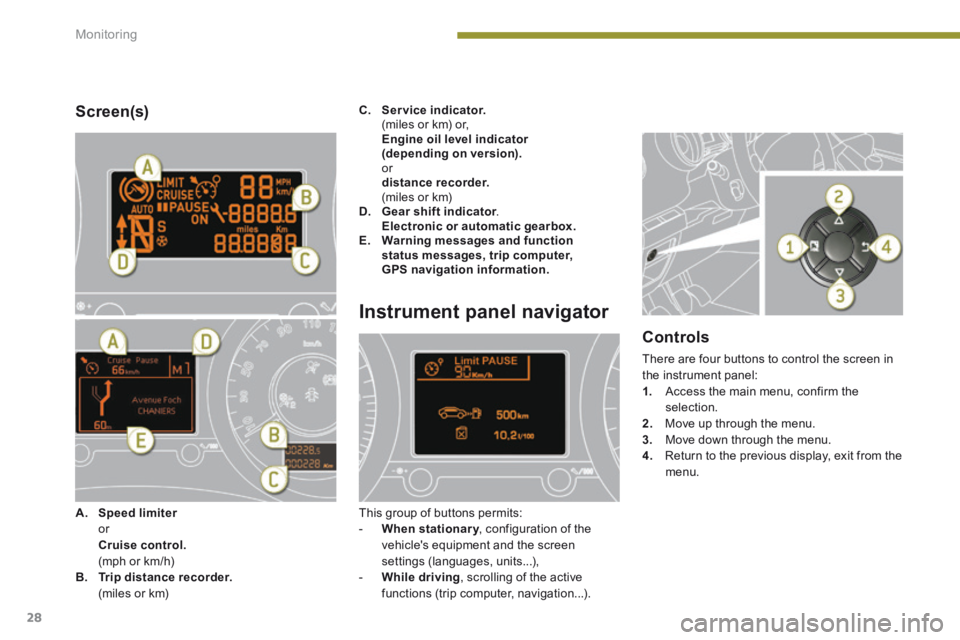
Screen(s)
Instrument panel navigator
This group of buttons permits: - When stationary , configuration of the When stationary , configuration of the When stationaryvehicle's equipment and the screen settings (languages, units...), - While driving , scrolling of the active functions (trip computer, navigation...).
Controls
There are four buttons to control the screen in the instrument panel: 1. Access the main menu, confirm the selection. 2. Move up through the menu.
3. Move down through the menu. 4. Return to the previous display, exit from the menu.
A. Speed limiter Speed limiter Speed limiter or Cruise control. (mph or km/h) B. Trip distance recorder. (miles or km)
C. Service indicator. (miles or km) or, Engine oil level indicator (depending on version). or distance recorder. (miles or km) D. Gear shift indicator . Gear shift indicator . Gear shift indicator Electronic or automatic gearbox.E. Warning messages and function status messages, trip computer, GPS navigation information.
Page 44 of 404
Monitoring
42
Engine oil level indicator *
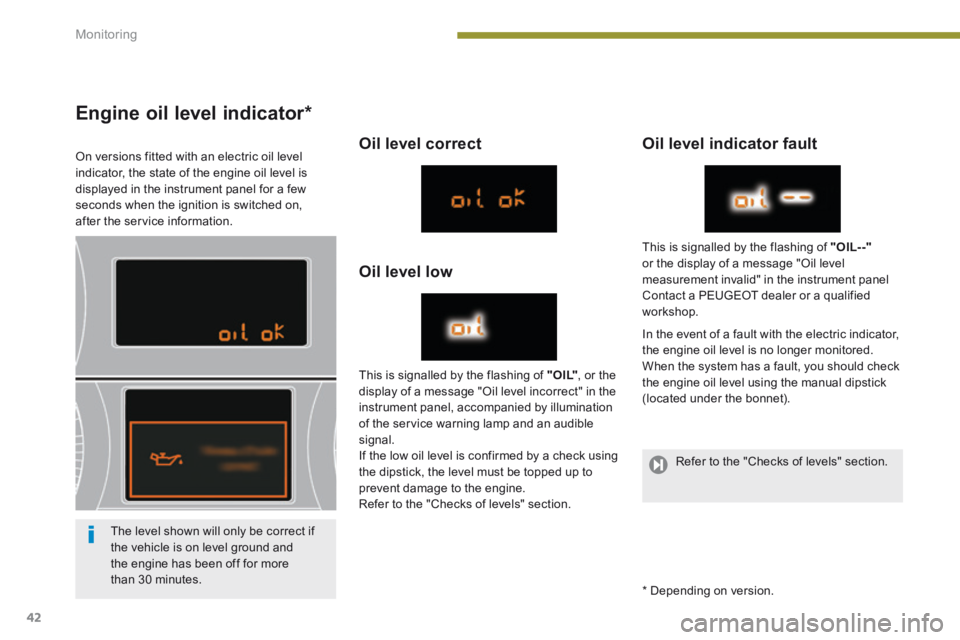
On versions fitted with an electric oil level indicator, the state of the engine oil level is displayed in the instrument panel for a few seconds when the ignition is switched on, after the service information.
Oil level correct
Oil level low
Oil level indicator fault
In the event of a fault with the electric indicator, the engine oil level is no longer monitored. When the system has a fault, you should check the engine oil level using the manual dipstick (located under the bonnet).
This is signalled by the flashing of " O I L" , or the display of a message "Oil level incorrect" in the instrument panel, accompanied by illumination of the service warning lamp and an audible signal. If the low oil level is confirmed by a check using the dipstick, the level must be topped up to prevent damage to the engine. Refer to the "Checks of levels" section.
This is signalled by the flashing of "OIL- -"or the display of a message "Oil level measurement invalid" in the instrument panel Contact a PEUGEOT dealer or a qualified workshop.
The level shown will only be correct if the vehicle is on level ground and the engine has been off for more than 30 minutes. * Depending on version.
Refer to the "Checks of levels" section.
Page 45 of 404
1
Monitoring43
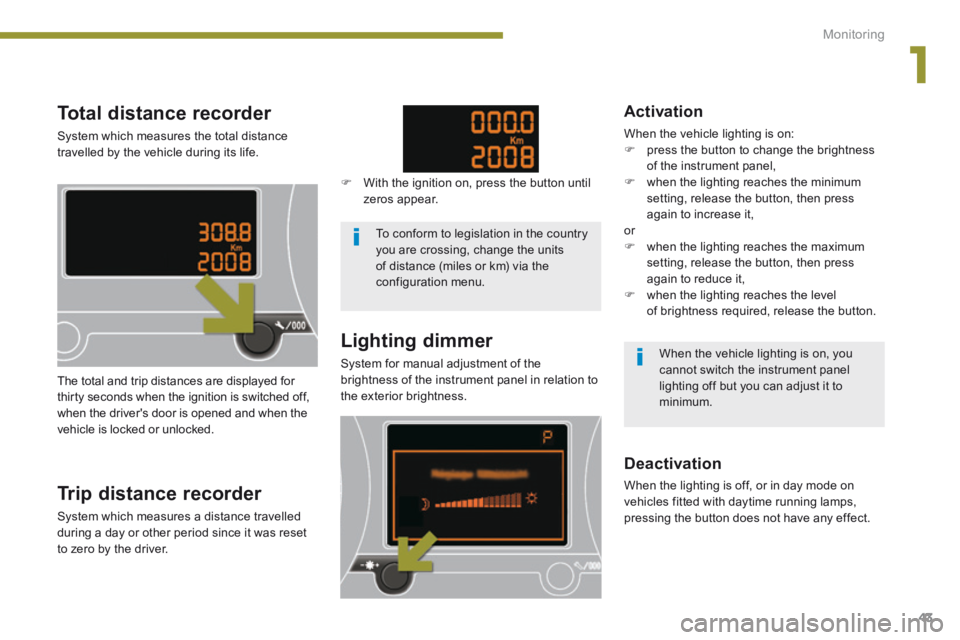
Total distance recorder
System which measures the total distance travelled by the vehicle during its life.
Lighting dimmer
System for manual adjustment of the brightness of the instrument panel in relation to the exterior brightness. The total and trip distances are displayed for thirty seconds when the ignition is switched off, when the driver's door is opened and when the vehicle is locked or unlocked.
Trip distance recorder
System which measures a distance travelled during a day or other period since it was reset to zero by the driver.
With the ignition on, press the button until zeros appear.
Deactivation
When the lighting is off, or in day mode on vehicles fitted with daytime running lamps, pressing the button does not have any effect.
Activation
When the vehicle lighting is on: press the button to change the brightness of the instrument panel, when the lighting reaches the minimum setting, release the button, then press again to increase it, or when the lighting reaches the maximum setting, release the button, then press again to reduce it, when the lighting reaches the level of brightness required, release the button.
To conform to legislation in the country you are crossing, change the units of distance (miles or km) via the configuration menu.
When the vehicle lighting is on, you cannot switch the instrument panel lighting off but you can adjust it to minimum.
Page 57 of 404
2
Multifunction screens55
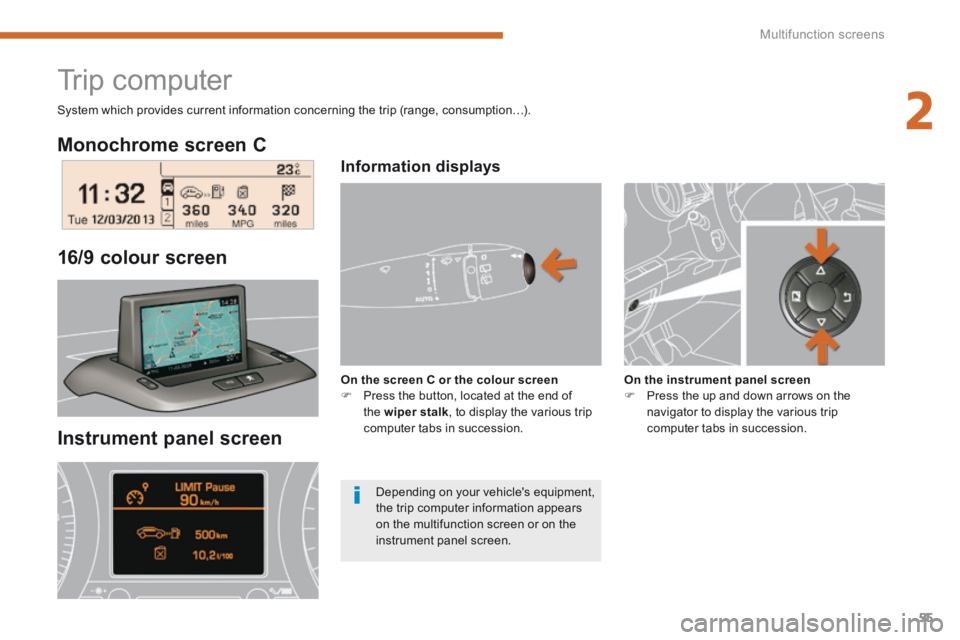
Monochrome screen C
Instrument panel screen
16/9 colour screen
Trip computer
Information displays
On the screen C or the colour screen Press the button, located at the end of the wiper stalk , to display the various trip computer tabs in succession.
On the instrument panel screen Press the up and down arrows on the navigator to display the various trip computer tabs in succession.
System which provides current information concerning the trip (range, consumption…).
Depending on your vehicle's equipment, the trip computer information appears on the multifunction screen or on the instrument panel screen.
Page 58 of 404
Multifunction screens
56
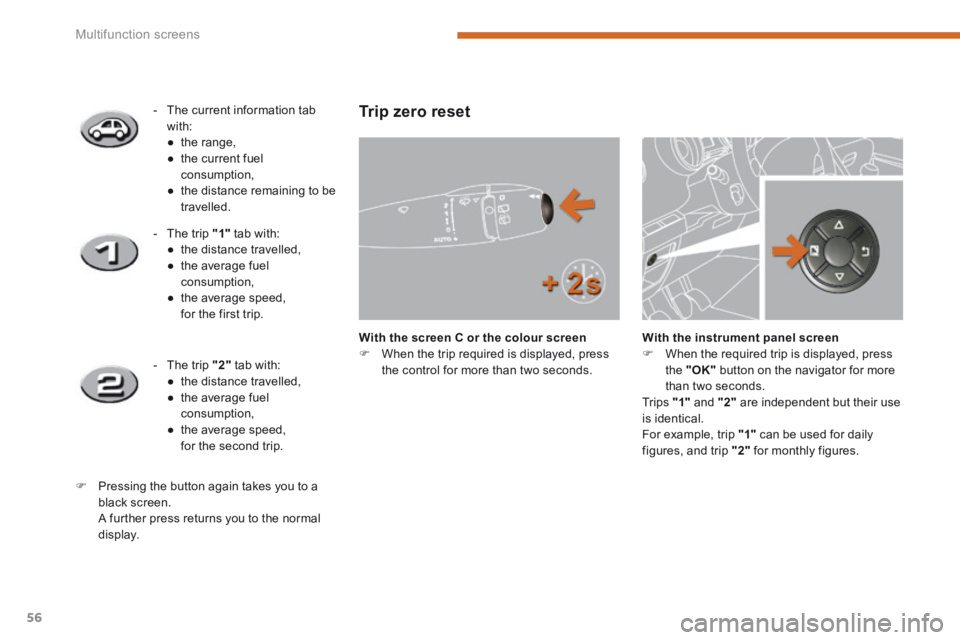
Trip zero reset
With the screen C or the colour screen When the trip required is displayed, press the control for more than two seconds.
With the instrument panel screen When the required trip is displayed, press the "OK" button on the navigator for more than two seconds. Tr i p s "1" and "2" are independent but their use is identical.
For example, trip "1" can be used for daily figures, and trip "2" for monthly figures.
- The current information tab with: ● t h e r a n g e , ● the current fuel consumption, ● the distance remaining to be travelled.
- The trip "1" tab with: ● the distance travelled, ● the average fuel consumption, ● the average speed, for the first trip.
- The trip "2" tab with: ● the distance travelled, ● the average fuel consumption, ● the average speed, for the second trip.
Pressing the button again takes you to a black screen. A further press returns you to the normal
display.
Page 98 of 404
Access
96
Fuel tank
Low fuel level Refuelling
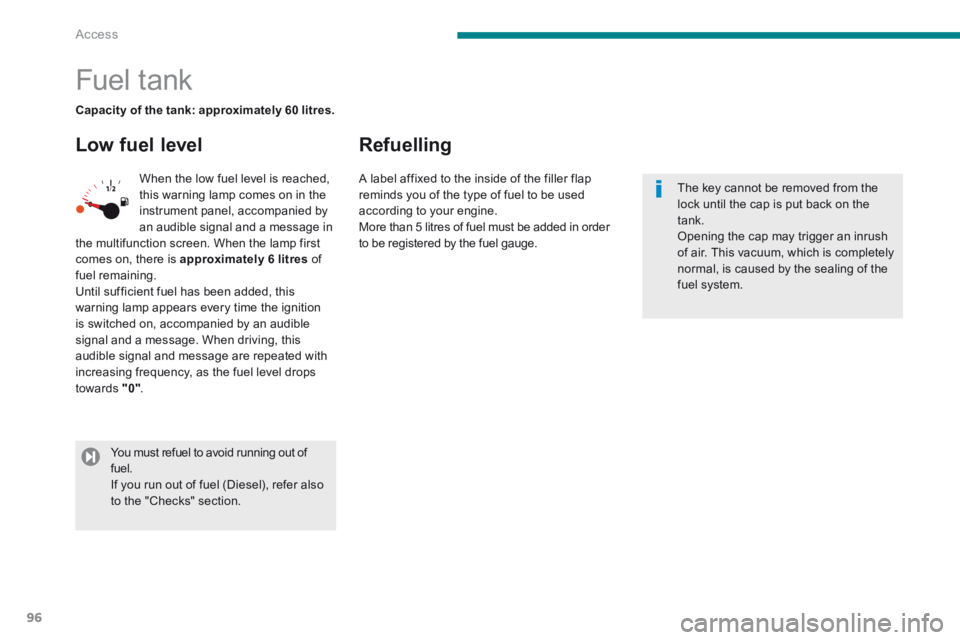
When the low fuel level is reached, this warning lamp comes on in the instrument panel, accompanied by
an audible signal and a message in the multifunction screen. When the lamp first comes on, there is approximately 6 litres of fuel remaining. Until sufficient fuel has been added, this warning lamp appears every time the ignition is switched on, accompanied by an audible signal and a message. When driving, this audible signal and message are repeated with increasing frequency, as the fuel level drops towards "0" .
Capacity of the tank: approximately 60 litres.
The key cannot be removed from the lock until the cap is put back on the tank. Opening the cap may trigger an inrush of air. This vacuum, which is completely normal, is caused by the sealing of the fuel system.
You must refuel to avoid running out of fuel. If you run out of fuel (Diesel), refer also to the "Checks" section.
A label affixed to the inside of the filler flap reminds you of the type of fuel to be used according to your engine.
More than 5 litres of fuel must be added in order to be registered by the fuel gauge.
Page 103 of 404
5
Visibility101
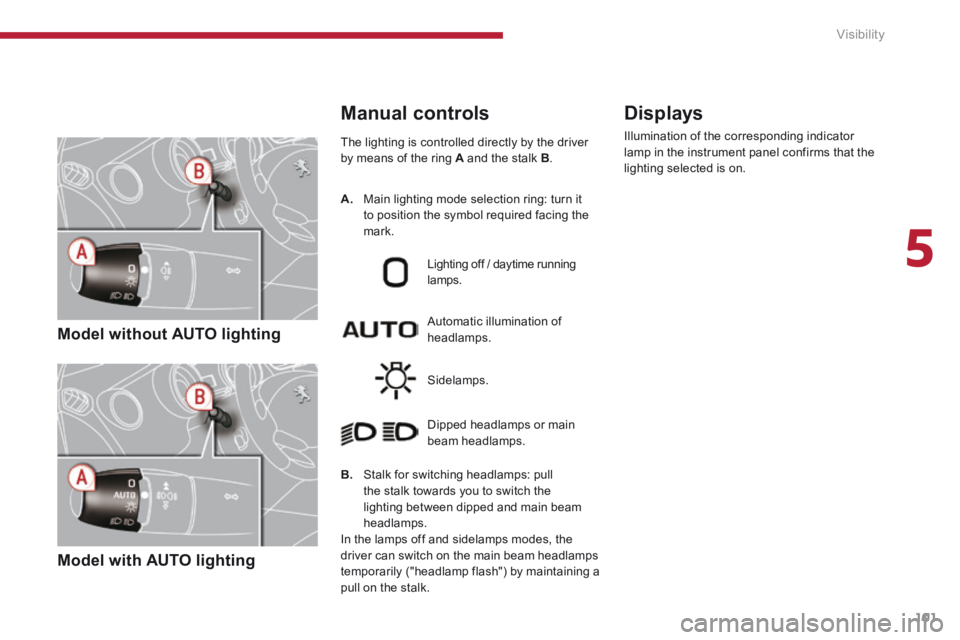
Model without AUTO lighting
Model with AUTO lighting
The lighting is controlled directly by the driver by means of the ring A and the stalk B .
B. Stalk for switching headlamps: pull the stalk towards you to switch the lighting between dipped and main beam headlamps.
In the lamps off and sidelamps modes, the driver can switch on the main beam headlamps temporarily ("headlamp flash") by maintaining a pull on the stalk.
Automatic illumination of headlamps.
Lighting off / daytime running lamps.
Sidelamps.
Dipped headlamps or main beam headlamps.
Displays
Illumination of the corresponding indicator lamp in the instrument panel confirms that the lighting selected is on.
Manual controls
A. Main lighting mode selection ring: turn it to position the symbol required facing the mark.
Page 108 of 404
Visibility
106
Automatic "guide-me-
home" lighting
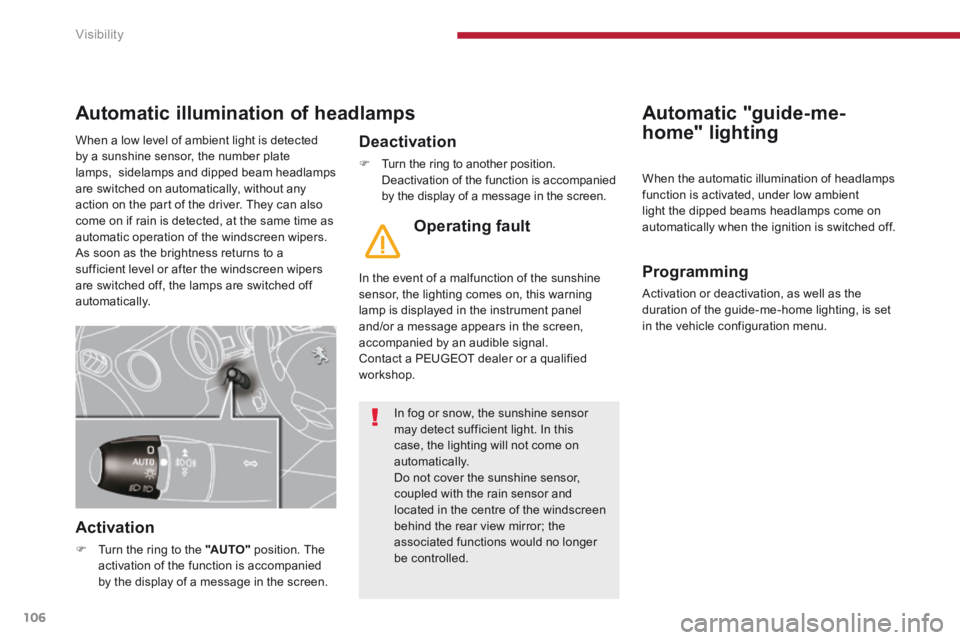
Automatic illumination of headlamps
Activation
Turn the ring to the "AUTO" position. The activation of the function is accompanied by the display of a message in the screen.
Deactivation
Turn the ring to another position. Deactivation of the function is accompanied by the display of a message in the screen.
Operating fault
In the event of a malfunction of the sunshine sensor, the lighting comes on, this warning lamp is displayed in the instrument panel and/or a message appears in the screen, accompanied by an audible signal. Contact a PEUGEOT dealer or a qualified workshop.
When the automatic illumination of headlamps function is activated, under low ambient light the dipped beams headlamps come on
automatically when the ignition is switched off.
Programming
Activation or deactivation, as well as the duration of the guide-me-home lighting, is set in the vehicle configuration menu.
In fog or snow, the sunshine sensor may detect sufficient light. In this case, the lighting will not come on automatically. Do not cover the sunshine sensor, coupled with the rain sensor and located in the centre of the windscreen behind the rear view mirror; the associated functions would no longer be controlled.
When a low level of ambient light is detected by a sunshine sensor, the number plate lamps, sidelamps and dipped beam headlamps are switched on automatically, without any action on the part of the driver. They can also come on if rain is detected, at the same time as automatic operation of the windscreen wipers. As soon as the brightness returns to a sufficient level or after the windscreen wipers are switched off, the lamps are switched off automatically.