Page 32 of 400
30
Monitoring
308_EN_CHAP01_CONTROLE DE MARCHE_ED02-2013
Distance recorders
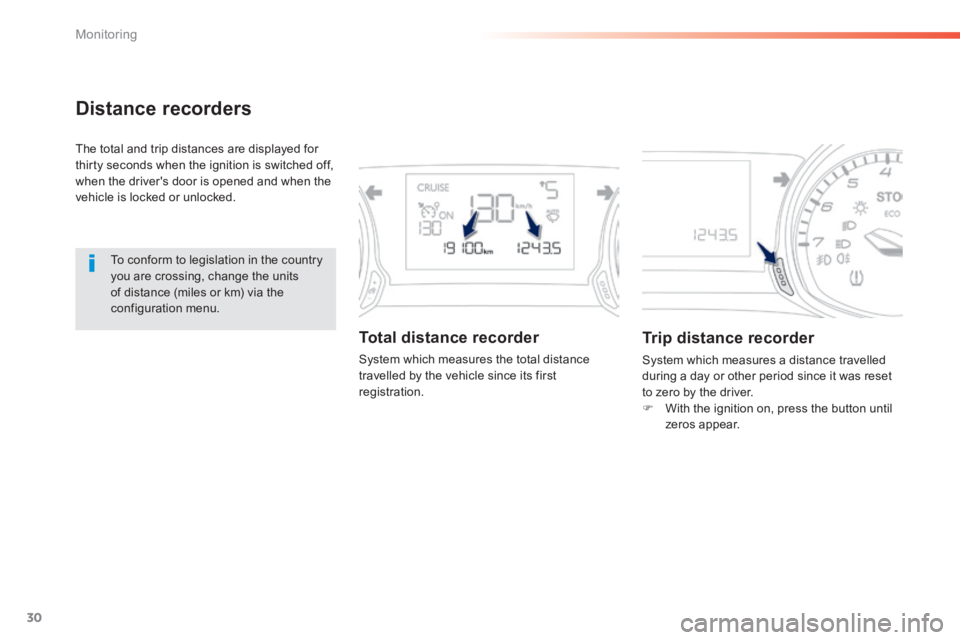
The total and trip distances are displayed for thirty seconds when the ignition is switched off, when the driver's door is opened and when the vehicle is locked or unlocked.
To conform to legislation in the country you are crossing, change the units of distance (miles or km) via the configuration menu.
Total distance recorder
System which measures the total distance travelled by the vehicle since its first registration.
Trip distance recorder
System which measures a distance travelled during a day or other period since it was reset to zero by the driver. With the ignition on, press the button until zeros appear.
Page 41 of 400
39
1
Monitoring
308_EN_CHAP01_CONTROLE DE MARCHE_ED02-2013
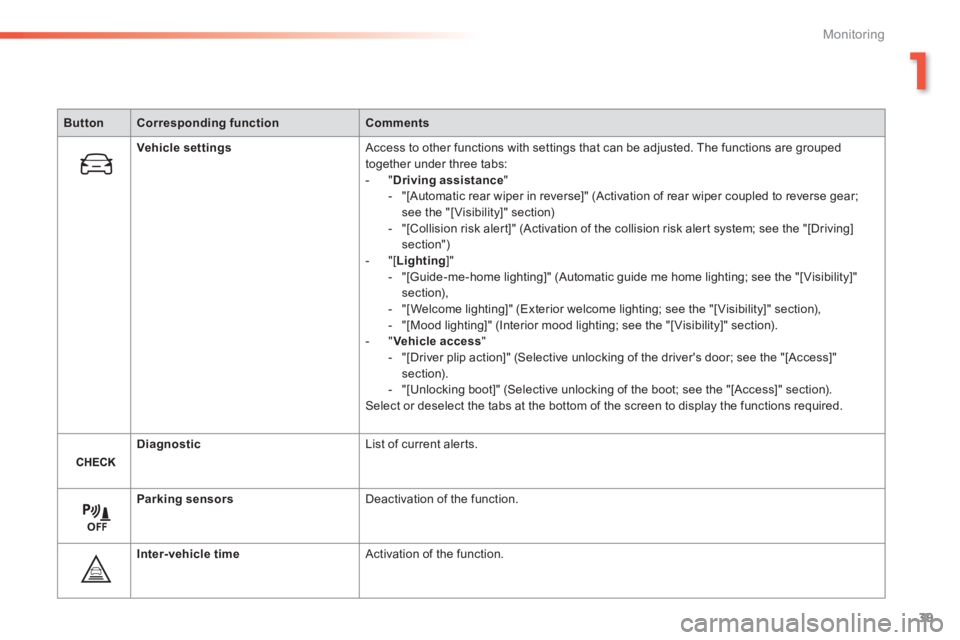
ButtonCorresponding functionComments
Vehicle settings Access to other functions with settings that can be adjusted. The functions are grouped together under three tabs: - " Driving assistance " - "[Automatic rear wiper in reverse]" (Activation of rear wiper coupled to reverse gear; see the "[ Visibility]" section) - "[Collision risk alert]" (Activation of the collision risk alert system; see the "[Driving] section") - "[ Lighting ]" - "[Guide-me-home lighting]" (Automatic guide me home lighting; see the "[ Visibility]" section), - "[Welcome lighting]" (Exterior welcome lighting; see the "[ Visibility]" section), - "[Mood lighting]" (Interior mood lighting; see the "[ Visibility]" section). - " Vehicle access " - "[Driver plip action]" (Selective unlocking of the driver's door; see the "[Access]" section). - "[Unlocking boot]" (Selective unlocking of the boot; see the "[Access]" section). Select or deselect the tabs at the bottom of the screen to display the functions required.
Diagnostic List of current alerts.
Parking sensors Deactivation of the function.
Inter-vehicle time Activation of the function.
Page 48 of 400
46
Access
308_EN_CHAP02_OUVERTURES_ED02-2013
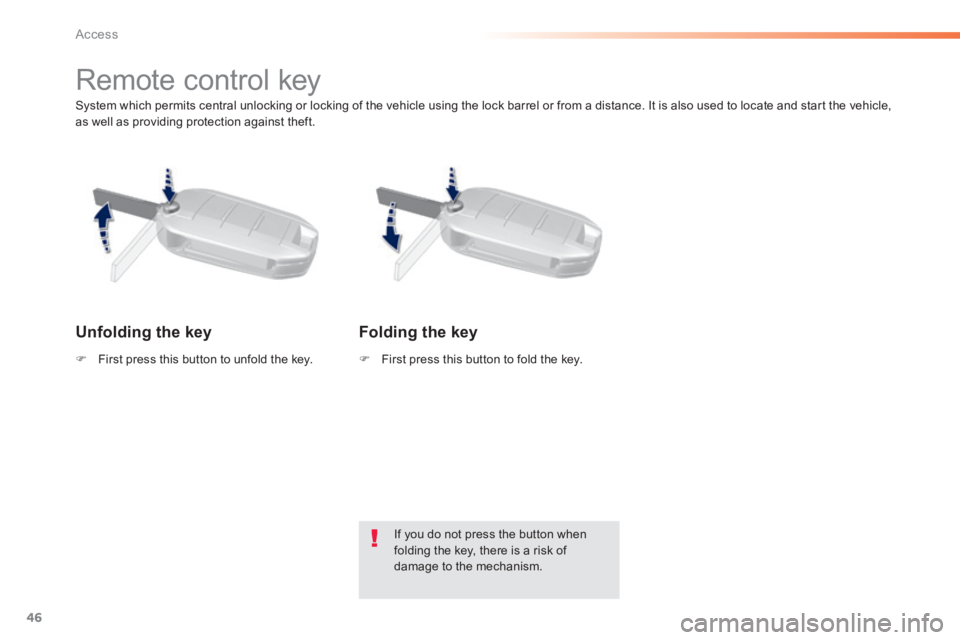
System which permits central unlocking or locking of the vehicle using the lock barrel or from a distance. It is also used to locate and start the vehicle, as well as providing protection against theft.
Remote control key
Unfolding the key
First press this button to unfold the key. First press this button to fold the key.
If you do not press the button when folding the key, there is a risk of damage to the mechanism.
Folding the key
Page 49 of 400
47
2
Access
308_EN_CHAP02_OUVERTURES_ED02-2013
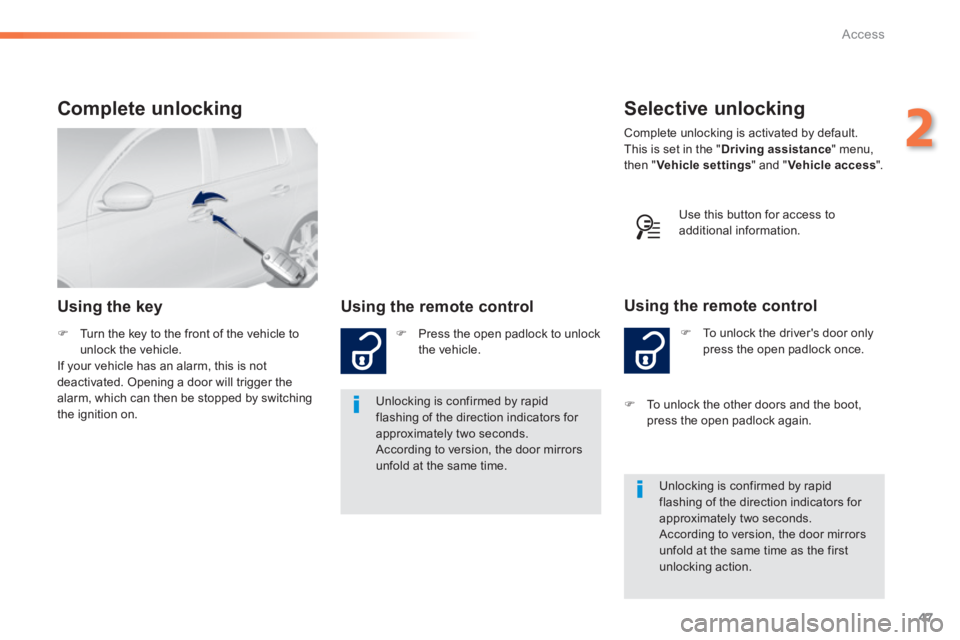
Selective unlocking
To unlock the driver's door only press the open padlock once.
Using the remote control
Complete unlocking is activated by default. This is set in the " Driving assistance " menu, then " Vehicle settings " and " Vehicle access ".
Unlocking is confirmed by rapid flashing of the direction indicators for approximately two seconds. According to version, the door mirrors unfold at the same time as the first unlocking action.
To unlock the other doors and the boot, press the open padlock again .
Complete unlocking
Using the key Using the remote control
Press the open padlock to unlock the vehicle.
Unlocking is confirmed by rapid flashing of the direction indicators for approximately two seconds. According to version, the door mirrors unfold at the same time.
Turn the key to the front of the vehicle to unlock the vehicle. If your vehicle has an alarm, this is not deactivated. Opening a door will trigger the alarm, which can then be stopped by switching the ignition on.
Use this button for access to additional information.
Page 50 of 400
48
Access
308_EN_CHAP02_OUVERTURES_ED02-2013
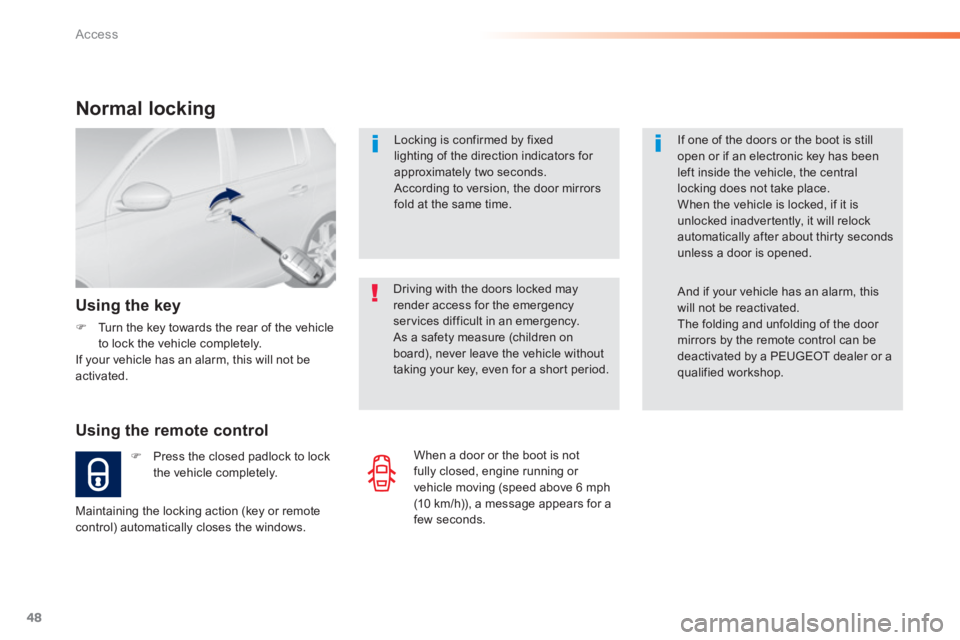
Locking is confirmed by fixed lighting of the direction indicators for approximately two seconds. According to version, the door mirrors fold at the same time.
Driving with the doors locked may render access for the emergency services difficult in an emergency. As a safety measure (children on board), never leave the vehicle without taking your key, even for a short period.
Normal locking
Using the remote control
Press the closed padlock to lock the vehicle completely.
Using the key
Turn the key towards the rear of the vehicle to lock the vehicle completely. If your vehicle has an alarm, this will not be activated.
Maintaining the locking action (key or remote control) automatically closes the windows.
If one of the doors or the boot is still open or if an electronic key has been left inside the vehicle, the central locking does not take place. When the vehicle is locked, if it is unlocked inadvertently, it will relock automatically after about thirty seconds unless a door is opened.
And if your vehicle has an alarm, this will not be reactivated. The folding and unfolding of the door mirrors by the remote control can be deactivated by a PEUGEOT dealer or a qualified workshop.
When a door or the boot is not fully closed, engine running or vehicle moving (speed above 6 mph (10 km/h)), a message appears for a few seconds.
Page 51 of 400
49
2
Access
308_EN_CHAP02_OUVERTURES_ED02-2013
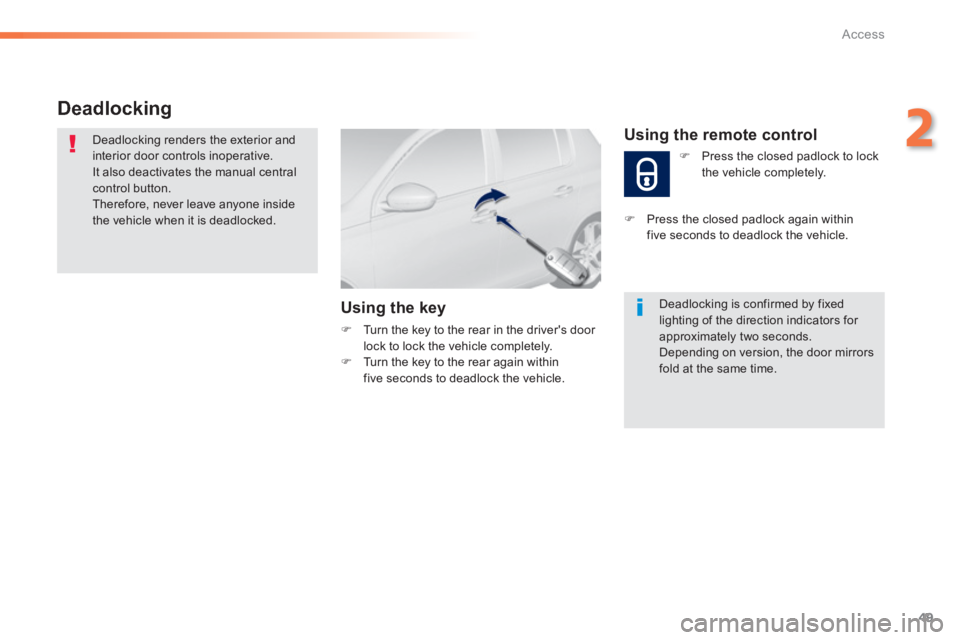
Deadlocking
Deadlocking renders the exterior and interior door controls inoperative. It also deactivates the manual central control button. Therefore, never leave anyone inside the vehicle when it is deadlocked.
Using the key
Turn the key to the rear in the driver's door lock to lock the vehicle completely. Turn the key to the rear again within five seconds to deadlock the vehicle.
Deadlocking is confirmed by fixed lighting of the direction indicators for approximately two seconds. Depending on version, the door mirrors fold at the same time.
Using the remote control
Press the closed padlock to lock the vehicle completely.
Press the closed padlock again within five seconds to deadlock the vehicle.
Page 52 of 400
50
Access
308_EN_CHAP02_OUVERTURES_ED02-2013
Electronic engine immobiliser
The key contains an electronic chip which has a special code. When the ignition is switched on, this code must be recognised in order for starting to be possible. This electronic engine immobiliser locks the
engine management system a few minutes after the ignition is switched off and prevents starting of the engine by anyone who does not have the key.
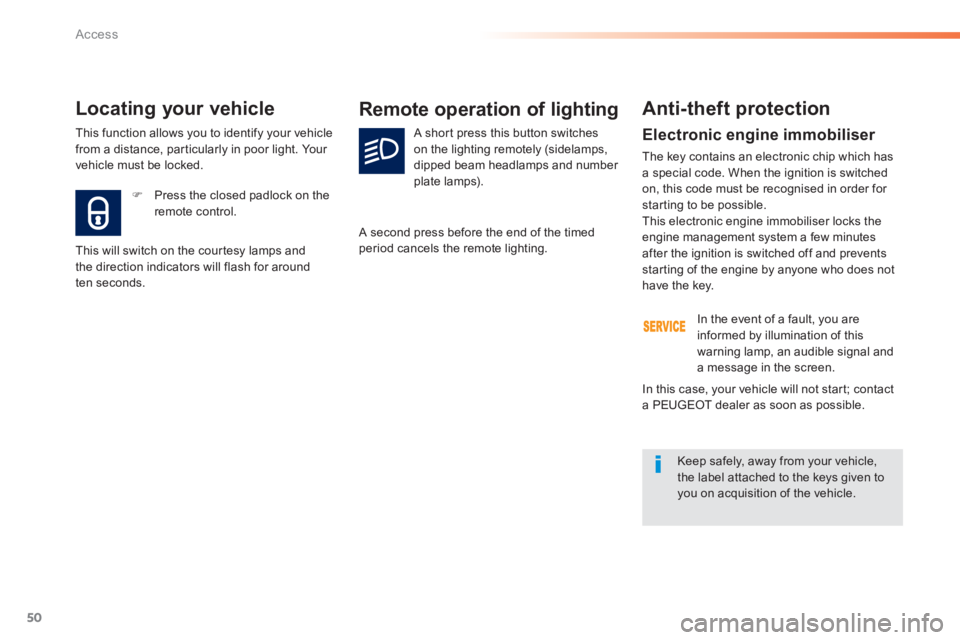
Press the closed padlock on the remote control.
Locating your vehicle
This will switch on the courtesy lamps and the direction indicators will flash for around ten seconds.
Remote operation of lighting
A short press this button switches on the lighting remotely (sidelamps, dipped beam headlamps and number plate lamps).
A second press before the end of the timed period cancels the remote lighting.
Anti-theft protection
In the event of a fault, you are informed by illumination of this warning lamp, an audible signal and a message in the screen.
Keep safely, away from your vehicle, the label attached to the keys given to you on acquisition of the vehicle.
In this case, your vehicle will not start; contact a PEUGEOT dealer as soon as possible.
This function allows you to identify your vehicle from a distance, particularly in poor light. Your vehicle must be locked.
Page 53 of 400
51
2
Access
308_EN_CHAP02_OUVERTURES_ED02-2013
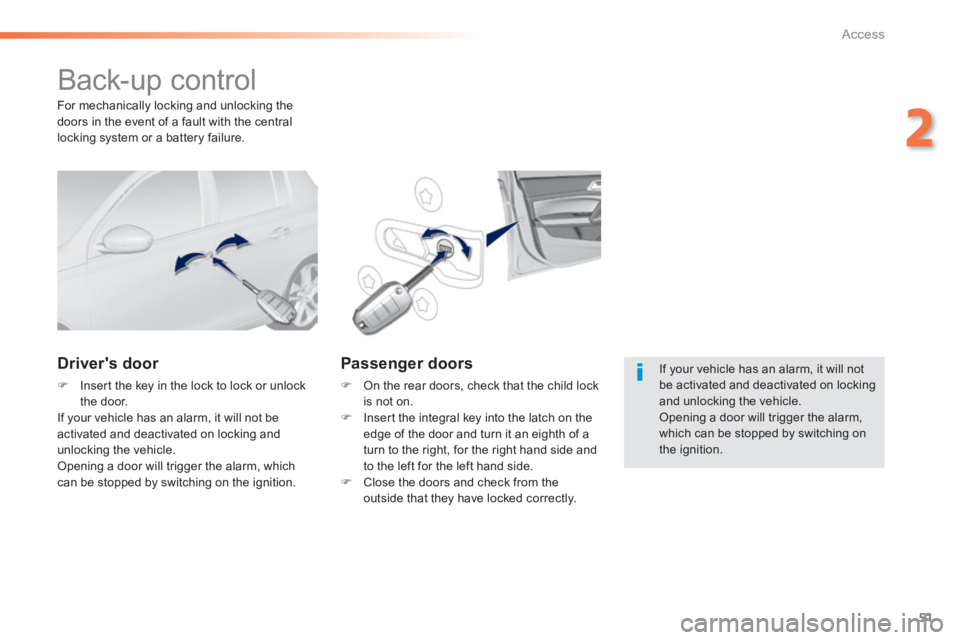
Back-up control
Driver's door
Insert the key in the lock to lock or unlock the door. If your vehicle has an alarm, it will not be activated and deactivated on locking and unlocking the vehicle. Opening a door will trigger the alarm, which can be stopped by switching on the ignition.
Passenger doors
On the rear doors, check that the child lock is not on. Insert the integral key into the latch on the edge of the door and turn it an eighth of a turn to the right, for the right hand side and to the left for the left hand side. Close the doors and check from the outside that they have locked correctly.
For mechanically locking and unlocking the doors in the event of a fault with the central locking system or a battery failure.
If your vehicle has an alarm, it will not be activated and deactivated on locking and unlocking the vehicle. Opening a door will trigger the alarm,
which can be stopped by switching on the ignition.