Page 4 of 400
.
.
ContentsVisual search
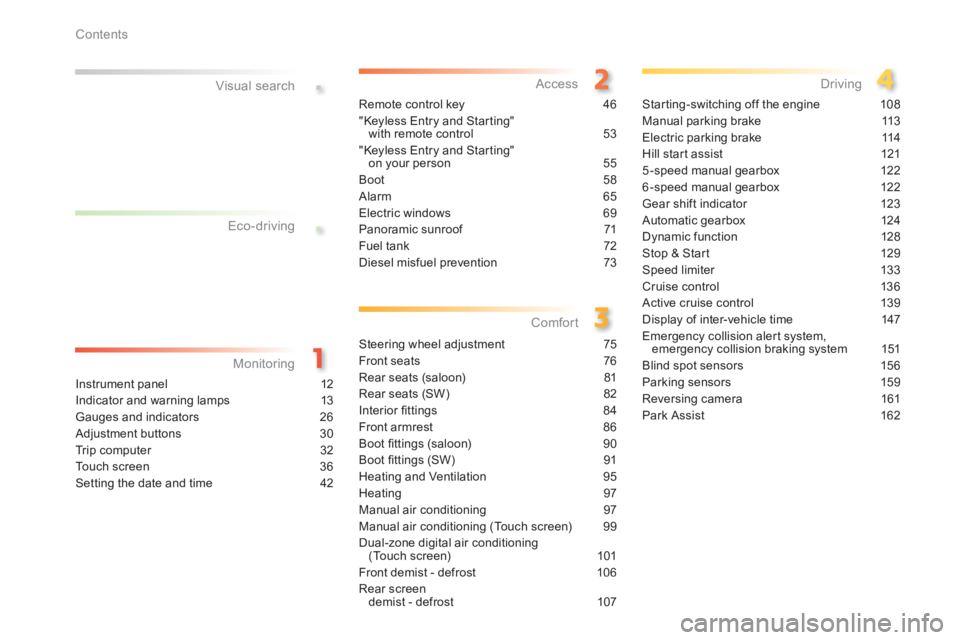
Instrument panel 12
Indicator and warning lamps 13
Gauges and indicators 26
Adjustment buttons 30
Trip computer 32
Touch screen 36
Setting the date and time 42
Remote control key 46
"Keyless Entry and Starting" with remote control 53
"Keyless Entry and Starting" on your person 55
Boot 58
Alarm 65
Electric windows 69
Panoramic sunroof 71
Fuel tank 72
Diesel misfuel prevention 73
Steering wheel adjustment 75
Front seats 76
Rear seats (saloon) 81
Rear seats (SW) 82
Interior fi ttings 84
Front armrest 86
Boot fi ttings (saloon) 90
Boot fi ttings (SW) 91
Heating and Ventilation 95
Heating 97
Manual air conditioning 97
Manual air conditioning (Touch screen) 99
Dual-zone digital air conditioning (Touch screen) 101
Front demist - defrost 106
Rear screen demist - defrost 107
Starting-switching off the engine 108
Manual parking brake 113
Electric parking brake 114
Hill start assist 121
5-speed manual gearbox 122
6-speed manual gearbox 122
Gear shift indicator 123
Automatic gearbox 124
Dynamic function 128
Stop & Start 129
Speed limiter 133
Cruise control 136
Active cruise control 139
Display of inter-vehicle time 147
Emergency collision alert system, emergency collision braking system 151
Blind spot sensors 156
Parking sensors 159
Reversing camera 161
Park Assist 162
Eco-driving
Monitoring Access
Comfort Driving
Page 9 of 400
7
.Visual search
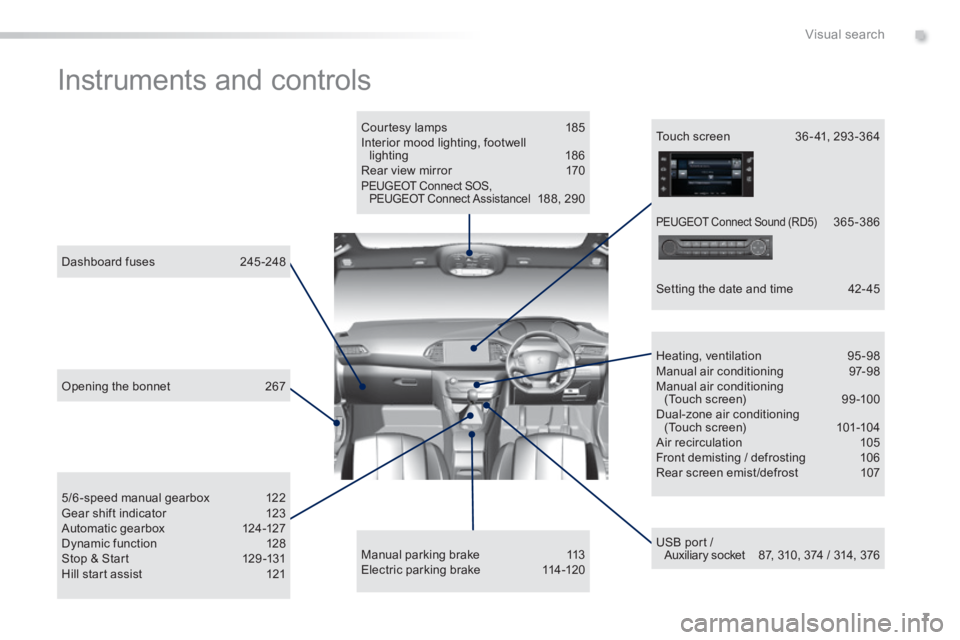
Instruments and controls
Courtesy lamps 185 Interior mood lighting, footwell lighting 186 Rear view mirror 170 PEUGEOT Connect SOS, PEUGEOT Connect Assistancel 188, 290
USB port / Auxiliary socket 87, 310, 374 / 314, 376
5/6-speed manual gearbox 122 Gear shift indicator 123 Automatic gearbox 124-127 Dynamic function 128 Stop & Start 129 -131 Hill start assist 121
Dashboard fuses 245 -248
Heating, ventilation 95-98 Manual air conditioning 97-98 Manual air conditioning (Touch screen) 99 -100 Dual-zone air conditioning (Touch screen) 101-104 Air recirculation 105 Front demisting / defrosting 106 Rear screen emist /defrost 107
Manual parking brake 113 Electric parking brake 114-120
Touch screen 36 - 41, 293 -364
Setting the date and time 42- 45
Opening the bonnet 267
PEUGEOT Connect Sound (RD5) 365 -386
Page 10 of 400
8
Visual search
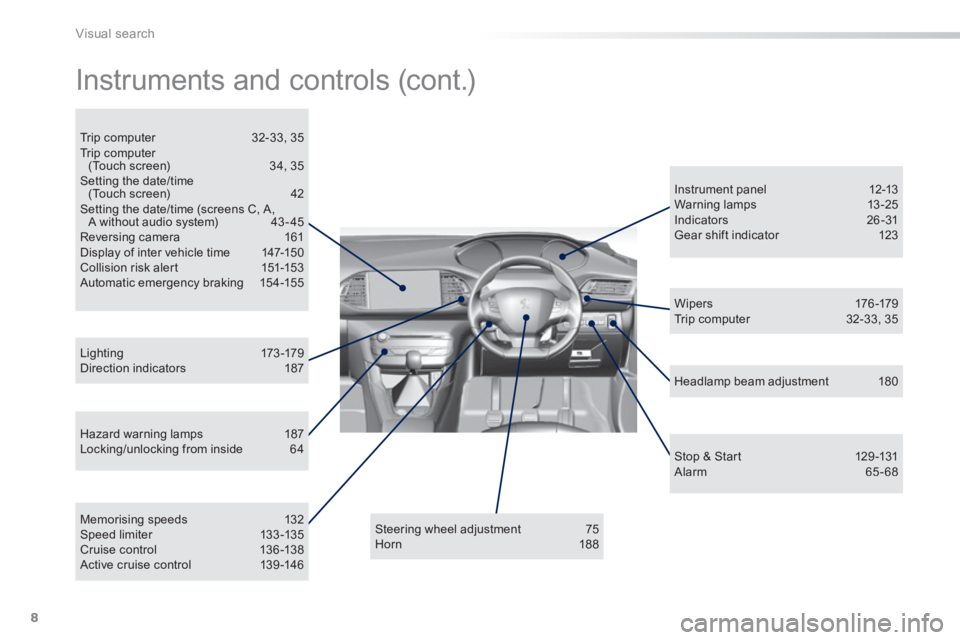
Instruments and controls (cont.)
Hazard warning lamps 187 Locking/unlocking from inside 64
L i g ht i n g 173 -179 Direction indicators 187
Instrument panel 12-13 Warning lamps 13-25 Indicators 26 -31 Gear shift indicator 123
Steering wheel adjustment 75 Horn 188
Headlamp beam adjustment 180
Memorising speeds 132 Speed limiter 133 -135 Cruise control 136 -138 Active cruise control 139 -146
W i p e r s 176 -179 Trip computer 32-33, 35
Trip computer 32-33, 35 Trip computer (Touch screen) 34, 35 Setting the date/time (Touch screen) 42 Setting the date/time (screens C, A, A without audio system) 43 - 45 Reversing camera 161 Display of inter vehicle time 147-150 Collision risk alert 151-153 Automatic emergency braking 154-155
Stop & Start 129 -131 Alarm 65 - 68
Page 17 of 400
15
1
Monitoring
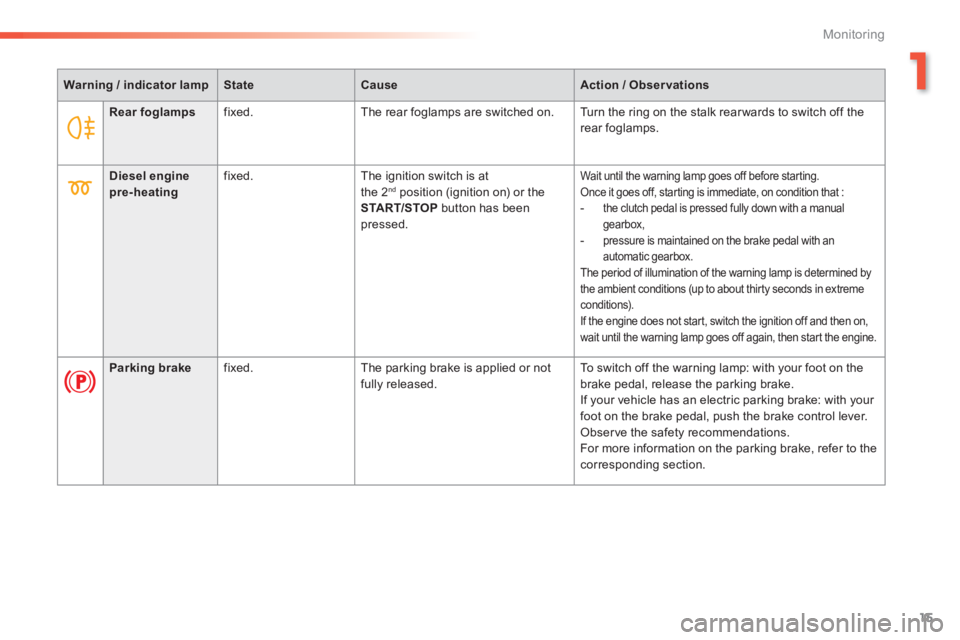
Warning / indicator lampStateCauseAction / Observations
Rear foglamps fixed. The rear foglamps are switched on. Turn the ring on the stalk rear wards to switch off the rear foglamps.
Diesel engine pre-heating fixed. The ignition switch is at the 2 nd position (ignition on) or the START/STOP button has been
pressed.
Wait until the warning lamp goes off before starting. Once it goes off, starting is immediate, on condition that : - the clutch pedal is pressed fully down with a manual
gearbox, - pressure is maintained on the brake pedal with an automatic gearbox. The period of illumination of the warning lamp is determined by the ambient conditions (up to about thirty seconds in extreme conditions). If the engine does not start, switch the ignition off and then on, wait until the warning lamp goes off again, then start the engine.
Parking brake fixed. The parking brake is applied or not fully released. To switch off the warning lamp: with your foot on the brake pedal, release the parking brake. If your vehicle has an electric parking brake: with your foot on the brake pedal, push the brake control lever. Observe the safety recommendations. For more information on the parking brake, refer to the corresponding section.
Page 18 of 400
16
Monitoring
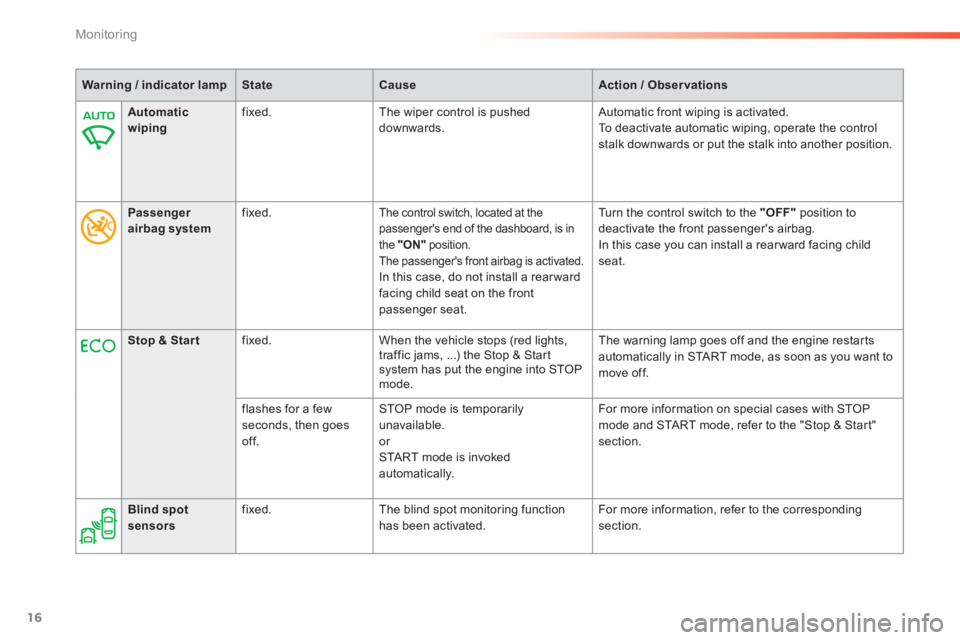
Warning / indicator lampStateCauseAction / Observations
Automatic wiping fixed. The wiper control is pushed downwards. Automatic front wiping is activated. To deactivate automatic wiping, operate the control stalk downwards or put the stalk into another position.
Passenger airbag system fixed. The control switch, located at the passenger's end of the dashboard, is in the "ON" position. The passenger's front airbag is activated. In this case, do not install a rear ward facing child seat on the front passenger seat.
Turn the control switch to the "OFF" position to deactivate the front passenger's airbag. In this case you can install a rear ward facing child seat.
Stop & Star t fixed. When the vehicle stops (red lights, traffic jams, ...) the Stop & Start system has put the engine into STOP mode.
The warning lamp goes off and the engine restarts automatically in START mode, as soon as you want to move off.
flashes for a few seconds, then goes of f.
STOP mode is temporarily unavailable. or START mode is invoked automatically.
For more information on special cases with STOP mode and START mode, refer to the "Stop & Start" section.
Blind spot sensors fixed. The blind spot monitoring function has been activated. For more information, refer to the corresponding section.
Page 26 of 400
24
Monitoring
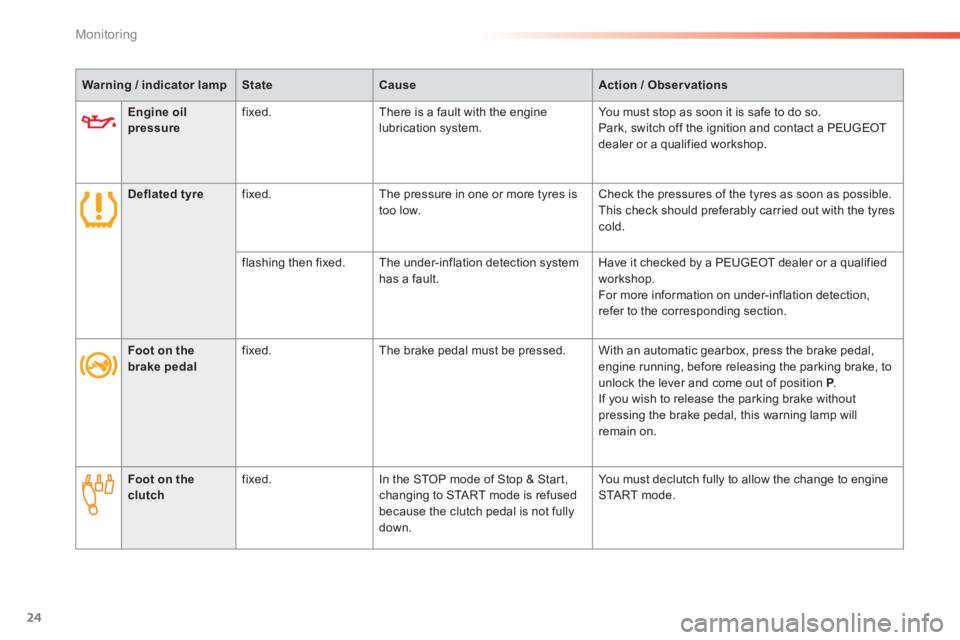
Engine oil pressure fixed. There is a fault with the engine lubrication system. You must stop as soon it is safe to do so. Park, switch off the ignition and contact a PEUGEOT dealer or a qualified workshop.
Deflated tyre fixed. The pressure in one or more tyres is too low. Check the pressures of the tyres as soon as possible. This check should preferably carried out with the tyres cold.
flashing then fixed. The under-inflation detection system has a fault. Have it checked by a PEUGEOT dealer or a qualified workshop. For more information on under-inflation detection, refer to the corresponding section.
Warning / indicator lampStateCauseAction / Observations
Foot on the brake pedal fixed. The brake pedal must be pressed. With an automatic gearbox, press the brake pedal, engine running, before releasing the parking brake, to unlock the lever and come out of position P . P . P If you wish to release the parking brake without pressing the brake pedal, this warning lamp will remain on.
Foot on the clutch fixed. In the STOP mode of Stop & Start, changing to START mode is refused because the clutch pedal is not fully down.
You must declutch fully to allow the change to engine START mode.
Page 34 of 400
32
Monitoring
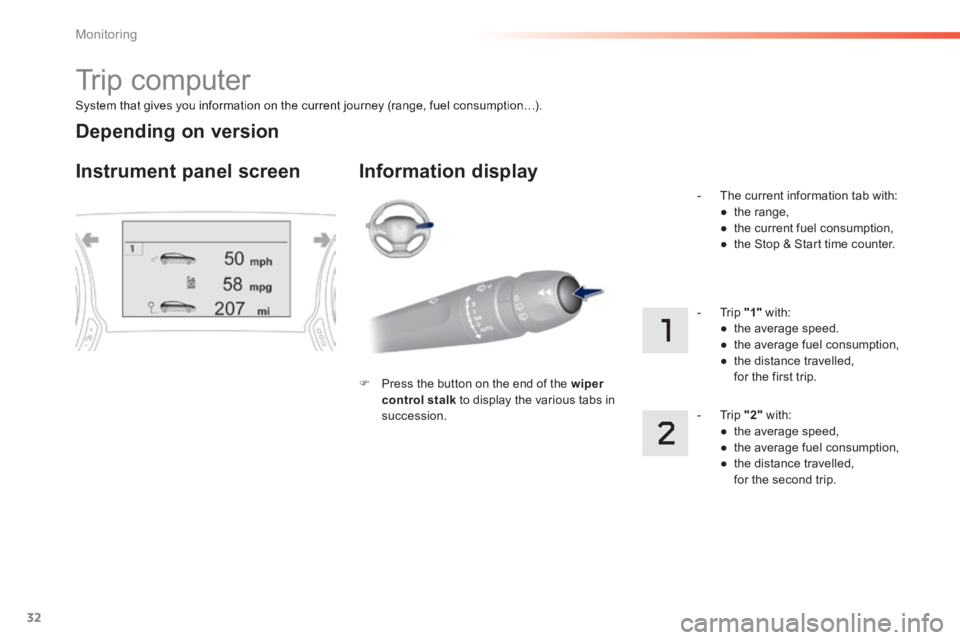
System that gives you information on the current journey (range, fuel consumption…).
Trip computer
Instrument panel screen Information display
Press the button on the end of the wiper control stalk to display the various tabs in succession.
- The current information tab with: ● t h e r a n g e , ● the current fuel consumption, ● the Stop & Start time counter.
- Trip "1" with: ● the average speed. ● the average fuel consumption, ● the distance travelled, for the first trip.
- Trip "2" with: ● the average speed, ● the average fuel consumption, ● the distance travelled, for the second trip.
Depending on version
Page 36 of 400
34
Monitoring
Trip computer
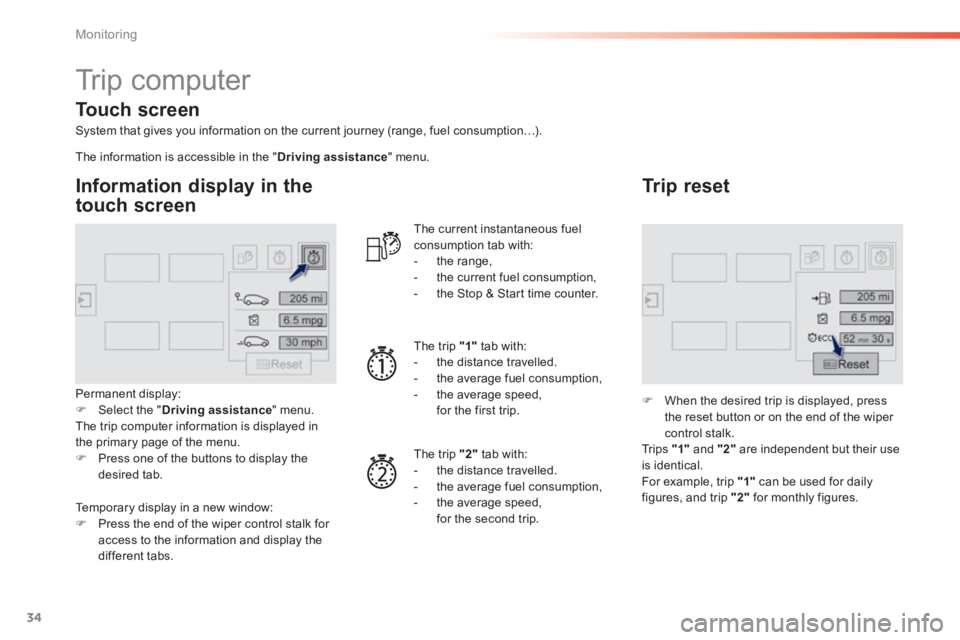
System that gives you information on the current journey (range, fuel consumption…).
Information display in the
touch screen
Permanent display: Select the " Driving assistance " menu. The trip computer information is displayed in the primary page of the menu. Press one of the buttons to display the desired tab.
The current instantaneous fuel consumption tab with: - the range, - the current fuel consumption, - the Stop & Start time counter.
The trip "1" tab with: - the distance travelled. - the average fuel consumption, - the average speed, for the first trip.
The trip "2" tab with:
- the distance travelled. - the average fuel consumption, - the average speed, for the second trip.
Trip reset
When the desired trip is displayed, press the reset button or on the end of the wiper
control stalk. Tr i p s "1" and "2" are independent but their use is identical. For example, trip "1" can be used for daily figures, and trip "2" for monthly figures.
The information is accessible in the " Driving assistance " menu.
Temporary display in a new window: Press the end of the wiper control stalk for
access to the information and display the different tabs.
Touch screen