Page 313 of 389
04
3 11
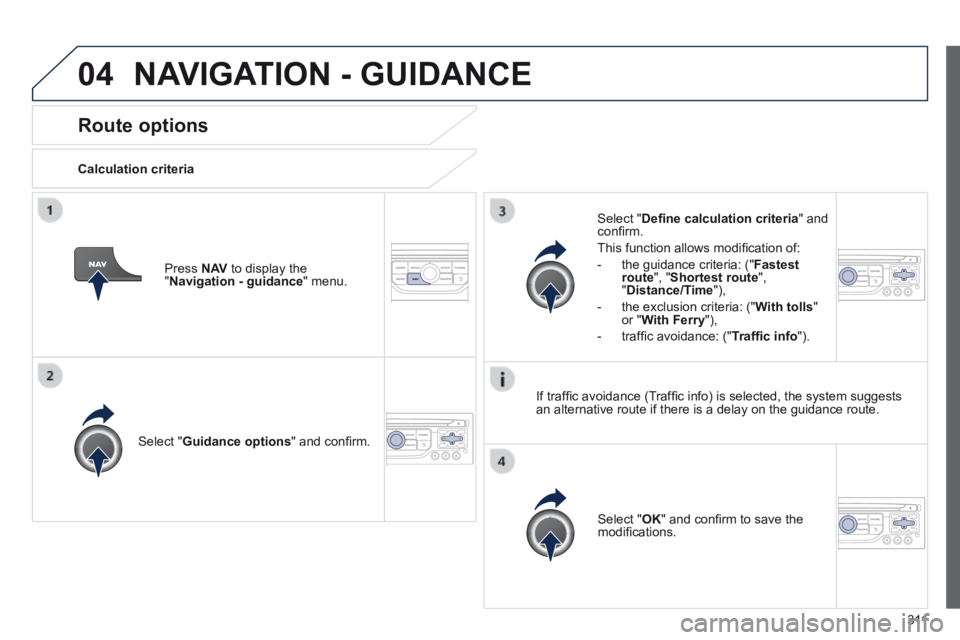
Route options
Calculation criteria
Select " Guidance options " and confi rm.
Select " OK " and confi rm to save the modifi cations.
Select " Defi ne calculation criteria " and confi rm.
This function allows modifi cation of:
- the guidance criteria: (" Fastest route ", " Shortest route ", " Distance/Time "),
- the exclusion criteria: (" With tolls " or " With Ferry "),
- traffi c avoidance: (" Traffi c info ").
Press N AV to display the " Navigation - guidance " menu.
If traffi c avoidance (Traffi c info) is selected, the system suggests an alternative route if there is a delay on the guidance route.
NAVIGATION - GUIDANCE
Page 314 of 389
04
312
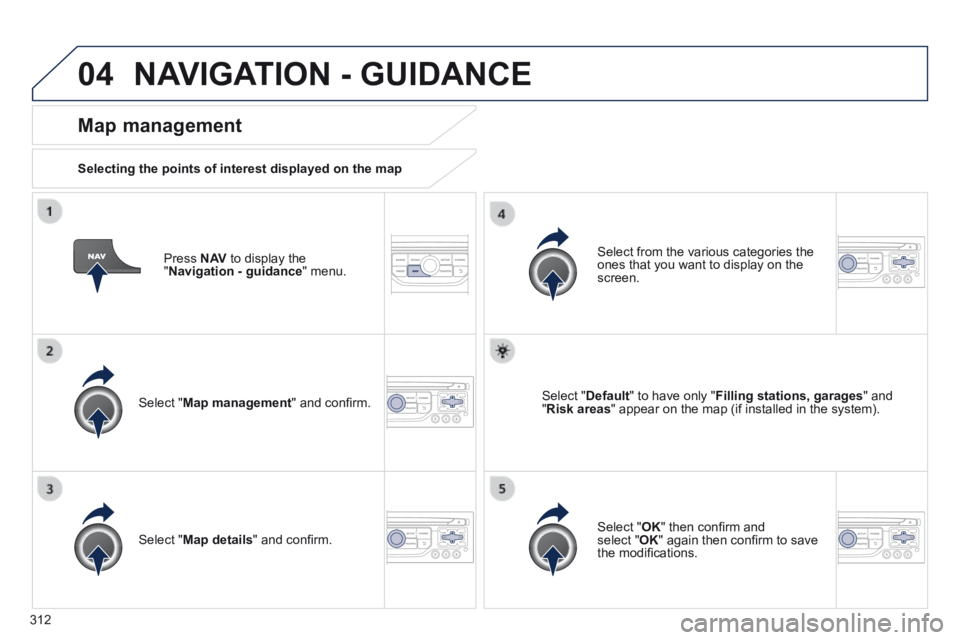
Press N AV to display the " Navigation - guidance " menu.
Map management
Selecting the points of interest displayed on the map
Select " Map management " and confi rm.
Select from the various categories the ones that you want to display on the screen.
Select " Map details " and confi rm.
Select " Default " to have only " Filling stations, garages " and " Risk areas " appear on the map (if installed in the system).
Select " OK " then confi rm and select " OK " again then confi rm to save the modifi cations.
NAVIGATION - GUIDANCE
Page 315 of 389
04
313
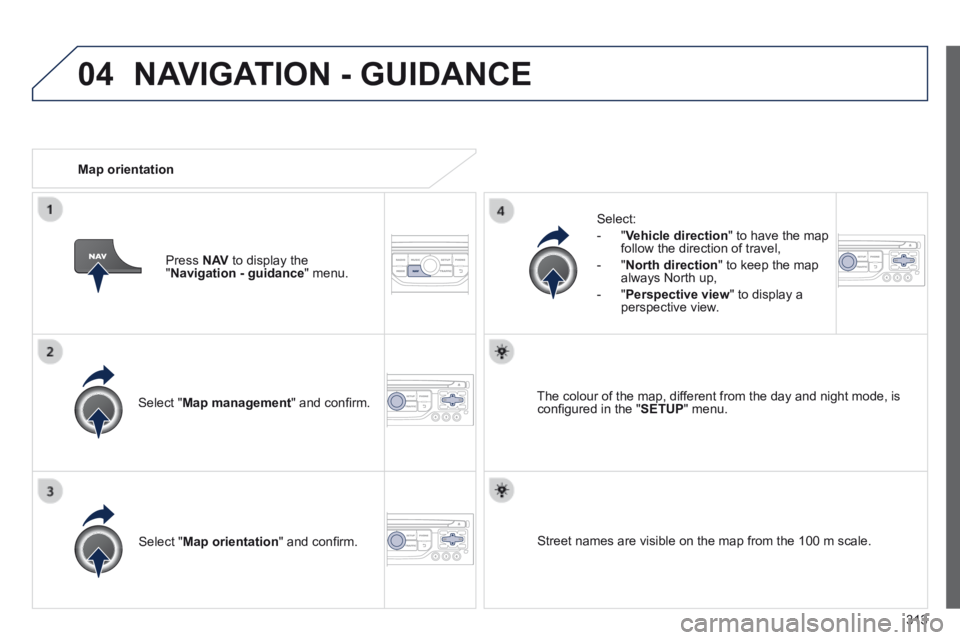
Select " Map management " and confi rm.
Select:
- " Vehicle direction " to have the map follow the direction of travel,
- " North direction " to keep the map always North up,
- " Perspective view " to display a perspective view.
Select " Map orientation " and confi rm.
The colour of the map, different from the day and night mode, is confi gured in the " SETUP " menu.
Map orientation
Press N AV to display the " Navigation - guidance " menu.
Street names are visible on the map from the 100 m scale.
NAVIGATION - GUIDANCE
Page 316 of 389
04
314
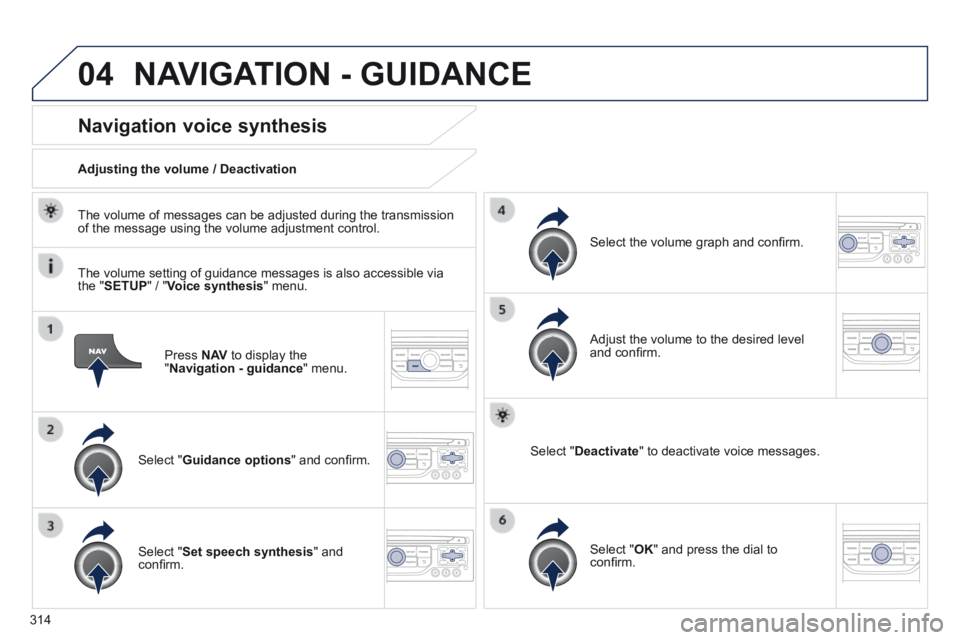
Press N AV to display the " Navigation - guidance " menu.
Navigation voice synthesis
Select " Guidance options " and confi rm.
Adjusting the volume / Deactivation
Select " Set speech synthesis " and confi rm.
Select the volume graph and confi rm.
Select " Deactivate " to deactivate voice messages.
Select " OK " and press the dial to confi rm.
Adjust the volume to the desired level and confi rm.
The volume of messages can be adjusted during the transmission of the message using the volume adjustment control.
The volume setting of guidance messages is also accessible via the " SETUP " / " Voice synthesis " menu.
NAVIGATION - GUIDANCE
Page 317 of 389
04
315
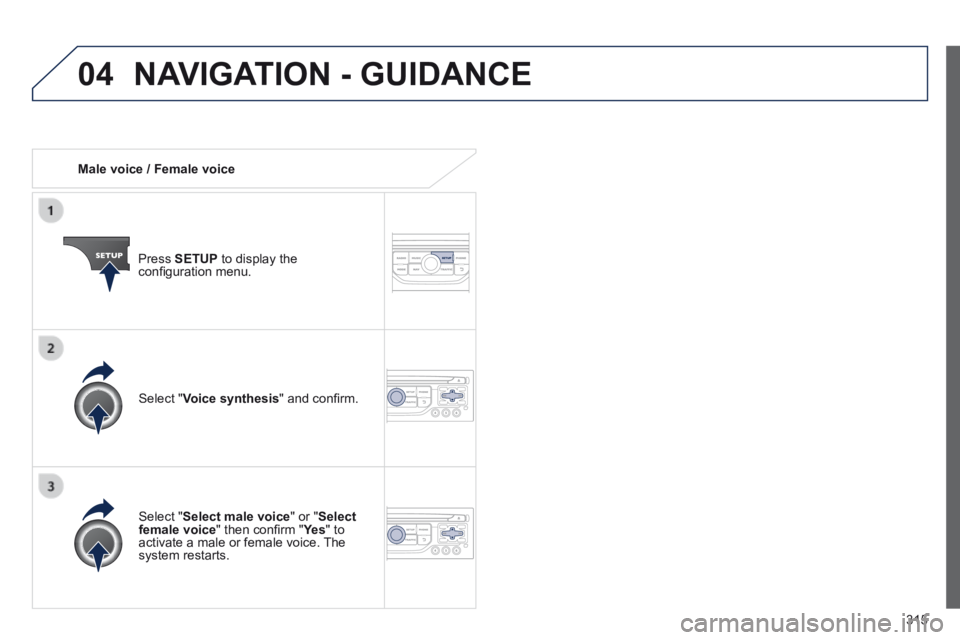
Male voice / Female voice
Press SETUP to display the confi guration menu.
Select " Select male voice " or " Select female voice " then confi rm " Ye s " then confi rm " Ye s " then confi rm " " to activate a male or female voice. The system restarts.
Select " Voice synthesis " and confi rm.
NAVIGATION - GUIDANCE
Page 319 of 389
05
317
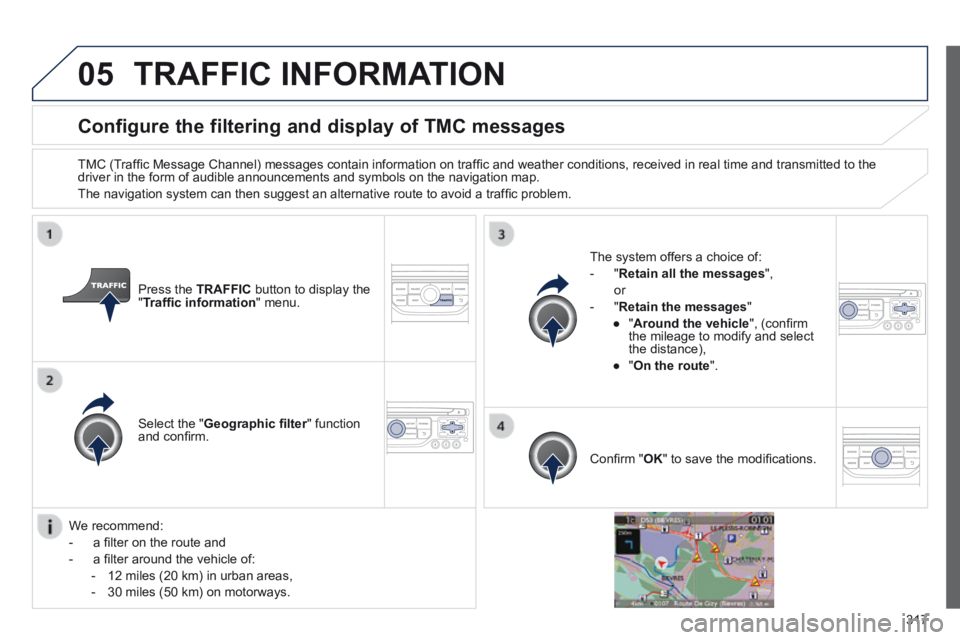
Configure the filtering and display of TMC messages
TMC (Traffi c Message Channel) messages contain information on traffi c and weather conditions, received in real time and transmitted to the driver in the form of audible announcements and symbols on the navigatio\
n map.
The navigation system can then suggest an alternative route to avoid a traffi c problem.
Press the TRAFFIC button to display the " Traffi c information " menu.
Select the " Geographic fi lter " function Geographic fi lter " function Geographic fi lterand confi rm.
The system offers a choice of:
- " Retain all the messages ",
or
- " Retain the messages "
● " Around the vehicle ", (confi rm the mileage to modify and select the distance),
● " On the route ".
Confi rm " OK " to save the modifi cations.
We recommend:
- a fi lter on the route and
- a fi lter around the vehicle of:
- 12 miles (20 km) in urban areas,
- 30 miles (50 km) on motorways.
TRAFFIC INFORMATION
Page 342 of 389
11
340
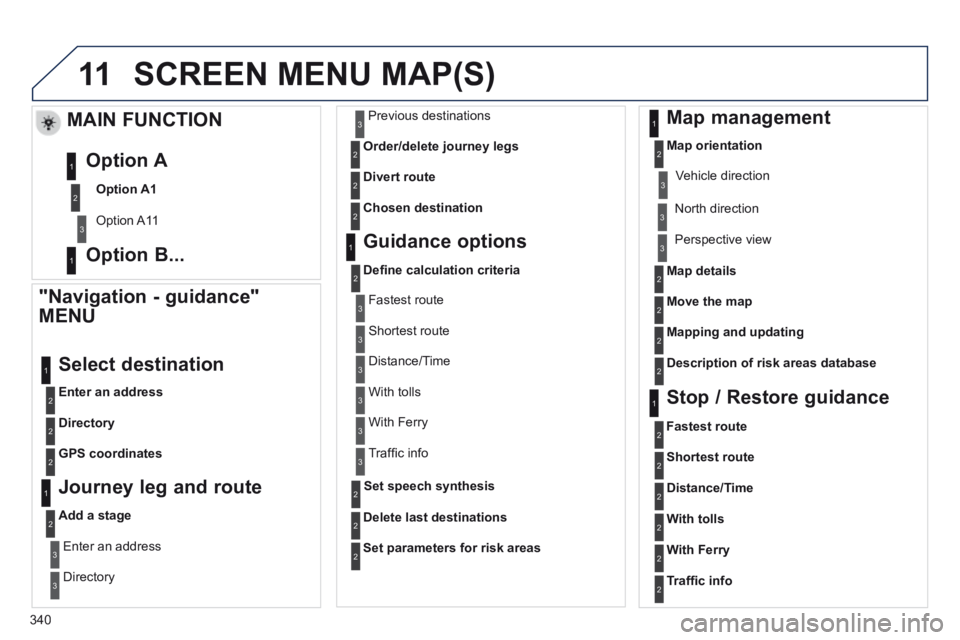
SCREEN MENU MAP(S)
"Navigation - guidance"
MENU
Enter an address
Select destination
Directory
GPS coordinates
Journey leg and route
Add a stage
Enter an address
Directory
Previous destinations
Order/delete journey legs
Divert route
Chosen destination
Guidance options
Defi ne calculation criteria
Delete last destinations
Map management
Map orientation
MAIN FUNCTION
Option A1
Option A11
Option A
Option B... Map details
Move the map
Mapping and updating
Description of risk areas database
Stop / Restore guidance
1
2
3
1
3
3
2
2
2
2
1
3
1
1
2
2
2
2
2
2
2
2
2
2
1
1
Set parameters for risk areas2
Fastest route2
Shortest route
Distance/Time
With tolls
2
2
2
With Ferry2
Traffi c info2
Set speech synthesis
Fastest route
Shortest route
3
3
2
Distance/Time
With tolls
3
3
With Ferry
Traffi c info
3
3
3
3
3
North direction
Vehicle direction
Perspective view
Page 346 of 389

344
The following table groups together the answers to the most frequently a\
sked questions concerning your audio system.
FREQUENTLY ASKED QUESTIONS
QUESTIONANSWERSOLUTION
The route calculation is not successful. The guidance criteria may confl ict with the current location (exclusion of toll roads on a toll motorway). Check the guidance criteria on the Navigation Menu, "Guidance options"\ "Defi ne calculation criteria".
I am unable to enter my post code. The system only accepts post codes of up to 5 characters.
The POIs do not appear. The POIs have not been selected. Select the POIs in the list of POIs.
The risk areas audible warning does not work. The audible warning is not active. Activate audible warnings in the Guidance options menu, "Navigation - guidance", "Set parameters for risk areas".
The system does not suggest a detour around an incident on the route.
The guidance criteria do not take account of TMC messages. Select the "Traffi c info" function in the list of guidance criteria.
I receive a Risk area alert which is not on my route. Other than guidance, the system announces all Risk areas positioned in a\
cone located in front of the vehicle. It may provide an alert for a Risk\
area located on nearby or parallel roads.
Zoom in on the map to view the exact position of the Risk area. Select "On the route" to no longer receive alerts other than guidance or to reduce the time for the announcement.