Page 326 of 378
08
324
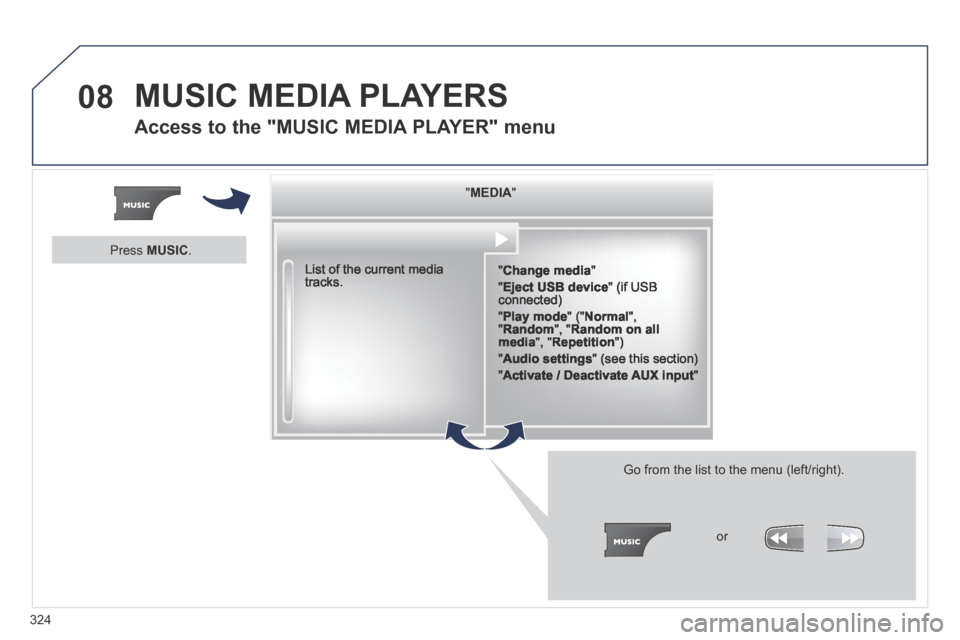
" " " " " " " " " " " " " " " " " " " MEDIAMEDIAMEDIAMEDIAMEDIAMEDIAMEDIAMEDIAMEDIAMEDIAMEDIAMEDIAMEDIAMEDIAMEDIAMEDIAMEDIAMEDIAMEDIA " " " " " " " " " " " " " " " " " " "
" Change media "
" Eject USB device " (if USB connected)
" Play mode " (" Normal ", " Random ", " Random on all media ", " Repetition ")
" Audio settings " (see this section)
" Activate / Deactivate AUX input "
List of the current media tracks.
Go from the list to the menu (left/right).
or
Press MUSIC .
MUSIC MEDIA PLAYERS
Access to the "MUSIC MEDIA PLAYER" menu
Page 327 of 378

08
325
CD, MP3 CD / USB player
The audio equipment will only play audio fi les with".wma, .aac, .fl ac, .ogg and .mp3" fi le extensions and with a bit rate of between 32 Kbps and 320 Kbps.
It also supports VBR (Variable Bit Rate) mode.
No other type of fi le (.mp4, .m3u…) can be played.
WMA fi les must be of the standard wma 9 type.
The sampling rates supported are greater than 32 KHz.
It is advisable to restrict fi le names to 20 characters, without using of special characters (e.g.: " " ? ; ù) to avoid any playing and displ\
aying problems.
In order to be able to play a recorded CDR or CDRW, when recording it is preferable to select the ISO 9660 level 1, 2 or Joliet standard.
If the disc is recorded in another format (udf, …), it may not be p\
layed correctly.
It is recommended that the same recording standard is always used for an individual disc, with as low a speed as possible (4x maximum) for optimum sound quality.
In the particular case of a multi-session CD, the Joliet standard is recommended.
Information and advice
The system supports USB mass storage or iPod devices via the USB port (suitable cable not supplied).
If a partitioned USB memory key is connected to the system, only the fi rst partition is recognised.
Control of the peripheral device is with the audio system controls.
The number of tracks is limited to 2000 maximum, 999 tracks per folder.
If the current consumption at the USB port exceeds 500 mA, the system goes into protection mode and deactivates the port.
Other peripherals, not recognised on connection, must be connected to the auxiliary socket using a Jack cable (not supplied).
In order to be read, a USB memory stick must be formatted FAT 16 or 32.
The system does not support the operation of an Apple ® player and a ® player and a ®
USB memory stick connected at the same time.
It is recommended that offi cial Apple ® USB cables are used to ensure ® USB cables are used to ensure ®
correct operation.
MUSIC MEDIA PLAYERS
Page 328 of 378

08
326
Insert the CD in the player, insert the USB memory stick in the USB player or connect the USB peripheral to the USB port using a suitable cable (not supplied) .
The system builds playlists (in temporary memory), an operation which can take from a few seconds to several minutes at the fi rst connection.
Reduce the number of non-music fi les and the number of folders to reduce the waiting time.
The playlists are updated every time the ignition is switched off or connection of a USB memory stick. However, the system memorises these lists and if they are not modifi ed, the loading time will be shorter.
Play starts automatically after a period which depends on the capacity of the USB memory stick.
Selection of source
The SOURCE button on the steering mounted controls allows a direct change to the next media source.
" CD / CD MP3 "
" USB, iPod "
" AUX " " STREAMING "
" RADIO "
Press MUSIC to display the " MEDIA " menu.
Select " Following media source " and confi rm.
Repeat the operation as many times as necessary to obtain the desired media source (except for radio which is accessible either with SOURCE or RADIO ).
Sources
MUSIC MEDIA PLAYERS
Page 329 of 378
08
/
/
//
//
/
+/
/
/
327
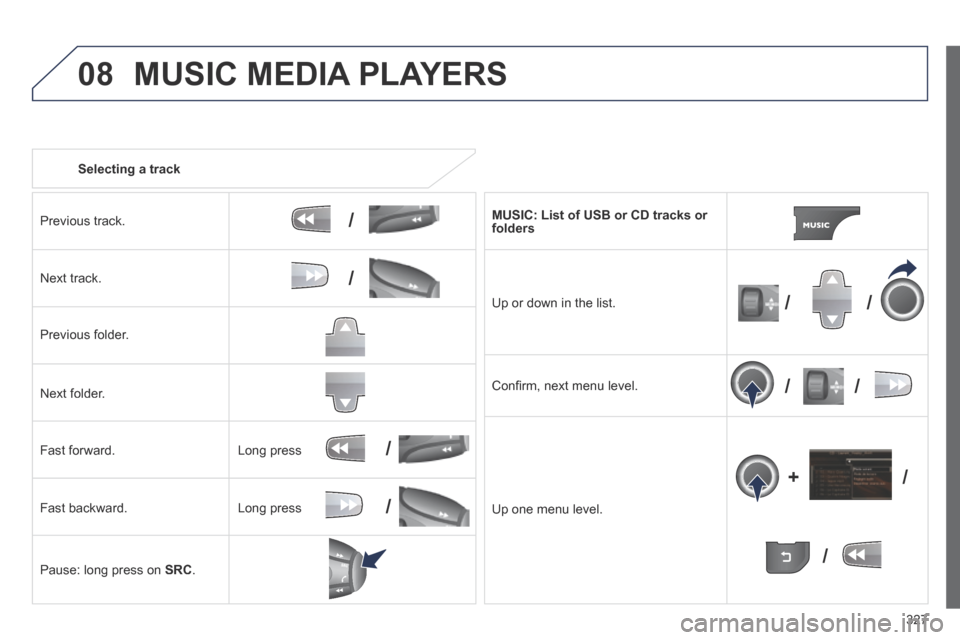
Selecting a track
Previous track.
Next track.
Previous folder.
Next folder.
Fast forward.
Fast backward.
Pause: long press on SRC .
MUSIC: List of USB or CD tracks or folders
Up or down in the list.
Confi rm, next menu level.
Up one menu level.
Long press
Long press
MUSIC MEDIA PLAYERS
Page 330 of 378
08
328
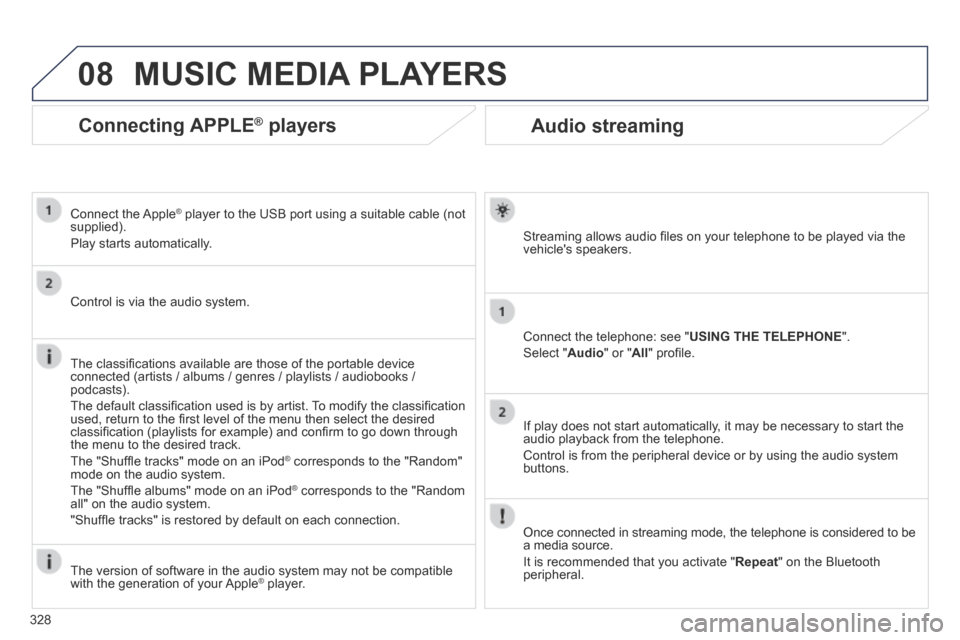
Audio streaming
Streaming allows audio fi les on your telephone to be played via the vehicle's speakers.
Connect the telephone: see " USING THE TELEPHONE ".
Select " Audio " or " All " profi le.
If play does not start automatically, it may be necessary to start the audio playback from the telephone.
Control is from the peripheral device or by using the audio system buttons.
Once connected in streaming mode, the telephone is considered to be a media source.
It is recommended that you activate " Repeat " on the Bluetooth peripheral.
MUSIC MEDIA PLAYERS
Connecting APPLE ® Connecting APPLE ® Connecting APPLE players ® players ®
Connect the Apple ® player to the USB port using a suitable cable (not ® player to the USB port using a suitable cable (not ®
supplied).
Play starts automatically.
Control is via the audio system.
The classifi cations available are those of the portable device connected (artists / albums / genres / playlists / audiobooks / podcasts).
The default classifi cation used is by artist. To modify the classifi cation used, return to the fi rst level of the menu then select the desired classifi cation (playlists for example) and confi rm to go down through the menu to the desired track.
The "Shuffl e tracks" mode on an iPod ® corresponds to the "Random" ® corresponds to the "Random" ®
mode on the audio system.
The "Shuffl e albums" mode on an iPod ® corresponds to the "Random ® corresponds to the "Random ®
all" on the audio system.
"Shuffl e tracks" is restored by default on each connection.
The version of software in the audio system may not be compatible with the generation of your Apple ® player. ® player. ®
Page 331 of 378
08
329
MUSIC MEDIA PLAYERS
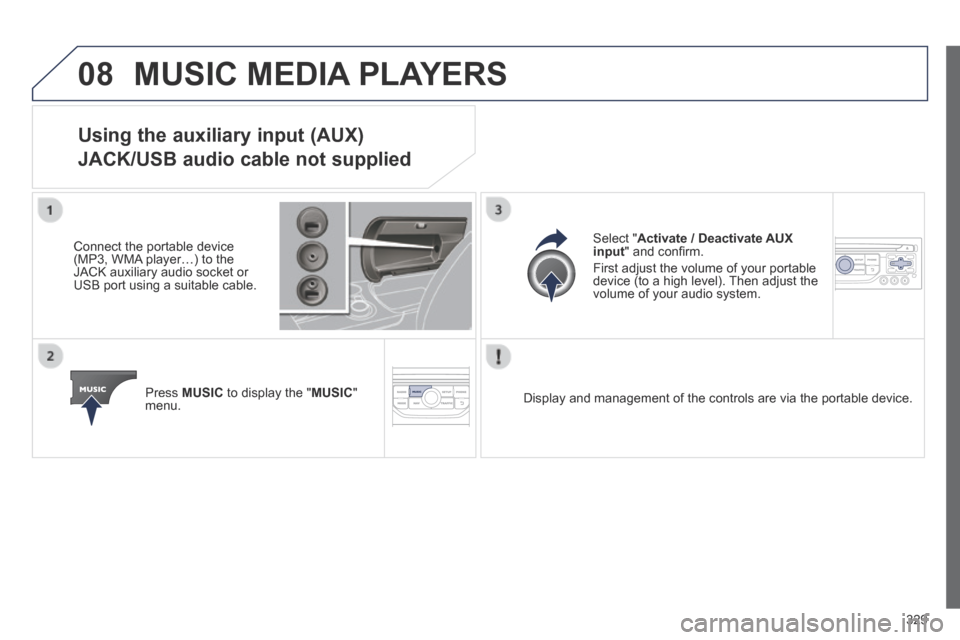
Using the auxiliary input (AUX)
JACK/USB audio cable not supplied
Connect the portable device (MP3, WMA player…) to the JACK auxiliary audio socket or USB port using a suitable cable.
Press MUSIC to display the " MUSIC " menu.
Select " Activate / Deactivate AUX input " and confi rm.
First adjust the volume of your portable device (to a high level). Then adjust the volume of your audio system.
Display and management of the controls are via the portable device.
Page 332 of 378
09
330
AUDIO SETTINGS
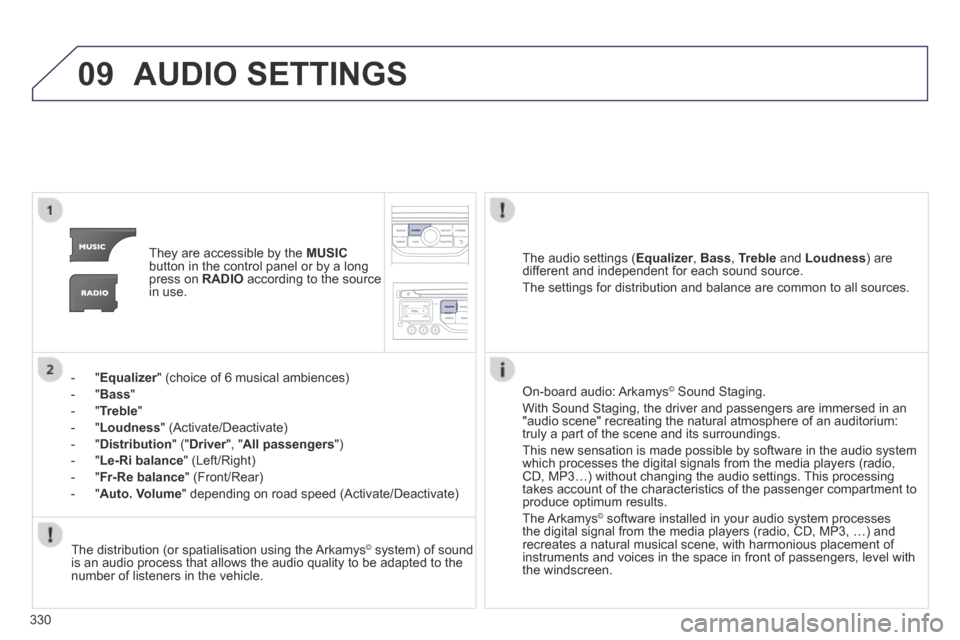
They are accessible by the MUSICbutton in the control panel or by a long press on RADIO according to the source in use.
- " Equalizer " (choice of 6 musical ambiences) Equalizer " (choice of 6 musical ambiences) Equalizer
- " Bass "
- " Treble "
- " Loudness " (Activate/Deactivate)
- " Distribution " (" Driver ", " Driver ", " DriverAll passengers ")
- " Le-Ri balance " (Left/Right)
- " Fr-Re balance " (Front/Rear)
- " Auto. Volume " depending on road speed (Activate/Deactivate)
The audio settings ( Equalizer , Equalizer , EqualizerBass , Treble and Loudness ) are different and independent for each sound source.
The settings for distribution and balance are common to all sources.
The distribution (or spatialisation using the Arkamys© system) of sound © system) of sound ©
is an audio process that allows the audio quality to be adapted to the number of listeners in the vehicle.
On-board audio: Arkamys © Sound Staging. © Sound Staging. ©
With Sound Staging, the driver and passengers are immersed in an "audio scene" recreating the natural atmosphere of an auditorium: truly a part of the scene and its surroundings.
This new sensation is made possible by software in the audio system which processes the digital signals from the media players (radio, CD, MP3…) without changing the audio settings. This processing takes account of the characteristics of the passenger compartment to produce optimum results.
The Arkamys© software installed in your audio system processes © software installed in your audio system processes ©
the digital signal from the media players (radio, CD, MP3, …) and recreates a natural musical scene, with harmonious placement of instruments and voices in the space in front of passengers, level with the windscreen.
Page 340 of 378
338
FREQUENTLY ASKED QUESTIONS
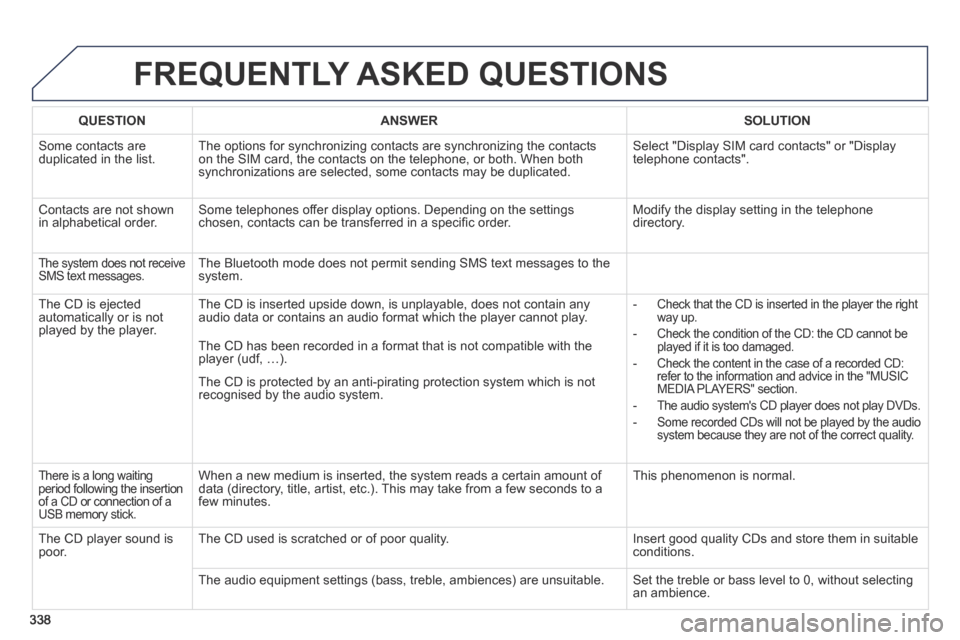
QUESTIONANSWERSOLUTION
Some contacts are duplicated in the list. The options for synchronizing contacts are synchronizing the contacts on the SIM card, the contacts on the telephone, or both. When both synchronizations are selected, some contacts may be duplicated.
Select "Display SIM card contacts" or "Display telephone contacts".
Contacts are not shown in alphabetical order. Some telephones offer display options. Depending on the settings chosen, contacts can be transferred in a specific order. Modify the display setting in the telephone directory.
The system does not receive SMS text messages. The Bluetooth mode does not permit sending SMS text messages to the system.
The CD is ejected automatically or is not played by the player.
The CD is inserted upside down, is unplayable, does not contain any audio data or contains an audio format which the player cannot play. - Check that the CD is inserted in the player the right way up.
- Check the condition of the CD: the CD cannot be played if it is too damaged.
- Check the content in the case of a recorded CD: refer to the information and advice in the "MUSIC MEDIA PLAYERS" section.
- The audio system's CD player does not play DVDs.
- Some recorded CDs will not be played by the audio system because they are not of the correct quality.
The CD has been recorded in a format that is not compatible with the player (udf, …).
The CD is protected by an anti-pirating protection system which is not recognised by the audio system.
There is a long waiting period following the insertion of a CD or connection of a USB memory stick.
When a new medium is inserted, the system reads a certain amount of data (directory, title, artist, etc.). This may take from a few seconds to a few minutes.
This phenomenon is normal.
The CD player sound is poor. The CD used is scratched or of poor quality. Insert good quality CDs and store them in suitable conditions.
The audio equipment settings (bass, treble, ambiences) are unsuitable.\
Set the treble or bass level to 0, without selecting an ambience.