Page 297 of 378
04
295
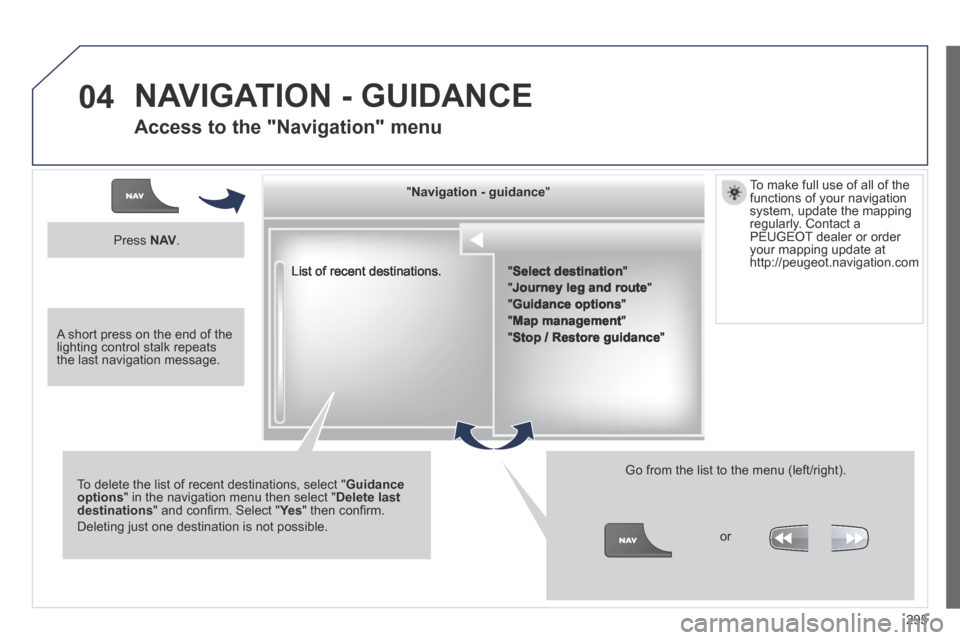
List of recent destinations.
" " " " " " " " " " " " " " " " " " " " " " " Navigation - guidanceNavigation - guidanceNavigation - guidanceNavigation - guidanceNavigation - guidanceNavigation - guidanceNavigation - guidanceNavigation - guidanceNavigation - guidanceNavigation - guidanceNavigation - guidanceNavigation - guidanceNavigation - guidanceNavigation - guidanceNavigation - guidanceNavigation - guidanceNavigation - guidanceNavigation - guidanceNavigation - guidanceNavigation - guidanceNavigation - guidanceNavigation - guidanceNavigation - guidanceNavigation - guidanceNavigation - guidanceNavigation - guidanceNavigation - guidanceNavigation - guidance " " " " " " " " " " " " " " " " " " " " " " "
To delete the list of recent destinations, select " Guidance options " in the navigation menu then select " Delete last destinations " and confi rm. Select " Ye s " and confi rm. Select " Ye s " and confi rm. Select " " then confi rm.
Deleting just one destination is not possible.
Go from the list to the menu (left/right).
" Select destination "
" Journey leg and route "
" Guidance options "
" Map management "
" Stop / Restore guidance "
Press N AV .
or
To make full use of all of the functions of your navigation system, update the mapping regularly. Contact a PEUGEOT dealer or order your mapping update at http://peugeot.navigation.com
A short press on the end of the lighting control stalk repeats the last navigation message.
NAVIGATION - GUIDANCE
Access to the "Navigation" menu
Page 298 of 378
04
296
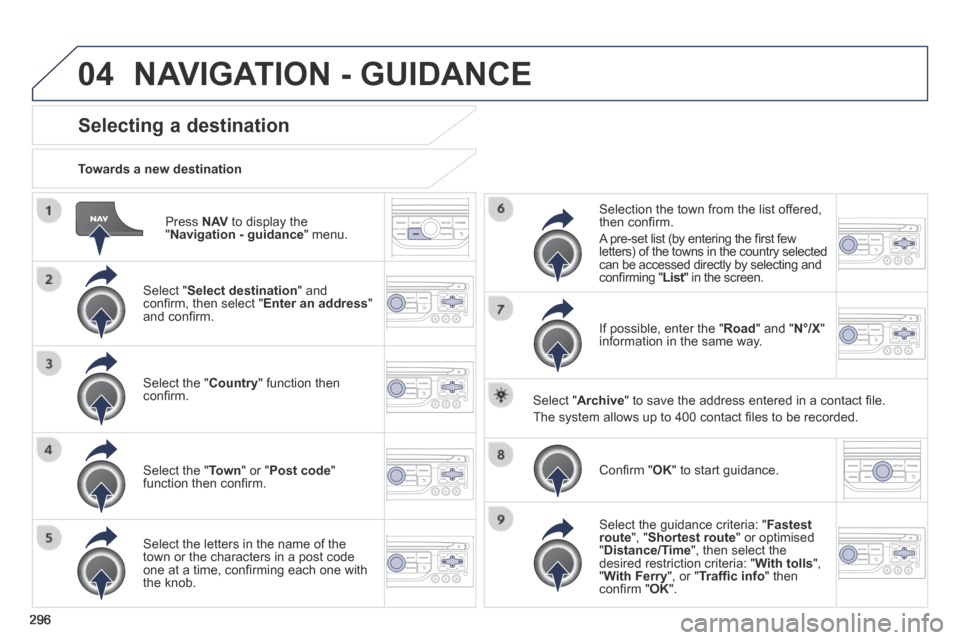
Press N AV to display the " Navigation - guidance " menu.
Towards a new destination
Selecting a destination
Select " Select destination " and confi rm, then select " Enter an address " and confi rm.
Select the " Country " function then confi rm.
Select the " Town " or " Post code " function then confi rm.
Select the letters in the name of the town or the characters in a post code one at a time, confi rming each one with the knob.
Selection the town from the list offered, then confi rm .
A pre-set list (by entering the fi rst few letters) of the towns in the country selected can be accessed directly by selecting and confi rming " List " in the screen. List " in the screen. List
If possible, enter the " Road " and " N°/X " information in the same way.
Select " Archive " to save the address entered in a contact fi le.
The system allows up to 400 contact fi les to be recorded.
Confi rm " OK " to start guidance.
Select the guidance criteria: " Fastest route ", " Shortest route " or optimised " Distance/Time ", then select the desired restriction criteria: " With tolls ", " With Ferry ", or " Traffi c info " then confi rm " OK ".
NAVIGATION - GUIDANCE
Page 299 of 378
04
297
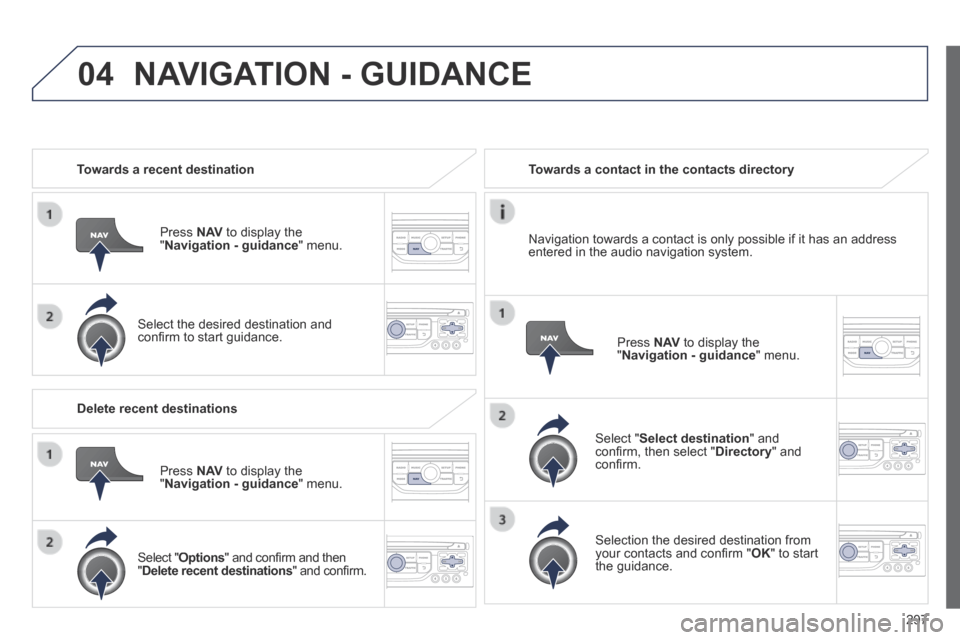
Towards a recent destination
Press N AV to display the " Navigation - guidance " menu.
Select the desired destination and confi rm to start guidance.
Towards a contact in the contacts directory
Select " Select destination " and confi rm, then select " Directory " and confi rm.
Selection the desired destination from your contacts and confi rm " OK " to start the guidance.
Press N AV to display the " Navigation - guidance " menu.
Navigation towards a contact is only possible if it has an address entered in the audio navigation system.
Delete recent destinations
Press N AV to display the " Navigation - guidance " menu.
Select " Options " and confi rm and then " Delete recent destinations " and confi rm.
NAVIGATION - GUIDANCE
Page 303 of 378
04
301
NAVIGATION - GUIDANCE
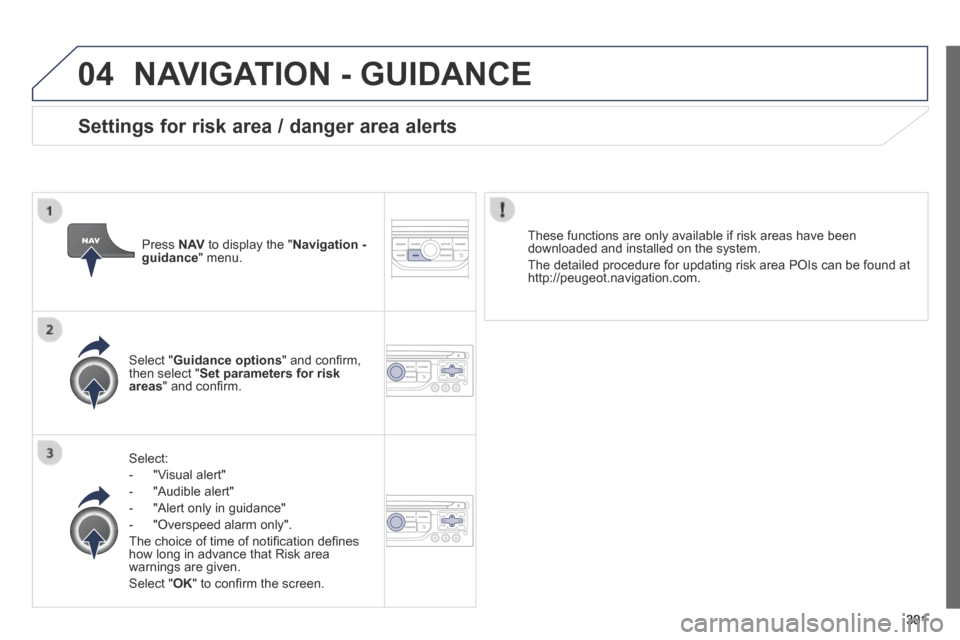
Select:
- "Visual alert"
- "Audible alert"
- "Alert only in guidance"
- "Overspeed alarm only".
The choice of time of notifi cation defi nes how long in advance that Risk area warnings are given.
Select " OK " to confi rm the screen.
Select " Guidance options " and confi rm, then select " Set parameters for risk areas " and confi rm.
These functions are only available if risk areas have been downloaded and installed on the system.
The detailed procedure for updating risk area POIs can be found at http://peugeot.navigation.com.
Press N AV to display the " Navigation - guidance " menu.
Settings for risk area / danger area alerts
Page 305 of 378
04
303
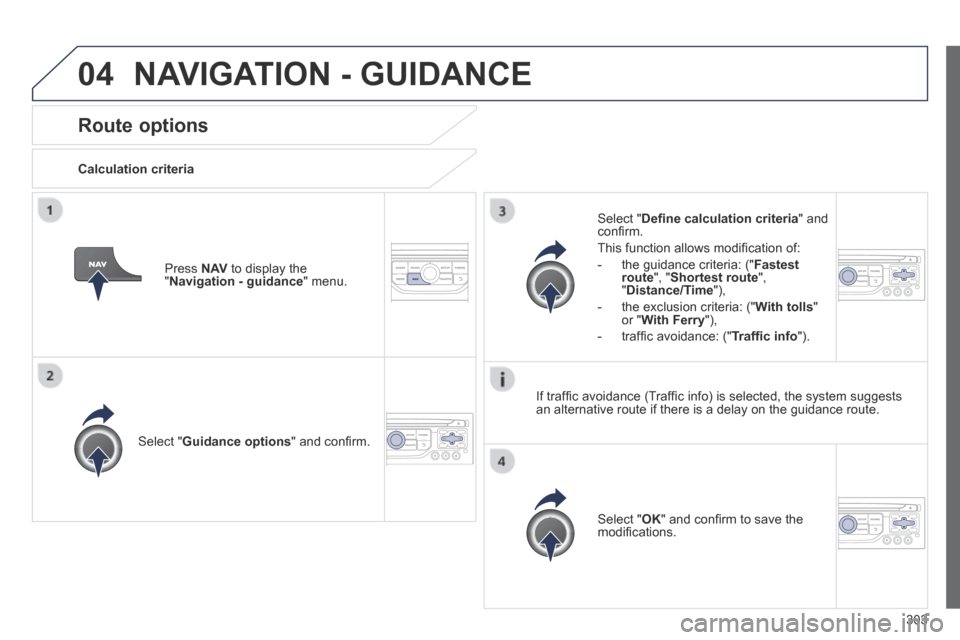
Route options
Calculation criteria
Select " Guidance options " and confi rm.
Select " OK " and confi rm to save the modifi cations.
Select " Defi ne calculation criteria " and confi rm.
This function allows modifi cation of:
- the guidance criteria: (" Fastest route ", " Shortest route ", " Distance/Time "),
- the exclusion criteria: (" With tolls " or " With Ferry "),
- traffi c avoidance: (" Traffi c info ").
Press N AV to display the " Navigation - guidance " menu.
If traffi c avoidance (Traffi c info) is selected, the system suggests an alternative route if there is a delay on the guidance route.
NAVIGATION - GUIDANCE
Page 306 of 378
04
304
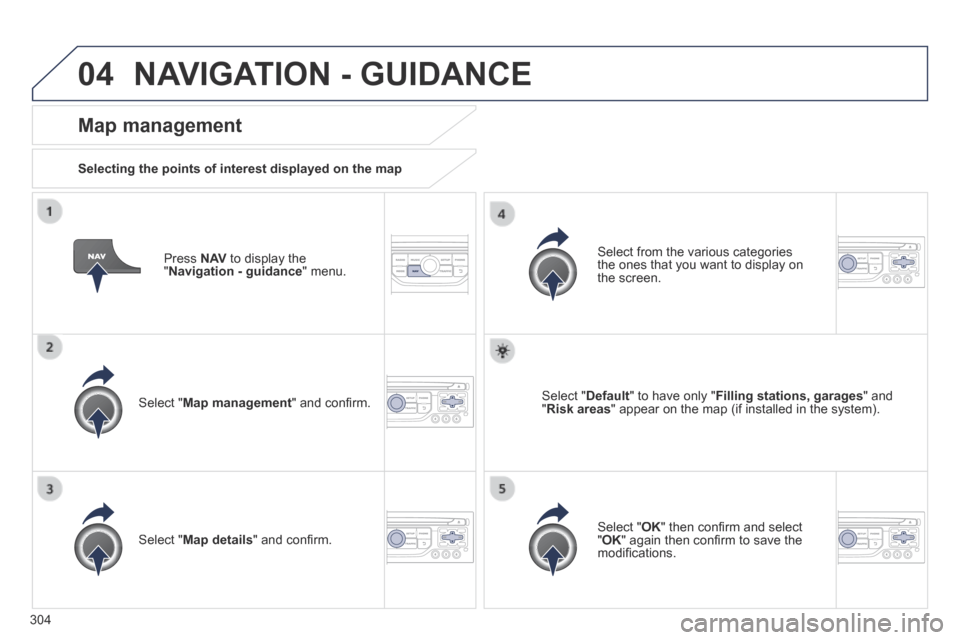
Press N AV to display the " Navigation - guidance " menu.
Map management
Selecting the points of interest displayed on the map
Select " Map management " and confi rm.
Select from the various categories the ones that you want to display on the screen.
Select " Map details " and confi rm.
Select " Default " to have only " Filling stations, garages " and " Risk areas " appear on the map (if installed in the system).
Select " OK " then confi rm and select " OK " again then confi rm to save the modifi cations.
NAVIGATION - GUIDANCE
Page 309 of 378
04
307
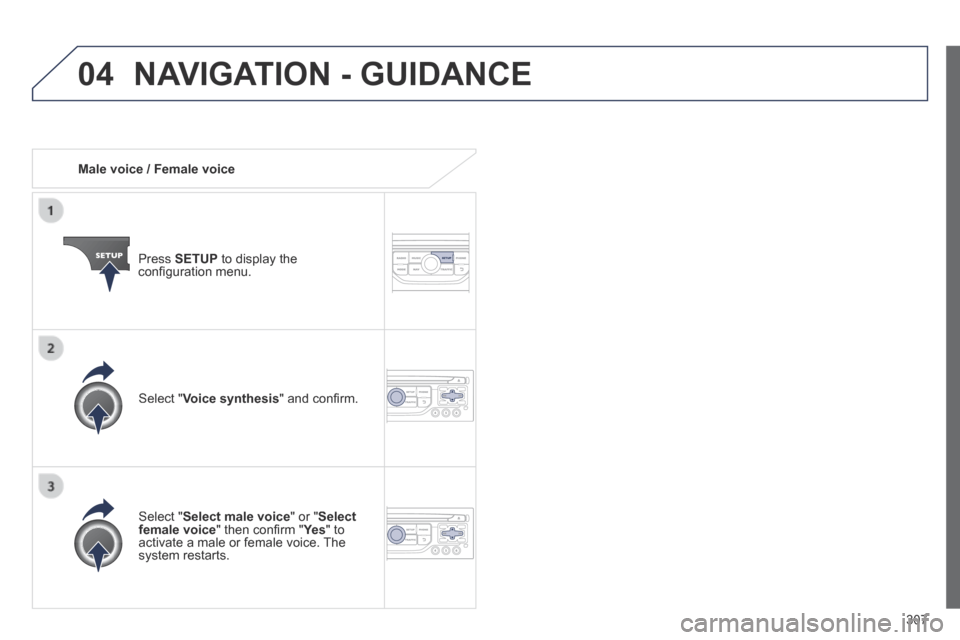
Male voice / Female voice
Press SETUP to display the confi guration menu.
Select " Select male voice " or " Select female voice " then confi rm " Ye s " then confi rm " Ye s " then confi rm " " to activate a male or female voice. The system restarts.
Select " Voice synthesis " and confi rm.
NAVIGATION - GUIDANCE
Page 311 of 378
05
309
Configure the filtering and display of TMC messages
TMC (Traffi c Message Channel) messages contain information on traffi c and weather conditions, received in real time and transmitted to the driver in the form of audible announcements and symbols on the navigatio\
n map.
The navigation system can then suggest an alternative route to avoid a traffi c problem.
Press the TRAFFIC button to display the " Traffi c information " menu.
Select the " Geographic fi lter " function Geographic fi lter " function Geographic fi lterand confi rm.
The system offers a choice of:
- " Retain all the messages ",
or
- " Retain the messages "
● " Around the vehicle ", (confi rm the mileage to modify and select the distance),
● " On the route ".
Confi rm " OK " to save the modifi cations.
We recommend:
- a fi lter on the route and
- a fi lter around the vehicle of:
- 12 miles (20 km) in urban areas,
- 30 miles (50 km) on motorways.
TRAFFIC INFORMATION