167
Accessories
A wide range of accessories and genuine parts is available from the PeugeOt dealer network.th
ese accessories and parts are all suitable for your vehicle and benefit from Pe ugeOt' s recommendation and warranty.
"Comfort":
air deflectors, insulated module,
sun blinds, scented air freshener, portable
ashtray, coat hanger fitted to head restraint,
reading lamp, front and rear parking sensors,
centre armrest, cigarette lighter...
"Transport solutions":
boot carpet, boot liner,
boot net, transverse roof bars, bicycle carrier,
ski carrier, roof boxes, boot dividers, ... "Security and safety":
anti-theft alarm,
vehicle tracking system, snow chains, wheel
non-slip covers, wheel security bolts, child
seats, first aid kit, warning triangle, high
visibility vest, breathalyzer, fire extinguisher,
pet seat belt, foglamp kit, seat belt cutter/glass
hammer, ... "Protection":
mats, mud flaps, vehicle cover,
seat covers, bumper protectors, ...
to p
revent the mat from becoming caught
under the pedals:
-
e
nsure that the mat is secured correctly,
-
n
ever fit one mat on top of another.
"Style":
ligne S body kit, ligne S personalised
mats, aluminium gear lever knob, alloy wheels,
exterior personalisation stickers, chrome side
mouldings, chrome mirror shells, chrome
door handles, door sill finishers, personalised
remote control shells, ...
9
Practical information
181
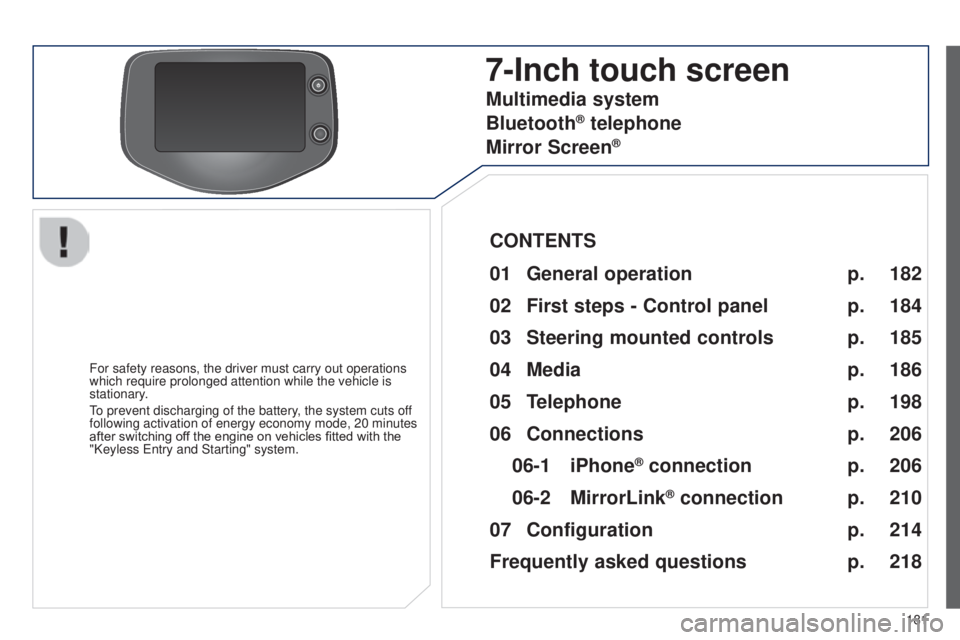
7-Inch touch screen
For safety reasons, the driver must carry out operations
which require prolonged attention while the vehicle is
stationary.
to prevent discharging of the battery
, the system cuts off
following activation of energy economy mode, 20 minutes
after switching off the engine on vehicles fitted with the
"Keyless
e ntry and Starting" system.
Multimedia system
Bluetooth
® telephone
Mirror Screen
®
CONTENTS
182
01
General
operation p.
184
02
First steps - Control
panelp.
198
05
Telephone p. 186
04
Media p.
206
06
Connections p.
206
p.
210
06-1
iPhone
® connection
06-2
MirrorLink
® connection p.
214
07
Configuration p.
218
Frequently asked questions
p. 185
03
Steering mounted
controls
p.
B3_en_Chap12a_Autoradio-t oyota-tactile-1_ed01-2014
02
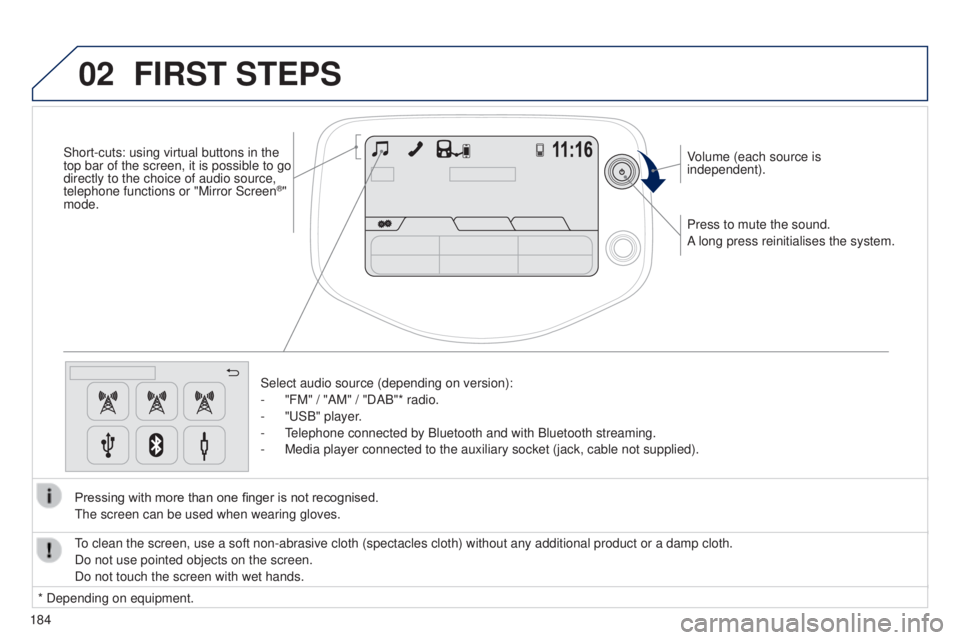
184Press to mute the sound.
A long press reinitialises the system. Volume (each source is
independent).
Select audio source (depending on version):
-
"FM" / "AM" / "DAB"* radio.
-
"
u SB" player.
- t
elephone connected by Bluetooth and with Bluetooth streaming.
-
Media player connected to the auxiliary socket (jack, cable not supplie\
d).
Pressing with more than one finger is not recognised.
t
he screen can be used when wearing gloves.
FIRST STEPS
* Depending on equipment.
to clean the screen, use a soft non-abrasive cloth (spectacles cloth) w\
ithout any additional product or a damp cloth.
Do not use pointed objects on the screen.
Do not touch the screen with wet hands.
Short-cuts: using virtual buttons in the
top bar of the screen, it is possible to go
directly to the choice of audio source,
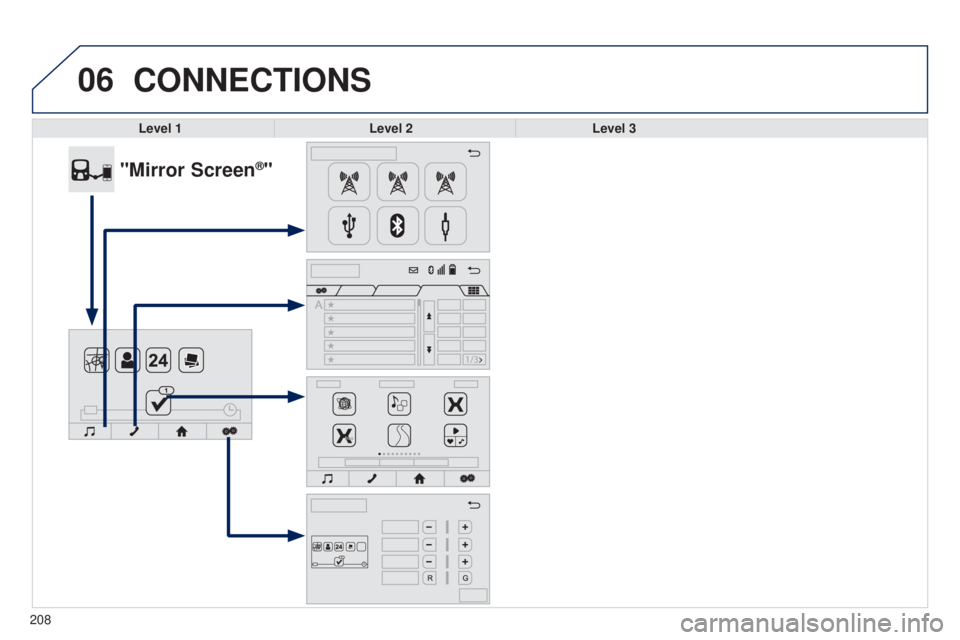
telephone functions or "Mirror Screen
®"
mode.
06
207
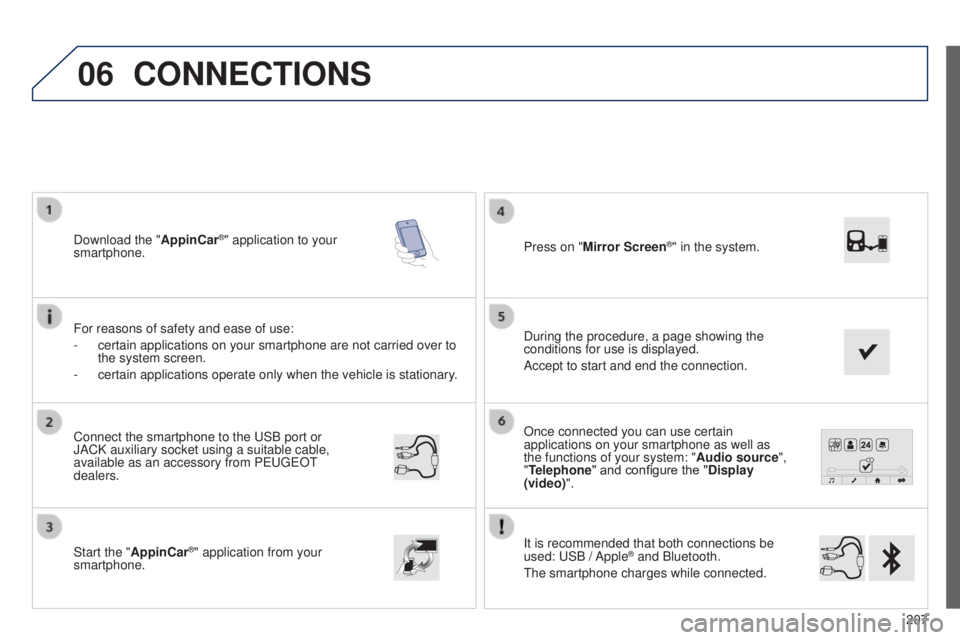
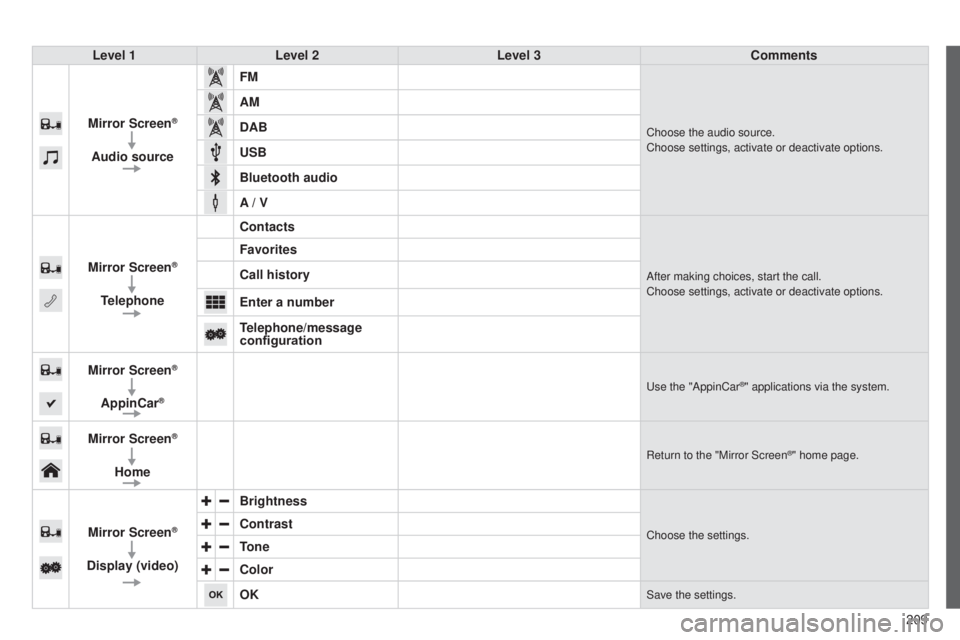
Once connected you can use certain
applications on your smartphone as well as
the functions of your system: "Audio source",
"Telephone" and configure the "Display
(video)".
It is recommended that both connections be
used:
u
SB / Apple
® and Bluetooth.
t
he smartphone charges while connected.
Connect the smartphone to the
u
SB
port or
JACK auxiliary socket using a suitable cable,
available as an accessory from P
euge
O
t
dealers.
Start the "
AppinCar®" application from your
smartphone. During the procedure, a page showing the
conditions for use is displayed.
Accept to start and end the connection. Press on "Mirror Screen
®" in the system.
Download the "
AppinCar®" application to your
smartphone.
For reasons of safety and ease of use:
-
certain applications on your smartphone are not carried over to
the system screen.
-
certain applications operate only when the vehicle is stationary
.
CONNECTIONS
B3_en_Chap12a_Autoradio-toyota-tactile-1_ed01-2014
209
Level 1
Level 2 Level 3 Comments
Mirror Screen
®
Audio source FM
Choose the audio source.
Choose settings, activate or deactivate options.
AM
DAB
USB
Bluetooth audio
A / V
Mirror Screen
®
Telephone Contacts
After making choices, start the call.
Choose settings, activate or deactivate options.
Favorites
Call history
Enter a number
Telephone/message
configuration
Mirror Screen
®
AppinCar®use the "AppinCar®" applications via the system.
Mirror Screen®
Home
Return to the "Mirror Screen®" home page.
Mirror Screen®
Display (video) Brightness
Choose the settings.Contrast
Tone
Color
OK
Save the settings.
B3_en_Chap12a_Autoradio-t
oyota-tactile-1_ed01-2014
06
210
06-2 Connecting MirrorLink® smartphones
Using
the USB portFor reasons of safety and because it requires the sustained attention
of the driver, using a smartphone while driving is prohibited.
t
he operations must be carried out with the vehicle stationary.
Synchronisation of the system with the smartphone allows the driver to c\
heck their smartphone in the screen.
t
he principles and standards are constantly changing with new models of s\
martphone.
For more information, contact a P
euge
O
t
dealer
.
CONNECTIONS