Page 102 of 321

100Instruments and controlsControl indicators
The control indicators described are
not present in all vehicles. The
description applies to all instrument
versions. Depending on the
equipment, the position of the control indicators may vary. When the
ignition is switched on, most control
indicators will illuminate briefly as a functionality test.
The control indicator colours mean:red=danger, important
reminderyellow=warning, information, faultgreen=confirmation of activationblue=confirmation of activationwhite=confirmation of activation
See all control indicators on different
instrument clusters 3 91.
Turn signal
O illuminates or flashes green.
Illuminates briefly
The parking lights are switched on.
Flashes
A turn signal or the hazard warningflashers are activated.
Rapid flashing: failure of a turn signal
light or associated fuse, failure of turn
signal light on trailer.
Bulb replacement 3 222, Fuses
3 232.
Turn signals 3 128.
Seat belt reminder Seat belt reminder on frontseats X for driver's seat illuminates or
flashes red in the instrument cluster.
k for front passenger seat illuminates
or flashes red in the centre console,
when seat is occupied.
Illuminates
After the ignition has been switched
on until the seat belt has been
fastened.Flashes
After having started the engine for a
maximum of 100 seconds until the
seat belt has been fastened.
Seat belt status on rear seats,
base level instrument cluster
X flashes or illuminates in the Driver
Information Centre.
Illuminates
After the ignition has been switched
on when the seat belt has been
fastened.
Flashes
After starting off when the seat belt is unfastened.
Fastening the seat belt 3 55.
Seat belt status on rear seats,
midlevel and uplevel instrument cluster X illuminates red or green or grey in
the instrument cluster, after the
ignition has been switched on.
Page 116 of 321
114Instruments and controlsColour-Info-Display
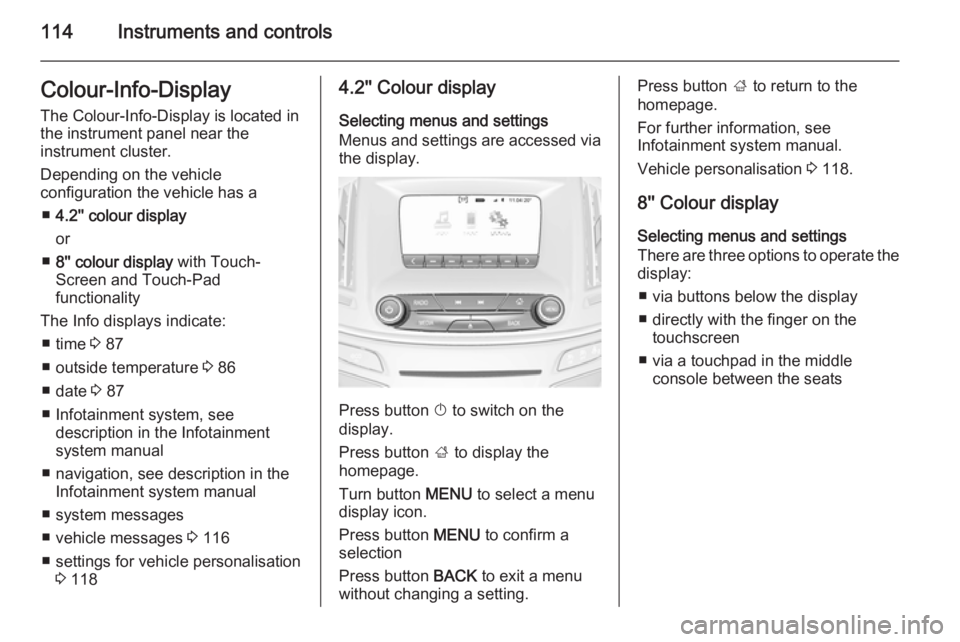
The Colour-Info-Display is located in
the instrument panel near the
instrument cluster.
Depending on the vehicle
configuration the vehicle has a
■ 4.2'' colour display
or
■ 8'' colour display with Touch-
Screen and Touch-Pad
functionality
The Info displays indicate: ■ time 3 87
■ outside temperature 3 86
■ date 3 87
■ Infotainment system, see description in the Infotainment
system manual
■ navigation, see description in the Infotainment system manual
■ system messages
■ vehicle messages 3 116
■ settings for vehicle personalisation 3 1184.2'' Colour display
Selecting menus and settings
Menus and settings are accessed via the display.
Press button X to switch on the
display.
Press button ; to display the
homepage.
Turn button MENU to select a menu
display icon.
Press button MENU to confirm a
selection
Press button BACK to exit a menu
without changing a setting.
Press button ; to return to the
homepage.
For further information, see
Infotainment system manual.
Vehicle personalisation 3 118.
8'' Colour display Selecting menus and settings
There are three options to operate the
display:
■ via buttons below the display
■ directly with the finger on the touchscreen
■ via a touchpad in the middle console between the seats
Page 120 of 321
118Instruments and controls
During an Autostop■ If the driver's door is opened.
Battery voltage When the vehicle battery voltage is
running low, a warning message will
appear in the Driver Information
Centre.
1. Switch off any electrical consumers which are not required
for a safe ride, e.g. seat heating,
heated rear window or other main consumers.
2. Charge the vehicle battery by driving continuously for a while or
by using a charging device.
The warning message will disappear
after the engine has been started
twice without a voltage drop.
If the vehicle battery cannot be
recharged, have the cause of the fault remedied by a workshop.Vehicle personalisation
The vehicle's behaviour can be
personalised by changing the settings in the Colour-Info-Display.
Some of the personal settings for
different drivers can be memorised
individually for each vehicle key.
Memorised settings 3 23.
Depending on vehicle equipment and
country-specific regulations some of
the functions described below might
not be available.
Some functions are only displayed or
active when the engine is running.
Personal settings Following the changing of personal
settings is described via the buttons
below the display. This is valid for
4.2'' as well as 8'' Colour-Info-Display.
Additionally the 8'' display is operable
as a touchscreen and with the
touchpad between the front seats. See description Colour-Info-Display
3 114 and the Infotainment system
manual.
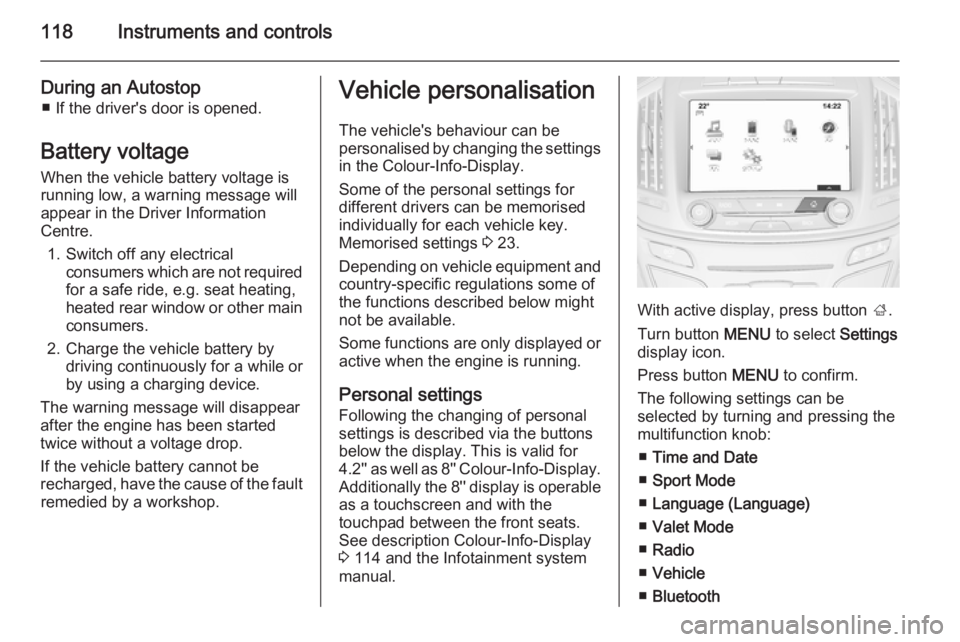
With active display, press button ;.
Turn button MENU to select Settings
display icon.
Press button MENU to confirm.
The following settings can be
selected by turning and pressing the
multifunction knob:
■ Time and Date
■ Sport Mode
■ Language (Language)
■ Valet Mode
■ Radio
■ Vehicle
■ Bluetooth
Page 126 of 321

124Lighting
Activation
The high beam assist is activated by
pushing the indicator lever twice with
a speed above 40 km/h.
The green control indicator l
illuminates continuously when the
assist is activated, the blue one 7
illuminates when high beam is on.
Control indicator l 3 105.
Deactivation
Push indicator lever once. It is also deactivated when front fog lights are
switched on.
If a headlight flash is activated when
the high beam is on, the high beam
assist will be deactivated.
If a headlight flash is activated when
the high beam is off, the high beam
assist will remain activated.
The latest setting of the high beam
assist will be stored after the ignition
is switched on again.
Headlight flash To activate the headlight flash, pull
lever.Headlight range
adjustment
Manual headlight range
adjustment
To adapt headlight range to the
vehicle load to prevent dazzling: turn
thumb wheel ? to required position.
0=front seats occupied1=all seats occupied2=all seats occupied and load
compartment laden3=driver's seat occupied and load
compartment laden.
Page 135 of 321
Lighting133
■ Auxiliary heater
■ Heated rear window and mirrors
■ Heated seats
■ Fan
In the second stage a message which confirms the activation of the vehicle
battery discharge protection will be
displayed in the Driver Information
Centre.
Switching off electric lights To prevent discharge of the vehicle
battery when the ignition is switched
off, some interior lights are switched
off automatically after some time.
Page 136 of 321
134Climate controlClimate controlClimate control systems ............. 134
Air vents ..................................... 145
Maintenance .............................. 146Climate control systems
Air conditioning system
Controller and buttons for the
following functions:
■ Temperature TEMP
■ Air distribution l M K
■ Fan speed Z
■ Cooling A/C
■ Air recirculation 4
■ Demisting and defrosting V
Heated rear window Ü 3 41.
Heated seats ß 3 53.
Ventilated seats
A 3 54.
Heated steering wheel * 3 83.
Temperature TEMP
Turn controller:
red=warmblue=cold
Heating will not be fully effective until
the engine has reached normal
operating temperature.
Page 139 of 321

Climate control137
Controller and buttons for the
following functions:
■ Temperature TEMP
■ Air distribution l M K
■ Fan speed Z
■ Automatic mode AUTO
■ Cooling A/C
■ Air recirculation 4
■ Demisting and defrosting V
■ System ON/OFF X
Heated rear window Ü 3 41.
Heated front seats ß 3 53.
Ventilated front seats A 3 54.
Heated steering wheel * 3 83.
Indication
Settings of temperature and fan
speed are indicated in the climate
display.
Each change of settings is shown in
the Info-Display for a few seconds.
The electronic climate control system
is only fully operational when the
engine is running.
Climate control system settings are
saved in the key used to lock the vehicle.
Automatic mode AUTO
Basic setting for maximum comfort:
■ Press AUTO, the air distribution
and fan speed are regulated
automatically. Activation is
indicated by the LED in the button.
■ Press A/C to switch on optimal
cooling and demisting. Activation is indicated by the LED in the button.
■ Set temperature by turning controller TEMP. Suggested
comfort setting is 22 °C.
■ Open all air vents to allow optimised air distribution in
automatic mode.
Page 143 of 321

Climate control141
■Automatic mode AUTO
■ Cooling A/C
■ Air recirculation 4
■ Demisting and defrosting V
■ System ON/OFF X
■ Dual zone temperature
synchronisation SYNC
Heated rear window Ü 3 41.
Heated front seats ß 3 53.
Ventilated front seats A 3 54.
Heated steering wheel * 3 83.
IndicationTemperature settings are indicated
for driver and passenger side
separately on the panels.
Each change of settings is shown in
the Info-Display for a few seconds.
The dual automatic climate control
system is only fully operational when
the engine is running.
Climate control system settings are
saved in the key used to lock the vehicle.
Automatic mode AUTOBasic setting for maximum comfort: ■ Press AUTO, the air distribution
and fan speed are regulated
automatically. Activation is
indicated by the LED in the button.
■ Press A/C to switch on optimal
cooling and demisting. Activation is indicated by the LED in the button.
■ Set temperature by touching R or
S on the driver side. Suggested
comfort setting is 22 °C.
Temperature can be set differently
for driver and passenger. Touch R
or S on the passenger side to allow
different temperature zones.
■ Open all air vents to allow optimised air distribution in
automatic mode.
Setting of fan speed regulation in
automatic mode can be changed in the vehicle personalisation menu in
the Colour-Info-Display.
Select the relevant setting in Settings,
I Vehicle , in the Colour-Info-Display.
Colour-Info-Display 3 114.
Vehicle personalisation 3 118.

