Page 108 of 245
106Instruments and controls
Select menu items via the menus and
using the Infotainment system
buttons. The OK button is used to
select the highlighted item or confirm
a command.
To exit a menu, press the right or left
arrow button until Return or Main
appear and select.
Selecting with the multifunction
control
Turn the multifunction control to
highlight menu items or commands
and to select function areas.
Press the multifunction control to
select the highlighted item or confirm
a command.
To exit a menu, turn the multifunction control until Return or Main appear
and select.
Selecting with the left adjuster wheel
on the steering wheel
Turn to select a menu item.
Press the adjuster wheel to select the
highlighted item or confirm a
command.
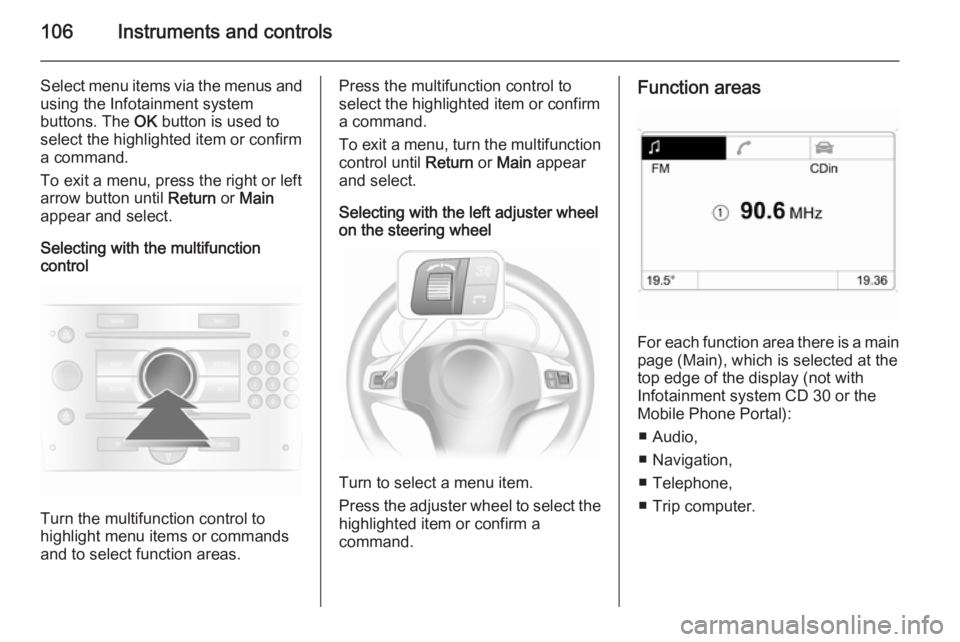
Function areas
For each function area there is a main
page (Main), which is selected at the
top edge of the display (not with
Infotainment system CD 30 or the
Mobile Phone Portal):
■ Audio,
■ Navigation,
■ Telephone,
■ Trip computer.
Page 114 of 245
112Instruments and controlsTrip computerTrip computer in Board-
Info-Display
Access the data by pressing the BC
button on the Infotainment system or
the left adjuster wheel on the steering wheel.
Some information appears in the
display in an abbreviated form.
Once an audio function has been
selected, the lower row of the trip computer function is displayed
furthermore.Instantaneous consumption
Displays the instantaneous
consumption. At low speeds,
consumption per hour is displayed.
Average consumption
Displays average consumption. The
measurement can be reset at any
time.
Absolute consumption
Displays fuel consumed. The
measurement can be reset at any
time.
Average speed
Displays average speed. The
measurement can be reset at any
time.
Stoppages in the journey with the
ignition off are not included in the
calculations.
Distance
Displays distance travelled. The
measurement can be reset at any
time.
Range
Page 115 of 245

Instruments and controls113
Range is calculated from current fuel
tank content and current
consumption. The display shows
average values.
After refuelling, the range updates
automatically after a brief delay.
When the fuel level in the tank is low,
the message Range appears in the
display.
When the fuel tank is nearly empty,
the message Refuel! appears in the
display.
Stop watchSelect the function. Press the OK
button or the left adjuster wheel on the
steering wheel to start or stop the stop watch.
Restart trip computer
The measurement or calculation of
the following trip computer
information can be restarted:
■ Average consumption,
■ Absolute consumption,
■ Average speed,
■ Distance,
■ Stop watch.
Select the desired trip computer
information 3 102. To restart, press
the OK button or the left adjuster
wheel on the steering wheel for
approx. 2 seconds.Trip computer in Graphic-
Info-Display or Colour-
Info-Display
The main page of the trip computer
provides information on range,
current consumption and average
consumption of BC 1.
To display other trip computer data,
press the BC button on the
infotainment system, select the trip
computer menu from the display or
press the left adjuster wheel on the
steering wheel.
Select BC 1 or BC 2 from the trip
computer menu.
Page 121 of 245

Lighting119
However, when driving in countries
where traffic drives on the opposite
side of the road, adjust the headlights to prevent dazzling of oncoming
traffic.
Vehicles with halogen headlight
system
Have the headlights adjusted by a
workshop.
Vehicles with adaptive forward
lighting
Adapting the aim of the headlight
beam:
1. Pull lever and hold.
2. Switch on ignition.
3. An acoustic signal sounds after approx. 3 seconds.
Control indicator B 3 101.
Daytime running lights
With the ignition on and the light
switch set to 7 or AUTO , the sidelights
are switched on. When the engine is
running, headlights illuminate.On vehicle without automatic light
control, 9 must be switched on when
it gets dark for illumination of the
instrument panel.
The daytime running lights switch off
when the ignition is switched off.
Adaptive forward lighting
Adaptive forward lighting with Bi-
Xenon headlights improves lighting in
curves and increases headlight
range.
Curve lightingThe light beam pivots based on
steering wheel position and speed.
Motorway lighting
At higher speeds and continuous
straight ahead travel, the beam
automatically raises slightly, thereby
increasing headlight range.
Control indicator B 3 101.
Hazard warning flashers
Operated with the ¨ button.
The hazard warning flashers activate
automatically if the airbags deploy.
Page 122 of 245
120LightingTurn and lane-change
signalsLever up=right turn signalLever down=left turn signal
The lever always springs back to its
original position.
If the lever is moved past the
resistance point, the turn signal is
switched on constantly. When the
steering wheel moves back, the turn
signal is automatically deactivated.
For three flashes, e.g. when changing lanes, press the lever until resistance
is felt and then release.
Move the lever to the resistance point
and hold for longer indication.
Switch the turn signal off manually by moving the lever slightly.
Front fog lights
The front fog lights can only be
switched on when both the ignition and headlights or sidelights are on.
Operated with the > button.
Rear fog lights
The rear fog light can only be
switched on when both the ignition
and headlights or sidelights (with front fog lights) are on.
Operated with the r button.
The vehicle rear fog light is
deactivated when towing.
Parking lights
Page 134 of 245

132Driving and operatingDriving and operatingDriving hints............................... 132
Starting and operating ...............132
Engine exhaust .......................... 135
Automatic transmission .............. 136
Manual transmission ..................141
Manual transmission automa‐
ted .............................................. 142
Brakes ........................................ 146
Ride control systems .................147
Cruise control ............................. 149
Object detection systems ........... 150
Fuel ............................................ 151
Trailer hitch ................................ 154Driving hints
Control of the vehicleNever coast with engine not
running
Many systems will not function in this
situation (e.g. brake servo unit, power
steering). Driving in this manner is a
danger to yourself and others.
Pedals To ensure the pedal travel is
uninhibited, there must be no mats in
the area of the pedals.Starting and operating
New vehicle running-in Do not brake unnecessarily hard for
the first few journeys.
During the first drive, smoke may
occur because of wax and oil
evaporating off the exhaust system.
Park the vehicle in the open for a
while after the first drive and avoid
inhaling the fumes.
Fuel and engine oil consumption may be higher during the running-in
period.
Page 135 of 245
Driving and operating133Ignition switch positions0=Ignition off1=Steering wheel lock released,ignition off2=Ignition on, for diesel engine:
preheating3=StartingStarting the engine
Starting engine with ignition
switch
Operate clutch and brake, automatic
transmission in P or N, do not
accelerate; for diesel engines, turn
the key to position 2 for preheating
until control indicator ! goes out;
turn key briefly to position 3 and
release key when engine is running.
Before restarting or to switch off the
engine, turn key back to position 0.
Starting engine with the
Start/Stop button
The electronic key must be inside the
vehicle. Operate clutch and brake,
automatic transmission in P or N, do
not accelerate, for diesel engines,
press the button briefly to start
preheating, move the steering wheel
slightly to release the steering wheel
lock, wait until control indicator !
goes out and then press button for
1 second and release when the
engine is running.
Page 136 of 245

134Driving and operating
To repeat the starting procedure or to
switch off the engine, press the button again.
Starting the vehicle at low
temperatures
The start of the engine without
additional heaters is possible down to -25 °С for diesel engines and -30 °C
for petrol engines. Required is an engine oil with the correct viscosity,
the correct fuel, performed services
and a sufficiently charged battery.
With temperatures below -30 °C the
automatic transmission and the
manual transmission automated
need a warming phase of approx. 5
minutes. The selector lever must be
in position P respectively N.
Overrun cut-off The fuel supply is automatically cut off
during overrun, i.e. when the vehicle
is driven with a gear engaged but
accelerator is released.Parking
■ Do not park the vehicle on an easily
ignitable surface. The high
temperature of the exhaust system
could ignite the surface.
■ Always apply parking brake without
pressing release button. Apply as
firmly as possible on downhill or
uphill slopes. Depress the foot
brake at the same time to reduce
operating force.
■ Switch off the engine and ignition. Turn the steering wheel until the
steering wheel lock engages.
■ If the vehicle is on a level surface or
uphill slope, engage first gear or set
the selector lever to P before
switching off the ignition. On an uphill slope, turn the front wheels
away from the kerb.
If the vehicle is on a downhill slope, engage reverse gear or set the
selector lever to P before switchingoff the ignition. Turn the front
wheels towards the kerb.
■ Lock the vehicle and activate the anti-theft locking system and the
anti-theft alarm system.