2014 NISSAN VERSA NOTE ad blue
[x] Cancel search: ad bluePage 4 of 372
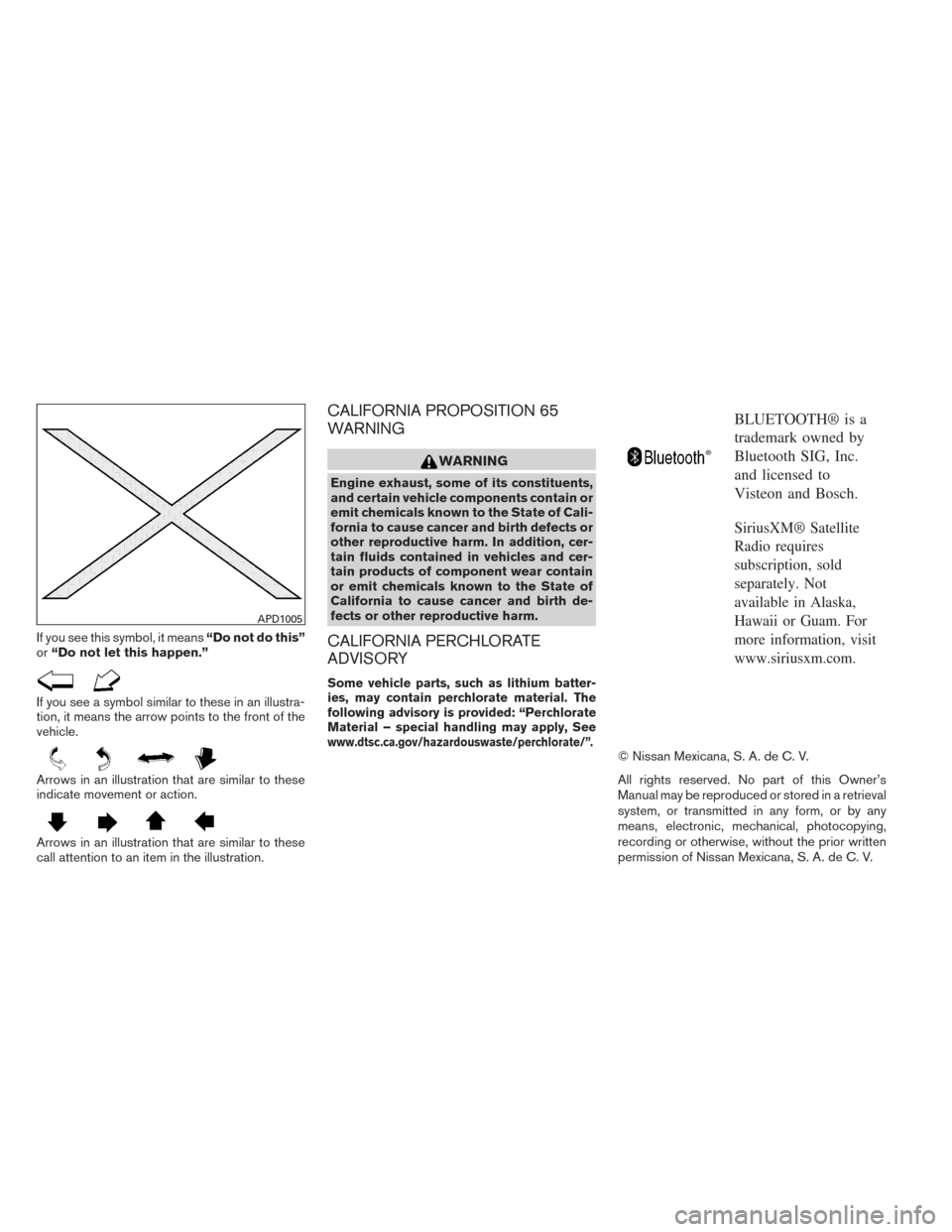
If you see this symbol, it means“Do not do this”
or “Do not let this happen.”
If you see a symbol similar to these in an illustra-
tion, it means the arrow points to the front of the
vehicle.
Arrows in an illustration that are similar to these
indicate movement or action.
Arrows in an illustration that are similar to these
call attention to an item in the illustration.
CALIFORNIA PROPOSITION 65
WARNING
WARNING
Engine exhaust, some of its constituents,
and certain vehicle components contain or
emit chemicals known to the State of Cali-
fornia to cause cancer and birth defects or
other reproductive harm. In addition, cer-
tain fluids contained in vehicles and cer-
tain products of component wear contain
or emit chemicals known to the State of
California to cause cancer and birth de-
fects or other reproductive harm.
CALIFORNIA PERCHLORATE
ADVISORY
Some vehicle parts, such as lithium batter-
ies, may contain perchlorate material. The
following advisory is provided: “Perchlorate
Material – special handling may apply, See
www.dtsc.ca.gov/hazardouswaste/perchlorate/”.
BLUETOOTH® is a
trademark owned by
Bluetooth SIG, Inc.
and licensed to
Visteon and Bosch.
SiriusXM® Satellite
Radio requires
subscription, sold
separately. Not
available in Alaska,
Hawaii or Guam. For
more information, visit
www.siriusxm.com.
© Nissan Mexicana, S. A. de C. V.
All rights reserved. No part of this Owner’s
Manual may be reproduced or stored in a retrieval
system, or transmitted in any form, or by any
means, electronic, mechanical, photocopying,
recording or otherwise, without the prior written
permission of Nissan Mexicana, S. A. de C. V.
APD1005
Page 15 of 372
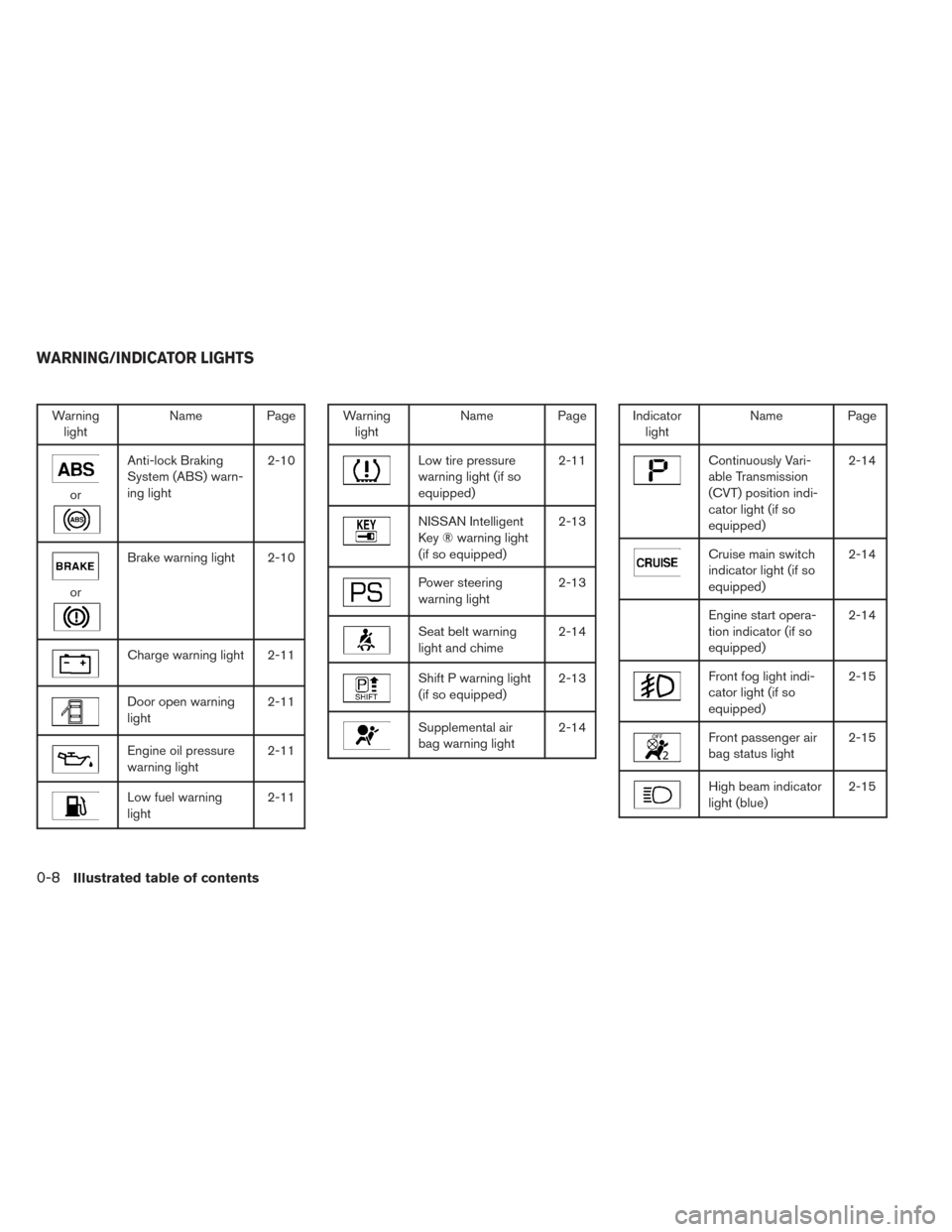
Warninglight Name Page
or
Anti-lock Braking
System (ABS) warn-
ing light 2-10
or
Brake warning light 2-10
Charge warning light 2-11
Door open warning
light
2-11
Engine oil pressure
warning light2-11
Low fuel warning
light2-11
Warning
light Name Page
Low tire pressure
warning light (if so
equipped) 2-11
NISSAN Intelligent
Key ® warning light
(if so equipped)2-13
Power steering
warning light
2-13
Seat belt warning
light and chime2-14
Shift P warning light
(if so equipped)2-13
Supplemental air
bag warning light2-14
Indicator
light Name Page
Continuously Vari-
able Transmission
(CVT) position indi-
cator light (if so
equipped) 2-14
Cruise main switch
indicator light (if so
equipped)
2-14
Engine start opera-
tion indicator (if so
equipped)2-14
Front fog light indi-
cator light (if so
equipped)2-15
Front passenger air
bag status light
2-15
High beam indicator
light (blue)2-15
WARNING/INDICATOR LIGHTS
0-8Illustrated table of contents
Page 82 of 372
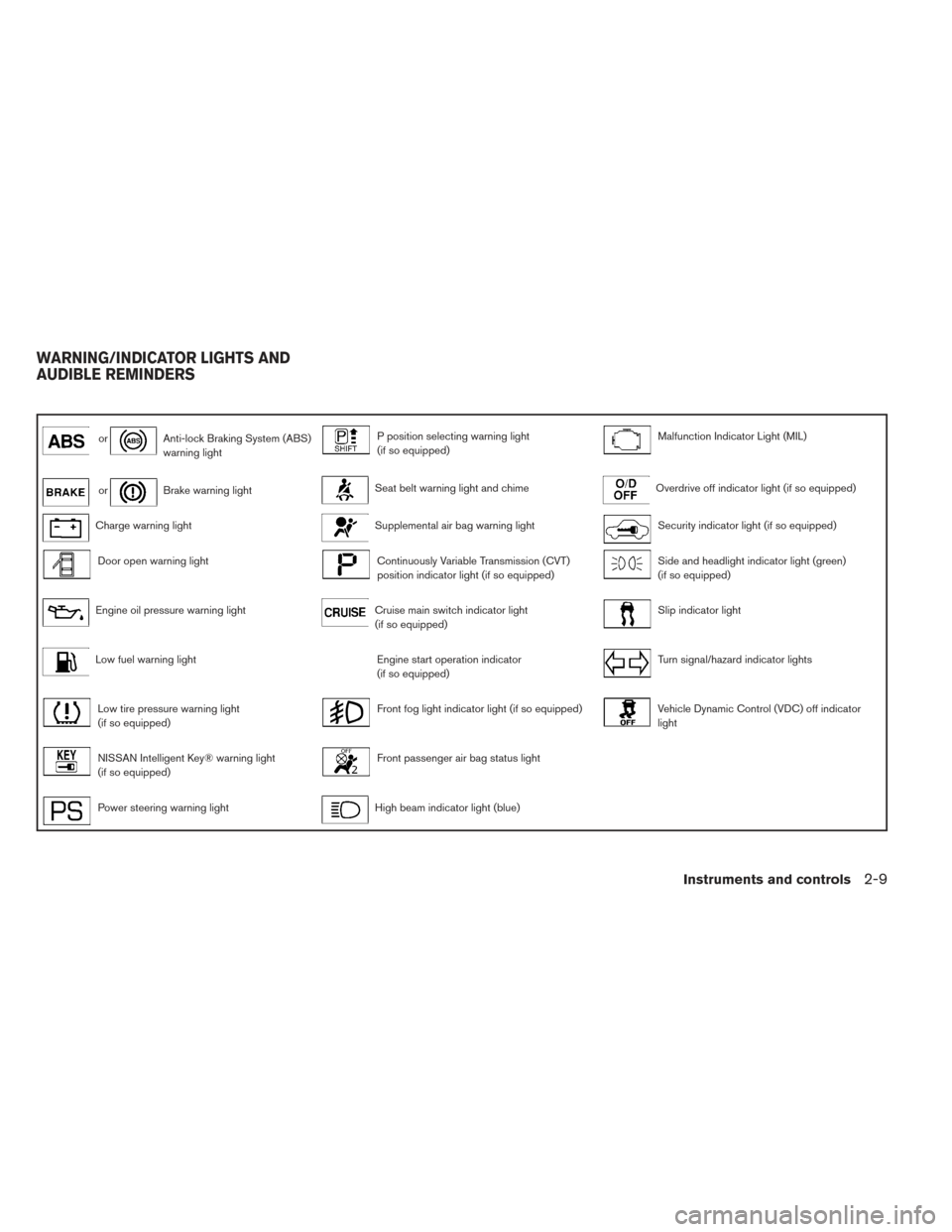
orAnti-lock Braking System (ABS)
warning lightP position selecting warning light
(if so equipped)Malfunction Indicator Light (MIL)
orBrake warning lightSeat belt warning light and chimeOverdrive off indicator light (if so equipped)
Charge warning lightSupplemental air bag warning lightSecurity indicator light (if so equipped)
Door open warning lightContinuously Variable Transmission (CVT)
position indicator light (if so equipped)Side and headlight indicator light (green)
(if so equipped)
Engine oil pressure warning lightCruise main switch indicator light
(if so equipped)Slip indicator light
Low fuel warning lightEngine start operation indicator
(if so equipped)Turn signal/hazard indicator lights
Low tire pressure warning light
(if so equipped)Front fog light indicator light (if so equipped)Vehicle Dynamic Control (VDC) off indicator
light
NISSAN Intelligent Key® warning light
(if so equipped)Front passenger air bag status light
Power steering warning lightHigh beam indicator light (blue)
WARNING/INDICATOR LIGHTS AND
AUDIBLE REMINDERS
Instruments and controls2-9
Page 88 of 372
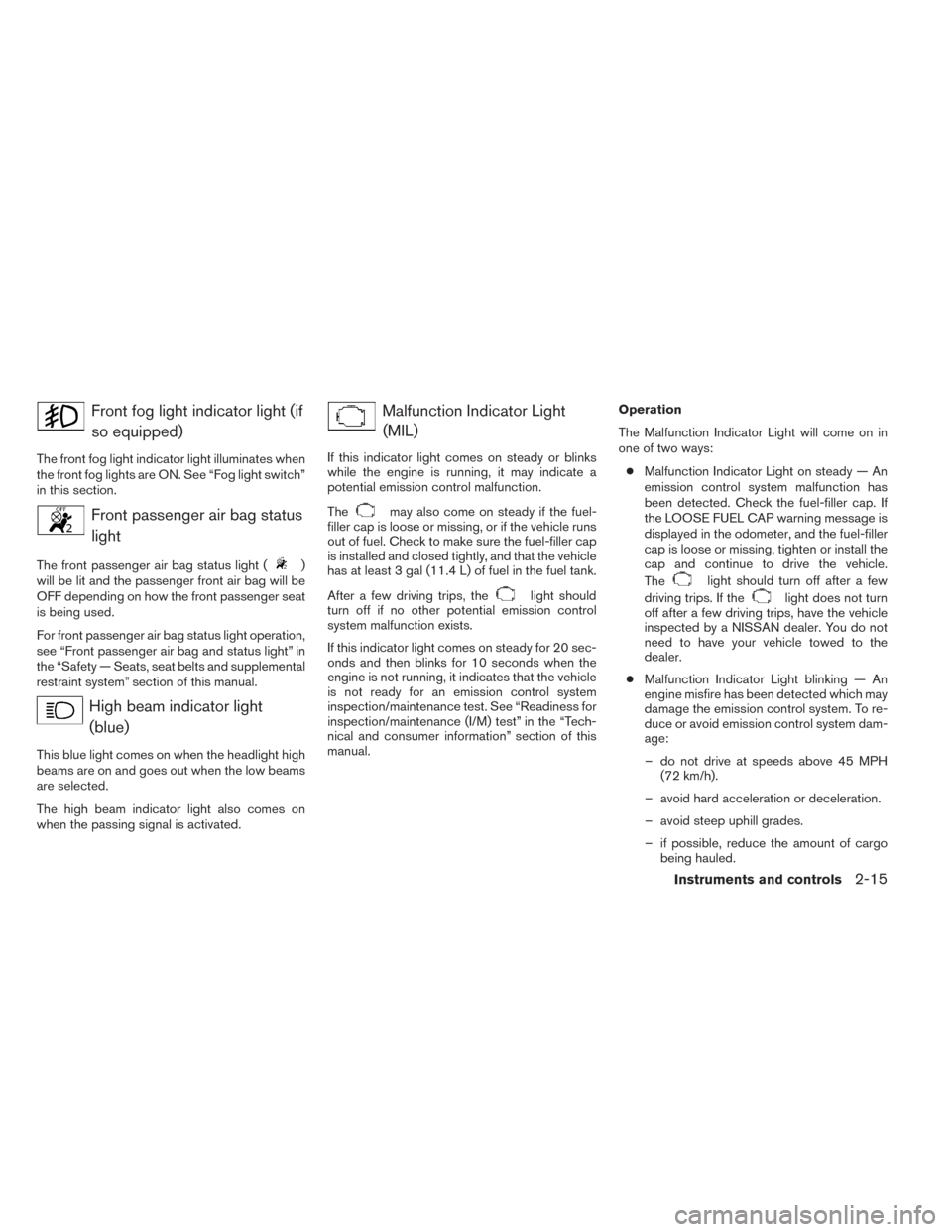
Front fog light indicator light (ifso equipped)
The front fog light indicator light illuminates when
the front fog lights are ON. See “Fog light switch”
in this section.
Front passenger air bag statuslight
The front passenger air bag status light ()
will be lit and the passenger front air bag will be
OFF depending on how the front passenger seat
is being used.
For front passenger air bag status light operation,
see “Front passenger air bag and status light” in
the “Safety — Seats, seat belts and supplemental
restraint system” section of this manual.
High beam indicator light
(blue)
This blue light comes on when the headlight high
beams are on and goes out when the low beams
are selected.
The high beam indicator light also comes on
when the passing signal is activated.
Malfunction Indicator Light(MIL)
If this indicator light comes on steady or blinks
while the engine is running, it may indicate a
potential emission control malfunction.
The
may also come on steady if the fuel-
filler cap is loose or missing, or if the vehicle runs
out of fuel. Check to make sure the fuel-filler cap
is installed and closed tightly, and that the vehicle
has at least 3 gal (11.4 L) of fuel in the fuel tank.
After a few driving trips, the
light should
turn off if no other potential emission control
system malfunction exists.
If this indicator light comes on steady for 20 sec-
onds and then blinks for 10 seconds when the
engine is not running, it indicates that the vehicle
is not ready for an emission control system
inspection/maintenance test. See “Readiness for
inspection/maintenance (I/M) test” in the “Tech-
nical and consumer information” section of this
manual. Operation
The Malfunction Indicator Light will come on in
one of two ways:
● Malfunction Indicator Light on steady — An
emission control system malfunction has
been detected. Check the fuel-filler cap. If
the LOOSE FUEL CAP warning message is
displayed in the odometer, and the fuel-filler
cap is loose or missing, tighten or install the
cap and continue to drive the vehicle.
Thelight should turn off after a few
driving trips. If the
light does not turn
off after a few driving trips, have the vehicle
inspected by a NISSAN dealer. You do not
need to have your vehicle towed to the
dealer.
● Malfunction Indicator Light blinking — An
engine misfire has been detected which may
damage the emission control system. To re-
duce or avoid emission control system dam-
age:
– do not drive at speeds above 45 MPH (72 km/h).
– avoid hard acceleration or deceleration.
– avoid steep uphill grades.
– if possible, reduce the amount of cargo being hauled.
Instruments and controls2-15
Page 143 of 372
4 Monitor, climate, audio, phone and voice
recognition systems
Control panel buttons — color screen with
Navigation System (if so equipped)..................4-2
How to use the touch screen ....................4-3
How to use the BACK button ....................4-5
How to use the MENU button ....................4-5
button...................................4-9
RearView Monitor (if so equipped) ...................4-9
How to read the displayed lines .................4-10
Difference between predicted and actual
distances ..................................... 4-11
Adjusting the screen ........................... 4-13
Operating tips ................................. 4-14
Around View® Monitor (if so equipped) .............4-15
Available views ................................ 4-16
How to switch the display ......................4-19
How to adjust the screen view ..................4-19
View malfunction .............................. 4-19
Operating tips ................................. 4-20
Vents . .......................................... 4-20
Heater and Air Conditioner (manual) ................4-21
Controls ...................................... 4-22
Heater operation .............................. 4-23
Air conditioner operation (if so equipped) ........4-24 Air flow charts
................................. 4-25
Servicing air conditioner (if so equipped) ............4-29
Audio system .................................... 4-29
Radio ........................................ 4-29
FM radio reception ............................ 4-29
AM radio reception ............................ 4-30
Satellite radio reception (if so equipped) . . . ......4-30
Audio operation precautions ....................4-30
FM/AM radio with compact disc (CD) player
(if so equipped) ............................... 4-37
FM/AM/SAT radio with compact disc (CD)
player (Type A) (if so equipped) .................4-42
FM/AM/SAT radio with compact disc (CD)
player (Type B) (if so equipped) .................4-47
USB interface (models without Navigation
System) (if so equipped) .......................4-53
USB interface (models with Navigation
System) ...................................... 4-55
iPod®* player operation without Navigation
System (if so equipped) ........................ 4-57
iPod®* player operation with Navigation
System (if so equipped) ........................ 4-59
Bluetooth®
streaming audio without
Navigation System (if so equipped) ..............4-62
Page 144 of 372
Bluetooth® streaming audio with Navigation
System (if so equipped)........................ 4-63
Pandora® audio (if so equipped) ................4-65
CD care and cleaning .......................... 4-66
Steering wheel switch for audio control
(if so equipped) ............................... 4-67
Antenna ...................................... 4-68
Car phone or CB radio . . .......................... 4-68
Bluetooth® Hands-Free Phone System without
Navigation System (if so equipped) .................4-69
Regulatory Information ......................... 4-71
Using the system .............................. 4-71
Control buttons ............................... 4-74
Getting started ................................ 4-74
List of voice commands ........................ 4-76
Voice Adaptation (VA) mode ....................4-80
Manual control ................................ 4-82
Troubleshooting guide ......................... 4-83
Bluetooth® Hands-Free Phone System with
Navigation System (if so equipped) .................4-84
Regulatory Information ......................... 4-85Voice commands
.............................. 4-86
Connecting procedure ......................... 4-86
Vehicle phonebook ............................ 4-87
Making a call .................................. 4-88
Receiving a call ............................... 4-89
During a call .................................. 4-89
Ending a call .................................. 4-89
Text messaging ................................ 4-90
Bluetooth settings ............................. 4-91
Phone settings ................................ 4-93
NISSAN Voice Recognition System
(if so equipped) . . . ............................... 4-94
Using the system .............................. 4-94
System features ............................... 4-95
Bluetooth® Hands-Free Phone System
voice commands .............................. 4-96
Navigation System voice commands .............4-97
Audio
system voice commands ..................4-97
Information voice commands ....................4-98
Help voice commands ......................... 4-98
Troubleshooting guide ......................... 4-99
Page 146 of 372
9. On-Off button/VOL (volume) control knob
10. CAMERA button
* For information regarding the Navigation system
control buttons, refer to the separate Navigation
System Owner’s Manual.
** For information regarding the Bluetooth®
Hands-Free Phone System control button, see
“Bluetooth® Hands-Free Phone System” in this
section.
When you use this system, make sure the engine
is running.
If you use the system with the engine not
running (ignition ON or ACC) for a long
time, it will discharge the battery, and the
engine will not start.
Reference symbols:
“Example” — Words marked in quotes refer to a
key shown only on the display. These keys can be
selected by touching the screen.HOW TO USE THE TOUCH
SCREEN
CAUTION
● The glass display screen may break if it
is hit with a hard or sharp object. If the
glass screen breaks, do not touch it.
Doing so could result in an injury.
● To clean the display, never use a rough
cloth, alcohol, benzine, thinner or any
kind of solvent or paper towel with a
chemical cleaning agent. They will
scratch or deteriorate the panel.
● Do not splash any liquid such as water
or car fragrance on the display. Contact
with liquid will cause the system to
malfunction.
To help ensure safe driving, some functions can-
not be operated while driving.
The on-screen functions that are not available
while driving will be “grayed out” or muted.
Park the vehicle in a safe location and then oper-
ate the navigation system.
WARNING
● ALWAYS give your full attention to
driving.
● Avoid using vehicle features that could
distract you. If distracted, you could
lose control of your vehicle and cause
an accident.
Monitor, climate, audio, phone and voice recognition systems4-3
Page 149 of 372
3. Select the desired item.
Audio
For audio setup, refer to “Audio system” in this
section.
Navigation
Refer to the separate Navigation System Own-
er’s Manual for information regarding this item.
Phone & Bluetooth
For information regarding the Bluetooth®
Hands-Free Phone System, see “Bluetooth®
Hands-Free Phone System” in this section.
For information regarding Bluetooth® audio, see
“Bluetooth® streaming audio with Navigation
System” in this section.
System
Select the “System” key to select and/or adjust
various functions of the system. A screen with
additional options will appear.
LHA2248LHA2249
4-6Monitor, climate, audio, phone and voice recognition systems