2014 NISSAN SENTRA horn
[x] Cancel search: hornPage 15 of 388
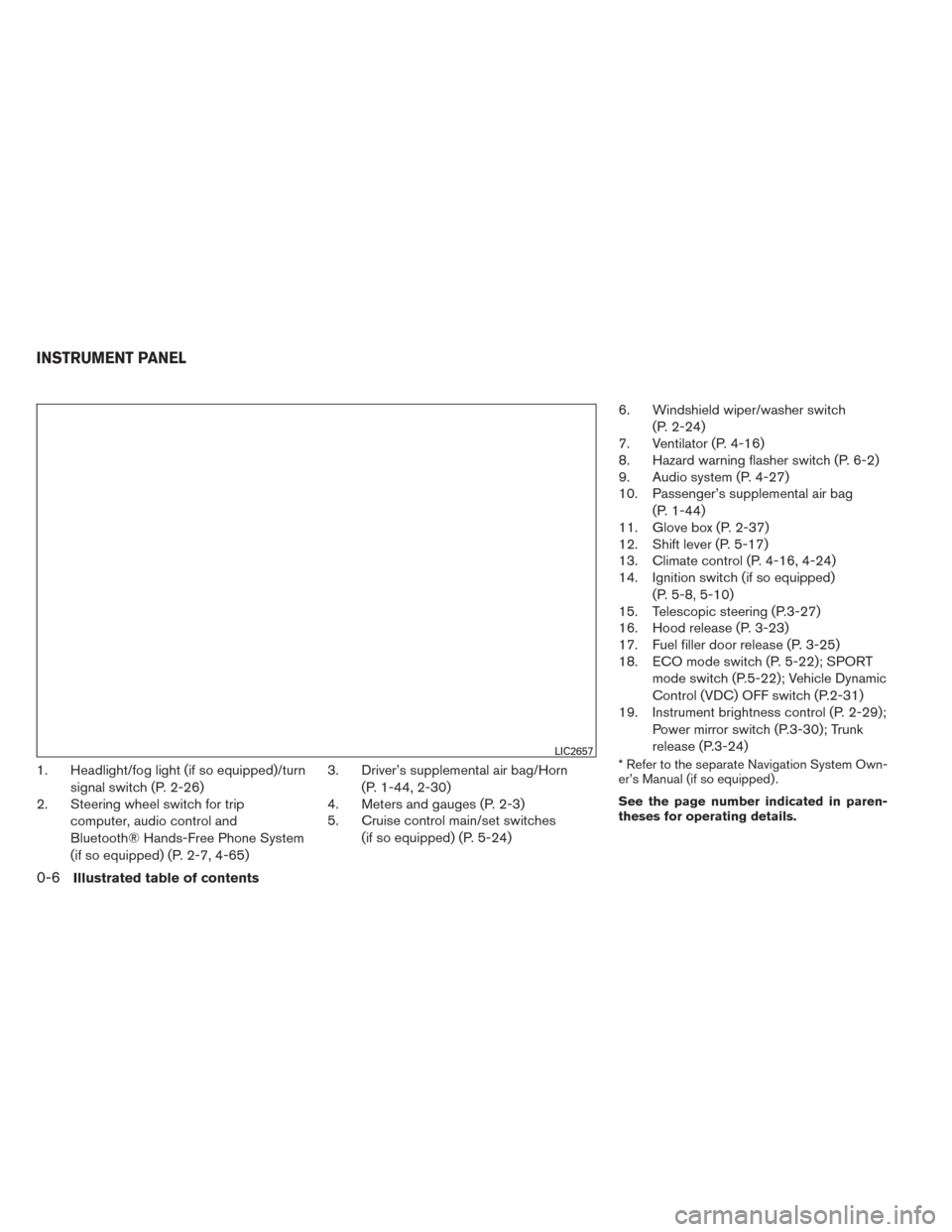
1. Headlight/fog light (if so equipped)/turnsignal switch (P. 2-26)
2. Steering wheel switch for trip
computer, audio control and
Bluetooth® Hands-Free Phone System
(if so equipped) (P. 2-7, 4-65) 3. Driver’s supplemental air bag/Horn
(P. 1-44, 2-30)
4. Meters and gauges (P. 2-3)
5. Cruise control main/set switches
(if so equipped) (P. 5-24) 6. Windshield wiper/washer switch
(P. 2-24)
7. Ventilator (P. 4-16)
8. Hazard warning flasher switch (P. 6-2)
9. Audio system (P. 4-27)
10. Passenger’s supplemental air bag
(P. 1-44)
11. Glove box (P. 2-37)
12. Shift lever (P. 5-17)
13. Climate control (P. 4-16, 4-24)
14. Ignition switch (if so equipped)
(P. 5-8, 5-10)
15. Telescopic steering (P.3-27)
16. Hood release (P. 3-23)
17. Fuel filler door release (P. 3-25)
18. ECO mode switch (P. 5-22); SPORT
mode switch (P.5-22); Vehicle Dynamic
Control (VDC) OFF switch (P.2-31)
19. Instrument brightness control (P. 2-29);
Power mirror switch (P.3-30); Trunk
release (P.3-24)* Refer to the separate Navigation System Own-
er’s Manual (if so equipped) .
See the page number indicated in paren-
theses for operating details.LIC2657
INSTRUMENT PANEL
0-6Illustrated table of contents
Page 73 of 388
2 Instruments and controls
Instrument panel...................................2-2
Meters and gauges ................................2-3
Speedometer and odometer . . ...................2-3
Tachometer ....................................2-5
Engine coolant temperature gauge ...............2-6
Fuel gauge ....................................2-6
Trip computer ..................................2-7
Outside temperature display . . ...................2-8
Compass display (if so equipped) ...................2-8
Compass display ...............................2-9
Warning/indicator lights and audible reminders ......2-12
Checking bulbs ............................... 2-13
Warning lights ................................ 2-13
Indicator lights ................................ 2-17
Audible reminders ............................. 2-20
Security systems ................................. 2-21
Vehicle security system (if so equipped) ..........2-21
NISSAN vehicle immobilizer system
(if so equipped) ............................... 2-23
Windshield wiper and washer switch ...............2-24
Switch operation .............................. 2-24
Rear window and outside mirror (if so equipped)
defroster switch .................................. 2-25Headlight and turn signal switch
....................2-26
Headlight control switch ........................ 2-26
Daytime running light system (Canada only) ......2-28
Instrument brightness control ...................2-29
Turn signal switch ............................. 2-29
Fog light switch (if so equipped) ................2-29
Horn ............................................ 2-30
Heated seats (if so equipped) ......................2-30
Vehicle Dynamic Control (VDC) off switch ...........2-31
Power outlet ..................................... 2-32
Storage ......................................... 2-33
Map pockets .................................. 2-33
Storage trays ................................. 2-33
Storage pouch ................................ 2-34
Seatback pockets (if so equipped) ..............2-34
Sunglasses holder ............................. 2-35
Cup
holders . . . ............................... 2-36
Glove box .................................... 2-37
Console box .................................. 2-37
Slide front armrest (if so equipped) ..............2-38
Cargo net (if so equipped) ......................2-39
Windows ........................................ 2-39
Power windows ............................... 2-39
Page 75 of 388
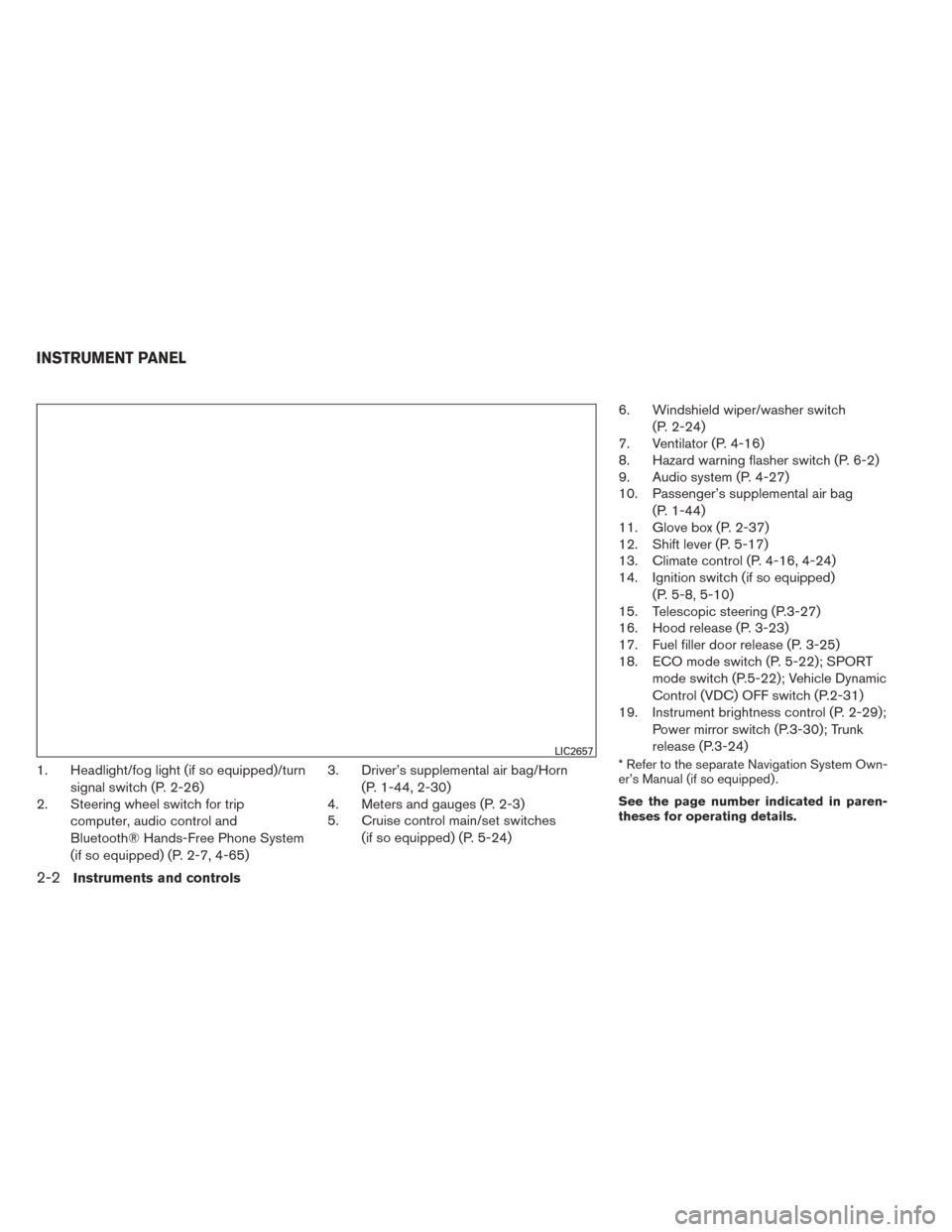
1. Headlight/fog light (if so equipped)/turnsignal switch (P. 2-26)
2. Steering wheel switch for trip
computer, audio control and
Bluetooth® Hands-Free Phone System
(if so equipped) (P. 2-7, 4-65) 3. Driver’s supplemental air bag/Horn
(P. 1-44, 2-30)
4. Meters and gauges (P. 2-3)
5. Cruise control main/set switches
(if so equipped) (P. 5-24) 6. Windshield wiper/washer switch
(P. 2-24)
7. Ventilator (P. 4-16)
8. Hazard warning flasher switch (P. 6-2)
9. Audio system (P. 4-27)
10. Passenger’s supplemental air bag
(P. 1-44)
11. Glove box (P. 2-37)
12. Shift lever (P. 5-17)
13. Climate control (P. 4-16, 4-24)
14. Ignition switch (if so equipped)
(P. 5-8, 5-10)
15. Telescopic steering (P.3-27)
16. Hood release (P. 3-23)
17. Fuel filler door release (P. 3-25)
18. ECO mode switch (P. 5-22); SPORT
mode switch (P.5-22); Vehicle Dynamic
Control (VDC) OFF switch (P.2-31)
19. Instrument brightness control (P. 2-29);
Power mirror switch (P.3-30); Trunk
release (P.3-24)* Refer to the separate Navigation System Own-
er’s Manual (if so equipped) .
See the page number indicated in paren-
theses for operating details.LIC2657
INSTRUMENT PANEL
2-2Instruments and controls
Page 95 of 388
●any request switch (Intelligent Key mod-
els) .
● the keyfob or Intelligent Key.
Keyfob and Intelligent Key operation:
● Push the
button. All doors lock.
The hazard lights flash twice and the horn
beeps once to indicate all doors are
locked.
● When the
button is pushed with
all doors locked, the hazard lights flash
twice and the horn beeps once as a re-
minder that the doors are already locked.
The horn may or may not beep. Refer to
“Silencing the horn beep feature” in the
“Pre-driving checks and adjustments” sec-
tion in this manual.
4. Confirm that the
indicator light comes
on. The
light stays on for about
30 seconds. The vehicle security system is
now pre-armed. After about 30 seconds the
vehicle security system automatically shifts
into the armed phase. The
light begins
to flash once every 3 seconds. If, during the
30-second pre-arm time period, the driver’s
door is unlocked by the key, a request
switch, the keyfob or Intelligent Key, or if the ignition switch is placed in the ACC or ON
position, the system will not arm.
● If the key is turned slowly when locking
the driver’s door, the system may not
arm. Furthermore, if the key is turned
beyond the vertical position toward the
unlock position to remove the key, the
system may be disarmed when the key
is removed. If the indicator light fails to
glow for a period of time, unlock the
door once and lock it again.
● Even when the driver and/or passen-
gers are in the vehicle, the system will
arm with all doors closed and locked
with the ignition switch placed in the
OFF position.
Vehicle security system activation
The vehicle security system will give the following
alarm:
● The headlights blink and the horn sounds
intermittently. ●
The alarm automatically turns off after a pe-
riod of time. However, the alarm reactivates if
the vehicle is tampered with again. The alarm
can be shut off by unlocking the driver’s door
with the key, a request switch, by pressing
the
button on the keyfob or Intelligent
Key or placing the ignition switch in the ON
or ACC position.
The alarm is activated by: ● opening a door without using the key, a
request switch, keyfob or Intelligent Key
(even if the door is unlocked by using the
inside lock knob or the power door lock
switch) .
How to stop an activated alarm
The alarm stops only by unlocking the driver’s
door with the key, pressing the
button on
the keyfob or Intelligent Key, or by unlocking all
doors with any request switch (Intelligent Key
models) or placing the ignition switch in the ON
or ACC position.
2-22Instruments and controls
Page 103 of 388
Using the fog light switch in AUTO mode forces
the headlights to come on, even if the light sensor
has not activated them. The fog lights automati-
cally turn off when the high beam headlights are
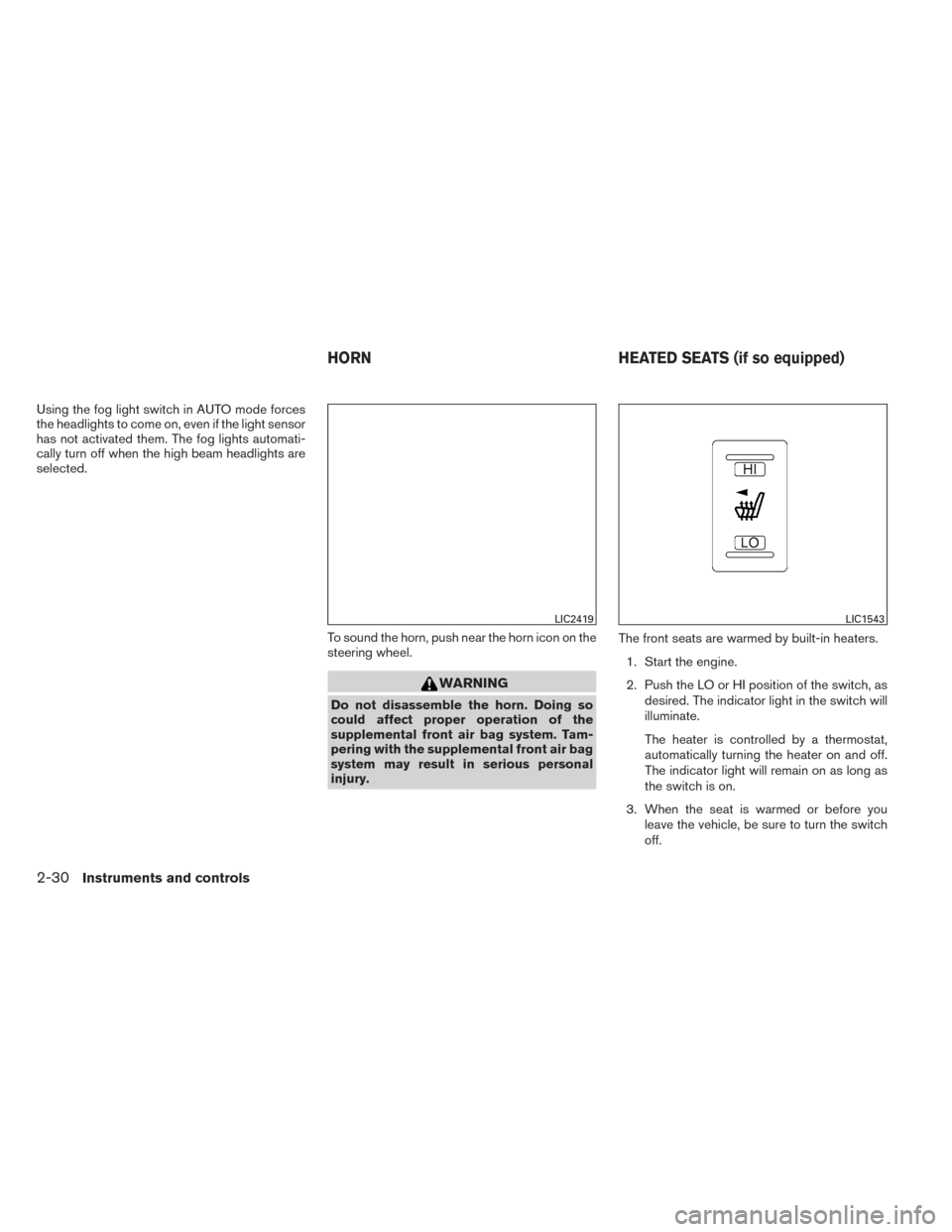
selected.To sound the horn, push near the horn icon on the
steering wheel.
WARNING
Do not disassemble the horn. Doing so
could affect proper operation of the
supplemental front air bag system. Tam-
pering with the supplemental front air bag
system may result in serious personal
injury.The front seats are warmed by built-in heaters.
1. Start the engine.
2. Push the LO or HI position of the switch, as desired. The indicator light in the switch will
illuminate.
The heater is controlled by a thermostat,
automatically turning the heater on and off.
The indicator light will remain on as long as
the switch is on.
3. When the seat is warmed or before you leave the vehicle, be sure to turn the switch
off.
LIC2419LIC1543
HORN HEATED SEATS (if so equipped)
2-30Instruments and controls
Page 127 of 388
HOW TO USE REMOTE KEYLESS
ENTRY SYSTEM
Locking the doors
1. Remove the ignition key.
2. Close all the doors.
3. Push the LOCK
button on the key-
fob.
● All the doors will lock.
● The hazard indicator flashes twice and the
horn beeps once . NOTE:
An auto-relock function will operate after a
full or partial unlock, when no further user
action occurs. The relock will operate ap-
proximately 1 minute after full or partial
unlock. The auto-relock function is can-
celled when any door is opened or the key
is inserted into the ignition.
Unlocking the doors
1. Press the UNLOCKbutton on the
keyfob to unlock the drivers door.
2. The hazard warning lights flash once.
3. Press the UNLOCK
button again
within 5 seconds to unlock all doors.
LPD2028LPD2029
3-8Pre-driving checks and adjustments
Page 129 of 388
Silencing the horn beep feature
If desired, the horn beep feature can be deacti-
vated using the keyfob.
To deactivate:Press and hold the
andbuttonsfor at least 2 seconds.
The hazard warning lights will flash three times to
confirm that the horn beep feature has been
deactivated.
To activate: Press and hold the
andbuttonsfor at least 2 seconds once
more. The hazard warning lights will flash once and the
horn will sound once to confirm that the horn
beep feature has been reactivated.
Deactivating the horn beep feature does not si-
lence the horn if the alarm is triggered.
WARNING
●
Radio waves could adversely affect
electric medical equipment. Those who
use a pacemaker should contact the
electric medical equipment manufac-
turer for the possible influences before
use.
● The Intelligent Key transmits radio
waves when the buttons are pressed.
The FAA advises the radio waves may
affect aircraft navigation and communi-
cation systems. Do not operate the In-
telligent Key while on an airplane. Make
sure the buttons are not operated unin-
tentionally when the unit is stored for a
flight.
The Intelligent Key system can operate all the
door locks using the remote controller function or
pushing the request switch on the vehicle without
taking the key out from a pocket or purse. The
operating environment and/or conditions may af-
fect the Intelligent Key system operation.
Be sure to read the following before using the
Intelligent Key system.
LPD2032
NISSAN INTELLIGENT KEY® (if so
equipped)
3-10Pre-driving checks and adjustments
Page 136 of 388
Locking doors
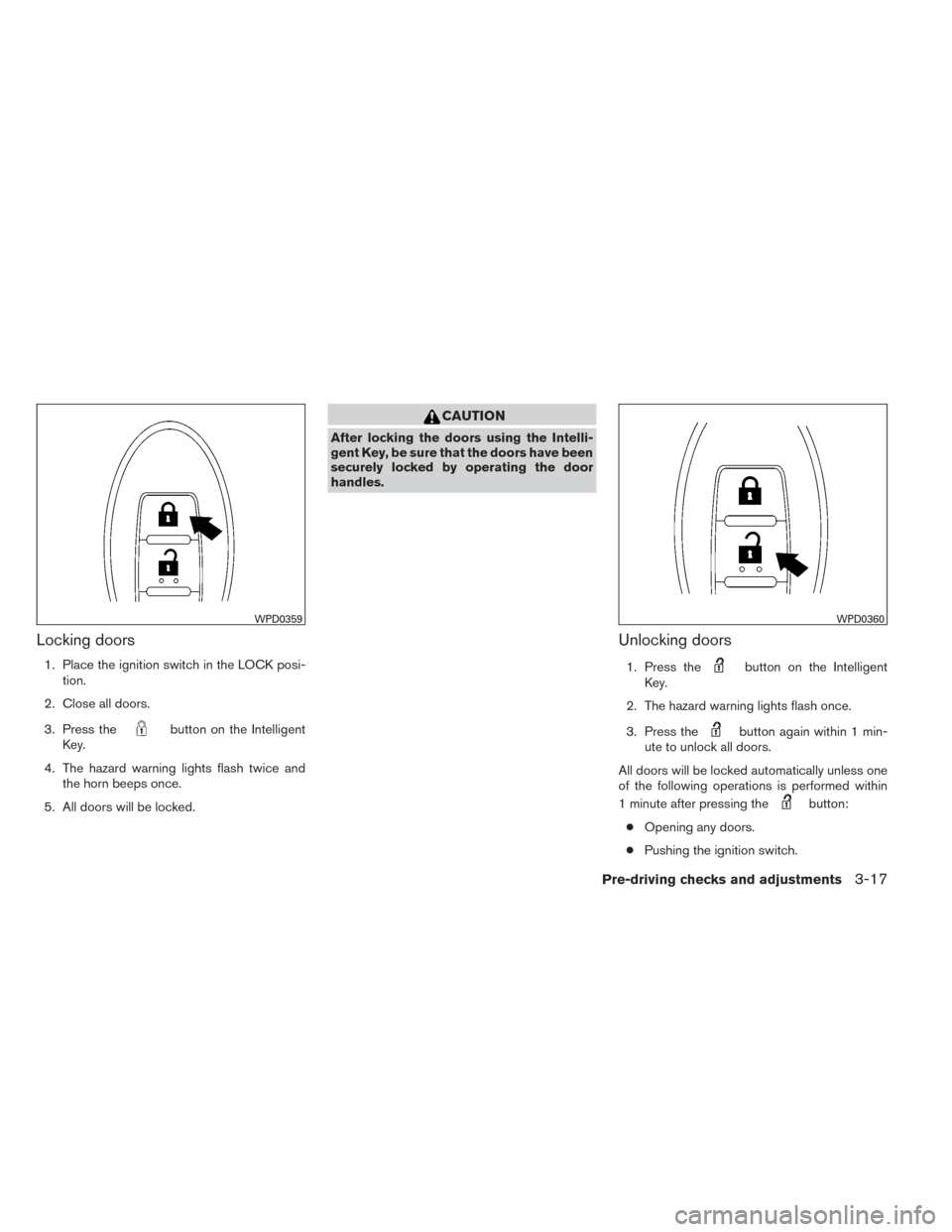
1. Place the ignition switch in the LOCK posi-tion.
2. Close all doors.
3. Press the
button on the Intelligent
Key.
4. The hazard warning lights flash twice and the horn beeps once.
5. All doors will be locked.
CAUTION
After locking the doors using the Intelli-
gent Key, be sure that the doors have been
securely locked by operating the door
handles.
Unlocking doors
1. Press thebutton on the Intelligent
Key.
2. The hazard warning lights flash once.
3. Press the
button again within 1 min-
ute to unlock all doors.
All doors will be locked automatically unless one
of the following operations is performed within
1 minute after pressing the
button:
● Opening any doors.
● Pushing the ignition switch.
WPD0359WPD0360
Pre-driving checks and adjustments3-17