2014 NISSAN SENTRA cruise control
[x] Cancel search: cruise controlPage 15 of 388
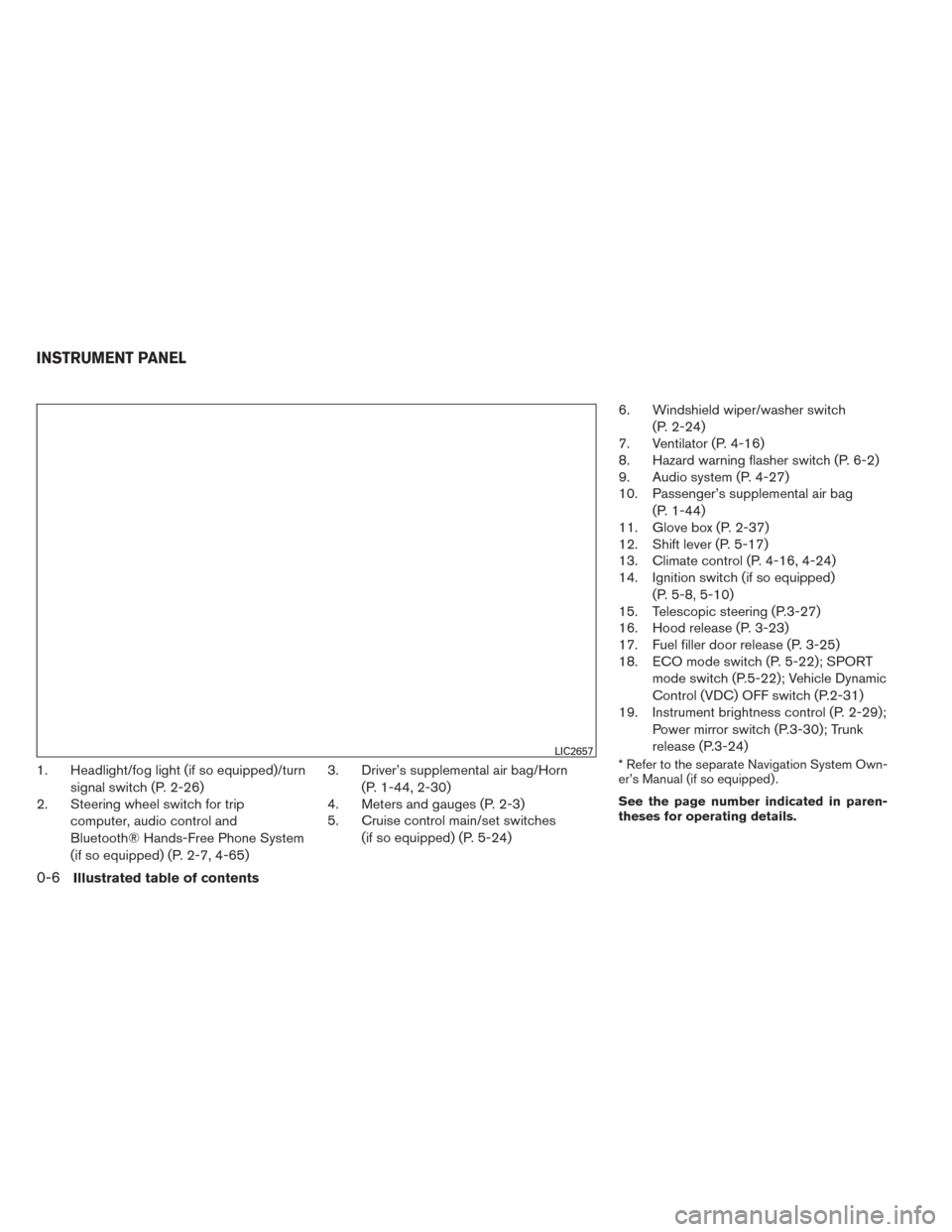
1. Headlight/fog light (if so equipped)/turnsignal switch (P. 2-26)
2. Steering wheel switch for trip
computer, audio control and
Bluetooth® Hands-Free Phone System
(if so equipped) (P. 2-7, 4-65) 3. Driver’s supplemental air bag/Horn
(P. 1-44, 2-30)
4. Meters and gauges (P. 2-3)
5. Cruise control main/set switches
(if so equipped) (P. 5-24) 6. Windshield wiper/washer switch
(P. 2-24)
7. Ventilator (P. 4-16)
8. Hazard warning flasher switch (P. 6-2)
9. Audio system (P. 4-27)
10. Passenger’s supplemental air bag
(P. 1-44)
11. Glove box (P. 2-37)
12. Shift lever (P. 5-17)
13. Climate control (P. 4-16, 4-24)
14. Ignition switch (if so equipped)
(P. 5-8, 5-10)
15. Telescopic steering (P.3-27)
16. Hood release (P. 3-23)
17. Fuel filler door release (P. 3-25)
18. ECO mode switch (P. 5-22); SPORT
mode switch (P.5-22); Vehicle Dynamic
Control (VDC) OFF switch (P.2-31)
19. Instrument brightness control (P. 2-29);
Power mirror switch (P.3-30); Trunk
release (P.3-24)* Refer to the separate Navigation System Own-
er’s Manual (if so equipped) .
See the page number indicated in paren-
theses for operating details.LIC2657
INSTRUMENT PANEL
0-6Illustrated table of contents
Page 75 of 388
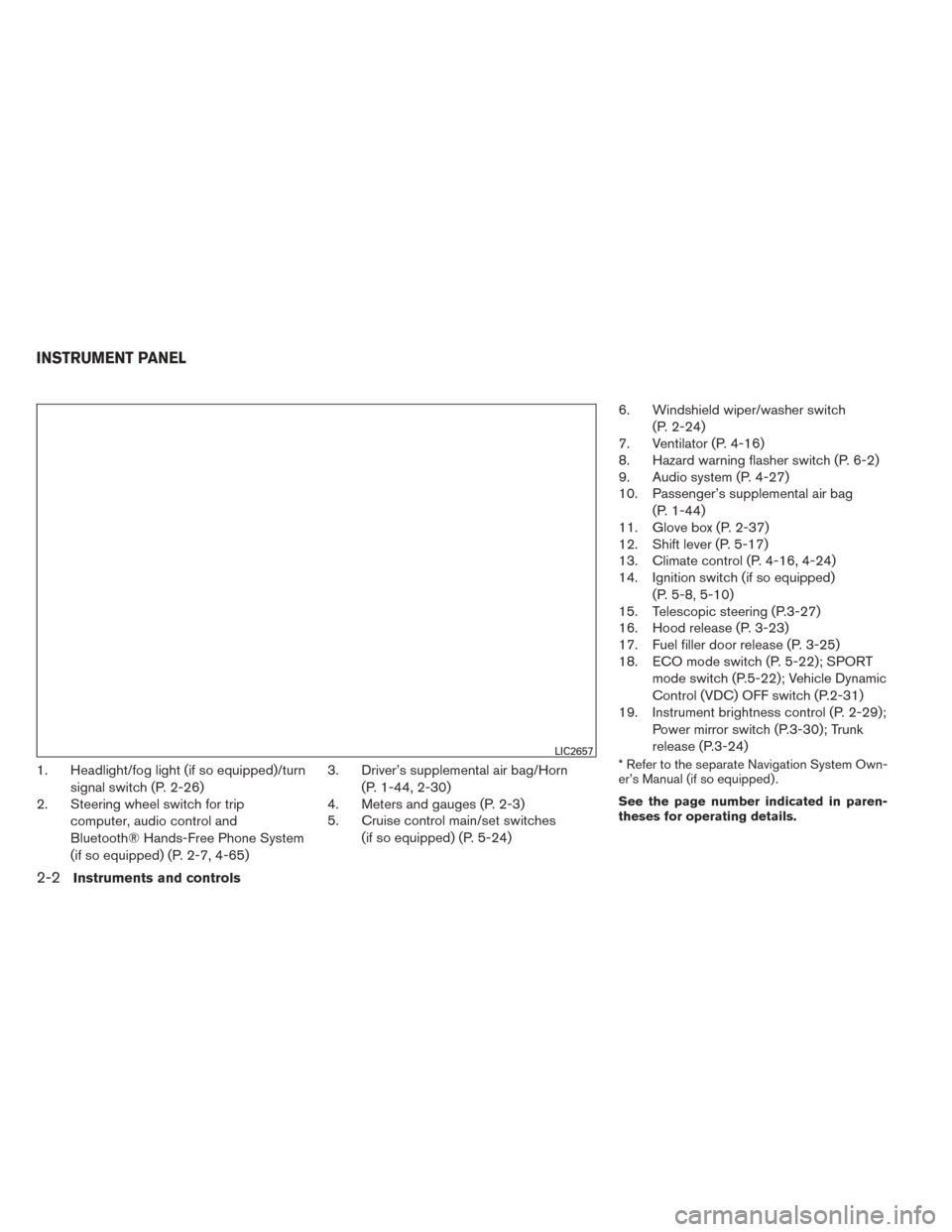
1. Headlight/fog light (if so equipped)/turnsignal switch (P. 2-26)
2. Steering wheel switch for trip
computer, audio control and
Bluetooth® Hands-Free Phone System
(if so equipped) (P. 2-7, 4-65) 3. Driver’s supplemental air bag/Horn
(P. 1-44, 2-30)
4. Meters and gauges (P. 2-3)
5. Cruise control main/set switches
(if so equipped) (P. 5-24) 6. Windshield wiper/washer switch
(P. 2-24)
7. Ventilator (P. 4-16)
8. Hazard warning flasher switch (P. 6-2)
9. Audio system (P. 4-27)
10. Passenger’s supplemental air bag
(P. 1-44)
11. Glove box (P. 2-37)
12. Shift lever (P. 5-17)
13. Climate control (P. 4-16, 4-24)
14. Ignition switch (if so equipped)
(P. 5-8, 5-10)
15. Telescopic steering (P.3-27)
16. Hood release (P. 3-23)
17. Fuel filler door release (P. 3-25)
18. ECO mode switch (P. 5-22); SPORT
mode switch (P.5-22); Vehicle Dynamic
Control (VDC) OFF switch (P.2-31)
19. Instrument brightness control (P. 2-29);
Power mirror switch (P.3-30); Trunk
release (P.3-24)* Refer to the separate Navigation System Own-
er’s Manual (if so equipped) .
See the page number indicated in paren-
theses for operating details.LIC2657
INSTRUMENT PANEL
2-2Instruments and controls
Page 81 of 388
NOTE:
The ECO Pedal Indicator’s bar is not dis-
played when the cruise control is in opera-
tion.
Instant fuel economy
The instant fuel economy mode shows the instant
fuel economy. The display updates instantly when
driving.
Average fuel economy
The average fuel economy mode shows the av-
erage fuel economy since the last reset. Reset-
ting is done by pressing the
button on the
steering wheel for more than approximately
1 second. The display is updated every 30 sec-
onds. At about the first 1/3 mile (500 m) after a
reset, the display shows (----) .
Average speed
The average speed mode shows the average
vehicle speed since last reset. Resetting is done
by pressing the
button on the steering
wheel for more than approximately 1 second. The
display is updated every 30 seconds. The first
30 seconds after a reset, the display shows
(----) .
Distance to empty
The distance to empty (dte) mode provides you
with an estimation of the distance that can be
driven before refueling. The dte is constantly be-
ing calculated, based on the amount of fuel in the
fuel tank and the actual fuel economy.
The display is updated every 30 seconds.
NOTE:
When driving uphill or rounding curves, the
fuel in the tank shifts, which may momen-
tarily change the display.
Trip computer reset
To reset Trip A, Trip B, AVG/mpg, or AVG/mph,
go to the desired mode on the trip computer and
hold the
button on the steering wheel for
more than 3 seconds.
OUTSIDE TEMPERATURE DISPLAY
The outside temperature function provides a dis-
play of the outside temperature when the ignition
switch is placed in the ON position.
The display of positive temperatures is unsigned
(blank) , negative temperatures are prefixed with a
minus sign. This unit measures terrestrial magnetism and in-
dicates heading direction of vehicle.
With the ignition switch in the ON position, press
the
button as described in the chart below
to activate various features of the automatic anti-
glare rearview mirror.
Press and hold
the
button for about: Feature:
(Press button again for about 1 sec-
ond to change settings)
0 – 3 seconds Compass display toggles on/off
3 – 6 seconds Automatic anti-glare/indicator light
toggles on/off
6 – 9 seconds Compass zone can be changed to
correct false compass readings
9 – 12 seconds Compass enters calibration mode
For more information about the automatic anti-
glare feature, refer to “Automatic anti-glare rear-
view mirror” in the “Pre-driving checks and ad-
justments” section.
COMPASS DISPLAY (if so equipped)
2-8Instruments and controls
Page 85 of 388
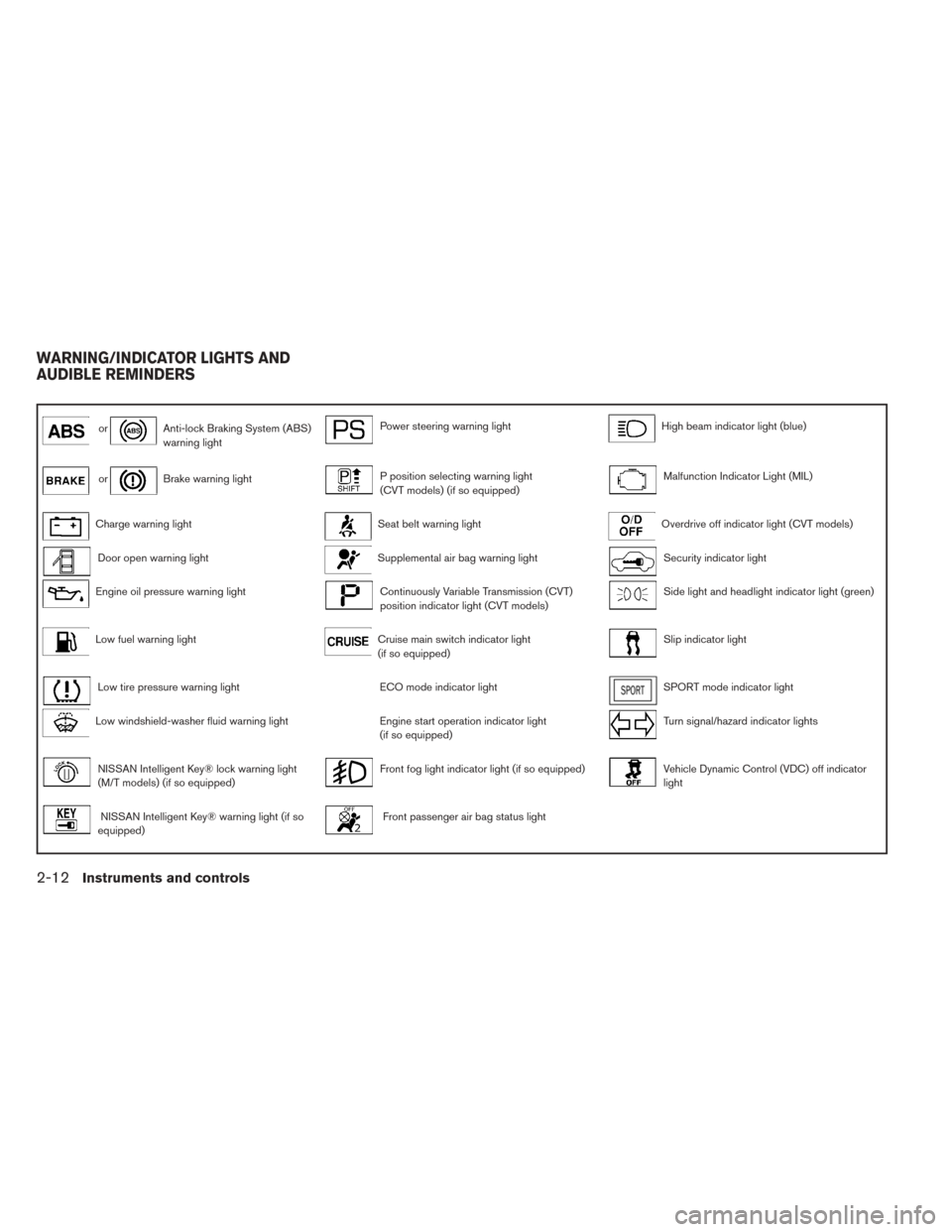
orAnti-lock Braking System (ABS)
warning lightPower steering warning lightHigh beam indicator light (blue)
orBrake warning lightP position selecting warning light
(CVT models) (if so equipped)Malfunction Indicator Light (MIL)
Charge warning lightSeat belt warning lightOverdrive off indicator light (CVT models)
Door open warning lightSupplemental air bag warning lightSecurity indicator light
Engine oil pressure warning lightContinuously Variable Transmission (CVT)
position indicator light (CVT models)Side light and headlight indicator light (green)
Low fuel warning lightCruise main switch indicator light
(if so equipped)Slip indicator light
Low tire pressure warning lightECO mode indicator lightSPORT mode indicator light
Low windshield-washer fluid warning lightEngine start operation indicator light
(if so equipped)Turn signal/hazard indicator lights
NISSAN Intelligent Key® lock warning light
(M/T models) (if so equipped)Front fog light indicator light (if so equipped)Vehicle Dynamic Control (VDC) off indicator
light
NISSAN Intelligent Key® warning light (if so
equipped)Front passenger air bag status light
WARNING/INDICATOR LIGHTS AND
AUDIBLE REMINDERS
2-12Instruments and controls
Page 91 of 388
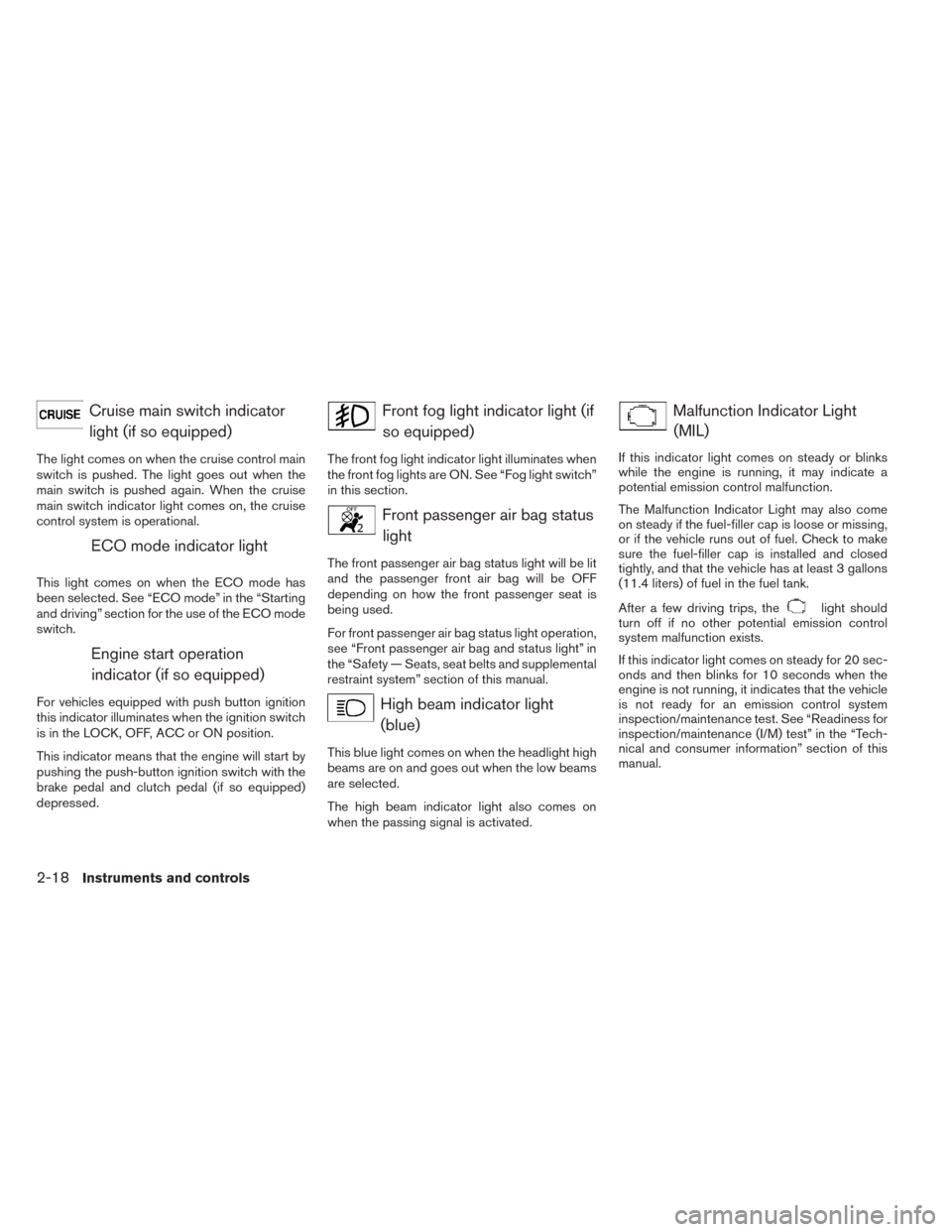
Cruise main switch indicatorlight (if so equipped)
The light comes on when the cruise control main
switch is pushed. The light goes out when the
main switch is pushed again. When the cruise
main switch indicator light comes on, the cruise
control system is operational.
ECO mode indicator light
This light comes on when the ECO mode has
been selected. See “ECO mode” in the “Starting
and driving” section for the use of the ECO mode
switch.
Engine start operationindicator (if so equipped)
For vehicles equipped with push button ignition
this indicator illuminates when the ignition switch
is in the LOCK, OFF, ACC or ON position.
This indicator means that the engine will start by
pushing the push-button ignition switch with the
brake pedal and clutch pedal (if so equipped)
depressed.
Front fog light indicator light (ifso equipped)
The front fog light indicator light illuminates when
the front fog lights are ON. See “Fog light switch”
in this section.
Front passenger air bag statuslight
The front passenger air bag status light will be lit
and the passenger front air bag will be OFF
depending on how the front passenger seat is
being used.
For front passenger air bag status light operation,
see “Front passenger air bag and status light” in
the “Safety — Seats, seat belts and supplemental
restraint system” section of this manual.
High beam indicator light(blue)
This blue light comes on when the headlight high
beams are on and goes out when the low beams
are selected.
The high beam indicator light also comes on
when the passing signal is activated.
Malfunction Indicator Light(MIL)
If this indicator light comes on steady or blinks
while the engine is running, it may indicate a
potential emission control malfunction.
The Malfunction Indicator Light may also come
on steady if the fuel-filler cap is loose or missing,
or if the vehicle runs out of fuel. Check to make
sure the fuel-filler cap is installed and closed
tightly, and that the vehicle has at least 3 gallons
(11.4 liters) of fuel in the fuel tank.
After a few driving trips, the
light should
turn off if no other potential emission control
system malfunction exists.
If this indicator light comes on steady for 20 sec-
onds and then blinks for 10 seconds when the
engine is not running, it indicates that the vehicle
is not ready for an emission control system
inspection/maintenance test. See “Readiness for
inspection/maintenance (I/M) test” in the “Tech-
nical and consumer information” section of this
manual.
2-18Instruments and controls
Page 257 of 388
5 Starting and driving
Precautions when starting and driving................5-2
Exhaust gas (carbon monoxide) ..................5-2
Three-way catalyst ..............................5-2
Tire Pressure Monitoring System (TPMS) ..........5-3
Avoiding collision and rollover ....................5-6
Off-road recovery ...............................5-6
Rapid air pressure loss ..........................5-7
Drinking alcohol/drugs and driving ................5-8
Ignition switch (if so equipped) ......................5-8
Continuously Variable Transmission (CVT)
(if so equipped) ................................5-8
Manual transmission (if so equipped) .............5-9
Key positions ..................................5-9
NISSAN vehicle immobilizer system .............5-10
Push-Button Ignition Switch (if so equipped) ........5-10
Operating range ............................... 5-11
Push-button ignition switch positions ............5-11
Emergency engine shut off .....................5-12
NISSAN Intelligent Key® battery discharge .......5-12
NISSAN vehicle immobilizer system .............5-13
Before starting the engine ......................... 5-13
Starting the engine ............................... 5-14Starting the engine (models with NISSAN
Intelligent Key® system)
........................... 5-15
Driving the vehicle ................................ 5-16
Continuously Variable Transmission (CVT)
(if so equipped) ............................... 5-16
Manual transmission (if so equipped) ............5-19
Parking brake .................................... 5-21
SPORT mode switch ............................. 5-22
ECO mode switch ................................ 5-22
Gear shift indicator (Manual transmission
only) (if so equipped) .......................... 5-23
Cruise control (if so equipped) .....................5-24
Precautions on cruise control ...................5-24
Cruise control operations .......................5-24
Break-in schedule ................................ 5-25
Fuel efficient driving tips ........................... 5-26
Increasing fuel economy ........................... 5-27
Parking/parking on hills ............................ 5-28
Power steering ................................... 5-29
Brake
system .................................... 5-30
Brake precautions ............................. 5-30
Anti-lock Braking System (ABS) .................5-30
Page 281 of 388
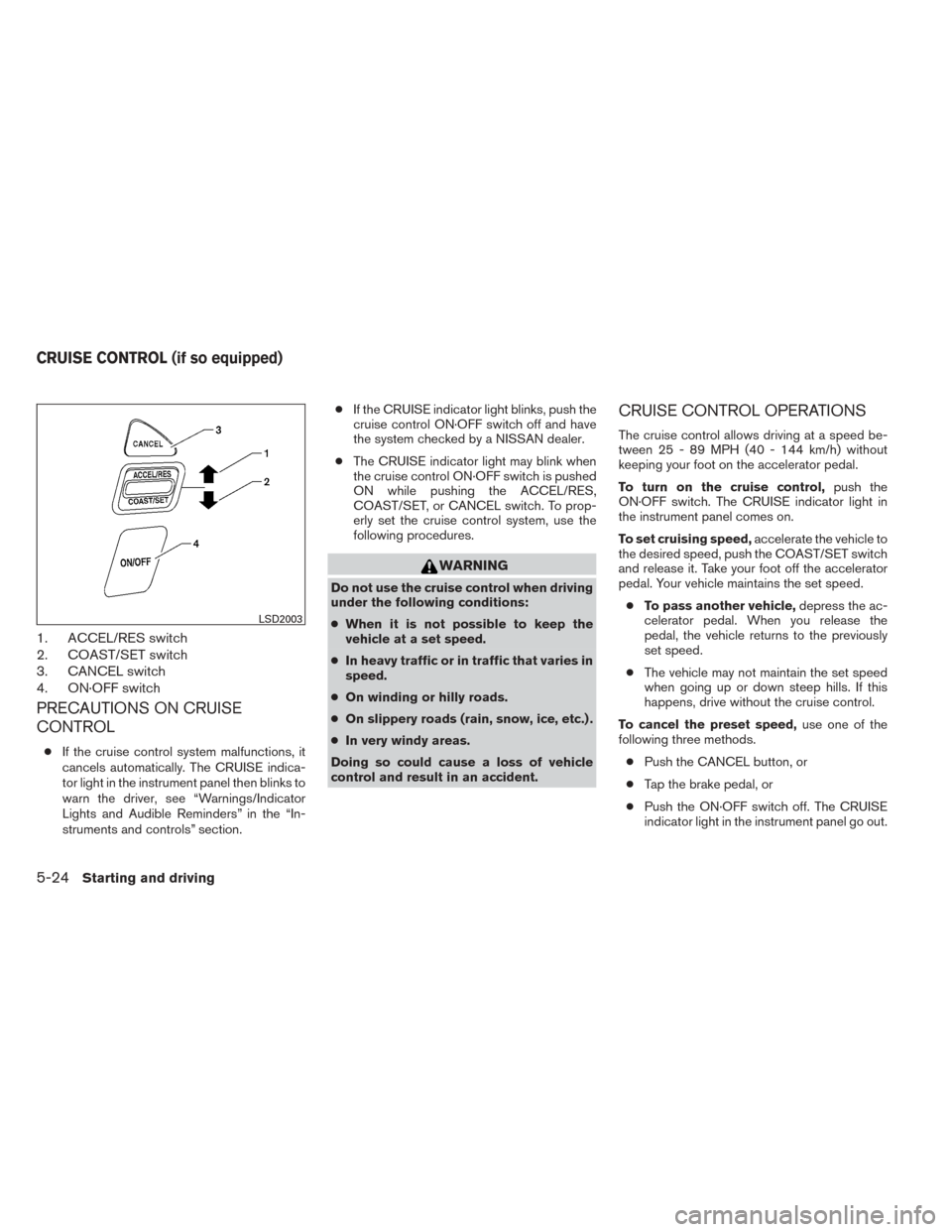
1. ACCEL/RES switch
2. COAST/SET switch
3. CANCEL switch
4. ON·OFF switch
PRECAUTIONS ON CRUISE
CONTROL
●If the cruise control system malfunctions, it
cancels automatically. The CRUISE indica-
tor light in the instrument panel then blinks to
warn the driver, see “Warnings/Indicator
Lights and Audible Reminders” in the “In-
struments and controls” section. ●
If the CRUISE indicator light blinks, push the
cruise control ON·OFF switch off and have
the system checked by a NISSAN dealer.
● The CRUISE indicator light may blink when
the cruise control ON·OFF switch is pushed
ON while pushing the ACCEL/RES,
COAST/SET, or CANCEL switch. To prop-
erly set the cruise control system, use the
following procedures.
WARNING
Do not use the cruise control when driving
under the following conditions:
● When it is not possible to keep the
vehicle at a set speed.
● In heavy traffic or in traffic that varies in
speed.
● On winding or hilly roads.
● On slippery roads (rain, snow, ice, etc.) .
● In very windy areas.
Doing so could cause a loss of vehicle
control and result in an accident.
CRUISE CONTROL OPERATIONS
The cruise control allows driving at a speed be-
tween 25 - 89 MPH (40 - 144 km/h) without
keeping your foot on the accelerator pedal.
To turn on the cruise control, push the
ON·OFF switch. The CRUISE indicator light in
the instrument panel comes on.
To set cruising speed, accelerate the vehicle to
the desired speed, push the COAST/SET switch
and release it. Take your foot off the accelerator
pedal. Your vehicle maintains the set speed.
● To pass another vehicle, depress the ac-
celerator pedal. When you release the
pedal, the vehicle returns to the previously
set speed.
● The vehicle may not maintain the set speed
when going up or down steep hills. If this
happens, drive without the cruise control.
To cancel the preset speed, use one of the
following three methods.
● Push the CANCEL button, or
● Tap the brake pedal, or
● Push the ON·OFF switch off. The CRUISE
indicator light in the instrument panel go out.
LSD2003
CRUISE CONTROL (if so equipped)
5-24Starting and driving
Page 282 of 388
The cruise control is automatically canceled if:● you depress the brake or clutch pedal while
pushing the ACCEL/RES or SET/COAST
switch. The preset speed is deleted from
memory.
● the vehicle slows down more than 8 MPH
(13 km/h) below the set speed.
● you depress the clutch pedal (manual trans-
mission) , or move the shift lever to N (Neu-
tral) (CVT) .
To reset at a faster cruising speed, use one of
the following three methods.
● Depress the accelerator pedal. When the
vehicle attains the desired speed, push and
release the COAST/SET switch.
● Push and hold the ACCEL/RES switch.
When the vehicle attains the speed you de-
sire, release the switch.
● Push and release the ACCEL/RES switch.
Each time you do this, the set speed in-
creases by about 1 MPH (1.6 km/h). To reset at a slower cruising speed,
use one
of the following three methods.
● Lightly tap the brake pedal. When the ve-
hicle attains the desired speed, push the
COAST/SET switch and release it.
● Push and hold the COAST/SET switch. Re-
lease the switch when the vehicle slows to
the desired speed.
● Push and release the COAST/SET switch.
Each time you do this, the set speed de-
creases by about 1 MPH (1.6 km/h).
To resume the preset speed, push and re-
lease the ACCEL/RES switch. The vehicle re-
turns to the last set cruising speed when the
vehicle speed is over 25 MPH (40 km/h).CAUTION
During the first 1,200 miles (2,000 km),
follow these recommendations to obtain
maximum engine performance and ensure
the future reliability and economy of your
new vehicle. Failure to follow these rec-
ommendations may result in shortened
engine life and reduced engine
performance.
● Avoid driving for long periods at constant
speed, either fast or slow, and do not run the
engine over 4,000 RPM.
● Do not accelerate at full throttle in any gear.
● Avoid quick starts.
● Avoid hard braking as much as possible.
● Do not tow a trailer for the first 500 mi
(800 km) . Your engine, axle or other parts
could be damaged.
BREAK-IN SCHEDULE
Starting and driving5-25