Page 127 of 388
HOW TO USE REMOTE KEYLESS
ENTRY SYSTEM
Locking the doors
1. Remove the ignition key.
2. Close all the doors.
3. Push the LOCK
button on the key-
fob.
● All the doors will lock.
● The hazard indicator flashes twice and the
horn beeps once . NOTE:
An auto-relock function will operate after a
full or partial unlock, when no further user
action occurs. The relock will operate ap-
proximately 1 minute after full or partial
unlock. The auto-relock function is can-
celled when any door is opened or the key
is inserted into the ignition.
Unlocking the doors
1. Press the UNLOCKbutton on the
keyfob to unlock the drivers door.
2. The hazard warning lights flash once.
3. Press the UNLOCK
button again
within 5 seconds to unlock all doors.
LPD2028LPD2029
3-8Pre-driving checks and adjustments
Page 128 of 388
Releasing the trunk lid
Press thebutton on the keyfob for longer
than 0.5 seconds to open the trunk lid. The trunk
release button on the keyfob will not operate
when the ignition switch is placed in the ON
position.
Using the panic alarm
If you are near your vehicle and feel threatened,
you may activate the panic alarm to call attention
by pressing and holding the
button on the
keyfob for longer than 0.5 seconds.
The panic alarm will stay on for a period of time.
The panic alarm stops when: ● it has run for a period of time, or
● any button is
● pressed on the keyfob.
Using the interior light
Press thebutton on the keyfob once to
turn on the interior lights.
For additional information, refer to “Interior light”
in the “Instruments and controls” section in this
manual.
LPD2030LPD2031
Pre-driving checks and adjustments3-9
Page 129 of 388
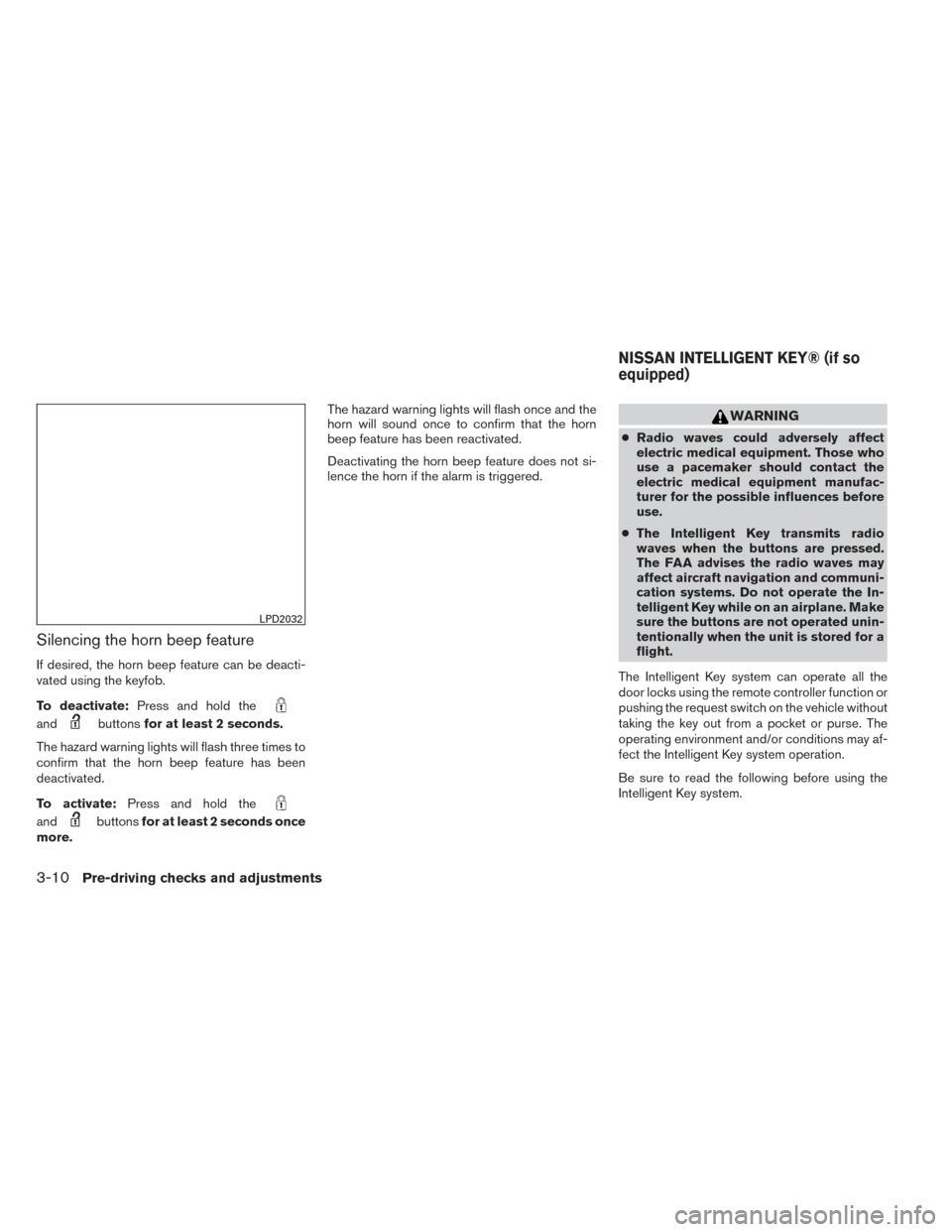
Silencing the horn beep feature
If desired, the horn beep feature can be deacti-
vated using the keyfob.
To deactivate:Press and hold the
andbuttonsfor at least 2 seconds.
The hazard warning lights will flash three times to
confirm that the horn beep feature has been
deactivated.
To activate: Press and hold the
andbuttonsfor at least 2 seconds once
more. The hazard warning lights will flash once and the
horn will sound once to confirm that the horn
beep feature has been reactivated.
Deactivating the horn beep feature does not si-
lence the horn if the alarm is triggered.
WARNING
●
Radio waves could adversely affect
electric medical equipment. Those who
use a pacemaker should contact the
electric medical equipment manufac-
turer for the possible influences before
use.
● The Intelligent Key transmits radio
waves when the buttons are pressed.
The FAA advises the radio waves may
affect aircraft navigation and communi-
cation systems. Do not operate the In-
telligent Key while on an airplane. Make
sure the buttons are not operated unin-
tentionally when the unit is stored for a
flight.
The Intelligent Key system can operate all the
door locks using the remote controller function or
pushing the request switch on the vehicle without
taking the key out from a pocket or purse. The
operating environment and/or conditions may af-
fect the Intelligent Key system operation.
Be sure to read the following before using the
Intelligent Key system.
LPD2032
NISSAN INTELLIGENT KEY® (if so
equipped)
3-10Pre-driving checks and adjustments
Page 133 of 388
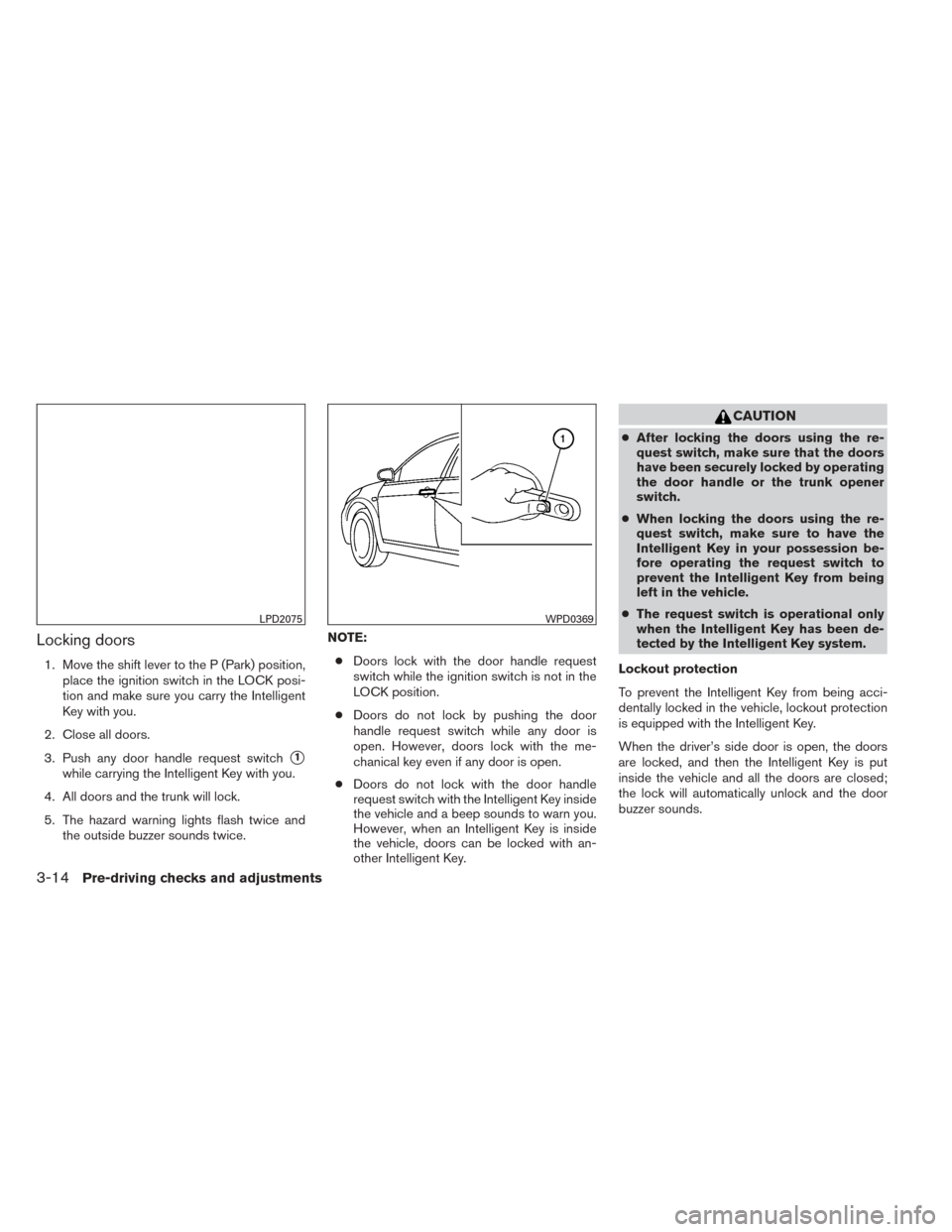
Locking doors
1. Move the shift lever to the P (Park) position,place the ignition switch in the LOCK posi-
tion and make sure you carry the Intelligent
Key with you.
2. Close all doors.
3. Push any door handle request switch
�1
while carrying the Intelligent Key with you.
4. All doors and the trunk will lock.
5. The hazard warning lights flash twice and the outside buzzer sounds twice. NOTE:
● Doors lock with the door handle request
switch while the ignition switch is not in the
LOCK position.
● Doors do not lock by pushing the door
handle request switch while any door is
open. However, doors lock with the me-
chanical key even if any door is open.
● Doors do not lock with the door handle
request switch with the Intelligent Key inside
the vehicle and a beep sounds to warn you.
However, when an Intelligent Key is inside
the vehicle, doors can be locked with an-
other Intelligent Key.
CAUTION
● After locking the doors using the re-
quest switch, make sure that the doors
have been securely locked by operating
the door handle or the trunk opener
switch.
● When locking the doors using the re-
quest switch, make sure to have the
Intelligent Key in your possession be-
fore operating the request switch to
prevent the Intelligent Key from being
left in the vehicle.
● The request switch is operational only
when the Intelligent Key has been de-
tected by the Intelligent Key system.
Lockout protection
To prevent the Intelligent Key from being acci-
dentally locked in the vehicle, lockout protection
is equipped with the Intelligent Key.
When the driver’s side door is open, the doors
are locked, and then the Intelligent Key is put
inside the vehicle and all the doors are closed;
the lock will automatically unlock and the door
buzzer sounds.
LPD2075WPD0369
3-14Pre-driving checks and adjustments
Page 134 of 388
NOTE:
The doors may not lock when the Intelli-
gent Key is in the same hand that is oper-
ating the request switch to lock the door.
Put the Intelligent Key in a purse, pocket or
your other hand.
CAUTION
The lockout protection may not function
under the following conditions:
●When the Intelligent Key is placed on
top of the instrument panel.
● When the Intelligent Key is placed on
top of the rear parcel shelf.
● When the Intelligent Key is placed in-
side the glove box or a storage bin.
● When the Intelligent Key is placed in-
side the door pockets.
● When the Intelligent Key is placed on or
under the spare tire area.
● When the Intelligent Key is placed in-
side or near metallic materials.
Unlocking doors
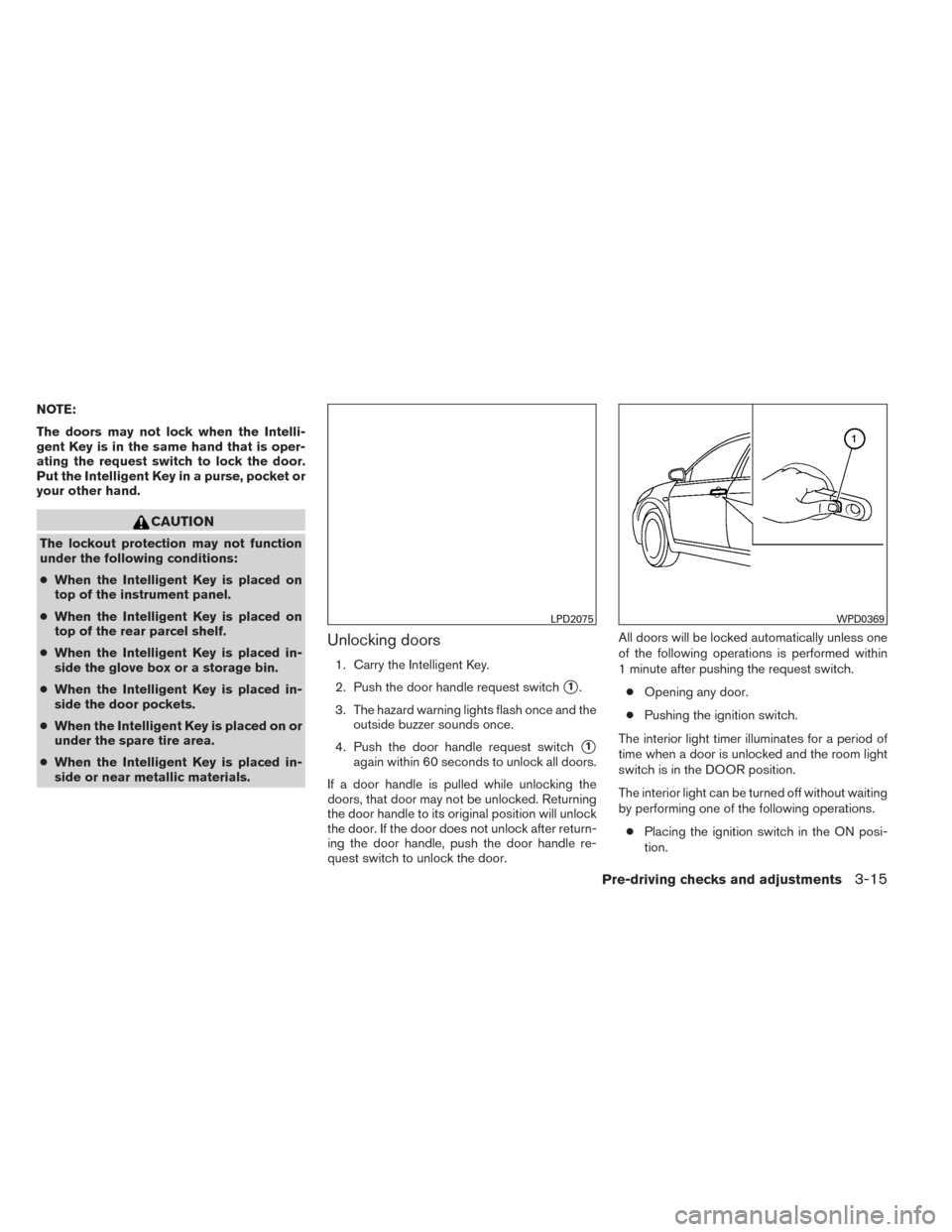
1. Carry the Intelligent Key.
2. Push the door handle request switch
�1.
3. The hazard warning lights flash once and the outside buzzer sounds once.
4. Push the door handle request switch
�1
again within 60 seconds to unlock all doors.
If a door handle is pulled while unlocking the
doors, that door may not be unlocked. Returning
the door handle to its original position will unlock
the door. If the door does not unlock after return-
ing the door handle, push the door handle re-
quest switch to unlock the door. All doors will be locked automatically unless one
of the following operations is performed within
1 minute after pushing the request switch.
● Opening any door.
● Pushing the ignition switch.
The interior light timer illuminates for a period of
time when a door is unlocked and the room light
switch is in the DOOR position.
The interior light can be turned off without waiting
by performing one of the following operations. ● Placing the ignition switch in the ON posi-
tion.
LPD2075WPD0369
Pre-driving checks and adjustments3-15
Page 136 of 388
Locking doors
1. Place the ignition switch in the LOCK posi-tion.
2. Close all doors.
3. Press the
button on the Intelligent
Key.
4. The hazard warning lights flash twice and the horn beeps once.
5. All doors will be locked.
CAUTION
After locking the doors using the Intelli-
gent Key, be sure that the doors have been
securely locked by operating the door
handles.
Unlocking doors
1. Press thebutton on the Intelligent
Key.
2. The hazard warning lights flash once.
3. Press the
button again within 1 min-
ute to unlock all doors.
All doors will be locked automatically unless one
of the following operations is performed within
1 minute after pressing the
button:
● Opening any doors.
● Pushing the ignition switch.
WPD0359WPD0360
Pre-driving checks and adjustments3-17
Page 137 of 388
The interior light illuminates for a period of time
when a door is unlocked and the room light
switch is in the DOOR position.
The light can be turned off without waiting by
performing one of the following operations:● Placing the ignition switch in the ON posi-
tion.
● Locking the doors with the Intelligent Key.
● Switching the room light switch to the OFF
position.
Releasing the trunk lid
Press thebutton for longer than 0.5 sec-
onds to open the trunk lid. The trunk release
button will not operate when the ignition switch is
placed in the ON position.
Using the panic alarm
If you are near your vehicle and feel threatened,
you may activate the panic alarm to call attention
by pressing and holding the
button on the
Intelligent Key for longer than 0.5 seconds.
The panic alarm and headlights will stay on for a
period of time.
WPD0364WPD0361
3-18Pre-driving checks and adjustments
Page 138 of 388
The panic alarm stops when:● It has run for a period of time, or
● Any button is pressed on the Intelligent Key.
● The request switch on the driver or passen-
ger door has been pushed and the Intelligent
Key is in range of the door handle.
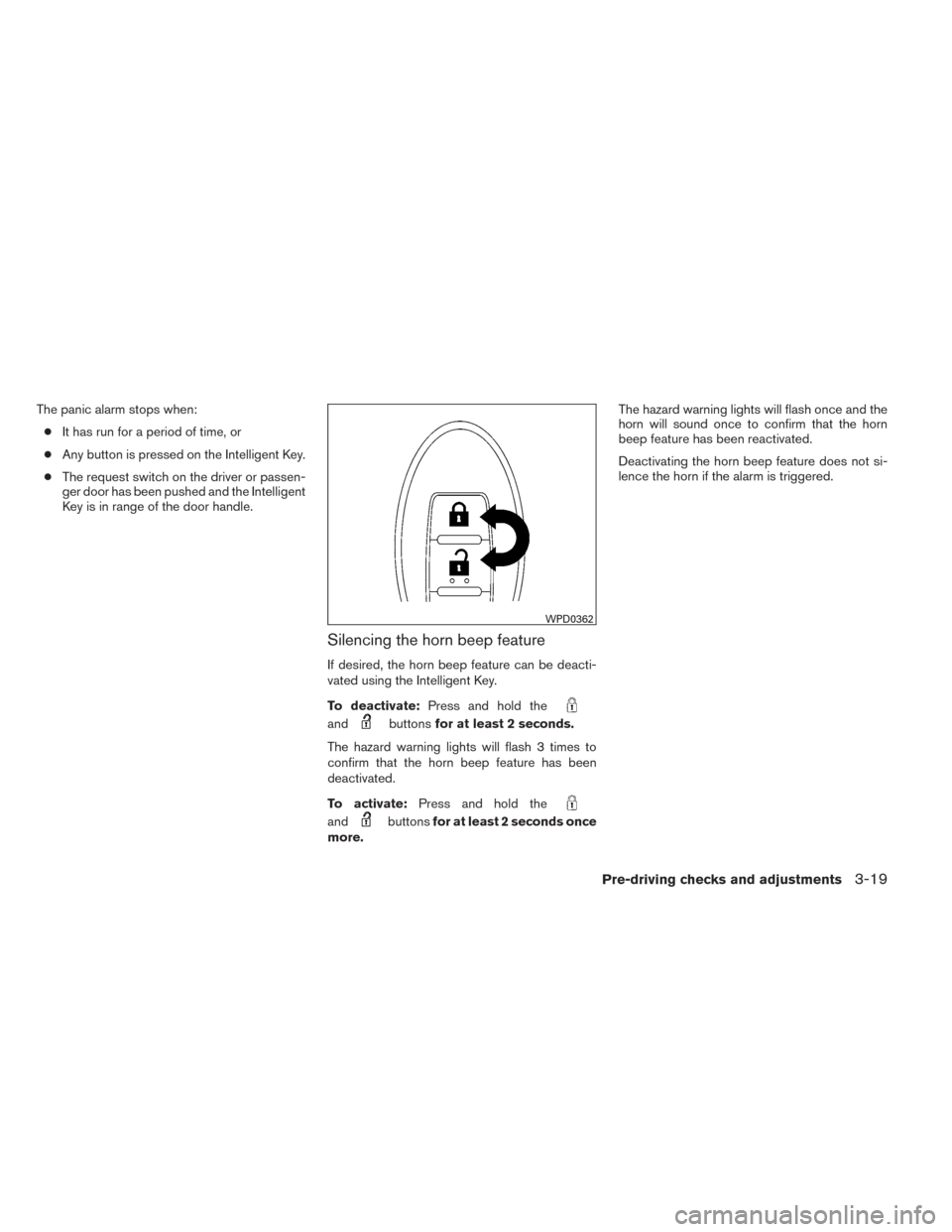
Silencing the horn beep feature
If desired, the horn beep feature can be deacti-
vated using the Intelligent Key.
To deactivate: Press and hold the
andbuttonsfor at least 2 seconds.
The hazard warning lights will flash 3 times to
confirm that the horn beep feature has been
deactivated.
To activate: Press and hold the
andbuttonsfor at least 2 seconds once
more. The hazard warning lights will flash once and the
horn will sound once to confirm that the horn
beep feature has been reactivated.
Deactivating the horn beep feature does not si-
lence the horn if the alarm is triggered.
WPD0362
Pre-driving checks and adjustments3-19