Page 26 of 482
SSS1163
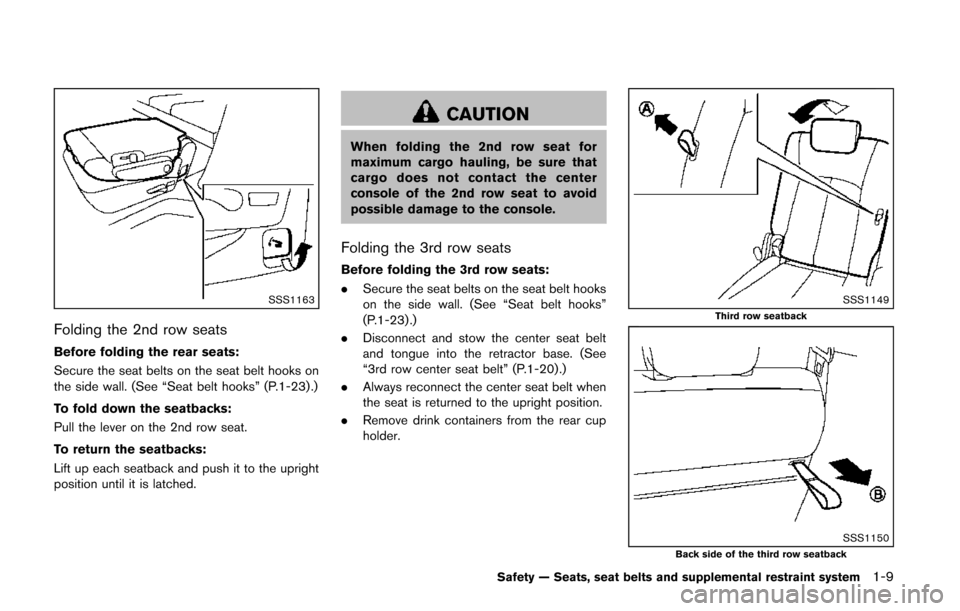
Folding the 2nd row seats
Before folding the rear seats:
Secure the seat belts on the seat belt hooks on
the side wall. (See “Seat belt hooks” (P.1-23) .)
To fold down the seatbacks:
Pull the lever on the 2nd row seat.
To return the seatbacks:
Lift up each seatback and push it to the upright
position until it is latched.
CAUTION
When folding the 2nd row seat for
maximum cargo hauling, be sure that
cargo does not contact the center
console of the 2nd row seat to avoid
possible damage to the console.
Folding the 3rd row seats
Before folding the 3rd row seats:
.Secure the seat belts on the seat belt hooks
on the side wall. (See “Seat belt hooks”
(P.1-23) .)
. Disconnect and stow the center seat belt
and tongue into the retractor base. (See
“3rd row center seat belt” (P.1-20) .)
. Always reconnect the center seat belt when
the seat is returned to the upright position.
. Remove drink containers from the rear cup
holder.
SSS1149Third row seatback
SSS1150Back side of the third row seatback
Safety — Seats, seat belts and supplemental restraint system1-9
Page 123 of 482
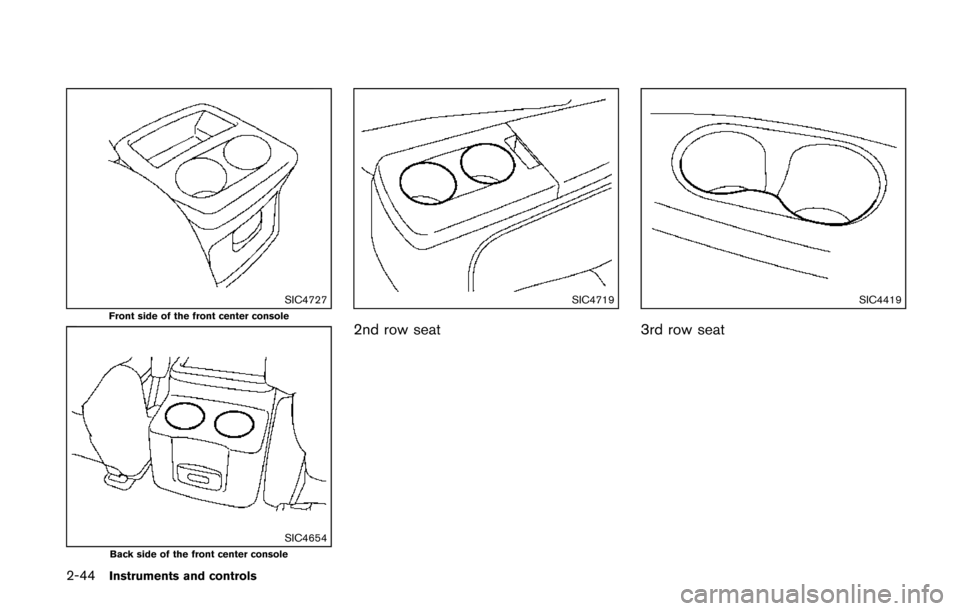
2-44Instruments and controls
SIC4727Front side of the front center console
SIC4654Back side of the front center console
SIC4719
2nd row seat
SIC4419
3rd row seat
Page 126 of 482
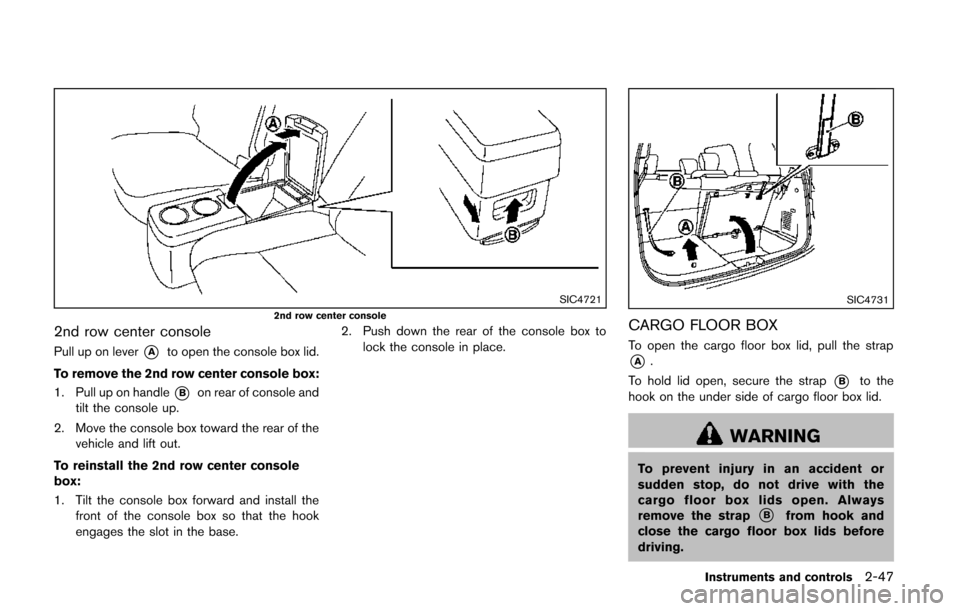
SIC47212nd row center console
2nd row center console
Pull up on lever*Ato open the console box lid.
To remove the 2nd row center console box:
1. Pull up on handle
*Bon rear of console and
tilt the console up.
2. Move the console box toward the rear of the vehicle and lift out.
To reinstall the 2nd row center console
box:
1. Tilt the console box forward and install the front of the console box so that the hook
engages the slot in the base. 2. Push down the rear of the console box to
lock the console in place.
SIC4731
CARGO FLOOR BOX
To open the cargo floor box lid, pull the strap
*A.
To hold lid open, secure the strap
*Bto the
hook on the under side of cargo floor box lid.
WARNING
To prevent injury in an accident or
sudden stop, do not drive with the
cargo floor box lids open. Always
remove the strap
*Bfrom hook and
close the cargo floor box lids before
driving.
Instruments and controls2-47
Page 258 of 482
REPEAT (RPT):
When the RPT play button is pushed while the
CD is played, the play pattern can be changed
as follows:
(CD)
Normal Û1 Track Repeat
(CD with compressed audio files)
Normal ?1 Folder Repeat ?1 Track Repeat ?
Normal
RANDOM (RDM):
When the RDM play button is pushed while a
CD is being played, the play pattern can be
changed as follows:
(CD)
Normal Û1 Disc Random
(CD with compressed audio files)
Normal ?1 Disc Random ?1 Folder Random
? Normal
CD EJECT:
When the CD EJECT button is pushed with the
CD loaded, the CD will be ejected.
When this button is pushed while the CD is
being played, the CD will be ejected. If the CD comes out and is not removed, it
will be pulled back into the slot to protect
it.
AUX (Auxiliary) input
AUX IN jack:
The AUX IN jack is located on the audio unit.
The AUX IN audio input jack accepts any
standard analog audio input such as from a
portable cassette tape/CD player, MP3 player or
laptop computer.
CD·AUX button:
When the CD·AUX button is pushed with no
device plugged into the jack, the audio system
does not change to the AUX mode.
NISSAN strongly recommends using a stereo
mini plug cable when connecting your music
device to the audio system. Music may not play
properly when a monaural cable is used.SAA3599
USB memory operation
Audio main operation:
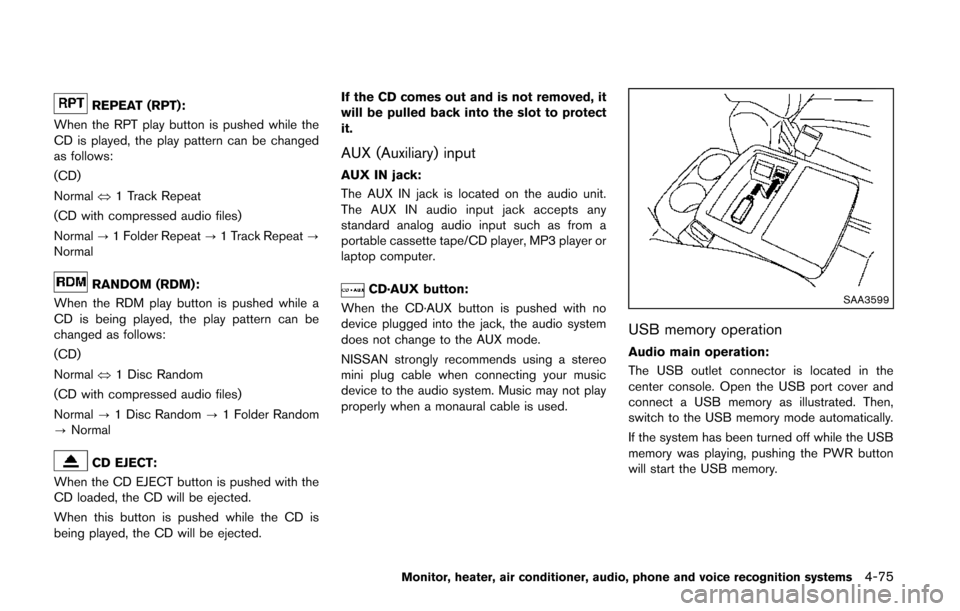
The USB outlet connector is located in the
center console. Open the USB port cover and
connect a USB memory as illustrated. Then,
switch to the USB memory mode automatically.
If the system has been turned off while the USB
memory was playing, pushing the PWR button
will start the USB memory.
Monitor, heater, air conditioner, audio, phone and voice recognition systems4-75
Page 260 of 482
SAA3600
iPod®player operation
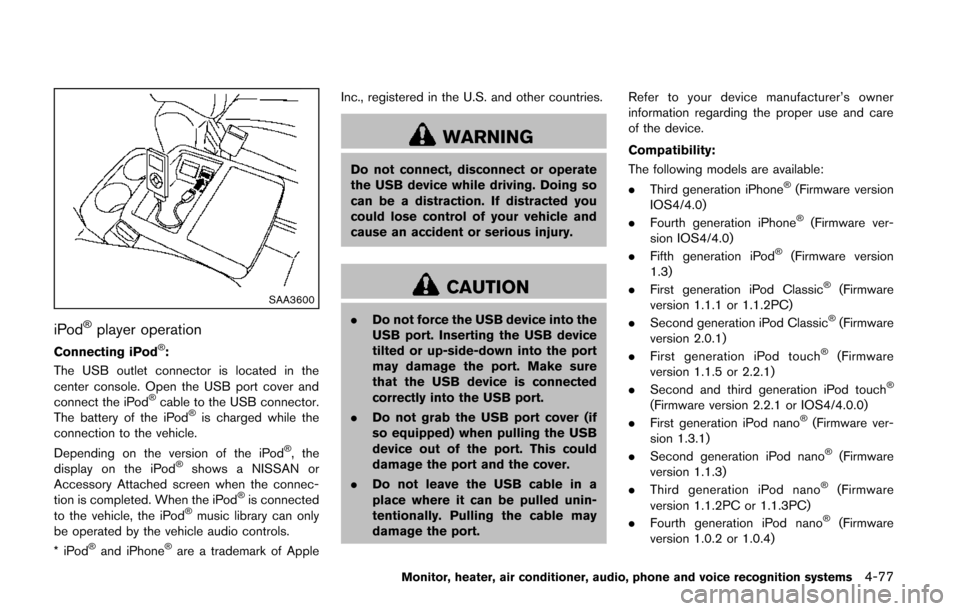
Connecting iPod®:
The USB outlet connector is located in the
center console. Open the USB port cover and
connect the iPod
®cable to the USB connector.
The battery of the iPod®is charged while the
connection to the vehicle.
Depending on the version of the iPod
®, the
display on the iPod®shows a NISSAN or
Accessory Attached screen when the connec-
tion is completed. When the iPod
®is connected
to the vehicle, the iPod®music library can only
be operated by the vehicle audio controls.
*iPod
®and iPhone®are a trademark of Apple Inc., registered in the U.S. and other countries.
WARNING
Do not connect, disconnect or operate
the USB device while driving. Doing so
can be a distraction. If distracted you
could lose control of your vehicle and
cause an accident or serious injury.
CAUTION
.
Do not force the USB device into the
USB port. Inserting the USB device
tilted or up-side-down into the port
may damage the port. Make sure
that the USB device is connected
correctly into the USB port.
. Do not grab the USB port cover (if
so equipped) when pulling the USB
device out of the port. This could
damage the port and the cover.
. Do not leave the USB cable in a
place where it can be pulled unin-
tentionally. Pulling the cable may
damage the port. Refer to your device manufacturer’s owner
information regarding the proper use and care
of the device.
Compatibility:
The following models are available:
. Third generation iPhone
®(Firmware version
IOS4/4.0)
. Fourth generation iPhone
®(Firmware ver-
sion IOS4/4.0)
. Fifth generation iPod
®(Firmware version
1.3)
. First generation iPod Classic
®(Firmware
version 1.1.1 or 1.1.2PC)
. Second generation iPod Classic
®(Firmware
version 2.0.1)
. First generation iPod touch
®(Firmware
version 1.1.5 or 2.2.1)
. Second and third generation iPod touch
®
(Firmware version 2.2.1 or IOS4/4.0.0)
. First generation iPod nano®(Firmware ver-
sion 1.3.1)
. Second generation iPod nano
®(Firmware
version 1.1.3)
. Third generation iPod nano
®(Firmware
version 1.1.2PC or 1.1.3PC)
. Fourth generation iPod nano
®(Firmware
version 1.0.2 or 1.0.4)
Monitor, heater, air conditioner, audio, phone and voice recognition systems4-77
Page 281 of 482
4-98Monitor, heater, air conditioner, audio, phone and voice recognition systems
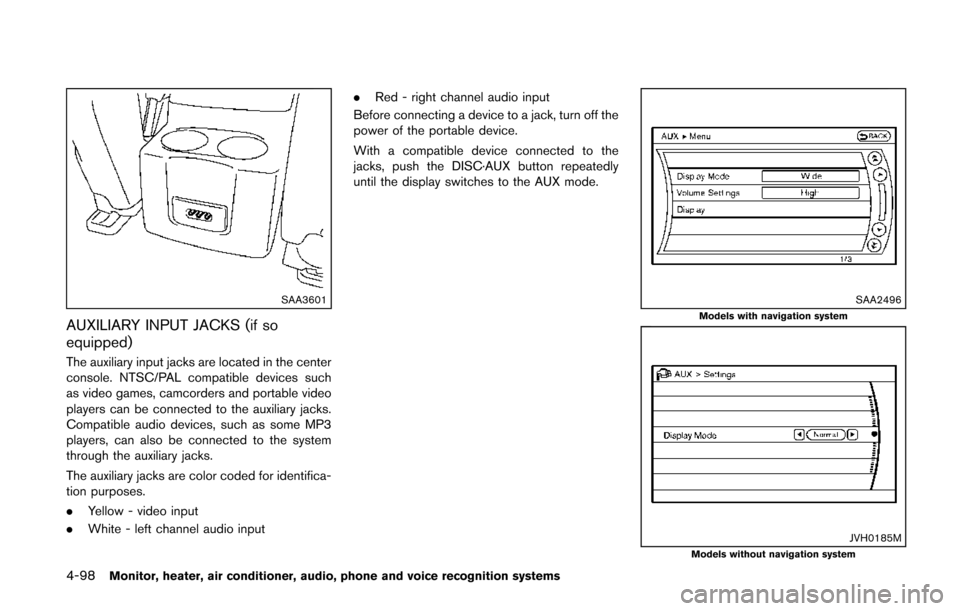
SAA3601
AUXILIARY INPUT JACKS (if so
equipped)
The auxiliary input jacks are located in the center
console. NTSC/PAL compatible devices such
as video games, camcorders and portable video
players can be connected to the auxiliary jacks.
Compatible audio devices, such as some MP3
players, can also be connected to the system
through the auxiliary jacks.
The auxiliary jacks are color coded for identifica-
tion purposes.
.Yellow - video input
. White - left channel audio input .
Red - right channel audio input
Before connecting a device to a jack, turn off the
power of the portable device.
With a compatible device connected to the
jacks, push the DISC·AUX button repeatedly
until the display switches to the AUX mode.
SAA2496Models with navigation system
JVH0185MModels without navigation system
Page 384 of 482
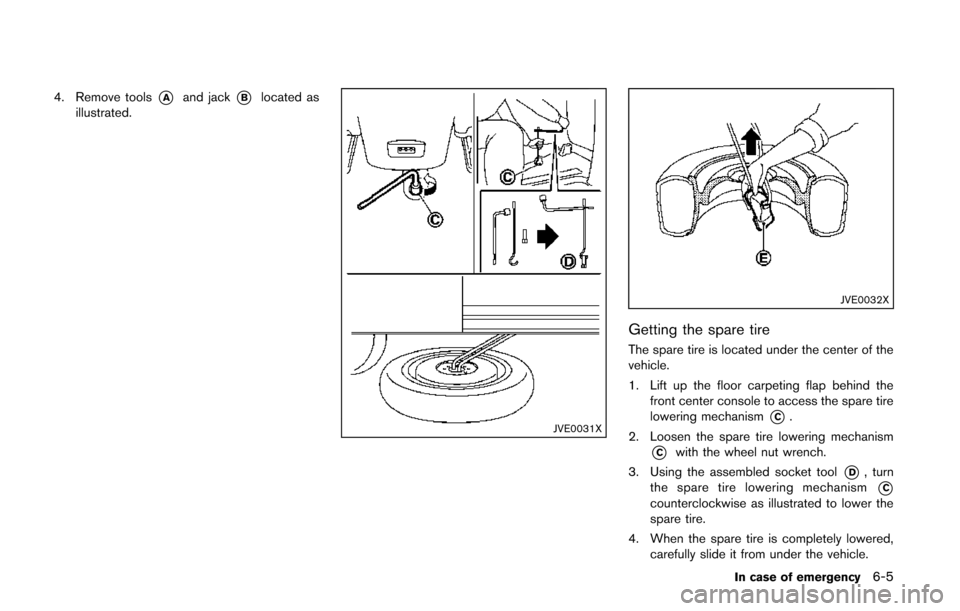
4. Remove tools*Aand jack*Blocated as
illustrated.
JVE0031X
JVE0032X
Getting the spare tire
The spare tire is located under the center of the
vehicle.
1. Lift up the floor carpeting flap behind the front center console to access the spare tire
lowering mechanism
*C.
2. Loosen the spare tire lowering mechanism
*Cwith the wheel nut wrench.
3. Using the assembled socket tool
*D, turn
the spare tire lowering mechanism
*Ccounterclockwise as illustrated to lower the
spare tire.
4. When the spare tire is completely lowered, carefully slide it from under the vehicle.
In case of emergency6-5