Page 257 of 492
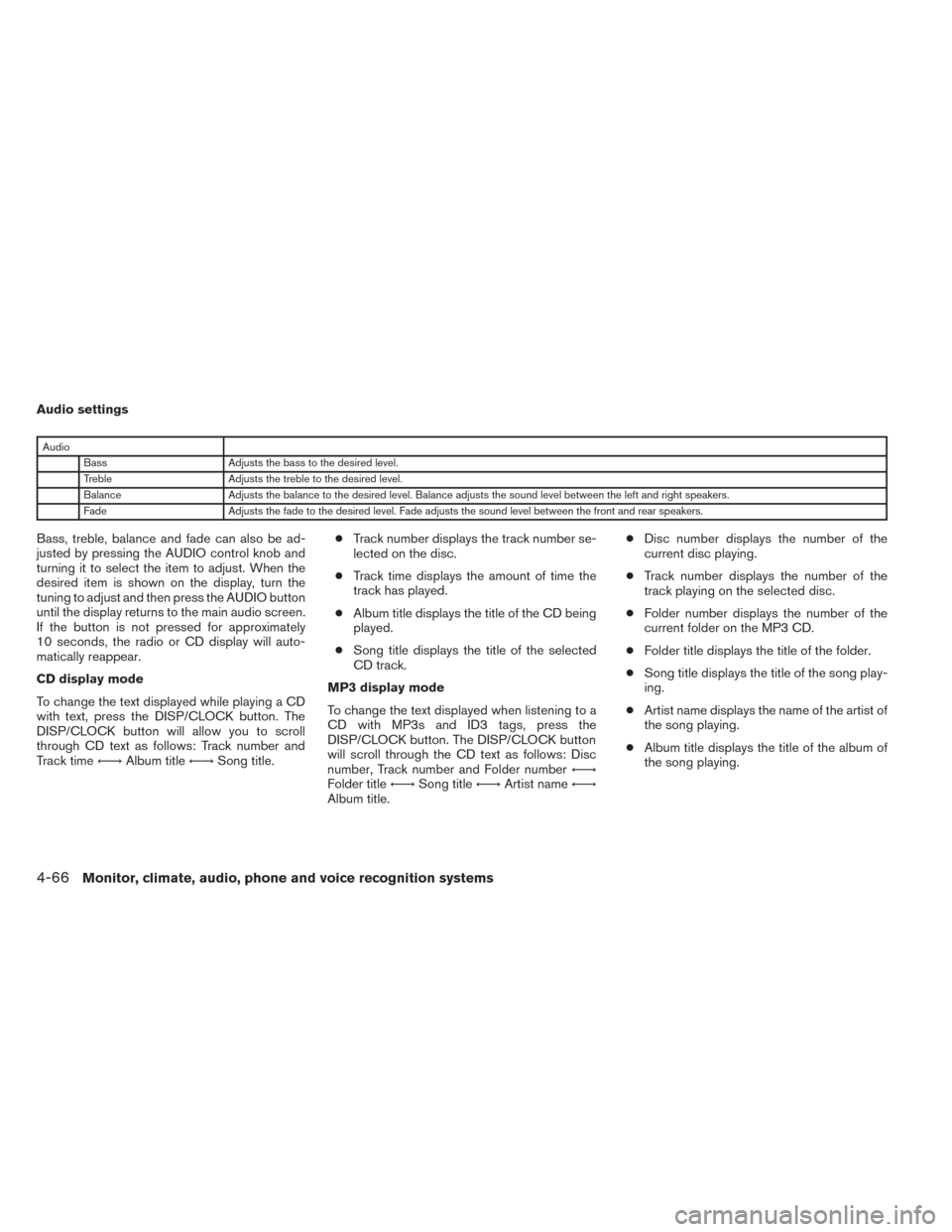
Audio settings
AudioBass Adjusts the bass to the desired level.
Treble Adjusts the treble to the desired level.
Balance Adjusts the balance to the desired level. Balance adjusts the sound level between the left and right speakers.
Fade Adjusts the fade to the desired level. Fade adjusts the sound level between the front and rear speakers.
Bass, treble, balance and fade can also be ad-
justed by pressing the AUDIO control knob and
turning it to select the item to adjust. When the
desired item is shown on the display, turn the
tuning to adjust and then press the AUDIO button
until the display returns to the main audio screen.
If the button is not pressed for approximately
10 seconds, the radio or CD display will auto-
matically reappear.
CD display mode
To change the text displayed while playing a CD
with text, press the DISP/CLOCK button. The
DISP/CLOCK button will allow you to scroll
through CD text as follows: Track number and
Track time←→Album title ←→Song title. ●
Track number displays the track number se-
lected on the disc.
● Track time displays the amount of time the
track has played.
● Album title displays the title of the CD being
played.
● Song title displays the title of the selected
CD track.
MP3 display mode
To change the text displayed when listening to a
CD with MP3s and ID3 tags, press the
DISP/CLOCK button. The DISP/CLOCK button
will scroll through the CD text as follows: Disc
number, Track number and Folder number ←→
Folder title ←→Song title ←→Artist name ←→
Album title. ●
Disc number displays the number of the
current disc playing.
● Track number displays the number of the
track playing on the selected disc.
● Folder number displays the number of the
current folder on the MP3 CD.
● Folder title displays the title of the folder.
● Song title displays the title of the song play-
ing.
● Artist name displays the name of the artist of
the song playing.
● Album title displays the title of the album of
the song playing.
4-66Monitor, climate, audio, phone and voice recognition systems
Page 262 of 492
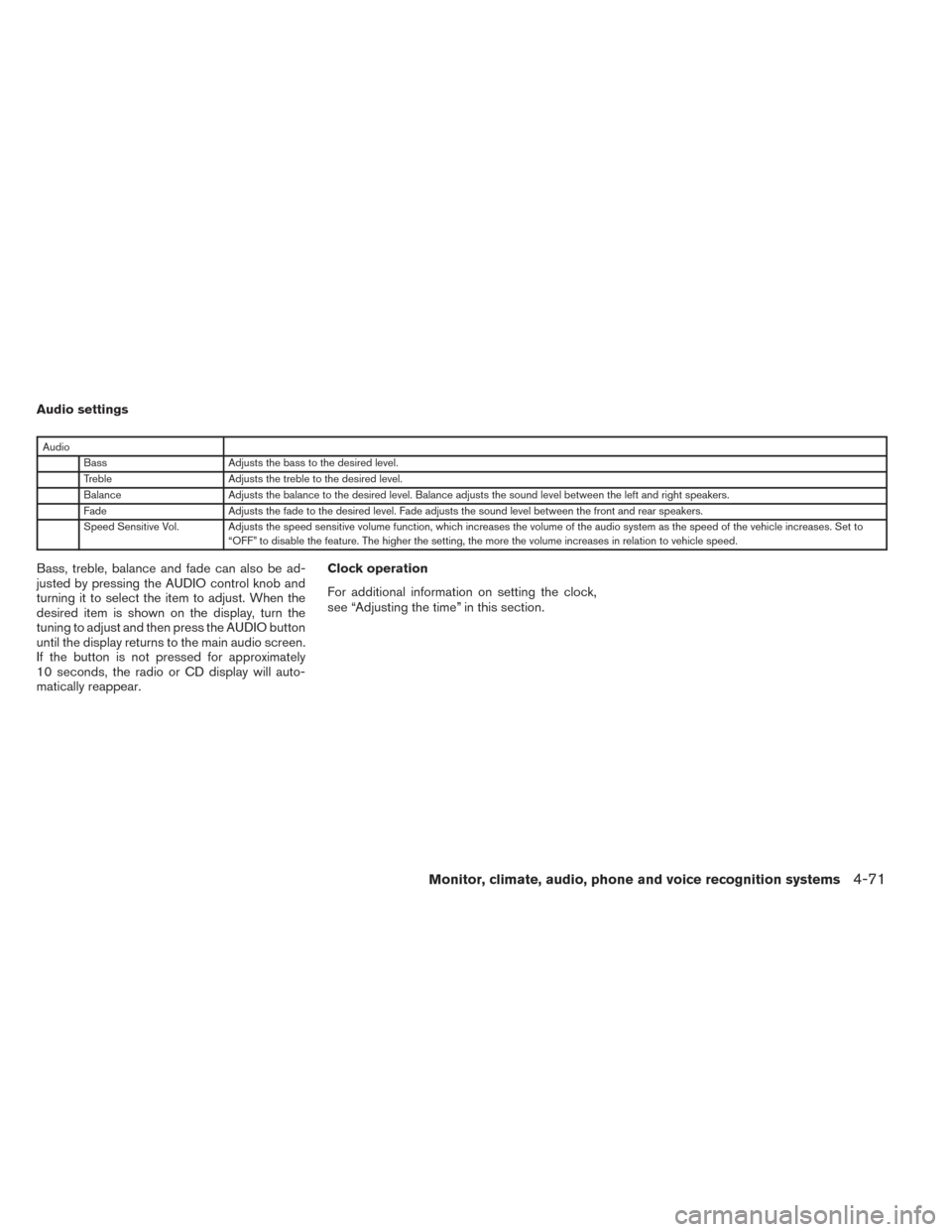
Audio settings
AudioBass Adjusts the bass to the desired level.
Treble Adjusts the treble to the desired level.
Balance Adjusts the balance to the desired level. Balance adjusts the sound level between the left and right speakers.
Fade Adjusts the fade to the desired level. Fade adjusts the sound level between the front and rear speakers.
Speed Sensitive Vol. Adjusts the speed sensitive volume function, which increases the volume of the audio system as the speed of the vehicle increases. Set to “OFF” to disable the feature. The higher the setting, the more the volume increases in relation to vehicle speed.
Bass, treble, balance and fade can also be ad-
justed by pressing the AUDIO control knob and
turning it to select the item to adjust. When the
desired item is shown on the display, turn the
tuning to adjust and then press the AUDIO button
until the display returns to the main audio screen.
If the button is not pressed for approximately
10 seconds, the radio or CD display will auto-
matically reappear. Clock operation
For additional information on setting the clock,
see “Adjusting the time” in this section.
Monitor, climate, audio, phone and voice recognition systems4-71
Page 267 of 492
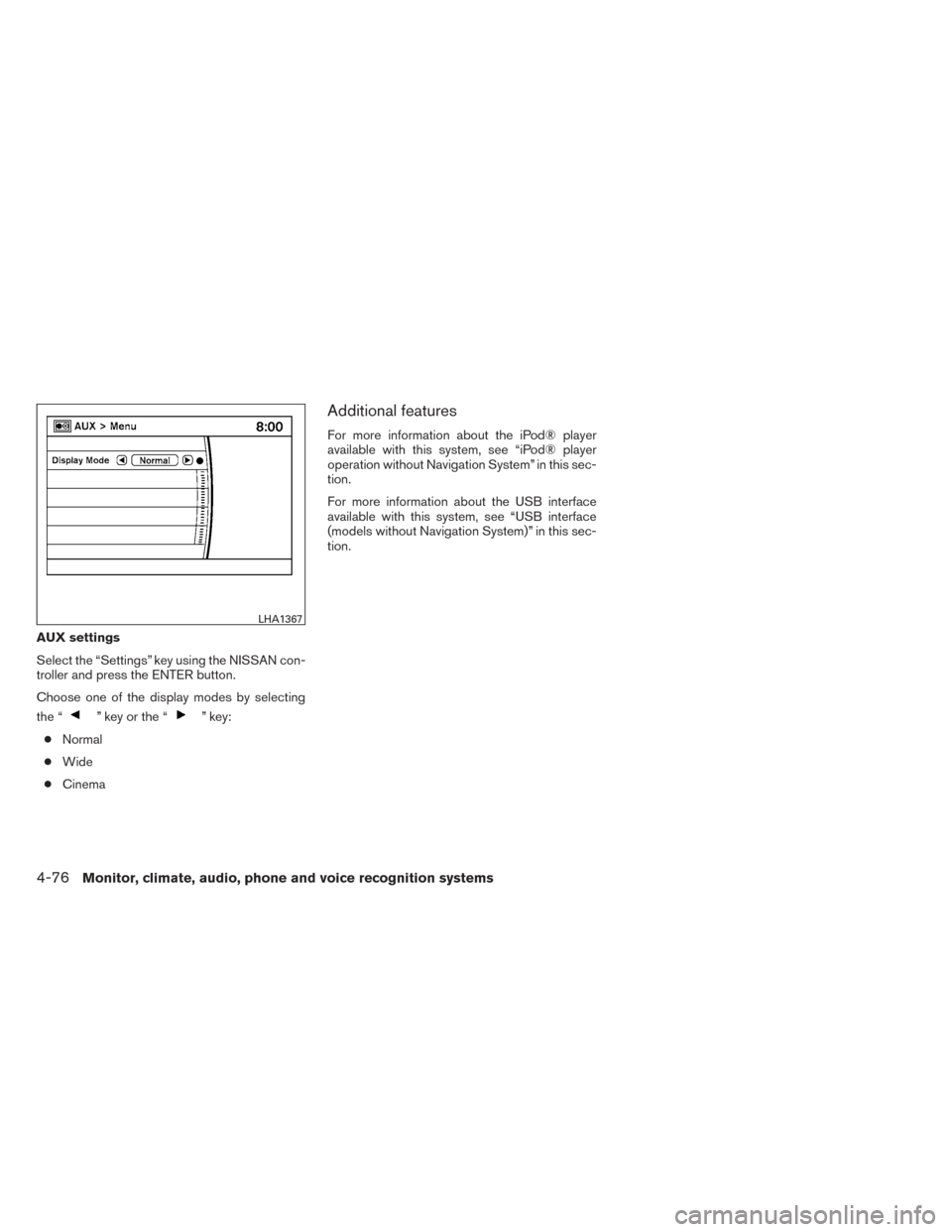
AUX settings
Select the “Settings” key using the NISSAN con-
troller and press the ENTER button.
Choose one of the display modes by selecting
the “
” key or the “” key:
● Normal
● Wide
● Cinema
Additional features
For more information about the iPod® player
available with this system, see “iPod® player
operation without Navigation System” in this sec-
tion.
For more information about the USB interface
available with this system, see “USB interface
(models without Navigation System)” in this sec-
tion.
LHA1367
4-76Monitor, climate, audio, phone and voice recognition systems
Page 269 of 492
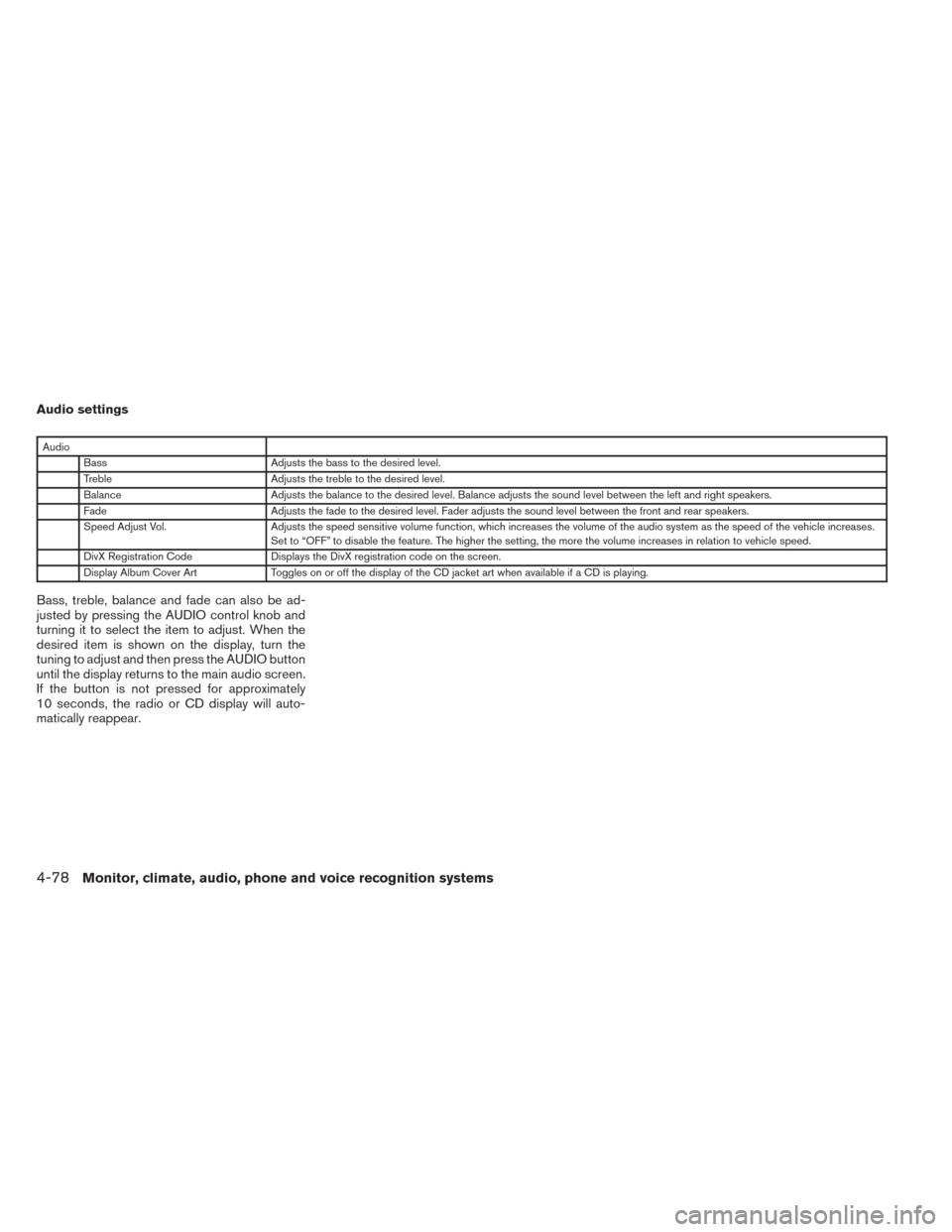
Audio settings
AudioBass Adjusts the bass to the desired level.
Treble Adjusts the treble to the desired level.
Balance Adjusts the balance to the desired level. Balance adjusts the sound level between the left and right speakers.
Fade Adjusts the fade to the desired level. Fader adjusts the sound level between the front and rear speakers.
Speed Adjust Vol. Adjusts the speed sensitive volume function, which increases the volume of the audio system as the speed of the vehicle increases.
Set to “OFF” to disable the feature. The higher the setting, the more the volume increases in relation to vehicle speed.
DivX Registration Code Displays the DivX registration code on the screen.
Display Album Cover Art Toggles on or off the display of the CD jacket art when available if a CD is playing.
Bass, treble, balance and fade can also be ad-
justed by pressing the AUDIO control knob and
turning it to select the item to adjust. When the
desired item is shown on the display, turn the
tuning to adjust and then press the AUDIO button
until the display returns to the main audio screen.
If the button is not pressed for approximately
10 seconds, the radio or CD display will auto-
matically reappear.
4-78Monitor, climate, audio, phone and voice recognition systems
Page 275 of 492
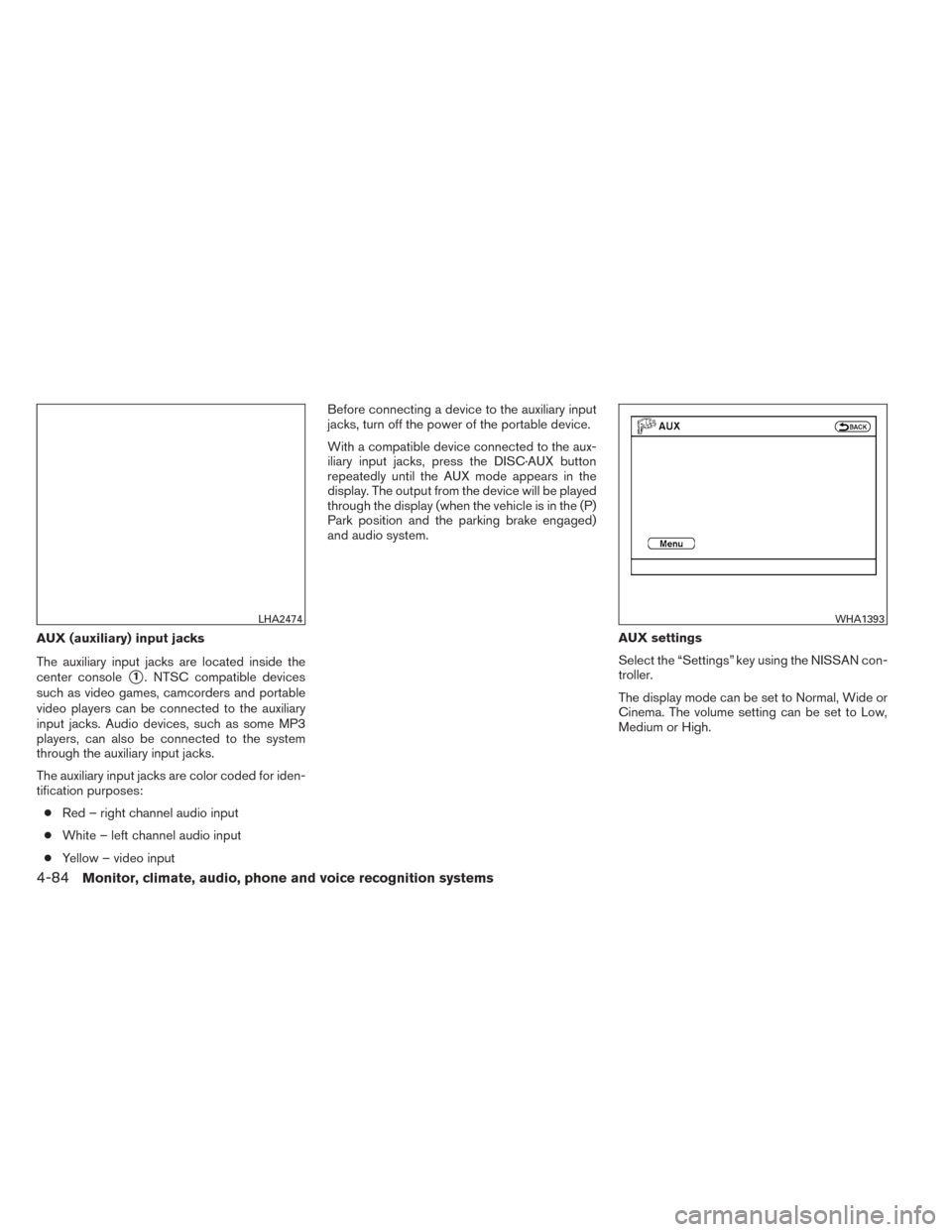
AUX (auxiliary) input jacks
The auxiliary input jacks are located inside the
center console
�1. NTSC compatible devices
such as video games, camcorders and portable
video players can be connected to the auxiliary
input jacks. Audio devices, such as some MP3
players, can also be connected to the system
through the auxiliary input jacks.
The auxiliary input jacks are color coded for iden-
tification purposes:
● Red – right channel audio input
● White – left channel audio input
● Yellow – video input Before connecting a device to the auxiliary input
jacks, turn off the power of the portable device.
With a compatible device connected to the aux-
iliary input jacks, press the DISC·AUX button
repeatedly until the AUX mode appears in the
display. The output from the device will be played
through the display (when the vehicle is in the (P)
Park position and the parking brake engaged)
and audio system.
AUX settings
Select the “Settings” key using the NISSAN con-
troller.
The display mode can be set to Normal, Wide or
Cinema. The volume setting can be set to Low,
Medium or High.
LHA2474WHA1393
4-84Monitor, climate, audio, phone and voice recognition systems
Page 277 of 492
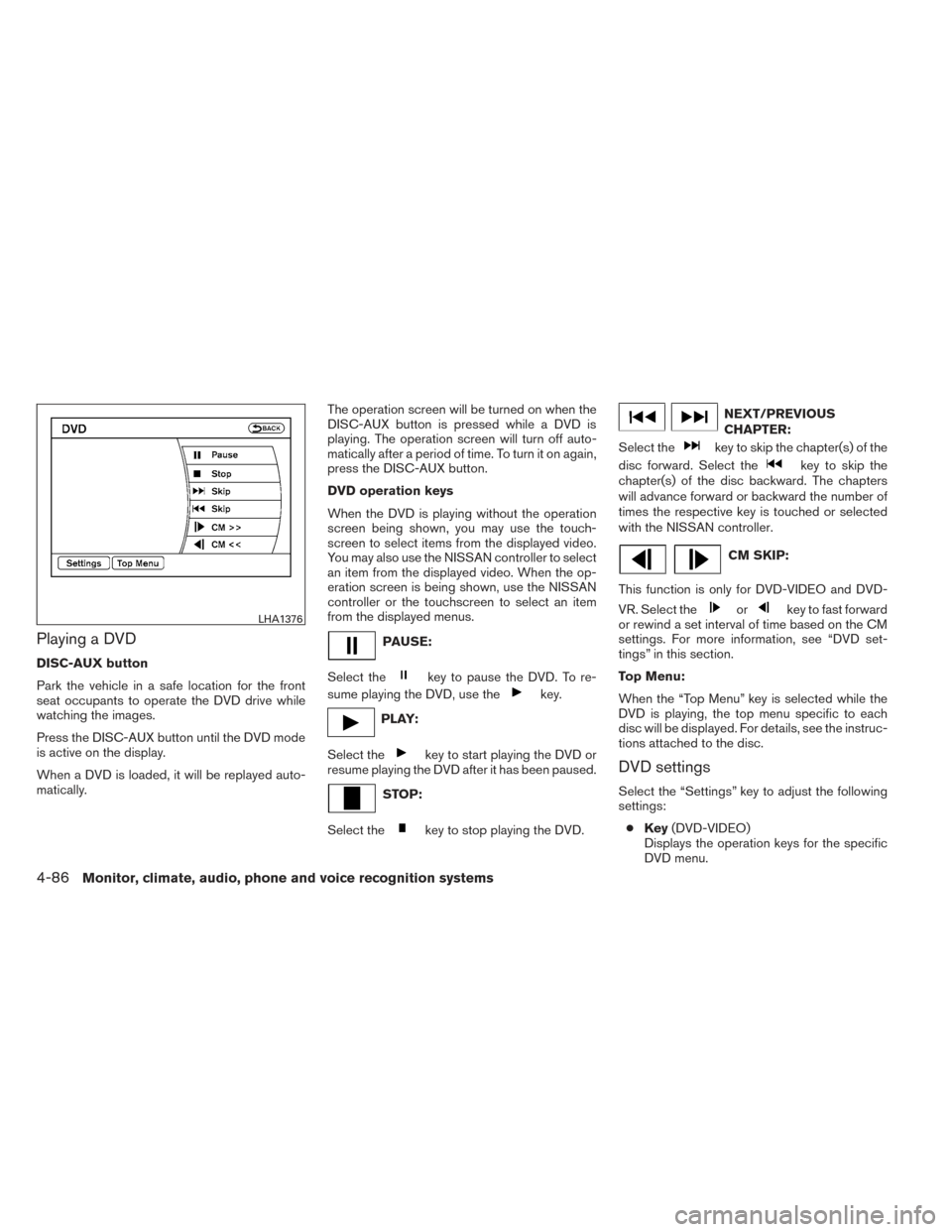
Playing a DVD
DISC-AUX button
Park the vehicle in a safe location for the front
seat occupants to operate the DVD drive while
watching the images.
Press the DISC-AUX button until the DVD mode
is active on the display.
When a DVD is loaded, it will be replayed auto-
matically.The operation screen will be turned on when the
DISC-AUX button is pressed while a DVD is
playing. The operation screen will turn off auto-
matically after a period of time. To turn it on again,
press the DISC-AUX button.
DVD operation keys
When the DVD is playing without the operation
screen being shown, you may use the touch-
screen to select items from the displayed video.
You may also use the NISSAN controller to select
an item from the displayed video. When the op-
eration screen is being shown, use the NISSAN
controller or the touchscreen to select an item
from the displayed menus.
PAUSE:
Select the
key to pause the DVD. To re-
sume playing the DVD, use the
key.
PLAY:
Select the
key to start playing the DVD or
resume playing the DVD after it has been paused.
STOP:
Select the
key to stop playing the DVD.
NEXT/PREVIOUS
CHAPTER:
Select the
key to skip the chapter(s) of the
disc forward. Select the
key to skip the
chapter(s) of the disc backward. The chapters
will advance forward or backward the number of
times the respective key is touched or selected
with the NISSAN controller.
CM SKIP:
This function is only for DVD-VIDEO and DVD-
VR. Select the
orkey to fast forward
or rewind a set interval of time based on the CM
settings. For more information, see “DVD set-
tings” in this section.
Top Menu:
When the “Top Menu” key is selected while the
DVD is playing, the top menu specific to each
disc will be displayed. For details, see the instruc-
tions attached to the disc.
DVD settings
Select the “Settings” key to adjust the following
settings:
● Key (DVD-VIDEO)
Displays the operation keys for the specific
DVD menu.
LHA1376
4-86Monitor, climate, audio, phone and voice recognition systems
Page 284 of 492
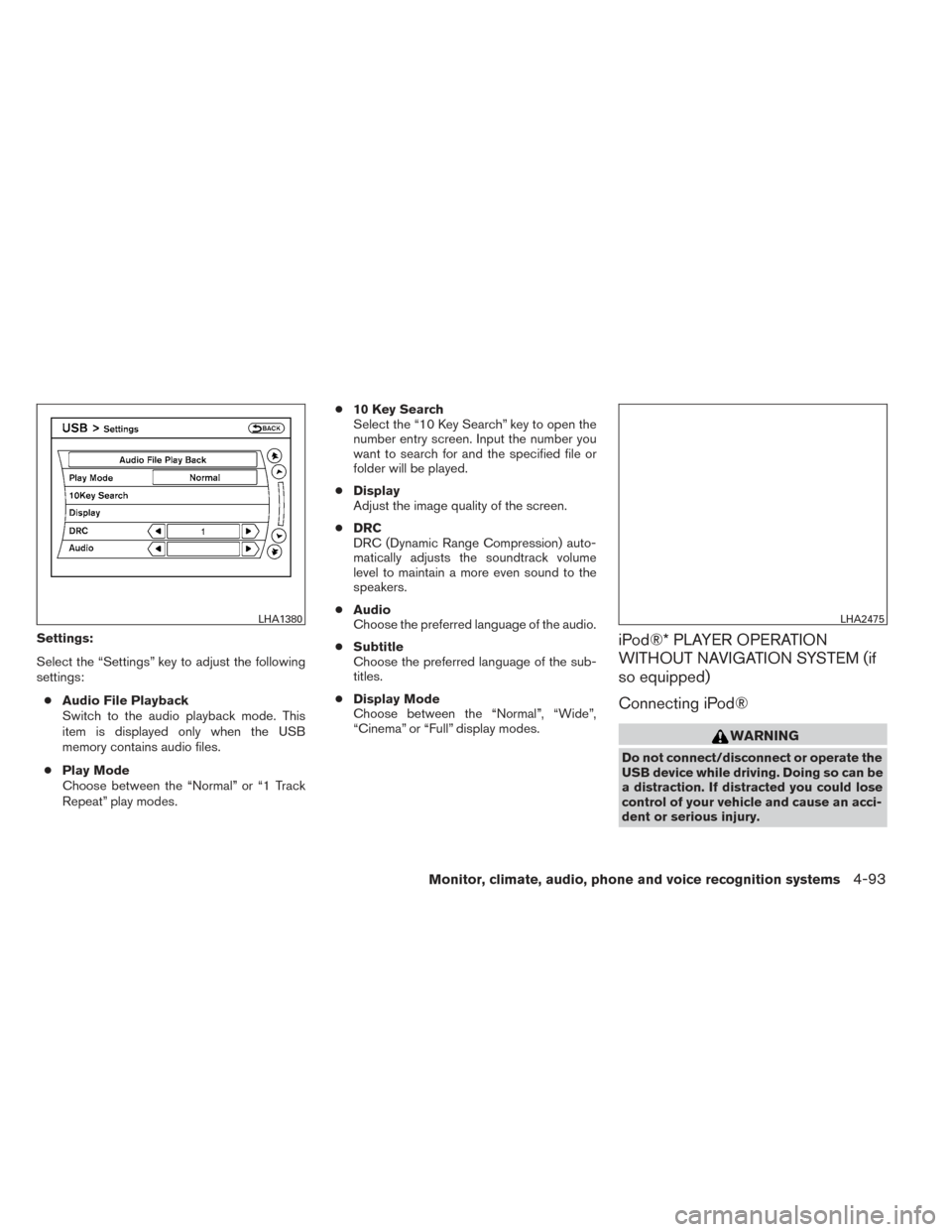
Settings:
Select the “Settings” key to adjust the following
settings:● Audio File Playback
Switch to the audio playback mode. This
item is displayed only when the USB
memory contains audio files.
● Play Mode
Choose between the “Normal” or “1 Track
Repeat” play modes. ●
10 Key Search
Select the “10 Key Search” key to open the
number entry screen. Input the number you
want to search for and the specified file or
folder will be played.
● Display
Adjust the image quality of the screen.
● DRC
DRC (Dynamic Range Compression) auto-
matically adjusts the soundtrack volume
level to maintain a more even sound to the
speakers.
● Audio
Choose the preferred language of the audio.
● Subtitle
Choose the preferred language of the sub-
titles.
● Display Mode
Choose between the “Normal”, “Wide”,
“Cinema” or “Full” display modes.iPod®* PLAYER OPERATION
WITHOUT NAVIGATION SYSTEM (if
so equipped)
Connecting iPod®
WARNING
Do not connect/disconnect or operate the
USB device while driving. Doing so can be
a distraction. If distracted you could lose
control of your vehicle and cause an acci-
dent or serious injury.
LHA1380LHA2475
Monitor, climate, audio, phone and voice recognition systems4-93
Page 286 of 492
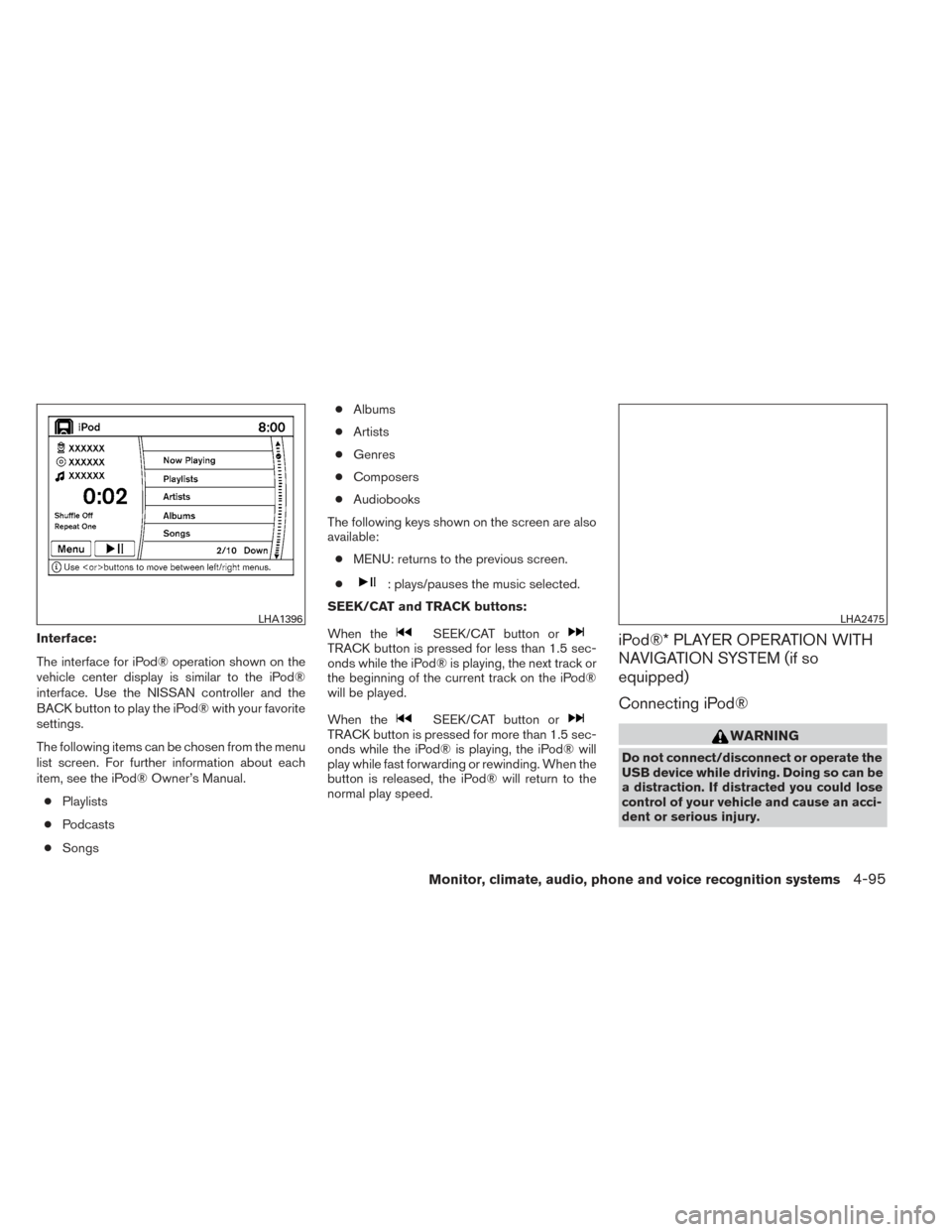
Interface:
The interface for iPod® operation shown on the
vehicle center display is similar to the iPod®
interface. Use the NISSAN controller and the
BACK button to play the iPod® with your favorite
settings.
The following items can be chosen from the menu
list screen. For further information about each
item, see the iPod® Owner’s Manual.● Playlists
● Podcasts
● Songs ●
Albums
● Artists
● Genres
● Composers
● Audiobooks
The following keys shown on the screen are also
available: ● MENU: returns to the previous screen.
●
: plays/pauses the music selected.
SEEK/CAT and TRACK buttons:
When the
SEEK/CAT button orTRACK button is pressed for less than 1.5 sec-
onds while the iPod® is playing, the next track or
the beginning of the current track on the iPod®
will be played.
When the
SEEK/CAT button orTRACK button is pressed for more than 1.5 sec-
onds while the iPod® is playing, the iPod® will
play while fast forwarding or rewinding. When the
button is released, the iPod® will return to the
normal play speed.
iPod®* PLAYER OPERATION WITH
NAVIGATION SYSTEM (if so
equipped)
Connecting iPod®
WARNING
Do not connect/disconnect or operate the
USB device while driving. Doing so can be
a distraction. If distracted you could lose
control of your vehicle and cause an acci-
dent or serious injury.
LHA1396LHA2475
Monitor, climate, audio, phone and voice recognition systems4-95