Page 326 of 492
VEHICLE PHONEBOOK
This vehicle has two phonebooks available for
your use. Depending on your phone, the system
may automatically download your entire cell
phone’s phonebook into the “Handset Phone-
book”. For the details on downloading yourphonebook, see “Handset Phonebook”, in this
section. If your phonebook does not automati-
cally download, you may set up the vehicle
phonebook with up to 40 entries. This phone-
book allows you to record a name to speak while
using voice recognition.
Press the
button on the steering wheel
and then select the �Vehicle Phonebook� key.
Select the �Add New� key at the top of the
screen. This will allow the user to add new
phonebook content via the methods listed below:
Menu Item Result
Copy from Call History The system will show a list of your incoming, outgoing, or missed calls that were downloaded from your cell phone (depending on your
phone’s compatibility) . You may select one of these entries to save in the vehicle phonebook.
Copy from the Handset The system will show your cell phone’s phonebook that was downloaded (depending on your phone’s compatibility) . You may select one of
these entries to save in the vehicle phonebook.
Enter Number by Keypad Allows manual entry of phonebook contacts
Ok Saves the phonebook entry and then will show a screen that is ready to call the number. Press the BACK button to return to the Vehicle
Phonebook
Entry # Allows user to choose the entry number
Name Allows user to enter the contact name
Number Allows user to enter the contact number
Type Allows user to choose a type from the icon list
Voicetag Select the�Voicetag� key to record a name to speak when using the Voice Recognition system
Store Select the�Store�key and prepare to speak the name after the tone
OK When the voicetag is successfully saved, select the �OK�key to save the phonebook entry
Monitor, climate, audio, phone and voice recognition systems4-135
Page 327 of 492
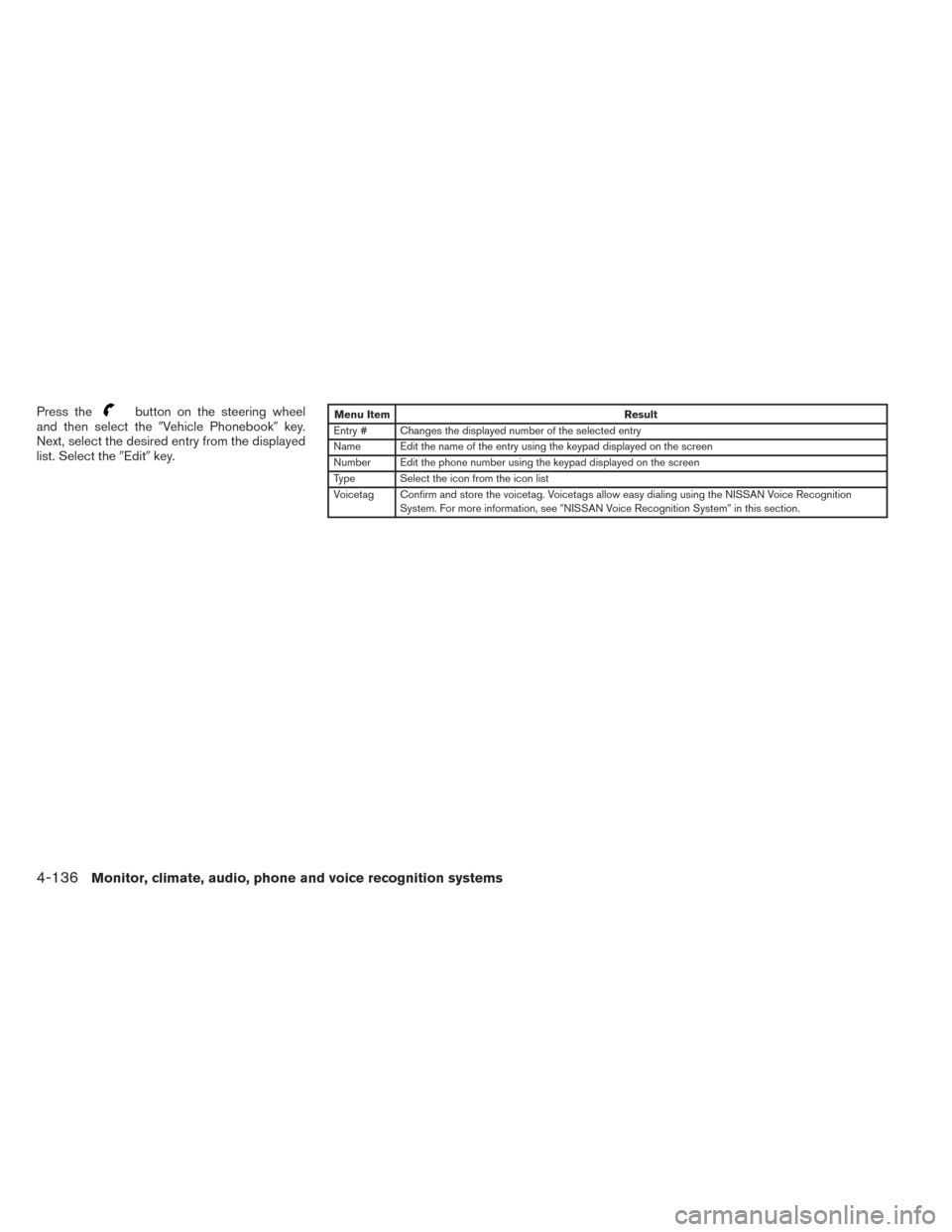
Press thebutton on the steering wheel
and then select the �Vehicle Phonebook� key.
Next, select the desired entry from the displayed
list. Select the �Edit�key.Menu Item Result
Entry # Changes the displayed number of the selected entry
Name Edit the name of the entry using the keypad displayed on the screen
Number Edit the phone number using the keypad displayed on the screen
Type Select the icon from the icon list
Voicetag Confirm and store the voicetag. Voicetags allow easy dialing using the NISSAN Voice Recognition System. For more information, see �NISSAN Voice Recognition System �in this section.
4-136Monitor, climate, audio, phone and voice recognition systems
Page 328 of 492
HANDSET PHONEBOOK
Many phones will support an automatic down-
load of the cellular phone’s phonebook. Since
this method allows for up to 1000 numbers to be
stored and entries are automatically assigned
voice tags by the system, this is a useful function
for easy dialing supported by the Voice Recogni-
tion system.
Transferring the handset phonebook
If your cellular phone supports automatic down-
loading, the system transfers the handset phone-
book automatically by default. To ensure that this
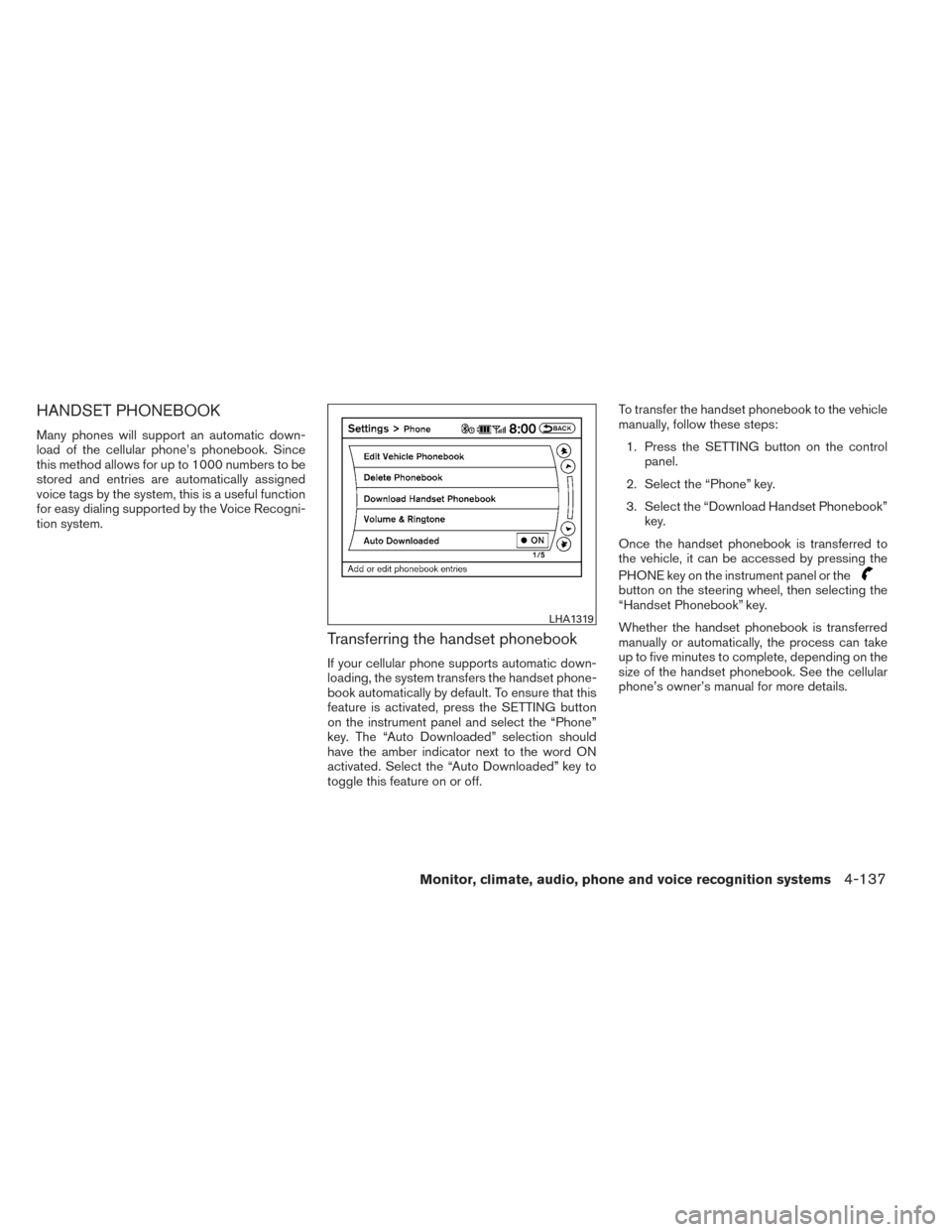
feature is activated, press the SETTING button
on the instrument panel and select the “Phone”
key. The “Auto Downloaded” selection should
have the amber indicator next to the word ON
activated. Select the “Auto Downloaded” key to
toggle this feature on or off.To transfer the handset phonebook to the vehicle
manually, follow these steps:
1. Press the SETTING button on the control panel.
2. Select the “Phone” key.
3. Select the “Download Handset Phonebook” key.
Once the handset phonebook is transferred to
the vehicle, it can be accessed by pressing the
PHONE key on the instrument panel or the
button on the steering wheel, then selecting the
“Handset Phonebook” key.
Whether the handset phonebook is transferred
manually or automatically, the process can take
up to five minutes to complete, depending on the
size of the handset phonebook. See the cellular
phone’s owner’s manual for more details.
LHA1319
Monitor, climate, audio, phone and voice recognition systems4-137
Page 329 of 492
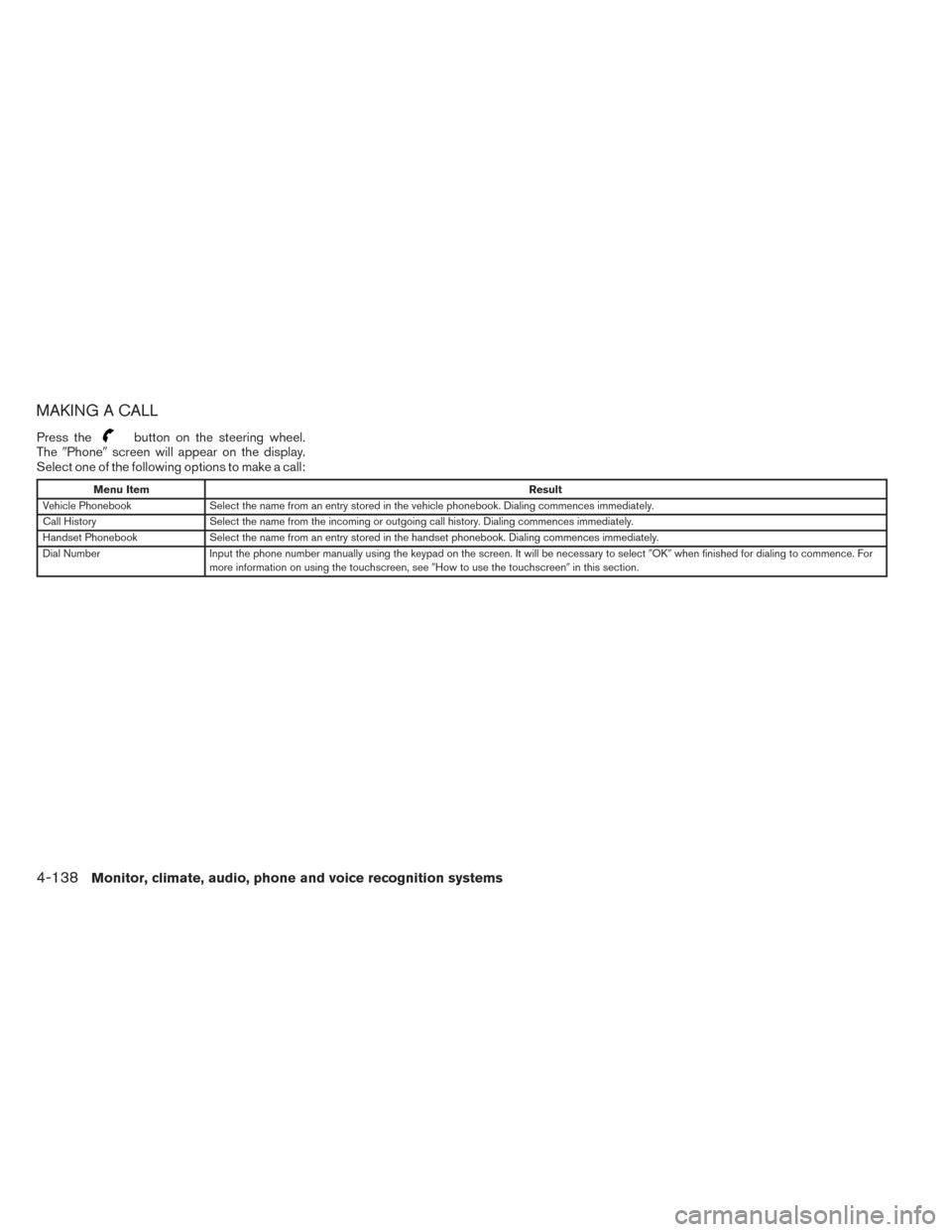
MAKING A CALL
Press thebutton on the steering wheel.
The �Phone� screen will appear on the display.
Select one of the following options to make a call:
Menu Item Result
Vehicle Phonebook Select the name from an entry stored in the vehicle phonebook. Dialing commences immediately.
Call History Select the name from the incoming or outgoing call history. Dialing commences immediately.
Handset Phonebook Select the name from an entry stored in the handset phonebook. Dialing commences immediately.
Dial Number Input the phone number manually using the keypad on the screen. It will be necessary to select �OK�when finished for dialing to commence. For
more information on using the touchscreen, see �How to use the touchscreen�in this section.
4-138Monitor, climate, audio, phone and voice recognition systems
Page 330 of 492
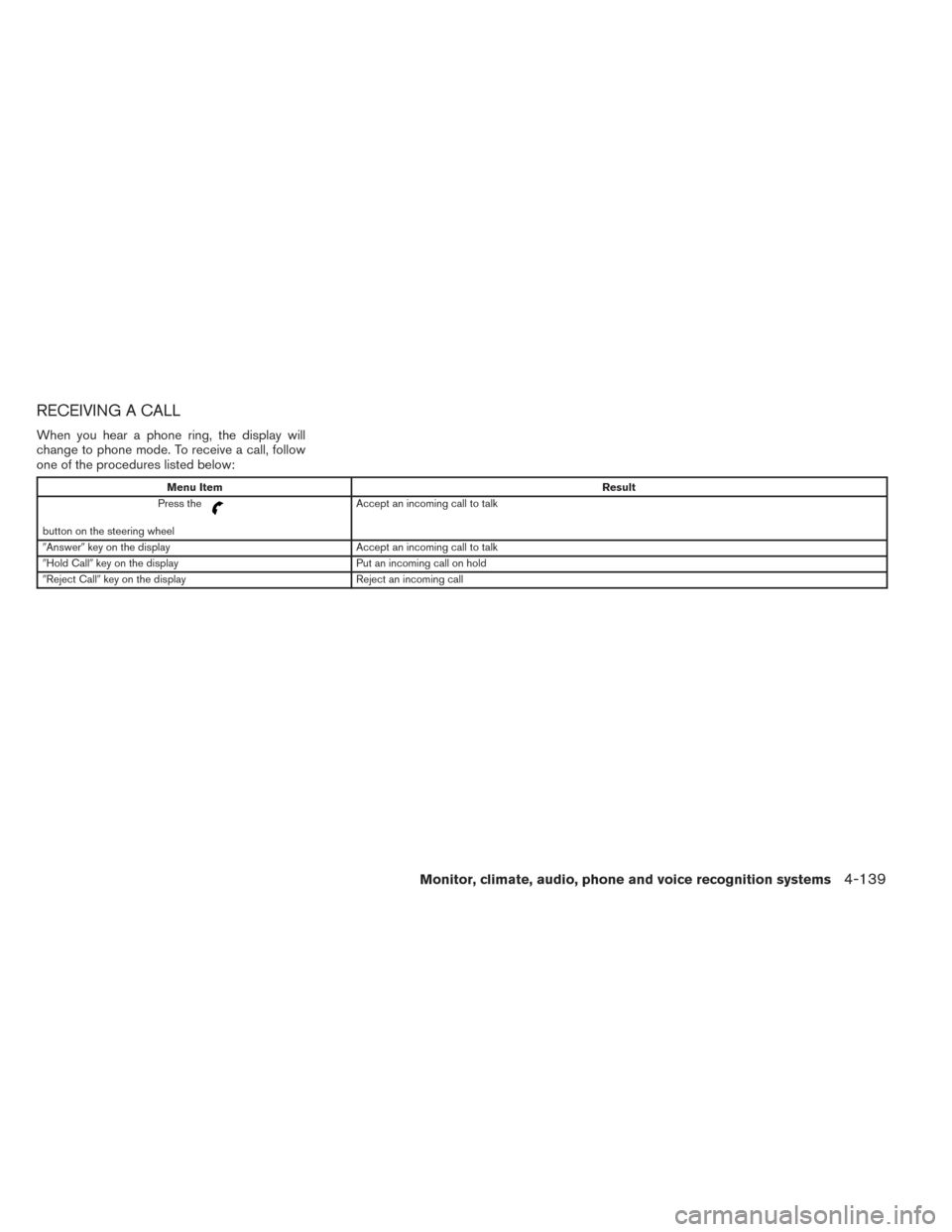
RECEIVING A CALL
When you hear a phone ring, the display will
change to phone mode. To receive a call, follow
one of the procedures listed below:
Menu ItemResult
Press the
button on the steering wheel Accept an incoming call to talk
�Answer� key on the display Accept an incoming call to talk
�Hold Call� key on the display Put an incoming call on hold
�Reject Call� key on the display Reject an incoming call
Monitor, climate, audio, phone and voice recognition systems4-139
Page 331 of 492
DURING A CALL
There are some options available during a call.
Select one of the following displayed on the
screen, if necessary:
Menu ItemResult
Hang Up Finish the call. If pressed while another caller is on hold, current call will be ended and user will be able to speak to the caller that was previously on hold.
Use Handset Transfer the call to the cellular phone.
Mute Mute your voice to the person.
Cancel
Mute This will appear after the
�Mute�key is selected. Mute will be cancelled.
Keypad Brings up a keypad. Enter digits when needed. For example, entering your PIN number for voicemail.
Note Press the
button during a call to send numbers and digits using Voice Recognition.
Switch Call Select this option to answer another incoming call (function may not be available depending on the model of the phone) .
ENDING A CALL
To finish the call, perform one of the following
procedures:
Menu Item Result
�Hang up� key on the �Call in
Progress� Display Finish the call.
button on the steering wheel Finish the call.
4-140Monitor, climate, audio, phone and voice recognition systems
Page 332 of 492
PHONE SETTINGS
To set up the Bluetooth Hands-Free Phone Sys-
tem to your perferred settings, press the SET-
TING button on the control panel and select the
�Phone�key on the display.
Menu Item Result
Edit Vehicle Phonebook See�Vehicle Phonebook �in this section for adding, editing, and deleting contacts in the vehicle phonebook.
Delete Phonebook Delete a phonebook stored on the system.
Download Handset Phonebook See�Handset Phonebook �in this section for adding, editing, and deleting contacts in the handset phonebook.
Volume and Ringtone Adjust the volume level of the ringtone, incoming call sound and outgoing call sound.
Automatic Hold When this option is turned on, an incoming call will be placed on hold automatically after several rings.
Vehicle Ringtone When this option is turned on, a specific ringtone that is different than the cellular phone’s will sound when receiving a call.
Auto Downloaded See “Handset Phonebook” in this section for information about automatically downloading the handset phonebook.
Monitor, climate, audio, phone and voice recognition systems4-141
Page 333 of 492
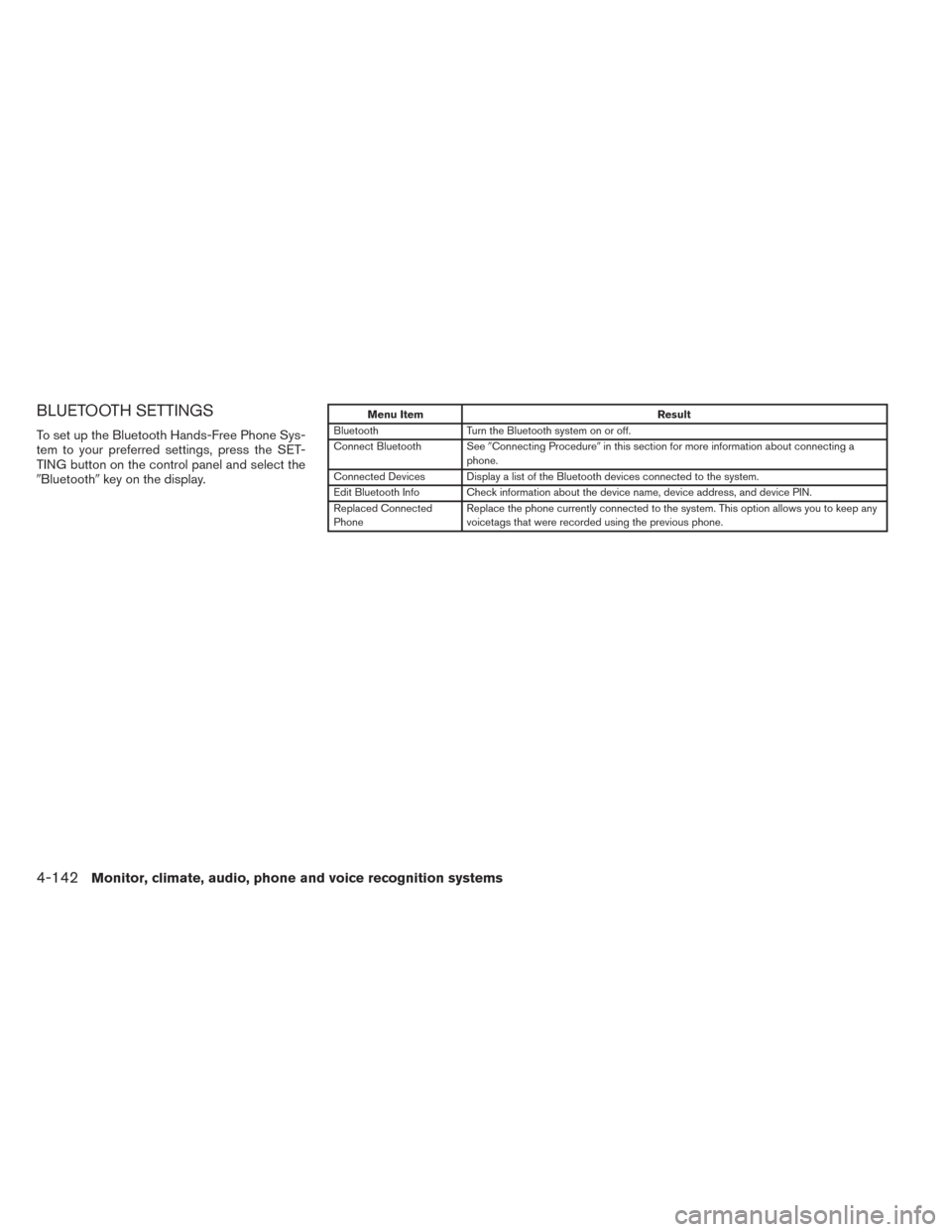
BLUETOOTH SETTINGS
To set up the Bluetooth Hands-Free Phone Sys-
tem to your preferred settings, press the SET-
TING button on the control panel and select the
�Bluetooth�key on the display.
Menu Item Result
Bluetooth Turn the Bluetooth system on or off.
Connect Bluetooth See �Connecting Procedure�in this section for more information about connecting a
phone.
Connected Devices Display a list of the Bluetooth devices connected to the system.
Edit Bluetooth Info Check information about the device name, device address, and device PIN.
Replaced Connected
Phone Replace the phone currently connected to the system. This option allows you to keep any
voicetags that were recorded using the previous phone.
4-142Monitor, climate, audio, phone and voice recognition systems