2014 NISSAN LEAF phone
[x] Cancel search: phonePage 36 of 397
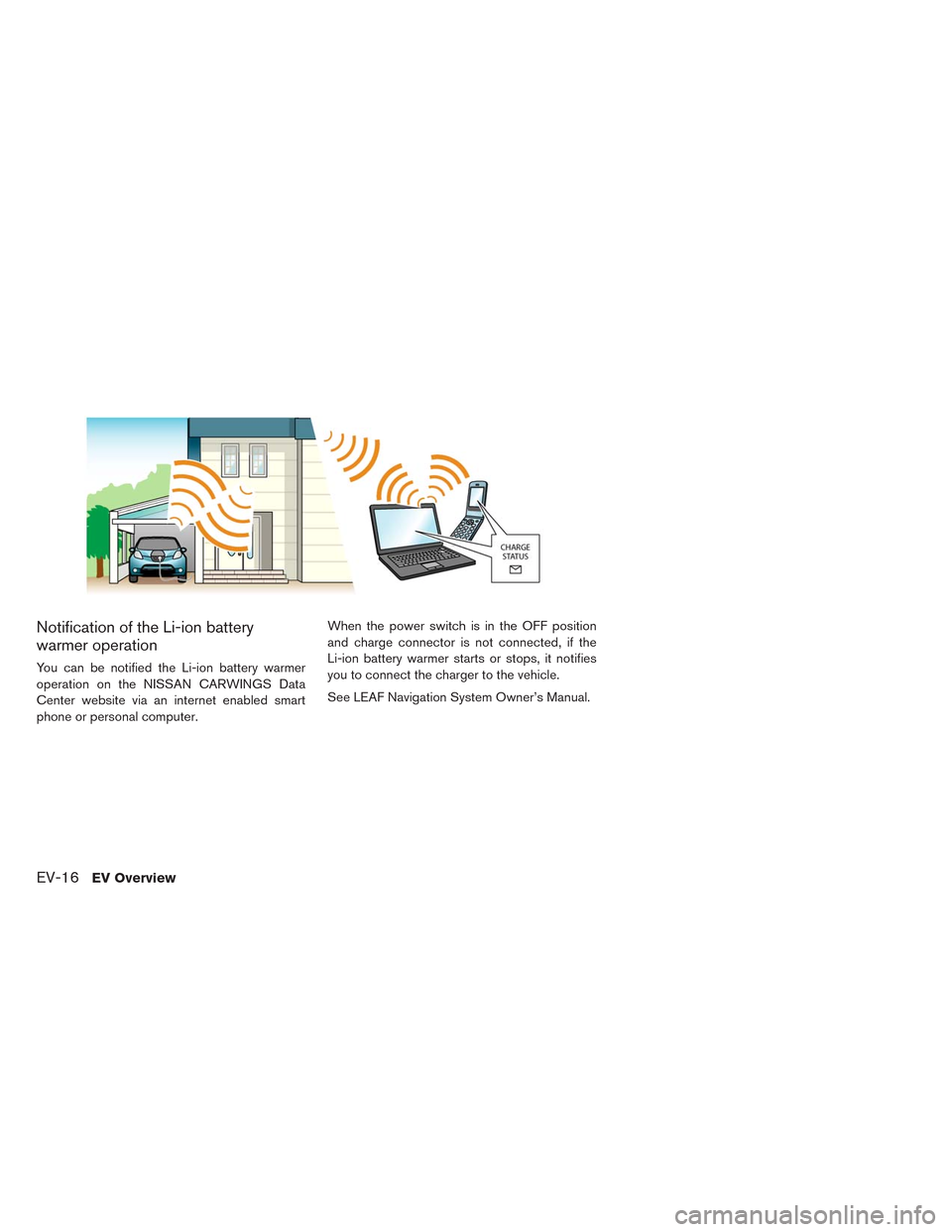
Notification of the Li-ion battery
warmer operation
You can be notified the Li-ion battery warmer
operation on the NISSAN CARWINGS Data
Center website via an internet enabled smart
phone or personal computer.When the power switch is in the OFF position
and charge connector is not connected, if the
Li-ion battery warmer starts or stops, it notifies
you to connect the charger to the vehicle.
See LEAF Navigation System Owner’s Manual.
EV-16EV Overview
Page 42 of 397
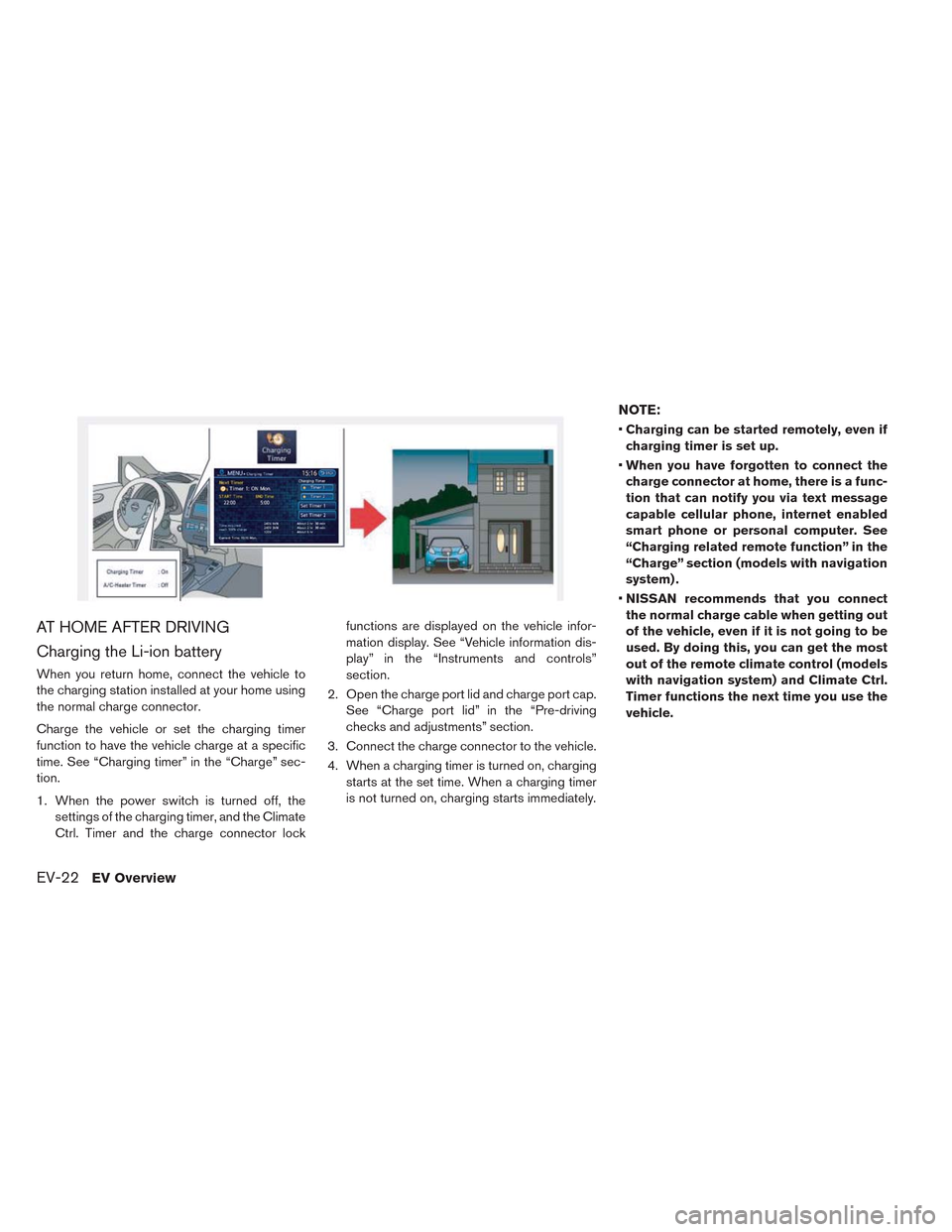
AT HOME AFTER DRIVING
Charging the Li-ion battery
When you return home, connect the vehicle to
the charging station installed at your home using
the normal charge connector.
Charge the vehicle or set the charging timer
function to have the vehicle charge at a specific
time. See “Charging timer” in the “Charge” sec-
tion.
1. When the power switch is turned off, the
settings of the charging timer, and the Climate
Ctrl. Timer and the charge connector lockfunctions are displayed on the vehicle infor-
mation display. See “Vehicle information dis-
play” in the “Instruments and controls”
section.
2. Open the charge port lid and charge port cap.
See “Charge port lid” in the “Pre-driving
checks and adjustments” section.
3. Connect the charge connector to the vehicle.
4. When a charging timer is turned on, charging
starts at the set time. When a charging timer
is not turned on, charging starts immediately.
NOTE:
•Charging can be started remotely, even if
charging timer is set up.
•When you have forgotten to connect the
charge connector at home, there is a func-
tion that can notify you via text message
capable cellular phone, internet enabled
smart phone or personal computer. See
“Charging related remote function” in the
“Charge” section (models with navigation
system) .
•NISSAN recommends that you connect
the normal charge cable when getting out
of the vehicle, even if it is not going to be
used. By doing this, you can get the most
out of the remote climate control (models
with navigation system) and Climate Ctrl.
Timer functions the next time you use the
vehicle.
EV-22EV Overview
Page 59 of 397
Checking Li-ion battery charge
The three methods for checking amount of
charge are as follows.
• Check by using the Li-ion battery available
charge gauge on the meter when the power
switch is placed in the ON position. See “Li-ion
battery available charge gauge” in the “Instru-
ments and controls” section and “Li-ion battery
low charge warning” in the “Instruments and
controls” section.
• Check by using a cellular phone, smart phone or
personal computer. See LEAF Navigation Sys-
tem Owner’s Manual (models with navigation
system) .
• Check by using the charging status indicator
light. See “Charging status indicator light”.
NOTE:
•During the charge operation, charge con-
tinues when the power switch is placed in
the ON position.
•The Li-ion battery cannot be charged if the
quick charge connector and the normal
charge connector are connected at the
same time. If another charge connector is
connected mid-charge, charging will stop.•For safety reasons, it is not possible to
switch to the READY to drive position
while a charge connector is connected.
•During charging, it is possible that the
radio may be inaudible due to noise by the
electromagnetic wave.
HOW TO NORMAL CHARGE
WARNING
• If you use any medical electric devices,
such as an implantable cardiac pace-
maker or an implantable cardiovascu-
lar defibrillator, check with the electric
medical device manufacturer concern-
ing the effects that charging may have
on implanted devices before starting
the charge operation. Charging may
affect the operation.
• If you have an implantable cardiac
pacemaker or an implantable cardio-
vascular defibrillator, while the Li-ion
battery is charging:
– Do not stay inside the vehicle.
– Do not go inside the vehicle, for ex-
ample to remove or place an item in
the passenger compartment.– Do not open the rear hatch, for ex-
ample to remove or place an item in
the cargo area.
Charging may affect the operation of
electric medical device and result in
serious personal injury or death.
• Be sure to follow the precautions for
using the charger that can be installed
in your home. Failing to do so could
result in serious injury or death.
CAUTION
• Do not use any charging equipment
that is not compatible with the LEAF.
Doing so could prevent the Li-ion bat-
tery from charging properly or could
result in damage to the vehicle or Li-
ion battery.
• Normal charge uses the charging device (AC
220 - 240 volt, 20A) that can be installed in your
home to charge the Li-ion battery.
• Immediate charge, charging timer and remote
charge (models with navigation system) can be
performed in the normal charge mode. See
“Charging methods”.
ChargingCH-9
Page 76 of 397
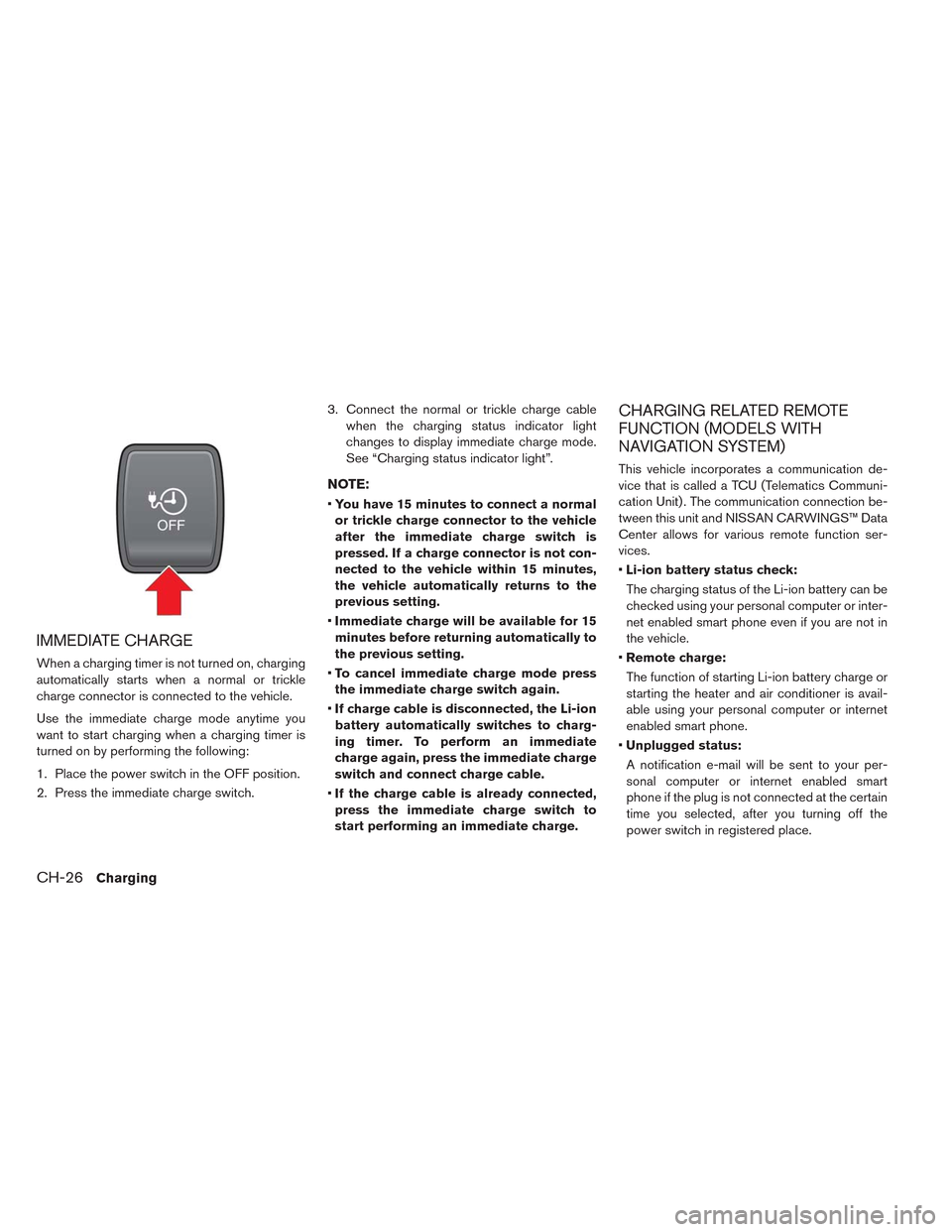
IMMEDIATE CHARGE
When a charging timer is not turned on, charging
automatically starts when a normal or trickle
charge connector is connected to the vehicle.
Use the immediate charge mode anytime you
want to start charging when a charging timer is
turned on by performing the following:
1. Place the power switch in the OFF position.
2. Press the immediate charge switch.3. Connect the normal or trickle charge cable
when the charging status indicator light
changes to display immediate charge mode.
See “Charging status indicator light”.
NOTE:
•You have 15 minutes to connect a normal
or trickle charge connector to the vehicle
after the immediate charge switch is
pressed. If a charge connector is not con-
nected to the vehicle within 15 minutes,
the vehicle automatically returns to the
previous setting.
•Immediate charge will be available for 15
minutes before returning automatically to
the previous setting.
•To cancel immediate charge mode press
the immediate charge switch again.
•If charge cable is disconnected, the Li-ion
battery automatically switches to charg-
ing timer. To perform an immediate
charge again, press the immediate charge
switch and connect charge cable.
•If the charge cable is already connected,
press the immediate charge switch to
start performing an immediate charge.
CHARGING RELATED REMOTE
FUNCTION (MODELS WITH
NAVIGATION SYSTEM)
This vehicle incorporates a communication de-
vice that is called a TCU (Telematics Communi-
cation Unit) . The communication connection be-
tween this unit and NISSAN CARWINGS™ Data
Center allows for various remote function ser-
vices.
•Li-ion battery status check:
The charging status of the Li-ion battery can be
checked using your personal computer or inter-
net enabled smart phone even if you are not in
the vehicle.
•Remote charge:
The function of starting Li-ion battery charge or
starting the heater and air conditioner is avail-
able using your personal computer or internet
enabled smart phone.
•Unplugged status:
A notification e-mail will be sent to your per-
sonal computer or internet enabled smart
phone if the plug is not connected at the certain
time you selected, after you turning off the
power switch in registered place.
CH-26Charging
Page 77 of 397
NOTE:
•Establishing the CARWINGS™ service is
necessary before using this service. See
LEAF Navigation System Owner’s Manual.
•To check the Li-ion battery charging status
using an internet enabled smart phone or
personal computer, the following condi-
tions must be met:
– The vehicle must be located in a cellu-
lar phone coverage area.
– The cellular phone must be located in
an area with cellular phone coverage.
– If using a computer, the computer must
be connected to the internet.
– Some cellular phones are not compat-
ible and cannot be used to check the
Li-ion battery charging status. Please
confirm beforehand.
•Certain remote functions required a com-
patible smart phone, which is not included
with vehicle.
•CARWINGS™ information system features
are included through a subscription ser-
vice which requires owner consent to ac-
tivate. The subscription must be active to
use these features.•CARWINGS™ communications may be re-
ceived at a verified e-mail address or by
SMS/text messaging-enabled mobile
phone.
•Standard text rates and/or data usage
may apply depending on your carrier.
ChargingCH-27
Page 84 of 397
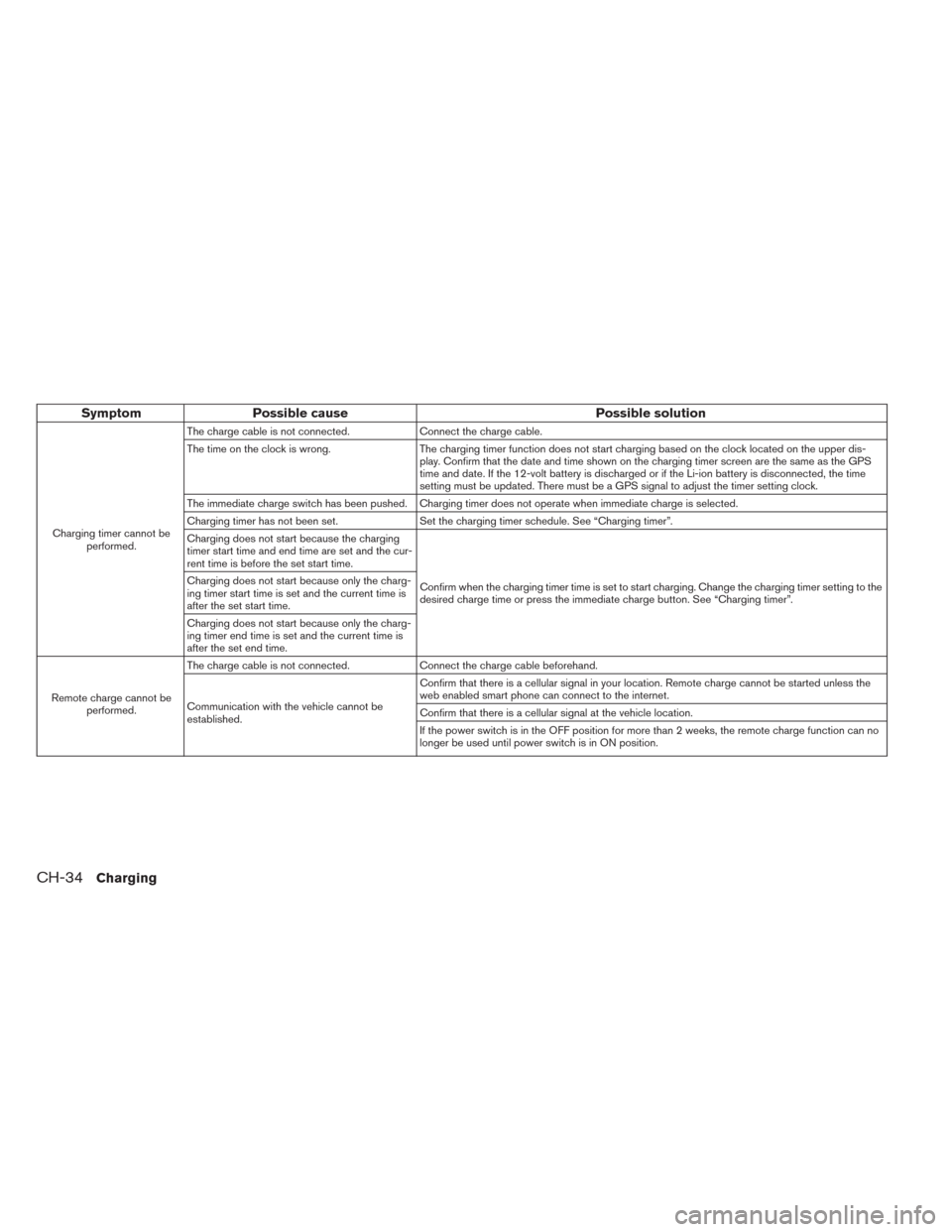
Symptom Possible cause Possible solution
Charging timer cannot be
performed.The charge cable is not connected. Connect the charge cable.
The time on the clock is wrong. The charging timer function does not start charging based on the clock located on the upper dis-
play. Confirm that the date and time shown on the charging timer screen are the same as the GPS
time and date. If the 12-volt battery is discharged or if the Li-ion battery is disconnected, the time
setting must be updated. There must be a GPS signal to adjust the timer setting clock.
The immediate charge switch has been pushed. Charging timer does not operate when immediate charge is selected.
Charging timer has not been set. Set the charging timer schedule. See “Charging timer”.
Charging does not start because the charging
timer start time and end time are set and the cur-
rent time is before the set start time.
Confirm when the charging timer time is set to start charging. Change the charging timer setting to the
desired charge time or press the immediate charge button. See “Charging timer”. Charging does not start because only the charg-
ing timer start time is set and the current time is
after the set start time.
Charging does not start because only the charg-
ing timer end time is set and the current time is
after the set end time.
Remote charge cannot be
performed.The charge cable is not connected. Connect the charge cable beforehand.
Communication with the vehicle cannot be
established.Confirm that there is a cellular signal in your location. Remote charge cannot be started unless the
web enabled smart phone can connect to the internet.
Confirm that there is a cellular signal at the vehicle location.
If the power switch is in the OFF position for more than 2 weeks, the remote charge function can no
longer be used until power switch is in ON position.
CH-34Charging
Page 139 of 397
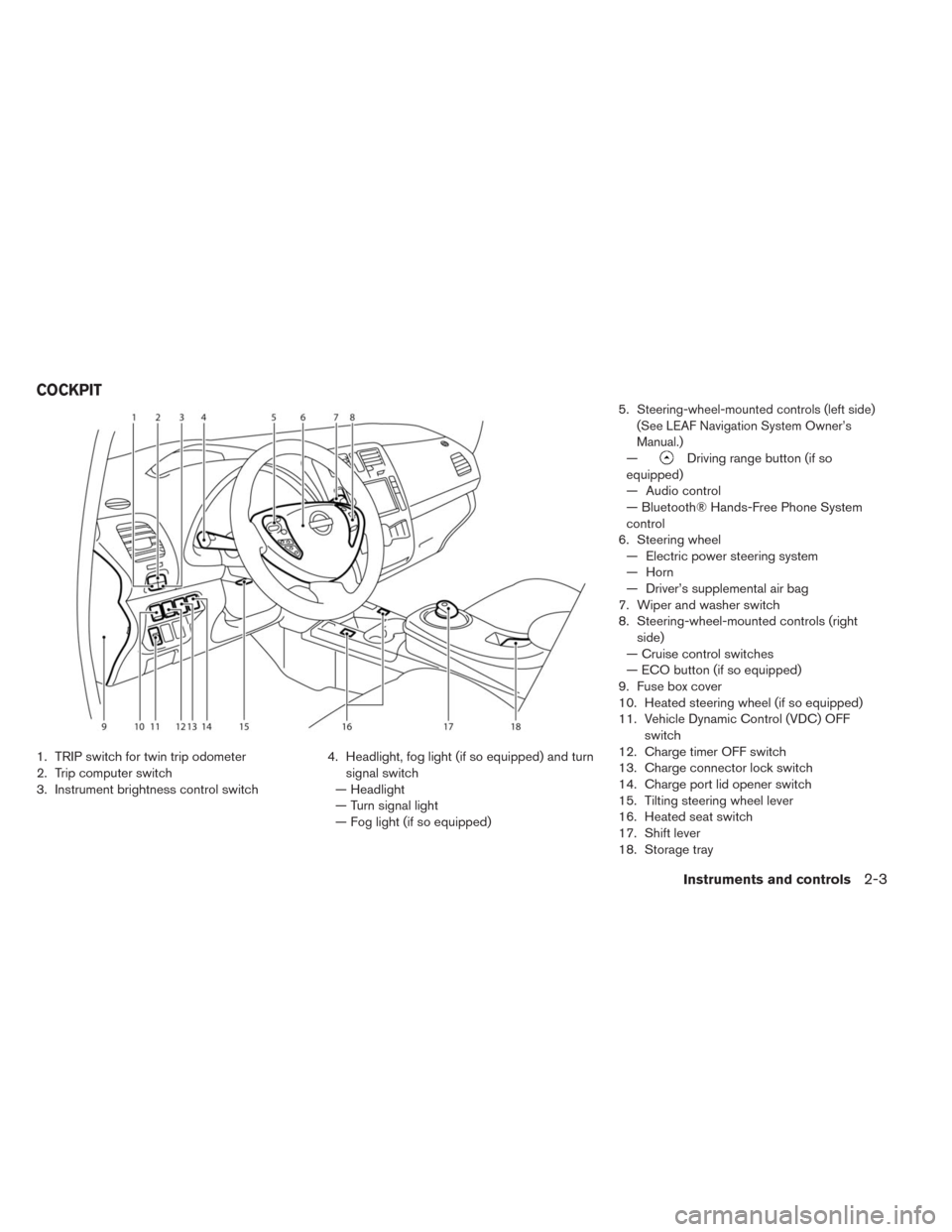
1. TRIP switch for twin trip odometer
2. Trip computer switch
3. Instrument brightness control switch4. Headlight, fog light (if so equipped) and turn
signal switch
— Headlight
— Turn signal light
— Fog light (if so equipped)5.
Steering-wheel-mounted controls (left side)
(See LEAF Navigation System Owner’s
Manual.)
—Driving range button (if so
equipped)
— Audio control
— Bluetooth® Hands-Free Phone System
control
6. Steering wheel
— Electric power steering system
— Horn
— Driver’s supplemental air bag
7. Wiper and washer switch
8. Steering-wheel-mounted controls (right
side)
— Cruise control switches
— ECO button (if so equipped)
9. Fuse box cover
10. Heated steering wheel (if so equipped)
11. Vehicle Dynamic Control (VDC) OFF
switch
12. Charge timer OFF switch
13. Charge connector lock switch
14. Charge port lid opener switch
15. Tilting steering wheel lever
16. Heated seat switch
17. Shift lever
18. Storage tray
COCKPIT
Instruments and controls2-3
Page 140 of 397
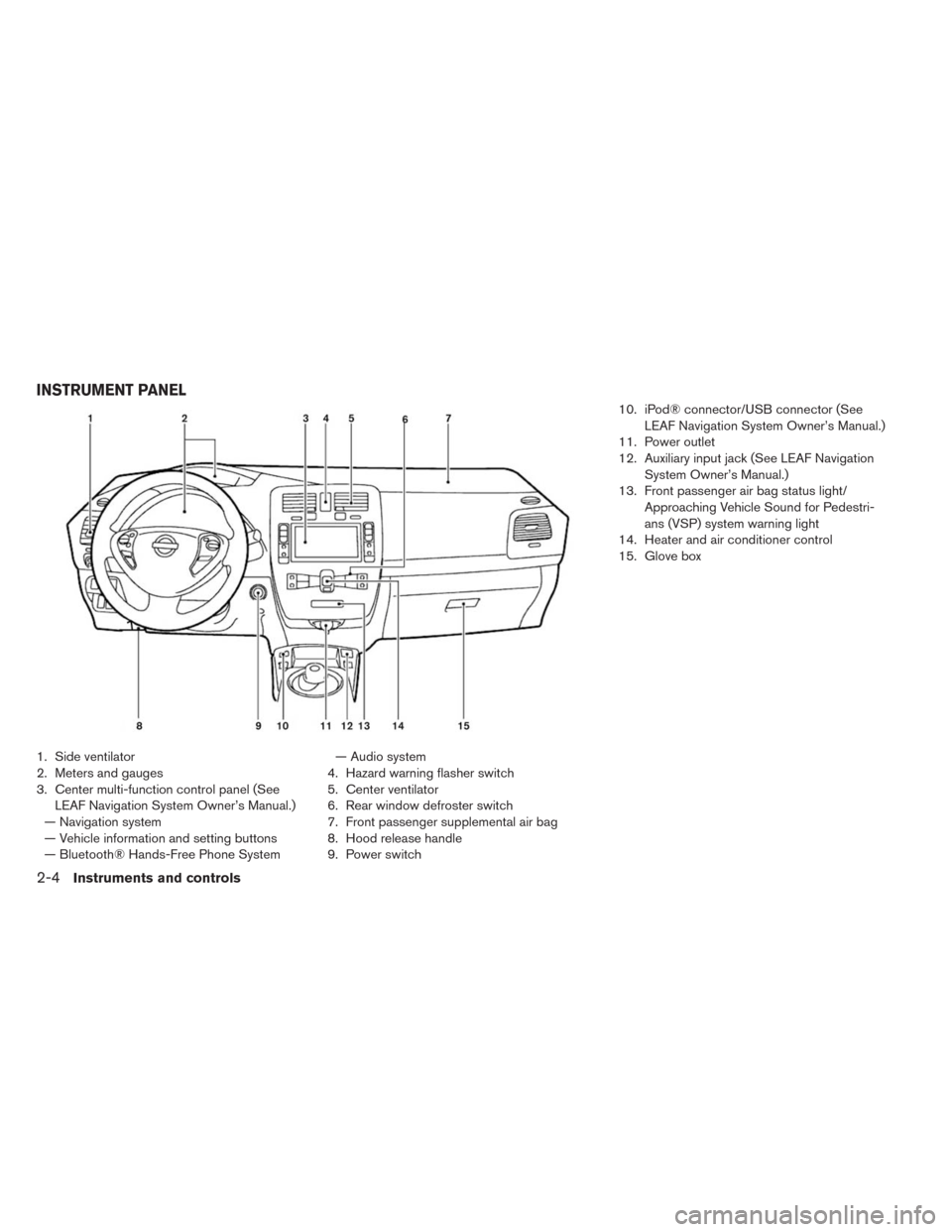
1. Side ventilator
2. Meters and gauges
3. Center multi-function control panel (See
LEAF Navigation System Owner’s Manual.)
— Navigation system
— Vehicle information and setting buttons
— Bluetooth® Hands-Free Phone System— Audio system
4. Hazard warning flasher switch
5. Center ventilator
6. Rear window defroster switch
7. Front passenger supplemental air bag
8. Hood release handle
9. Power switch10. iPod® connector/USB connector (See
LEAF Navigation System Owner’s Manual.)
11. Power outlet
12. Auxiliary input jack (See LEAF Navigation
System Owner’s Manual.)
13. Front passenger air bag status light/
Approaching Vehicle Sound for Pedestri-
ans (VSP) system warning light
14. Heater and air conditioner control
15. Glove box
INSTRUMENT PANEL
2-4Instruments and controls