RANDOM (RDM):
When the RDM button is pressed while a USB
memory device is being playing, the play pattern
can be changed as follows:
To change the play mode, press the RDM button
repeatedly and the mode will change as follows:
Normal→All Random→1 Folder Random→Nor-
mal
BACK button:
When the BACK button is pressed, it returns to
the previous display.
IPOD® PLAYER OPERATION
Connecting iPod®:
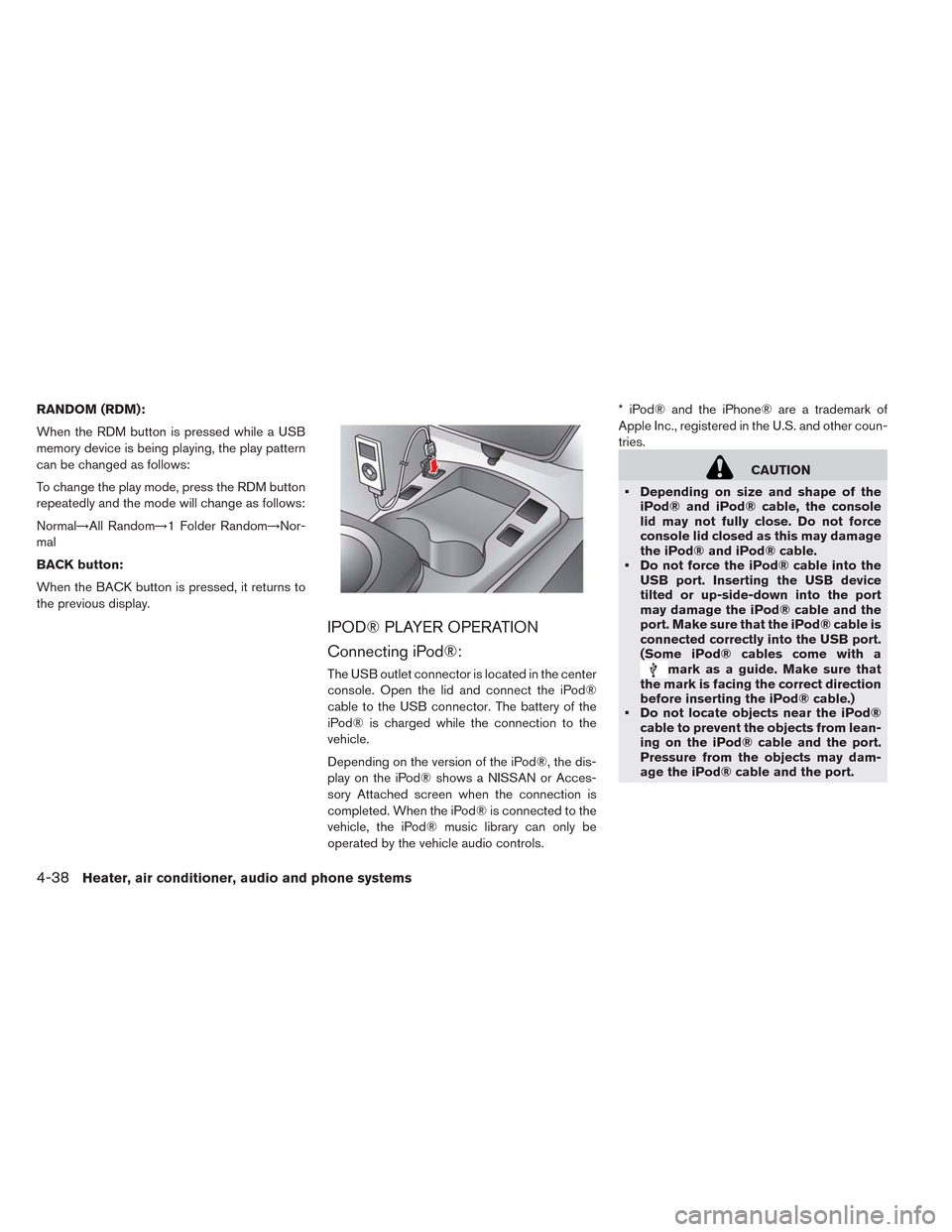
The USB outlet connector is located in the center
console. Open the lid and connect the iPod®
cable to the USB connector. The battery of the
iPod® is charged while the connection to the
vehicle.
Depending on the version of the iPod®, the dis-
play on the iPod® shows a NISSAN or Acces-
sory Attached screen when the connection is
completed. When the iPod® is connected to the
vehicle, the iPod® music library can only be
operated by the vehicle audio controls.* iPod® and the iPhone® are a trademark of
Apple Inc., registered in the U.S. and other coun-
tries.
CAUTION
• Depending on size and shape of the
iPod® and iPod® cable, the console
lid may not fully close. Do not force
console lid closed as this may damage
the iPod® and iPod® cable.
• Do not force the iPod® cable into the
USB port. Inserting the USB device
tilted or up-side-down into the port
may damage the iPod® cable and the
port. Make sure that the iPod® cable is
connected correctly into the USB port.
(Some iPod® cables come with a
mark as a guide. Make sure that
the mark is facing the correct direction
before inserting the iPod® cable.)
• Do not locate objects near the iPod®
cable to prevent the objects from lean-
ing on the iPod® cable and the port.
Pressure from the objects may dam-
age the iPod® cable and the port.
4-38Heater, air conditioner, audio and phone systems
SOURCE select switch
Push the source select switch to change the
mode in the following sequence:
AM→FM1→FM2→XM1→XM2→XM3→CD*→
USB/iPod®*→AUX*→AM.
* These modes are only available when compat-
ible media storage is inserted into the device or
connected to the system.
Volume control switch
Push the volume control switch to increase or
decrease the volume.
Tuning switch
While the display is showing a map or audio
screen, tilt the Menu Control switch upward or
downward to select a station, track, CD or folder.
For most audio sources, tilting the switch up/
down for more than 1.5 seconds provides a
different function than a tilting up/down for less
than 1.5 seconds.AM and FM:
• Tilt up/down for less than 1.5 seconds to in-
crease or decrease the preset station.
• Tilt up/down for more than 1.5 seconds to seek
up or down to the next station.
XM:
• Tilt up/down for less than 1.5 seconds to in-
crease or decrease the preset station.
• Tilt up/down for more than 1.5 seconds to go to
the next or previous category.
• Press the ENTER button to show the XM Menu.
iPod®:
• Tilt up/down for less than 1.5 seconds to in-
crease or decrease the track number.
• Press the iPod MENU button to show the iPod
Menu.
CD:
• Tilt up/down for less than 1.5 seconds to in-
crease or decrease the track number.
• Tilt up/down for more than 1.5 seconds to in-
crease or decrease the folder number (if playing
compressed audio files) .
• Press the ENTER button to show the CD Menu.USB:
• Tilt up/down for less than 1.5 seconds to in-
crease or decrease the track number.
• Tilt up/down for more than 1.5 seconds to in-
crease or decrease the folder number.
• Press the ENTER button to show the USB
Menu.
Heater, air conditioner, audio and phone systems4-41