2014 NISSAN LEAF light
[x] Cancel search: lightPage 241 of 397
Cooling and/or dehumidified heating:
The dehumidified heating mode can be used to
keep the windows from fogging. In this mode, the
heat pump compressor is used in A/C mode for
dehumidifying the air instead of heating it. The
PTC heater is also used in conjunction to heat the
air. This mode will increase energy consumption
and therefore reduce range.
1. Press the AUTO button. The AUTO indicator
will illuminate.
2. If the A/C indicator light does not illuminate,
press the A/C button. The A/C indicator light
will illuminate.
3. If the HEAT indicator light does not illuminate,
press the HEAT button. The HEAT indicator
light will illuminate.
4. Turn the temperature control dial to set the
desired temperature. The temperature range
is between 60°F (18°C) and 90°F (32°C) .
5. To set the automatic control mode, press and
hold the
(intake air control) button. The
indicator will blink twice and inside/outside
circulation will switch automatically.
A visible mist may be seen coming from the
ventilators in hot, humid conditions as the air iscooled rapidly. This does not indicate a malfunc-
tion.
Heating (A/C off):
1. Press the AUTO button. The AUTO indicator
will illuminate.
2. Press the HEAT button. The indicator light on
the HEAT button will come on. If the indicator
light on the A/C button remains on, press the
A/C button so that the indicator light turns off.
3. If the A/C indicator light illuminates, press the
A/C button. The A/C indicator light will turn
off.
4. Turn the temperature control dial to set the
desired temperature. The temperature range
is between 60°F (16°C) and 90°F (32°C) .
• Do not set the temperature lower than the
outside air temperature. Doing so may pre-
vent the temperature from being controlled
properly.
• If the windows fog up, use dehumidified
heating instead of the A/C off heating.
Dehumidified defrosting/defogging:
1. Press the front defroster
button. (The
indicator light will illuminate.)2. Turn the temperature control dial to set the
desired temperature.
• To remove moisture or fog on the front win-
dow quickly, set the temperature to the high
temperature and the fan speed to their maxi-
mum level.
• After the windshield is cleared, press the
front defroster
button again. (The indi-
cator light will turn off.)
• When the front defroster
button is
pressed, the air conditioner will automatically
turn on to defog the windshield. The outside
air circulation mode will be selected to im-
prove the defogging performance.
Manual operation
The manual mode can be used to control the
heater and air conditioner to your desired set-
tings.
To turn off the heater and air conditioner, press
the A/C-Heater ON·OFF button.
Fan speed control:
Press “+” of the fan speed control button
to increase the fan speed.
Press “−” of the fan speed control button
to increase the fan speed.
Heater, air conditioner, audio and phone systems4-17
Page 242 of 397
Press the AUTO button to change the fan speed
to the automatic mode.
Air flow control:
Press the MODE button to change the air flow
mode.
— Air flows from the center and side
ventilators.
— Air flows from the center and side
ventilators and foot outlets.
— Air flows mainly from the foot outlets.
— Air flows from the defroster outlets
and foot outlets.
Temperature control:
Press the temperature control
,
button to set the desired temperature.
The temperature range is between 60°F (18°C)
and 90°F (32°C) .
Ventilation:
1. Press the AUTO button so that the indicator
light turns off.
2. Press the HEAT button and A/C button if the
indicator lights are on so that both indicator
lights turn off.
Note:
The ventilation mode requires a lower
power consumption, so cruising distance
will increase.
Air recirculation:
Press the air recirculation
button to
change the air circulation mode. When the indi-
cator light illuminates, the flowing air is recircu-
lated inside the vehicle.
Outside air circulation:
Press the intake air control
button to
change the air circulation mode. When the indi-
cator light does not illuminate, the flowing air is
drawn from outside the vehicle.
Automatic air intake control:
To set the automatic control mode, press and
hold the
(intake air control) button. The
indicator light will blink twice and the inside/
outside circulation will then be controlled auto-
matically. When in automatic mode, the indictor
light will come on when inside air recirculation is
active.
Note:
•Odors from inside and outside the vehicle
can build up in the air conditioner unit.
Odor can enter the passenger compart-
ment through the vents.
•When parking, set the heater and air con-
ditioner controls to turn off air recircula-
tion to allow fresh air into the passenger
compartment. This should help reduce
odors inside the vehicle.
Climate Ctrl. Timer
The air conditioner starts to operate at the time of
day and day of the week specified in the settings.
This pre heats or pre cools the vehicle to a set
temperature in the passenger compartment be-
fore driving while the charger is connected to
vehicle. This help reduce power consumption
from the Li-ion battery.
The Climate Ctrl. Timer operates the air condi-
tioner using power from the charger. Electric
power from the Li-ion battery is not used.
The Climate Ctrl. Timer function allows two dif-
ferent timer settings. Each timer charge function
can be set to activate on a different day of the
week.
4-18Heater, air conditioner, audio and phone systems
Page 245 of 397
Operation tips:
• The Climate Ctrl. Timer will only start when the
power switch is in the “OFF” position. Always
turn the power switch to the “OFF” position after
the Climate Ctrl. Timer is set.
• Touch “Timer 1” or “Timer 2” to turn off the
Climate Ctrl. Timer function. After this operation
has been performed, the indicator turns off and
the Climate Ctrl. Timer function will be turned
off. The start and stop time settings are not
deleted even if the Climate Ctrl. Timer function
is turned off.
• If OFF is selected for a day of the week, the
Climate Ctrl. timer will not operate on that day.
The system will wait until the next charging timer
set to perform charging.
• While the Climate Ctrl. Timer operates, the Cli-
mate Ctrl. Timer indicator and the charging sta-
tus indicator lights flash. If the Climate Ctrl.
Timer is set to activate, the Climate Ctrl. Timer
indicator illuminates.
• If the timer charge function and the Climate Ctrl.
Timer are in operation at the same time due to
an overlap of the timer settings, either function
can be set to be preferentially provided with
electric power. For the details of “Timer Priority”settings, refer to separate LEAF Navigation
System Owner’s Manual.
• The temperature in the passenger compartment
may not be comfortable if entering the vehicle
too soon before or too long after the scheduled
time of departure.
• Air conditioning is limited to the capacity of the
electric power when the charge connector is
connected. Therefore, the temperature may not
reach the factory default setting due to limita-
tions in air conditioning performance, if ambient
temperature is excessively high or low, or if the
charge connector is connected to a 120V out-
let.
• While the battery is being charged, the Climate
Ctrl. Timer cannot be operated until the Li-ion
battery available charge gauge reached the full
mark. When the battery is not being charged,
the Climate Ctrl. Timer can be operated, even if
the Li-ion battery available charge gauge has
not reached the full mark.
• When the climate control is set on first priority,
the Climate Ctrl. Timer works regardless of the
remaining battery energy.
• If the Climate Ctrl. Timer starts its operation
while the vehicle is being charged, the charging
time will be prolonged.• Operating the Climate Ctrl. Timer or remote
climate control in an environment with low tem-
perature may decrease the rate of battery
charge.
• The Climate Ctrl. Timer settings cannot be
modified while it is operating. If timer settings
are modified while the Climate Ctrl. Timer is
operating, these changes will be reflected the
next time the Climate Ctrl. Timer operates.
• When charging is set as the first priority, the
Climate Ctrl. Timer does not start until 10 seg-
ments of the Li-ion battery available charge
gauge are illuminated.
• When the climate control is set as the first
priority, the climate control system will be turned
on as scheduled by the Climate Ctrl. Timer
regardless of the remaining battery energy.
• Even when the climate control is set as the first
priority, the climate control system will be turned
off when the climate control spends more elec-
tric than the charging Li-ion battery.
• The Li-ion battery may not charge or may even
become discharged if the Climate Ctrl. Timer or
remote climate control is used in low ambient
temperatures.
Heater, air conditioner, audio and phone systems4-21
Page 248 of 397
charge connector is connected to a 120 V
plug outlet.
•The Climate Ctrl. Timer operates the cli-
mate control function so that a comfort-
able temperature is provided in the pas-
senger compartment at the scheduled
time of departure. The climate control is
set to stop at the scheduled time of depar-
ture.RADIO
Push the power switch to the ACC or ON posi-
tion and press the radio band select button to
turn on the radio. If you listen to the radio while
the READY to drive indicator light is off, the
power switch should be pushed to the ACC
position.
Radio reception is affected by station signal
strength, distance from radio transmitter, build-
ings, bridges, mountains and other external influ-
ences. Intermittent changes in reception quality
normally are caused by these external influences.
Using a cellular phone in or near the vehicle
may influence radio reception quality.
Radio reception
Your NISSAN radio system is equipped with
state-of-the-art electronic circuits to enhance ra-
dio reception. These circuits are designed to
extend reception range, and to enhance the qual-
ity of that reception.However, there are some general characteristics
of both FM and AM radio signals that can affect
radio reception quality in a moving vehicle, even
when the finest equipment is used. These char-
acteristics are completely normal in a given re-
ception area and do not indicate any malfunction
in your NISSAN radio system.
Reception conditions will constantly change be-
cause of vehicle movement. Buildings, terrain,
signal distance and interference from other ve-
hicles can work against ideal reception. De-
scribed below are some of the factors that can
affect your radio reception.
Some cellular phones or other devices may
cause interference or a buzzing noise to come
from the audio system speakers. Storing the de-
vice in a different location may reduce or elimi-
nate the noise.
AUDIO SYSTEM (MODELS WITHOUT
NAVIGATION SYSTEM)
4-24Heater, air conditioner, audio and phone systems
Page 249 of 397
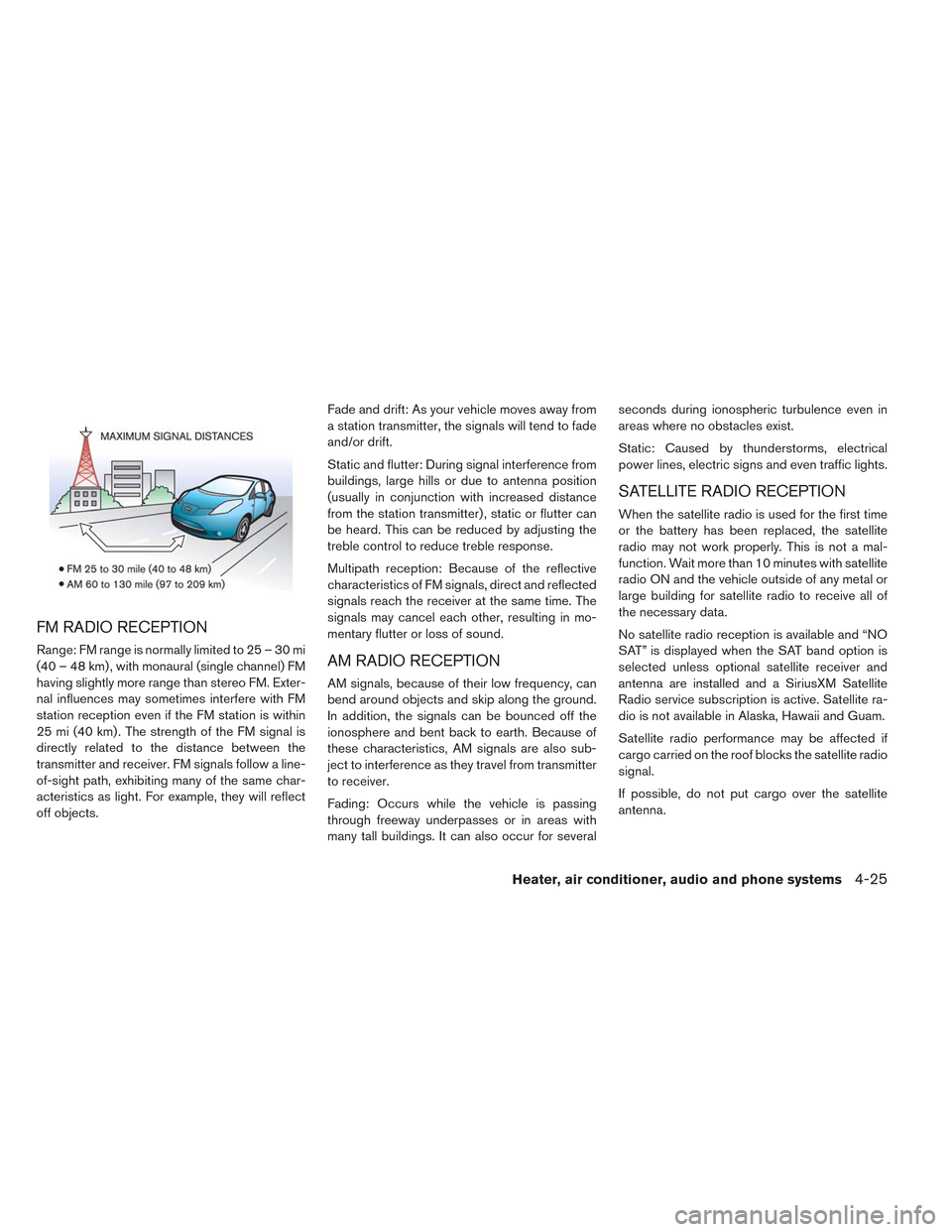
FM RADIO RECEPTION
Range: FM range is normally limited to 25 – 30 mi
(40 – 48 km) , with monaural (single channel) FM
having slightly more range than stereo FM. Exter-
nal influences may sometimes interfere with FM
station reception even if the FM station is within
25 mi (40 km) . The strength of the FM signal is
directly related to the distance between the
transmitter and receiver. FM signals follow a line-
of-sight path, exhibiting many of the same char-
acteristics as light. For example, they will reflect
off objects.Fade and drift: As your vehicle moves away from
a station transmitter, the signals will tend to fade
and/or drift.
Static and flutter: During signal interference from
buildings, large hills or due to antenna position
(usually in conjunction with increased distance
from the station transmitter) , static or flutter can
be heard. This can be reduced by adjusting the
treble control to reduce treble response.
Multipath reception: Because of the reflective
characteristics of FM signals, direct and reflected
signals reach the receiver at the same time. The
signals may cancel each other, resulting in mo-
mentary flutter or loss of sound.AM RADIO RECEPTION
AM signals, because of their low frequency, can
bend around objects and skip along the ground.
In addition, the signals can be bounced off the
ionosphere and bent back to earth. Because of
these characteristics, AM signals are also sub-
ject to interference as they travel from transmitter
to receiver.
Fading: Occurs while the vehicle is passing
through freeway underpasses or in areas with
many tall buildings. It can also occur for severalseconds during ionospheric turbulence even in
areas where no obstacles exist.
Static: Caused by thunderstorms, electrical
power lines, electric signs and even traffic lights.
SATELLITE RADIO RECEPTION
When the satellite radio is used for the first time
or the battery has been replaced, the satellite
radio may not work properly. This is not a mal-
function. Wait more than 10 minutes with satellite
radio ON and the vehicle outside of any metal or
large building for satellite radio to receive all of
the necessary data.
No satellite radio reception is available and “NO
SAT” is displayed when the SAT band option is
selected unless optional satellite receiver and
antenna are installed and a SiriusXM Satellite
Radio service subscription is active. Satellite ra-
dio is not available in Alaska, Hawaii and Guam.
Satellite radio performance may be affected if
cargo carried on the roof blocks the satellite radio
signal.
If possible, do not put cargo over the satellite
antenna.
Heater, air conditioner, audio and phone systems4-25
Page 250 of 397
A build up of ice on the satellite radio antenna can
affect satellite radio performance. Remove the
ice to restore satellite radio reception.
AUDIO OPERATION PRECAUTIONSCompact disc (CD) player
CAUTION
• Do not force a compact disc into the
CD insert slot. This could damage the
CD and/or CD player.
• Trying to load a CD with the CD door
closed could damage the CD and/or
CD player.
• Only one CD can be loaded into the CD
player at a time.
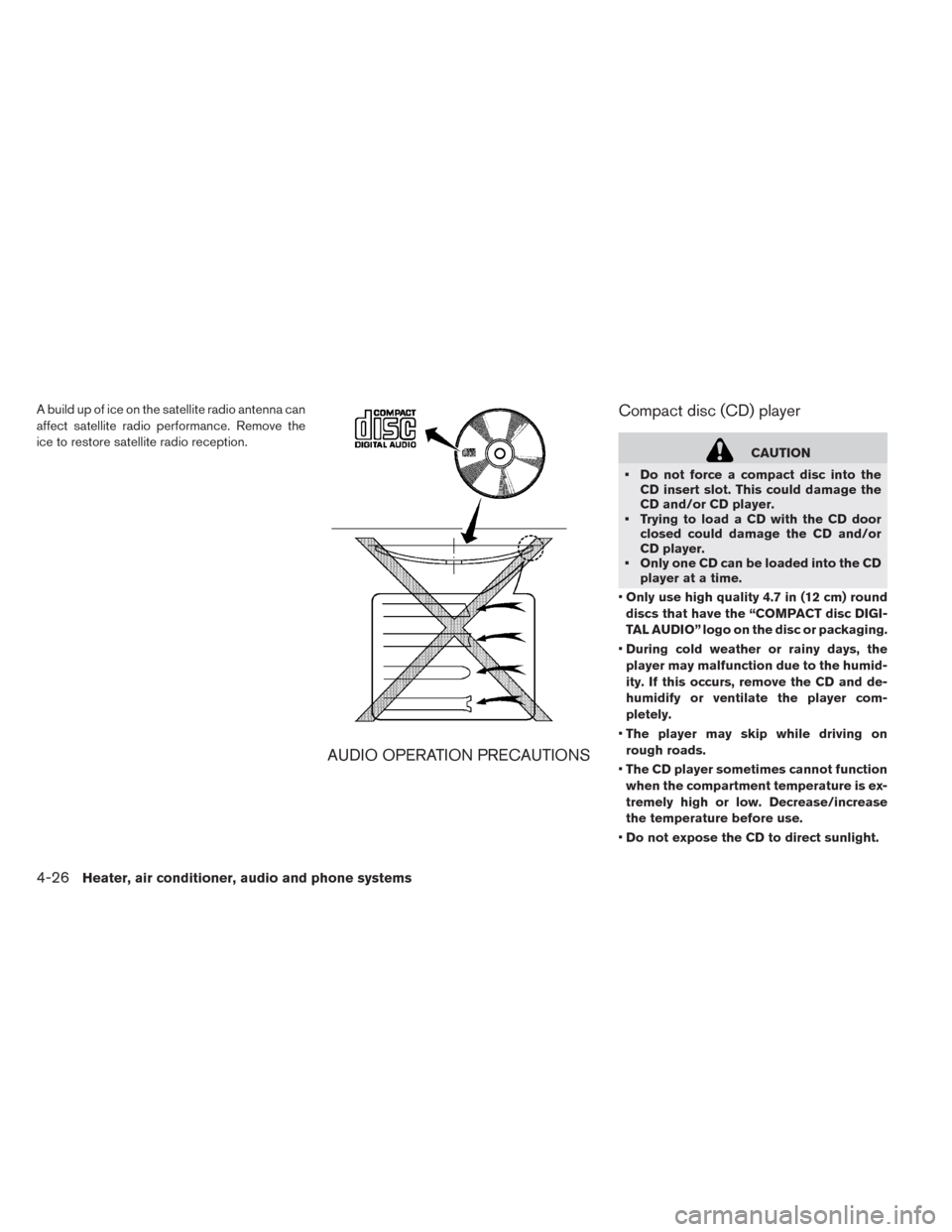
•Only use high quality 4.7 in (12 cm) round
discs that have the “COMPACT disc DIGI-
TAL AUDIO” logo on the disc or packaging.
•During cold weather or rainy days, the
player may malfunction due to the humid-
ity. If this occurs, remove the CD and de-
humidify or ventilate the player com-
pletely.
•The player may skip while driving on
rough roads.
•The CD player sometimes cannot function
when the compartment temperature is ex-
tremely high or low. Decrease/increase
the temperature before use.
•Do not expose the CD to direct sunlight.
4-26Heater, air conditioner, audio and phone systems
Page 267 of 397
WARNING
• Use a phone after stopping your ve-
hicle in a safe location. If you have to
use a phone while driving, exercise ex-
treme caution at all times so full atten-
tion may be given to vehicle operation.
• If you are unable to devote full atten-
tion to vehicle operation while talking
on the phone, pull off the road to a safe
location and stop your vehicle.
CAUTION
To avoid draining the vehicle battery, use
a phone after the READY to drive indica-
tor light is on.
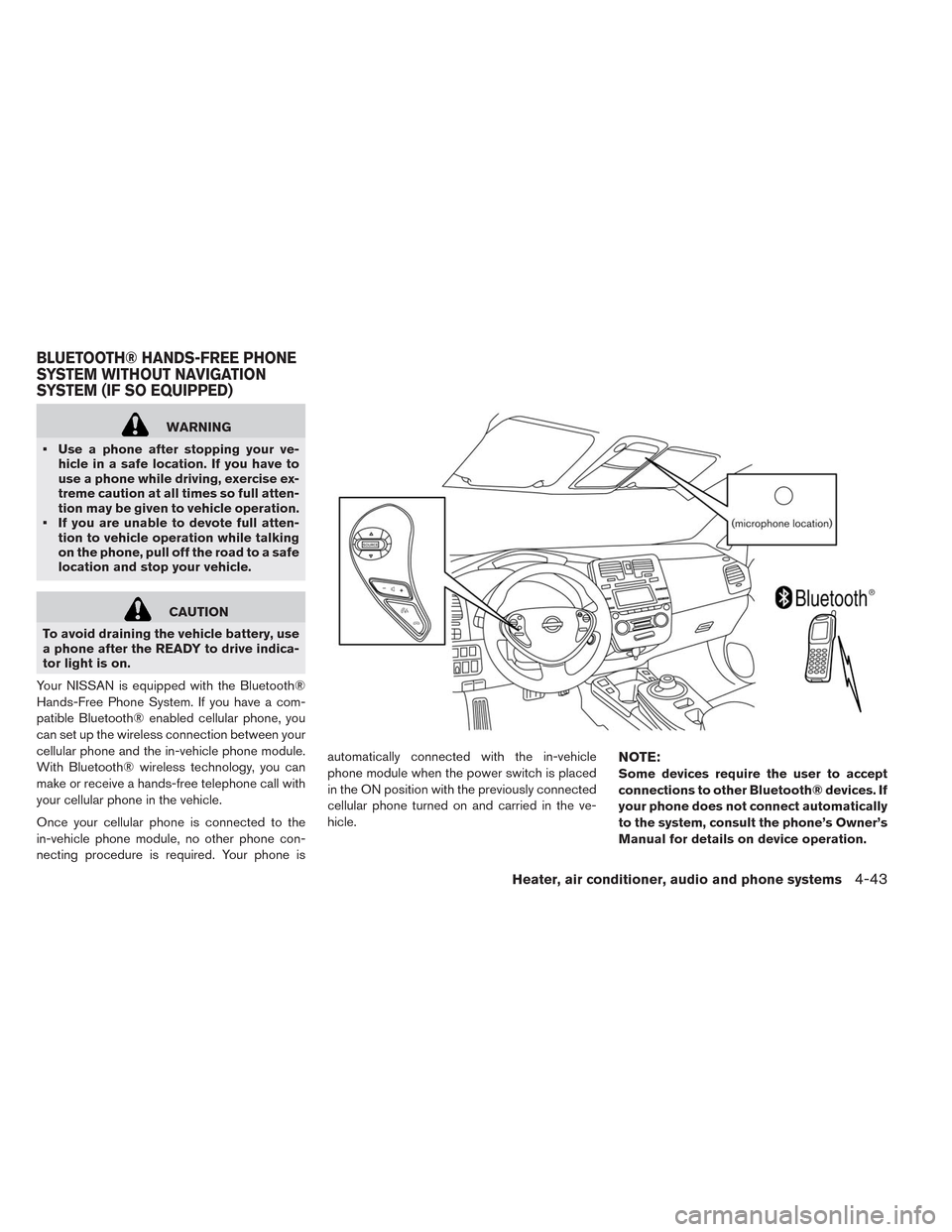
Your NISSAN is equipped with the Bluetooth®
Hands-Free Phone System. If you have a com-
patible Bluetooth® enabled cellular phone, you
can set up the wireless connection between your
cellular phone and the in-vehicle phone module.
With Bluetooth® wireless technology, you can
make or receive a hands-free telephone call with
your cellular phone in the vehicle.
Once your cellular phone is connected to the
in-vehicle phone module, no other phone con-
necting procedure is required. Your phone isautomatically connected with the in-vehicle
phone module when the power switch is placed
in the ON position with the previously connected
cellular phone turned on and carried in the ve-
hicle.
NOTE:
Some devices require the user to accept
connections to other Bluetooth® devices. If
your phone does not connect automatically
to the system, consult the phone’s Owner’s
Manual for details on device operation.
BLUETOOTH® HANDS-FREE PHONE
SYSTEM WITHOUT NAVIGATION
SYSTEM (IF SO EQUIPPED)
Heater, air conditioner, audio and phone systems4-43
Page 282 of 397
WARNING
• Do not leave children or adults who
would normally require the support of
others alone in your vehicle. Pets
should not be left alone either. They
could accidentally injure themselves or
others through inadvertent operation
of the vehicle. Also, on hot, sunny days,
temperatures in a closed vehicle could
quickly become high enough to cause
severe or possibly fatal injuries to
people or animals.
• Properly secure all cargo with ropes or
straps to help prevent it from sliding or
shifting. Do not place cargo higher
than the seatbacks. In a sudden stop or
collision, unsecured cargo could cause
personal injury.
TIRE PRESSURE MONITORING
SYSTEM (TPMS)
Each tire, should be checked monthly when cold
and inflated to the inflation pressure recom-
mended by the vehicle manufacturer on the ve-
hicle placard or tire inflation pressure label. (If
your vehicle has tires of a different size than the
size indicated on the vehicle placard or tire infla-tion pressure label, you should determine the
proper tire inflation pressure for those tires.)
As an added safety feature, your vehicle has been
equipped with a Tire Pressure Monitoring System
(TPMS) that illuminates a low tire pressure telltale
when one or more of your tires is significantly
under-inflated. Accordingly, when the low tire
pressure telltale illuminates, you should stop and
check your tires as soon as possible, and inflate
them to the proper pressure. Driving on a signifi-
cantly under-inflated tire causes the tire to over-
heat and can lead to tire failure. Under-inflation
also reduces power efficiency and tire tread life,
and may affect the vehicle’s handling and stop-
ping ability.
Please note that the TPMS is not a substitute for
proper tire maintenance, and it is the driver’s
responsibility to maintain correct tire pressure,
even if under-inflation has not reached the level to
trigger illumination of the TPMS low tire pressure
telltale.
Your vehicle has also been equipped with a
TPMS malfunction indicator to indicate when the
system is not operating properly. The TPMS mal-
function indicator is combined with the low tire
pressure telltale. When the system detects a
malfunction, the telltale will flash for approxi-mately one minute and then remain continuously
illuminated. This sequence will continue upon
subsequent vehicle start-ups as long as the mal-
function exists. When the malfunction indicator is
illuminated, the system may not be able to detect
or signal low tire pressure as intended. TPMS
malfunctions may occur for a variety of reasons,
including the installation of replacement or alter-
nate tires or wheels on the vehicle that prevent
the TPMS from functioning properly. Always
check the TPMS malfunction telltale after replac-
ing one or more tires or wheels on your vehicle to
ensure that the replacement or alternate tires and
wheels allow the TPMS to continue to function
properly.
Additional information
• The TPMS will activate only when the vehicle is
driven at speeds above 16 MPH (25 km/h) .
Also, this system may not detect a sudden drop
in tire pressure (for example, a flat tire while
driving) .
• The low tire pressure warning light does not
automatically turn off when the tire pressure is
adjusted. After the tire is inflated to the recom-
mended pressure, the vehicle must be driven at
speeds above 16 MPH (25 km/h) to activate the
TPMS and turn off the low tire pressure warning
PRECAUTIONS WHEN STARTING
AND DRIVING
5-2Starting and driving