Page 169 of 397
Warning check
Skip:
Push the
switch�Ato move to the Esti-
mated charge time display.
Push the
switch�Bto select another
menu.
Detail:
This item is available only when a warning is
displayed.
Select this menu to see details of warnings.
WARNING INFORMATION DISPLAYS
Low battery warning
When the low battery charge warning light
and the master warning light (yellow)illu-
minate, the system displays a message on the
navigation screen that warns the driver that the
Li-ion battery power level is low.
1. The notification is displayed on the upper left
side of the screen. Touch [Show] to display
the screen showing detailed information.2. The system displays a message screen and
announces the contents of the message to
warn that the Li-ion battery power level is low.
Check the message displayed on the screen.
Touch [Nearby Charging Station] to search all
charging stations that are located around the
current vehicle position.
3. Touch [BACK] or push theMAPbutton to
return to the vehicle location screen.
NOTE:
•The low battery warning can be set to off.
See LEAF Navigation System Owner’s
Manual.
Instruments and controls2-33
Page 170 of 397
•When the battery power level is low, the
system automatically obtains charging
station information.
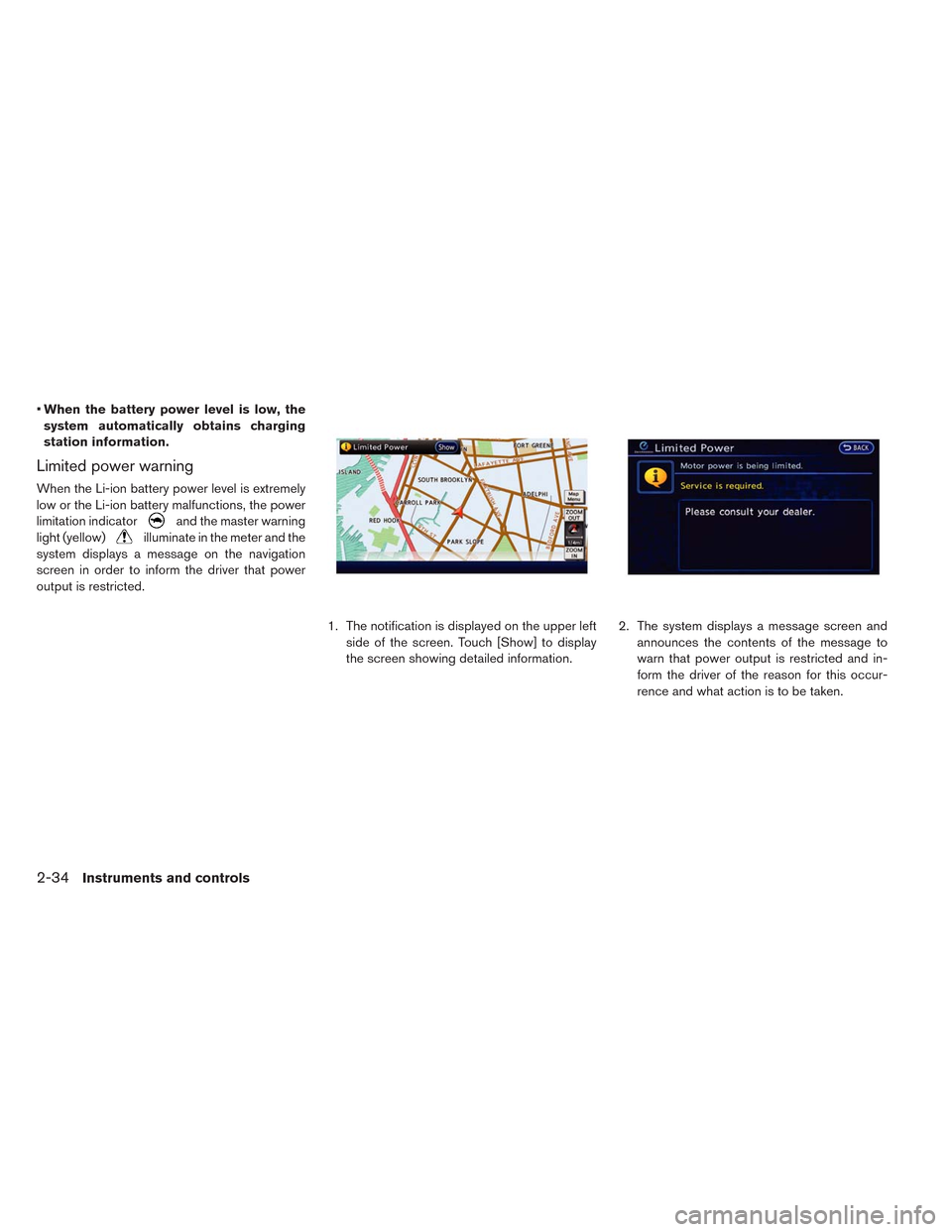
Limited power warning
When the Li-ion battery power level is extremely
low or the Li-ion battery malfunctions, the power
limitation indicator
and the master warning
light (yellow)
illuminate in the meter and the
system displays a message on the navigation
screen in order to inform the driver that power
output is restricted.
1. The notification is displayed on the upper left
side of the screen. Touch [Show] to display
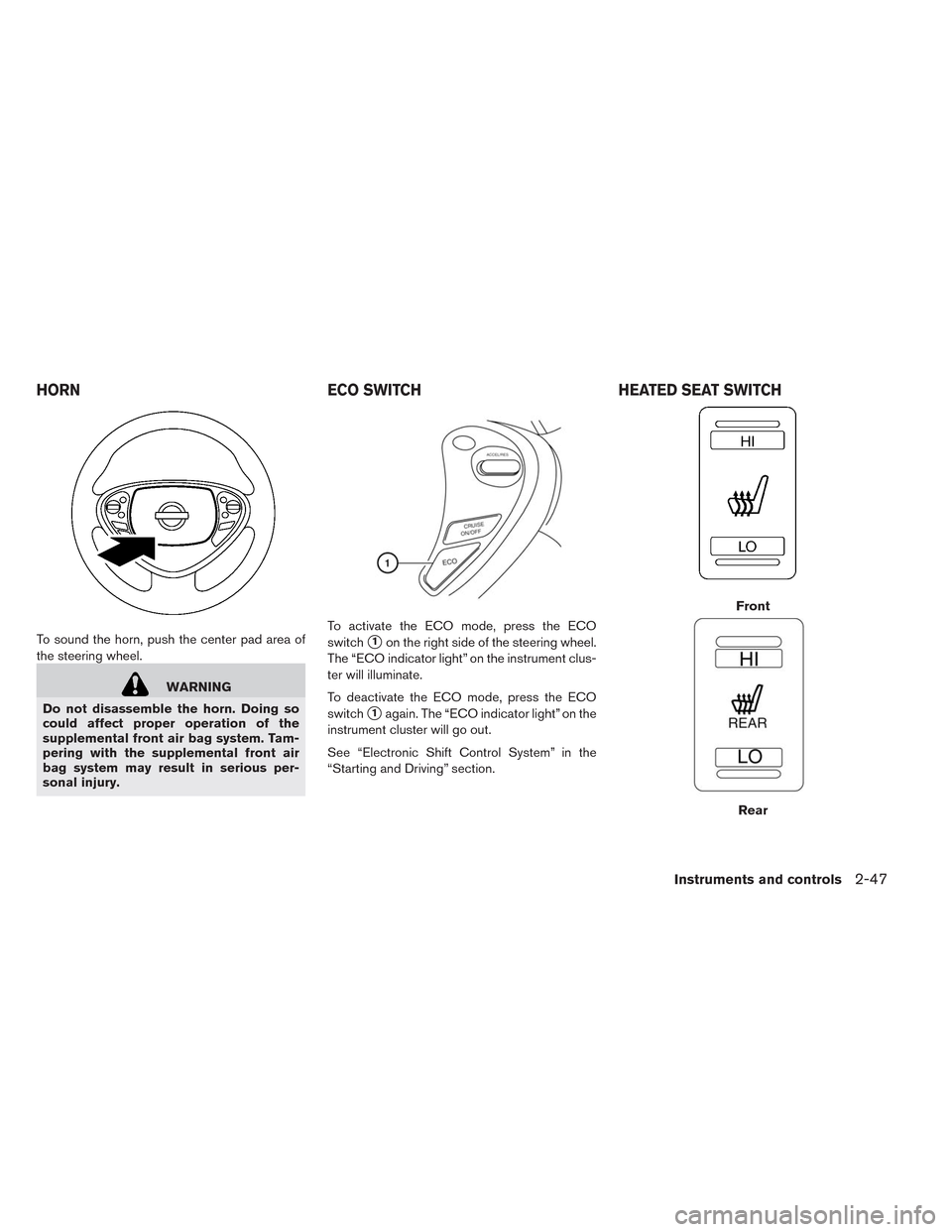
the screen showing detailed information.2. The system displays a message screen and
announces the contents of the message to
warn that power output is restricted and in-
form the driver of the reason for this occur-
rence and what action is to be taken.
2-34Instruments and controls
Page 171 of 397
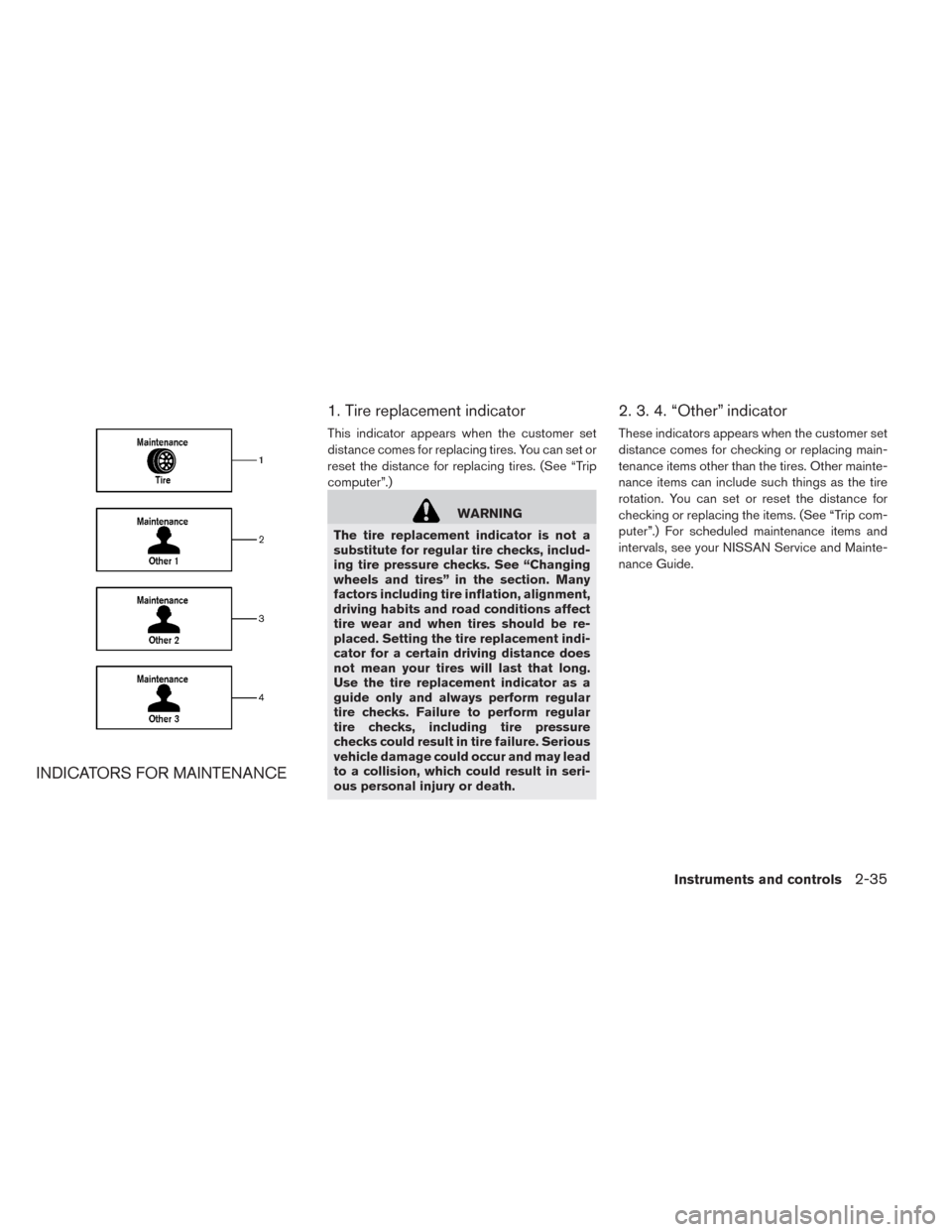
INDICATORS FOR MAINTENANCE1. Tire replacement indicator
This indicator appears when the customer set
distance comes for replacing tires. You can set or
reset the distance for replacing tires. (See “Trip
computer”.)
WARNING
The tire replacement indicator is not a
substitute for regular tire checks, includ-
ing tire pressure checks. See “Changing
wheels and tires” in the section. Many
factors including tire inflation, alignment,
driving habits and road conditions affect
tire wear and when tires should be re-
placed. Setting the tire replacement indi-
cator for a certain driving distance does
not mean your tires will last that long.
Use the tire replacement indicator as a
guide only and always perform regular
tire checks. Failure to perform regular
tire checks, including tire pressure
checks could result in tire failure. Serious
vehicle damage could occur and may lead
to a collision, which could result in seri-
ous personal injury or death.
2. 3. 4. “Other” indicator
These indicators appears when the customer set
distance comes for checking or replacing main-
tenance items other than the tires. Other mainte-
nance items can include such things as the tire
rotation. You can set or reset the distance for
checking or replacing the items. (See “Trip com-
puter”.) For scheduled maintenance items and
intervals, see your NISSAN Service and Mainte-
nance Guide.
Instruments and controls2-35
Page 175 of 397
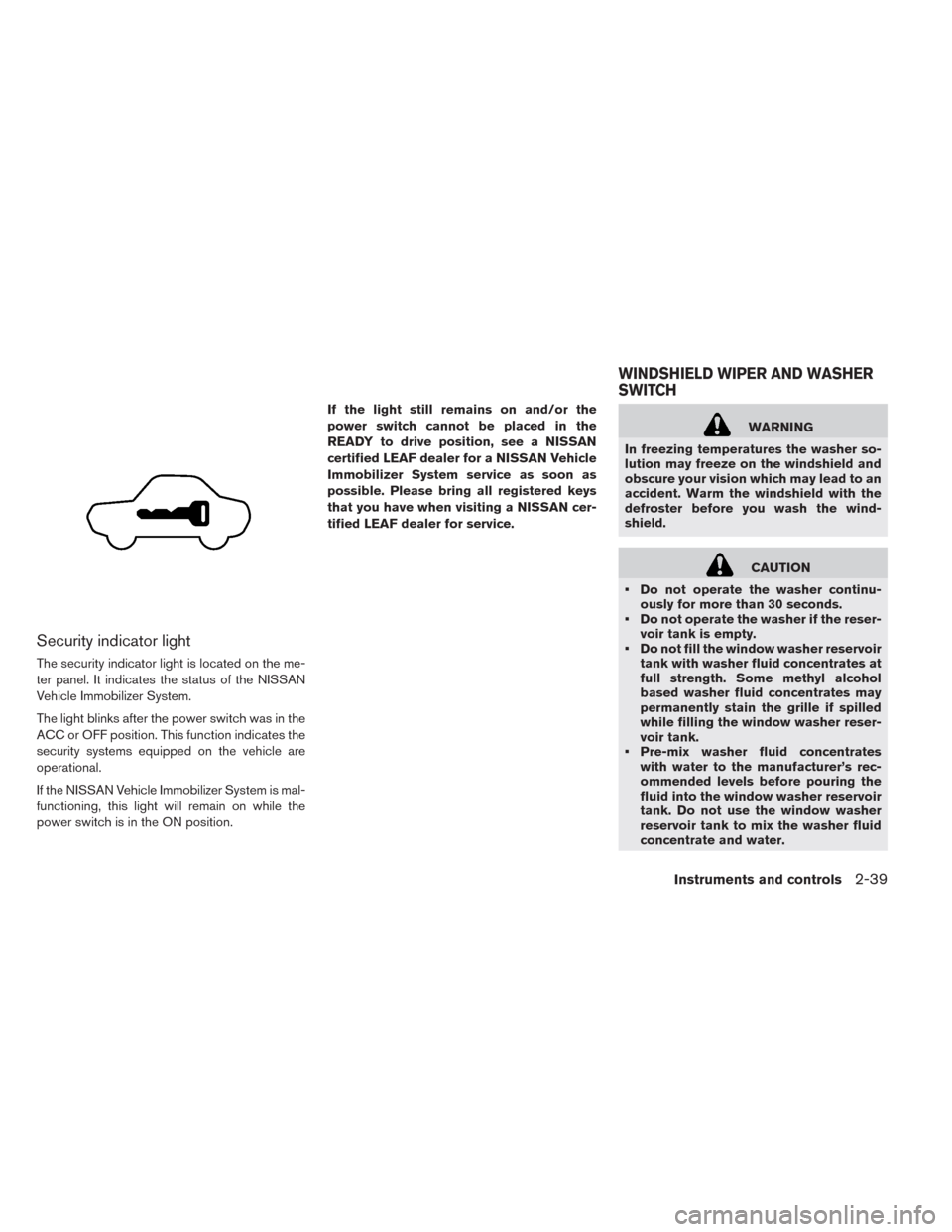
Security indicator light
The security indicator light is located on the me-
ter panel. It indicates the status of the NISSAN
Vehicle Immobilizer System.
The light blinks after the power switch was in the
ACC or OFF position. This function indicates the
security systems equipped on the vehicle are
operational.
If the NISSAN Vehicle Immobilizer System is mal-
functioning, this light will remain on while the
power switch is in the ON position.If the light still remains on and/or the
power switch cannot be placed in the
READY to drive position, see a NISSAN
certified LEAF dealer for a NISSAN Vehicle
Immobilizer System service as soon as
possible. Please bring all registered keys
that you have when visiting a NISSAN cer-
tified LEAF dealer for service.
WARNING
In freezing temperatures the washer so-
lution may freeze on the windshield and
obscure your vision which may lead to an
accident. Warm the windshield with the
defroster before you wash the wind-
shield.
CAUTION
• Do not operate the washer continu-
ously for more than 30 seconds.
• Do not operate the washer if the reser-
voir tank is empty.
• Do not fill the window washer reservoir
tank with washer fluid concentrates at
full strength. Some methyl alcohol
based washer fluid concentrates may
permanently stain the grille if spilled
while filling the window washer reser-
voir tank.
• Pre-mix washer fluid concentrates
with water to the manufacturer’s rec-
ommended levels before pouring the
fluid into the window washer reservoir
tank. Do not use the window washer
reservoir tank to mix the washer fluid
concentrate and water.
WINDSHIELD WIPER AND WASHER
SWITCH
Instruments and controls2-39
Page 177 of 397
WARNING
In freezing temperatures the washer so-
lution may freeze on the rear window
glass and obscure your vision. Warm the
rear window with the defroster before
you wash the rear window.
CAUTION
• Do not operate the washer continu-
ously for more than 30 seconds.
• Do not operate the washer if the reser-
voir tank is empty.
• Do not fill the window washer reservoir
tank with washer fluid concentrates at
full strength. Some methyl alcohol
based washer fluid concentrates may
permanently stain the grille if spilled
while filling the window washer reser-
voir tank.
• Pre-mix washer fluid concentrates
with water to the manufacturer’s rec-
ommended levels before pouring the
fluid into the window washer reservoir
tank. Do not use the window washer
reservoir tank to mix the washer fluid
concentrate and water.If the rear window wiper operation is inter-
rupted by snow etc., the wiper may stop
moving to protect its motor. If this occurs,
turn the wiper switch to the OFF position
and remove the snow etc. on and around
the wiper arms. After about 1 minute, turn
the switch ON again to operate the wiper.
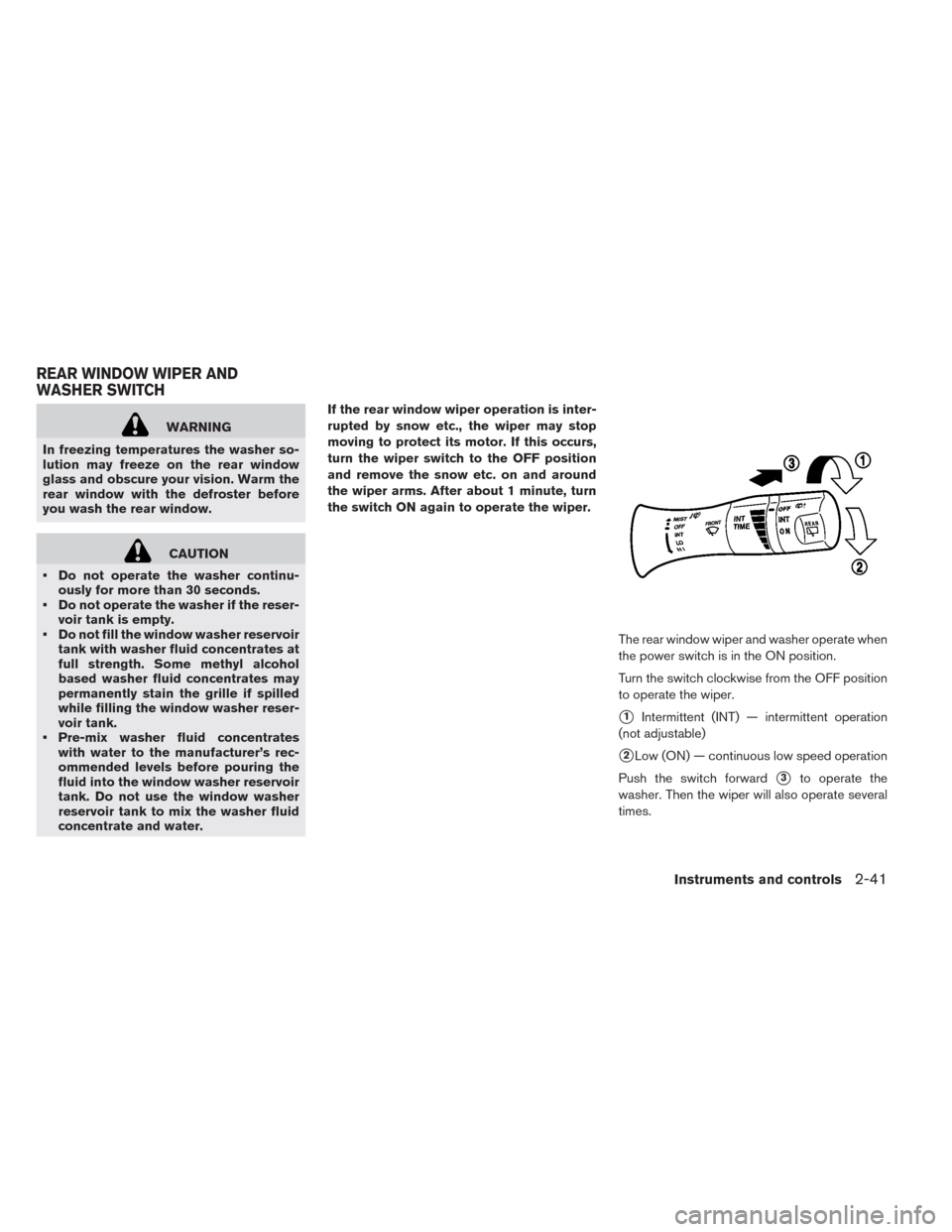
The rear window wiper and washer operate when
the power switch is in the ON position.
Turn the switch clockwise from the OFF position
to operate the wiper.
�1Intermittent (INT) — intermittent operation
(not adjustable)
�2Low (ON) — continuous low speed operation
Push the switch forward
�3to operate the
washer. Then the wiper will also operate several
times.
REAR WINDOW WIPER AND
WASHER SWITCH
Instruments and controls2-41
Page 183 of 397
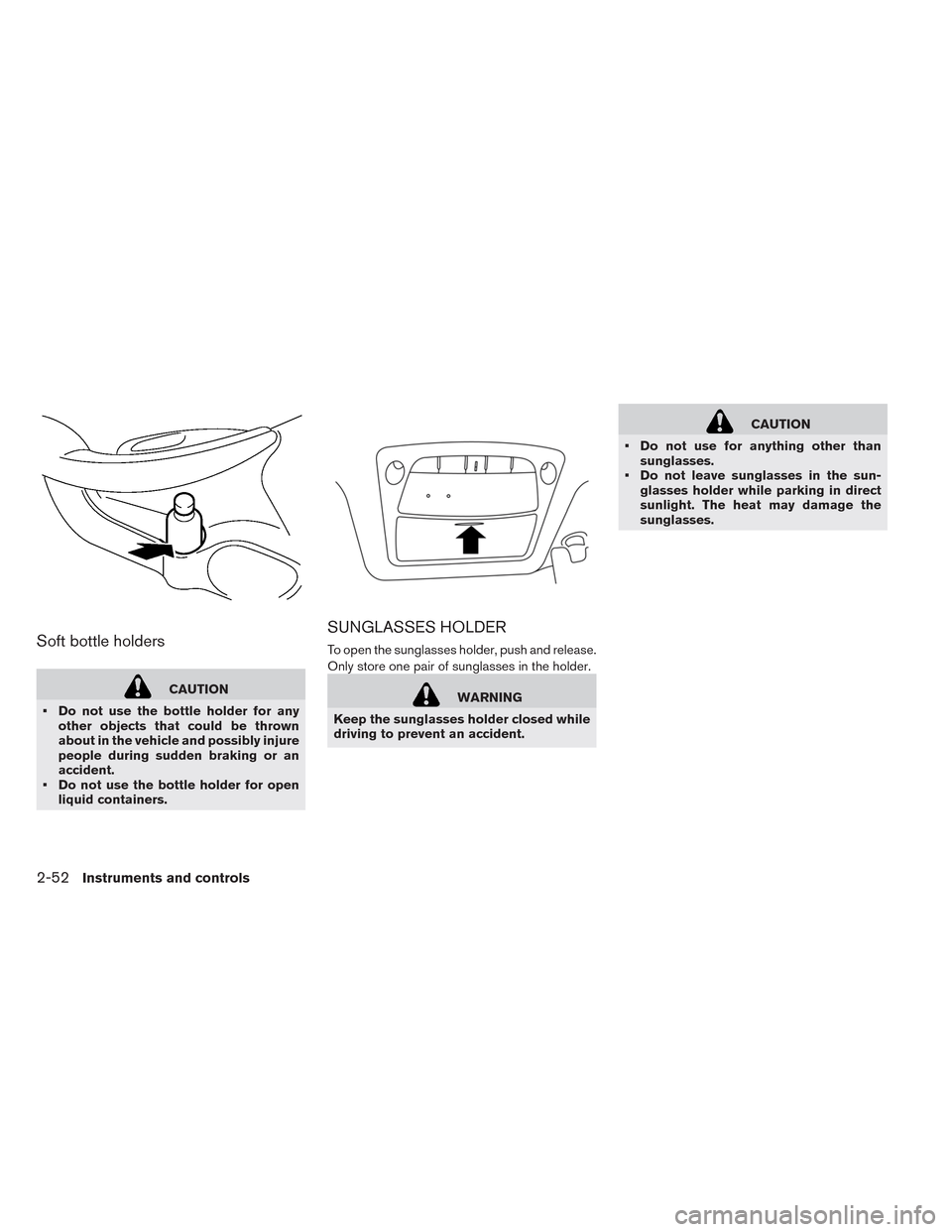
To sound the horn, push the center pad area of
the steering wheel.
WARNING
Do not disassemble the horn. Doing so
could affect proper operation of the
supplemental front air bag system. Tam-
pering with the supplemental front air
bag system may result in serious per-
sonal injury.To activate the ECO mode, press the ECO
switch
�1on the right side of the steering wheel.
The “ECO indicator light” on the instrument clus-
ter will illuminate.
To deactivate the ECO mode, press the ECO
switch
�1again. The “ECO indicator light” on the
instrument cluster will go out.
See “Electronic Shift Control System” in the
“Starting and Driving” section.
Front
Rear
HORN ECO SWITCH HEATED SEAT SWITCH
Instruments and controls2-47
Page 184 of 397
The front seats and the rear outboard seats can
be warmed by built-in heaters. The switches lo-
cated on the center console and at the side of the
front passenger seatback can be operated inde-
pendently of each other.
1. Place the power switch in the ON position.
2. Push the LO or HI position of the switch, as
desired, depending on the temperature. The
indicator light in the switch will illuminate.
3. To turn off the heater, return the switch to the
level position. Make sure the indicator light
goes off.
The heater is controlled by a thermostat, auto-
matically turning the heater on and off. The indi-
cator light will remain on as long as the switch is
on.
When the vehicle’s interior is warmed, or before
you leave the vehicle, be sure to turn the switch
off.
NOTE:
The heated seats consumes less power
than the heater and can be used to either
help extend vehicle range by reducing
heater use or to maximize comfort by
supplementing the heater.
WARNING
Do not use or allow occupants to use the
seat heater if you or the occupants can-
not monitor elevated seat temperatures
or have an inability to feel pain in those
body parts in contact with the seat. Use of
the seat heater by such people could re-
sult in serious injury.CAUTION
• Do not use the seat heater for ex-
tended periods or when no one is us-
ing the seat.
• Do not put anything on the seat which
insulates heat, such as a blanket,
cushion, seat cover, etc. Otherwise, the
seat may become overheated.
• Do not place anything hard or heavy on
the seat or pierce it with a pin or similar
object. This may result in damage to
the heater.
• Any liquid spilled on the heated seat
should be removed immediately with a
dry cloth.
• When cleaning the seat, never use
gasoline, thinner, or any similar mate-
rials.
• If any abnormalities are found or the
heated seat does not operate, turn the
switch off and have the system
checked by a NISSAN certified LEAF
dealer.
2-48Instruments and controls
Page 188 of 397
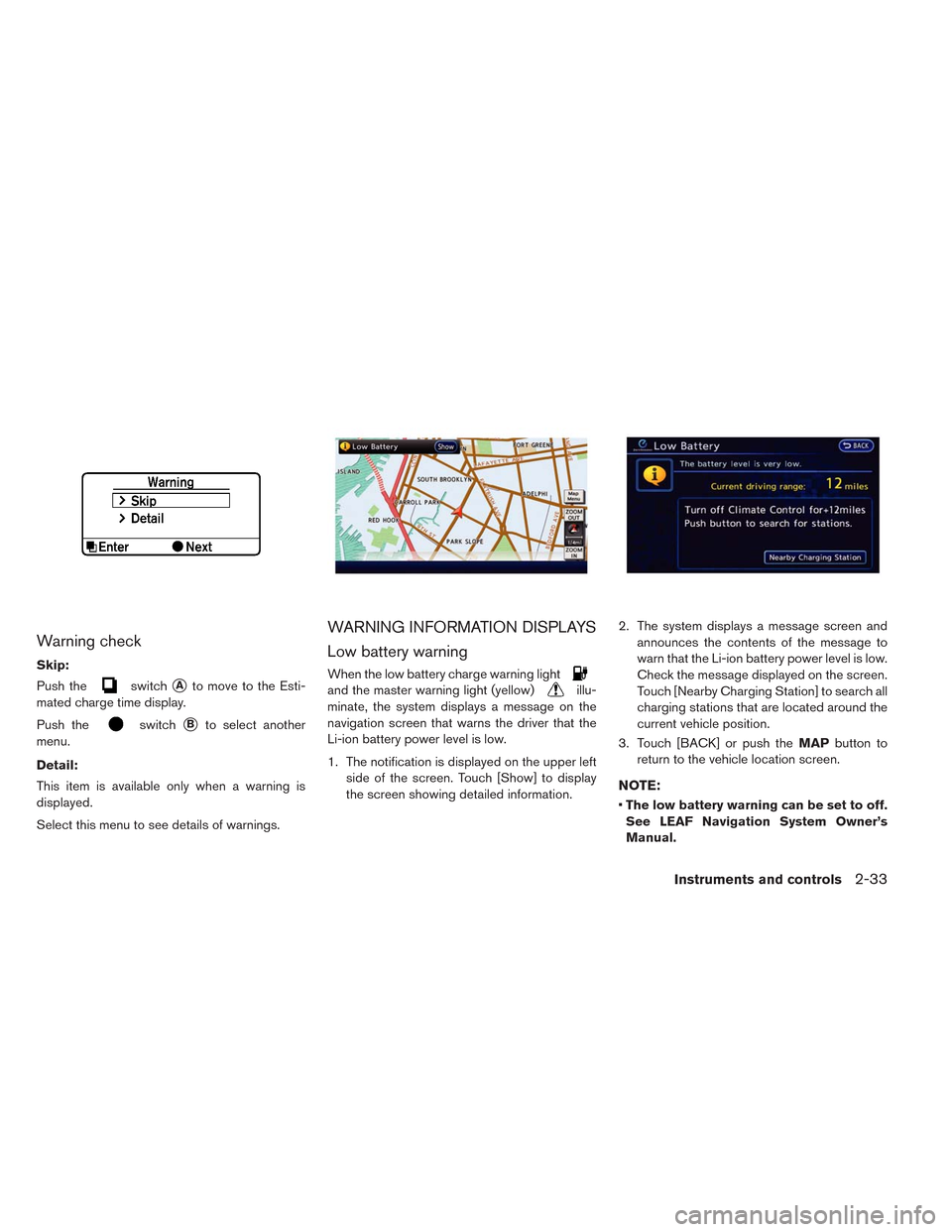
Soft bottle holders
CAUTION
• Do not use the bottle holder for any
other objects that could be thrown
about in the vehicle and possibly injure
people during sudden braking or an
accident.
• Do not use the bottle holder for open
liquid containers.
SUNGLASSES HOLDER
To open the sunglasses holder, push and release.
Only store one pair of sunglasses in the holder.
WARNING
Keep the sunglasses holder closed while
driving to prevent an accident.
CAUTION
• Do not use for anything other than
sunglasses.
• Do not leave sunglasses in the sun-
glasses holder while parking in direct
sunlight. The heat may damage the
sunglasses.
2-52Instruments and controls