2014 NISSAN JUKE heater
[x] Cancel search: heaterPage 248 of 402
USING THE SYSTEM
Initialization
When the ignition switch is in the ON position,
NISSAN Voice Recognition is initialized, which
takes a few seconds. When completed, the
system is ready to accept voice commands. If
the
button is pushed before the initialization
completes, the system will announce: “Voice
Recognition System not ready. Please wait.”
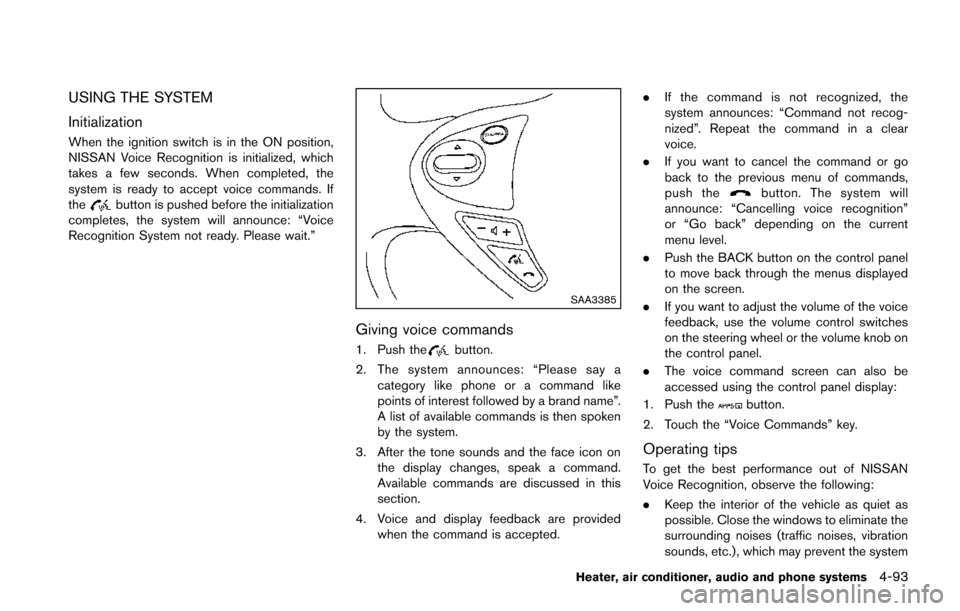
SAA3385
Giving voice commands
1. Push thebutton.
2. The system announces: “Please say a category like phone or a command like
points of interest followed by a brand name”.
A list of available commands is then spoken
by the system.
3. After the tone sounds and the face icon on the display changes, speak a command.
Available commands are discussed in this
section.
4. Voice and display feedback are provided when the command is accepted. .
If the command is not recognized, the
system announces: “Command not recog-
nized”. Repeat the command in a clear
voice.
. If you want to cancel the command or go
back to the previous menu of commands,
push the
button. The system will
announce: “Cancelling voice recognition”
or “Go back” depending on the current
menu level.
. Push the BACK button on the control panel
to move back through the menus displayed
on the screen.
. If you want to adjust the volume of the voice
feedback, use the volume control switches
on the steering wheel or the volume knob on
the control panel.
. The voice command screen can also be
accessed using the control panel display:
1. Push the
button.
2. Touch the “Voice Commands” key.
Operating tips
To get the best performance out of NISSAN
Voice Recognition, observe the following:
. Keep the interior of the vehicle as quiet as
possible. Close the windows to eliminate the
surrounding noises (traffic noises, vibration
sounds, etc.), which may prevent the system
Heater, air conditioner, audio and phone systems4-93
Page 249 of 402
4-94Heater, air conditioner, audio and phone systems
from recognizing the voice commands cor-
rectly.
. Wait until a tone sounds before speaking a
command. Otherwise, the command will not
be received properly.
. Start speaking a command within 3.5
seconds after the tone sounds.
. Speak in a natural voice without pausing
between words.
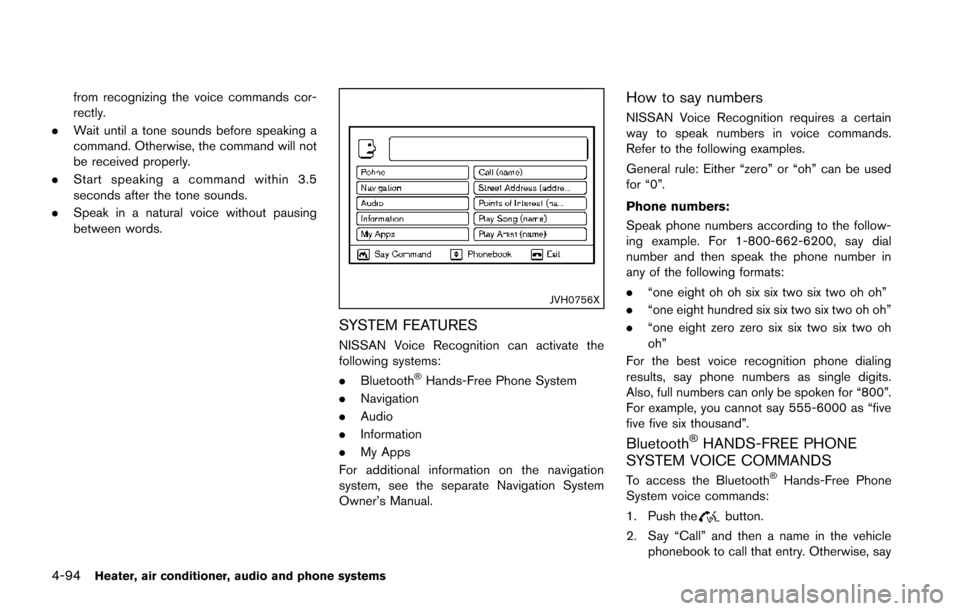
JVH0756X
SYSTEM FEATURES
NISSAN Voice Recognition can activate the
following systems:
.Bluetooth
®Hands-Free Phone System
. Navigation
. Audio
. Information
. My Apps
For additional information on the navigation
system, see the separate Navigation System
Owner’s Manual.
How to say numbers
NISSAN Voice Recognition requires a certain
way to speak numbers in voice commands.
Refer to the following examples.
General rule: Either “zero” or “oh” can be used
for “0”.
Phone numbers:
Speak phone numbers according to the follow-
ing example. For 1-800-662-6200, say dial
number and then speak the phone number in
any of the following formats:
. “one eight oh oh six six two six two oh oh”
. “one eight hundred six six two six two oh oh”
. “one eight zero zero six six two six two oh
oh”
For the best voice recognition phone dialing
results, say phone numbers as single digits.
Also, full numbers can only be spoken for “800”.
For example, you cannot say 555-6000 as “five
five five six thousand”.
Bluetooth®HANDS-FREE PHONE
SYSTEM VOICE COMMANDS
To access the Bluetooth®Hands-Free Phone
System voice commands:
1. Push the
button.
2. Say “Call” and then a name in the vehicle phonebook to call that entry. Otherwise, say
Page 250 of 402
“Phone” to access various phone com-
mands.
If the Bluetooth
®has been set to “Off”, the
system announces: “Bluetooth®is off. Would
you like to turn Bluetooth®on?”
If no phone is connected to the system and the
vehicle is stationary, the system announces:
“There is no phone connected.Would you like to
connect a phone now?” Say “Yes” to connect a
phone. All further Bluetooth
®Hands-Free Phone
System voice commands are only available if a
phone is connected.
If a phone is connected and Bluetooth
®is set to
“On”, the following voice commands are avail-
able:
. Call (a name)
Speak the name of the contact in which you
are trying to call. System will confirm correct
contact. Say “Dial” to initiate dialing.
. Dial Number
Allows for up to 24 digits to be dialed. After
the number is entered, say “Dial” to initiate
dialing. Say “Correction” to correct the
number entered. Say “Go Back” to return
to the main menu.
. List Phonebook
Starting with the first alphabetical entry in
the vehicle phonebook, the system prompts for an additional command. Say “Dial” to call
the number of the phonebook entry. Say
“Send Text” to send a text message to the
number of the phonebook entry. Say “Next
Entry” to skip to the next alphabetical entry
in the vehicle phonebook, where the same
options will then be available.
. Recent Calls
The system prompts for an additional
command. Say “Missed Calls”, “Incoming
Calls” or “Outgoing Calls” to display a list of
such calls on the screen.
Speak the number of the entry displayed on
the screen to dial that number or say “Next
Page” to view entries on the next page (if
available) .
. Redial
Redials the last called number.
. Read Text
Reads an incoming text message. For more
information about text messaging with the
Bluetooth
®Hands-Free Phone System, see
“Bluetooth®Hands-Free Phone System
(Type B)” (P.4-85).
. Send Text
Sends a text message. For more information
about text messaging with the Bluetooth
®
Hands-Free Phone System, see “Bluetooth®Hands-Free Phone System (Type B)” (P.4- 85).
. Select Phone
The system replies “Please use manual
controls to continue”. Use manual controls
to change the active phone from among the
listed phones connected to the vehicle.
For more information about the Bluetooth
®
Hands-Free Phone System, see “Bluetooth®
Hands-Free Phone System (Type B)” (P.4-85) .
NAVIGATION SYSTEM VOICE COM-
MANDS
The following voice commands are available for
the Navigation System:
. Street Address (address)
. Points of Interest (name)
. POI by Category
. Home
. Address Book
. Previous Destinations
. Enter Address in Steps
. Cancel Route
For more information about these commands,
see the separate Navigation System Owner’s
Manual.
Heater, air conditioner, audio and phone systems4-95
Page 251 of 402
4-96Heater, air conditioner, audio and phone systems
AUDIO SYSTEM VOICE COMMANDS
To access the audio system voice commands:
1. Push the
button.
2. Say “Audio”.
3. Speak a command from the following available commands:
. Play (AM, FM, etc.)
Allows user to select radio band
. Tune AM (number)
Allows user to tune directly to a desired AM
frequency
. Tune FM (number)
Allows user to tune directly to a desired FM
frequency
. SXM channel (number)
Allows user to tune directly to a desired
SXM station (if so equipped)
. CD Track (number)
Allows user to select track to be played
. Play Song (name)
Allows user to select song name to be
played
. Play Artist (name)
Allows user to select artist to be played
. Play Album (name)
Allows user to select album name to be
played For more information about the audio system,
see “FM-AM-SAT radio with Compact Disc (CD)
player (Type C)” (P.4-57) .INFORMATION VOICE COMMANDS
The following voice commands are available for
the information functions of the Navigation
System:
.
Traffic
. Fuel Prices
. Stocks
. Movie Listings
. Current Weather
. Weather Map
. 5 — day Forecast
. 6 — hour Forecast
For more information about these commands,
see the separate Navigation System Owner’s
Manual.
MY APPS VOICE COMMANDS
Many Apps can be accessed using this voice
command. See “NissanConnectTMApp smart-
phone integration” (P.4-71) .
HELP VOICE COMMANDS
The following voice commands can be spoken
to have the system provide instructions and tips
for using the NISSAN Voice Recognition sys-
tem.
. List Commands
. What Can I Say?
. General Help
. Quit
. Exit
Page 252 of 402
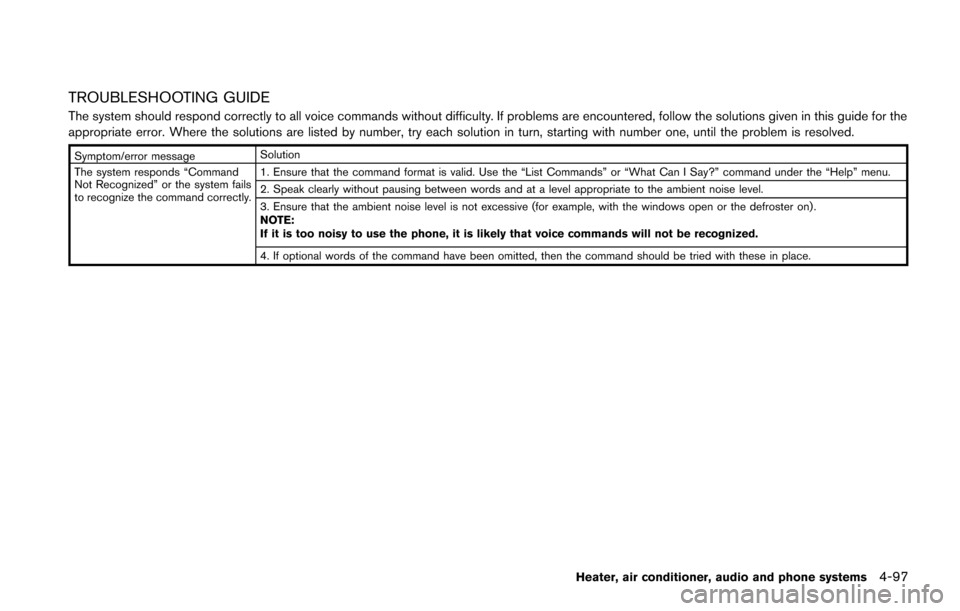
TROUBLESHOOTING GUIDE
The system should respond correctly to all voice commands without difficulty. If problems are encountered, follow the solutions given in this guide for the
appropriate error. Where the solutions are listed by number, try each solution in turn, starting with number one, until the problem is resolved.
Symptom/error messageSolution
The system responds “Command
Not Recognized” or the system fails
to recognize the command correctly. 1. Ensure that the command format is valid. Use the “List Commands” or “What Can I Say?” command under the “Help” menu.
2. Speak clearly without pausing between words and at a level appropriate to the ambient noise level.
3. Ensure that the ambient noise level is not excessive (for example, with the windows open or the defroster on) .
NOTE:
If it is too noisy to use the phone, it is likely that voice commands will not be recognized.
4. If optional words of the command have been omitted, then the command should be tried with these in place.
Heater, air conditioner, audio and phone systems4-97
Page 253 of 402

4-98Heater, air conditioner, audio and phone systems
MEMO
Page 255 of 402

Freeing a frozen door lock ............................................. 5-43
Anti-freeze ........................................................................\
.. 5-43
Battery ........................................................................\
......... 5-43
Draining of coolant water ............................................... 5-43 Tire equipment ................................................................ 5-43
Special winter equipment ............................................ 5-43
Driving on snow or ice ................................................. 5-43
Engine block heater (if so equipped) ....................... 5-44
Page 256 of 402
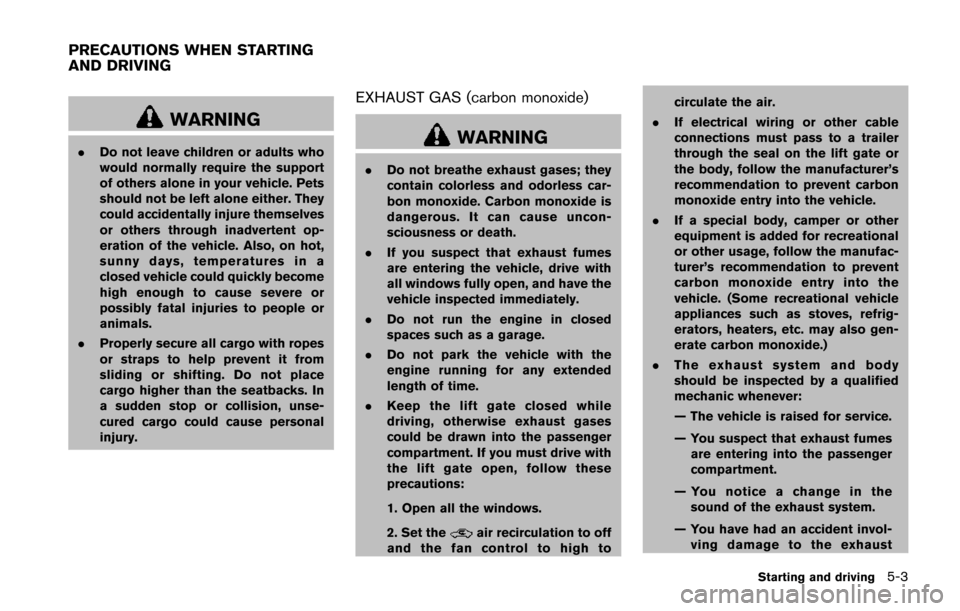
WARNING
.Do not leave children or adults who
would normally require the support
of others alone in your vehicle. Pets
should not be left alone either. They
could accidentally injure themselves
or others through inadvertent op-
eration of the vehicle. Also, on hot,
sunny days, temperatures in a
closed vehicle could quickly become
high enough to cause severe or
possibly fatal injuries to people or
animals.
. Properly secure all cargo with ropes
or straps to help prevent it from
sliding or shifting. Do not place
cargo higher than the seatbacks. In
a sudden stop or collision, unse-
cured cargo could cause personal
injury.
EXHAUST GAS (carbon monoxide)
WARNING
.Do not breathe exhaust gases; they
contain colorless and odorless car-
bon monoxide. Carbon monoxide is
dangerous. It can cause uncon-
sciousness or death.
. If you suspect that exhaust fumes
are entering the vehicle, drive with
all windows fully open, and have the
vehicle inspected immediately.
. Do not run the engine in closed
spaces such as a garage.
. Do not park the vehicle with the
engine running for any extended
length of time.
. Keep the lift gate closed while
driving, otherwise exhaust gases
could be drawn into the passenger
compartment. If you must drive with
the lift gate open, follow these
precautions:
1. Open all the windows.
2. Set the
air recirculation to off
and the fan control to high to circulate the air.
. If electrical wiring or other cable
connections must pass to a trailer
through the seal on the lift gate or
the body, follow the manufacturer’s
recommendation to prevent carbon
monoxide entry into the vehicle.
. If a special body, camper or other
equipment is added for recreational
or other usage, follow the manufac-
turer’s recommendation to prevent
carbon monoxide entry into the
vehicle. (Some recreational vehicle
appliances such as stoves, refrig-
erators, heaters, etc. may also gen-
erate carbon monoxide.)
. The exhaust system and body
should be inspected by a qualified
mechanic whenever:
— The vehicle is raised for service.
— You suspect that exhaust fumes
are entering into the passenger
compartment.
— You notice a change in the sound of the exhaust system.
— You have had an accident invol- ving damage to the exhaust
Starting and driving5-3
PRECAUTIONS WHEN STARTING
AND DRIVING