Page 148 of 489
NOTE:
The footwell lights (if so equipped) and
door step lights illuminate when the driver
and passenger doors are open regardless
of the interior light switch position. These
lights will turn off automatically after a
period of time while doors are open to
prevent the battery from becoming dis-
charged.
CAUTION
Do not use for extended periods of time
with the engine stopped. This could result
in a discharged battery.
CONSOLE LIGHT
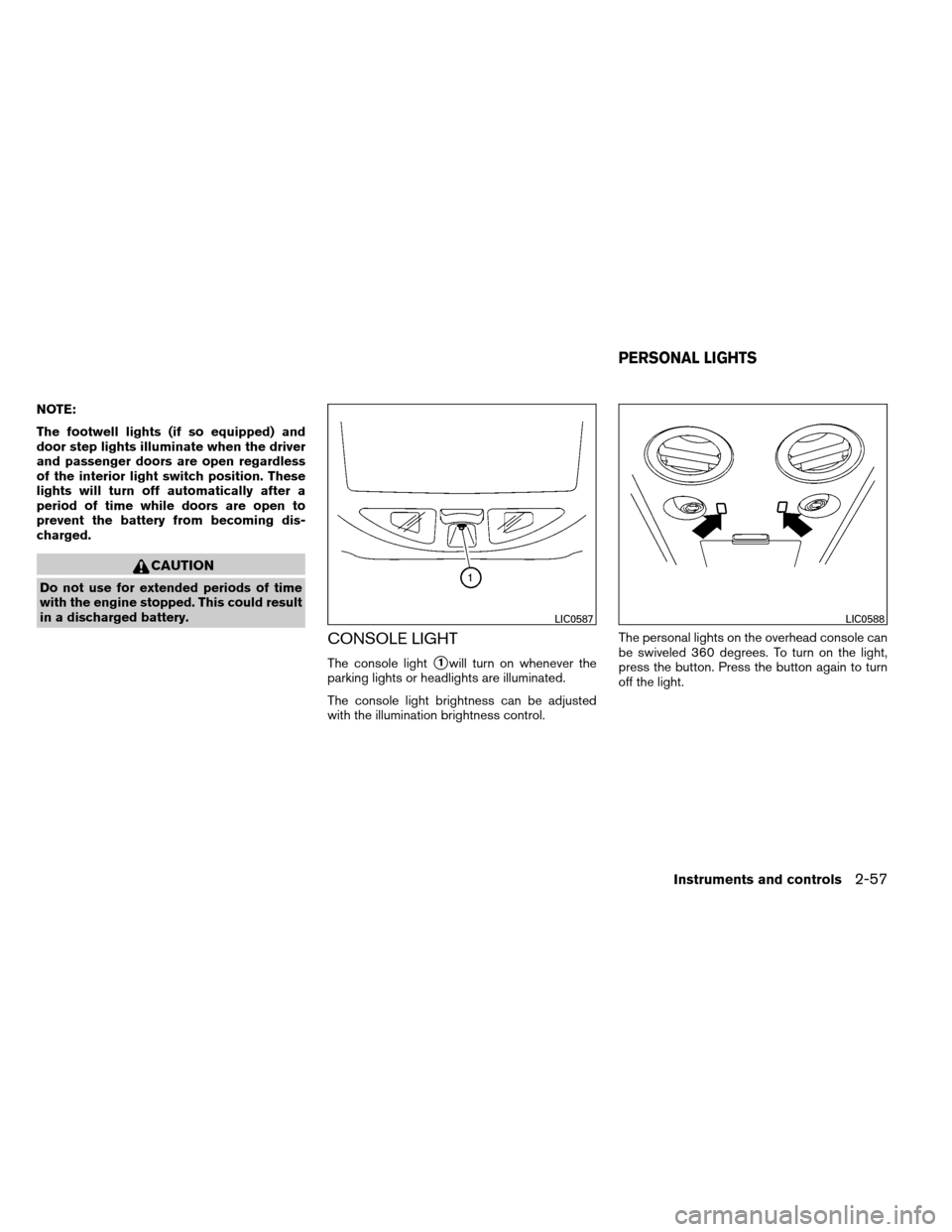
The console light�1will turn on whenever the
parking lights or headlights are illuminated.
The console light brightness can be adjusted
with the illumination brightness control. The personal lights on the overhead console can
be swiveled 360 degrees. To turn on the light,
press the button. Press the button again to turn
off the light.
LIC0587LIC0588
PERSONAL LIGHTS
Instruments and controls2-57
Page 163 of 489

The door windows will open while pressing
the
button on the keyfob.
The door windows cannot be closed by
using the keyfob.
Operating the power liftgate (if so
equipped)
Press and hold the button on the keyfob for about
0.5 seconds to open or close the liftgate. The
hazard warning lights flash and a chime sounds
to indicate the power open or power close se-
quence has started.
The liftgate will reverse direction immediately
during power open or power close if the keyfob
button is pressed. A chime will sound to an-
nounce the reversal.
For more information, see “Liftgate” later in this
section.
Using the panic alarm
If you are near your vehicle and feel threatened,
you may activate the panic alarm to call attention
by pressing and holding the
button on the
keyfob for longer than 0.5 seconds.
The panic alarm and headlights will stay on for a
period of time.
The panic alarm stops when: ● it has run for a period of time, or
● any button is pressed on the keyfob.
LPD0243LPD0211
3-10Pre-driving checks and adjustments
Page 173 of 489
Releasing the rear liftgate
Press thebutton for longer than 0.5 sec-
onds to open the rear liftgate. The rear liftgate
release button will not operate when the ignition
switch is in the ON position.
Using the panic alarm
If you are near your vehicle and feel threatened,
you may activate the panic alarm to call attention
by pressing and holding the
button on the
Intelligent Key for longer than 0.5 seconds.
The panic alarm and headlights will stay on for a
period of time. The panic alarm stops when:
● It has run for a period of time, or
● Any button is pressed on the Intelligent Key.
● The request switch on the driver or passen-
ger door has been pushed and the Intelligent
Key is in range of the door handle.
WPD0414WPD0415
3-20Pre-driving checks and adjustments
Page 185 of 489
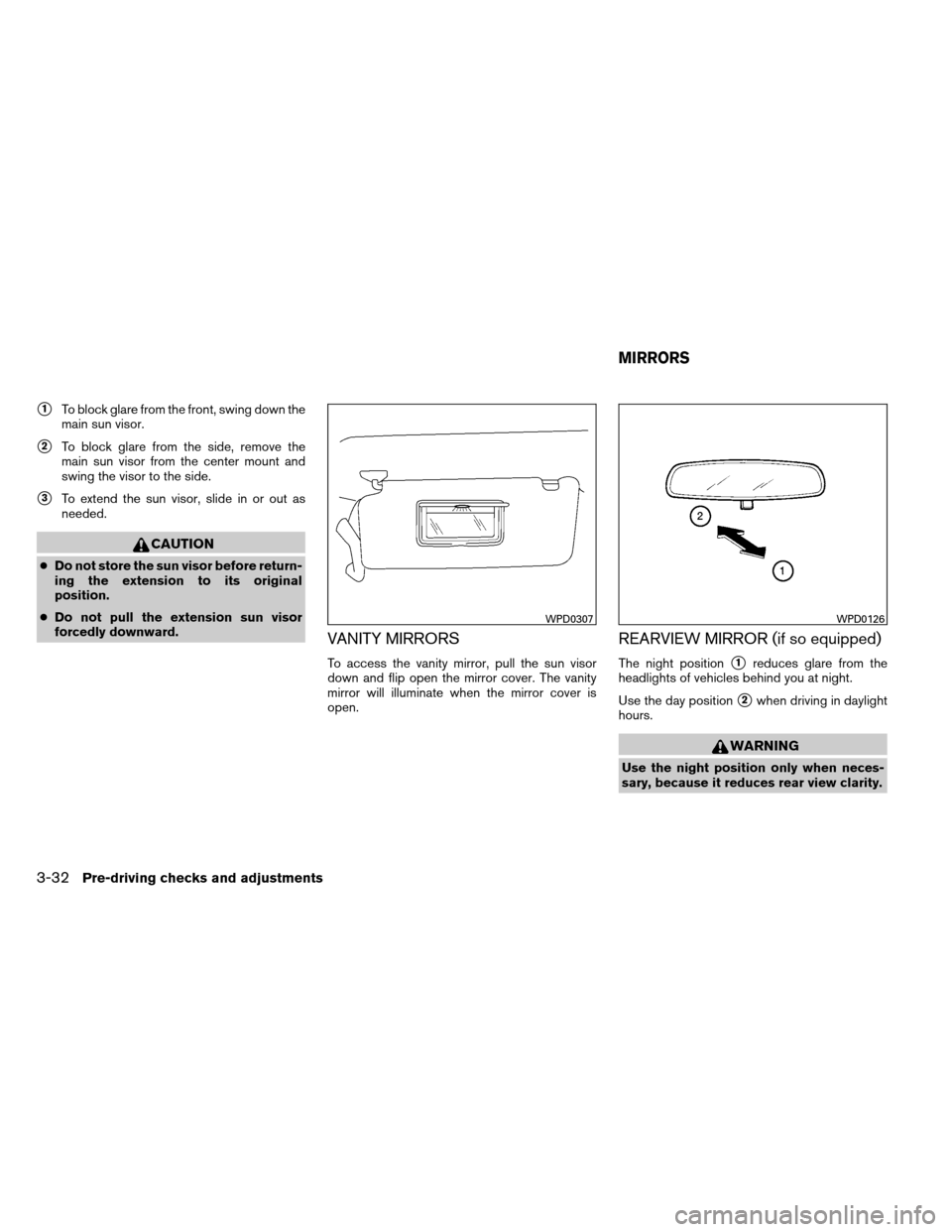
�1To block glare from the front, swing down the
main sun visor.
�2To block glare from the side, remove the
main sun visor from the center mount and
swing the visor to the side.
�3To extend the sun visor, slide in or out as
needed.
CAUTION
●Do not store the sun visor before return-
ing the extension to its original
position.
● Do not pull the extension sun visor
forcedly downward.
VANITY MIRRORS
To access the vanity mirror, pull the sun visor
down and flip open the mirror cover. The vanity
mirror will illuminate when the mirror cover is
open.
REARVIEW MIRROR (if so equipped)
The night position�1reduces glare from the
headlights of vehicles behind you at night.
Use the day position
�2when driving in daylight
hours.
WARNING
Use the night position only when neces-
sary, because it reduces rear view clarity.
WPD0307WPD0126
MIRRORS
3-32Pre-driving checks and adjustments
Page 186 of 489

AUTOMATIC ANTI-GLARE
REARVIEW MIRROR (if so equipped)
The inside mirror is designed so that it automati-
cally dims during night time conditions and ac-
cording to the intensity of the headlights of the
vehicle following you. The automatic anti-glare
feature is activated when the ignition switch is in
the ON position.
The indicator light will illuminate when the auto-
matic anti-glare feature is operating.
NOTE:
Do not hang any objects over the sensors
�1or apply glass cleaner to the sensors.
Doing so will reduce the sensitivity of the
sensors, resulting in improper operation.
Type A
With the ignition switch placed in the ON posi-
tion, press the
button as described:
● To turn off the anti-glare feature, press
the
button. The indicator light will turn
off.
● To turn on the anti-glare feature, press
the
button again. The indicator light
will turn on.
The indicator light will illuminate when the auto-
matic anti-glare feature is operating. For more information about the compass and
compass features
�2(if so equipped) , see
“Compass display” in the “Instruments and con-
trols” section of this manual.
Type A
LPD0446
Pre-driving checks and adjustments3-33
Page 189 of 489
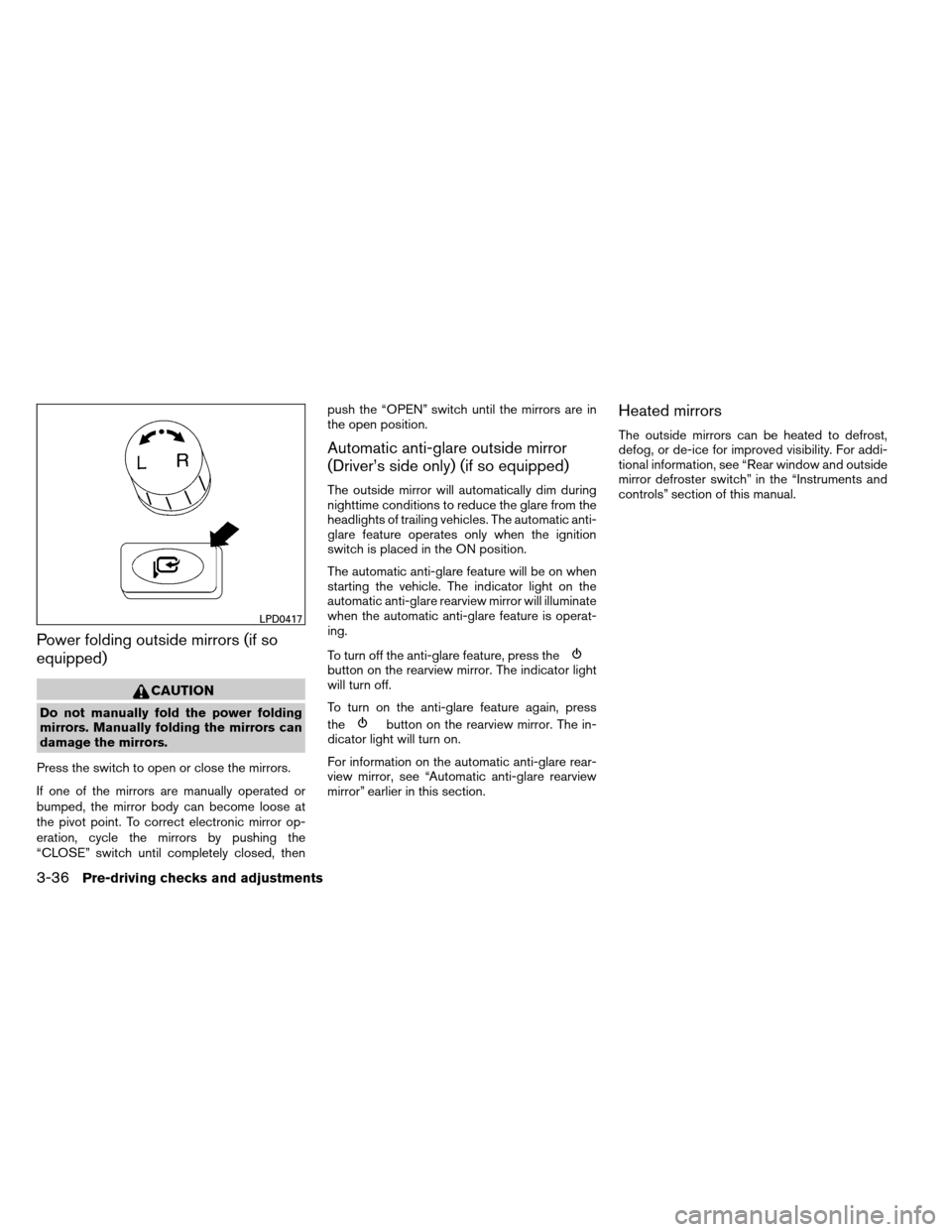
Power folding outside mirrors (if so
equipped)
CAUTION
Do not manually fold the power folding
mirrors. Manually folding the mirrors can
damage the mirrors.
Press the switch to open or close the mirrors.
If one of the mirrors are manually operated or
bumped, the mirror body can become loose at
the pivot point. To correct electronic mirror op-
eration, cycle the mirrors by pushing the
“CLOSE” switch until completely closed, then push the “OPEN” switch until the mirrors are in
the open position.
Automatic anti-glare outside mirror
(Driver’s side only) (if so equipped)
The outside mirror will automatically dim during
nighttime conditions to reduce the glare from the
headlights of trailing vehicles. The automatic anti-
glare feature operates only when the ignition
switch is placed in the ON position.
The automatic anti-glare feature will be on when
starting the vehicle. The indicator light on the
automatic anti-glare rearview mirror will illuminate
when the automatic anti-glare feature is operat-
ing.
To turn off the anti-glare feature, press the
button on the rearview mirror. The indicator light
will turn off.
To turn on the anti-glare feature again, press
the
button on the rearview mirror. The in-
dicator light will turn on.
For information on the automatic anti-glare rear-
view mirror, see “Automatic anti-glare rearview
mirror” earlier in this section.
Heated mirrors
The outside mirrors can be heated to defrost,
defog, or de-ice for improved visibility. For addi-
tional information, see “Rear window and outside
mirror defroster switch” in the “Instruments and
controls” section of this manual.
LPD0417
3-36Pre-driving checks and adjustments
Page 206 of 489

Adjust Clock:
To adjust the time, select the + or - key for the
hour until the desired number is reached. Repeat
the process for the minutes on the line below.
To accept the changes made and return to the
Clocks Settings screen, select the OK key.Comfort & Convenience settings
Select the “Comfort & Conv.” key by using the
NISSAN controller. The comfort and conve-
nience option screen will be displayed.
You can set the following operating conditions by
highlighting the desired item using the NISSAN
controller. The amber indicator (box at the right of
the selected item) alternately turns on and off
each time the ENTER button is pressed.
Indicator light is illuminated — ON
Indicator light is not illuminated — OFFAuto Interior Illumination:
Select to turn on or
turn off the illumination of the interior lights when
any door is unlocked.
Auto Headlights Sensitivity: Select to adjust
the sensitivity of the automatic headlights higher
(right) or lower (left) .
Auto Headlights Off Delay: Select to change
the duration of the automatic headlight off timer
from 0-, 30-, 45-, 60-, 90-, 120-, 150- and
180-second periods.
Speed Sensing Wiper Interval: Select to turn
on or turn off the wiper interval adjusted automati-
cally according to the vehicle speed.
LHA1308WHA1151WHA1152
Monitor, climate, audio, phone and voice recognition systems4-13
Page 220 of 489

Comfort settings
Select the “Others” key using the NISSAN con-
troller, then select the “Comfort” key. The Com-
fort settings screen will be displayed.
You can set the following operating conditions by
selecting the desired item using the NISSAN
controller. The indicator light (box at the right of
the selected item) alternately turns on and off
each time the item is touched or the ENTER
button is pressed.
Indicator light is illuminated — ON
Indicator light is not illuminated — OFFAuto Interior Illumination:
Select to turn on or
turn off the illumination of the interior lights when
any door is unlocked.
Light Sensitivity: Select to adjust the sensitivity
of the automatic headlights higher (right) or lower
(left) . After selecting the item, turn the NISSAN
controller or touch the “+” or “-” key to change
the setting.
Light Off Delay: Select to change the duration
of the automatic headlight off timer. After select-
ing the item, turn the NISSAN controller or touch
the “+” or “-” key to change the setting. The
available delays are 0, 30, 45, 60, 90, 120, 150
and 180 seconds. Speed Sensing Wiper Interval:
Select to turn
on or turn off the wiper interval adjusted automati-
cally according to the vehicle speed.
Selective Door Unlock: When this item is
turned on, only the driver’s door is unlocked first
after the door unlock operation. When the door
handle request switch on the driver’s or front
passenger’s side door is pushed to be unlocked,
only the corresponding door is unlocked first. All
the doors can be unlocked if the door unlock
operation is performed again within one minute.
When this item is turned to off, all the doors will
be unlocked after the door unlock operation is
performed once.
Intelligent Key Lock / Unlock: Select to turn
on or turn off the door lock/unlock function by
pushing the door handle request switch.
Lift Steering Wheel on Exit: Select to turn on
or turn off the steering wheel moving upward for
easy exit when the ignition switch is in the OFF
position and the driver’s door is opened. After
getting into the vehicle and placing the ignition
switch in the ACC position, the steering wheel
moves to the previous position.
LHA1246LHA1247
Monitor, climate, audio, phone and voice recognition systems4-27