2014 NISSAN ALTIMA AUX
[x] Cancel search: AUXPage 245 of 428
4. When prompted for a Passkey code, enter“1234” from the handset. The Passkey code
“1234” has been assigned by NISSAN and
cannot be changed.
Audio main operation
To switch to the Bluetooth® audio mode, press
the AUX button repeatedly until the Bluetooth®
audio mode is displayed on the screen.
Use the vehicle audio controls or the Bluetooth®
device’s controls to play, pause, skip or reverse
tracks.
BLUETOOTH® STREAMING AUDIO
WITHOUT NAVIGATION SYSTEM
(Type B) (if so equipped)
If you have a compatible Bluetooth® audio de-
vice that is capable of playing audio files, the
device can be connected to the vehicle’s audio
system so that the audio files on the device play
through the vehicle’s speakers.
Connecting Bluetooth® audio
To connect your Bluetooth® audio device to the
vehicle, follow the procedure below:
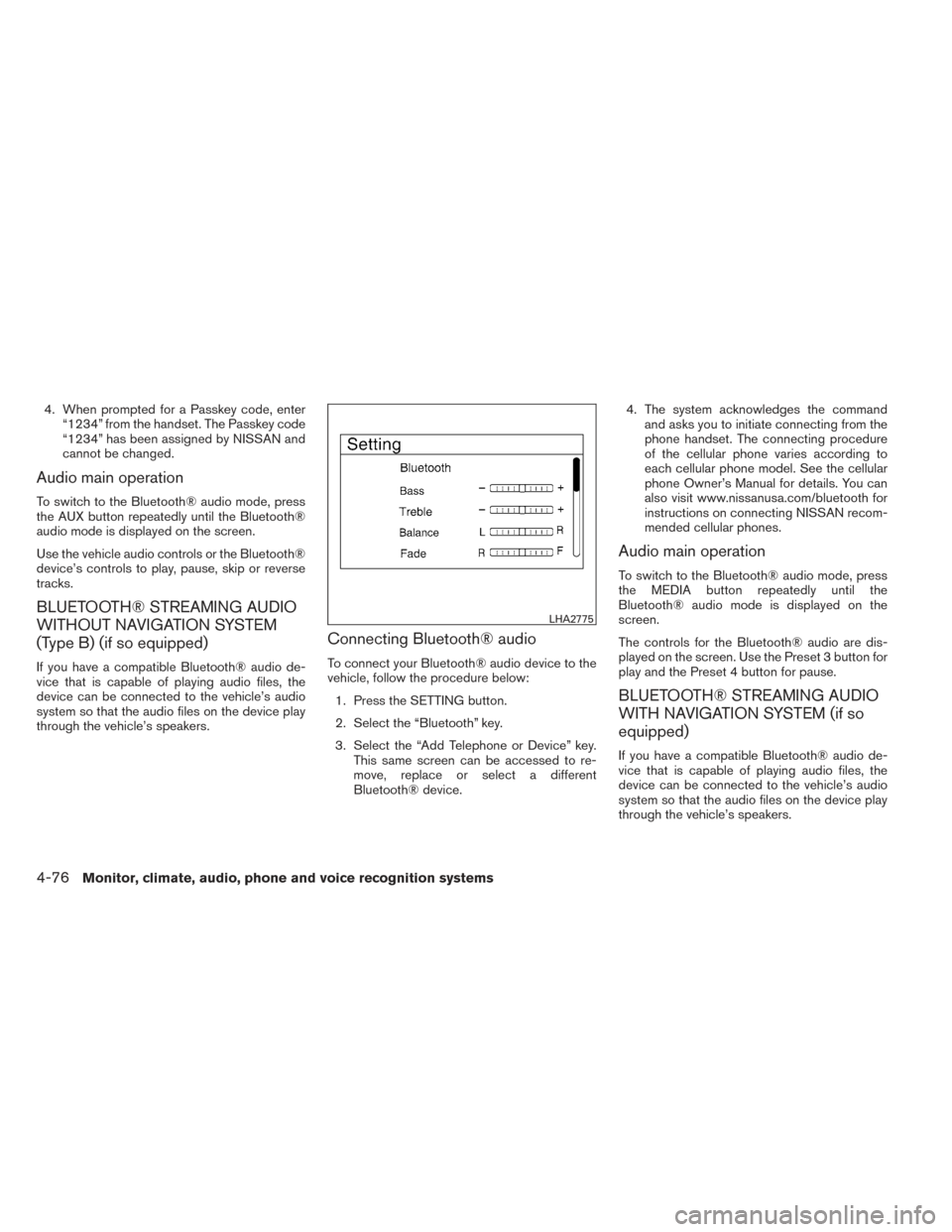
1. Press the SETTING button.
2. Select the “Bluetooth” key.
3. Select the “Add Telephone or Device” key. This same screen can be accessed to re-
move, replace or select a different
Bluetooth® device. 4. The system acknowledges the command
and asks you to initiate connecting from the
phone handset. The connecting procedure
of the cellular phone varies according to
each cellular phone model. See the cellular
phone Owner’s Manual for details. You can
also visit www.nissanusa.com/bluetooth for
instructions on connecting NISSAN recom-
mended cellular phones.
Audio main operation
To switch to the Bluetooth® audio mode, press
the MEDIA button repeatedly until the
Bluetooth® audio mode is displayed on the
screen.
The controls for the Bluetooth® audio are dis-
played on the screen. Use the Preset 3 button for
play and the Preset 4 button for pause.
BLUETOOTH® STREAMING AUDIO
WITH NAVIGATION SYSTEM (if so
equipped)
If you have a compatible Bluetooth® audio de-
vice that is capable of playing audio files, the
device can be connected to the vehicle’s audio
system so that the audio files on the device play
through the vehicle’s speakers.
LHA2775
4-76Monitor, climate, audio, phone and voice recognition systems
Page 246 of 428
Connecting Bluetooth® audio
To connect your Bluetooth® audio device to the
vehicle, follow the procedure below:1. Press the
button.
2. Select the “Settings” key.
3. Select the “Phone & Bluetooth” key. 4. Select the “Connect New Device” key.
5. The system acknowledges the command
and asks you to initiate connecting from the
phone handset. The connecting procedure
of the cellular phone varies according to
each cellular phone model. See the cellular
phone Owner’s Manual for details. You can
also visit www.nissanusa.com/bluetooth for
instructions on connecting NISSAN recom-
mended cellular phones.
Audio main operation
To switch to the Bluetooth® audio mode, press
the AUX button repeatedly until the Bluetooth®
audio mode is displayed on the screen.
The controls for the Bluetooth® audio are dis-
played on the screen.
LHA2773LHA2844
Monitor, climate, audio, phone and voice recognition systems4-77
Page 248 of 428
SOURCE select switch
Push the source select switch to change the
mode in the following sequence:
AM→FM1 →FM2 →SXM1 (satellite radio, if so
equipped) →SXM2 (satellite radio, if so
equipped) →CD* →USB/iPod®* (if so
equipped) →Bluetooth® Audio* →Audio
App*→ AUX*→AM.
* These modes are only available when compat-
ible media storage is inserted into the device or
connected to the system.
Volume control switch
Push the volume control switch to increase or
decrease the volume.
Menu control switch/ENTER button
While the display is showing a map or audio
screen, tilt the Menu Control switch upward or
downward to select a station, track, CD or folder.
For most audio sources, tilting the switch
up/down for more than 1.5 seconds provides a
different function than a tilting up/down for less
than 1.5 seconds. AM and FM:
● Tilt up/down for less than 1.5 seconds to
increase or decrease the preset station.
● Tilt up/down for more than 1.5 seconds to
seek up or down to the next station.
● Press the ENTER button to show the list of
preset stations.
XM/SXM (if so equipped): ● Tilt up/down for less than 1.5 seconds to
increase or decrease the preset station.
● Tilt up/down for more than 1.5 seconds to
go to the next or previous channel.
● Press the ENTER button to show the
XM/SXM Menu.
iPod® (if so equipped): ● Tilt up/down for less than 1.5 seconds to
increase or decrease the track number.
● Press the ENTER button to show the iPod
Menu. CD:
● Tilt up/down for less than 1.5 seconds to
increase or decrease the track number.
● Tilt up/down for more than 1.5 seconds to
increase or decrease the folder number (if
playing compressed audio files) .
● Press the ENTER button to show the CD
Menu.
USB: ● Tilt up/down for less than 1.5 seconds to
increase or decrease the track number.
● Tilt up/down for more than 1.5 seconds to
increase or decrease the folder number.
● Press the ENTER button to show the USB
Menu.
Bluetooth® Audio (if so equipped): ● Tilt up/down for less than 1.5 seconds to
skip ahead or back to the next song.
● Tilt up/down for more than 1.5 seconds to
reverse or fast forward the current song.
AUX: ● Press the ENTER button to show the AUX
Menu.
Monitor, climate, audio, phone and voice recognition systems4-79
Page 420 of 428
10 Index
A
ABS (Anti-lock Braking System) ........5-32
Active Head Restraint ..............1-7
Air bag (See supplemental restraint
system) .....................1-42
Air bag system Front (See supplemental front impact
air bag system) ...............1-49
Airbagwarninglight...........1-57,2-14
Air cleaner housing filter ............8-20
Air conditioner Air conditioner operation ..........4-26
Air conditioner service ...........4-34
Air conditioner specification label .....9-12
Air conditioner system refrigerant and
oil recommendations .............9-7
Heater and air conditioner
controls................4-24,4-32
Servicing air conditioner ..........4-34
Airflowcharts..................4-28
Alarm system
(See vehicle security system) .........2-27
Anchor point locations .............1-28
Antenna.....................4-80
Anti-lock brake warning light ......2-10,2-11
Anti-lock Braking System (ABS) ........5-32
Armrests .....................1-7
Audible reminders ...............2-16
Audio system ..................4-34
Bluetooth®audio..........4-75,4-76 Compact disc
(CD) player . . .4-45, 4-49, 4-53, 4-58, 4-63
FM-AM radio with compact disc (CD)
player ....................4-43
FM/AM/SAT radio with compact disc (CD)
player..........4-47,4-51,4-55,4-61
Audio System iPod®Player.............4-70,4-72
Audio system Radio ....................4-34
USB interface ............4-65,4-67
Autolight switch .................2-33
Automatic Automatic power window switch .....2-45
Transmission shift selector lock release . .5-17
Automatic anti-glare inside mirror .......3-35
Automatic door locks ..............3-6
AUXjack.................4-46,4-65
B
Battery ......................8-16
Charge warning light ............2-11
Before starting the engine ...........5-11
Belt (See drive belt) ..............8-19
Block heater Engine ....................5-36
Bluetooth®audio............4-75,4-76
Bluetooth® hands-free phone
system ..............4-81,4-96,4-107
Boosterseats..................1-39 Brake
Anti-lock Braking System (ABS) ......5-32
Brakefluid..................8-14
Brakelight(Seestoplight).........8-33
Brake system ................5-31
Brake warning light .............2-11
Brake wear indicators ........2-16,8-23
Parking brake operation ..........5-19
Self-adjusting brakes ............8-23
Brakes ......................8-23
Break-inschedule ...............5-28
Brightness/contrast button ...........4-9
Brightness control Instrument panel ..............2-35
Bulb check/instrument panel ..........2-10
Bulbreplacement................8-33
C
Capacities and recommended
fuel/lubricants ...................9-2
Cargo (See vehicle loading information) . . .9-13
Car phone or CB radio .............4-81
CD care and cleaning .............4-78
CD player
(See audio system) .4-45, 4-49, 4-53, 4-58, 4-63
Check tire pressure ...............2-26
Child restraints .......1-22,1-23,1-24,1-26
Precautions
on child
restraints ........1-24,1-30,1-35,1-39
Top tether strap anchor point locations . .1-28
Child safety rear door lock ............3-7