2014 MITSUBISHI LANCER SE AWC ignition
[x] Cancel search: ignitionPage 54 of 434

Supplemental Restraint System (SRS) - airbag
Seat and restraint systems 4-25
4
The airbag control unit monitors the readiness of the electronic parts of the system whenever the ignition switch is in the “ON” or “START” position. These include all of theitems listed above and all related wiring. The airbags will operate only when the igni- tion switch is in the “ON” or “START” posi- tion. When the impact sensors detect a front or side impact sufficient to deploy the airbag(s),the appropriate airbag(s) will be deployed. When airbags deploy, some smoke is released accompanied by a loud noise. The smoke is not harmful, but do not intentionally inhale
the smoke as it may cause temporary irrita- tion to people with respiratory problems. After deployment, the airbags will quickly deflate, so quickly that some people may not even realize the airbags inflated.Airbag inflation does not prevent the driver from seeing or being able to steer the vehicle, and does not prevent people from leaving thevehicle.
N00418600230
This vehicle is equipped with an event datarecorder (EDR). The main purpose of an EDR is to record, in certain crash or near crash-like situations,such as an airbag deployment or hitting a road obstacle, data that will assist in under- standing how a vehicle’s systems performed.The EDR is designed to record data related to vehicle dynamics and safety systems for a
short period of time, typically 30 seconds or less. The EDR in this vehicle is designed to record such data as: How various systems in your vehicle were operating; Whether or not the driver and passenger safety belts were buckled/fastened; How far (if at all) the driver was depress- ing the accelerator and/or brake pedal;and, How fast the vehicle was traveling.
These data can help provide a better under- standing of the circumstances in whichcrashes and injuries occur. To read data recorded by an EDR, special equipment is required, and access to the vehi-
11- Side airbag modules 12- Curtain airbag modules13- Side impact sensors
CAUTION Airbags inflate very quickly and with great force. In certain situations, contact with an inflating airbag may cause small cuts, abra-sions, and bruises. Refer to “Supplemental Restraint System (SRS) - airbag” on page 4-22.
Event Data Recording
NOTE
EDR data are recorded by your vehicle only if a non-trivial crash situation occurs; no data are recorded by the EDR under normal driv- ing conditions and no personal data (e.g.,name, gender, age, and crash location) are recorded. However, other parties, such as law enforcement, could combine the EDR data with the type of personally identifying data routinely acquired during a crash inves-tigation.
Page 55 of 434

Supplemental Restraint System (SRS) - airbag 4-26 Seat and restraint systems
4
cle or the EDR is needed. In addition to the vehicle manufacturer, other parties, such as law enforcement, that have the special equip- ment, can read the information if they haveaccess to the vehicle or the EDR.
N00417900164
The driver’s seat position sensor is attachedto the seat rail and provides the airbag controlunit with information on the seat’s fore-aft position. The airbag control unit controls deployment of the driver’s front airbag inaccordance with the information it receives from this sensor. If there is a problem involving the driver’sseat position sensor, the SRS warning in the instrument panel will come on. Refer to “SRS warning” on page 4-27.
N00418000247
The passenger’s seat weight sensors areattached to the seat rails and provide the air- bag control unit with information regarding the weight on the front passenger seat. Theairbag control unit controls deployment of the passenger’s front airbag in accordance with the information it receives from this sensor.The passenger’s front airbag will not deploy in an impact when the weight on the seat is sensed to be less than approximately 66pounds (30 kg). In this case, the passenger’s airbag off indicator will come on. Refer to “Passenger’s airbag off indicator” onpage 4-27. If there is a problem involving the passen- ger’s seat weight sensors, the SRS warning inthe instrument panel will come on. Refer to “SRS warning” page 4-27.
Driver’s seat position sensor
WA R N I N G If the SRS warning comes on, have the vehicle inspected by an authorized Mit- subishi Motors dealer as soon as possible. Please observe the following instructions to ensure that the driver’s seat position sensor can operate correctly.• Adjust the seat to the correct position,and sit well back against the seatback. Refer to “Front seats” on page 4-3.• Do not recline the seatback more thannecessary when driving.
• Do not place metallic objects or luggage under the front seat.
If the vehicle is involved in a severe impact, have the SRS sensor inspected byan authorized Mitsubishi Motors dealer as soon as possible.
Passenger’s seat weight sensors
WA R N I N G
WA R N I N G If any of the following conditions occur, you should immediately have your vehicle inspected by an authorized Mitsubishi Motors dealer as soon as possible:• The SRS warning does not initially comeon when the ignition switch is turned to the “ON” or “START” position.• The SRS warning does not go out afterseveral seconds.• The SRS warning comes on while you aredriving.
To ensure that the passenger’s seat weight sensors can correctly sense the weightbeing applied to the seat, observe the fol- lowing instructions. Failure to follow these instructions can adversely affect the per-formance of the passenger’s airbag sys- tem.• Adjust the seat to the correct position,and sit well back against the seatback. Refer to “Front seats” on page 4-3.• Do not recline the seatback more thannecessary.• Never have more than one person (adultor child) sitting on the seat.• Do not place anything between the seatand the floor console.• Do not hang anything on the front pas-senger’s seatback.• Do not remove the head restraints.• When attaching a child restraint system,secure it firmly.
Page 56 of 434

Supplemental Restraint System (SRS) - airbag
Seat and restraint systems 4-27
4
N00418100277
The passenger’s airbag off indicator is located in the instrument panel.
The indicator normally comes on when the ignition switch is turned to the “ON” positionand goes out a few seconds later. In the following situations, the indicator will stay on to show that the passenger’s front air-bag is not operational. The passenger’s seat weight sensors sense a weight of less than approximately 66 pounds (30 kg) on the front passenger seat. The front passenger’s seat is not occupied.
When the weight applied to the front passen- ger seat is sensed to be approximately 66 pounds (30 kg) or greater, the indicator goesout to show that the passenger’s front airbag is operational.
N00408300494
Warning light
• Do not place luggage or other objects on the seat.• Do not use a seat cover or a cushion.• Do not modify or replace the seat andseat belt.• Do not place luggage or other objectsunder the seat.• Do not place the floor mat on the seatrails.• Do not expose the sensors to liquids orvapors.• Do not subject the sensors to shock.• Do not allow rear-seat occupants to push the front passenger seat with their feet or force the front passenger seat upward.• Do not allow rear-seat occupants to graspthe front passenger’s seatback or put their arms around it.• When attaching a child restraint systemin the rear seat, make sure it does notinterfere with the front seat.
If the vehicle is involved in a severe impact, have the SRS sensors inspected by an authorized Mitsubishi Motors dealer as soon as possible.
Passenger’s airbag off indicator
WA R N I N G
WA R N I N G If any of the following conditions occur, you should immediately have the airbag system in your vehicle inspected by an authorized Mitsubishi Motors dealer as soon as possible:• The passenger’s airbag off indicatorcomes on when an adult is sitting on thefront passenger seat.• The passenger’s airbag off indicator doesnot come on when the front passenger’s seat is not occupied.• The passenger’s airbag off indicator doesnot come on when the ignition switch is turned to the “ON” position.• The passenger’s airbag off indicatorcomes on and goes out repeatedly.
Do not attach any accessory to your vehi- cle that makes the passenger’s airbag offindicator difficult or impossible to see. You must be able to see the passenger’s airbag off indicator and verify the statusof the passenger’s airbag system.
SRS warning light/display
Page 57 of 434

Supplemental Restraint System (SRS) - airbag 4-28 Seat and restraint systems
4
Warning display type 1 Warning display type 2If there is an error in the system, the warning light will come on and the warning displaywill appear on the information screen in the multi-information display. Under normal conditions, the warning lightcomes on when the ignition switch is turned to the “ON” position and goes off a few sec- onds later.The warning light will also come on and remain on when the SRS airbags and the seat belt pre-tensioner system have been acti-vated.The warning light/display is used for both SRS airbag warnings and seat belt pre-ten- sioner system warnings.
N00407900318
The driver’s airbag is located under the pad-ded cover in the middle of the steering wheel. The front passenger’s airbag is contained in the instrument panel above the glove com-partment. The driver’s airbag and the front passenger’s airbag are designed to deploy at the same time. However, the front passen-ger’s airbag does not deploy when the front passenger seat is not occupied or when the weight sensor in the front passenger seat
senses a weight on the seat of less than approximately 66 pounds (30 kg).
N00404500010
The driver’s knee airbag
is located under the
steering wheel. The driver’s knee airbag isdesigned to deploy at the same time as the driver’s front airbag.
WA R N I N G There may be a system error if the warn- ing light/display appears as indicated. In such cases, an SRS airbag or a seat belt pre-tensioner system may not function properly in a collision. Have your vehiclechecked by an authorized Mitsubishi Motors dealer:• Even when the ignition switch is in the“ON” position, the warning light does not come on or it remains on a few sec-onds later• When warning light comes on while driv-ing• When warning display appears whiledriving
Driver’s and passenger’s front airbag system
Driver’s knee airbag system Driver
Front passenger
Page 61 of 434

Supplemental Restraint System (SRS) - airbag 4-32 Seat and restraint systems
4
WA R N I N G Do not attach anything to the steering wheel’s padded cover, such as trim mate- rial, badges, etc. These could strike and injure an occupant if the airbag inflates. Do not set anything on, or attach anything to, the instrument panel above the glove compartment. Such items could strike andinjure an occupant if the airbag inflates. WA R N I N G Do not attach accessories to, or put them in front of, the windshield. They could restrict the airbag inflation, or strike andinjure an occupant, when the airbag inflates.
Do not attach additional keys or accesso- ries (hard, pointed or heavy objects) to the ignition key. Such objects could prevent the driver’s knee airbag from inflating normally or could be propelled to causeserious injury if the airbag inflates. Do not attach accessories to the lower por- tion of the driver’s side instrument panel. Such objects could prevent the driver’s knee airbag from inflating normally orcould be propelled to cause serious injury if the airbag inflates.WA R N I N G Do not attempt to remove, install, disas- semble or repair the SRS airbags.WA R N I N G
Do not place objects, such as packages or pets, between the airbags and the driver or the front passenger. Such objects can adversely affect airbag performance, or cause serious injury or death when theairbag deploys. Immediately after airbag inflation, some parts of the airbag system will be hot. Do not touch them. You could be burned. The airbag system is designed to work only once. After the airbags deploy, they will not work again. They must promptlybe replaced and the entire airbag system must be inspected by an authorized Mit- subishi Motors dealer.WA R N I N G
Page 68 of 434
5
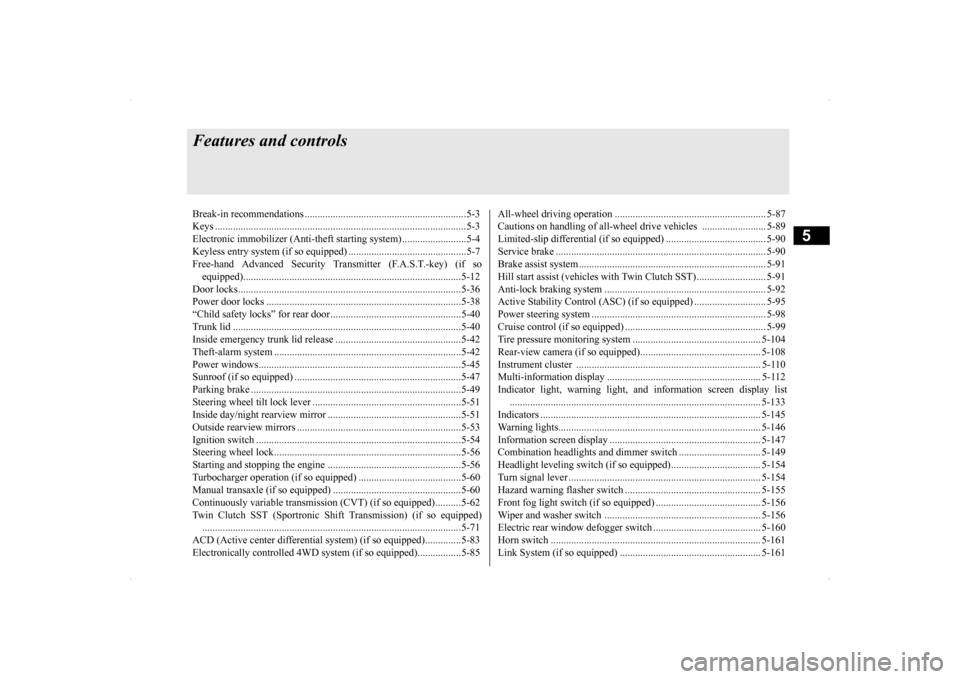
Features and controlsBreak-in recommendation
s ...............................................................5-3
Keys .....................................................
.............................................5-3
Electronic immobilizer (Anti-theft starting system) .........................5-4 Keyless entry system (if so equipped) ..............................................5-7Free-hand Advanced Security Transmitter (F.A.S.T.-key) (if so equipped)................................
.....................................................5-12
Door locks........................
...............................................................5-36
Power door locks .............
...............................................................5-38
“Child safety locks” for
rear door...................................................5-40
Trunk lid ....................................
.....................................................5-40
Inside emergency trunk lid
release .................................................5-42
Theft-alarm system ..........
...............................................................5-42
Power windows................
...............................................................5-45
Sunroof (if so equipped
) .........................................
........................5-47
Parking brake ...................
...............................................................5-49
Steering wheel tilt lock lever ..........................................................5-51Inside day/night rearview
mirror ....................................................5-51
Outside rearview mirr
ors ................................................................5-53
Ignition switch .................
...............................................................5-54
Steering wheel lock..........
...............................................................5-56
Starting and stopping the e
ngine ....................................................5-56
Turbocharger operation (if so equipped) ........................................5-60Manual transaxle (if so equipped) ..................................................5-60Continuously variable transmissi
on (CVT) (if so equipped)..........5-62
Twin Clutch SST (Sportronic Shif
t Transmission) (if so equipped)
...................................................................
..................................5-71
ACD (Active center differential system) (if so equipped)..............5-83 Electronically controlled 4WD system (if so equipped).................5-85
All-wheel driving opera
tion ........................................................... 5-87
Cautions on handling of all-wheel drive vehicles ......................... 5-89 Limited-slip differential (i
f so equipped) ....................................... 5-90
Service brake ..................
.................................................
............... 5-90
Brake assist system
................................................
......................... 5-91
Hill start assist (vehicles with
Twin Clutch SST) ........................... 5-91
Anti-lock braking syst
em ......................................
......................... 5-92
Active Stability Control (ASC
) (if so equipped) ............................ 5-95
Power steering system
...........................................
......................... 5-98
Cruise control (if so eq
uipped) ....................................................... 5-99
Tire pressure monitoring
system .................................................. 5-104
Rear-view camera (if so
equipped)..............
................................. 5-108
Instrument cluster ..........
.............................................................. 5-110
Multi-information display ............................................................ 5-112 Indicator light, warning light, and information screen display list
.................................................................
................................. 5-133
Indicators ..................................
.................................................... 5-145
Warning lights.................
.................................................
............. 5-146
Information screen disp
lay ....................................
....................... 5-147
Combination headlights and dimmer switch ................................ 5-149 Headlight leveling switch (if
so equipped)................................... 5-154
Turn signal lever ...
.................................................
....................... 5-154
Hazard warning flasher
switch ..................................................... 5-155
Front fog light switch (if so
equipped) ......................................... 5-156
Wiper and washer swit
ch ......................................
....................... 5-156
Electric rear window def
ogger switch .......................................... 5-160
Horn switch ..............................
.................................................... 5-161
Link System (if so equi
pped) ....................................................... 5-161
Page 72 of 434

Electronic immobilizer (Ant
i-theft starting system)
Features and controls 5-5
5
Only keys that have been programmed to the vehicle’s electronics can be used to start the vehicle. If you lose the key, you can order a key from your authorized Mitsubishi Motors dealer by referring to the key number. To prevent vehicle theft, the ID code for thevehicle keys must be changed. Take your vehicle and all remaining keys to your authorized Mitsubishi Motors dealer tohave your ID code changed. To add a key, you need to register the ID code to the vehicle. Registering the ID code can be done by your authorized Mitsubishi Motors dealer. Or itcan be done by yourself (except for vehicles sold in Canada).
NOTE
Do not attach additional keys or accessories to the ignition key. Such objects could pre- vent the driver’s knee airbag from inflating normally. Refer to “Deployment of front air- bags” on page 4-29. In the following cases, the vehicle may not be able to recognize the registered ID codefrom the key. This means the engine will not start even when the key is turned to the “START” position. • When the key contacts a key ring or other metallic or magnetic object (Type A) • When the key grip contacts metal of another key (Type B) • When the key contacts or is close to other immobilizer keys (including keys of othervehicles) (Type C)
In cases like the above, move the offending object(s) away from the key and turn the key back to the “ACC” or “LOCK” position. Then try to start the
engine again. If the
engine does not start, contact an authorized Mitsubishi Motors dealer.
A
The key may not operate properly when it is near an object or facility that emits strong electromagnetic waves. Electronic immobilizer is not compatible with commercially available remote startingsystems. Use of commercially available remote starting systems may result in vehicle starting problems and a lo
ss of security pro-
tection. A system failure is suspected when the igni- tion switch is turned to the “START” posi- tion, and the engine does not start. In such a case, contact an authorized MitsubishiMotors dealer.NOTE
BC
WA R N I N G Do not make any alterations or additions to the immobilizer system. Alterations or additions could cause failure of the immo- bilizer.
Replacement keys Additional keys
Page 73 of 434

Electronic immobilizer (Anti-theft starting system) 5-6 Features and controls
5
For you to register the ID code yourself, fol- low the “Customer key programming” proce- dure below. If you choose to have your authorized Mit-subishi Motors dealer
register the ID code,
take your vehicle and all remaining keys to your authorized Mitsubishi Motors dealer.
N00562201136
You can program new keys to the system ifyou have two valid (already registered) keysand blank (not registered) immobilizer key (specially cut for your vehicle at your Mit- subishi Motors dealer) by doing the follow-ing: 1. Insert the first valid key into the ignition switch and turn the key to the “ON” posi- tion for 5 seconds.2. Turn the key to the “LOCK” position and remove the first key.
3. Within 30 seconds of turning the first key to the “LOCK” position, insert the second valid key into the ignition and turn it to the “ON” position. About 10 secondslater, the immobilizer display will start to blink. 4. When the immobilizer display startsblinking, turn the second valid key to the “LOCK” position and remove it. Within 30 seconds after doing so, insert a blankimmobilizer key into the ignition switchand turn it to the “ON” position. Perform this operation no more than 30 seconds after the immobilizer display starts blink-ing. When registration of the ID code is complete, the immobilizer display will come on for 3 seconds then go off. If anerror occurs, the immobilizer display will go off during the procedure. 5. If you wish to register another key, per- form the process again from step 1.
Your electronic immobilizer operates on a radio frequency subject to Federal Communi-cations Commission (FCC) Rules (For vehi-
NOTE
You are provided with two keys, but you may register up to eight keys.
Customer key programming (Except for vehicles sold in Canada)
NOTE
Perform the operation when the interrupt dis- play screen is not showing. The interrupt dis- play screen may prevent you from seeing the immobilizer display.
It is not possible to register a key if: • the immobilizer display goes off during the procedure • the immobilizer display does not come on within 30 seconds after turning the ignition switch to the “ON” position with a blankimmobilizer key
The procedure will be terminated automati- cally if: • a period of 30 seconds or longer elapses from the moment when the first key is turned to the “LOCK” position to the moment when the second key is turned tothe “ON” position • a period of 30 seconds or longer elapses from the moment when the second key is turned to the “LOCK” position to the moment when the blank immobilizer key isturned to the “ON” position
To use the new remote control transmitters, it is necessary to register the key with both the electronic immobilizer and keyless entry sys- tem.Also refer to “Keyless entry system: Cus- tomer remote control transmitter program- ming” on page 5-9.
General information
NOTE