2014 MERCEDES-BENZ GL check engine
[x] Cancel search: check enginePage 203 of 462
Driving downhill
RDrive slowly.
RDo not drive at an angle down steep
inclines. Steer into the line of fall and drive
with the front wheels aligned straight.
Otherwise, the vehicle could slip sideways,
tip and rollover.
RShift to a lower gear using the left-hand
paddle shifter before tackling steep
downhill gradients.
RActivate DSR. If this is not sufficient, brake
gently. When doing so, make sure that the
vehicle is facing in the direction of the line
of fall.
RCheck that the brakes are working normally
after a long downhill stretch.
iThe special off-road ABS setting enables
a precise, brief and repeated locking of the
front wheels. This causes them to dig into
loose earth. Be aware that the front wheels
easily skid across the ground surface if
completely braked and therefore lose their
ability to steer.
Driving systems
Cruise control
General notes
Cruise control maintains a constant road
speed for you. It brakes automatically in order
to avoid exceeding the set speed. You must
select a lower gear in good time on long and
steep downhill gradients, especially if the
vehicle is laden or towing a trailer. By doing
so, you will make use of the braking effect of
the engine. This relieves the load on the brake
system and prevents the brakes from
overheating and wearing too quickly.
Use cruise control only if road and traffic
conditions make it appropriate to maintain a
steady speed for a prolonged period. You can
store any road speed above 20 mph
(30 km/h).
iCruise control should not be activated
when driving off-road.
Important safety notes
If you fail to adapt your driving style, cruise
control can neither reduce the risk of an
accident nor override the laws of physics.
Cruise control cannot take into account the
road, traffic and weather conditions. Cruise
control is only an aid. You are responsible for
the distance to the vehicle in front, for vehicle
speed, for braking in good time and for
staying in your lane.
Do not use cruise control:
Rin road and traffic conditions which do not
allow you to maintain a constant speed e.g.
in heavy traffic or on winding roads
Ron slippery road surfaces. Braking or
accelerating could cause the drive wheels
to lose traction and the vehicle could then
skid
Rwhen there is poor visibility, e.g. due to fog,
heavy rain or snow
If there is a change of drivers, advise the new
driver of the speed stored.
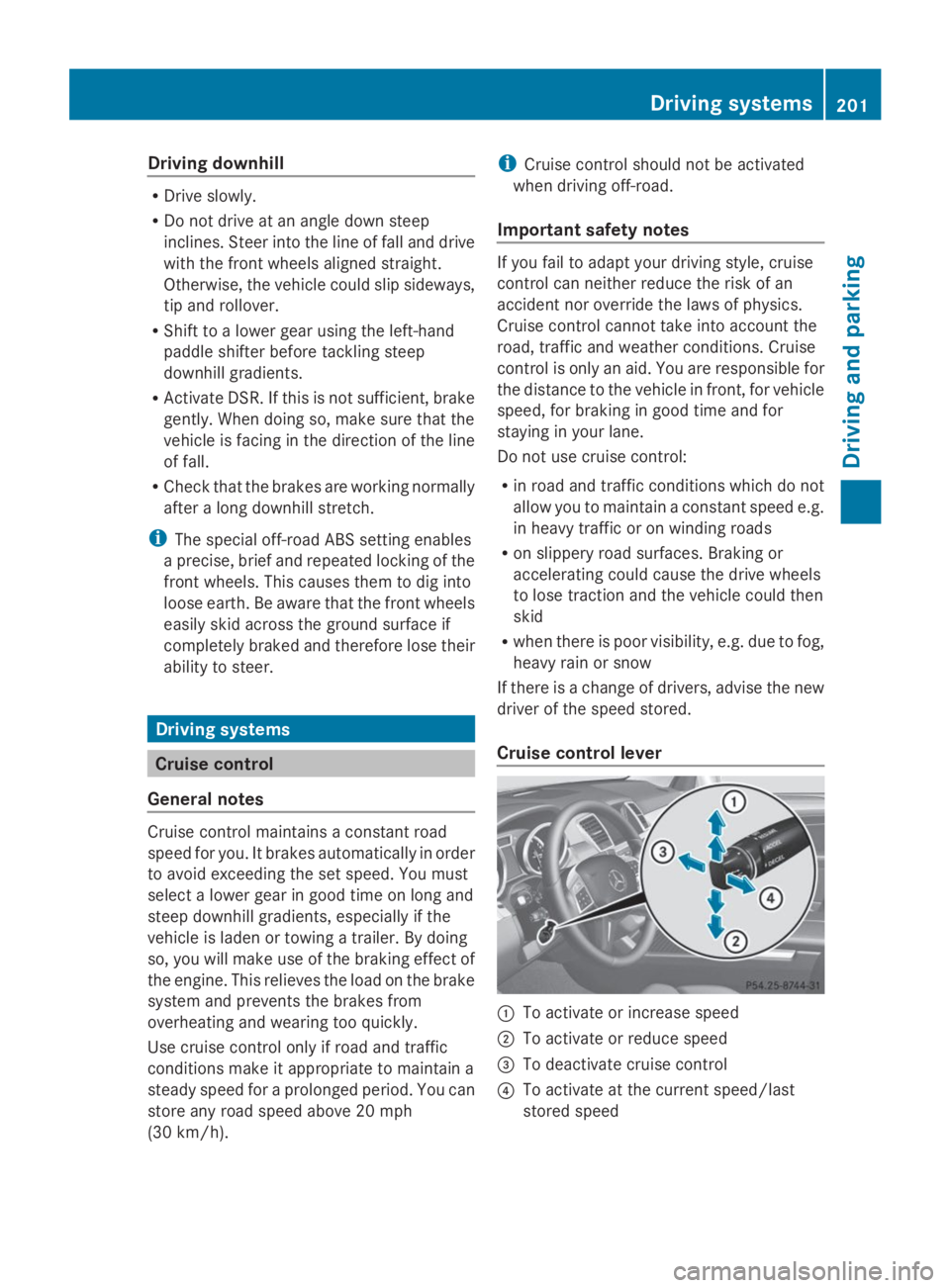
Cruise control lever
CTo activate or increase speed
DTo activate or reduce speed
Page 247 of 462
corresponding side lights up red. This warning
is always emitted when a vehicle enters the
blind spot monitoring range from behind or
from the side. When you overtake a vehicle,
the warning only occurs if the difference in
speed is less than 7 mph (12 km/h).
The yellow indicator lamp goes out if reverse
gear is engaged. In this event, Blind Spot
Assist is no longer active.
The brightness of the indicator/warning
lamps is adjusted automatically according to
the ambient light.
Collision warning
If a vehicle is detected in the monitoring range
of Blind Spot Assist and you switch on the
corresponding turn signal, a double warning
tone sounds. Red warning lampCflashes. If
the turn signal remains on, vehicles detected
are indicated by the flashing of red warning
lampC. There are no further warning tones.
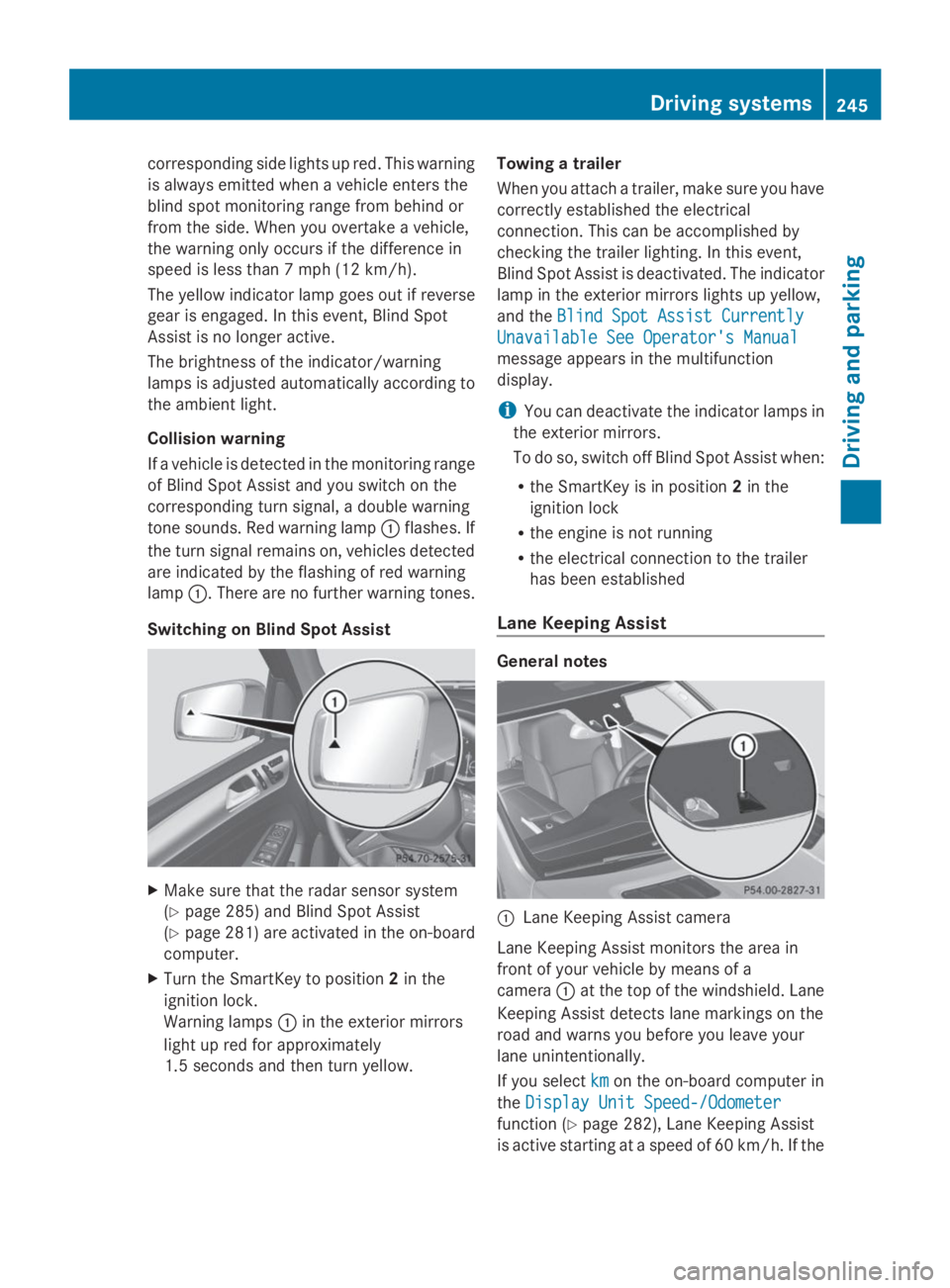
Switching on Blind Spot Assist
XMake sure that the radar sensor system
(Ypage 285) and Blind Spot Assist
(Ypage 281) are activated in the on-board
computer.
XTurn the SmartKey to position2in the
ignition lock.
Warning lampsCin the exterior mirrors
light up red for approximately
1.5 seconds and then turn yellow.
Towing a trailer
When you attach a trailer, make sure you have
correctly established the electrical
connection. This can be accomplished by
checking the trailer lighting. In this event,
Blind Spot Assist is deactivated. The indicator
lamp in the exterior mirrors lights up yellow,
and theBlind Spot Assist CurrentlyBlind Spot Assist Currently
Unavailable See Operator's ManualUnavailable See Operator's Manual
message appears in the multifunction
display.
iYou can deactivate the indicator lamps in
the exterior mirrors.
To do so, switch off Blind Spot Assist when:
Rthe SmartKey is in position2in the
ignition lock
Rthe engine is not running
Rthe electrical connection to the trailer
has been established
Lane Keeping Assist
General notes
CLane Keeping Assist camera
Lane Keeping Assist monitors the area in
front of your vehicle by means of a
cameraCat the top of the windshield. Lane
Keeping Assist detects lane markings on the
road and warns you before you leave your
lane unintentionally.
If you selectkmkmon the on-board computer in
theDisplay Unit Speed-/OdometerDisplay Unit Speed-/Odometer
function (Ypage 282), Lane Keeping Assist
is active starting at a speed of 60 km/h. If the
Driving systems245
Driving and parking
Z
Page 266 of 462
When towing a trailer, your vehicle's handling
characteristics will be different in comparison
with when driving without a trailer.
The vehicle/trailer combination:
Ris heavier
Ris restricted in its acceleration and
gradient-climbing capability
Rhas an increased braking distance
Ris affected more by strong crosswinds
Rdemands more sensitive steering
Rhas a larger turning radius
This could impair the handling
characteristics.
When towing a trailer, always adjust your
speed to the current road and weather
conditions. Do not exceed the maximum
permissible speed for your vehicle/trailer
combination.
Notes on towing a trailer
General notes
RDo not exceed the legally prescribed
maximum speed for vehicle/trailer
combinations in the relevant country.
This lowers the risk of an accident.
ROnly install an approved trailer coupling on
your vehicle.
Further information on availability and on
installation is available from any authorized
Mercedes-Benz Center.
RThe bumpers of your vehicle are not
suitable for installing detachable trailer
couplings.
RDo not install hired trailer couplings or
other detachable trailer couplings on the
bumpers of your vehicle.
RIf you no longer need the ball coupling,
remove it from the ball coupling recess.
This will reduce the risk of damage to the
ball coupling.
iWhen towing a trailer, set the tire
pressure on the rear axle of the towing
vehicle for a maximum load; see the tire
pressure table in the fuel filler flap
(Ypage 425).
Please note that when towing a trailer,
PARKTRONIC (Ypage 222) and Blind Spot
Assist (Ypage 243) are only available with
limitations, or not at all.
You will find installing dimensions and loads
under "Technical data" (Ypage 456).
Driving tips
iObserve the information on ESP®trailer
stabilization (Ypage 74) and on pulling
away with a trailer (Ypage 170).
The maximum permissible speed for vehicle/
trailer combinations depends on the type of
trailer. Before beginning the journey, check
the trailer's documents to see what the
maximum permissible speed is. Observe the
legally prescribed maximum speed in the
relevant country.
For certain Mercedes-Benz vehicles, the
maximum permissible rear axle load is
increased when towing a trailer. See
"Technical data" to find out whether this
applies to your vehicle (Ypage 457). If you
utilize any of the added maximum rear axle
load when towing a trailer, the vehicle/trailer
combination may not exceed a maximum
speed of 60 mph (100 km/h) for reasons
concerning the operating permit. This also
applies in countries in which the permissible
maximum speed for vehicle/trailer
combinations is above 60 mph (100 km/h).
When towing a trailer, your vehicle's handling
characteristics will be different in comparison
with when driving without a trailer.
Use the left-hand paddle shifter to shift into
a lower gear in good time on long and steep
downhill gradients.
iThis also applies if you have activated
cruise control or DISTRONIC PLUS.
This will use the braking effect of the engine,
so that less braking will be required to
maintain the speed. This relieves the load on
264Towing a trailer
Driving and parking
Page 269 of 462
of the towing vehicle, as the latter is
equipped with an anti-lock brake system.
Doing so will result in a loss of function of
the brake systems of both the vehicle and
the trailer.
XMake sure that the automatic transmission
is set to positionP.
XApply the vehicle's electric parking brake.
XStart the engine.
XVehicles with the AIRMATIC package:
select highway level.
XVehicles with ADS:set ADS toAUTOor
COMF.
XSwitch off the engine.
XClose all doors and the tailgate.
XCouple up the trailer.
XEstablish all electrical connections.
XCheck that the trailer lighting system is
working.
iVehicles with the AIRMATIC package:
with a trailer attached, the vehicle will
always remain at highway level. When
coupling up a trailer, please observe the
following:
RUnless highway level has been set
manually, the vehicle is automatically
lowered to highway level. This is the case
if a speed of 5 mph(8km/h) is reached.
RHigh-speed level is not available.
These restrictions apply to all accessories
powered through a connection to the trailer
power socket of your vehicle, e.g. a bicycle
carrier.
Observe the maximum permissible trailer
dimensions (width and length).
Most U.S. states and all Canadian provinces
require by law:
RSafety chains between the towing vehicle
and the trailer. The chains should be cross-
wound under the trailer drawbar. They must
be fastened to the vehicle's trailer
coupling, not to the bumper or the axle.
Leave enough play in the chains to make
tight cornering possible.
RA separate brake system for certain types
of trailer.
RA safety switch for braked trailers. Check
the specific legal requirements applicable
to your state.
If the trailer detaches from the towing
vehicle, the safety switch applies the
trailer's brakes.
Towing a trailer
There are numerous legal requirements
concerning the towing of a trailer, e.g. speed
restrictions. Make sure that your vehicle/
trailer combination complies with the local
requirements not only in your area of
residence but also at any location to which
you are traveling. The police and local
authorities can provide reliable information.
Please observe the following when towing a
trailer:
RIn order to accumulate driving experience
and accustom yourself to the new handling
characteristics, practice the following at a
location where there is no traffic:
-Cornering
-Stopping
-Backing up
RBefore driving, check:
-the trailer tow hitch
-the safety switch for braked trailers
-the safety chains
-electrical connections
-the lights
-the wheels
RAdjust the exterior mirrors to provide an
unobstructed view of the rear section of the
trailer.
RIf the trailer has electronically controlled
brakes, pull away carefully. Brake manually
using the brake controller and check
whether the brakes function correctly.
Towing a trailer267
Driving an d parking
Z
Page 270 of 462
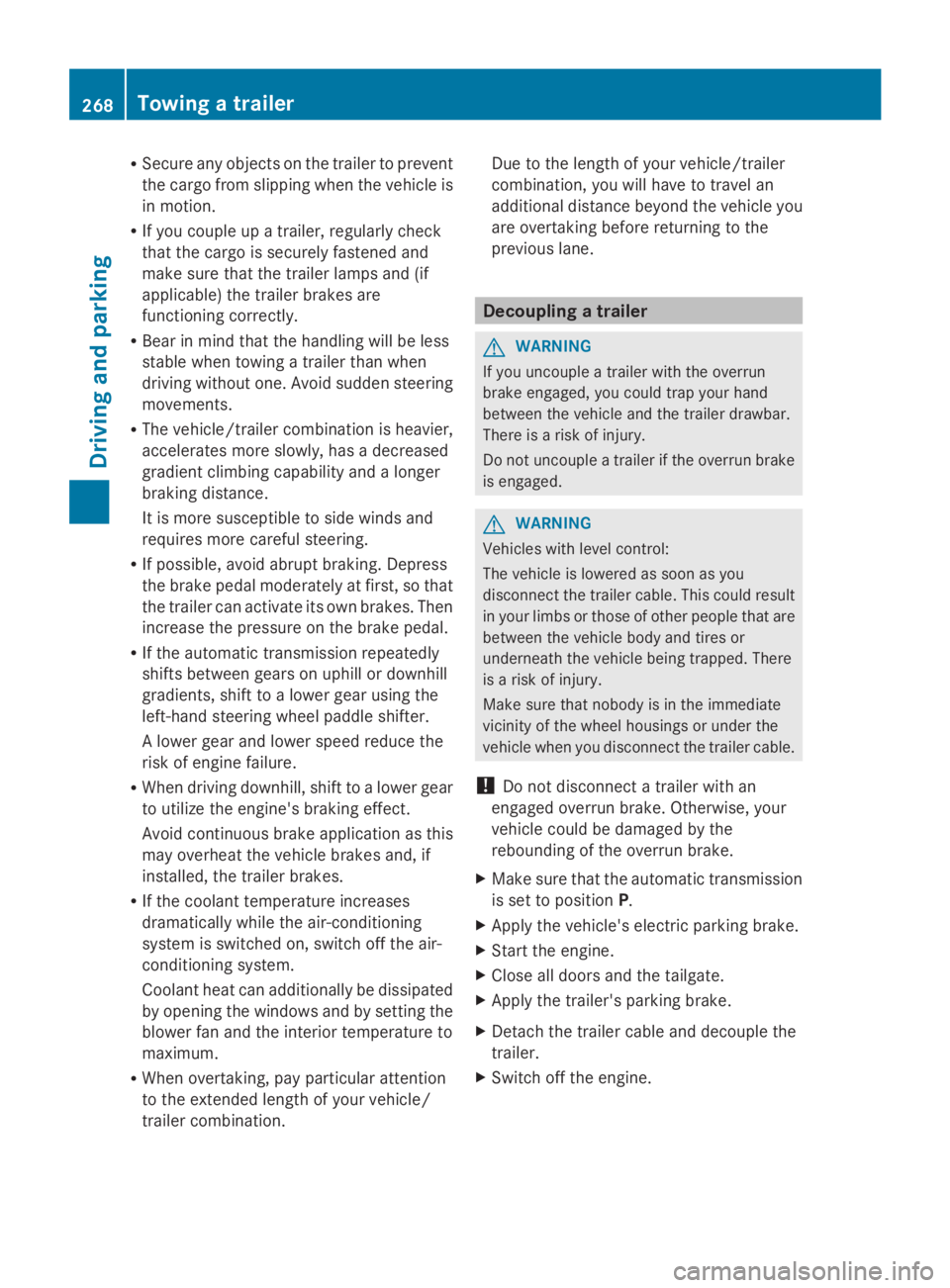
RSecure any objects on the trailer to prevent
the cargo from slipping when the vehicle is
in motion.
RIf you couple up a trailer, regularly check
that the cargo is securely fastened and
make sure that the trailer lamps and (if
applicable) the trailer brakes are
functioning correctly.
RBear in mind that the handling will be less
stable when towing a trailer than when
driving without one. Avoid sudden steering
movements.
RThe vehicle/trailer combination is heavier,
accelerates more slowly, has a decreased
gradient climbing capability and a longer
braking distance.
It is more susceptible to side winds and
requires more careful steering.
RIf possible, avoid abrupt braking. Depress
the brake pedal moderately at first, so that
the trailer can activate its own brakes. Then
increase the pressure on the brake pedal.
RIf the automatic transmission repeatedly
shifts between gears on uphill or downhill
gradients, shift to a lower gear using the
left-hand steering wheel paddle shifter.
A lower gear and lower speed reduce the
risk of engine failure.
RWhen driving downhill, shift to a lower gear
to utilize the engine's braking effect.
Avoid continuous brake application as this
may overheat the vehicle brakes and, if
installed, the trailer brakes.
RIf the coolant temperature increases
dramatically while the air-conditioning
system is switched on, switch off the air-
conditioning system.
Coolant heat can additionally be dissipated
by opening the windows and by setting the
blower fan and the interior temperature to
maximum.
RWhen overtaking, pay particular attention
to the extended length of your vehicle/
trailer combination.
Due to the length of your vehicle/trailer
combination, you will have to travel an
additional distance beyond the vehicle you
are overtaking before returning to the
previous lane.
Decoupling a trailer
GWARNING
If you uncouple a trailer with the overrun
brake engaged, you could trap your hand
between the vehicle and the trailer drawbar.
There is a risk of injury.
Do not uncouple a trailer if the overrun brake
is engaged.
GWARNING
Vehicles with level control:
The vehicle is lowered as soon as you
disconnect the trailer cable. This could result
in your limbs or those of other people that are
between the vehicle body and tires or
underneath the vehicle being trapped. There
is a risk of injury.
Make sure that nobody is in the immediate
vicinity of the wheel housings or under the
vehicle when you disconnect the trailer cable.
!Do not disconnect a trailer with an
engaged overrun brake. Otherwise, your
vehicle could be damaged by the
rebounding of the overrun brake.
XMake sure that the automatic transmission
is set to positionP.
XApply the vehicle's electric parking brake.
XStart the engine.
XClose all doors and the tailgate.
XApply the trailer's parking brake.
XDetach the trailer cable and decouple the
trailer.
XSwitch off the engine.
268Towing a trailer
Driving and parking
Page 274 of 462
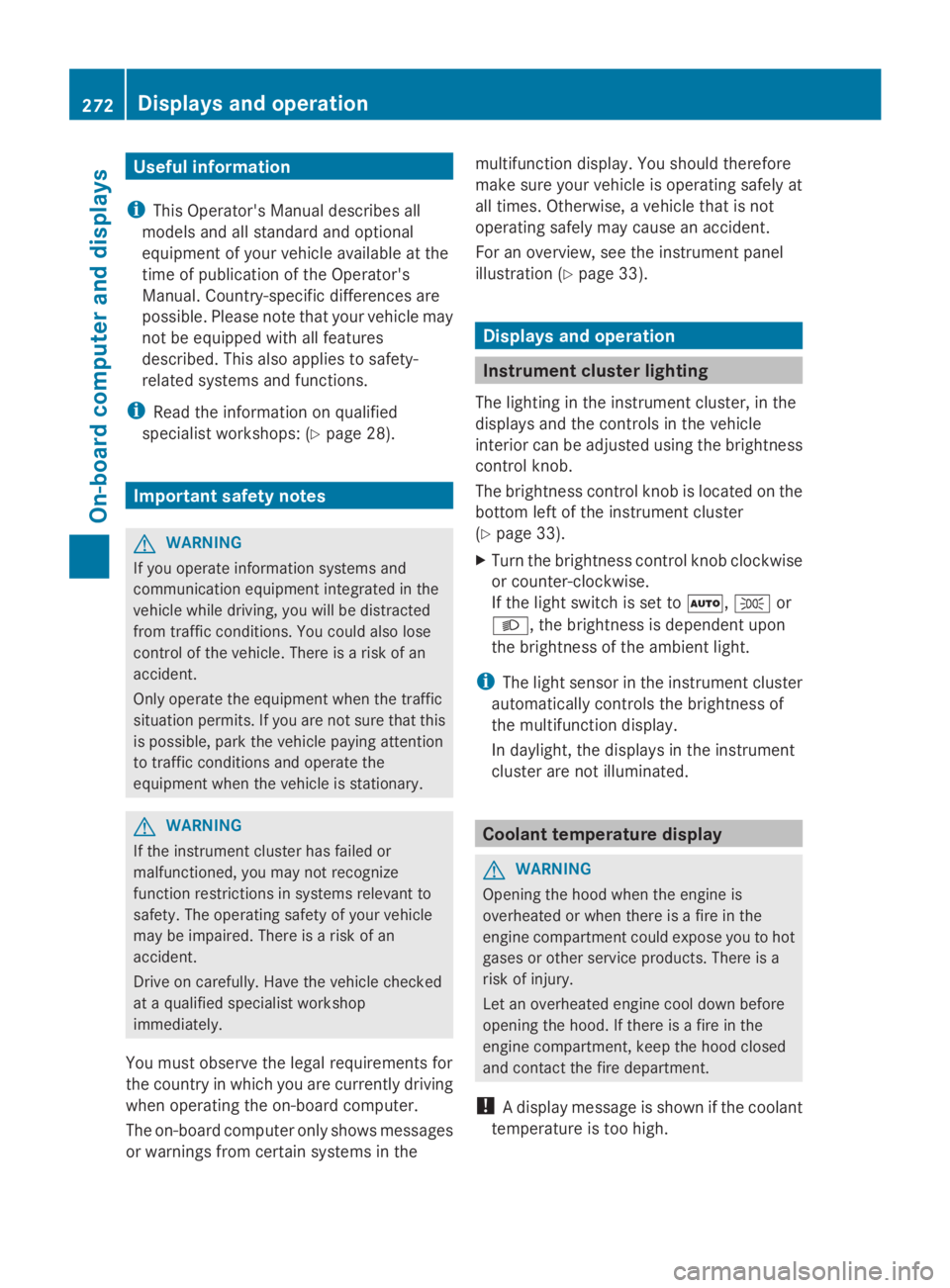
Useful information
iThis Operator's Manual describes all
models and all standard and optional
equipment of your vehicle available at the
time of publication of the Operator's
Manual. Country-specific differences are
possible. Please note that your vehicle may
not be equipped with all features
described. This also applies to safety-
related systems and functions.
iRead the information on qualified
specialist workshops: (Ypage 28).
Important safety notes
GWARNING
If you operate information systems and
communication equipment integrated in the
vehicle while driving, you will be distracted
from traffic conditions. You could also lose
control of the vehicle. There is a risk of an
accident.
Only operate the equipment when the traffic
situation permits. If you are not sure that this
is possible, park the vehicle paying attention
to traffic conditions and operate the
equipment when the vehicle is stationary.
GWARNING
If the instrument cluster has failed or
malfunctioned, you may not recognize
function restrictions in systems relevant to
safety. The operating safety of your vehicle
may be impaired. There is a risk of an
accident.
Drive on carefully. Have the vehicle checked
at a qualified specialist workshop
immediately.
You must observe the legal requirements for
the country in which you are currently driving
when operating the on-board computer.
The on-board computer only shows messages
or warnings from certain systems in the
multifunction display. You should therefore
make sure your vehicle is operating safely at
all times. Otherwise, a vehicle that is not
operating safely may cause an accident.
For an overview, see the instrument panel
illustration (Ypage 33).
Displays and operation
Instrument cluster lighting
The lighting in the instrument cluster, in the
displays and the controls in the vehicle
interior can be adjusted using the brightness
control knob.
The brightness control knob is located on the
bottom left of the instrument cluster
(Ypage 33).
XTurn the brightness control knob clockwise
or counter-clockwise.
If the light switch is set toX,`or
X, the brightness is dependent upon
the brightness of the ambient light.
iThe light sensor in the instrument cluster
automatically controls the brightness of
the multifunction display.
In daylight, the displays in the instrument
cluster are not illuminated.
Coolant temperature display
GWARNING
Opening the hood when the engine is
overheated or when there is a fire in the
engine compartment could expose you to hot
gases or other service products. There is a
risk of injury.
Let an overheated engine cool down before
opening the hood. If there is a fire in the
engine compartment, keep the hood closed
and contact the fire department.
!A display message is shown if the coolant
temperature is too high.
272Displays and operation
On-board computer and displays
Page 314 of 462
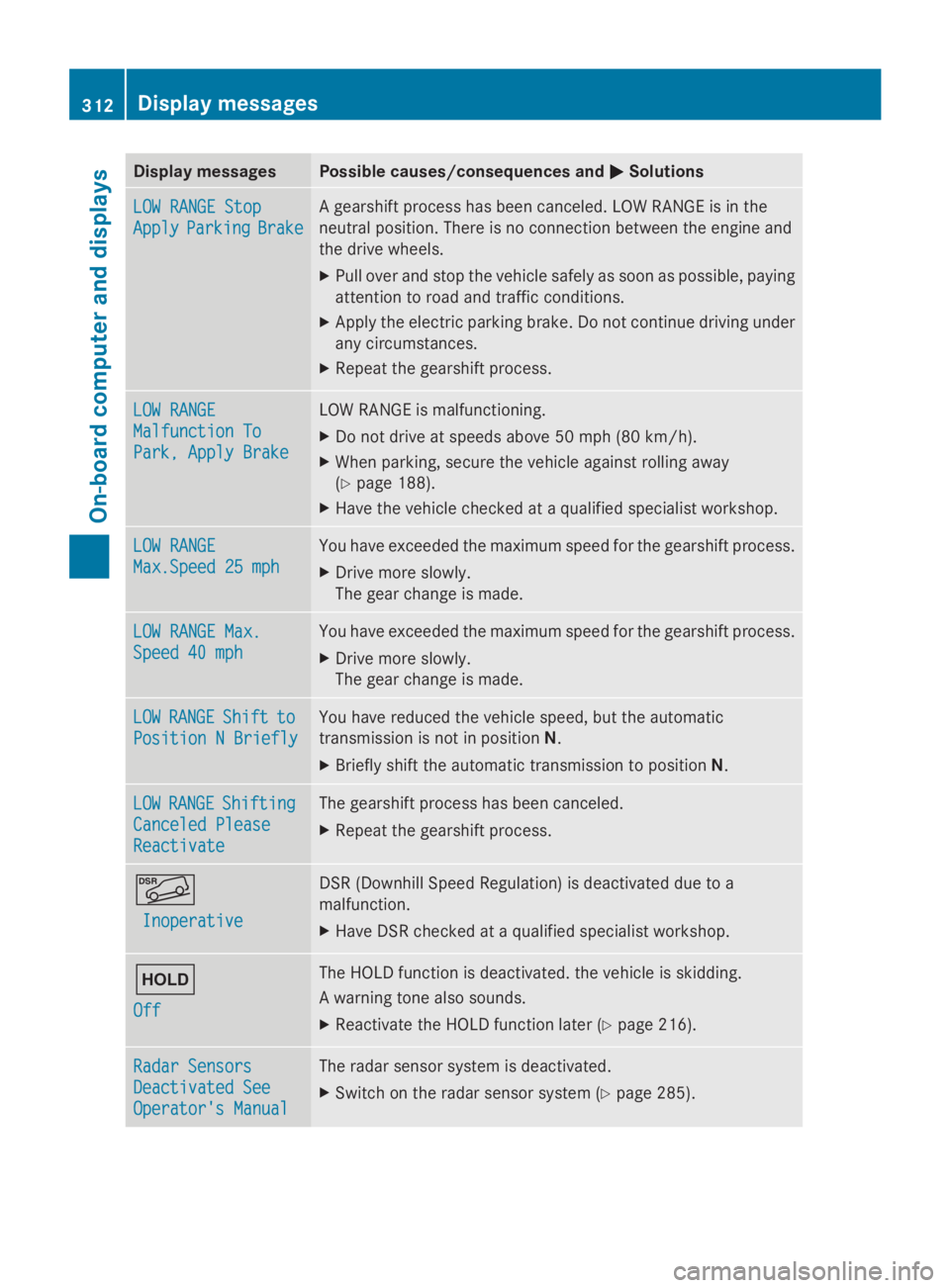
Display messagesPossible causes/consequences andPPSolutions
LOW RANGE StopLOW RANGE Stop
ApplyApplyParkingParkingBrakeBrake
A gearshift process has been canceled. LOW RANGE is in the
neutral position. There is no connection between the engine and
the drive wheels.
XPull over and stop the vehicle safely as soon as possible, paying
attention to road and traffic conditions.
XApply the electric parking brake. Do not continue driving under
any circumstances.
XRepeat the gearshift process.
LOW RANGELOW RANGE
Malfunction ToMalfunction To
Park, Apply BrakePark, Apply Brake
LOW RANGE is malfunctioning.
XDo not drive at speeds above 50 mph (80 km/h).
XWhen parking, secure the vehicle against rolling away
(Ypage 188).
XHave the vehicle checked at a qualified specialist workshop.
LOW RANGELOW RANGE
Max.Speed 25 mphMax.Speed 25 mph
You have exceeded the maximum speed for the gearshift process.
XDrive more slowly.
The gear change is made.
LOW RANGE Max.LOW RANGE Max.
Speed 40 mphSpeed 40 mph
You have exceeded the maximum speed for the gearshift process.
XDrive more slowly.
The gear change is made.
LOWLOWRANGERANGEShiftShifttoto
Position N BrieflyPosition N Briefly
You have reduced the vehicle speed, but the automatic
transmission is not in positionN.
XBriefly shift the automatic transmission to positionN.
LOWLOWRANGERANGEShiftingShifting
Canceled PleaseCanceled Please
ReactivateReactivate
The gearshift process has been canceled.
XRepeat the gearshift process.
Page 318 of 462
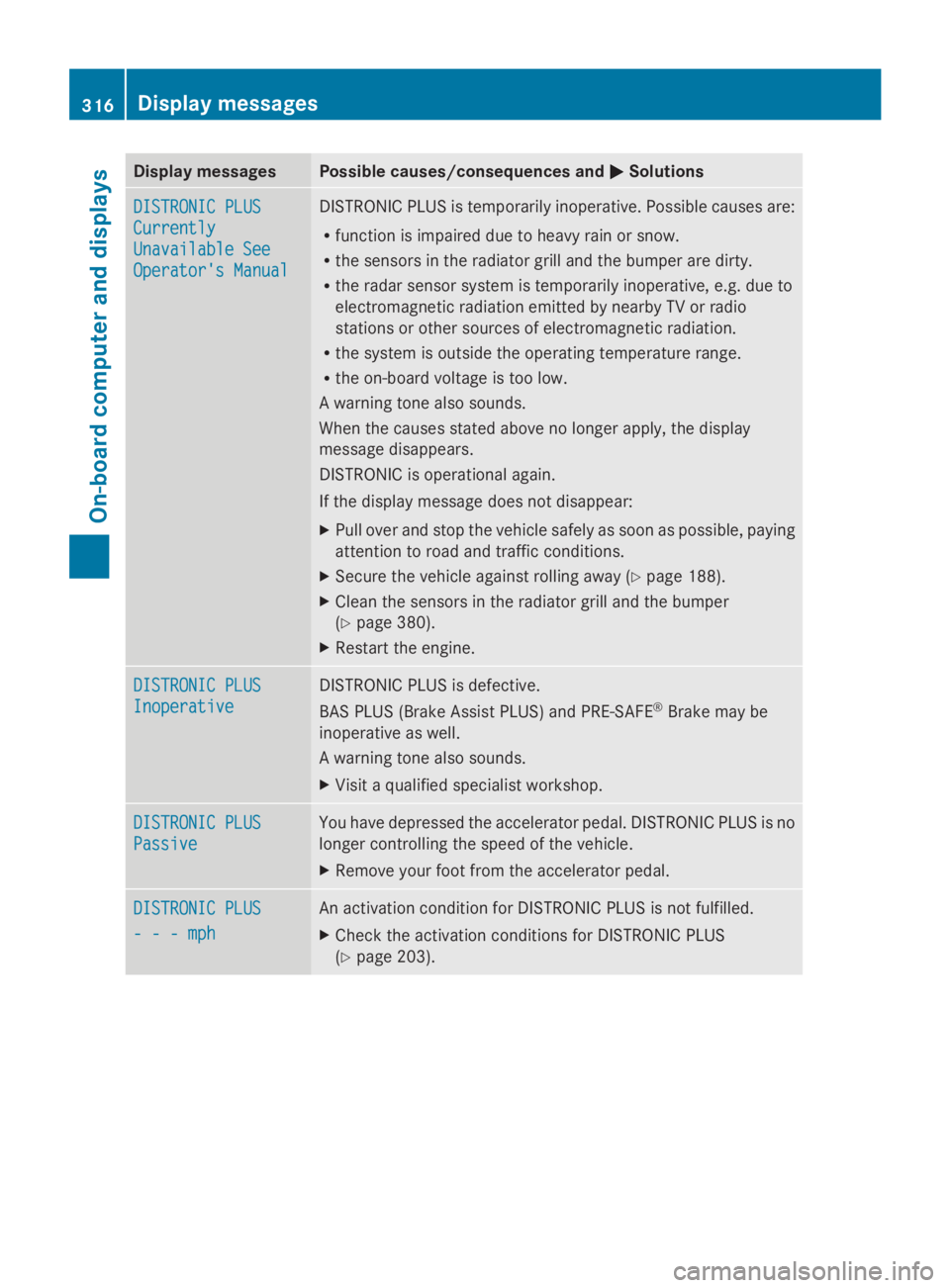
Display messagesPossible causes/consequences andPPSolutions
DISTRONIC PLUSDISTRONIC PLUS
CurrentlyCurrently
Unavailable SeeUnavailable See
Operator's ManualOperator's Manual
DISTRONIC PLUS is temporarily inoperative. Possible causes are:
Rfunction is impaired due to heavy rain or snow.
Rthe sensors in the radiator grill and the bumper are dirty.
Rthe radar sensor system is temporarily inoperative, e.g. due to
electromagnetic radiation emitted by nearby TV or radio
stations or other sources of electromagnetic radiation.
Rthe system is outside the operating temperature range.
Rthe on-board voltage is too low.
A warning tone also sounds.
When the causes stated above no longer apply, the display
message disappears.
DISTRONIC is operational again.
If the display message does not disappear:
XPull over and stop the vehicle safely as soon as possible, paying
attention to road and traffic conditions.
XSecure the vehicle against rolling away (Ypage 188).
XClean the sensors in the radiator grill and the bumper
(Ypage 380).
XRestart the engine.
DISTRONIC PLUSDISTRONIC PLUS
InoperativeInoperative
DISTRONIC PLUS is defective.
BAS PLUS (Brake Assist PLUS) and PRE-SAFE®Brake may be
inoperative as well.
A warning tone also sounds.
XVisit a qualified specialist workshop.
DISTRONIC PLUSDISTRONIC PLUS
PassivePassive
You have depressed the accelerator pedal. DISTRONIC PLUS is no
longer controlling the speed of the vehicle.
XRemove your foot from the accelerator pedal.
DISTRONIC PLUSDISTRONIC PLUS
- - - mph- - - mph
An activation condition for DISTRONIC PLUS is not fulfilled.
XCheck the activation conditions for DISTRONIC PLUS
(Ypage 203).
316Displaymessages
On-b oard computer and displays