Useful information
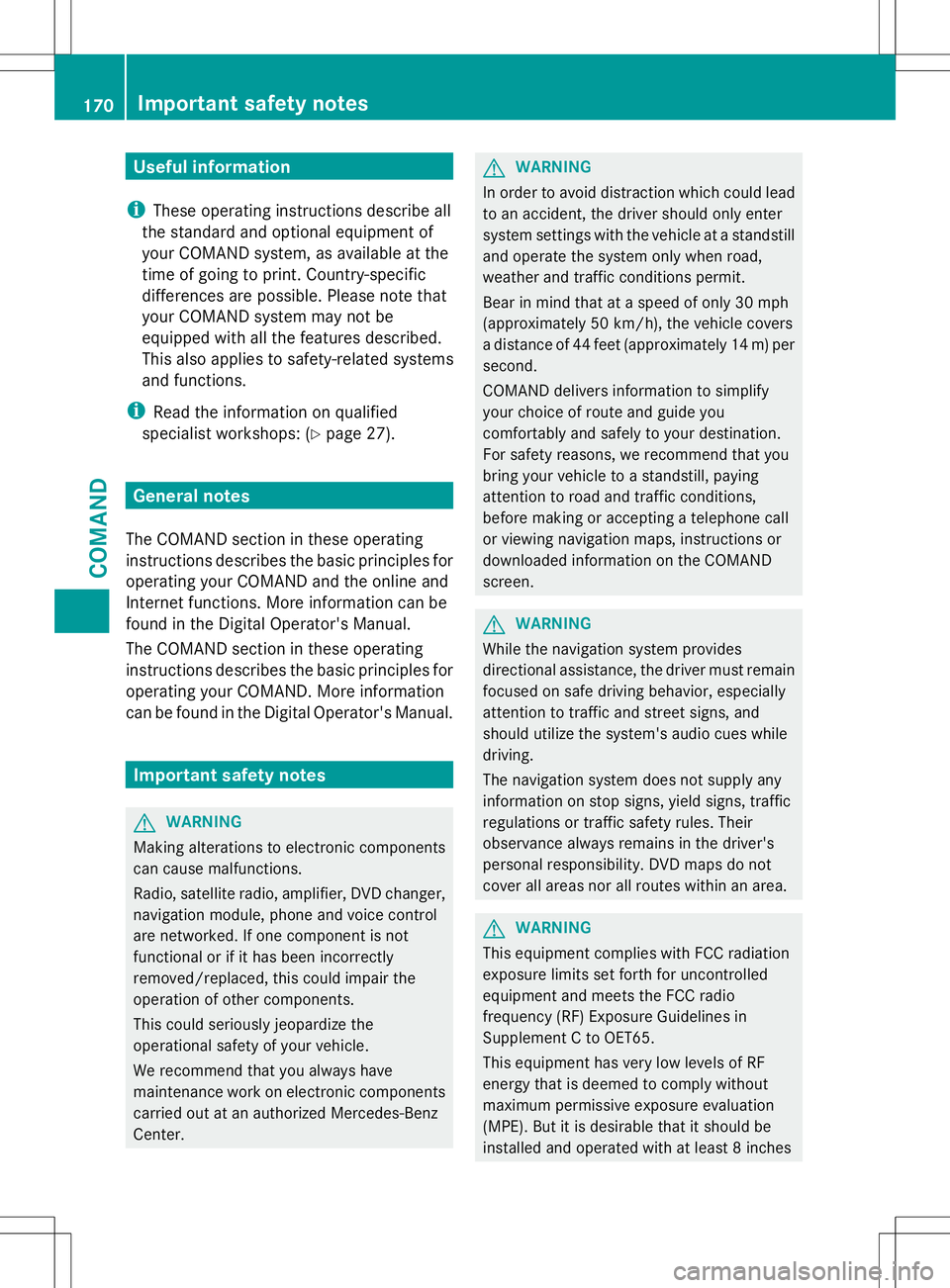
i These operating instructions describe all
the standard and optional equipment of
your COMAND system, as available at the
time of going to print. Country-specific
differences are possible. Please note that
your COMAND system may not be
equipped with all the features described.
This also applies to safety-related systems
and functions.
i Read the information on qualified
specialist workshops: (Y page 27).General notes
The COMAND section in these operating
instructions describes the basic principles for
operating your COMAND and the online and
Internet functions. More information can be
found in the Digital Operator's Manual.
The COMAND section in these operating
instructions describes the basic principles for
operating your COMAND. More information
can be found in the Digital Operator's Manual. Important safety notes
G
WARNING
Making alterations to electronic components
can cause malfunctions.
Radio, satellite radio, amplifier, DVD changer,
navigation module, phone and voice control
are networked. If one component is not
functional or if it has been incorrectly
removed/replaced, this could impair the
operation of other components.
This could seriously jeopardize the
operational safety of your vehicle.
We recommend that you always have
maintenance work on electronic components
carried out at an authorized Mercedes-Benz
Center. G
WARNING
In order to avoid distraction which could lead
to an accident, the driver should only enter
system settings with the vehicle at a standstill
and operate the system only when road,
weather and traffic conditions permit.
Bear in mind that at a speed of only 30 mph
(approximately 50 km/h), the vehicle covers
a distance of 44 feet (approximately 14 m) per
second.
COMAND delivers information to simplify
your choice of route and guide you
comfortably and safely to your destination.
For safety reasons, we recommend that you
bring your vehicle to a standstill, paying
attention to road and traffic conditions,
before making or accepting a telephone call
or viewing navigation maps, instructions or
downloaded information on the COMAND
screen. G
WARNING
While the navigation system provides
directional assistance, the driver must remain
focused on safe driving behavior, especially
attention to traffic and street signs, and
should utilize the system's audio cues while
driving.
The navigation system does not supply any
information on stop signs, yield signs, traffic
regulations or traffic safety rules. Their
observance always remains in the driver's
personal responsibility. DVD maps do not
cover all areas nor all routes within an area. G
WARNING
This equipment complies with FCC radiation
exposure limits set forth for uncontrolled
equipment and meets the FCC radio
frequency (RF) Exposure Guidelines in
Supplement C to OET65.
This equipment has very low levels of RF
energy that is deemed to comply without
maximum permissive exposure evaluation
(MPE). But it is desirable that it should be
installed and operated with at least 8inches 170
Important safety notesCOMAND
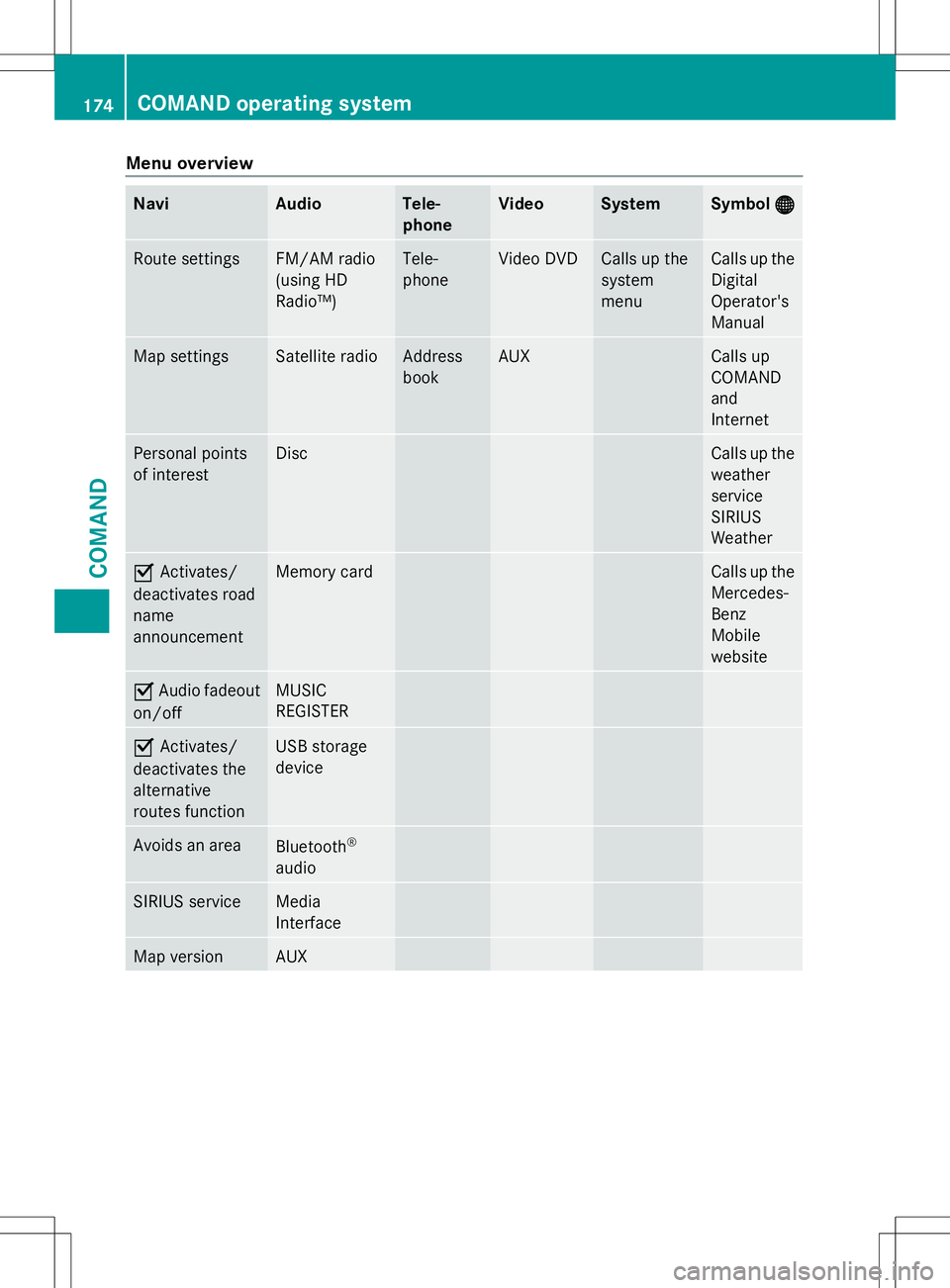
Menu overview
Navi Audio Tele-
phone Video System Symbol
® ® Route settings FM/AM radio
(using HD
Radio™) Tele-
phone Video DVD Calls up the
system
menu Calls up the
Digital
Operator's
Manual
Map settings Satellite radio Address
book AUX Calls up
COMAND
and
Internet
Personal points
of interest Disc Calls up the
weather
service
SIRIUS
Weather
O
Activates/
deactivates road
name
announcement Memory card Calls up the
Mercedes-
Benz
Mobile
website
O
Audio fadeout
on/off MUSIC
REGISTER
O
Activates/
deactivates the
alternative
routes function USB storage
device
Avoids an area
Bluetooth
®
audio SIRIUS service Media
Interface
Map version AUX174
COMAND operating systemCOMAND
COMAND control panel
Function Page
:
Switches to radio mode
Switches wavebands
Switches to satellite radio
;
Switches to navigation
mode
Shows the menu system
=
Press
hrepeatedly • Switches to audio CD,
audio DVD and MP3 mode
or DVD video mode
• Switches to memory card
mode
• Switches to MUSIC
REGISTER
• Switches to USB storage
device mode
• Switches to Media
Interface or audio AUX
mode
• Switches to Bluetooth
®
audio mode Function Page
?
Calls up the telephone
basic menu:
• Bluetooth
®
interface
telephony A
V
Load/eject button B
Selects stations via the
station search function
Rewinds
Selects the previous track
C
Disc slot
• Loads CDs/DVDs
• Ejects CDs/DVDs
• Updates the digital map
D
Selects stations via the
station search function
Fast forward
Selects the next track
E
Clear button
• Deletes characters
• Deletes an entry176
COMAND operating systemCOMAND